Which setting to view thumbnail

DT 4.8.1 on Leap 15.6. Camera: OM-1MkII.

I was a guest at a wedding and took some photos with the B&W preview.

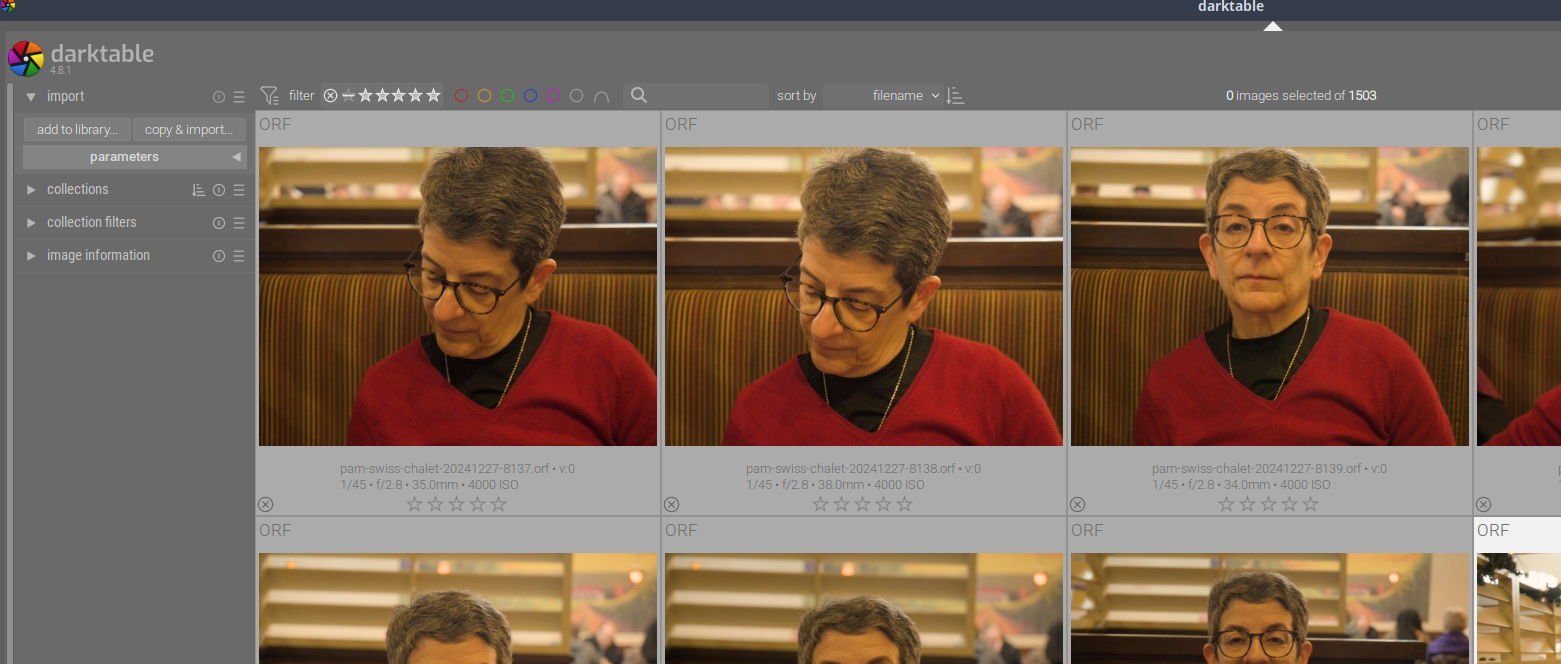
The problem is when I imported them, the thumbnails are all in colour.

Which setting to use? What am I missing?

I have the:

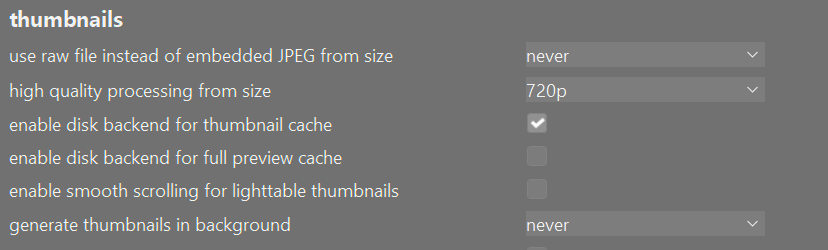
  • Settings > Lightable > thumbnails > use raw file instead of embedded JPEG from size: NEVER
  • Settings > Lightable > thumbnails > high quality processing from size: 720p

So it’s not a style that is applied to the photo? Sounds like the embedded jpg might be not b&w.

Check the camera settings. I believe the on camera preview will be shown as b&w but it will be a full colour raw and/or jpeg that is saved to the card.

No it’s not. The embedded is a b&w.

Here is the B&W extracted embedded preview with exiftool

pam-swiss-chalet-20241227-8137_ORF

If you shoot in JPG and RAW the JPG will be BW with no chance of recovering the colors. However, the RAW file retains the color. It probably has an embedded BW jpg. Below is my settings and I believe, but am not sure that it would show the BW preview. I would need a sample image to be sure as I never shoot BW on the camera.

I only use raw (no jpeg), just the preview is bw.

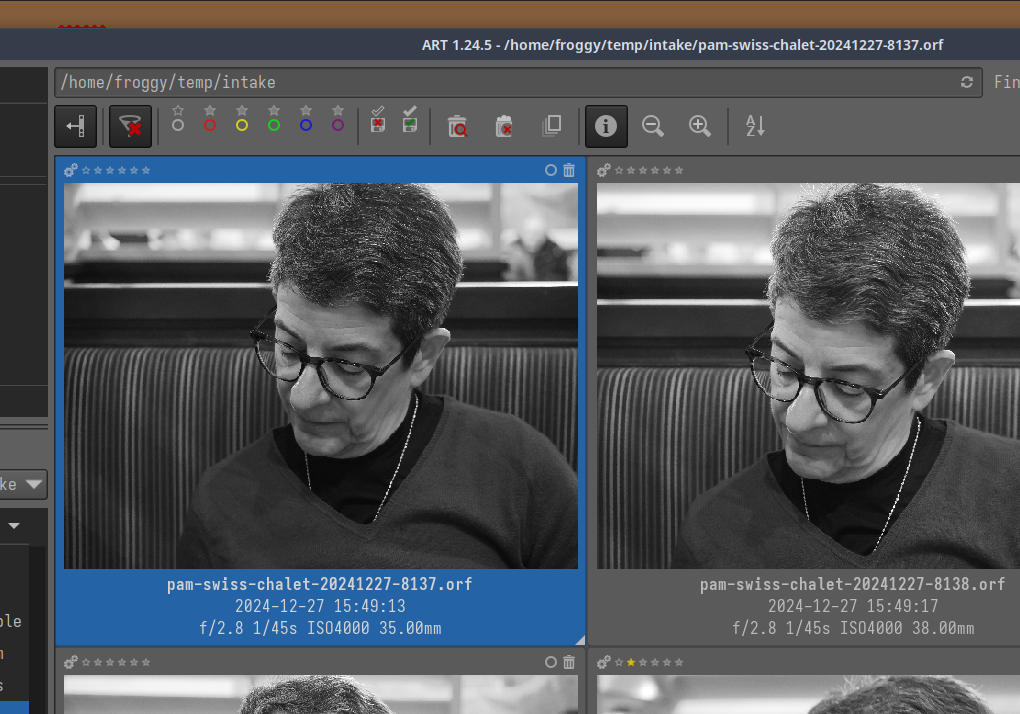
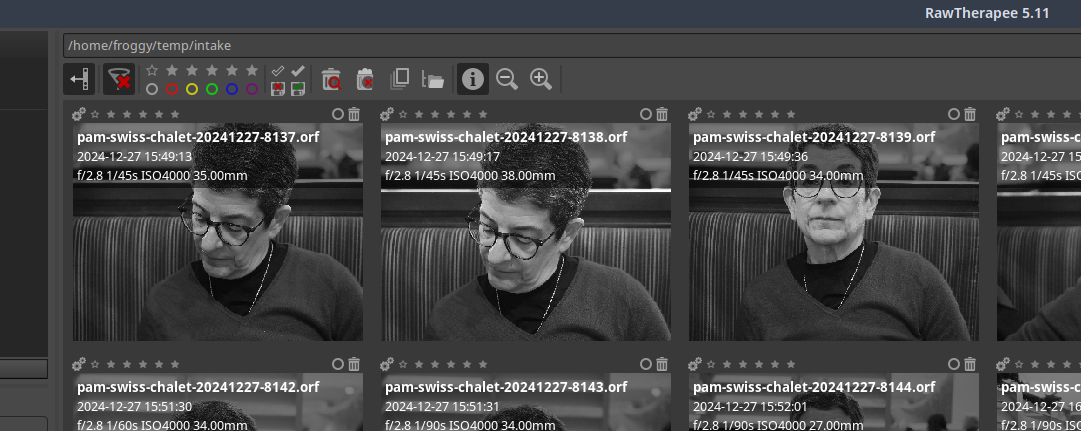
Both Rawtherapee and ART display the the preview correctly in B&W for the same images, it’s just DT that doesn’t.

Would you mind sharing a raw? (Doesn’t need to be from the wedding, a random wall would do as well)

Here’s another but part of the same batch with the same problem:

and here’s the view:

ART

RT

DT

and the actual embedded extracted with exiftool was 3 post ago

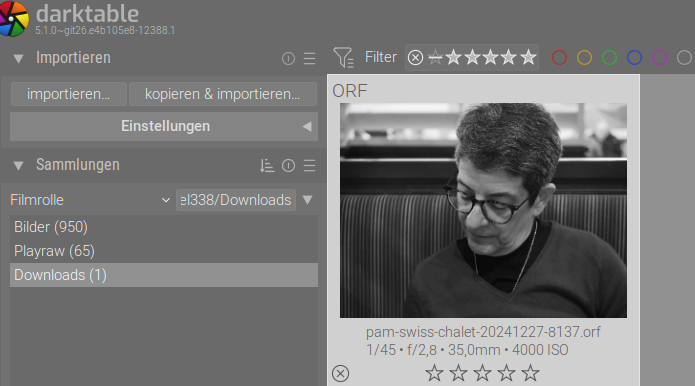
Seems to work for me. Also tested 4.8.1 AppImage with fresh config folder. Same settings like yours, so basically default.

Are there any scripts, that do any processing on import? I don’t know if this is possible, but have no reasonable ideas.

Maybe try with a fresh config folder.

Also works fine for me…

But any trivial edit will render the raw with those edits… are you applying anything to the images on import or some autopresets that might trigger them to be “edited”

Though I think they should be bw until you go in and out of DR view??

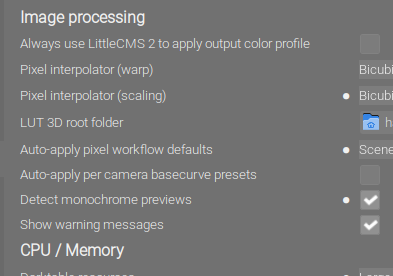
In dt we have the “Detect monochrome previews” preference setting.

Bildschirmfoto vom 2025-01-03 06-27-54

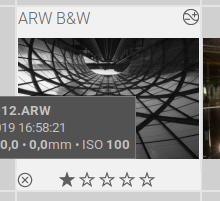
If you import images and a b&w embedded preview is found in the raw file the image will be marked as “B&W” as seen here in the thumbtable.
Bildschirmfoto vom 2025-01-03 06-30-34

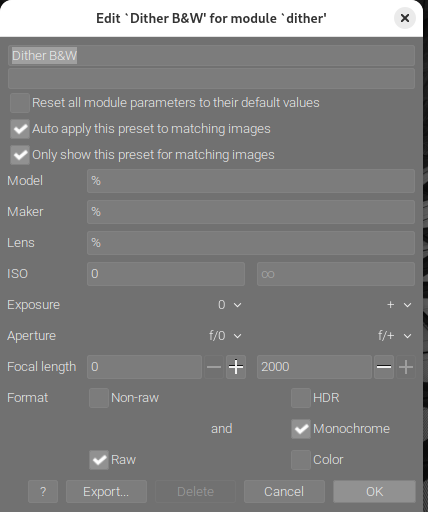
So what is still missing then for your “B&W” workflow? You need some auto applied presets for such images. I just have two presets defined a) for sigmoid with higher contrast and b) a dither&poster with 6bit gray defined as this
Bildschirmfoto vom 2025-01-03 06-35-37

This was NOT on in the setttings

As far as I know, I have no applied preset.

Which bring me to the next question:

How can I re-import the images from the wedding and have them show up as black & white?

Not in mine either. Yet my dt displayed the B&W thumbnail correctly.

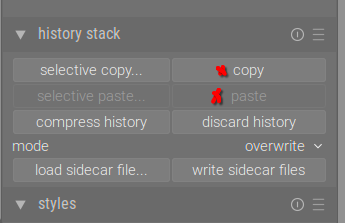
As a workaround you could simply copy & paste the history stack from one B&Wed photo to all others you want.

grafik

(Or selective and only select the dither module)

This depends if you process the thumbs from raw or from embedded jpegs.

I guessed so, that’s why i mentioned it :slight_smile:

I understood that photos were imported and without any processing the thumbs were shown in color, even though dt was set to use the embedded jpg. And with the same settings on my system, the embedded b&w jpg was shown correctly as b&w.

I just removed all these images from DT with:

  • select all
  • remove

and re-imported them with both settings for the b&w and that did NOT work, again the thumbnails are in colour.

Obviously, I have somewhere the wrong settings. I’m doing more and more b&w.

  1. What if I nuke DT4.8.1, switch to DT5 and reimport with the xmps?
  2. How can get my presets out of DT4.8.1 to re-apply them to DT5?

This does not delete edits/xmps. So, if there was anything applied to a photo, it will be back on re-import.

Don’t know which one it could be. You can test by temporarily renaming your .config/darktable folder and move the xmps out of the photo’s folder.

If you don’t nuke your .config/darktable folder, everything should be handed over to v5. Be aware that once your db is converted to v5, you can not return to v4. So you might want to backup before updating.

1 Like

I will do that.

Thanks for taking the time to help.