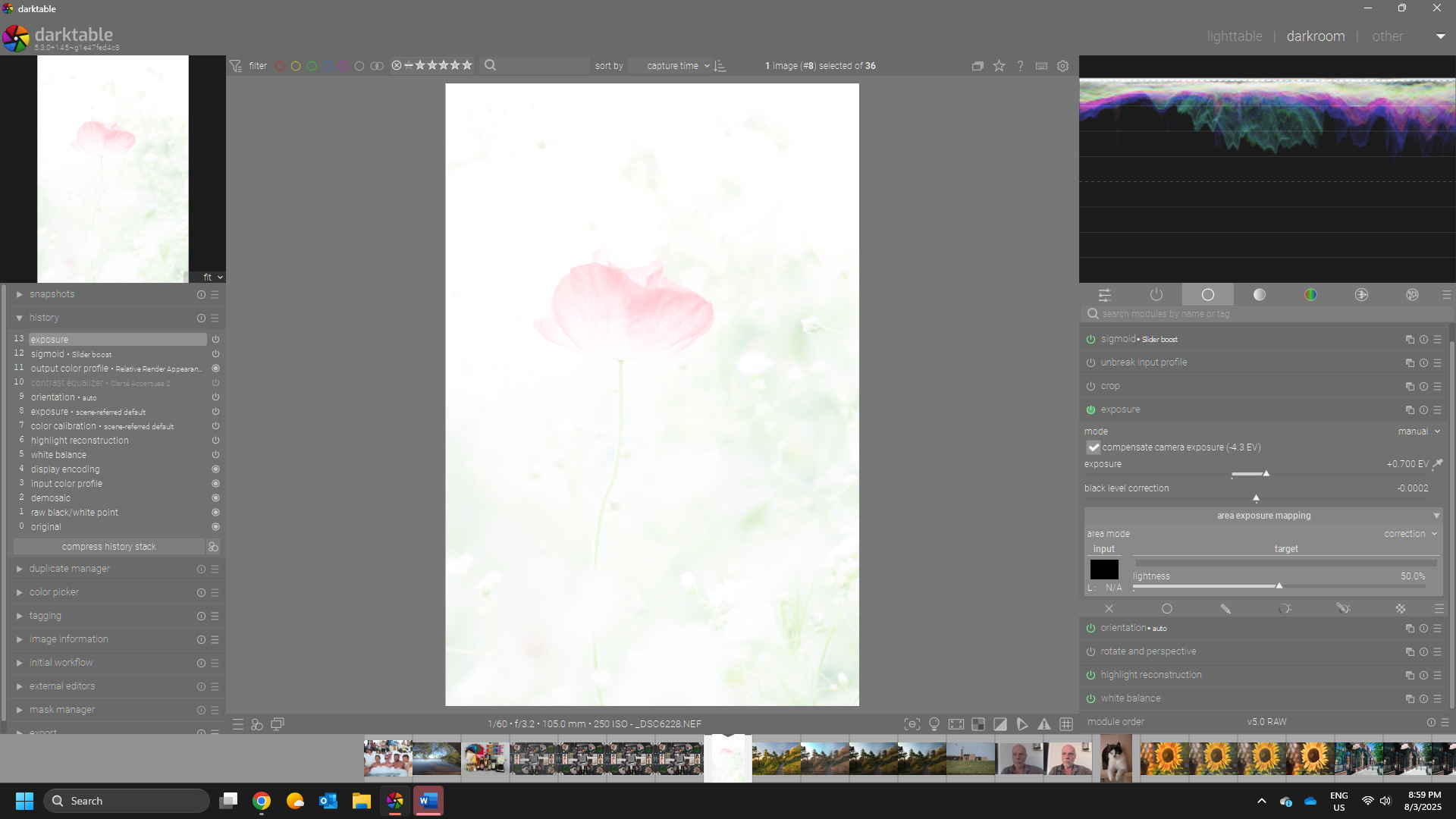
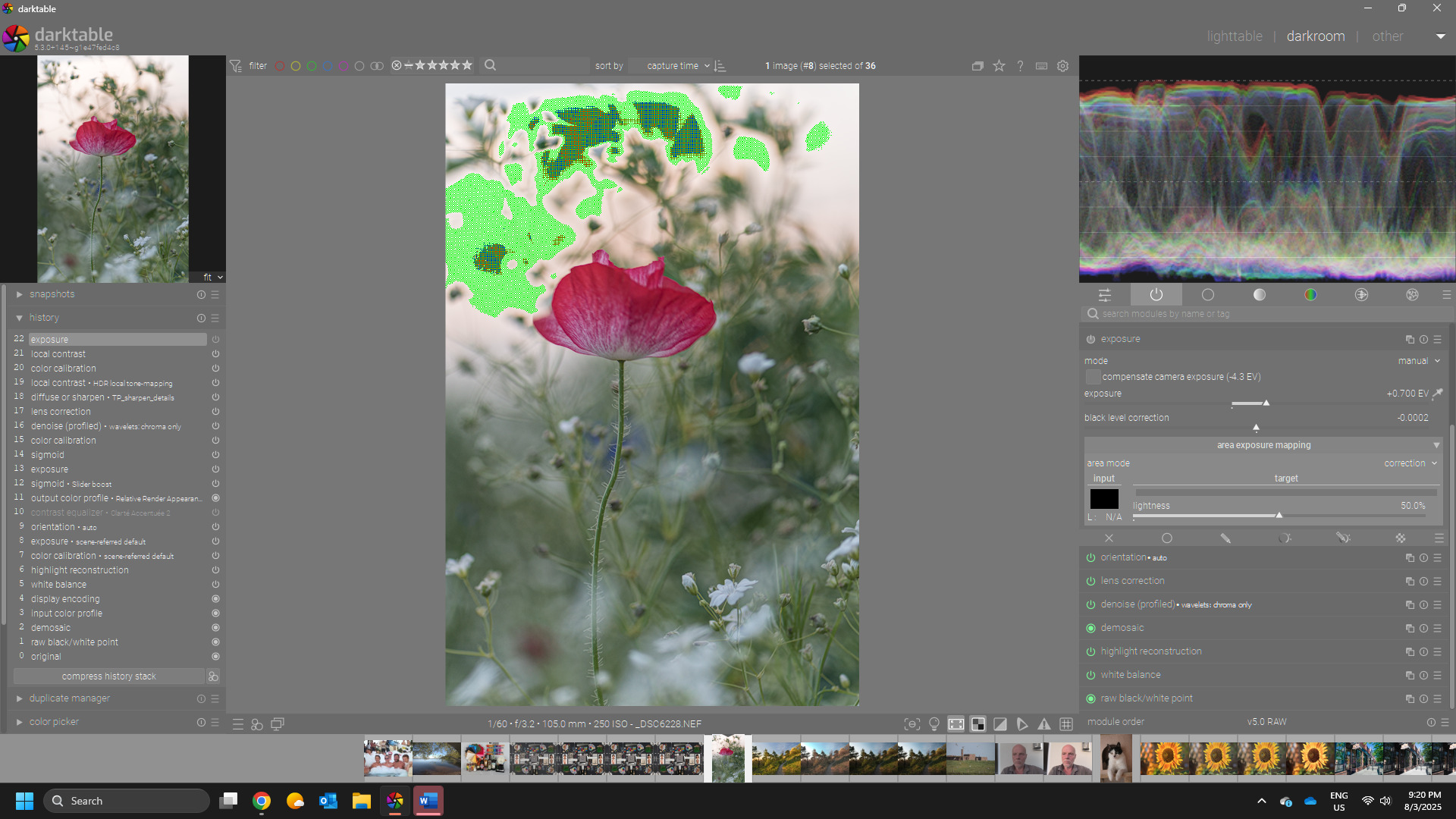
I have the latest version 5.2.0 on my new macbook pro Sequoia 15.5.
I noticed lately that when I open RAW from my Fuji XT-3 the exposure jumps to +0.7 default, the rest is alright but when I open Nikon D850 RAW it does that plus several other settings like white relative exposure is maxed out. The fuji looks alright most times and I adjust from there but the Nikon is horrific, an almost white photo and I have to adjust a lot before I get something decent but it does not look anything like the JPG from the camera (I am saving both RAW and JPG). I think I can’t get there perhaps because there are other settings I don’t use normally so I have no idea if they were adjusted. I should note also that the thumbnail looks decent but when I open it in darkroom it brightens drastically.
How can I rectify this and just bring in a raw photo from either camera without all these adjustments happening automatically?
Have you used DT before?? The exposure bump is part of the default settings applied…other than that it’s usually filmic or sigmoid…If your files come in looking strange you may have unknowingly created some auto preset… The exposure bump is need usually with raw when you use a tonemapper…
You can also try the camera specific styles for your camera…they dont always work but they are there to help get a bit of a starting point …The initial view that you see in lighttable is your embedded JPG…it then becomes your raw file when you enter the darkroom view…DT is not set up to mimic the JPG…you will need your own recipe if that is your goal…
You should share your Nikon file and xmp so that we can see what is going on…it sounds strange…
yes I have used it before, about 2 years now. I was using a much older version up until now because I just got a new computer. I am not using any tonemapper or other settings unless they come default, only the default upon installing settings I am using. Its not just exposer that changes, for the Nikon it is also white and black relative exposure and not sure what else because these photos I can’t even make decent after lots of editing unlike the Fuji and Nikon is a better camera. A better photographer than me took the Nikon pictures so its not the photographer either.
And no, I am not trying to mimic JPG at all, only that I see the JPG as a much better photo than what comes in RAW. Its only my observation. I love Darktable and have been using it long enough now.
Ya DT has changed quite a bit with each new update… I think 5.2 now adds Sigmoid tone mapping by default and you will get the necessary modules to demosaic and wb the image . There will be 0.7 ev added as well. But not much else…Certainly not something that should send thing wild…Just share an image and xmp that produce this and I am sure it will be easy to find the culprit…It sounds like you are talking about problematic filmic setting?? In any case just provide an example and I’m sure you will get a quick answer
OK here is an example. As I was looking for a good one to show you, I realized this is with the Nikon D750 and not her new D850 so I guess it doesn’t matter. I looked at her new pictures just now of the same macro flower subjects and they look great like my Fuji. But anyways, if you have any idea baout this set of photos since I do need this particular album.
Thanks so much!! This will help in this album plus in the future if I run across this again, I probably will have to process these old D750 pictures because she has a lot I can use. Learning one problem at a time haha!