Hello, I have only barely dipped my toes in VKDT, but already loving the filmsim workflow for my Fujifilm raw files.
However, sometimes I miss functionality like the lab editor from RawTherapee. Is there a good workflow for using the two programmes in tandem?
I guess VKDT has to be the first in pipeline due to the filmsim needing raw sensor data to work with. However, I would ideally apply tools like lab edits before adding grain.
heya, cross posting here to keep the film simulation thread about film sim.
i don’t really know what you’re looking for here, i’ll assume it’s something that could be emulated by a mask (using the mask module), selecting by hsl or something and some manipulation modules (colour or grade). maybe like the example graph here: Feature Request: H/S/L Adjustments · Issue #190 · hanatos/vkdt · GitHub
let me know if there are other simple things that would be improvements and easy to implement…
if you want to add a second instance of colour (to patdavid’s lunch here), say, it needs a different instance name:
and as to gamut preset: it should limit the way saturation blows out your colours:
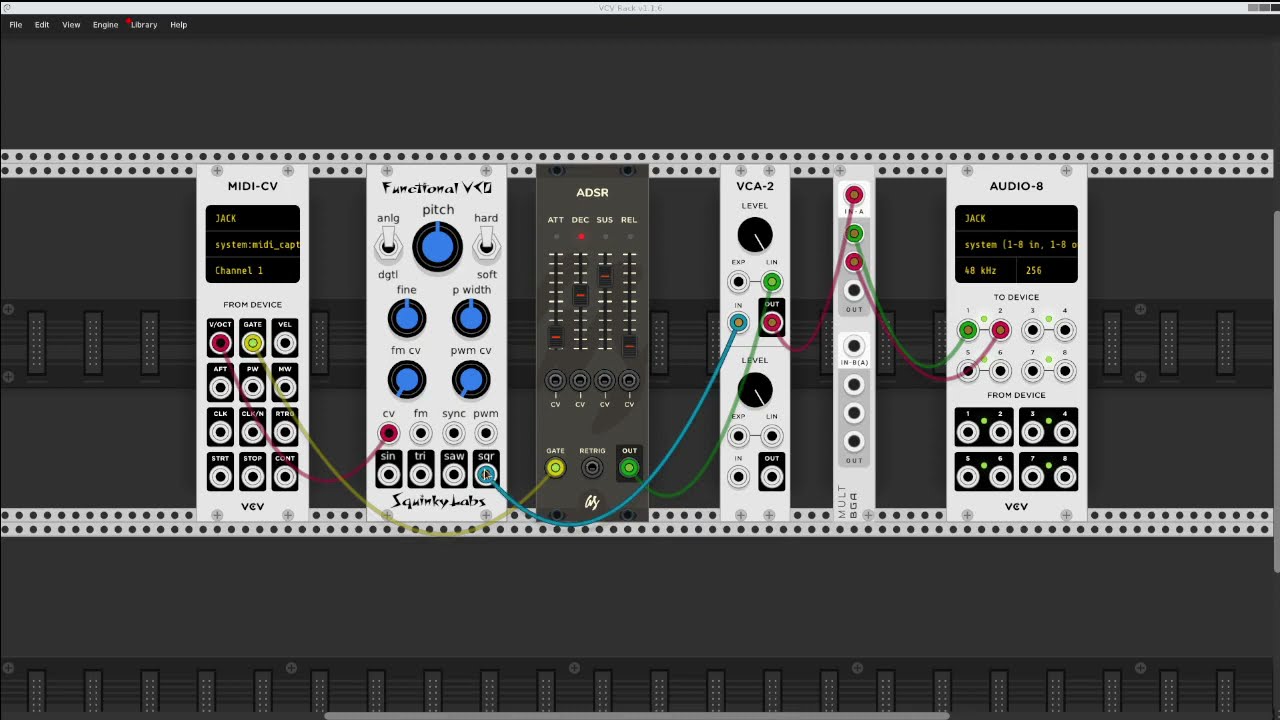
maybe we need something like the fun things you can do with carla.
did you know that you can load carla as a plugin in your DAW in which you can then load other plugins?
imagine vkdt as a plugin loaded into RT. where RT is running as a plugin in ART which is running as a plugin in DT which is running as a plugin in Gimp.
And all that just to make an image nicer in krita
( yes there was a video of stacking audio apps/plugins like that a few years ago)
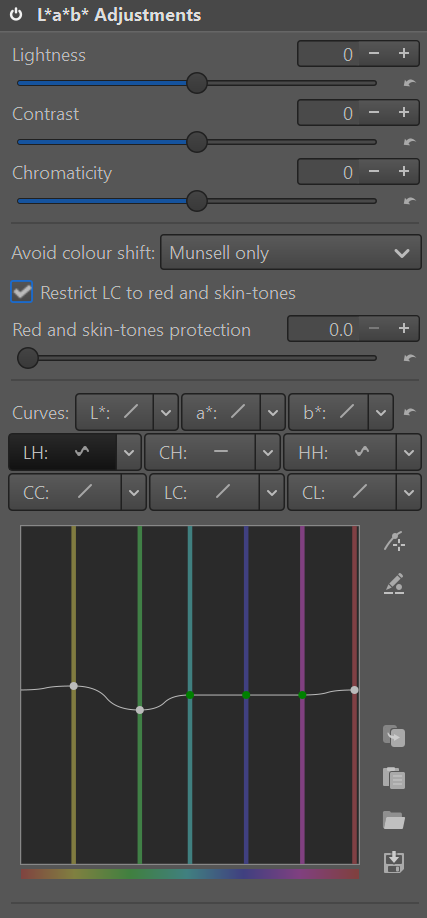
These are the controls I love in RawTherapee. Very handy for controlling individual hues, lightness etc. (The CC curve is also great for controlling oversaturated areas that might cause the filmsim to break).
This extremely powerful tool doesn’t seem to exist in VKDT, which leaves a dilemma:
Either import the raw file into RawTherapee first, doing the L * a * b work and then exporting for re-import and filmsim work in VKDT. – This means losing important raw-data for the VKDT filmsim during the re-export (and perhaps tone-curve conflicts).
Or importing the raw file into VKDT first, doing the filmsim and then exporting for re-import and L * a * b work in Rawtherapee. This is not optimal as the coloured grain makes the L * a * b tools create artifacts.
So I was wondering if there is
1: A way to do L * a * b curves directly in VKDT
2: A way to use both programmes on the same raw file without having to re-export the file to move from one program to another.
Haha exactly! Running RawTherapee as a node within VKDT is the dream!
Thanks, that did the trick! Increasing saturation after the filmsim instead of before fixes the issue of the colors breaking.
ah, good old darktable colour zones or what was it called. probably not soo much trouble to take the curves rgb curves module and modify it to work on the 9 LCh combinations. my main issue with this is probably that really Lab is not an acceptable colour space to do anything with (hue preservation is terrible, some saturated blues give negative L etc), i suppose it’s easy to make configurable with other / similar / better spaces.
does rawtherapee do the full matrix? i.e. L is affected by L/L, L/C and L/h at the same time?
vkdt works on gpu memory, all the way from right after raw decoding to the display. going to rawtherapee will result in gpu/cpu copies and likely a format conversion. iirc rt is colour planes, not rgba per pixel, not sure its f32 or ui16. just the sound of it is slower than my patience allows…
Yes reading up on color zones this is exactly the functionality. Coming from color grading video-material in Davinci Resolve, this is one of the most powerful tools there is - not usually found in photo editing software.
I don’t think Lab is a prerequisite to make it work. In Davinci Resolve, the 9 curve combinations are usually done in Davinci Wide Gamut or Aces. Even works in Rec. 709 although more prone to artifacts with the limited color range.
Yes it is possible to have all three curves affecting the same value - this is what makes it so powerful.
E.g. using C/C to desaturate only the oversaturated colors. – Then using C/L to desaturate the highlights – Then using C/h to boost greens and reds, making skintones and foliage pop.
Using h/h and h/L would also make it easier to achieve things like the dark blueish green tones that Nosle was describing in the Spectral film simulation thread:
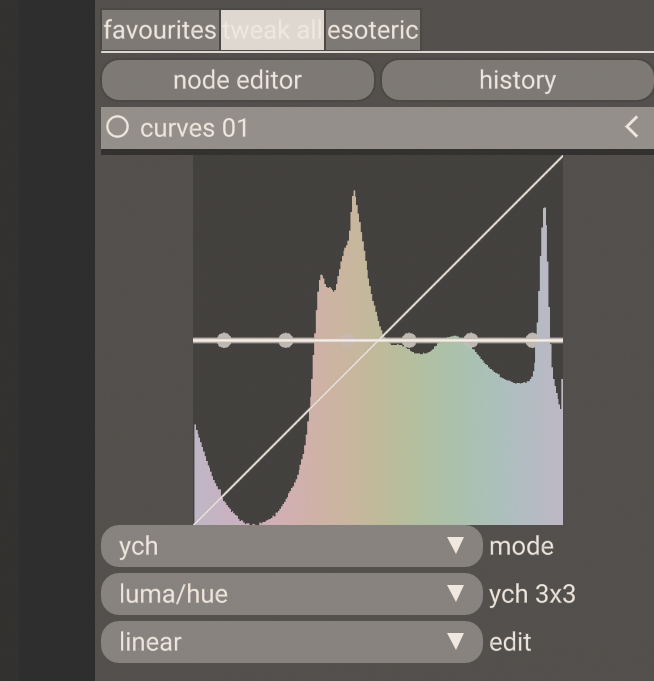
okay fair points. i put a linear version using yuv (or the radial version, ych). at least you can convert there and back without loss. this is merged into the curves module, which now handles rgb and all 3x3 combinations of ych curves (set mode to ych, see screenshot above). this is in the current nightly package/git, let me know if it works or doesn’t…
Wow that was quick. And the curves seem to work perfectly!
A few thoughts about the UI:
Perhaps the three least useful curves could be removed to reduce clutter (Or at least be sorted at the bottom of the list):
Luma/luma is the same as the luminance curve and therefore obsolete.
hue/chroma is almost impossible to use in a meaningful way.
hue/luma is just a less powerful version of lift gamma gain.
Maybe sort the menu items after the value edited. Something like the sort order in RawTherapee:
luma/hue
chroma/hue
hue/hue
chroma/chroma
luma/chroma
chroma/luma
The dots that appear when clicking the graph are transparent and very difficult to see on top of the white graph and the coloured histogram.
Is it possible to make the dots less transparent and perhaps drop shadow, a bright color or something?
It is nice to have preset dots on the vertical lines, but they can’t be removed. Would be nice to have the option of removing them to make smoother curves (less artifacts).
luma/chroma
chroma/luma
luma/hue
chroma/hue
Lastly, the operations are much easier to do on a larger sized graph. I tried playing with the gui scale but it only seems to increase the text size.
This is what I’ve been thinking about too. I wonder if upcoming Graphene editor could function as a “host” since it’s node-based and extendable. It’d be really nice to build node-based workflows for images too…
fair. i made this thing full width now. also affects all the other module displays. you can adjust the panel width with some config parameter, i’ll probably make it mouse-resizable at some point. (.config/vkdt/config.rc: fltgui/panelwd:0.2)
i thought i should make the combobox a list of nine buttons too, like in rt. fewer clicks, and you can ignore the buttons you don’t like.
maye i’ll adopt this sort order, it is more systematic. [edit: strike this, will not break old edits: would likely break “old” edits done with the current initial version of the module (too lazy to keep compat and too recent to do all that much damage, just a warning up front).]
the other curve in vkdt is really a parameric tone mapper and messes with lots of things in the background. can’t hurt to have a simple Y->Y curve that is just that. the h/c combinations seem pretty useless, that’s right.
yeah i actually deleted that part of the code because i didn’t want to store yet another point count. but if you feel its useful i might copy it back.
okay, summing up, some fine tuning might have to go into the curves module:
more saturation in histogram colours
make horizontal curves splines too, but with zero derivatives at min/max vertices
something about periodic curves for the f(hue) cases
will see when i have time in between other things. i’d expect the parameters to stay mostly stable, except for some cases where a periodic spline would fix some artifacts.
nice. if you want to put the curves module in your default workflow, simply create a graph you’d like to be the default for some image, and then copy the .cfg file to ~/.config/vkdt/default-darkroom.i-raw. this way you don’t always have to mess with the node graph to insert the module.
writing to you as a stakeholder of this curves module
i just put up a pull request which would break compatibility with old edits, but might result in better results. would be curious about your thoughts here (do i have to keep the old version around so your edits will stay the same for instance).