$ exiftool north-vancouver-shipyards-20241017-7356.orf|grep -i white
 White Balance 2                 : 5300K (Fine Weather)
 White Balance Temperature       : 5300
 White Balance Bracket           : 0 0
 Raw Dev White Balance Value     : 0
 White Balance                   : Manual
The problem for me is that I want to warm up the image from 5300k to 8000k to make it more light and airy. With RT, I have to go to the 60000k (max on the RT) and that’s not enough.
The color matrix is missing for this camera. Until 5.12 is released, you can add this in your camconst.json. Be sure to add a comma to separate each camera entry if you have another camera in the file.
Alternatively, you can disable LibRaw in Preferences > Image Processing tab > Raw Decoder > Use LibRaw. dcraw recognizes the make as OM Digital Systems (instead of Olympus) and has a color matrix for it.
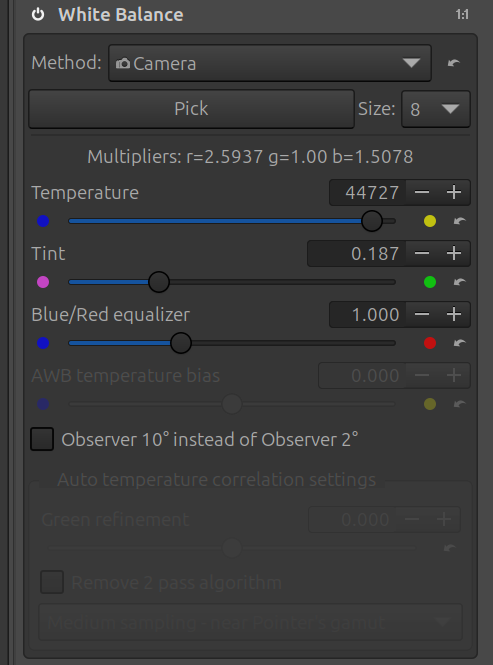
I’m using rawtherapee 5.12, and I’m seeing a similar problem with the temperature slider. With an image taken with WB 5500K, I’m seeing 44727 in the temperature slider.
I tried creating the camconst.json file as shown, and it had no effect. Then I tried disabling libraw, and now I see a more reasonable colour temperature. In a file that shows 5300 in the exif data, rawtherapee now shows 5100.
I wonder if there is an issue with the make of the camera? Mine shows up as “OM Digital Systems”, not “Olympus”, in the Manufacturer field of the exif data. I tried using “OM Digital Systems OM-1MarkII” in the camconst file, but it didn’t help.