First, the comparison:
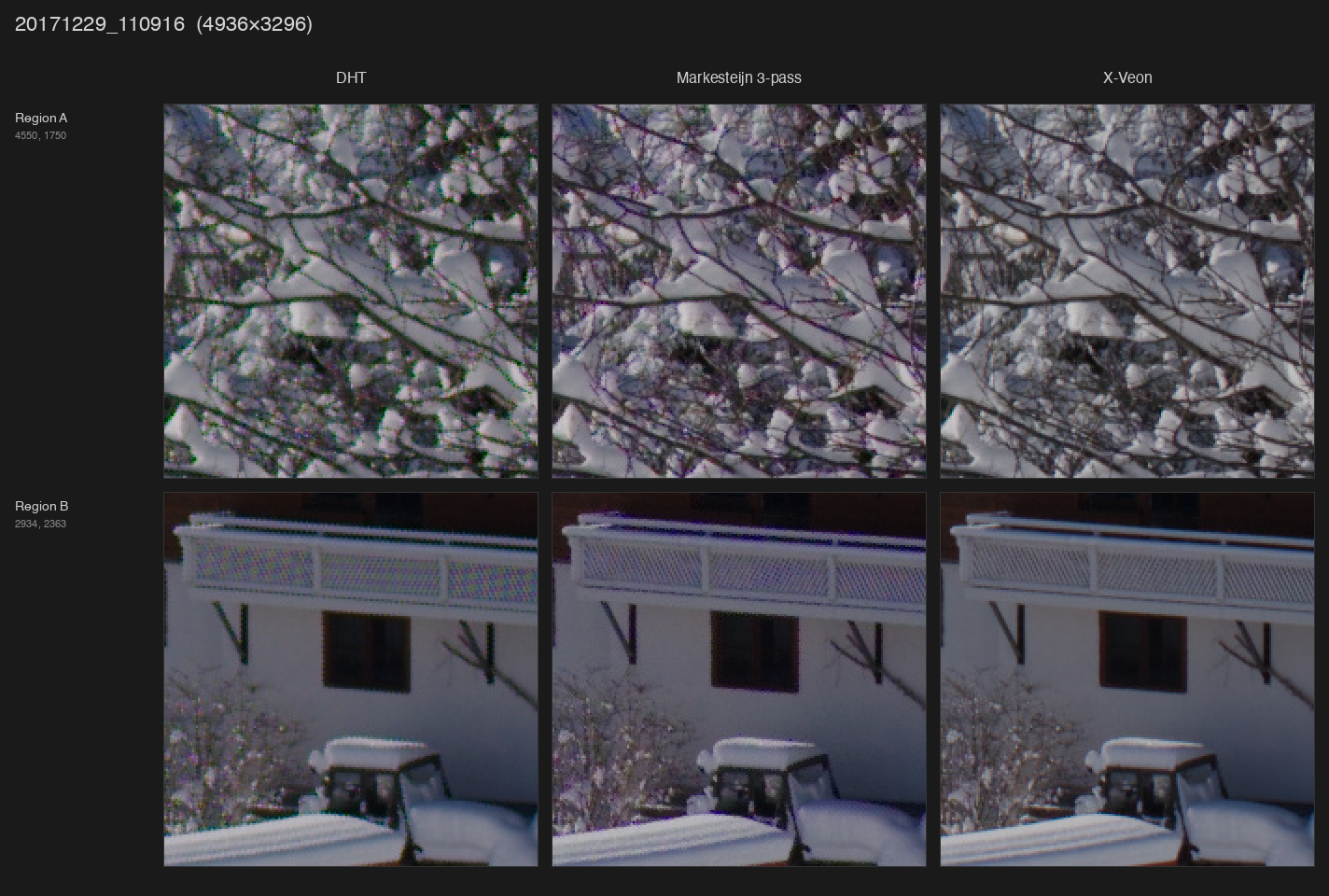
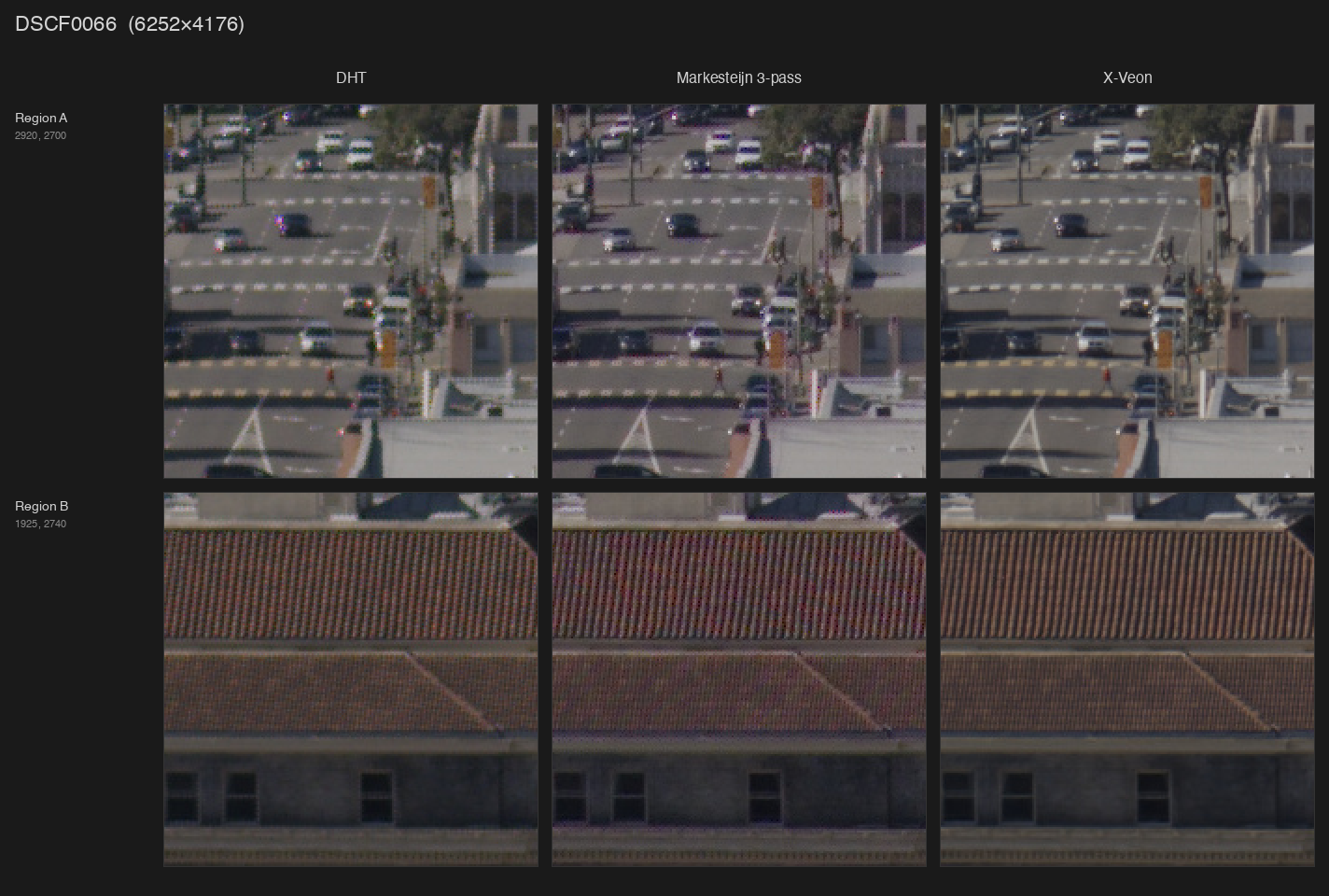
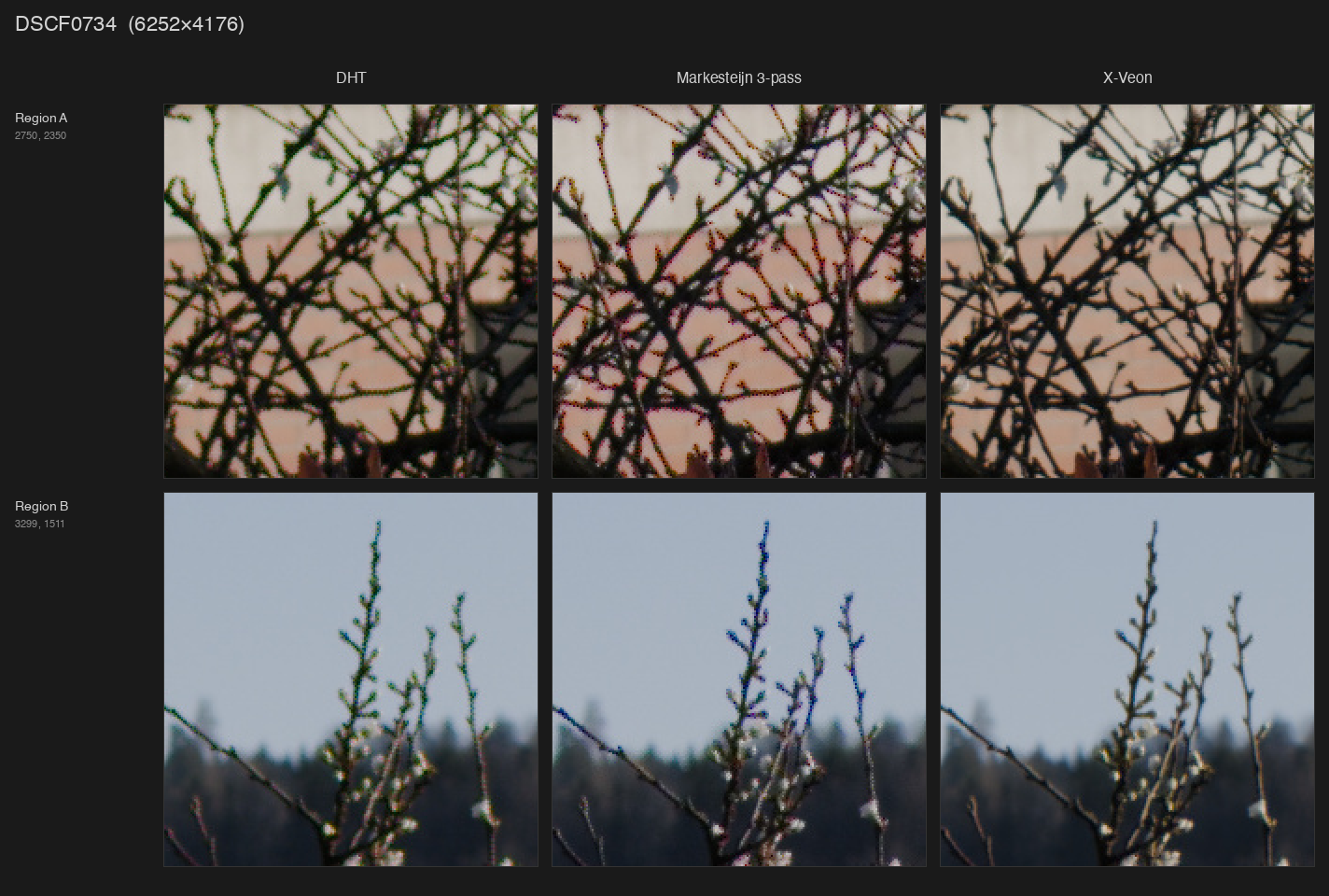
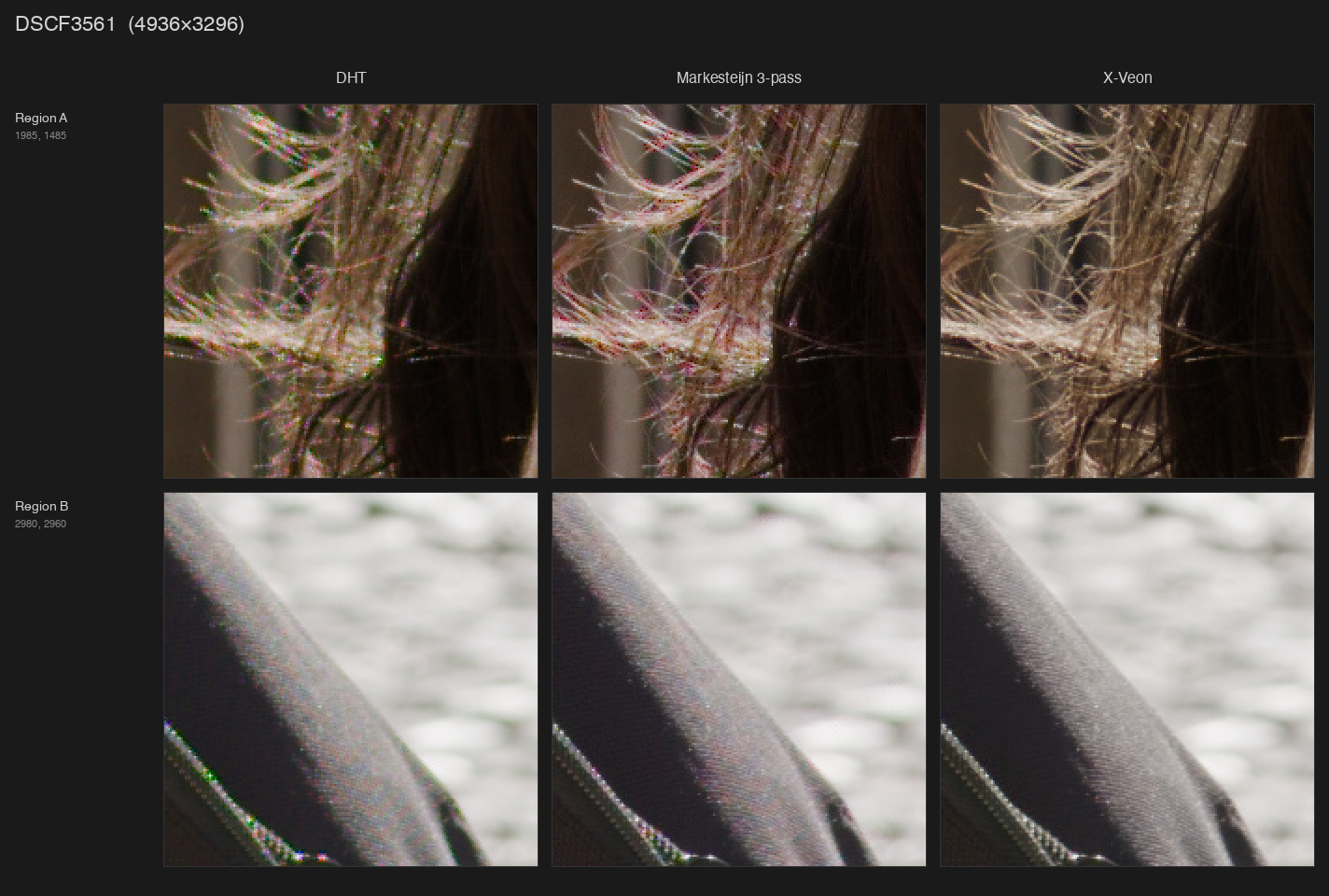
Link to Google Drive folder with full-size images:
https://drive.google.com/drive/folders/1IpCJJfi_YwuyZydaCxW501rwFsn9StJG
I’ve been twiddling around for years with various tools to process Fuji RAFs with mostly no to moderate success. Traditional algorithms produce quite a lot of artifacts, especially when it comes to extremely fine details, of which there’s an abundance of due to absence of optical low-pass filter (absolutely killer move on Fuji’s part, but a nightmare to process). More modern approaches such as DxO PureRaw do a decent job at demosaicing, but slather the result with a lot of additional filtering, which isn’t always desirable.
Then there was this itch called HDR. I really like how Apple renders raw files as HDR, but their processing is the worst. Even worse, Photomator Pro, being a pretty decent tool, uses Apple’s RAW processing pipeline, which results in the same artifacts.
Both of these problems pushed me towards building my own thing. It started with training a neural net I eventually called X-veon (because when I first looked at the results I was impressed how close it is to a certain niche Japanese manufacturer’s CFA-less sensor), but now I don’t know where to stop.
So, here it is, check it out: X-veon
Everything works inside your browser with the help of WebGPU and Web Assembly. My reference machine for this is 2021 M1 Pro Macbook with Chrome and processing one 24MP photo takes less than a minute. Files are stored in the browser (OPFS) even after you close the tab so the workspace gets restored once you open it back, but each photo may take around 400MB of disk space (demosaic result is stored as barely compressed float32 array).
Bayer sensors are supported too, but I wouldn’t say the improvements are as drastic compared to X-Trans and it might not support the latest cameras at all.
Current limitations:
-
It doesn’t do lens correction. I’m working on integrating Lensfun database for that
-
HDR headroom detection requires very broad permissions, apparently there’s no other way for now
-
There’s no way to manually set HDR headroom for tone mapping, it’s inferred from the display
-
AVIF export is extremely slow and has wrong luminance curve because HLG is applied over OpenDRT-tonemapped result (OOTF/OETFs are hard)
-
EXIF data isn’t being passed through, I need to find a way to cull it so that it won’t affect the rendering
While I did build and train the model myself, there are things I couldn’t do alone, so my extreme gratitude goes to:
-
darktable for being open-source and allowing me to learn more about the whole processing pipeline (I spent a few days bashing my head against highlight reconstruction and the order of operations)
-
Jed Smith’s OpenDRT and ART CTL by agriggio: tone mapping is something I couldn’t do by myself
-
pedrocr’s rawloader Rust crate: most ergonomic way to read raws in the browser
Source: GitHub - naorunaoru/x-veon: Camera RAW processor powered by neural networks and web tech
Weights are included as .onnx files: x-veon/web/public at main · naorunaoru/x-veon · GitHub
Datasets used:
- 2000 of my own images ranked by high frequency/high amplitude content
Plans:
-
Fine-tune on the RAISE dataset, produce half/quarter/eight-width models for both X-Trans and Bayer
-
Release the weights in PyTorch format, float32 instead of float16
-
Tile-based rendering for the web: smaller model for the entire image, process tiles with larger models on demand when zooming
-
Desktop app with disk access, better export and batch processing support
If you want to take just the model and plug it into your software, go ahead. There’s no license attached yet, but I’ll pick the most permissive one. Training process will also be documented soon, but in general it takes about 20-30 hours to train this model to a usable state on a dataset of 2000 downscaled images on a M4 Pro Mac Mini.

 that would have the advantage for me that i have code to run simple u-nets (nearest upsample, pool, 3x3 conv)… i think from your description that you don’t need more?