Yes. Please educate us. It will be of a great help at least to me. AgX and colors in general must be understood well to fully take advantage of this module. I mostly experimenting the AgX with the film negatives and as time passes the results are becoming more astonishing than ever before. Your expert knowledge of photography and photo editing with @kofa the developer of the module will give the understanding that needed to use the AgX and photo editing correctly.
I personally so pleased that I am seriously planning to start using my beloved film cameras again.
1 Like
Thanks, Boris, for not giving up. I think you are a great teacher/educator. The evidence is that you’re slowly beginning to get through my thick skull… A great visualization, thanks again!
3 Likes
I’m glad it helps.
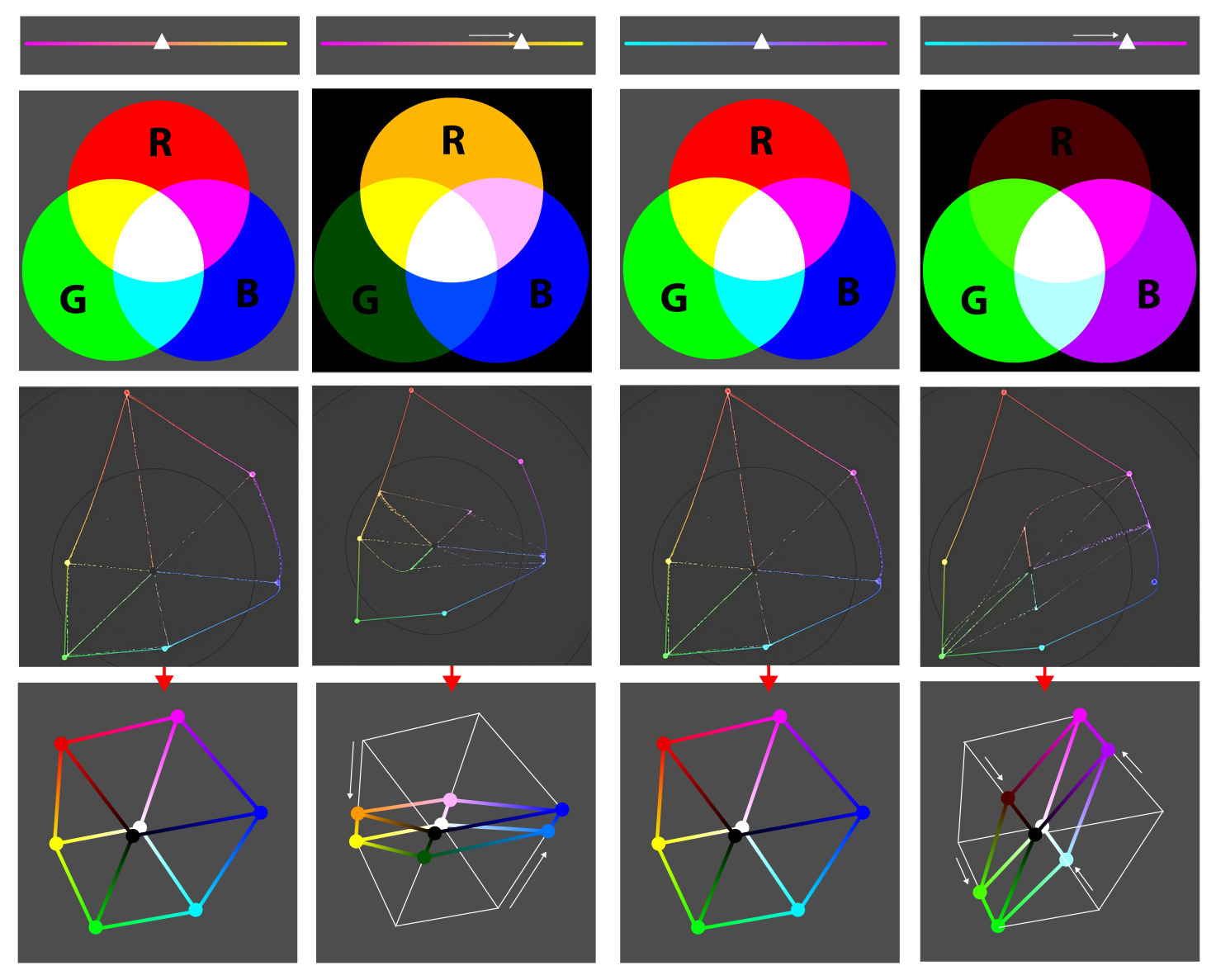
You can see the rotation on the vectroscope if you imagine it as a cube with the black point at the tip.
In the vectroscope the black point obscures diagonally opposite white point. That’s why I shifted the black point slightly in the graphic representation of the cube so that you can also see the white point opposite it.
11 Likes
I think the difficulty, al least in my case, is to visualize a 3D color space in a 2D. plane. I am not there yet but slowly with your explanations can see when we rotate a color we actually rotating a plane in a 3D space.
Thank you @s7habo
4 Likes
5 Likes
7 Likes
I’ve updated the manual. Please proofread and provide feedback (feel free to open issues at GitHub · Where software is built).
Link: dtdocs/content/module-reference/processing-modules/agx.md at agx · kofa73/dtdocs · GitHub
4 Likes
Hello @kofa,
I’m new to this process. I’ve started reading and reached a first thingy I’d like to comment on. Where should I put down this comment and possibly the one’s that follow?
Kind regards, Jetze
Feel free to open issues at GitHub · Where software is built (I’ll also add this to the post).
Thanks, will learn on the fly. Regards Jetze
Tried to post my remarks on GitHub, saw something red flashing along no time to really see what it was, do not know - yet - how to check all is alright. Issue counts open and closed both remained zero.
Seems nothing is submitted and there is a red ‘*’ behind ‘Add a title’. Do not know what titles are allowed.
Kind regards Jetze
The title is typically a short abstract what the filed issue is all about 
1 Like
my title says “Proof reading AgX manual - some remarks”. When I press the “Create” button the screen is closed with a short red flash.
I do something wrong but not yet I understand.
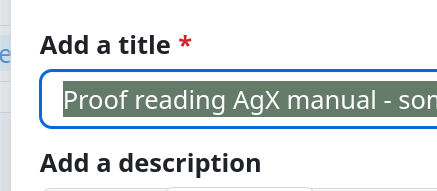
If so else fails, post here. Do you already have a GitHub account? You need one to participate.
Have an account on GitHub and logged in to post. below my comments, hope they are useful for you! Kind regards, Jetze
I’ve found this doc generally easy to read and well structured! Well done I would say.
In some places a referral is being made to filmic or other transform modules. For new users this may be hard to swallow as they might be overloaded with information.
Under ‘curve’ / Controls on the curve tab
In text behind all three bullets - remove parts between brackets except the phrase “also visible on the settings tab”
‘a bit of background’
The core challenge in fitting a scene’s wide range of light into a display’s limited range is managing color across the entire tonal scale. A simple per-channel curve often causes colorful objects to shift to pure, unnatural-looking primary or secondary colors as their intensity changes—an effect sometimes called the “Notorious 6”.
Would be nice to link to a description of the “Notorious 6”
‘before tonemapping’
but this can be reversed for shadows and midtones using the purity boost sliders described below
maybe change to
but this can be reversed for shadows and midtones using the purity boost sliders described below in the section ‘after tone mapping’
‘after tone mapping’
Ticking this checkbox will hide the other controls in the group, and adjust
remove comma before ‘and adjust….’
adjust processing settings as if the master slider were set to 100%
I had to read on to see what is meant with ‘master slider’… there are many sliders on the screen… For new readers/users of AgX it might be good to add something like ‘directly below the checkbox’. Besides this, there are two master sliders in the user interface and the text uses singular so probably only one of the two master sliders is set to 100%, probably being the first.
due to them being are strongly desaturated by the tone mapping process).
Probably remove ‘are’
‘Input exposure range’
using a logarithmic transformation
Consider removing this part.
‘The curve’
Change capital ‘T’ > ‘t’
In 2-tab mode, this is visible on the settings page
change ‘this’ to ‘the curve’
The black and white points are at the left and right edges of the graph, respectively; their final linear output values can be controlled by the target black and target white sliders.
Change to: The black and white points are at the left and right edges of the graph, respectively; their final linear output values can be controlled by the target black and target white sliders. See advanced curve parameters
You may move this point to match your main subject using the provided picker.
Change this to: You may move this point to match your main subject using the provided picker under basic curve parameters.
‘basic curve parameters’
The output value (power) of the pivot point.
Change to
The output value (power) of the pivot point controlled by ‘pivot target output’.
For more predictable results, it is advised to use the color pickers on uniform areas
In the strickt sense of the word these aren’t ‘color’ pickers, are they?
‘contrast around the pivot’ in the UI it is simply named ‘contrast’
the affected part of the curve will be highlighted in yellow
I’m partially color blind - and see kind of ‘orange’ here.
‘advanced curve parameters’
I would describe the ‘sholder start’ before the ‘toe start’ and do the same with ‘target white’ and ‘target black’ too.
While the checkbox is ticked, curve y gamma cannot be adjusted manually.
Change to
While the checkbox is ticked, curve y gamma cannot be adjusted manually and is hidden.
‘The look section’
For a detailed order of the operations involved in processing, see internal processing details
add
‘below’
2 Likes
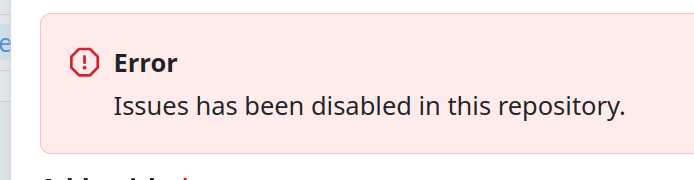
Oh. Sorry. I didn’t know that. I’ll try to adjust that tomorrow.
3 Likes
Shit happens… 
4 Likes

2 Likes
I’ve incorporated some of your suggestions, thanks! I added an illustration for the N6.
1 Like