Where in the process would you want to set those primaries?
If you can set them at the moment you activate AgX, why can’t you use a preset with everything on default except those primaries (the values of which you will have to copy by hand, “pen and paper”)?
Not as convenient as just creating the preset from an image, but an option if you can set the primaries before the other parameters.
And if you cannot do that, because the required values for the primaries depend on other parameters, why would you even want a partial preset?
I think it’s good for experimenting. Right now, you can quickly compare e.g. ‘blender-like’ and ‘smooth’ primaries. However, advanced users may create several such presets, but switching presets also changes the tone mapping parameters, which have to be restored manually.
When using AgX, is there a situation where you’d still want to use the rgb primaries module, or should that all be handled in AgX now?
Or maybe asked another way, what exactly do the “unrotate” sliders in AgX do? I’ve read the manual linked above and still don’t quite understand why you’d want to rotate a channel, tone map, and then unrotate it? Just to counteract hue shifts that were introduced by the initial rotation? Why not simply perform a smaller initial rotation then? It sounds like full color grading may be better handled by rgb primaries or color balance rgb still?
Oh, I’m sorry, it seems the description is still not clear enough.
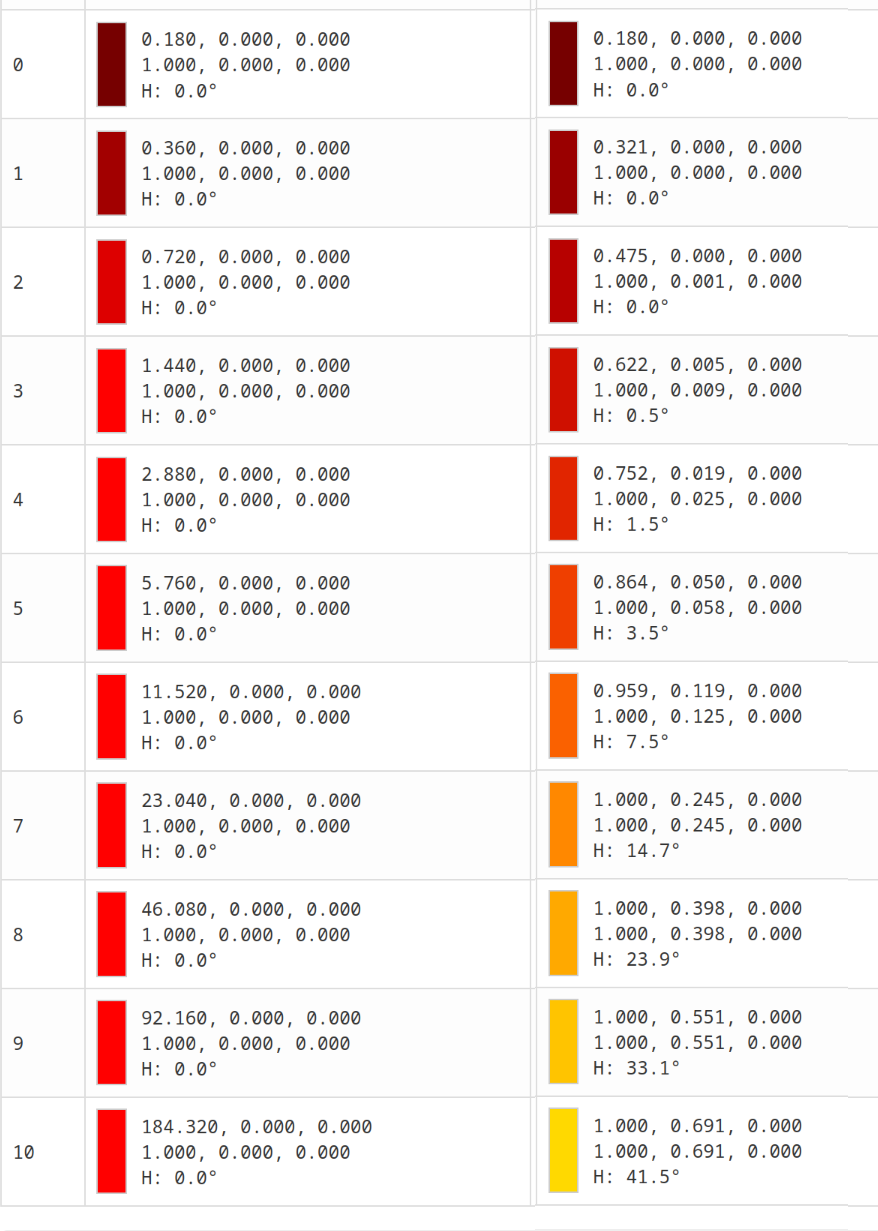
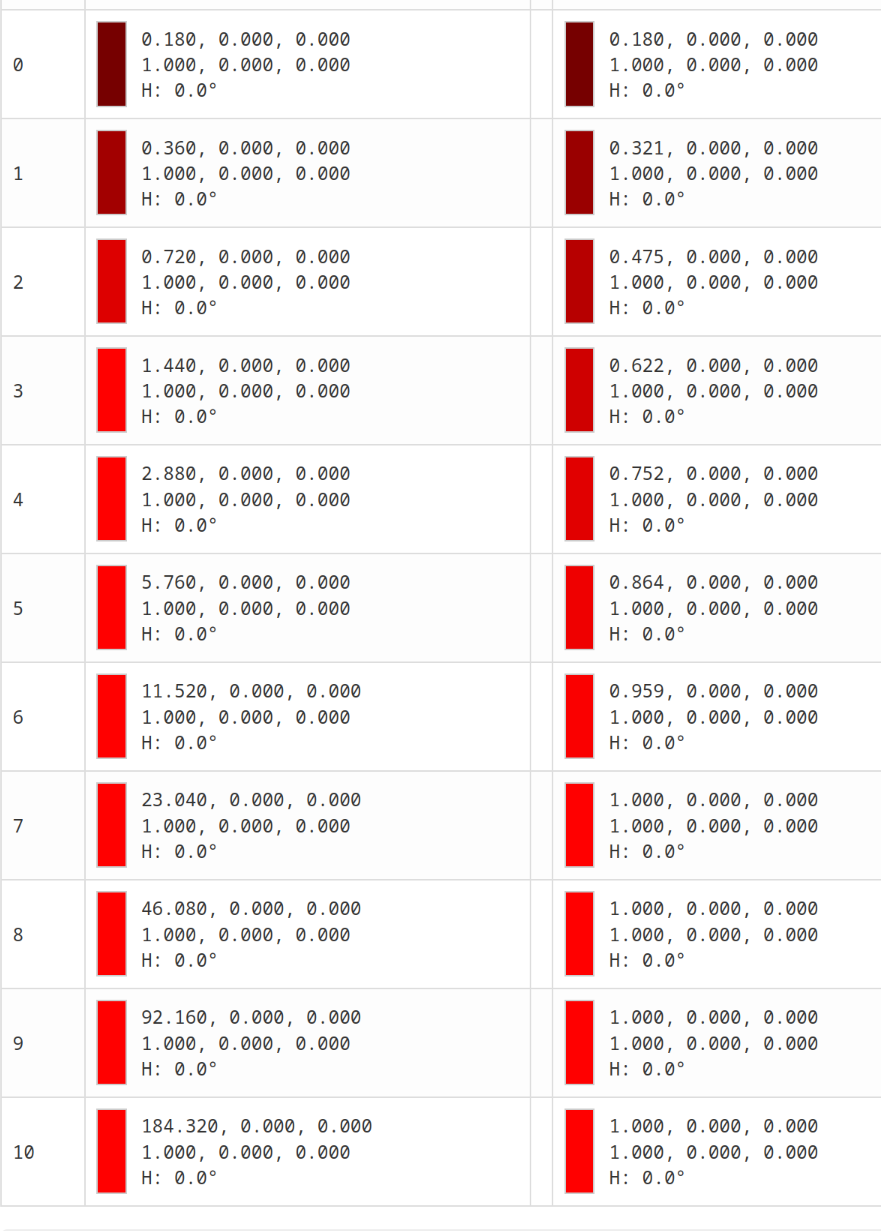
Open AGX Color Transform Simulation. Don’t change anything but red rotation and unrotation, set each to 1°, so you get perfect reversal.
Then either increase the exposure, and keep an eye on the output, or look at the table at the bottom of the page. Here is the table (I’ve removed most of the columns, only keeping EV value, input, final output):
Personally, I find your text very informative and academic.
The only thing I can offer you is to translate it into French.
Honestly, you’ve done a remarkable job.
So, phrased to answer your original question about using other modules: AgX is ‘just’ a tone mapper. It has controls to tweak the primaries in order to approximate human vision, not really as (artistic) colour grading options. The original AgX in Blender also allows one to move the white point and to introduce a tint, but I thought that would be better left to other modules (rgb primaries has tint hue and tint purity, for example, but there are other tools to do colour grading, too).
Thank you for this additional explanation; I am able to see the subtle differences in the AGX Color Transform Simulation now. Using the unrotation sliders to undo the shift for shadows and midtones makes sense to me while preserving the rotation in the highlights, which is the target area

 ?
?