OK. Then I would say you make the change according to your idea and we will see how it works in practice. You can change it again later if necessary.
3 Likes
That is always the danger with design by committee, and it’s why you should go with your own instincts and preferences. Sometimes it’s hard to know exactly what you want until you use it in practice, so I think it’s best for you to release a version with your preferred or “gut” design, and then we can provide feedback.
I know that can be a pain if it means more work for you though…
4 Likes
I used to be a corporate software developer. I remember a comic panel that cracked me up, because it fit my experience, exactly. A “user” was reviewing an implementation with a developer, and she was saying, “Yes, that’s exactly what we asked for, but it’s not what we need.”
8 Likes
I don’t want to flip the slider itself. The colours you should be able to judge using the mock-ups I posted above.
I have used the wrong sliders because of not reading their labels. It is just natural to choose the top one for top of the curve and lower one for the lower part of the curve. It is like when you are driving and see the “Stop” sign. You do not read it, you just recognize the sign itself. I have seen the signs that were misspelled but yet recognized as the sign. Eventually, user will get use to their locations. However, initially it will be counterintuitive. There are many such cases through out the other modules in DT and I am sure as well as many other Apps.
1 Like
I meant the direction of the rotation reversal.
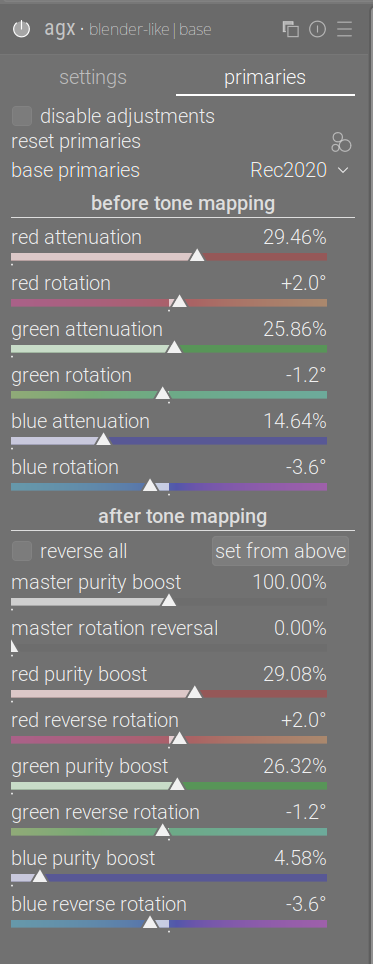
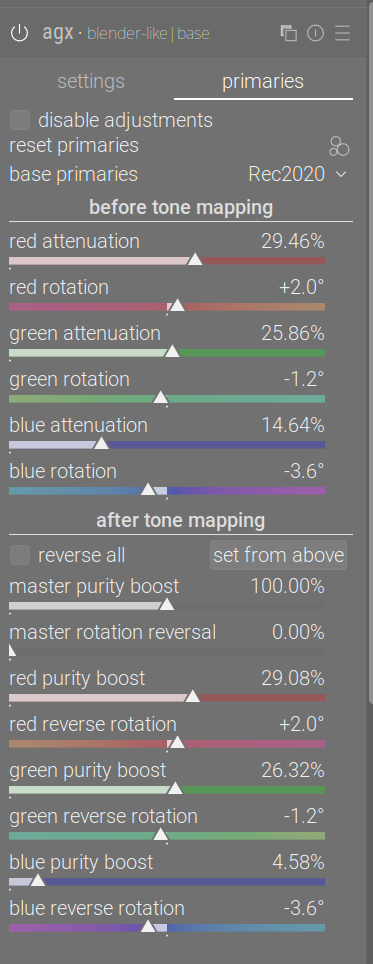
The after tone mapping hue indication is selectable via a config option, which I will not keep. I’ll publish an experimental build, then we’ll vote, and then the config option will be removed and we’ll keep the more popular direction for painting the hues for the reversal sliders.
7 Likes
Great implementation of AGX in Darktable. This is a fantastic feature and a real upgrade to the software.
Thank you for your work (whether AGX or the current changes to GTK4). Darktable is awesome and deserves to be a success like Blender.
I’m confident that more and more people are getting annoyed by all the “new” AI editing features and are finding a way to go to Darktable.
4 Likes
The OpenCL implementation has been merged. Kudos to @hannoschwalm, who pointed out a few things that needed hardening; to the brave ones who tested and provided feedback, and to @Pascal_Obry for the approval and merging.
17 Likes
Thank you. What I did is a miniscule effort compared to what goes into architectural changes (GTK 4, caching etc.), that the real core developers do. That work is perhaps less visible to end users, but is way greater an effort, and way more important than a new tone mapper.
7 Likes
A perfect technical software doesn’t help if the tools aren’t good. The perfect tool doesn’t help if it runs slowly and editing is frustrating.
At first, I thought, why yet another tone mapper, but after the first edit, I was simply completely thrilled. It almost feels like magic.
If you’re coming from Lightroom, the question arises between Filmic and Sigmoid. Both are not so easy to understand at first, when in Lightroom you often only have to raise shadows or lower highlights.
AGX is worlds better than these Lightroom options. Auto-Tune-Levels also works extremely well. The presets for Green/Red work excellently, I’ve never had such beautiful grass and autumn colors 
So, thanks to the whole team for your work.
8 Likes
The primaries presets were tuned by the Blender people, e.g. by @Eary_Chow.
6 Likes
I didn’t come from Lightroom, I came from briefly using RT, and that was where I started raw processing.
I would say to any beginner that Sigmoid makes life almost easy. In fact, the only slider I regularly used was contrast.
One does a lot more work in AgX. and, less work outside it.
I really am not sure that I am doing the right things with the right sliders despite dipping into Boris’s video several times, but I do seem to be getting results. And I don’t seem to need my ‘dim white clothes’ preset in hightlights and shadows any longer
1 Like
Hi, @kofa
I tried you curve tool, but in most cases it doesn’t seem to behave properly. Whenever I adjust some slider in the left panel, the right panel stretches vertically. See this screen recording:
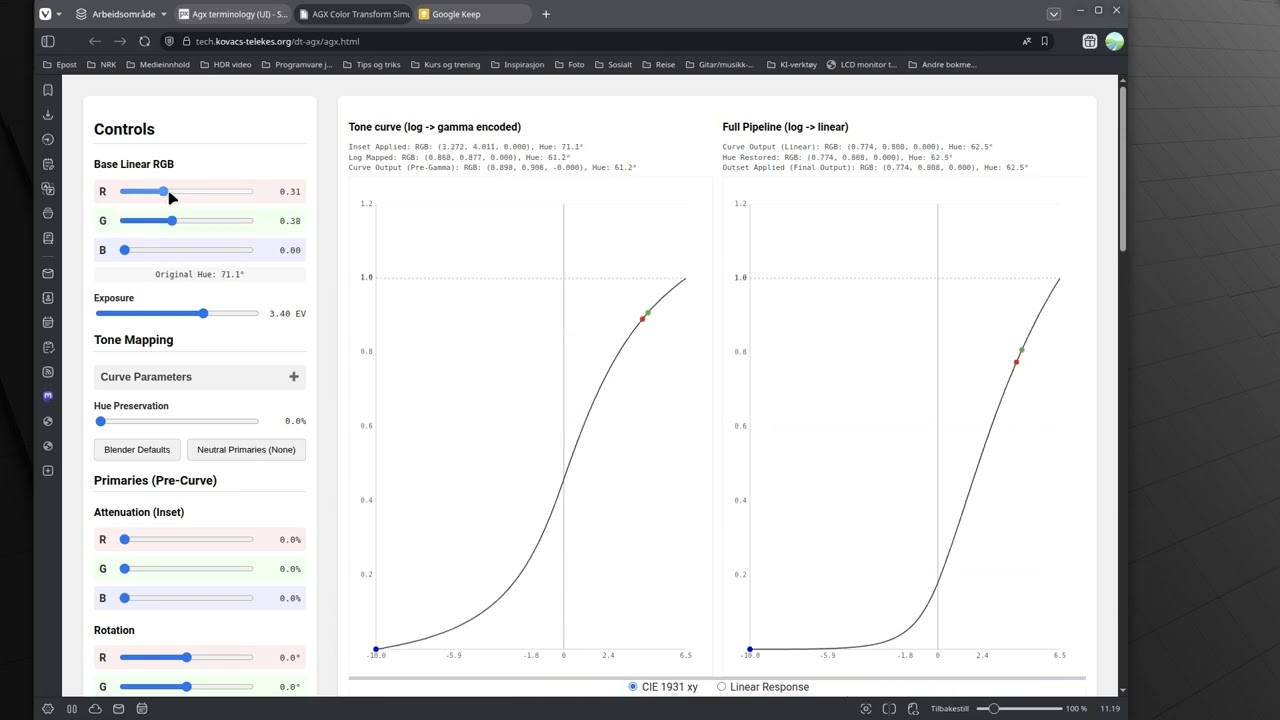
I have tried this on Linux Mint (Chrome, Firefox and Vivaldi), MacOS (Chrome and Safari) and Windows 11 (Chrome and Edge). It only worked properly in Edge/Win11.
Yes, sorry, that was completely ‘vibe-coded’ using an LLM. It does misbehave. More or less usable on a 4K screen. I’ll try to have another run later; I’m working on the module itself now.
Thanks, no problem
A new experimental build, from the branch GitHub - kofa73/darktable at agx-ui-toe-shoulder-sliders-and-primaries-rotations.
It:
- switches the order of the toe and shoulder controls;
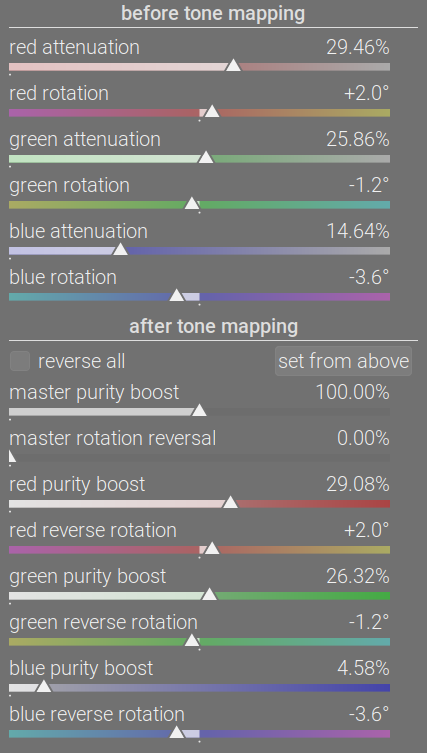
- provides visual hints for the primaries sliders
- I did not replicate what is in RGB primaries. The colours used for the sliders are not accurate, and are not intended to be so. They are static visual hints. For example, the hue rotations do not influence the purity sliders, and the colours are painted using simple HSV hue rotations, instead of doing the actual maths. The effects on the sliders’ colour stripes are exaggerated for a more visible effect.
- For the reverse rotation, I provided a temporary configuration parameter. While darktable is not running, you may set
plugins/darkroom/agx/reverse_hue_for_unrotation=FALSEorplugins/darkroom/agx/reverse_hue_for_unrotation=TRUEindarktablerc. This will flip the rotation sliders’ hue strips, see Agx terminology (UI) - #129 by kofa.FALSEis the mathematically correct setting (we are rotating the specified hue to become the primary whose slider we are adjusting),TRUEis probably the more ‘intuitive’ option. Please test both ways for a few days. I’ll then open a voting, and I’ll hard-code the version preferred by most; the configuration parameter will be removed.
- I did not replicate what is in RGB primaries. The colours used for the sliders are not accurate, and are not intended to be so. They are static visual hints. For example, the hue rotations do not influence the purity sliders, and the colours are painted using simple HSV hue rotations, instead of doing the actual maths. The effects on the sliders’ colour stripes are exaggerated for a more visible effect.
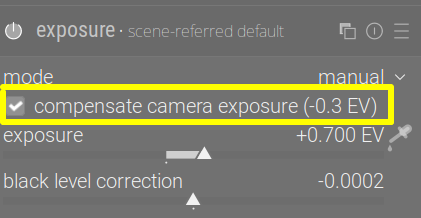
- finally, I’ve ported the code from filmic that sets initial relative exposure. In filmic, the default relative white and black exposure is set to +4 EV and -8 EV, respectively; then, the exposure compensation is read from the EXIF data (this is the same value that is used in the exposure module):
In filmic, the total exposure correction is calculated (assuming mid-tones were corrected by the default 0.7 EV and the compensate camera exposure in the exposure module to get mid-tones right), and that is used to modify the +4 EV and -8 EV offsets. Later, one can still use the exposure pickers, but this provides the starting point.
For agx, I’ve now added a button:
It reads the exposure module’s settings (not only the in-camera adjustment, but also the actual exposure slider, instead of using the hard-coded 0.7 EV), and performs the same logic as filmic does.
The aim of this is to evaluate if such a logic should become default, providing a better out-of-the-box experience than the hard-coded +6.5 EV and -10 EV values. I know some people don’t (or rarely) use the exposure pickers, so I did not just hard-code this to be done automatically when the module is first enabled. I plan to remove this button, but who knows. If most want to have such an adjustment done automatically, it may become the default (I’d provide a way to disable that). If most find it useless (you hardly ever or never adjust the relative exposures, and use the other curve controls, or if you use the pickers all the time, so don’t need this to be done automatically), it will disappear without a trace.
How to test: please try images (preferably, both soft and harsh lighting, low and high dynamic range), process them without using the ‘camera’ button, as before (in whatever way you prefer), duplicate the image, click the camera button, and process them again, using whatever controls you want. Which gives you good results faster? (You may also want to swap the order, to avoid the bias of already knowing what you did when you processed the 1st version.)

Linux AppImage:
https://tech.kovacs-telekes.org/dt-agx/Darktable-5.3.0%2B611~gfe9d7ed0a6-x86_64.AppImage
It is based on the current master version (8df9febf, or g8df9febf), up to and including:
commit 8df9febffc9f012c3c21f08f7bd6a4b2f9fe60d0
Merge: 499cf5aa3d f9ff0b9b9d
Author: Pascal Obry <pascal@obry.net>
Date:   Sat Oct 18 18:09:06 2025 +0200

    Merge pull request #19525 from kofa73/agx-opencl

    agx OpenCL implementation
I’ll let you play around a bit, and will post a voting next weekend:
- flip hue restoration colour strips or not
- what to do with the ‘camera icon’ / initial exposure correction.
- whether to switch the toe and shoulder controls back
 (no worries, just kidding)
@priort, @Dave22152, @MStraeten , if you have time, please provide packages for Windows and Mac.
5 Likes
no AGX - very underexposed
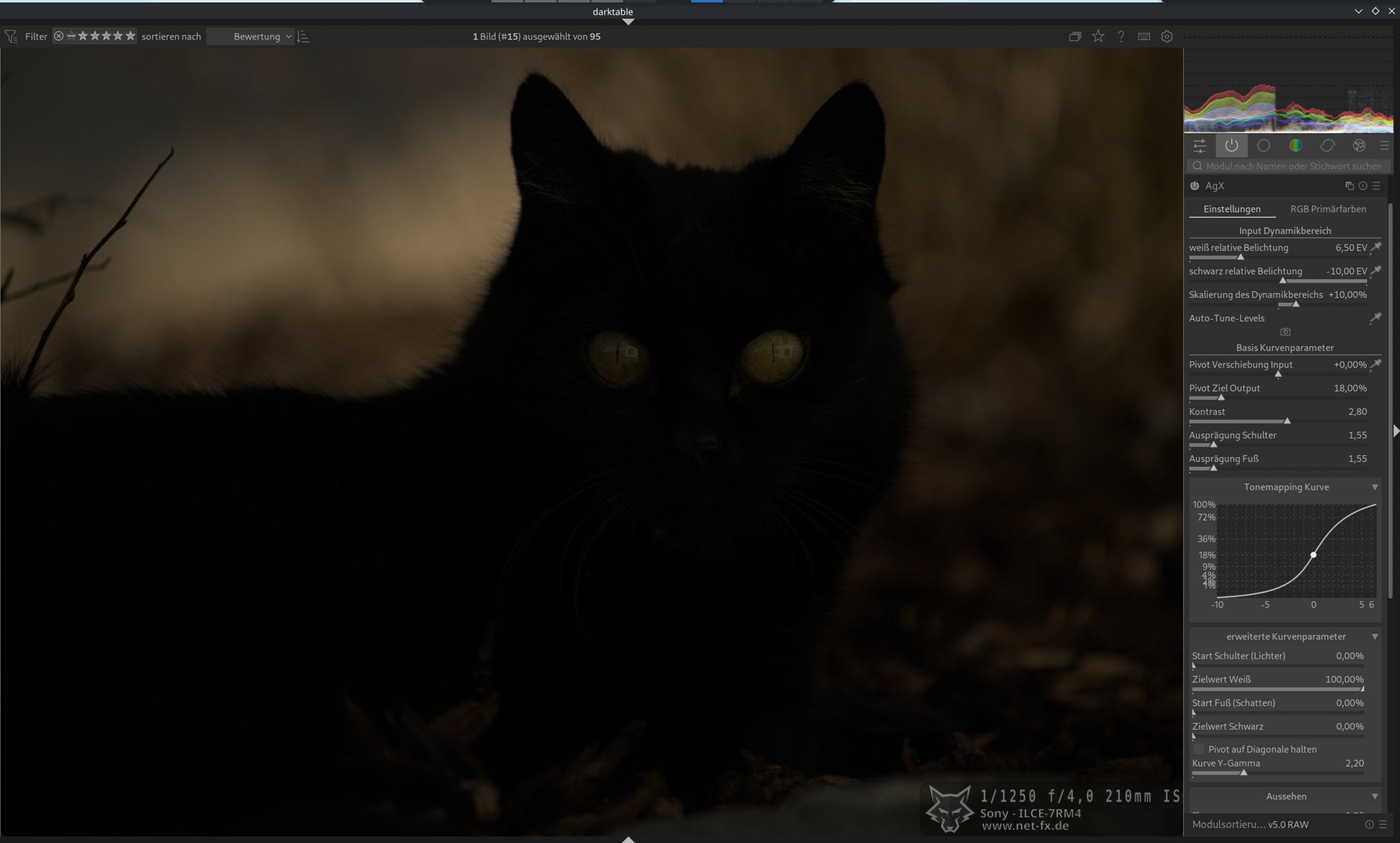
process them without using the ‘camera’
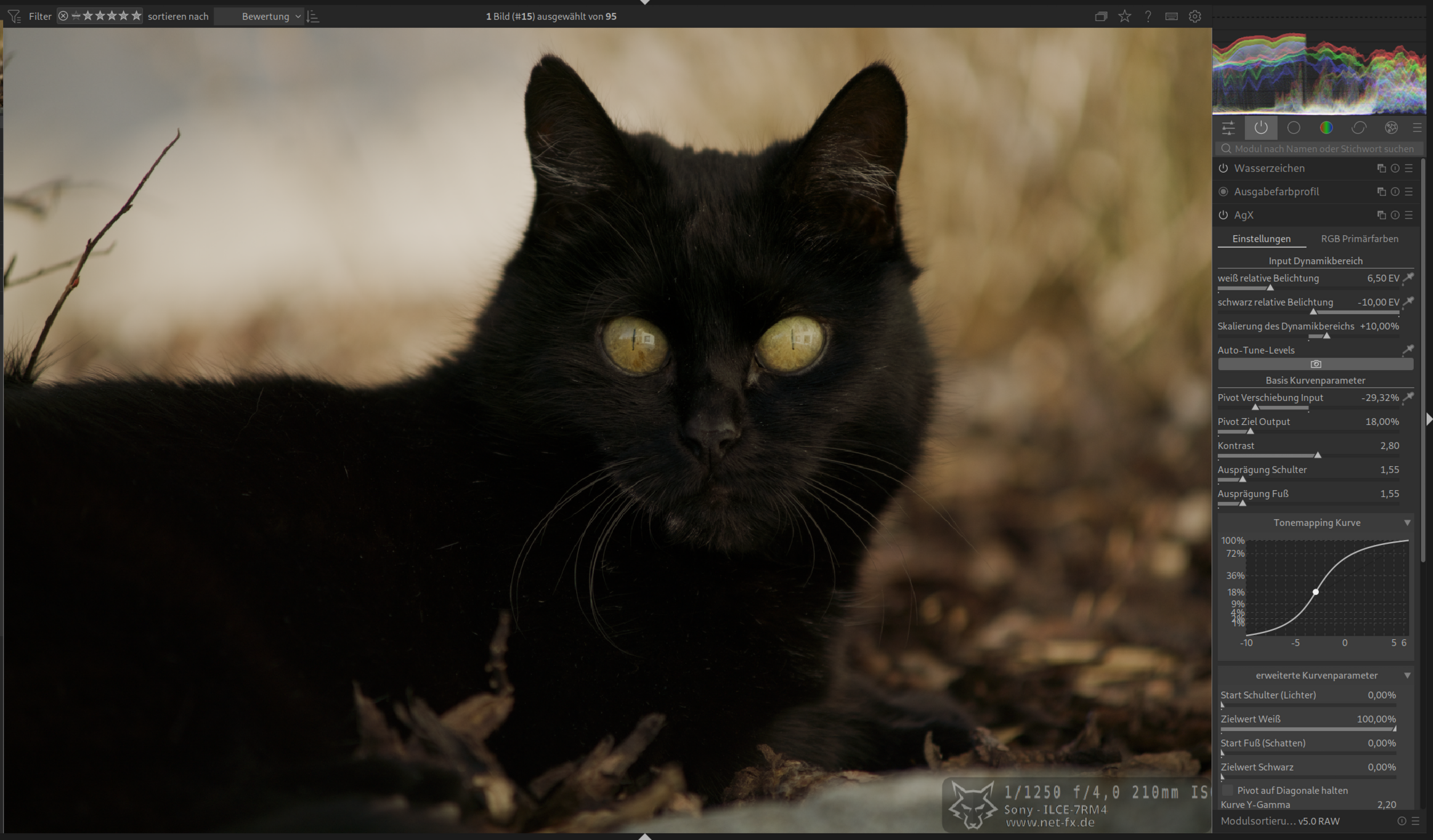
process them with using the ‘camera’
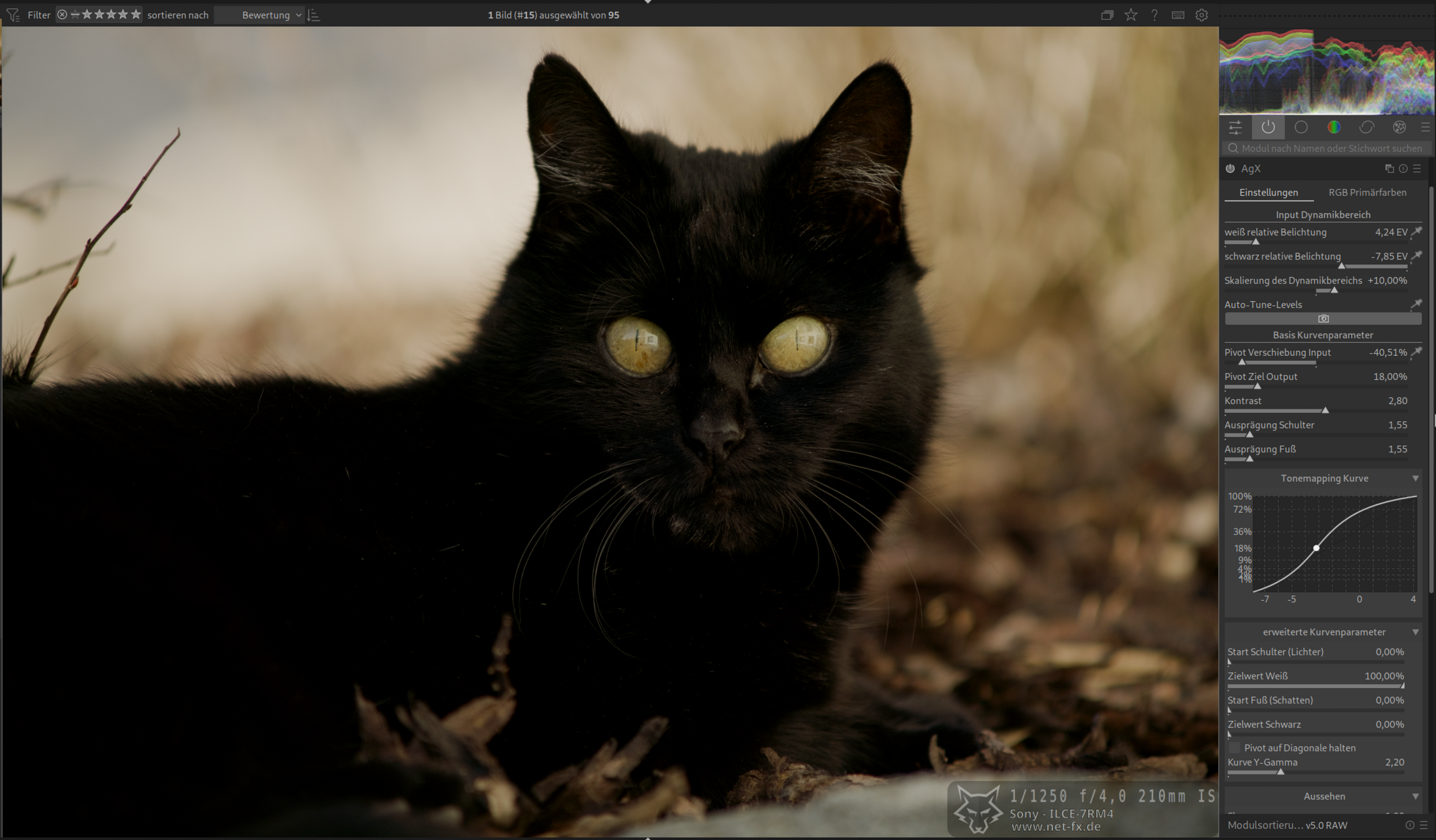
Both works finde, but i like the ‘camera’ version more.
3 Likes
no AGX - very soft
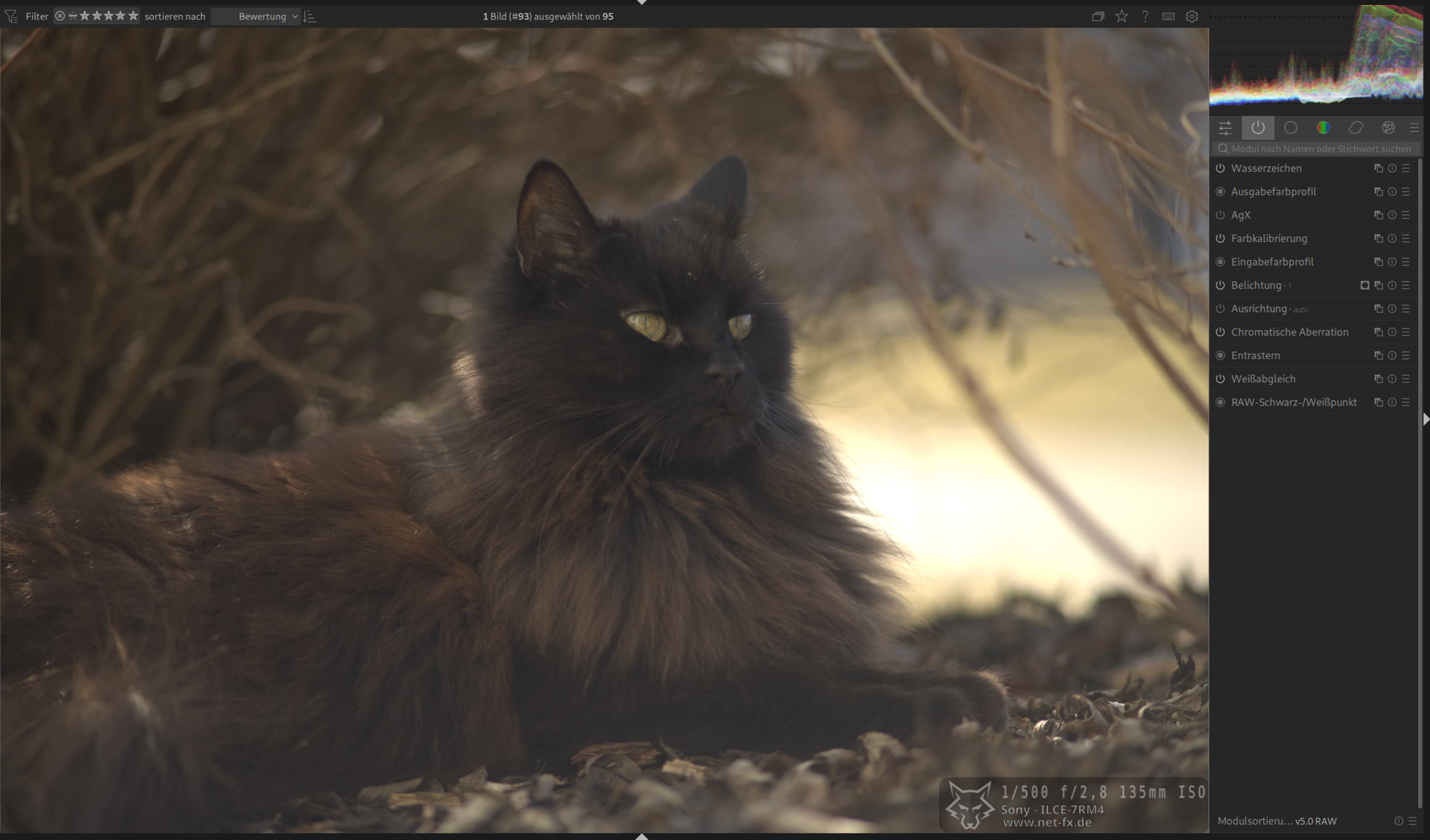
process them without using the ‘camera’
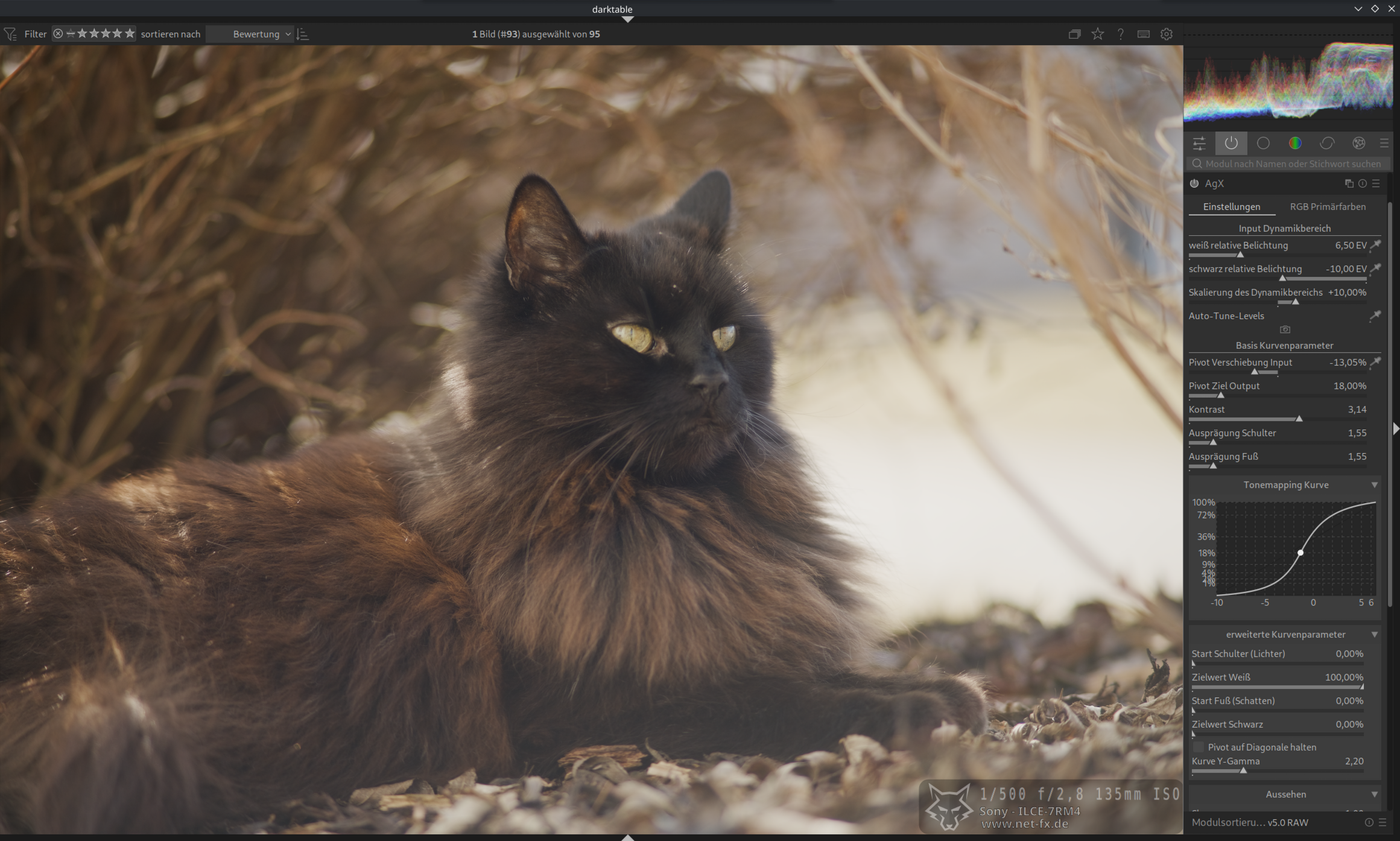
process them with using the ‘camera’
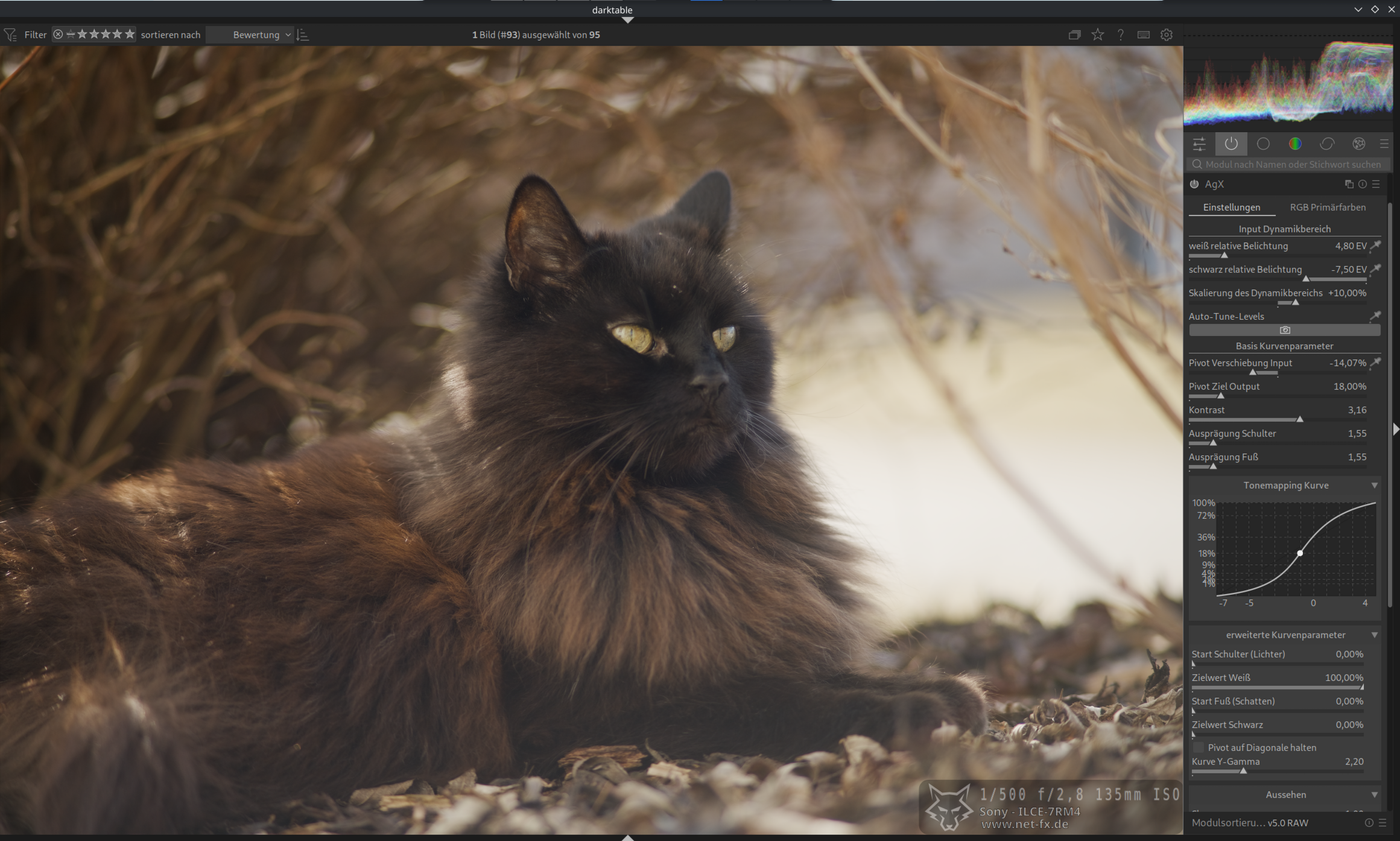
The last one i like more.
3 Likes
Here you go @kofa. I think this should host your changes… In my last few tests with agx I found the brightness slider really comes in handy to tweak the final result. I’ll check this one out…
2 Likes