Top notch … reply Martin , you got my comments perfectly fine !!!
Thumbs up for that
I just built darktable from master, 5.5.0+632~g9efaefb2c5. I thought that since this AI masking now is merged, that I would have it in this build. I have other new things, like the color harmonizer and a few other bits and bobs. I have seen a screenshot somewhere with an “AI” tab in the preferences, between “presets” and “Lua options”. I only have it like this:
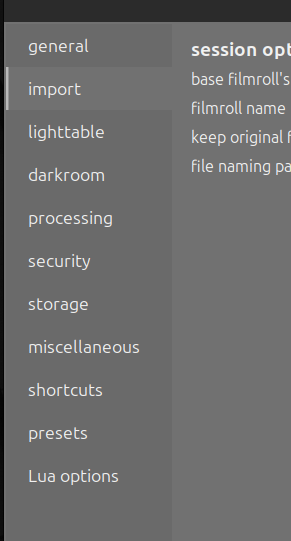
Am I missing something? I am quite new to building myself, so I might very well do.
What OS are you on? It seems disabled by default on Linux
Hey martinus … first of all I am not feeling offended by your questioning , we all have our opinions !!!
I am trying to sum up my thoughts about you questioning my personal workflow … you can do so , no worries .
To be correct … I never talked in any thread about all PS AI features , as far as I remember it was all the time about AI MASKING !!! So how do you get the idea … to talk about general AI features ???
But I will clarify for you … that I do use following tools that does include AI features in PS …
Subject selection in any form
Adding canvas if the original image was captured too tight
Remove more or less distracting elements in my shots … i.e. twigs , bird poo , animal poo etc.
Thanks for the " GREAT TIP " pushing me back to Adobe … no thank you !!!
In every step of my whole workflow I picked ( from my POV ) a certain software that suits my personal needs , regardless if it is free ( like DT ) or I have to pay for a license !!!
Image management : Fast Raw Viewer because it is fast and efficient
DXO Pure RAW 6 : Best demosaicing and noise reduction for my taste !!!
Darktable : Best Raw Converter on markert for my taste !!!
Photoshop : Best Pixel Editor on market for my taste ( Adobe user since CS3 )
You can think whatever you like about my workflow , about all the software I pay for … why I do it , because it is for me the best set up !!!
And I would even pay for DT … if I would have to , not sure how many users would be willing to pay for DT if one has to buy it !!! Why … because I think it´s a great piece of software , that does me help to get the best out of my raw files !!!
Like every piece of software … it has it´s weakness ( from my POV) in some parts , not a big deal for me as nothing is perfect in this world !!!
Regarding why not staying in Adobe environment for everything , because it would " easier " for the overall workflow … quite simple , I never liked Adobe Bridge , Lightroom or Camera Raw !!!
And I am long enough in the photography " business " , as a hobbyist, with relatively " high expectations " about the quality of my images ( from my POV ) … from capture to final output !!!
Using pro equipment from capture to finish … what says nothing about the real quality of the photographed images !!!
I do have nothing against companys like Adobe , DXO … to give them my hard earned money , as long as they deliver good stuff for my usage of their products . I give a shit … about their strategy , I just look if their products can help me to get better final results from my POV .
But this is just my way of thinking … yours might be different , fully ok . If you are happy leaving C1 … fine … be happy . Not sure what kind of shooter you are … Nikon , Sony , Olympus etc … or Canon like I am ( since 1980 !!! ) , I would not question or tell you change your chosen system , as long as you are happy and the final product is good for you in the first place .
Oh that was a long reply … LOL.
I would take and pay for everything that I think is helping me to get my desired output … regardless of what all other folks think about it !
Why I do that … simple , because I can !!!
Andreas
1 Like
Yes it is disabled by default.You need to pass --enable-ai to build.sh script.
4 Likes
Ok, thank you. Will try that.
Thanks for info. I’m trying to build it using --enable-ai switch.
I get the error ai_models.c:26:10: fatal error: archive.h: No such file or directory
I’m on Linux. Is there any new dependency I need to install? Thanks!
You need libarchive-dev & libonnxruntime-dev (whayever is the name of your distro) to be installed.
5 Likes
Now even github nightly seems failing due to some dependency issue (seems cuda related).
You mean AppImage? That’s being worked on…
2 Likes
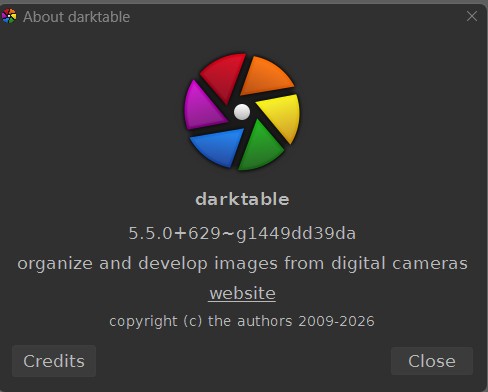
I recently installed the latest insider build.
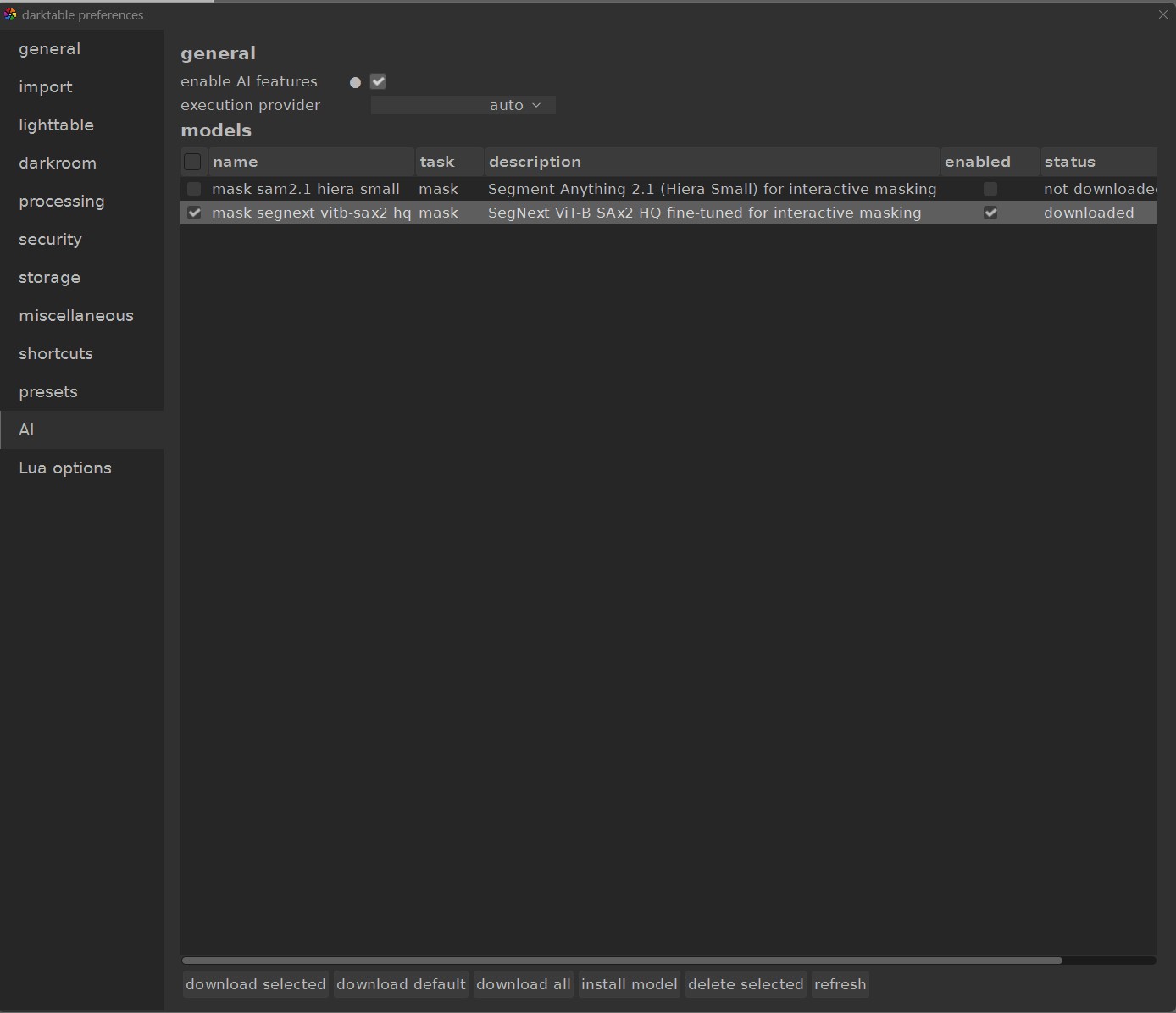
In the Ai section within preferences, I was not able to find and install this model
It is located here as seen in file explorer, but not found within darktable when searching folders.
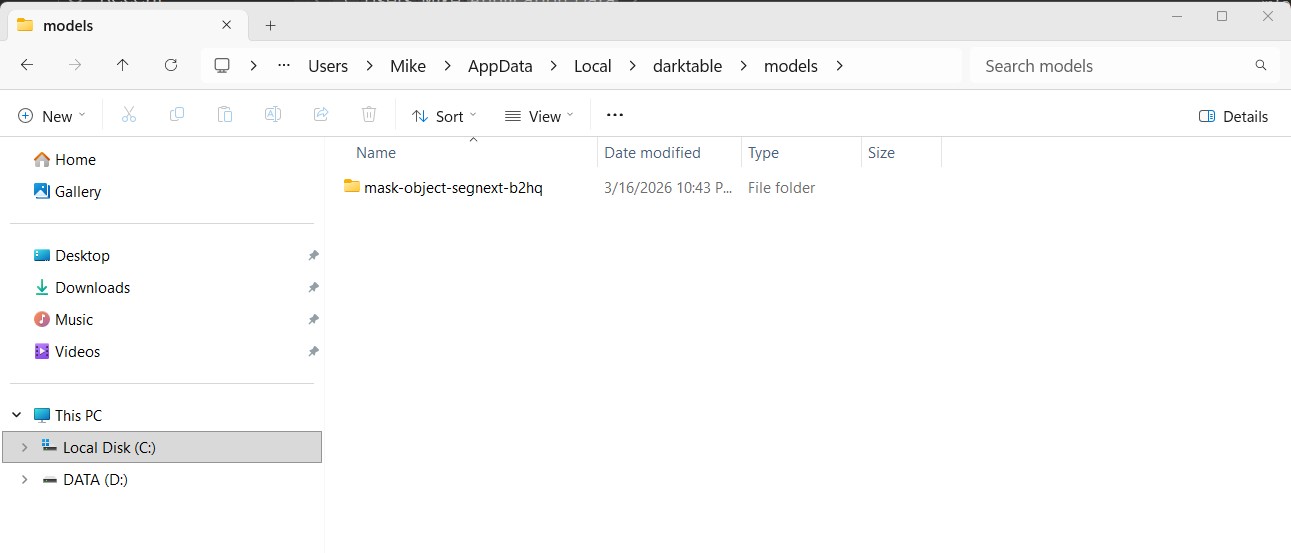
Might I be doing something wrong?
I’m not quite sure what problem do you have.
As I see from you screenshot, SegNext model is downloaded and enabled. You can use AI object mask tool with this model.
@anry The masking panel looks like this. I don’t see the Ai option.
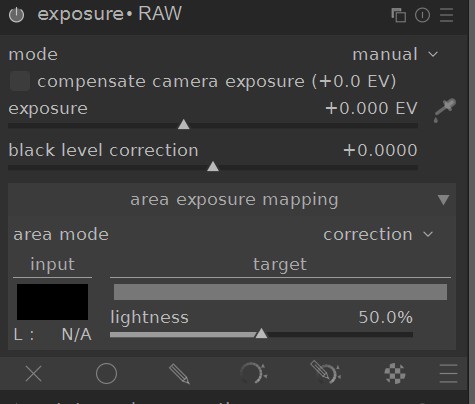
It’s on the left side in the mask manager. You first need to create the mask, and then add in the module’s masking menu
1 Like
Funny, I was just speaking ill of complicated ML software installation procedures in this thread. 
When 5.6 comes, will something have to be installed with uv (like instructed here) to have this working? Or is that just how things are now?
And, I have an image that’s really difficult to mask… Would it now be possible to create the mask with the latest insider build and then export it (the XMP?) for use in 5.4.1 stable?
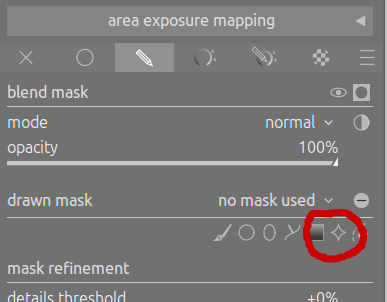
You don’t need to install anything with uv or other python package managers, just what Pascal mentioned above: libarchive-dev & libonnxruntime-dev. Even the cuda dependencies are not mandatory as the models are fast enough to run on the cpu anyway.
Those instructions in that repo are not for darktable itself, including the AI stuff, but for converting models and other things.
Yes, it would be possible. The final result of AI object mask is a path mask, which did not change from 5.4.1.
Well but the XMP could reference new modules from 5.5 and this would fail to load.
1 Like
It’s much more simple to use. Check this guide.
2 Likes