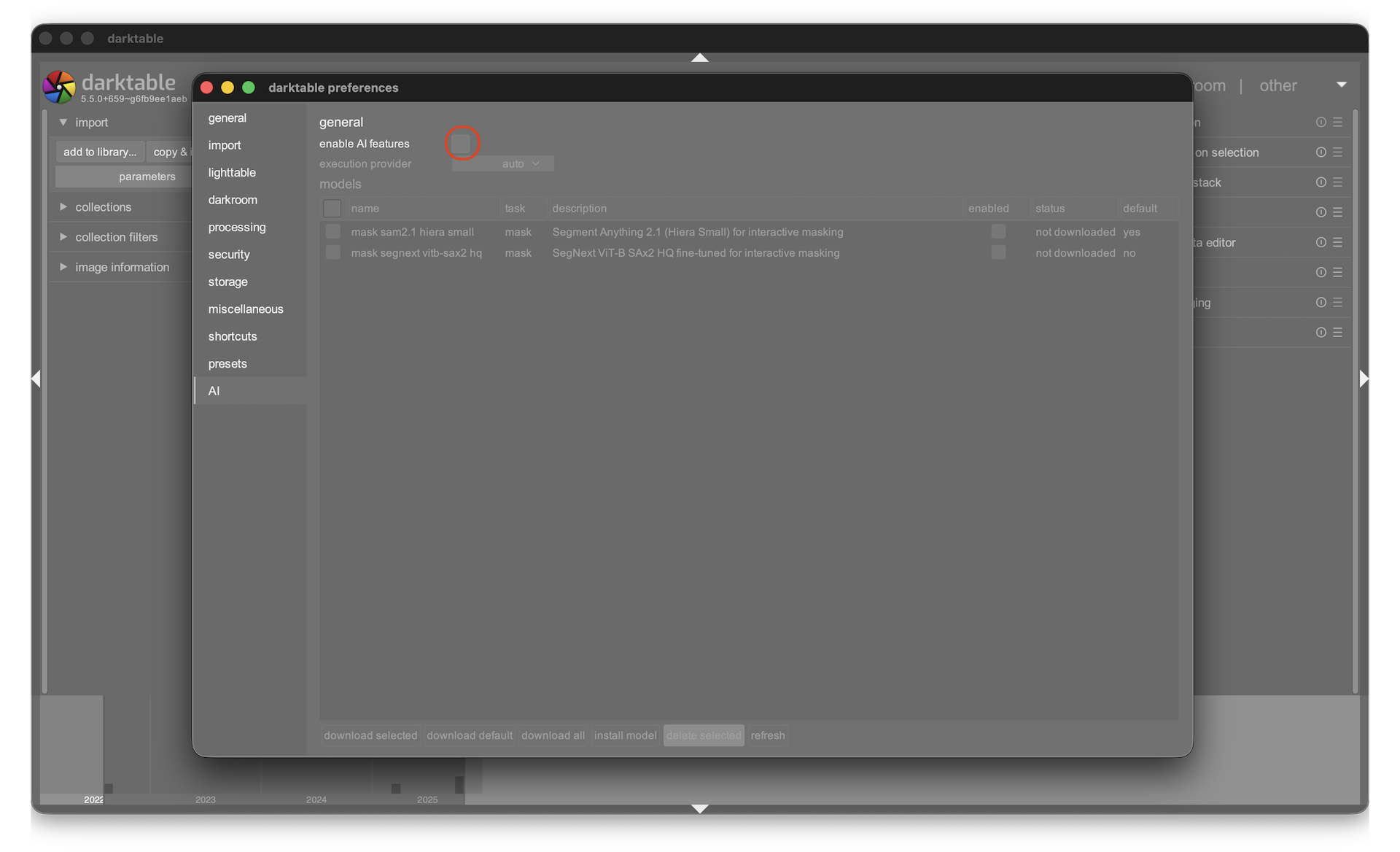
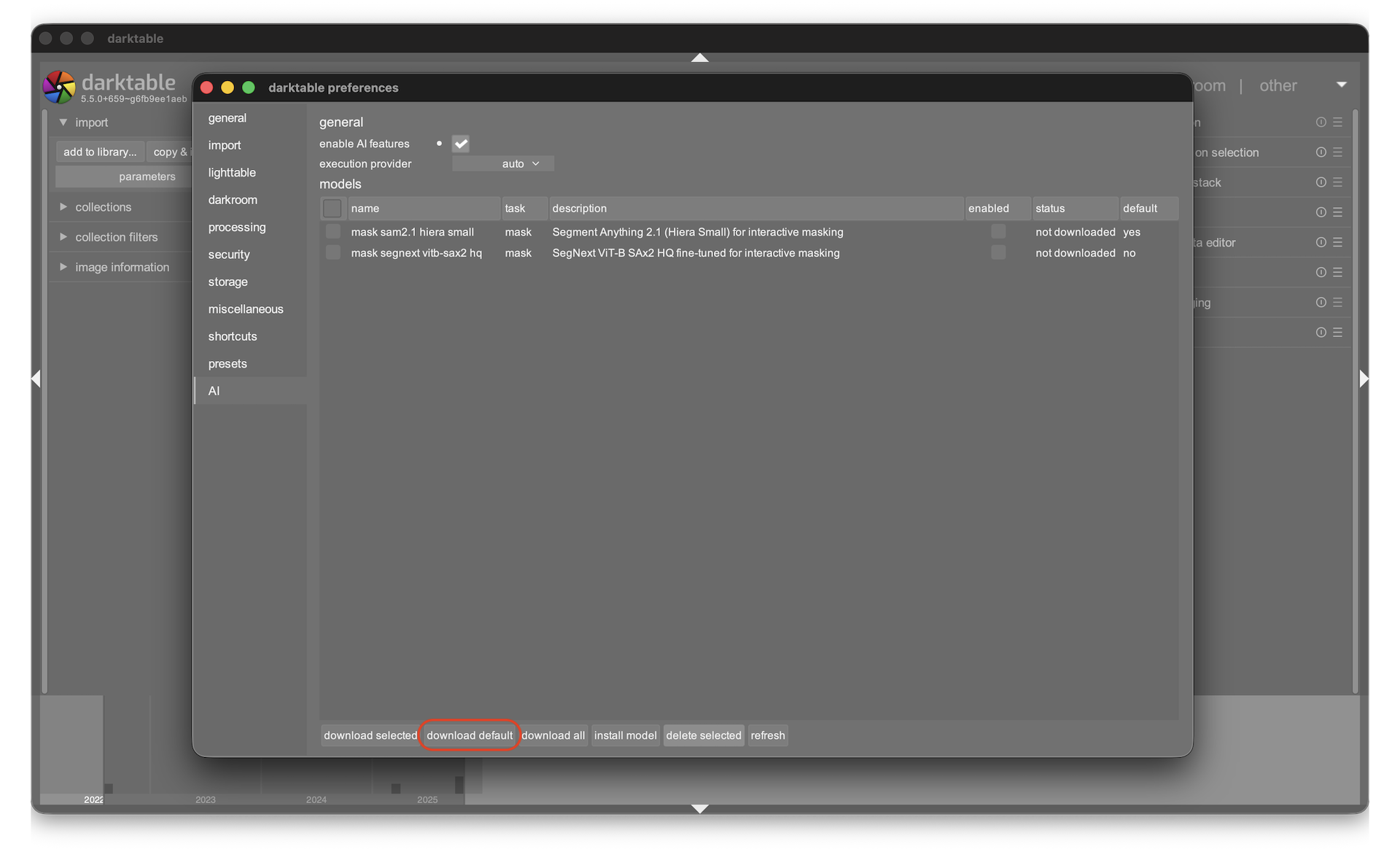
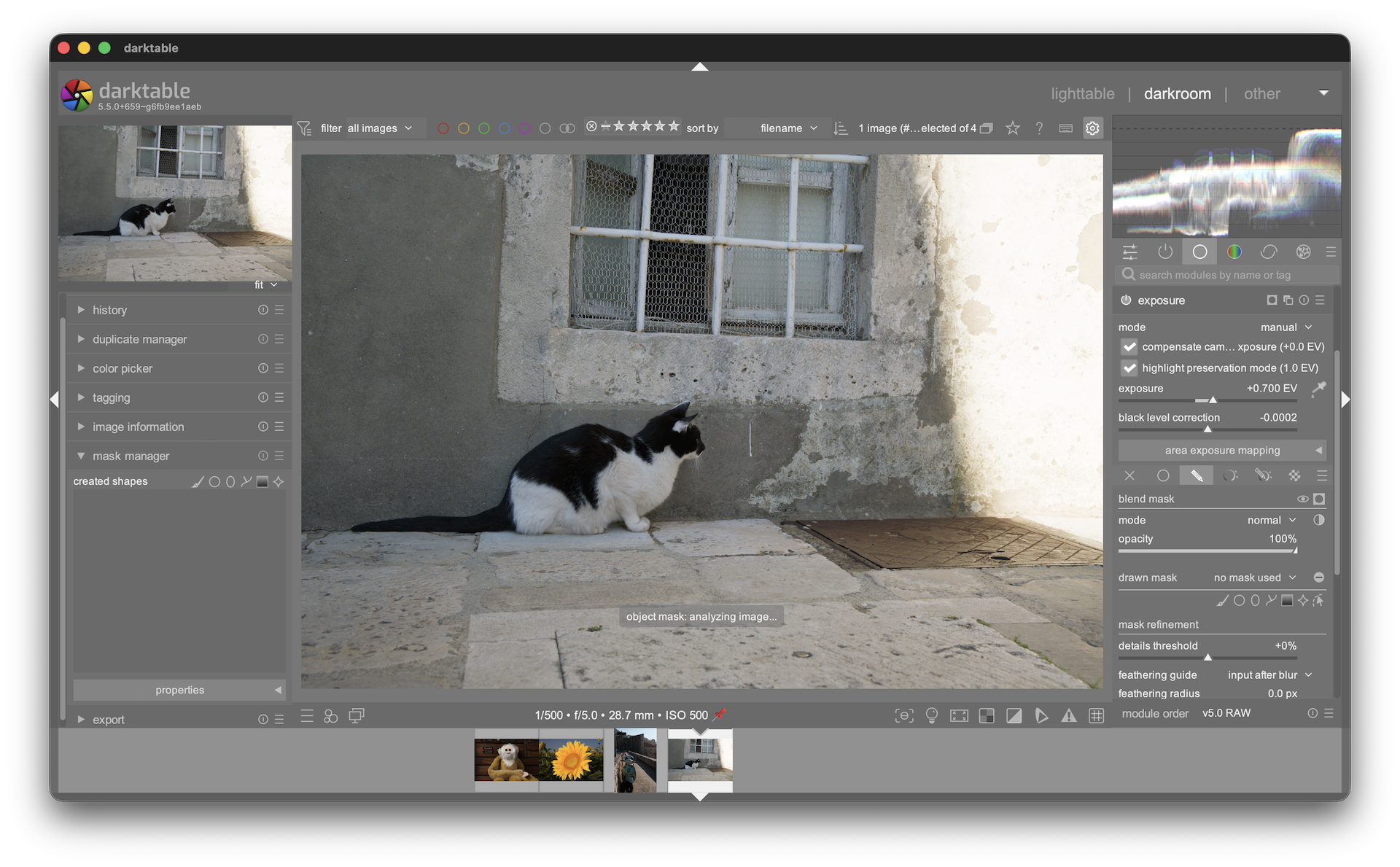
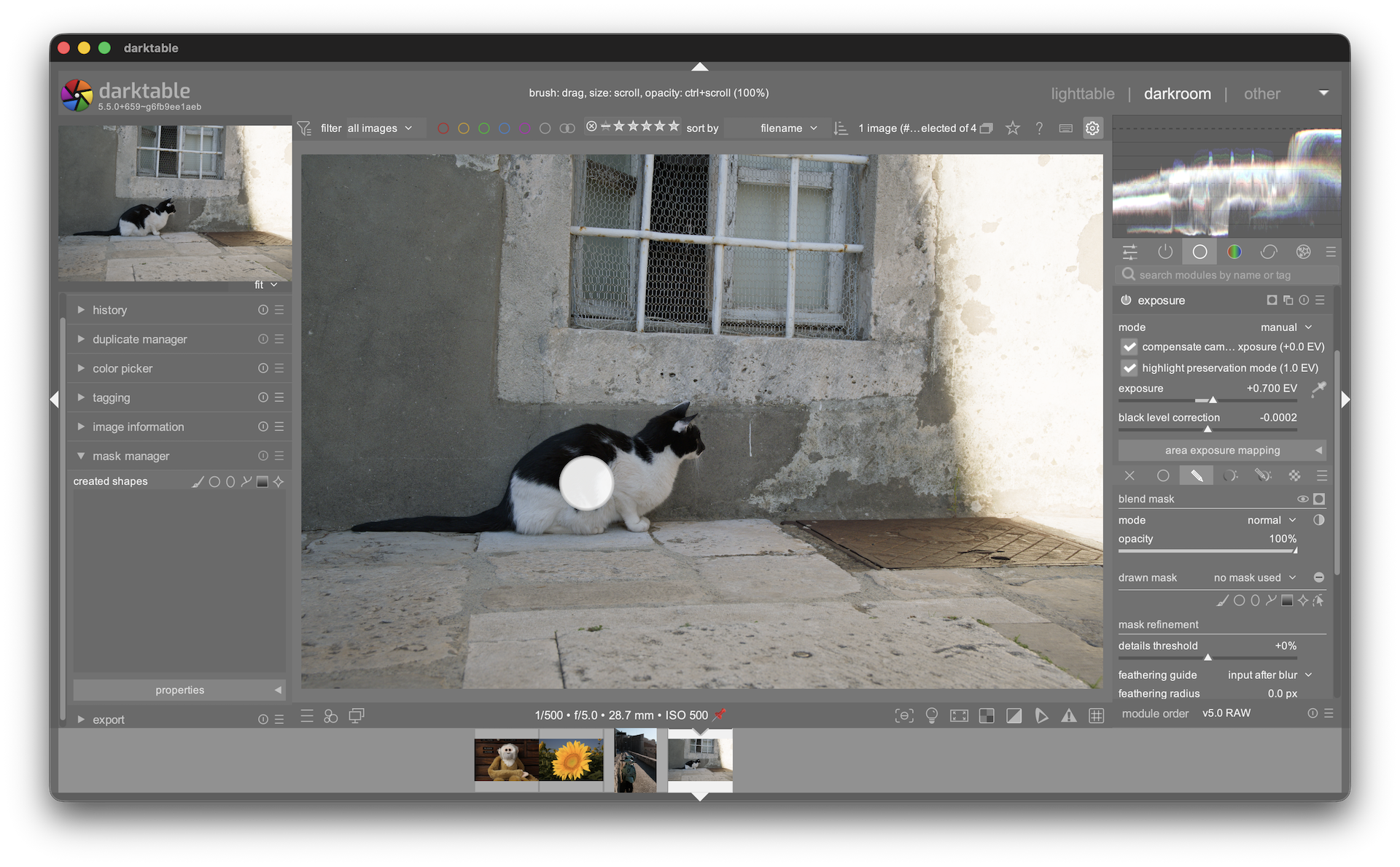
darktable’s nightly builds now include an AI-powered object mask tool based on SAM2 (Segment Anything Model) and SegNext architectures. It lets you brush over an object in the darkroom and automatically generates a precise vector mask − no manual tracing needed.
This is an early feature available in nightly builds only. We’re looking for testers to try it and report issues.
Requirements
macOS / Windows: nightly builds include AI support out of the box
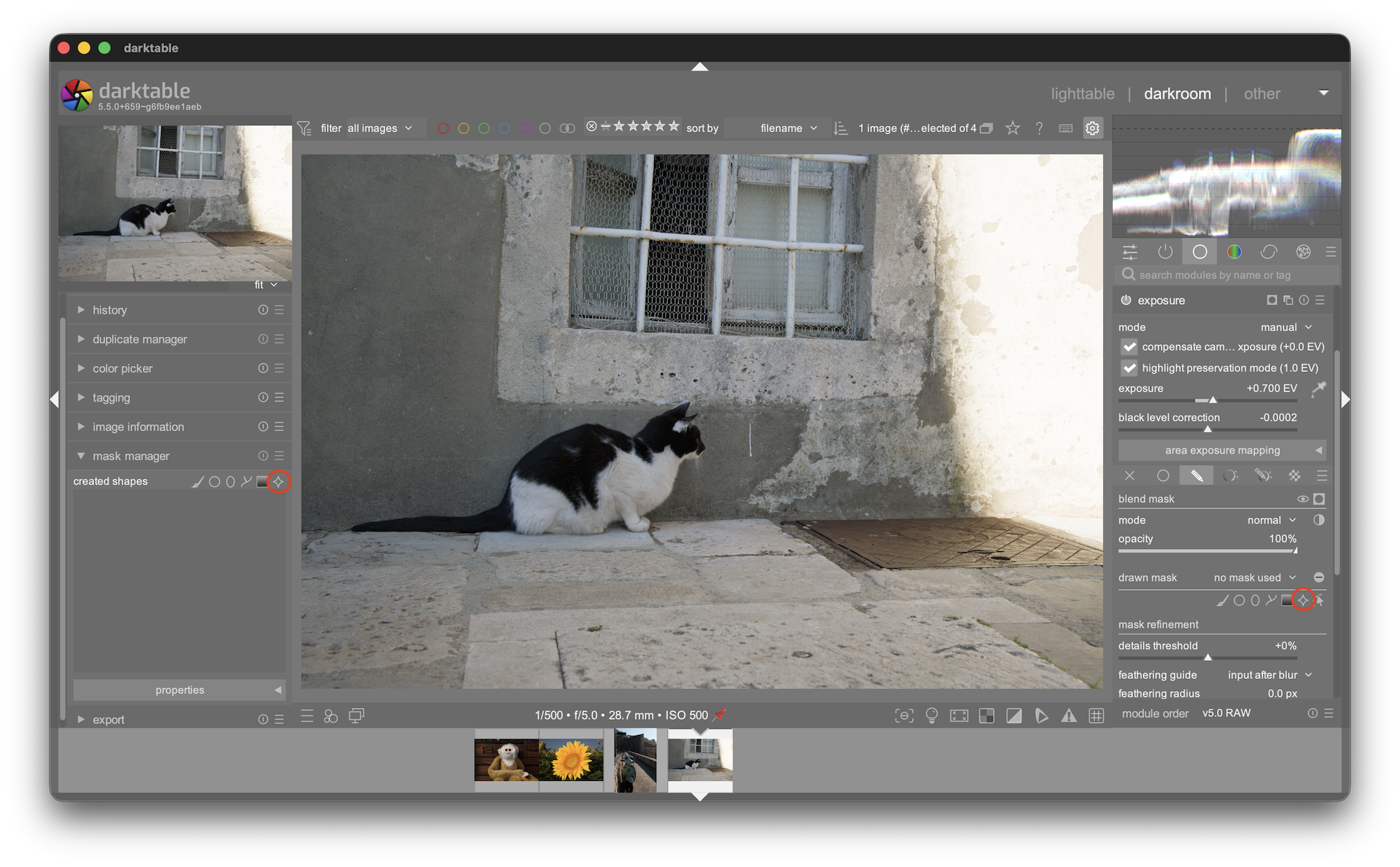
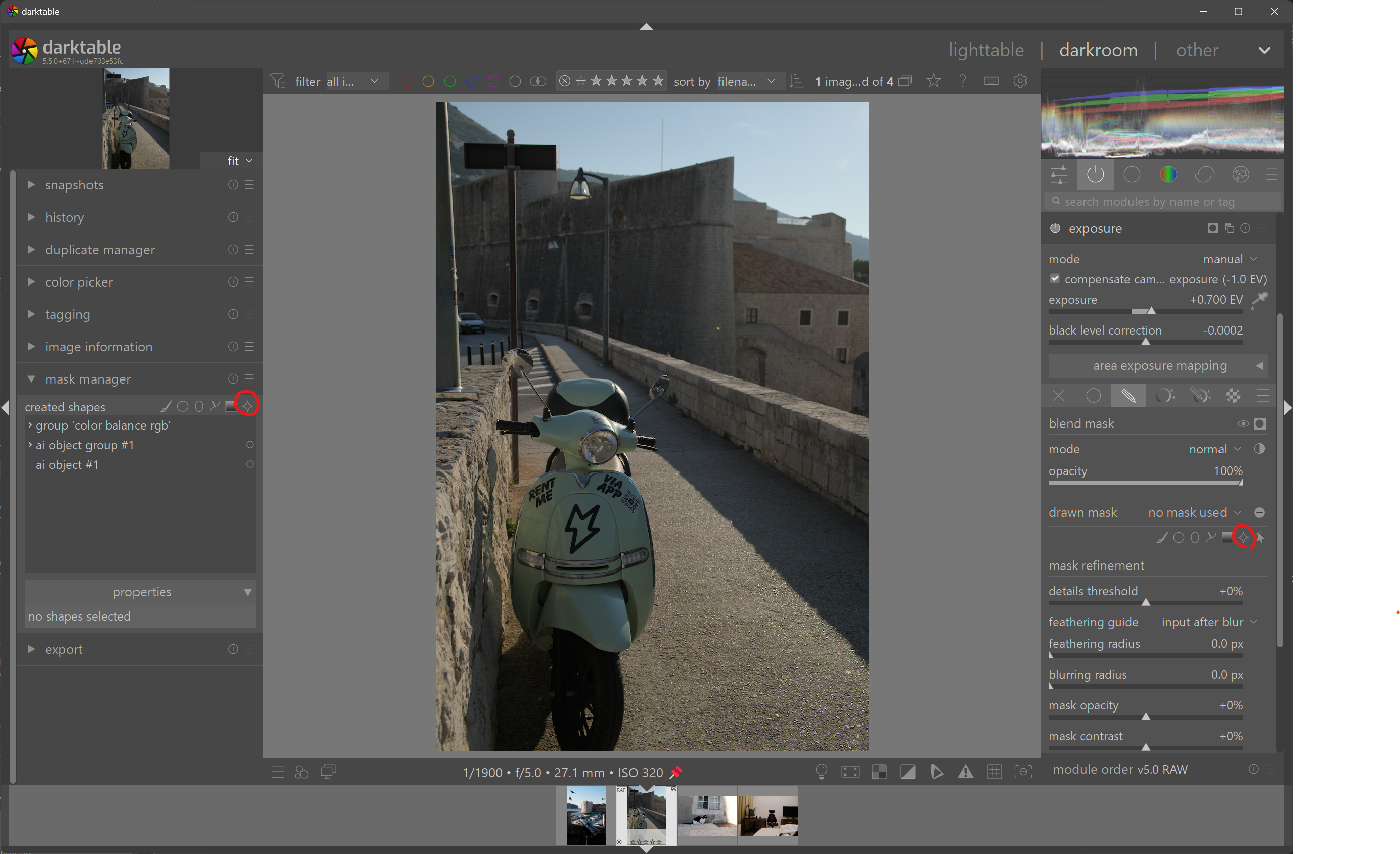
Once ready, you’ll see “brush over object to create mask”
Brush over the object you want to select − paint across it with the brush cursor; you don’t need to be very precise but better not go over the edge of the object you are selecting
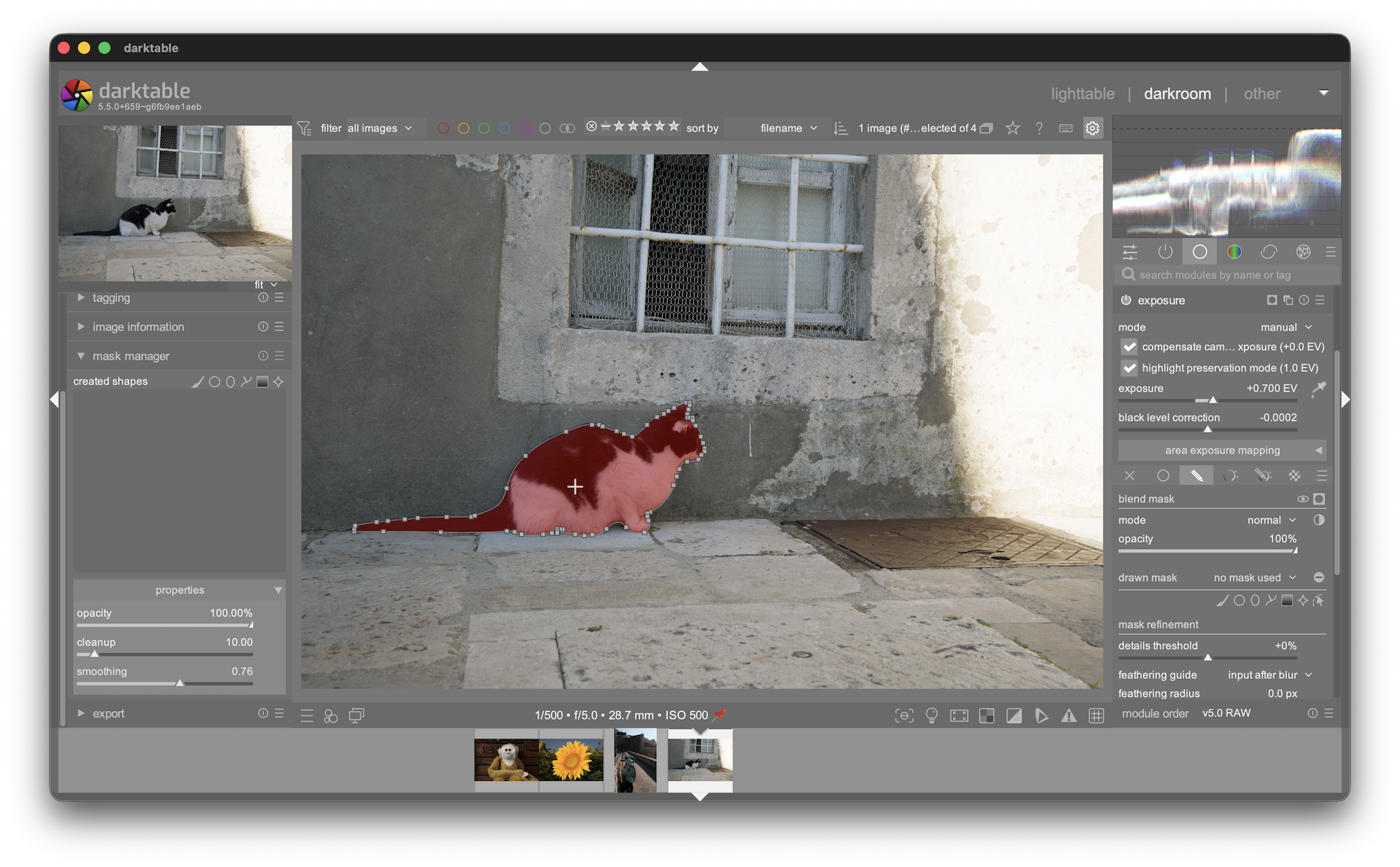
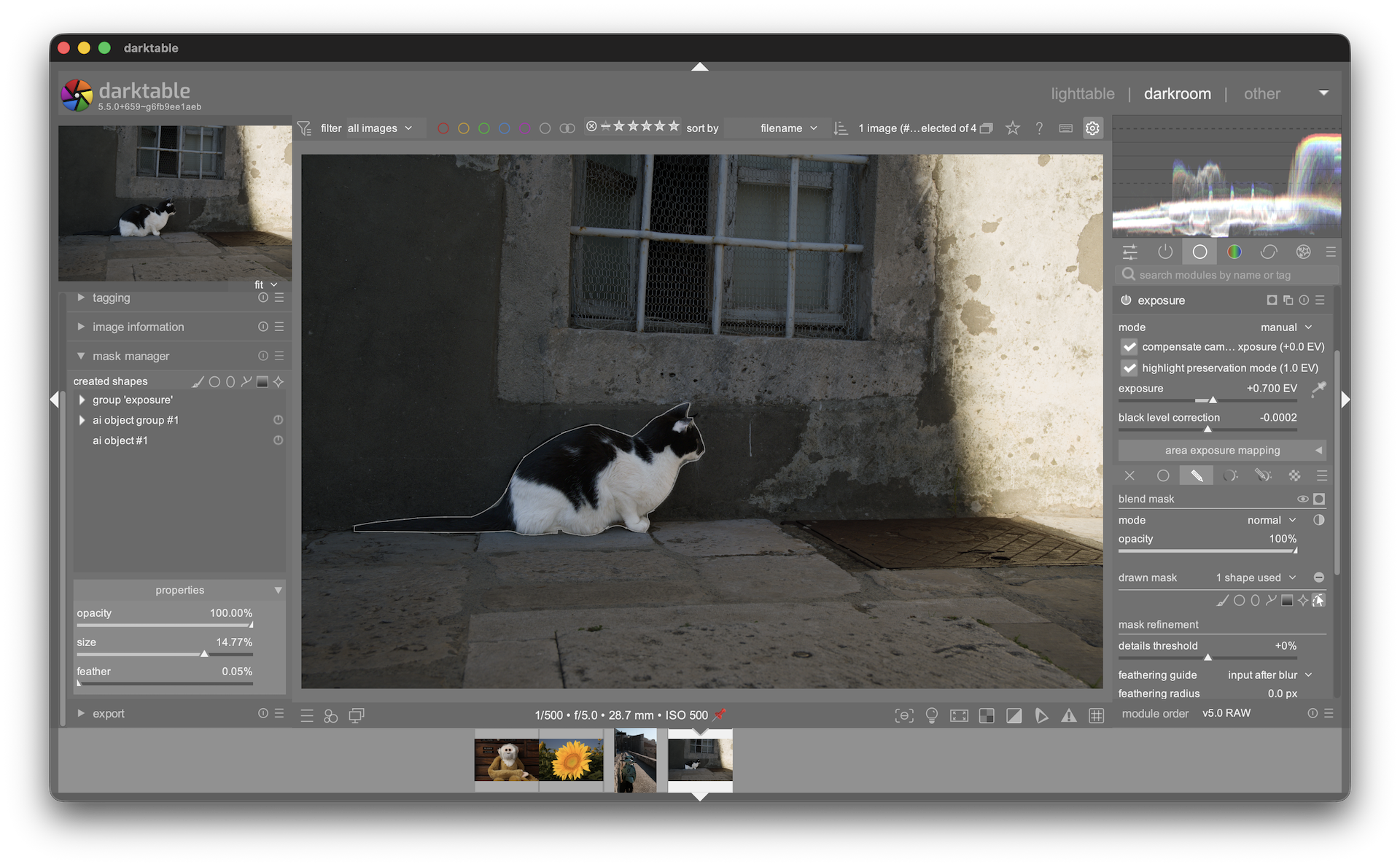
The mask is automatically converted to vector paths (like the path tool) so it’s resolution-independent and editable.
Tips
Larger brush = more prompt points = model gets better context about what you want
For small objects, use a small brush and paint precisely over the object
The tool works best when the object has clear boundaries against the background
After crop or rotate, the encoder automatically re-analyzes the image
In the refinement step, click to add more + points on areas that should be included − this improves mask quality, especially on edges. Use Shift+click to mark − areas that should be excluded from the mask
The object mask selects a single visually continuous object at a time. If your subject has separate parts (e.g. a person’s face and their hand with a gap between), create one object mask for each part, then combine them using a mask group (union)
Available models
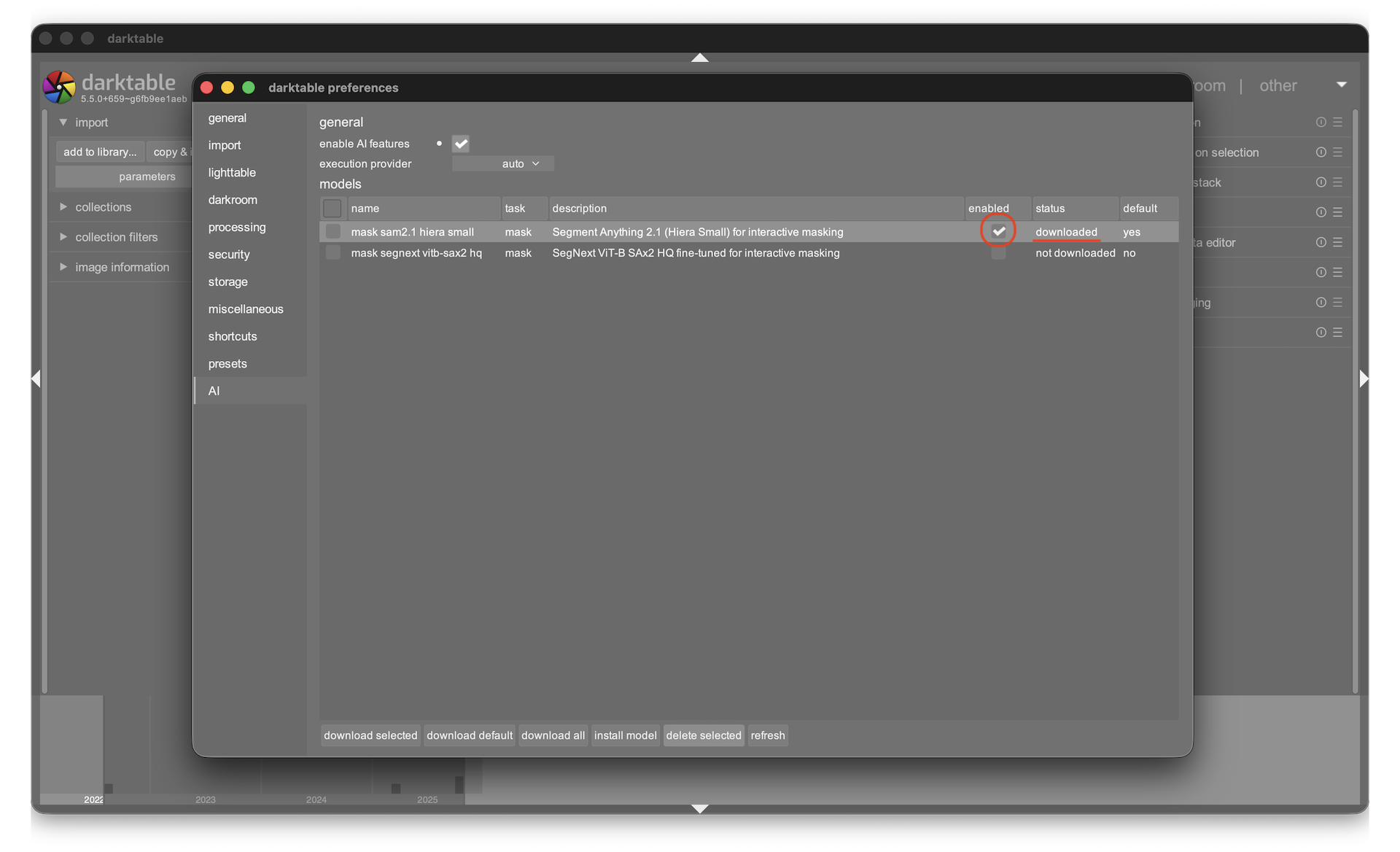
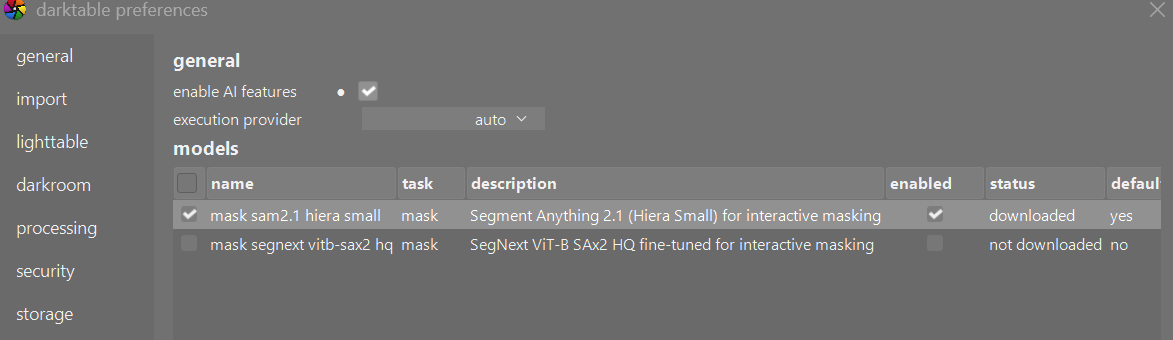
Included in the model registry (download from Preferences → AI):
SAM2.1 Hiera Small (default) − good balance of speed and quality (~130 MB)
SegNext ViT-B SAx2 HQ − alternative architecture, different quality characteristics
Additional SAM2 models you can install manually:
The SAM2 family also includes a Tiny variant which is faster but less accurate. You can download it from the darktable-ai releases page:
Download the .dtmodel file for the model you want
Open Preferences → AI
Click the Install from file button
Select the downloaded .dtmodel file
The model appears in the list and can be selected as the active mask model
SAM2.1 Base Plus (higher quality, larger) will be added to the registry in a future update.
Reporting issues
Please report bugs with:
Your OS and GPU
The execution provider you’re using
Steps to reproduce
If possible, run with -d ai flag for debug output: darktable -d ai
THX anry … wow that´s a very well made " how to " use the new ai addon to DT .
Easy to understand !!
Glad you also added the way how to get the possible additional model(s) .
Superbly done and it is a very welcome addition to DT !!!
This does not work on L(ubuntu) 24.04, LXQt, self compiled 5.5.0+659~g6fb9ee1aeb
To double check I replaced in develop/masks/object.c
line 1156 GDK_MOD1_MASK by GDK_SHIFT_MASK and
line 1189 GDK_SHIFT_MASK by GDK_MOD1_MASK
and now I can clear the selection but no longer exclude areas.
And this (line 1156) if(gui->creation && which == 1 && dt_modifier_is(state, GDK_SHIFT_MASK + GDK_CONTROL_MASK))
allows me to clear with CTRL+SHIFT+click
So the code is OK but ALT modifier does not work !
GDK_MOD1_MASK is used for Alt in many other places in darktable - for example, Alt+drag on an ellipse mask toggles border resizing, and Alt+scroll in several modules (exposure, color equalizer, etc.). Do those work for you? If not, this confirms it’s a system-wide modifier mapping issue rather than something specific to the object mask.
The root cause: GDK_MOD1_MASK is X11’s Mod1 modifier, which should map to Alt but depends on the X server’s modifier table. On your system (LXQt), Alt appears to be assigned to a different Mod slot.
You can verify with:
xmodmap -pm
If Alt_L/Alt_R are not listed under mod1, fix it with:
xmodmap -e "add mod1 = Alt_L Alt_R"
To make it permanent, add that line to ~/.Xmodmap.
THe nightly looks like it is 3 days old… can I use the same command line to build it for windows…the version I just built via my normal workflow didn’t include the AI update??
The nightly builds had a problem so the whole build job for all architectures did not complete. This is now fixed and the nightly builds are available as of 20260318.
oh, I see. Last night the ONNX lib download failed during build on arm64 Macs (x86_64 was fine).
CMake Warning at cmake/modules/FindONNXRuntime.cmake:260 (message):
  Could not obtain integrity hash for onnxruntime-osx-arm64-1.23.2.tgz from
  package repository.  Refusing to download without verification.  Install
  ONNX Runtime manually or set ONNXRUNTIME_OFFLINE=ON.
Just tried and it is working again now, so please try the next nightly build tomorrow.
I am on Windows 11 and I can not get the AI mask icon showing in the darkroom view. I had problems installing DT 5.5 as Windows Smart App Control blocked some file and it might be critical. I am not sure how other Windows users got around this. Any advice is much appreciated. Thanks.
For anyone who doesn’t want to wait for the next nightly build to test the new ai feature, I can share my script here, which I use to download the source code via GitHub and compile it on Linux. This requires that all dependencies have been resolved beforehand using the relevant packages.
I’m not a developer, so the script won’t be perfect, but it works. If you start it the first time have a look at the comments “# Only on first run”. You’ll find the binaries in $HOME/programs/bin
# Only on first run: cd $HOME
# Only on first run: git clone https://github.com/darktable-org/darktable.git
cd $HOME/darktable
# Only on first run: git submodule init
export LANG=C
#CC=clang
#CXX=clang++
export CC=gcc
export CXX=g++
git pull --ff-only origin master
git pull --rebase
git submodule init
git submodule update --init --recursive
git pull --recurse-submodules
cd $HOME/darktable/build
echo "make clean"
make clean
# cd $HOME/darktable
# ./build.sh --enable-ai
cd $HOME/darktable/build
cmake -DCMAKE_INSTALL_PREFIX=$HOME/programs -DUSE_AI=1 -DCMAKE_BUILD_TYPE=Release ..
make -j32
make install
This is screenshot from nightly build darktable-5.5.0+671.gde703e53fc-win64. There was no issue with installation on Windows 11 in both system and user spaces.
Can you share more information what was the installation problem on your side?