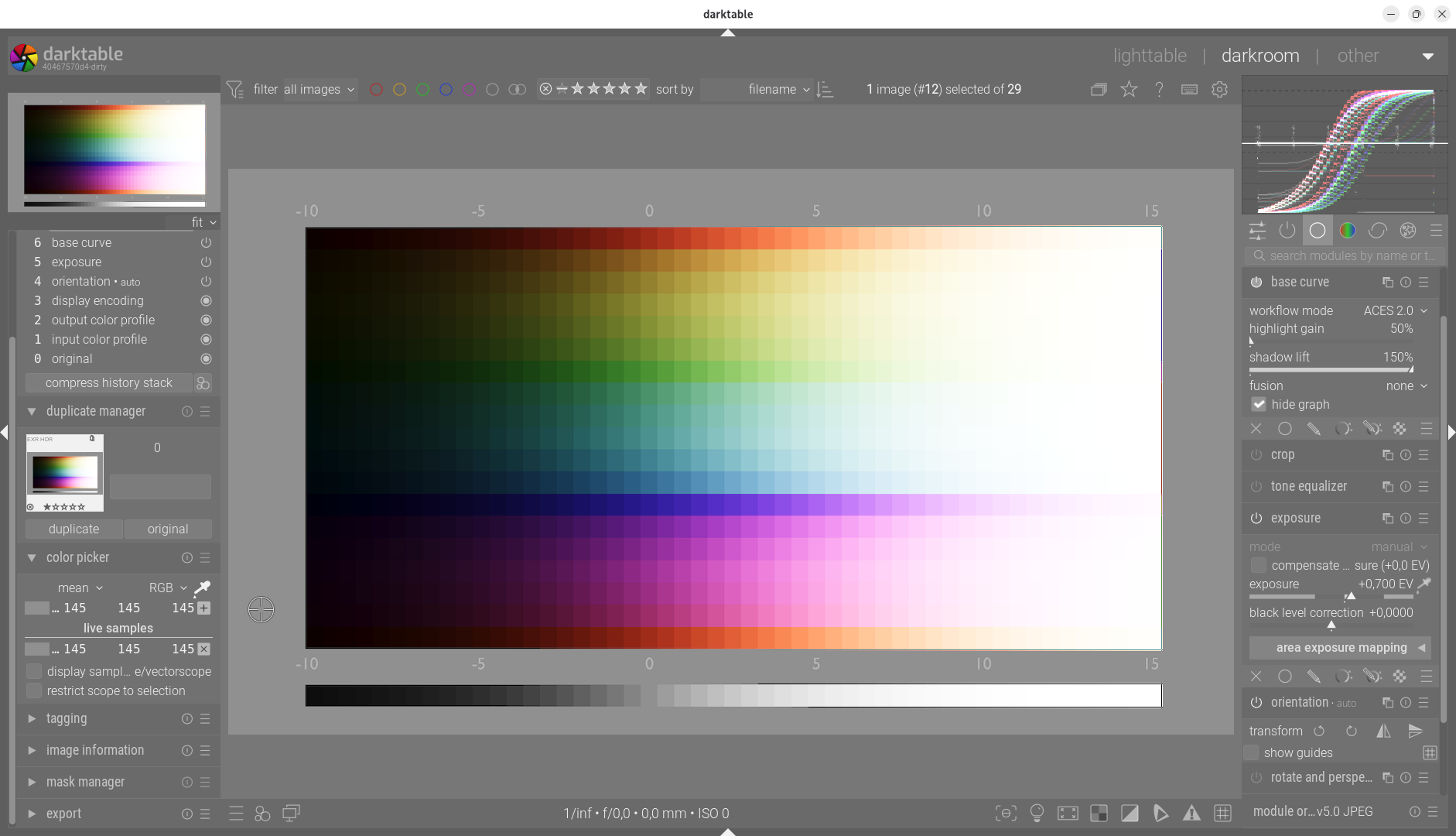
Base Curve Module “Hybrid” & ACES - Like (Proof of Concept)

Hello,

Currently stuck in my chair due to a minor mechanical issue ;-), I took the opportunity to finalize a project I started last year.

The “Legacy” rendering of the basic curve module has a visual signature that I really liked with my Pentax (*ist, K-r, K-5) cameras. It’s an excellent module, but it was designed for a different generation of sensors than today’s.

The goal: to offer the best of both worlds. Total control of the dynamic range and a “cinematic” rendering, without sacrificing the simplicity of the basecurve module.

Fidelity to the “Legacy” rendering
The old method (Fusion after the curve) has proven itself on my old cameras.

  1. The strong point: Immediate contrast and very flattering color management.
  2. Full backward compatibility: The module detects and preserves this historical workflow for all my existing photos. My K-5 developments remain strictly identical to my original processing.

Scene-Referred & ACES Workflow

Recent cameras capture such a wide dynamic range that the old workflow can sometimes feel “narrow” (halos appear in extreme blending). The new ACES branch I have implemented addresses this challenge with linear processing:

  1. Intelligent Neutrality: When ACES or ACES 2.0 mode is selected, the historical curve is neutralized by default. It can then be used sparingly to act at the end of the chain (after ACES).

  2. Scene-Referenced Merge: Exposure merging now occurs upstream, on the raw linear signal without creating artifacts.

  3. ACES 2.0 Rendering: Coupled with merging, it offers incredibly smooth highlight management, with natural, cinematic gradients.

Simplified but powerful control
We keep the “curve” logic, but give it tools to sculpt the light before the final rendering:

  1. Highlight Gain: Adjusts the brightness of the merged highlights. This is the “punch” slider.
  2. Shadow Lift: Brightens dark areas while preserving natural texture.

Performance & OpenCL

All these new features are OpenCL compatible. I invite darktable developers to check the perfect synchronization of the code, especially the alignment of memory structures between the CPU and GPU.

In summary: The idea is to offer a hybrid workflow that is accessible to beginners while taking advantage of the power of darktable’s modern “Scene-referred” workflow.

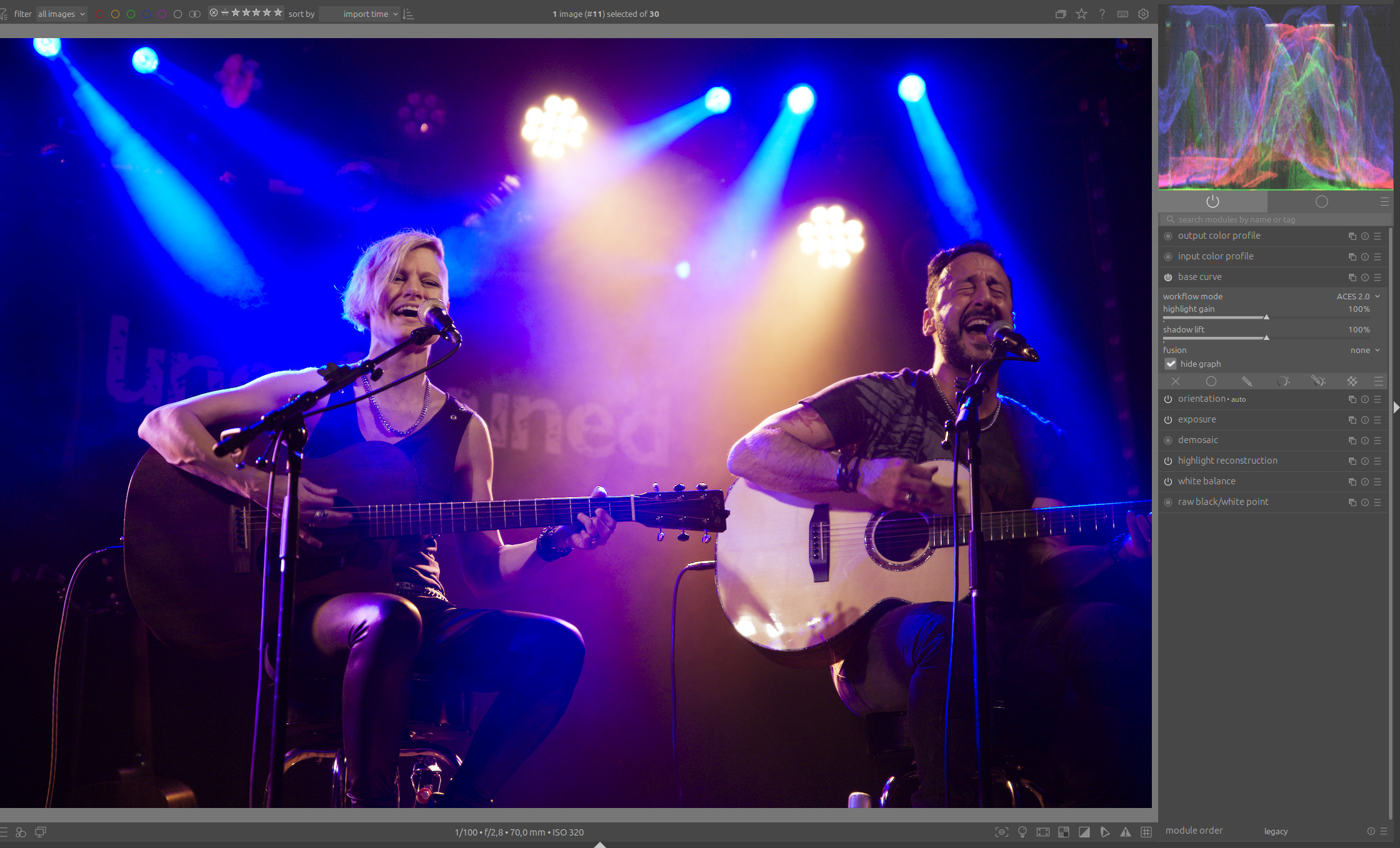
Here is a short video that quickly demonstrates the hybrid aspect of the module.

The code is available HERE,

and the appimage Base curve – Google Drive

Greetings from Brussels
Christian
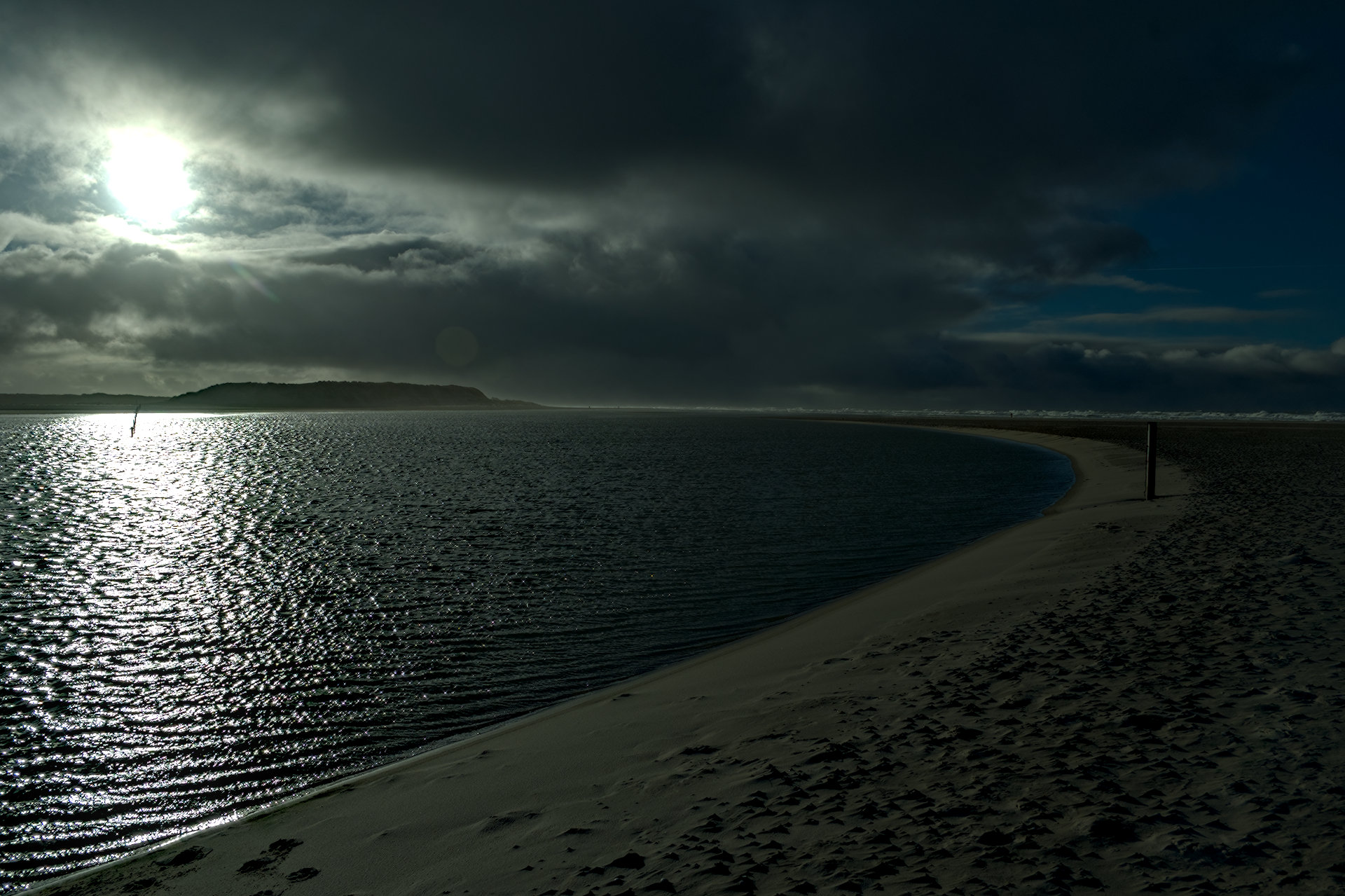
9 Likes

https://www.dropbox.com/scl/fi/mro77gvvx834po53y799e/darktable-b5ca2bafc0-win64-NSIS-deprecated.exe?rlkey=n42ijiaihaq6t4u1l15326vei&st=lv3b8tew&dl=0

For testers…basecurve and all the LC variants

I did 3 very quick edits…works pretty well actually … one shown below

Edit without the base curve…

And with

This

vs

This was ACES 2.0 option…

3 Likes

Well, this is something along the lines of what I’ve been dreaming of. I love being able to tweak the curve creatively, even for tone mapping. As I wrote in the AgX thread:

I’ve been using a hybrid approach a lot, where sigmoid works in a rather linear fashion (but tames the highlights) after rgb curves. But this looks better in theory. I’m not sure I’d want this to be the “noob mode” tone mapper though. :slight_smile: Sigmoid works well enough for that.

4 Likes

Hello,
Thank you for your comment.
It was during this exchange that the idea was born.

As for the “noob mode” profile, I admit that it needs to be better defined. I’ll think about it because I’m convinced that communication is very important for this type of project.

Greetings from Brussels,
Christian

3 Likes

Hello,

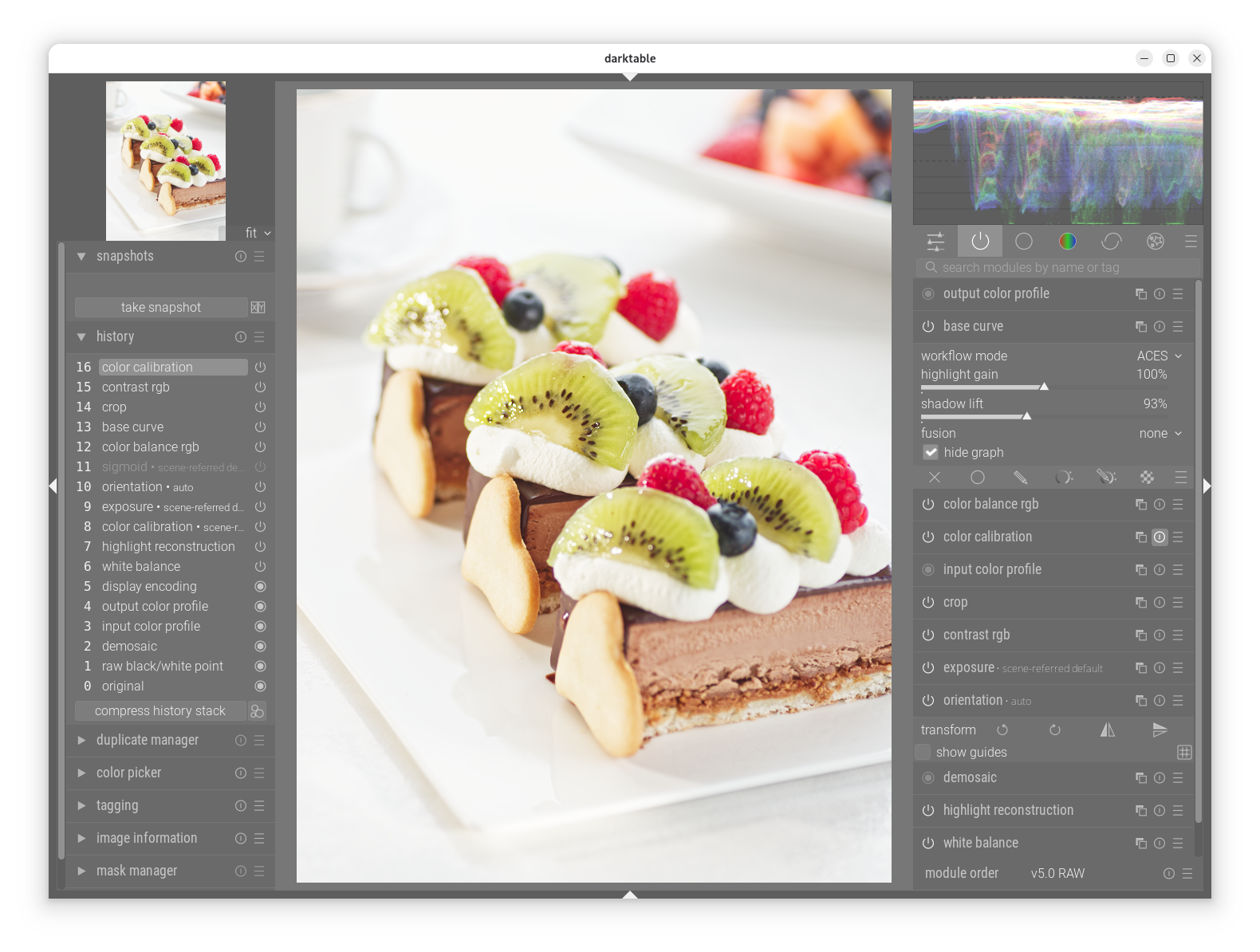
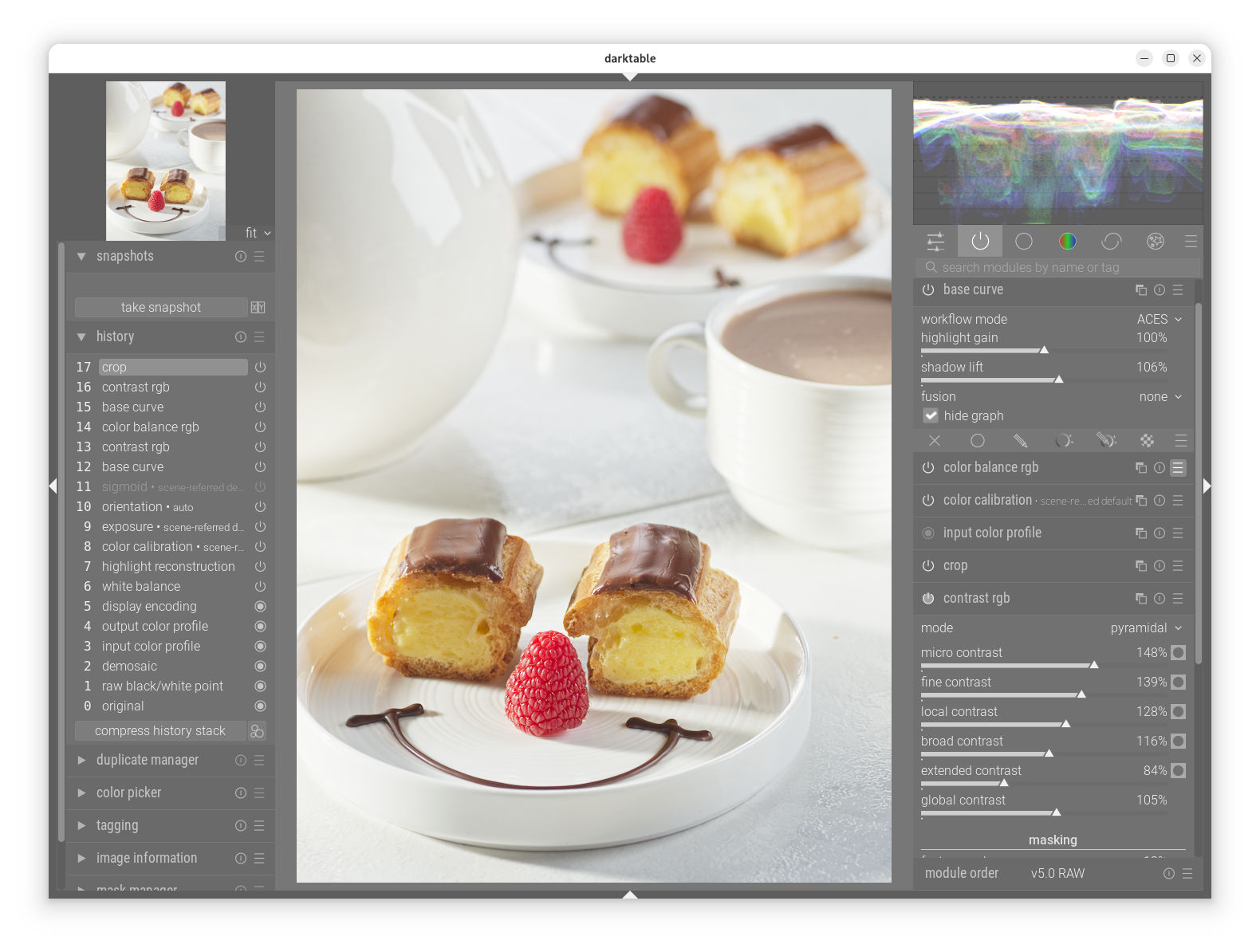
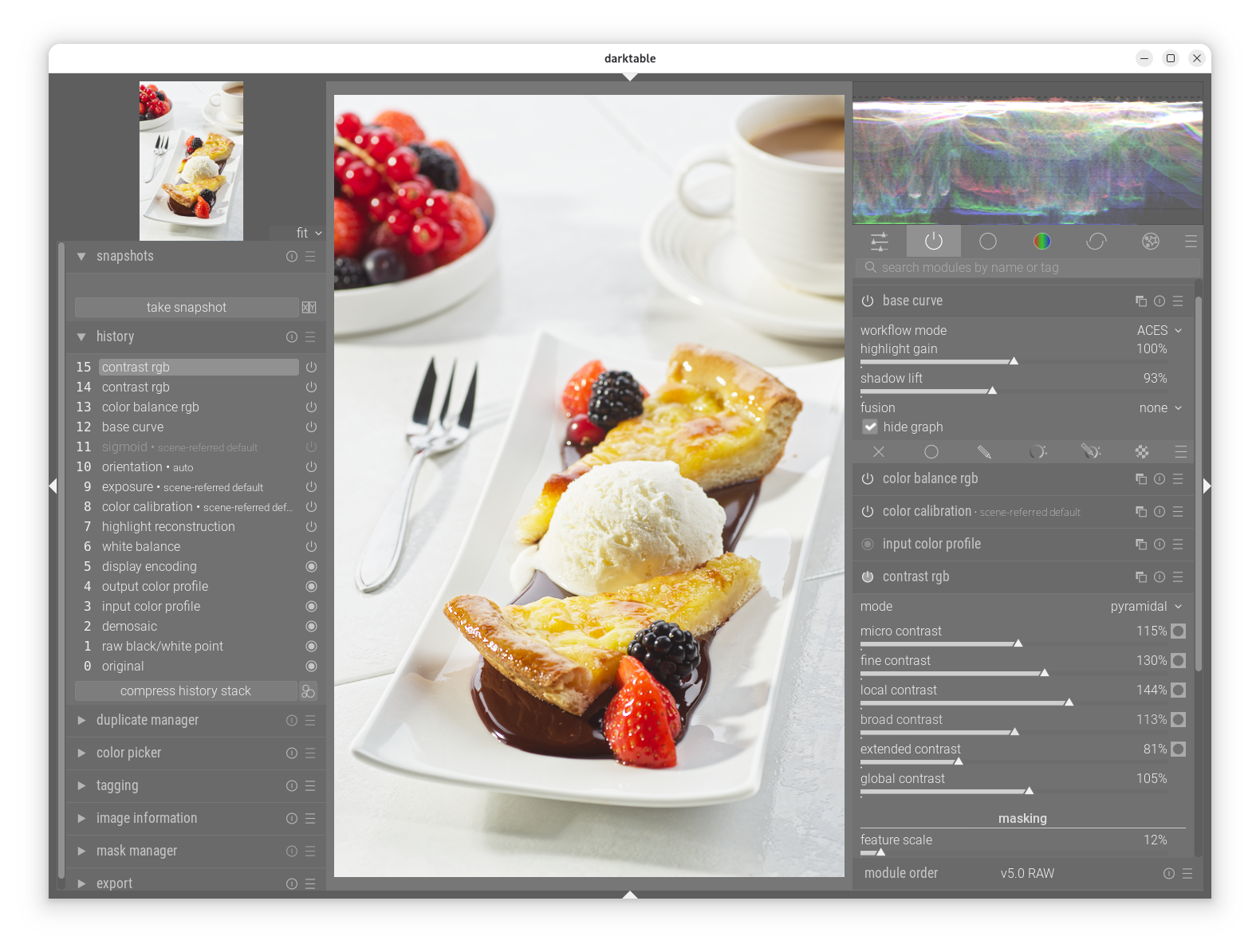
Below are some tests with photos I took during my professional career. In general, with this type of photo, I found it difficult to reproduce the natural, appetizing red color of strawberries. I also used the experimental RGB contrast module.

During my tests, I detected a small bug that I corrected. You can download them using the link above. Many thanks to @priort for the Windows version.
Greetings from Brussels,
Christian

2 Likes

Here are your updates

https://www.dropbox.com/scl/fi/z2vxvijfcbhan71hovmpm/darktable-afa1f8bbc6-win64-NSIS-deprecated.exe?rlkey=el342gpofcjjzsupl5z992kc5&st=c5l13rpf&dl=0

1 Like

Oh, nice to hear. :smiley: Can the ACES mode of the base curve module be used when “hide graph“ is unchecked?
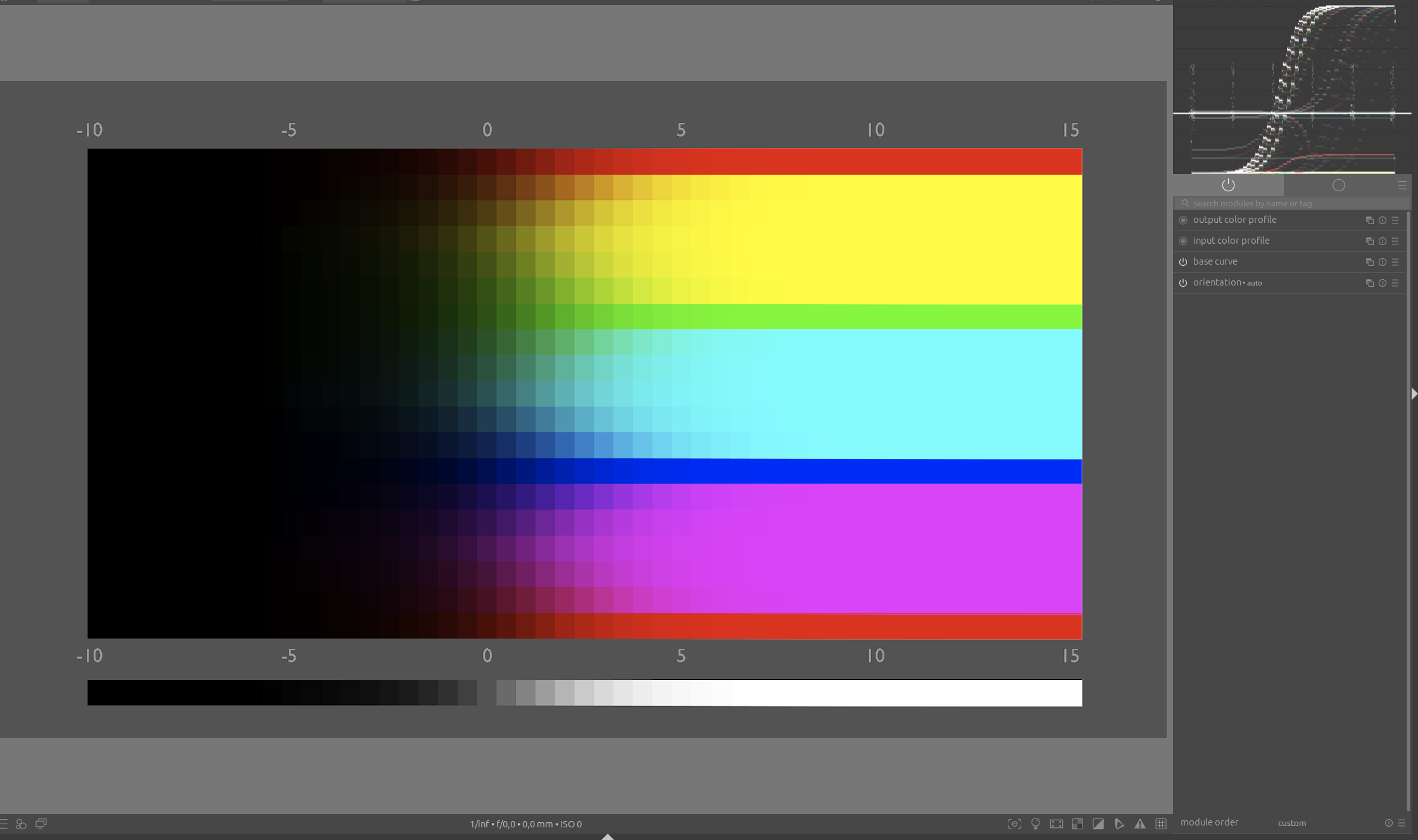
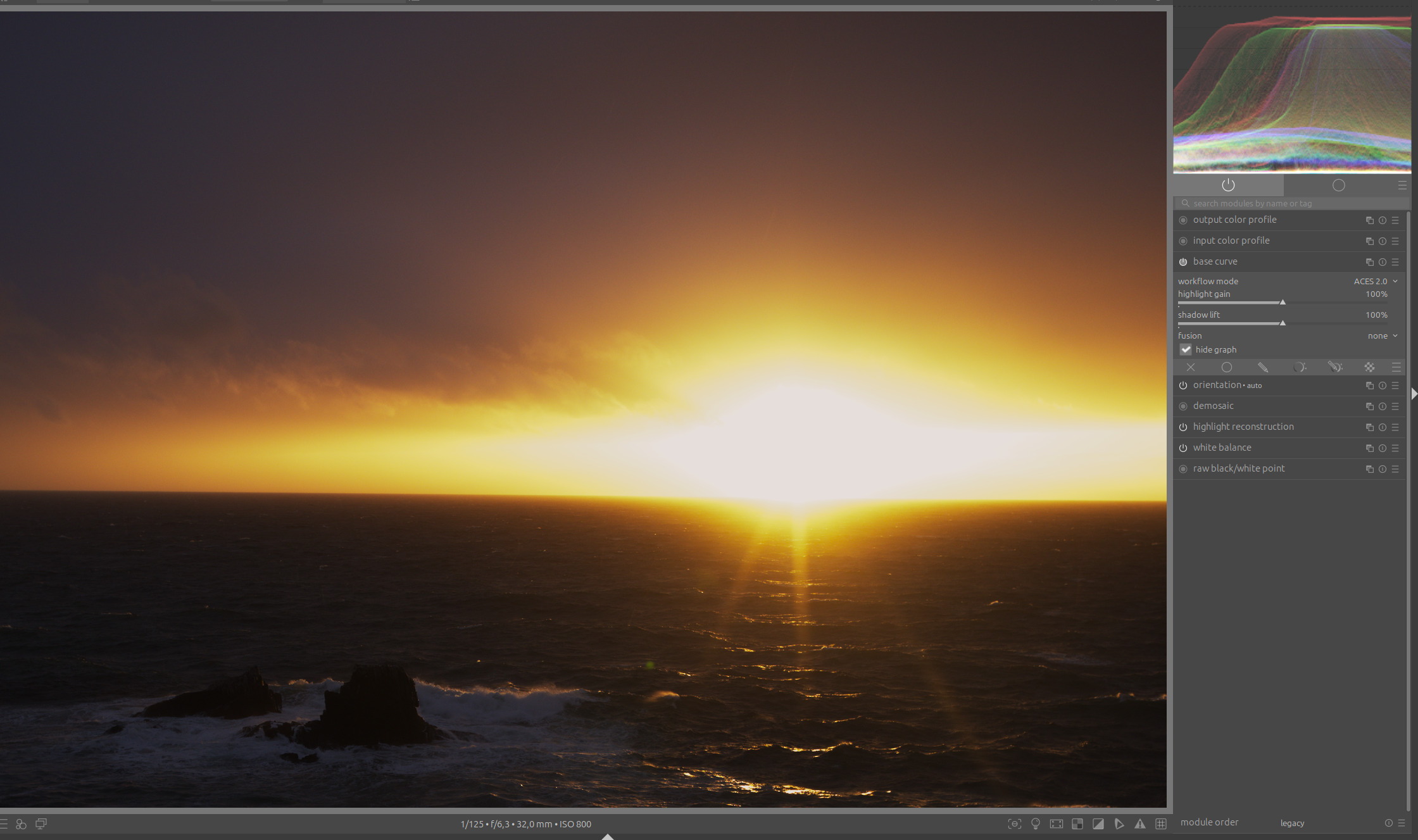
Absolutely, you can use it in the latest version. Since the curve acts after the ACES curve, it is best to use it sparingly.

1 Like

Would it be possible to program this so that it is the ACES curve itself that is modified?

Hello @Christian-B and thank you very much for letting us try ACES in darktable.

My observation:

It is indeed possible to achieve good results relatively quickly with many photos, without much effort.

However, what I don’t like is this:

Neither ACES nor ACES2 have any control over the so-called Notorious 6, which AgX and Sigmoid handle very well.

In display-referred (legacy) mode, there is no way to correct this afterwards.

This leads to unnatural color shifts in highlights, which are further exacerbated when you increase the contrast there.

Here at sunset:

Note the unnatural transition to yellow here.

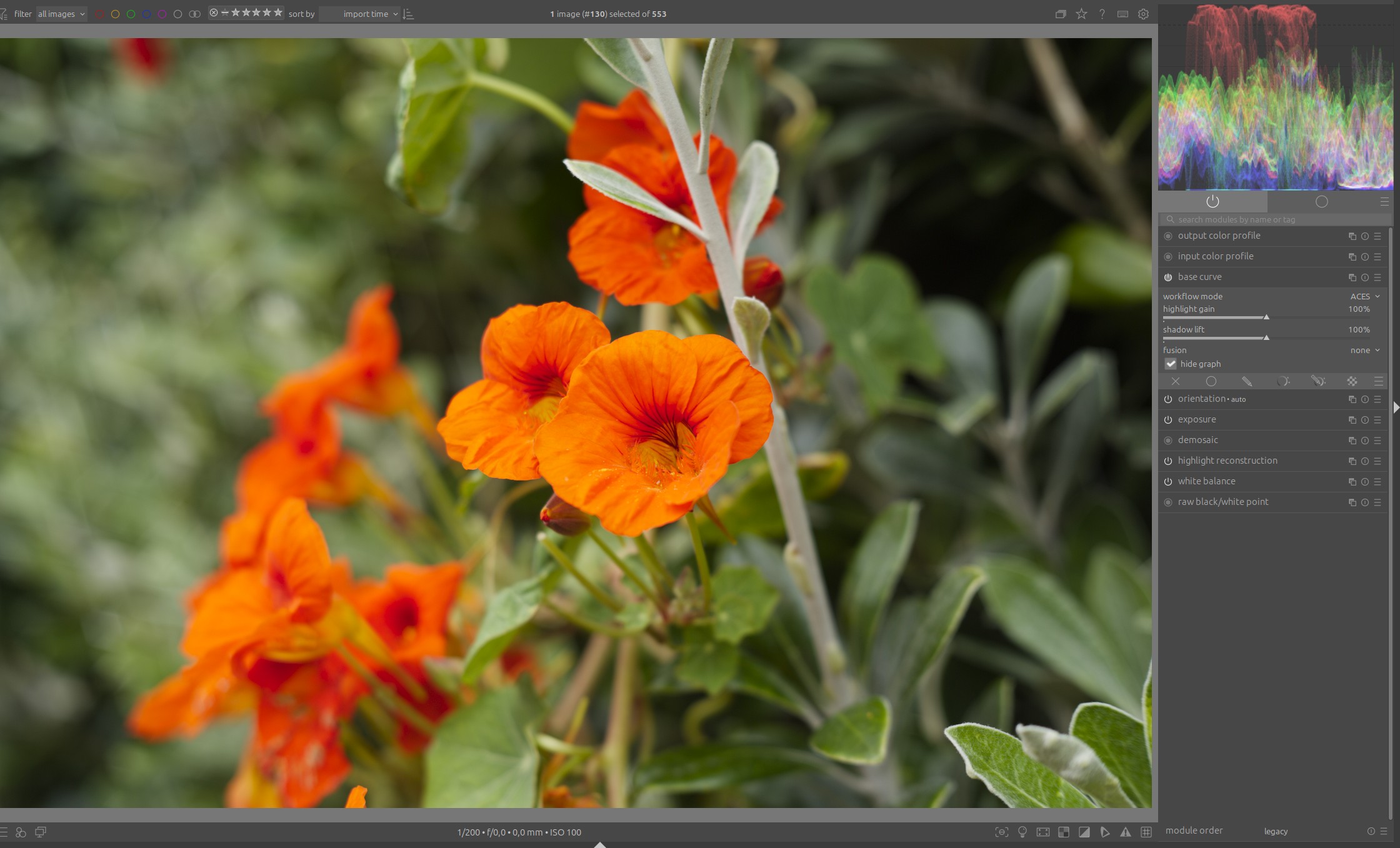
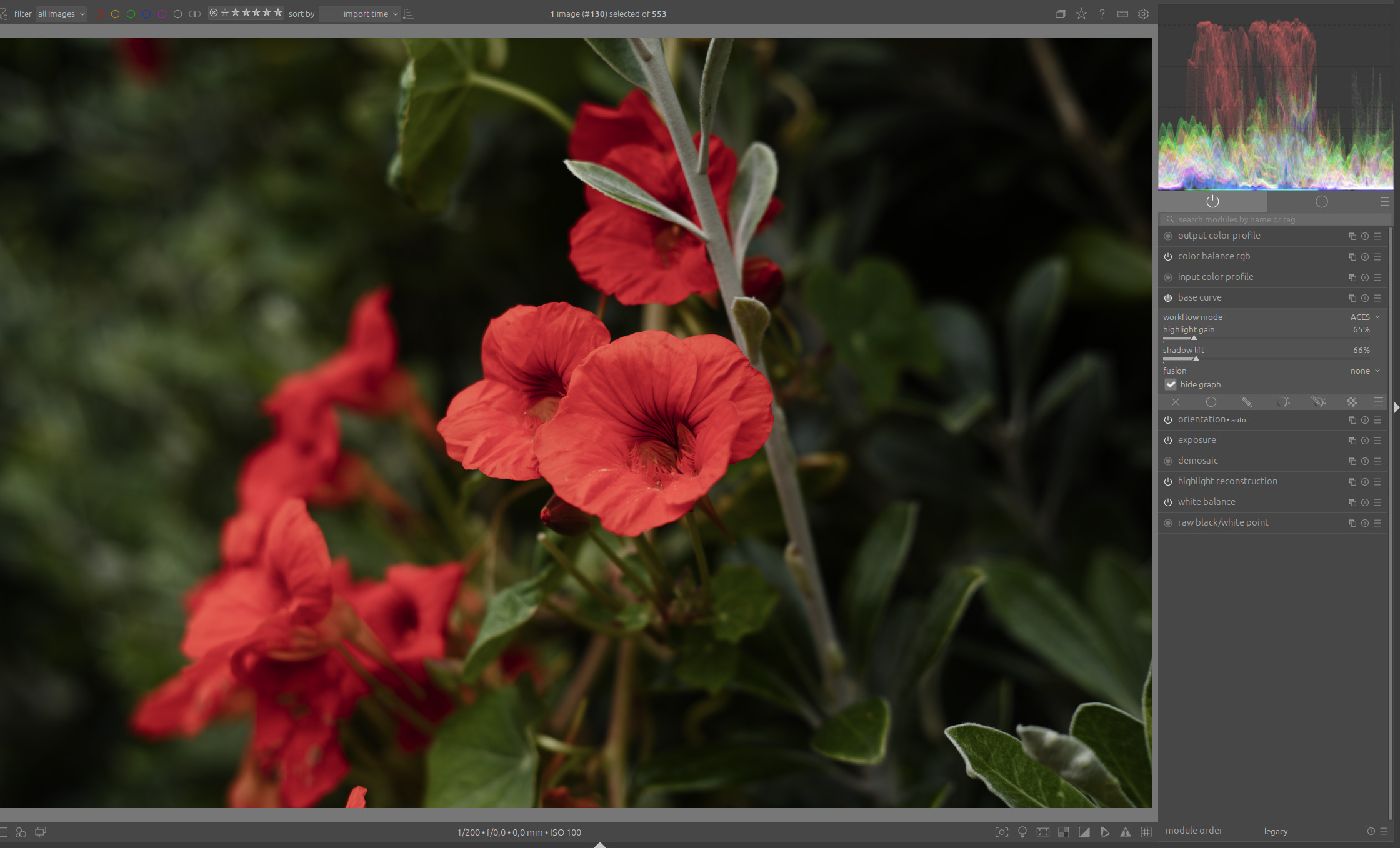
Or, combined with colors that are outside the gamut, as in the example with this flower:

Flowers actually look like this. I have greatly reduced the brightness here and desaturated the highlights with color balance rgb:

And scenes like this in particular are hardly controllable in legacy mode, neither with ACES nor with ACES 2:

If you use your base curve in scene-referred mode, you can use RGB primaries and other modules to control these problems, but that requires the appropriate knowledge, and this is where every beginner will fail. And I’m pretty sure – not just beginners.

My conclusion is that in order to use this module efficiently, you need to have the appropriate knowledge of how to deal with gamut problems, or the module needs additional options for gamut control.

6 Likes

Hello Boris,
First of all, thank you for your tests.
To use it, here are the results I get with the latest version using the workflow referenced in the scene.


If you choose legacy mode, the module will act as it did in its original function.
In scene-referred mode, the two sliders for highlights and shadows will act upstream, then ACES, and finally the curve can be used to add a little power.
I am convinced that I still have a lot to learn, and that is my primary goal.:wink:
greetings from Brussels,
Christian

4 Likes

I was surprised by the image Boris showed as the sweep was one of the first ones I looked at. I actually pulled the HL slider all the way down and the shadows all the way up to see how it would manage the DNR and it looked not that bad…

2 Likes

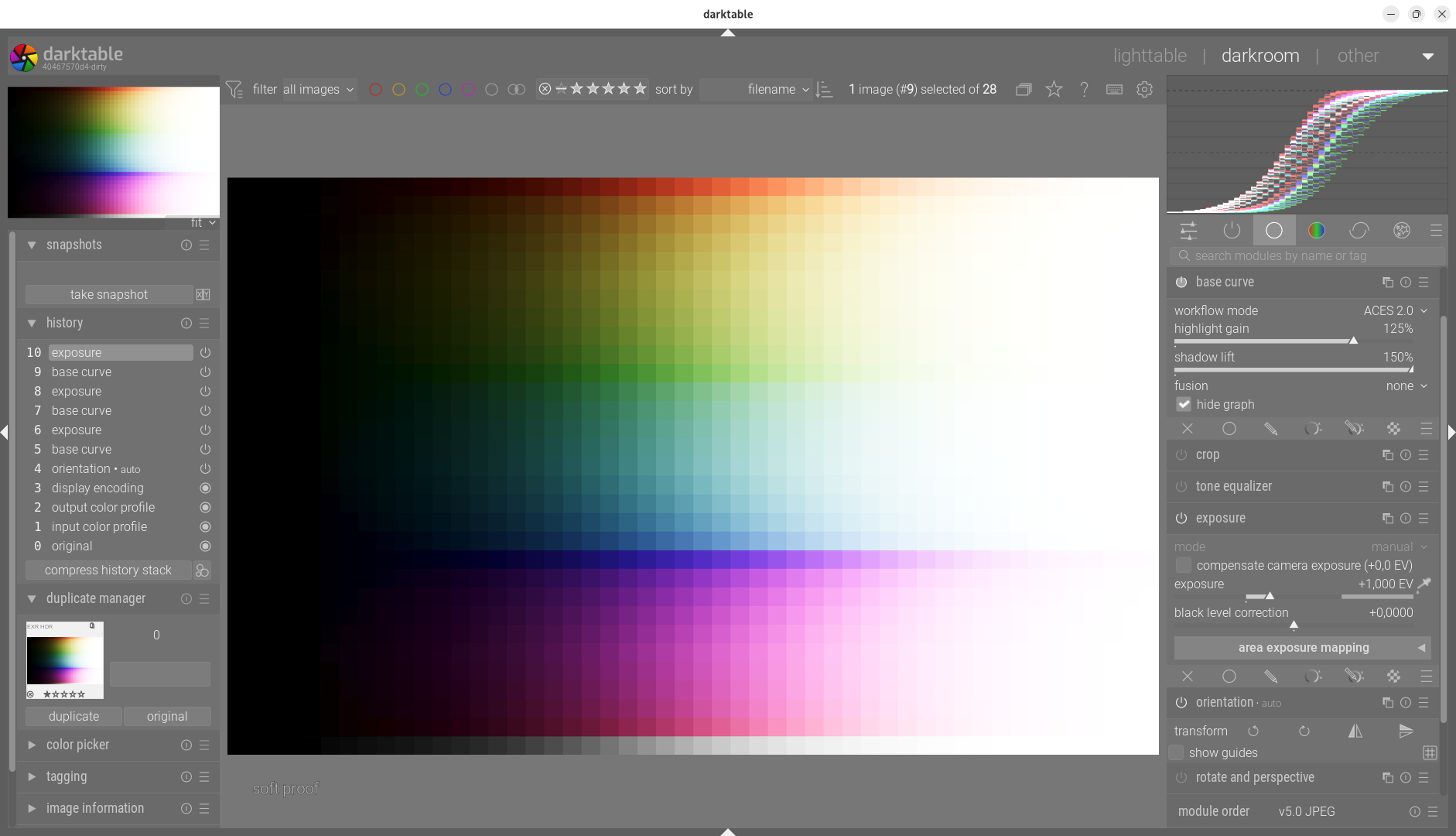
Here is another very rapid development without any further corrections.

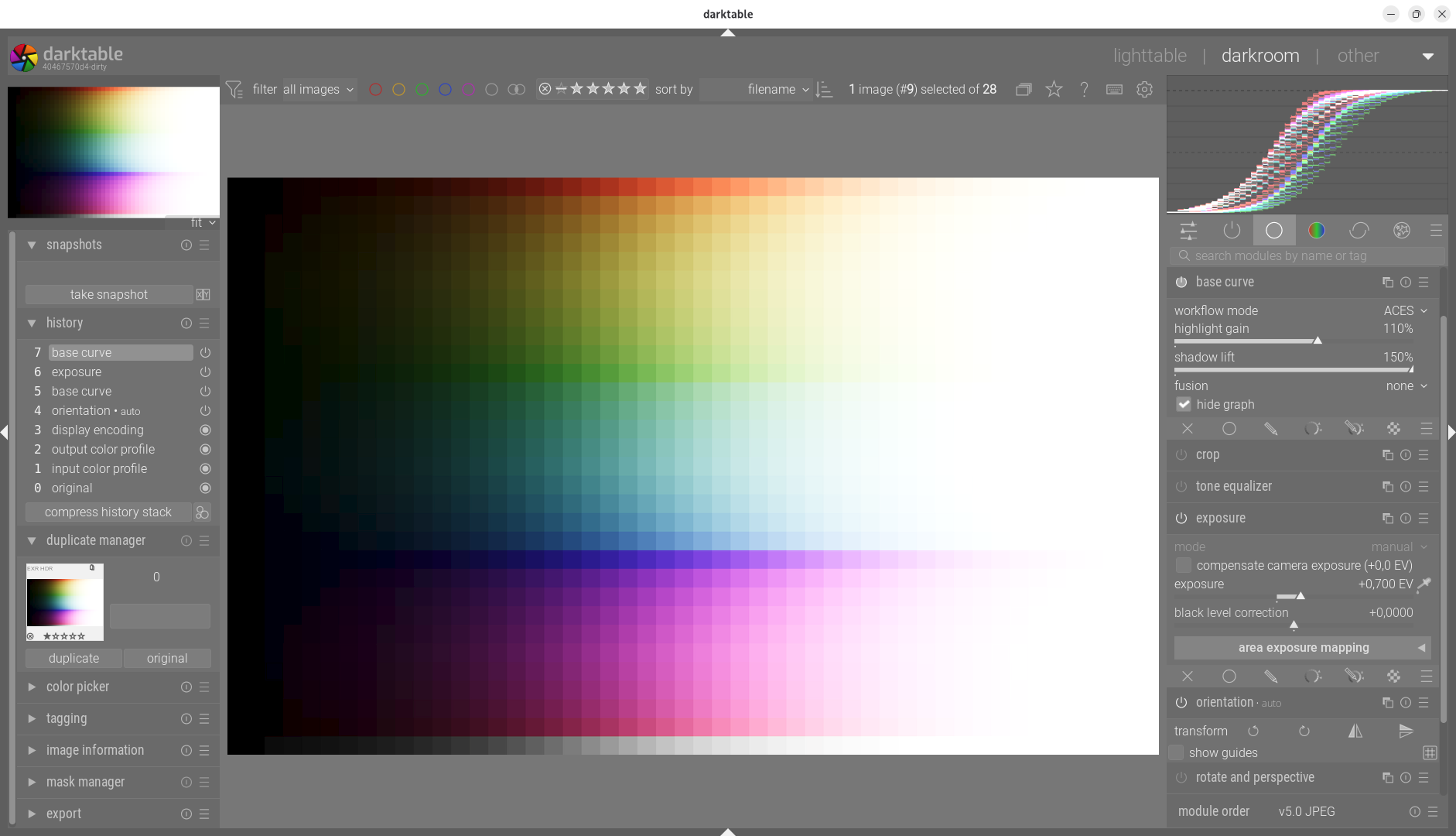
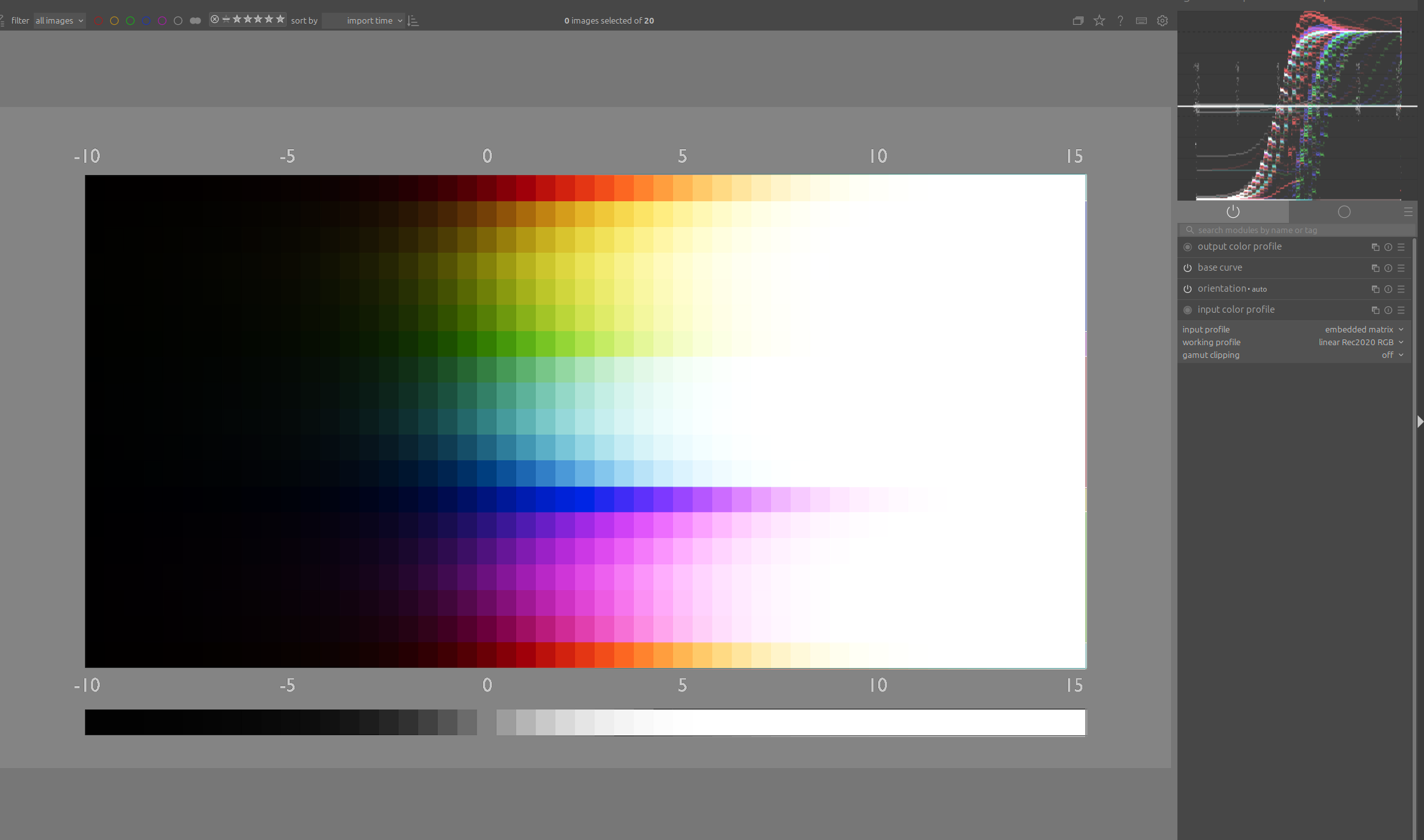
I think that’s the wrong color space for the graphic. I suspect it should be either rec 709 or sRGB color space:

The graphic I used above is an sRGB sweep that looks similar to your example with linear Rec 2020. And as with yours, you can see how the blue transitions into magenta. And that’s wrong:

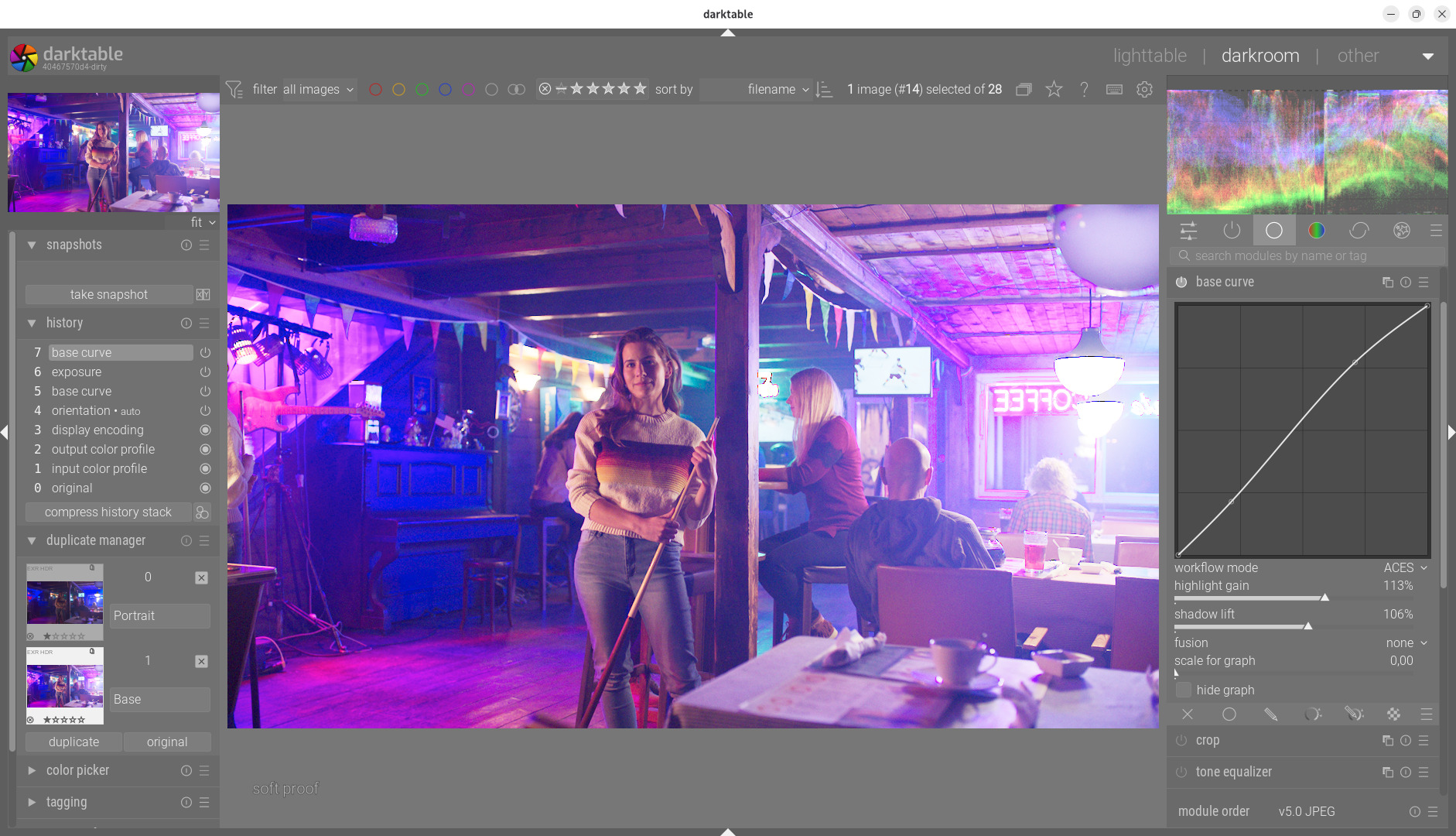
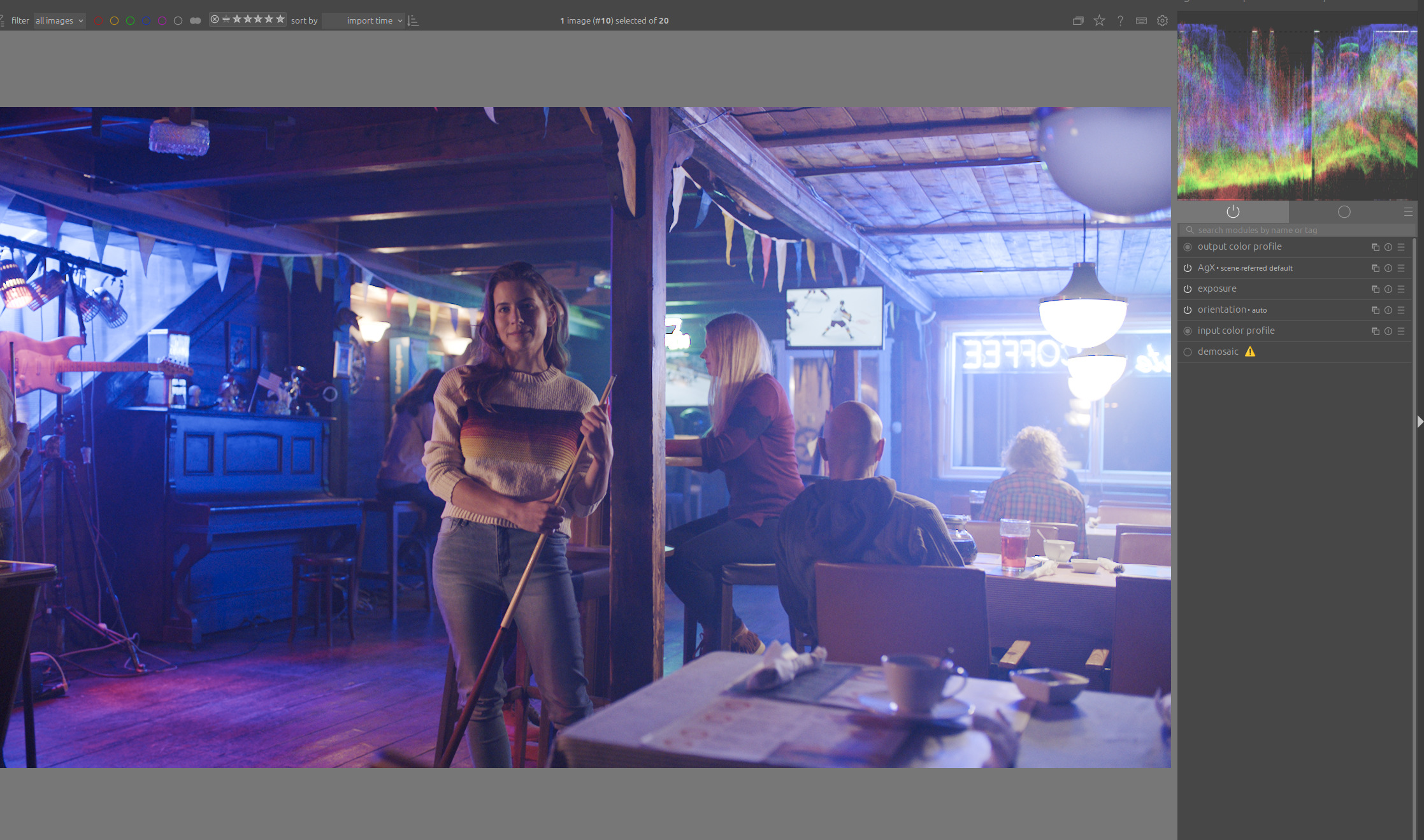
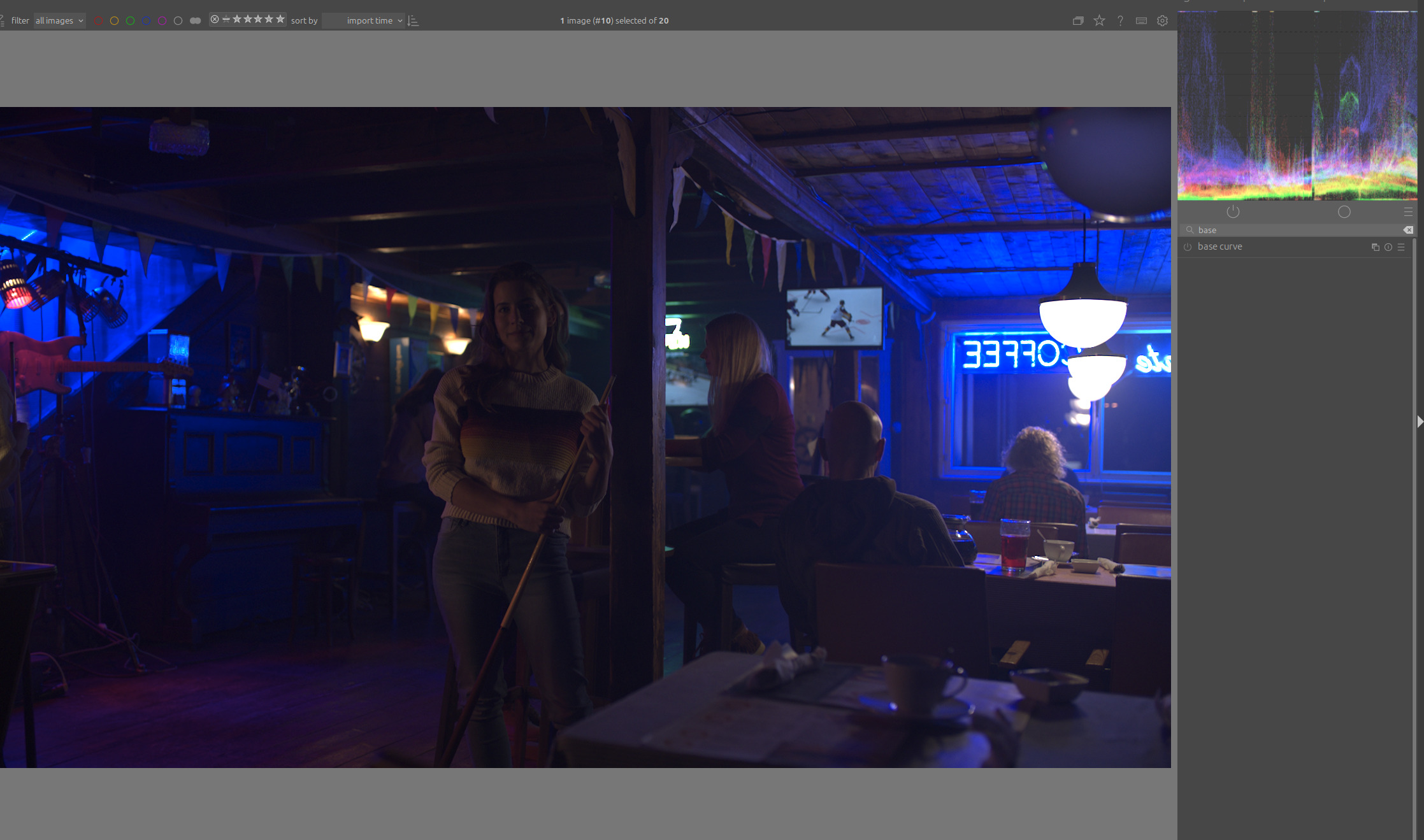
The colors are also wrong in the second example. The neon light at the window and the bright light above the piano are actually blue. Here with AgX:

Also look at the magenta artifacts on the roof boards above the window.

EDIT:

You can see the actual colors well by darkening the image without any tone mapping:

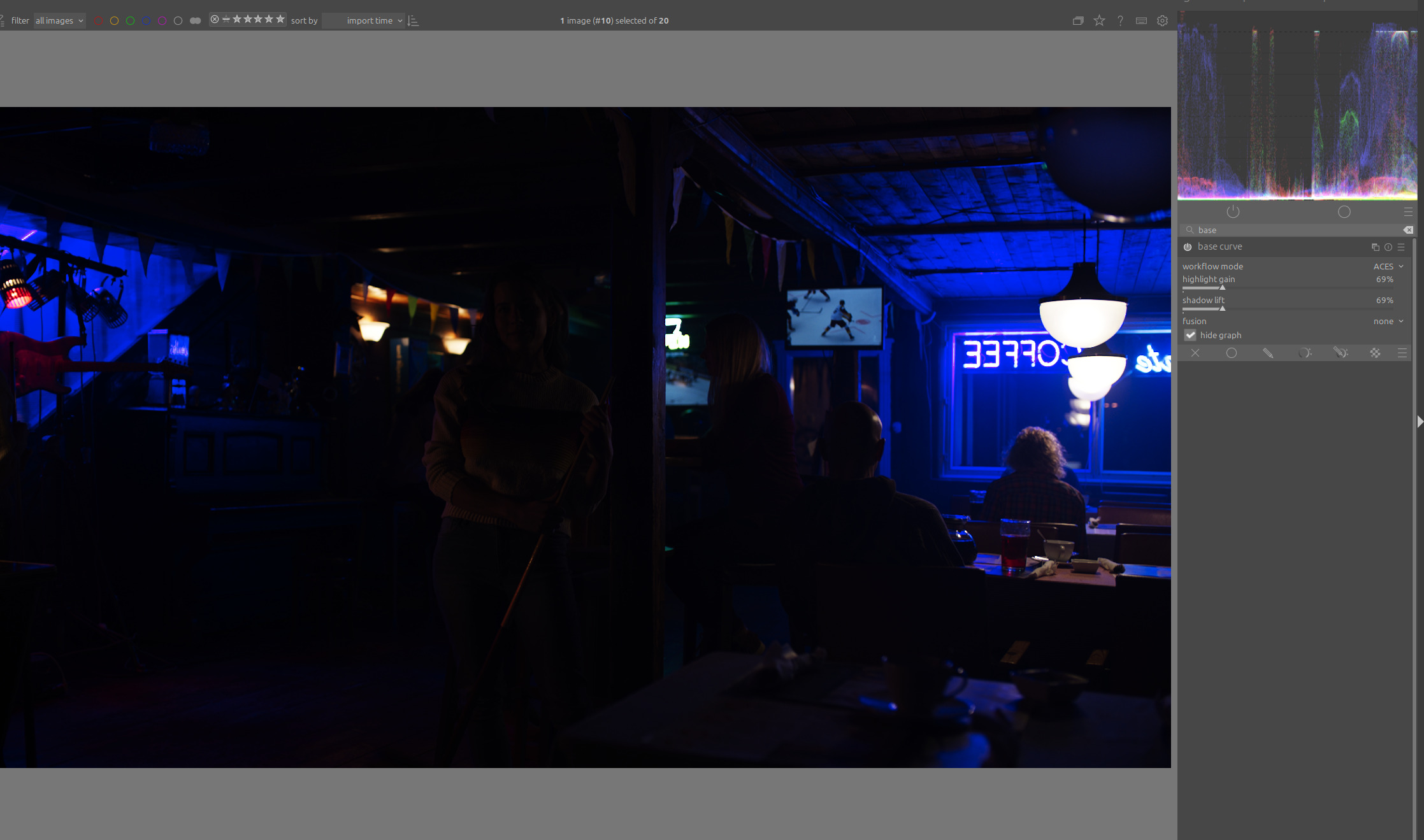
Here with your version of the base curve darkened:

The color should not change when brightening the image.

4 Likes

You’re right, I need to work on that, thank you for pointing it out.
Here’s another example that illustrates this.

2 Likes

For these examples, try changing the input color space from linear Rec 2020 to Rec 709 or sRGB. In the case of the image in the bar, this is also indicated in the name.

I agree, this is likely a result of the curve being applied per-channel. I am currently working on a V2 of the POC that will integrate chromaticity preservation. The plan is to apply the ACES transform to the relative luminance instead of the individual RGB channels, which should eliminate the hue shift (especially the blue-to-magenta drift). I’m looking forward to seeing how the theory translates into practice!

1 Like

Hi Christian,
I will leave the technical comments to the more knowledgeable people here, but I would like to encourage you to continue working on this. What you are aiming for is very worthwhile and I am so appreciative of what you are trying to achieve. I occasionally use base curve fusion successfully with heavily backlit shots so to have further improvement to this module would be great.

1 Like

You may want to do something like sigmoid and AgX do with primaries. Perfect hue preservation will result in salmon sunsets.

I think ACES also has some colour processing method, it’s not just a curve, is it?

3 Likes

Regarding ACES, I greatly enjoyed the following article by Chris Brejon: What makes a good picture (formation) ? - Chris Brejon

It also includes comparisons to OpenDRT and (Blender’s) AgX, which gave me the impression that, thanks to @kofa, we now have a state-of-the-art tone mapper in DT with AgX.

(EDIT: Oops, I actually can’t find the comparison to AgX I was mis-remembering in the article anymore - I might’ve just repeated some of them with AgX myself. Regardless, the comparison to OpenDRT should be just as insightful.)

4 Likes