A bit off topic, but I use the saturation slider in AgX only from time to time and only slightly (110-115%). Setting contrast well in AgX helps already to give a good push at colors. I use now color lookup table more often or the primaries in AgX to tweak specific colors. I also use color balance rgb, but now mainly for local work with masks.
3 Likes
Same here, prefer AGX now as it is fast and flexible. Still have to learn though.
Switched off my automatically applied preset of ColBalRGB.
Kind regards, Jetze
1 Like
Also use colorbalanceRGB. AgX is a tone mapper, not the module to rule them all.
You might use the saturation slider in AgX but that’s in the display referred part and so can introduce issues
4 Likes
Thanks Martin, guess you’re very right to say this.
Will not forget colorbalance rgb as I greatly like the module. But during the first part of the learning phase of AgX I won’t make much use of it. For me dt has quite a learning curve - which by the way I do love.
Kind regards, Jetze
Indeed, I end up not using the saturation in agx because in general there is very little margin for maneuver before artifacts start creeping in.
But contrast, slope and lift are my best friends 
1 Like
Ha, enlighten me please about the artifacts so that I’ll know what to look for.
Well, some kind of posterization which I don’t see if I increase the saturation in color balance rgb. I don’t have much more to add because I tried a couple of time and I didn’t like the result, so I just stopped using it.
1 Like
Thanks, I know now what to look for and will inspect better my recent results!
@MStraeten, It would be helpful for me and perhaps others to know which AgX sliders are display referred and which scene referred? Does this suggest that as a tone mapper, AgX should not necessarily used for doing everything in this one module. I have read where some other people are doing just that.
look = display referred
4 Likes
I find that AgX contrast adds a nice punch of saturation together with the contrast. Which I’m actually somewhat ambivalent about, as one of Darktable’s strengths over other raw developers, was that it had tools that decoupled contrast from saturation. It does look good, though, so I’m not complaining.
But for additional saturation, I found both AgX purity and AgX saturation a bit unnatural, and have gone back to color balance. In particular, the soft roll-off towards the highlights just looks pleasant (although I find the default preset rolloff a bit too strong).
4 Likes
What I intend to be the final version of the PR is up (fixes, updates based on the reviewers’ feedback may still cause changes, but there’s nothing I want to change/add).
Note: the automatic adjustment when opening the module for the first time is not implemented due to technical limitations. You have to click the camera icon to get it.
9 Likes
I still prefer color balance RGB due to the ability to modify purity as well as saturation. The saturation slider IMO is too coarse compared to the fine-grained control of the CBRGB.
Whoa thanks for the info!!! I gotta digest this!
I’ve made a couple of comparisons for adding saturation between AgX and cbrgb. Generally you get more saturation per % in AgX compared to cbrgb and also I feel like AgX adds more “brightness” or “glow”.
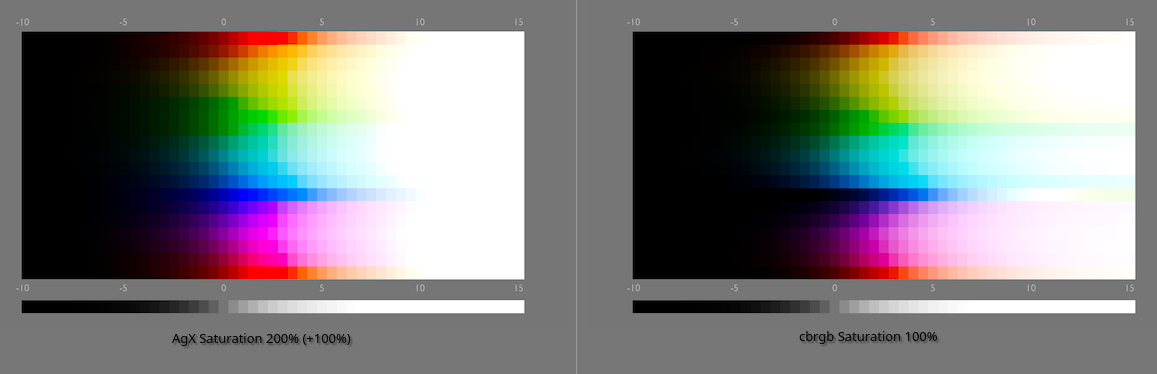
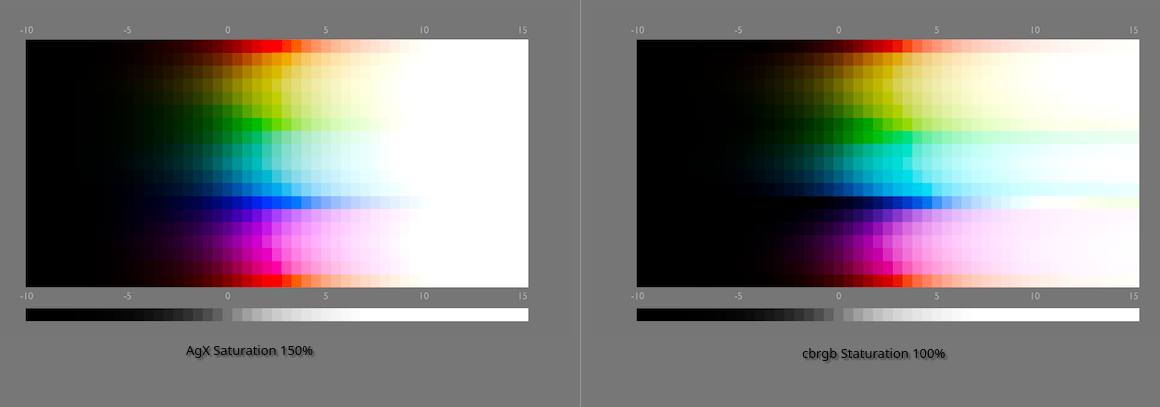
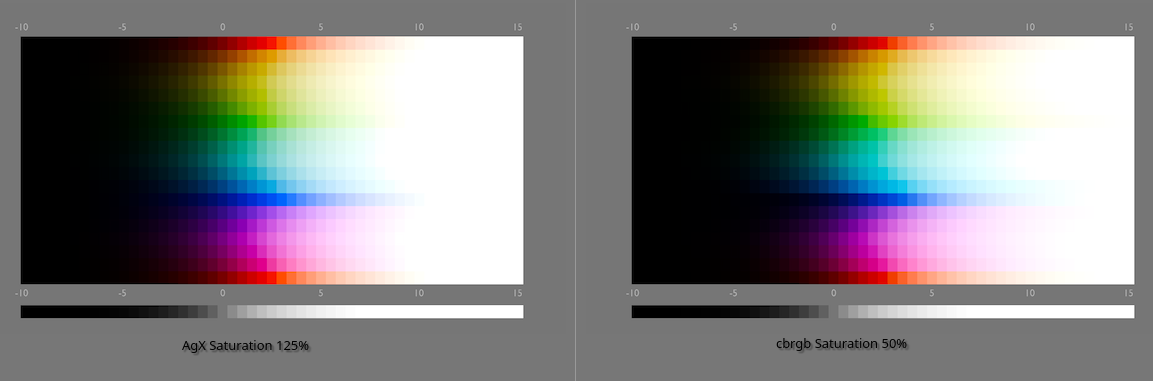
1 Like
That’s interesting, I thought saturation by definition would always equal lower brightness as well, is this not the case for the AgX saturation slider?
1 Like
Looking at the waveform was more informative to me than trying ot look at the sweep itself…
AGX
RGBCB
The look|saturation is a simple RGB control: it calculates the Y luminance, and updates the distance of each RGB component from Y according to the saturation setting. It is not guaranteed to preserve Y (in most cases, it will not). Use it for small adjustments only, and use something more sophisticated for precise control. AgX is a tone mapper, not a complete image editor.
7 Likes
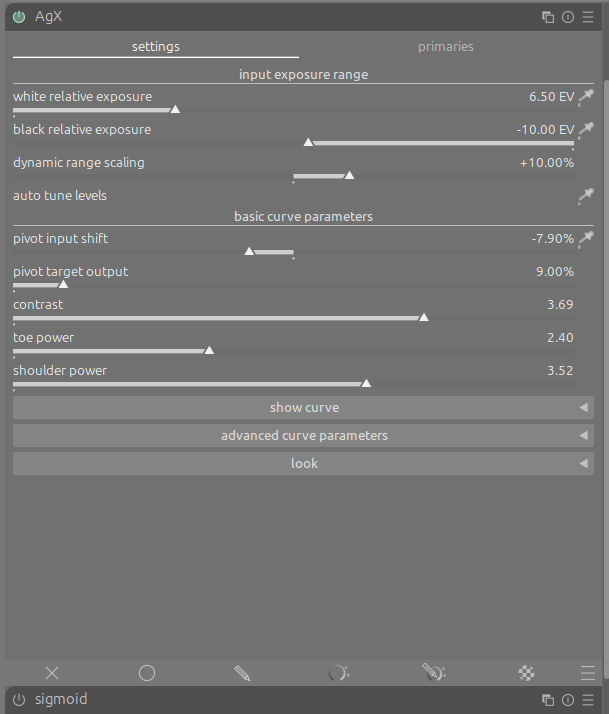
This has been reported below.
The size of the notebook is determined by the tallest tab, even if not currently visible.
This is a feature of the notebook, and other notebooks behave the same way.
2 Likes