Compact M43 camera to replace actual compact camera?

I think this is an interesting exercise, definitely, and it can really help to deepen our understanding of photography. And I also agree with @Tamas_Papp that it isn’t really necessary for comparing the cameras.

Ultimately, we learn to create what we want with whatever camera we have, and this is far more important than numbers.

My rather long post above about equivalency was more of an attempt to demonstrate why it doesn’t matter all that much rather than trying to promote it as a purchase consideration. I find it quite irritating when people start obsessing about numbers and promoting brand x or y. We should all just find a camera we enjoy shooting with and within our budget.

2 Likes

I’m wondering, how do you actually determine this? That is, which features of the image let you come to this conclusion? Is it the specular highlights being less blown while the shadows are about the same?
While I understand the theoretical concept of dynamic range, it’s still a bit unclear to me how to judge it in practice.

Try to pull similarly exposed shadows. The less noise, the better the DR. But to actually see the difference on modern cameras you will have to underexpose significantly (-3EV or more), or have very dark shadows.

Counterpoint: just forget about it, it does not matter. 99% of the time the need for a ton of dynamic range ex post is just the flipside of poor judgement in composition/exposure.

2 Likes

I was just basing it on the images you posted, and it’s absolutely not any kind of scientific analysis.
I noticed that the highlights and shadows were more crushed here:

"

And because it’s a smaller sensor, it was an obvious conclusion that it can’t handle DR as well.

2 Likes

Nice catch, I didn’t notice that at all

I was in your same spot. I’d gotten an EOS RP to be my main camera, but it was too big to take everywhere. I had an X-E2 that I was going to sell after buying the Canon, but after some consideration, it simply didn’t make any sense as there were no reasonably priced MFT options that did what the X-E2 did.

So I just kept the X-E2 and slapped a 27mm on it. Lightweight, compact, with a great EVF and a system I know and like.

3 Likes

What, specifically, were you missing from the micro 4/3 options that the X-E2 satisfied?

(Just being curious, not questioning your choice. For me it is always the opposite: I would like to get a Fuji body, but I find they are always more expensive than the micro 4/3 equivalents. The used ones hold their value extremely well too.)

A viewfinder, most notably.
A 40-50mm equivalent pancake lens with an aperture ring, as well, although the Panasonic 20/1.7 looked very compelling, and cheaper than the Fuji equivalent by a long margin (the 27/2.8R is twice the money and a more than a stop slower…)

2 Likes

On Olympus/OM cameras it is possible to configure the stabilizer to work across a burst of shots. This works very well, even for bursts of 0.5 s and beyond, handheld and with pixel-level accuracy. Since I discovered this, I have configured the custom-mode of my E-M5 III for such exposure-bracketed bursts. This is an old camera for which I paid 800 € in 2020, but with this trick in many cases I get more handheld DR than with a recent medium format camera. This approach even works for scenes with movement, as long as the movement does not cross brightness zone boundaries (these can be adjusted in hdrmerge).

Here is a DNG created by hdrmerge (without any alignment) from a series of five handheld shots, 1 EV apart. The shutter times went from 1/250 s to 1/4000 s. This approach increases DR by 4 EV.
251122_091743.dng (14.3 MB)

2 Likes

This lens was the kit zoom that came with the E-M10 I bought in 2014. It stopped working after 10 years of not very intense use (I soon got other lenses, including a much better standard zoom).

This pancake lens contains a ribbon cable that is known to break after some time.

1 Like

Is this the “burst mode image stabilization” function? (I looked this up on a manual on the web). Interested to see how much of a difference it makes. Thanks

Can you explain a little more about what you mean here? Because I’ve been playing around with similar things myself over the last few weeks with my OM-5. What do you mean by “configure the stabilizer”?

This is what I’ve found so far (this is with the OM-5 Mk1, so not all may apply to your camera, and I think there are some differences with later models):

  • Handheld High Res Shot increases dynamic range using pixel shifting, but it can cause problems when there’s movement, even though the capture is almost instantaneous.
  • HDR 1 and HDR 2 modes create an image with a wider dynamic range, but each option only creates a JPEG. The accompanying RAW is just standard dynamic range.
  • Manual Bracketing in the HDR mode does not automatically merge the bracketed shots. This has to be done in post. And on the OM-5, the shutter used is the mechanical shutter. This tends to slow down the total exposure time and can cause problems with subject movement.
  • Manual bracketing using AE Bracketing mode does not automatically merge the bracketed shots. This has to be done in post. You have to manually shoot each bracket if in single shot mode, but you can use burst mode to capture all brackets at once. You can use the electronic shutter for this option, but I imagine it would still be prone to subject movement.

So, of all those options above that I’ve found, the last one seems to be closest to what you described, but I’m not sure. Is there another mode/trick you have found? If you are describing the last one, then I guess the success of the merge is quite dependent on the software you use in post.

There is also the Handheld Starlight option among the Scene modes, which takes multiple exposures automatically and combines them, but this only creates a JPEG, and your camera goes into fully automatic mode, which is annoying.

And of course there is Live ND, which also takes multiple exposures and blends them. The great thing about Live ND is that it creates a blended RAW, not just a JPEG. But it is designed to simulate a slow shutter speed, so movement is obviously blurred.

Basically, it’s hard to believe that OM System haven’t yet created a mode that uses all their current merging tricks in-camera but eliminates subject movement. Smartphones can do it, so it should be possible if they can scale the technology for a larger sensor.

If they can do this, then they can essentially create a high-res, low noise, high dynamic range mode that could properly rival a medium-format camera. If they manage this, and the result is baked into the RAW file, I think it could be a very compelling feature. Most of the big complaints about M43 would be gone - you would get a RAW with less noise, more megapixels and more dynamic range.
1 Like

I am a bit puzzled by this, as most micro 4/3 cameras have a viewfinder. The exceptions are the PEN series and similar.

The lack of aperture ring I can sympathize with, but these days Fujifilm seems to be the only brand that has a tendency to include it.

1 Like

The LUMIX G9ii does this in handheld hi-res. And looks like the original G9 has it but not handheld, only tripod.

Richard Wong goes through the details with the G9ii and S5ii toward the end of this chapter of his video on high res modes here:

Also some mention here in dpreview with some shortcomings:

https://www.dpreview.com/forums/threads/g9ii-handheld-highres-experience.4767059/

1 Like

I opened Handheld HDR bracketing with OM System/Olympus cameras to answer your question.

2 Likes

@alpinist Thanks very much for this! I’ll have a proper read later when I’m not at work and do some experimentation.

I haven’t got time to watch the video right now, but I’ll do it later. Do you mean that the Lumix G9II eliminates the subject movement? Because this is the element currently missing from OM System’s solution. Everything else regarding resolution, noise and dynamic range is in place, but they have yet to implement a mode where you can freeze motion at the same time.

I’m not exactly sure how smartphones do it, but they prove it must be possible. I would have thought it’s a matter of just using one of the frames captured and then algorithmically blending to ensure the extra dynamic range is added but the movement in the other frames is eliminated.

1 Like

Yes, I think that’s what it does. I don’t use high-res on my G9ii too much as I’m normally shooting in pretty decent light and don’t often have much need for the extra resolution or elimination of noise. Sometimes I just forget I’ve taken some high res shots by the time I import them to Darktable. Other than the Richard Wong video, I only know this other demonstration of the function in the G9 mark 1 in, yes, another video. The G9 mark 1 doesn’t have handheld high res so it needs to be on a tripod so this video demonstrates, apparently pretty effective, tripod shots. It’s bookmarked at the relevant spot:

I can try a demo with my camera at some point and post it to see how it fares.

1 Like

Thanks, I’ve got some good lunchtime viewing now :slight_smile:

2 Likes

Ok, I just watched the relevant part in the Richard Wong video, and indeed Panasonic has a mode to eliminate motion blur! In fact, their solution is exactly what I was pondering in the shower the other day! Rather than just automatically eliminating all motion, I was thinking OM System should offer two modes, one of which would be to eliminate subject motion blur (the other mode would be offered because sometimes the blur might be desired and/or the processing can be much faster).

So now I’m wondering why OM System hasn’t managed it yet. My impression is that they are usually considered the kings of computational modes, and more so than Panasonic. But here Panasonic has one-upped them.

It’s interesting to me that the OM-1 Mk 2 added Graduated LiveND (which I think is very situational) but didn’t offer Panasonic’s superior handheld high-res mode (at least I think it’s superior).

2 Likes

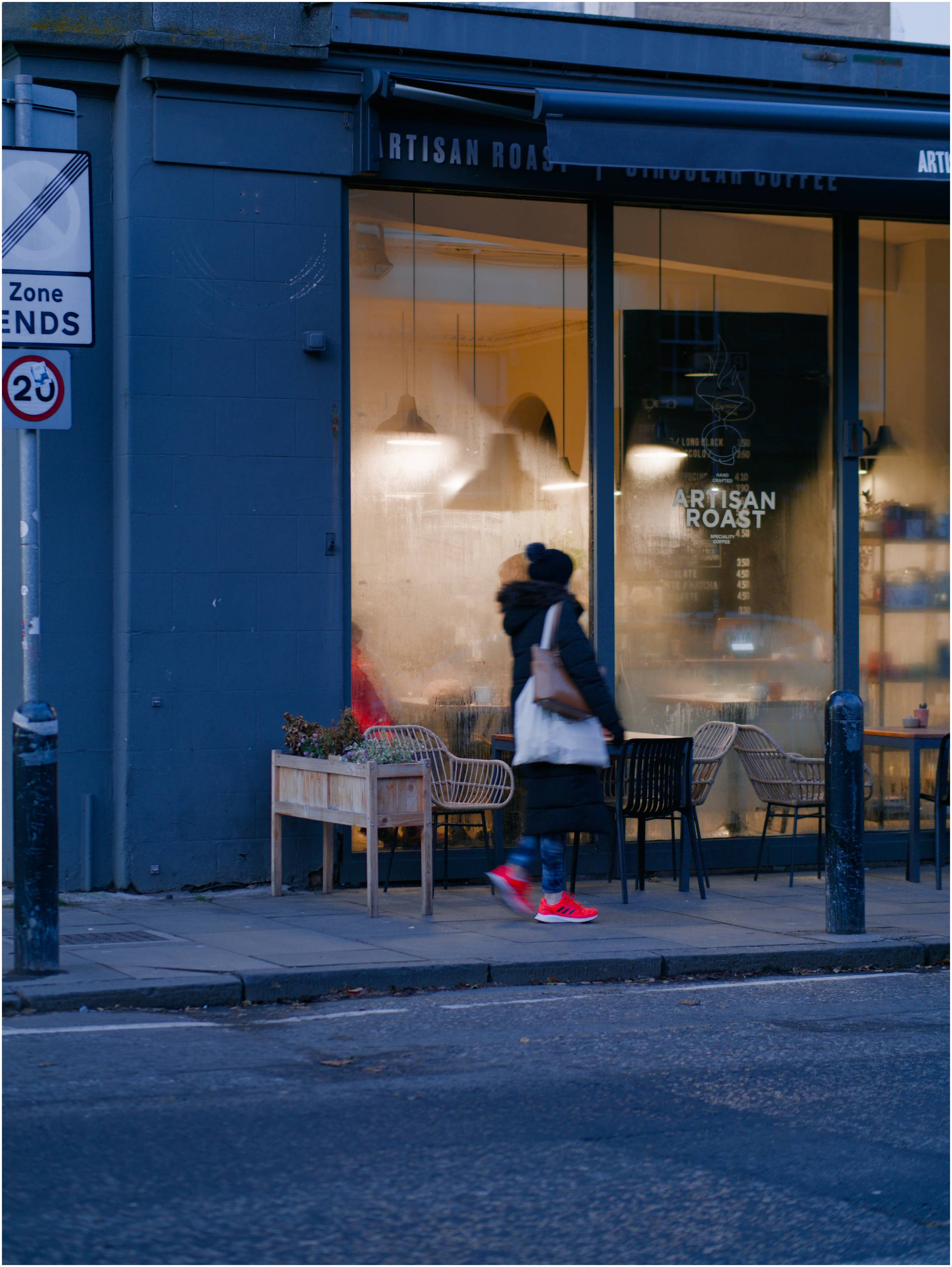
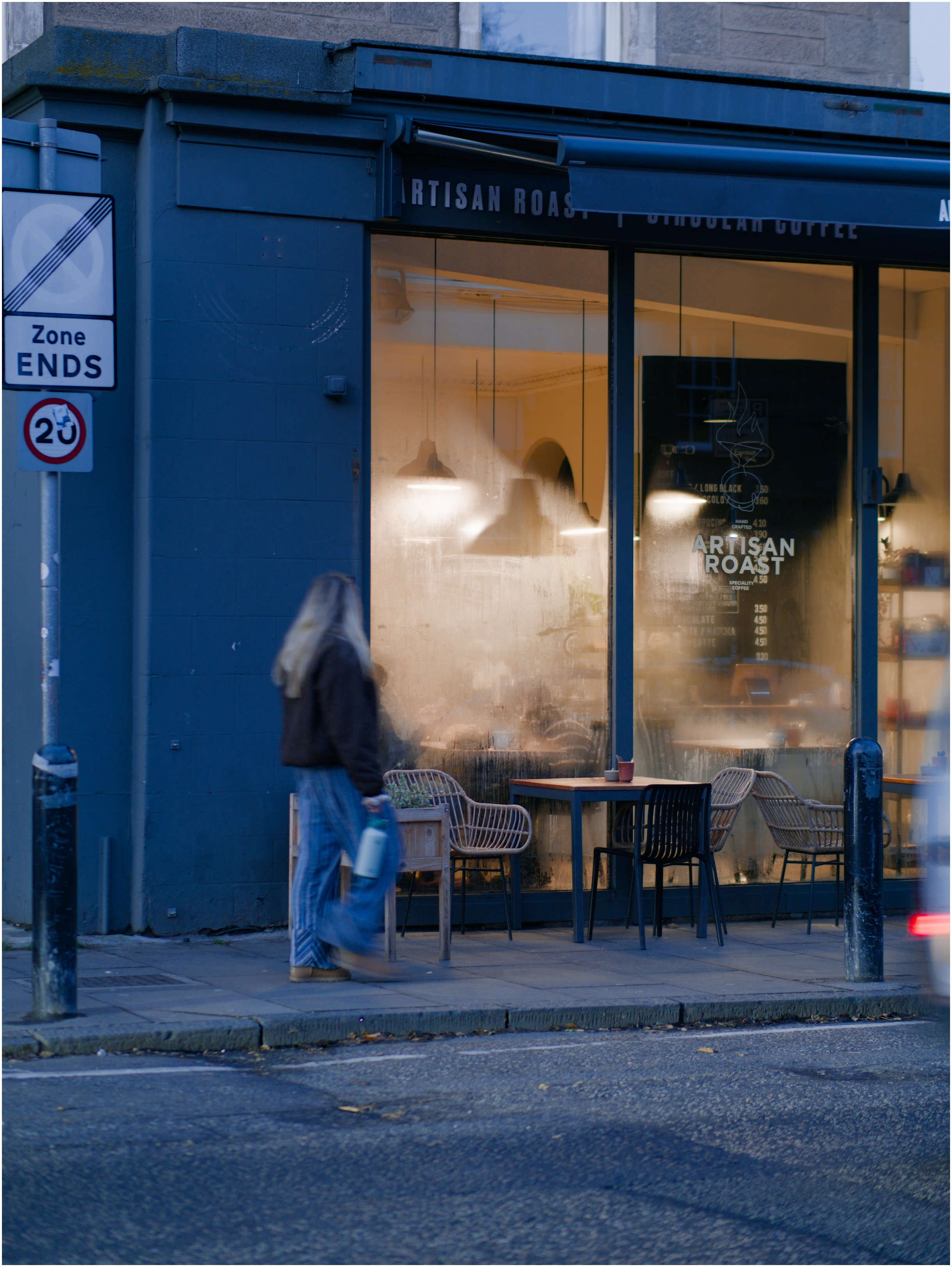
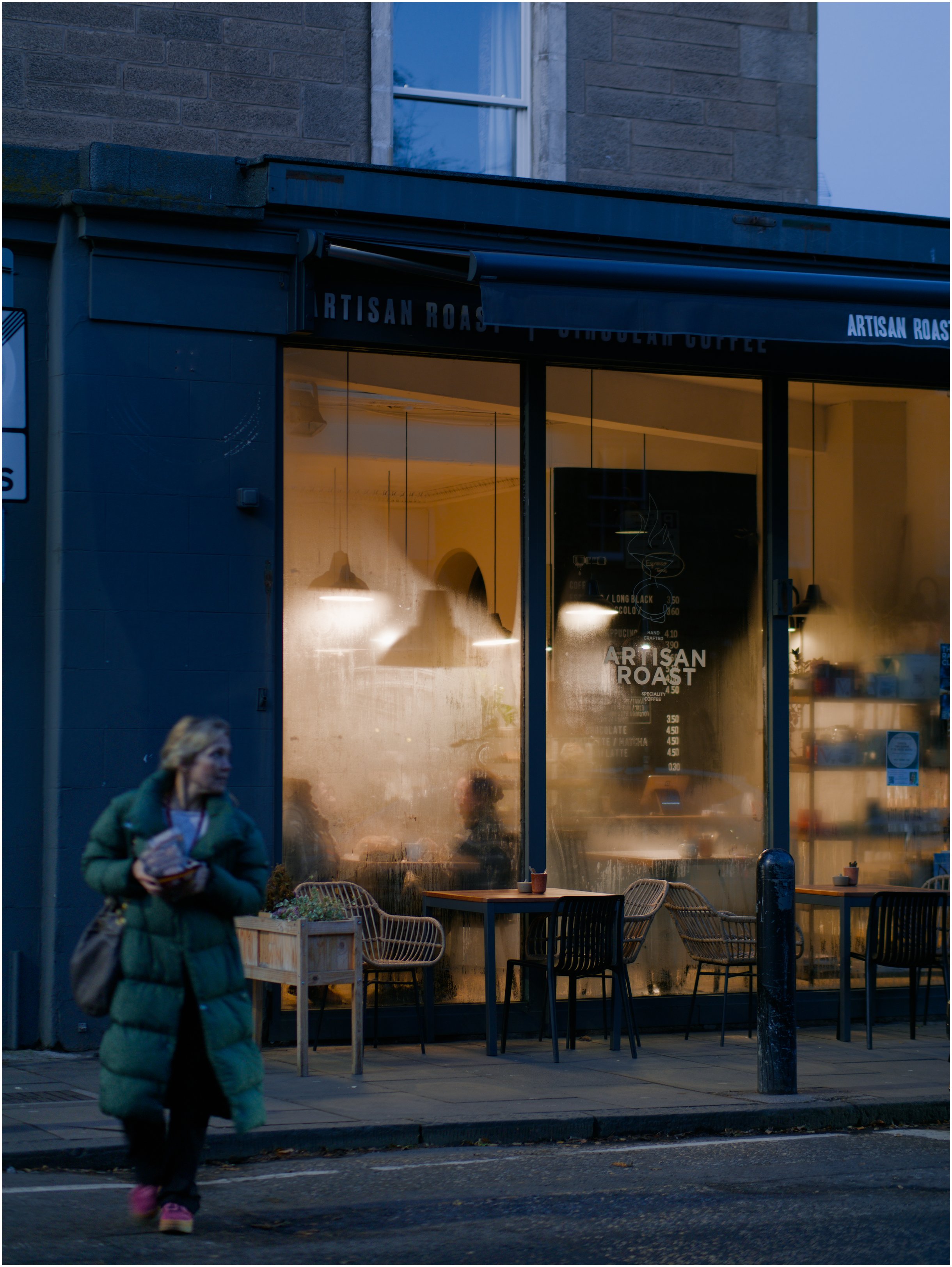
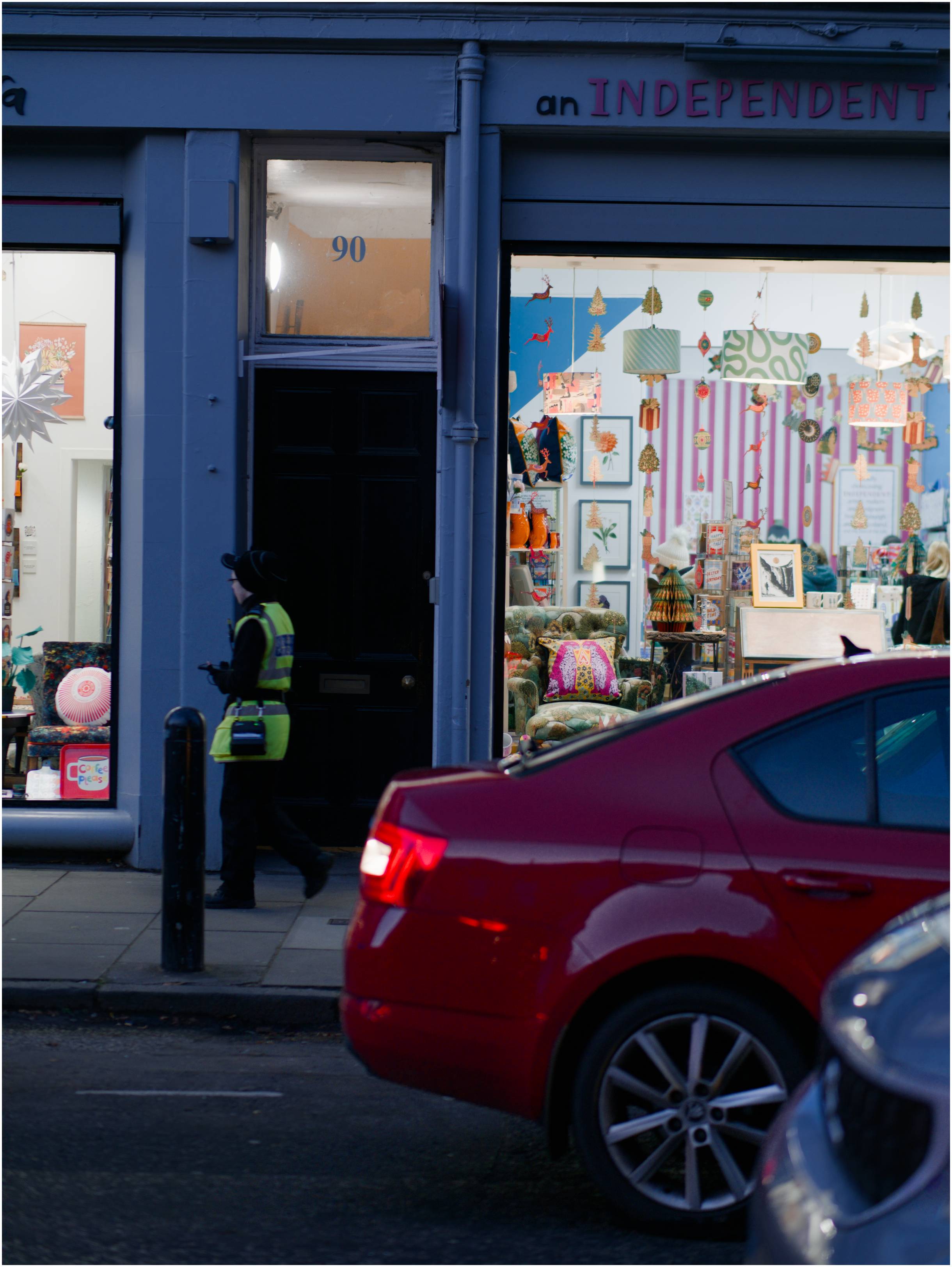
Not sure how useful this is as it was quite dark by the time I got out . I guess maybe it’s a bit of a stress test of the Lumix handheld high-res that tries to remove motion blur, and a demonstration of how to get it to fail by keeping ISO at 100 in blue hour.

There’s also quite a bit of hit and miss as the screen is blacked out while the camera takes 16 shots and you have to hold steady looking into a black viewfinder. Then you have to wait for it to process the RAW. In one shot in a different spot of someone walking across the frame, the camera just completely removed the person and gave me a picture of an empty street.

These three were taken at 1/50 or 1/40 shutter speed at a narrow depth of field of f/1.2, with no noise reduction applied in DT, and result in obvious artefacts in at least two of them.

Here the leg is obviously blurred but the condensation from the window also bleeds into the back of the woman’s coat:

Here the subject’s hand is obviously doubled and blur in the leg is weird:

This one’s probably the best as she’s not walking across the frame:

And this was taken at 1/100 and did a better job of freezing the motion, though I obviously missed focus on the parking attendant.

2 Likes