Hello, I also need to apply as shot on import, because
- I am trying to implement LUT-based workflow with
color calibrationdisabled and different module order
- The automatic preset, right now in my version 5.2.1, is not
as shotbutas shot to reference
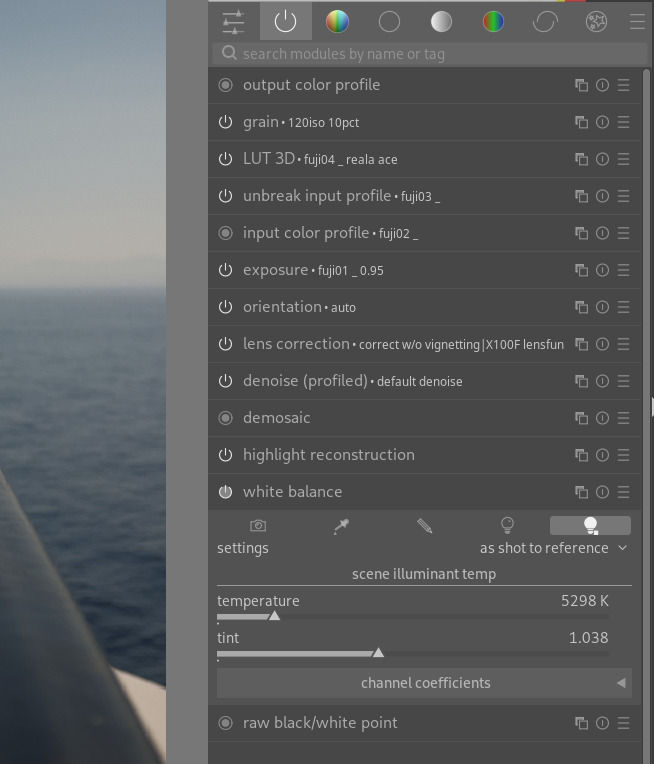
Upon import, this is applied automatically, “as shot to reference”…
…when I manually change it to “as shot” from the drop-down menu, the numbers stay unchanged, but the colors do change (presumably, to intended/correct ones):
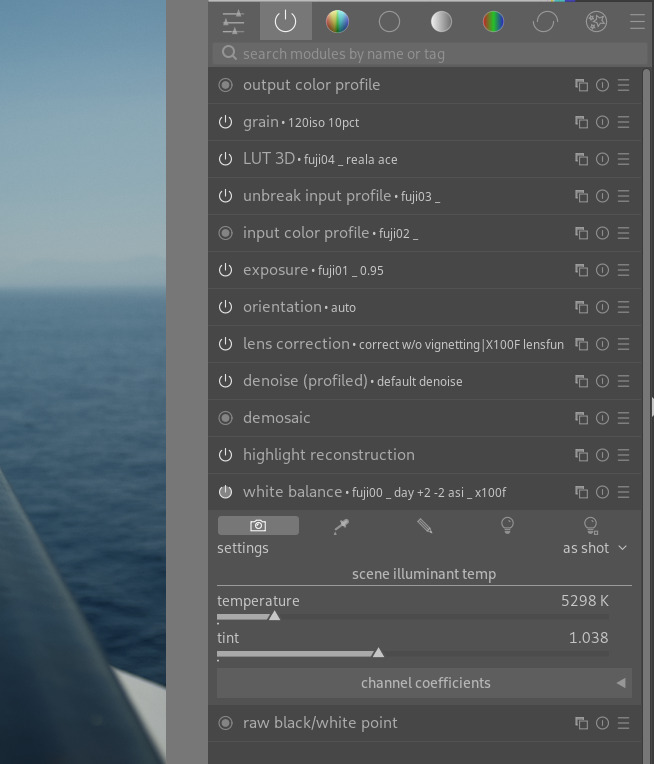
In the drop-down menu of white balance, there are, among others items:
- “user defined”
- “as shot”
To my understanding, only when user defined is selected, do the number sliders apply. Why isn’t preset heuristic the same?