You need a few days on patience or support the effort to update the OSB specs to point to the new release.
An hour ago someone pushed an update to point to 5.6, but OBS is failing to build with ONNXruntime failure.
You need a few days on patience or support the effort to update the OSB specs to point to the new release.
An hour ago someone pushed an update to point to 5.6, but OBS is failing to build with ONNXruntime failure.
Thanks! Patience it is…
I haven’t installed it yet because I always wait a few days to see if there are any major bugs. Am I right that there seems to be a few annoyances on Windows but nothing major?
Well, I have downgraded in the meantime as I can’t see myself using DT as it is, but I agree, there’s nothing outright major broken. It’s usable, just not pleasant
so it’s worse than 5.4.1? I had downloaded a dev build a month ago and didn’t find anything bad, so I’m surprised that things got worse in the meantime.
I use the scrolling function over sliders quite extensively (I love that you can use Ctrl/Shift as modifiers), so a malfunction in slider scrolling is quite annoying to me personally. Window focus stealing is not too bad, same for the CMD pop-ups during startup. I’d just prefer to wait for a fix 
But to answer, yes, it is a bit worse than 5.4.1.
Yeah, fair enough. But an official bug fix release probably won’t happen for several months unless there’s anything major, so it’s a matter of patience vs eagerness for the new features… and I’m not sure I want to wait.
How was the downgrading experience? I’ve never had to do it.
The new features are cool, but I don’t have an immediate use for them like it was with AgX, which I was excited to try since mid spring in 2025.
I might not use neural denoise too much, I may be switching to the “embrace the noise” mindset  , my masks are usually not very precise, so I might not need AI masks a lot of the time either. About color harmonizer, I don’t harmonize my colors as much as I used to, but I’m definitely interested in trying it out at some point.
So yeah, I’m fine with waiting for the first dot-one release. I hope I didn’t sound negative, I just tried to realistically judge what I would and would not end up using
Oh and the downgrade… as a paradox it went even smoother than an upgrade – the installer didn’t complain about a newer version installed, the database seems intact. All good I guess? Besides some testing, I didn’t edit anything in the newer version, so there should be no harm done.
It’s fine. I was just trying to work out how much of a problem it is for my own use case. I’m not that eager about the AI stuff, but I’m looking forward to the Color Harmonizer and 2nd Window changes.
just for reference, the file from config directory darktablerc, messed things.
once I override it or use different config directory edits were visible again
A great milestone for this wonderful, ever-growing software.
Congratulations and thanks to the team
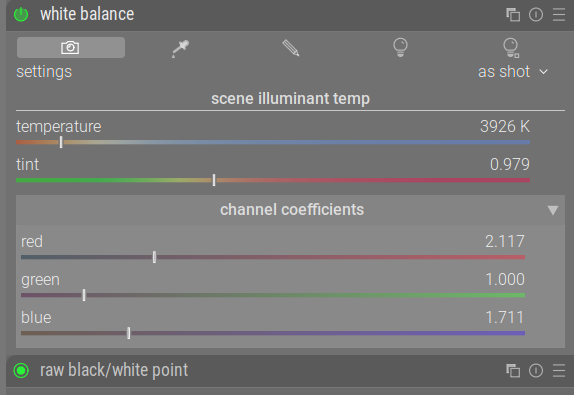
Appears that the default setting of the white balance module has changed from ‘as shot to reference’ to ‘as shot’.
I noticed this as I got error messages in my color calibration module which normaly was turned on and now default comes up switched of. When switching it on is gives the red warning triangles ‘white balance is applied twice’.
[PROBLEM SOLVED, by changing back ‘workflow preferences’, see below]
Glad to see downgrading didn’t cause any problems with you! Sad to see you also felt the need to downgrade. Did you file the bug report(s)? Cause someone needs to 
Thank you very much for releasing the 5.6.0 and I am sorry to say that the installation makes (for the first time) some problems. Since many years I use the build.sh from the source package for installing darktable on Linux. It has always run without any problem. But now, it is missing the GMIC an asks to install gmic or to disable it. But how to disable before darktable having installed? And in seems gmic to find where it ist not installed. That are the questions.
CMake Error at src/CMakeLists.txt:667 (message):
  No suitable GMIC development files found, please install them or disable
  GMIC support
Did you, by accident, change the workflow in preferences?
You can install the GMIC development files or add “–disable-gmic” to the command line for build.sh. With the latter, you disable GMIC inclusion in the executable at compilation, so before dt ever runs. Note that the No suitable GMIC development files found can also be caused by a version mismatch (so you may have to update your GMIC.
Yes I did. So far there’s been no response, but hopefully soon.
Thanks a lot to all the developers and testers.
No, I didn’t.
Meanwhile, 11am Tues 23 June and OBS still reporting:
~$ apt policy darktable
darktable:
Installed: (none)
Candidate: 5.4.1-1.1+100.1
Version table:
5.4.1-1.1+100.1 500
500 /repositories/graphics:/darktable/xUbuntu_24.04 - openSUSE Download Packages
4.6.1-2ubuntu1 500
500 Index of /ubuntu noble/universe amd64 Packages
And Dave has no darktable to play with…