Darktable Shortcuts Viewer

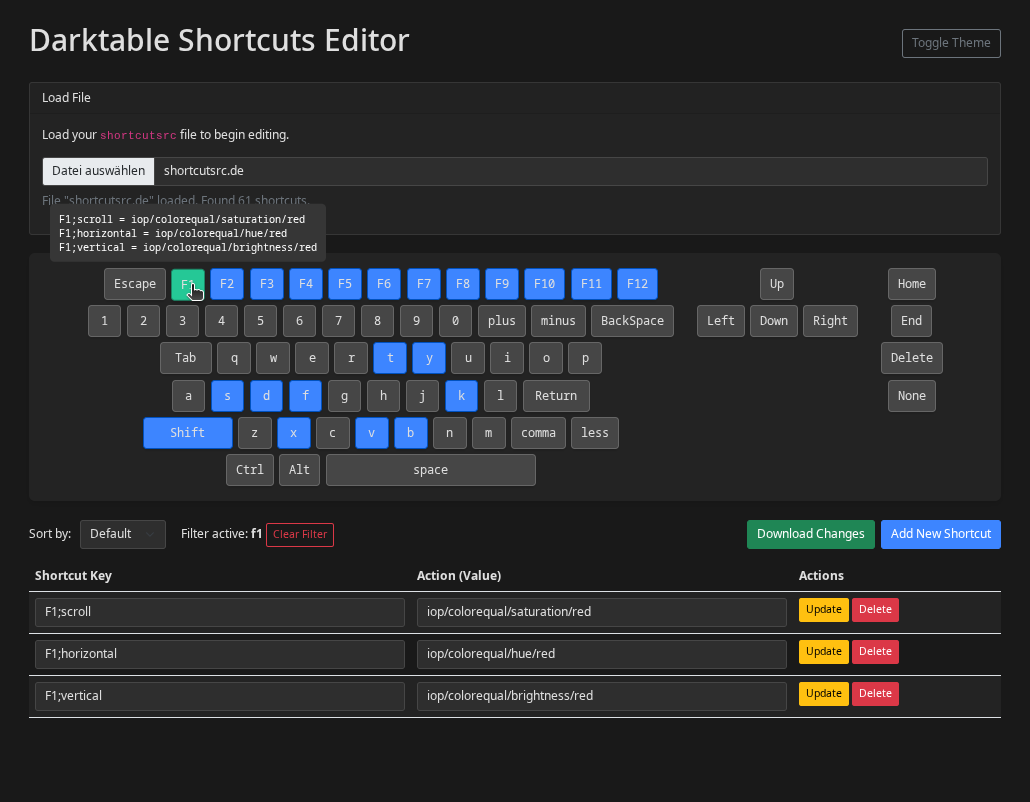
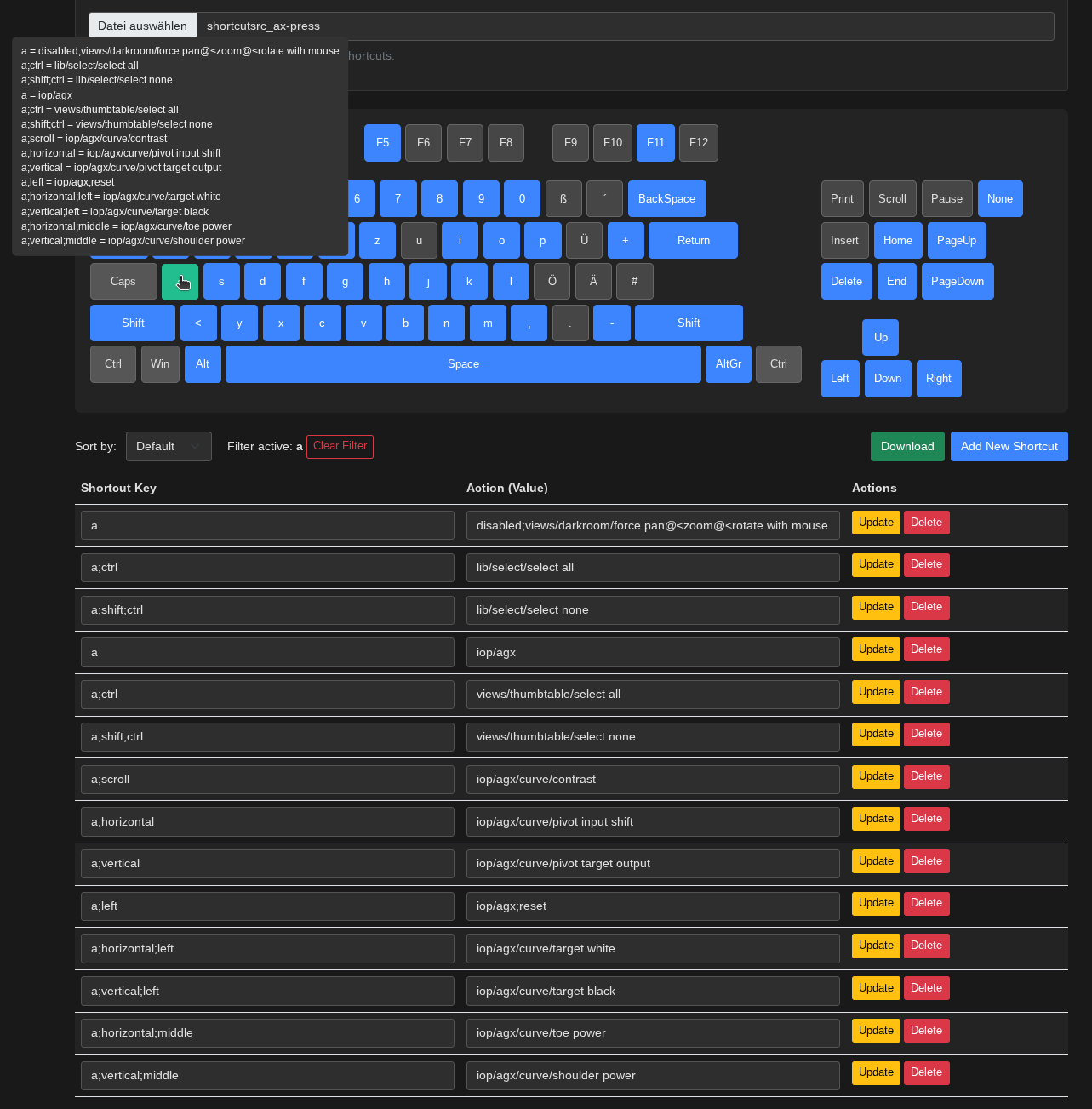
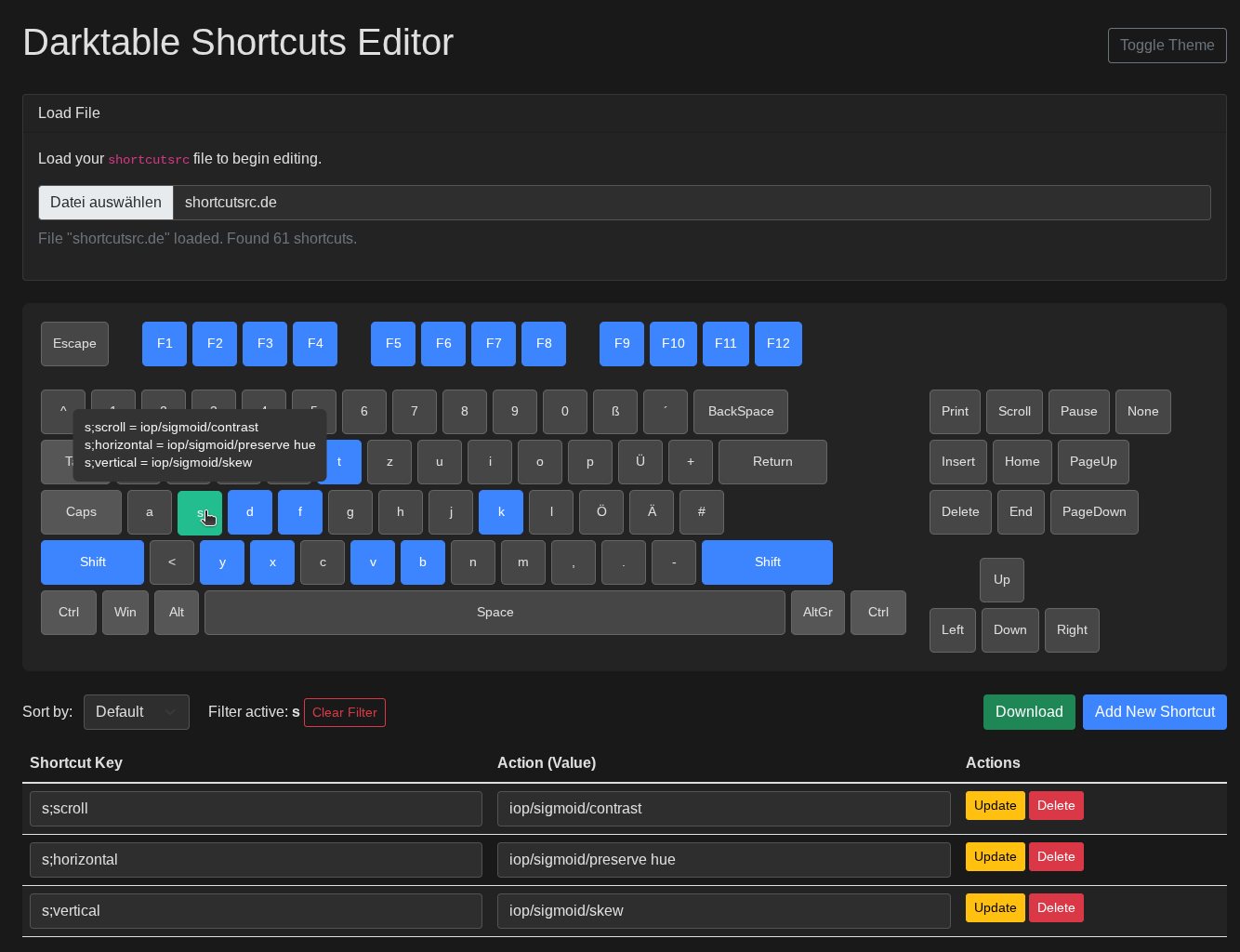
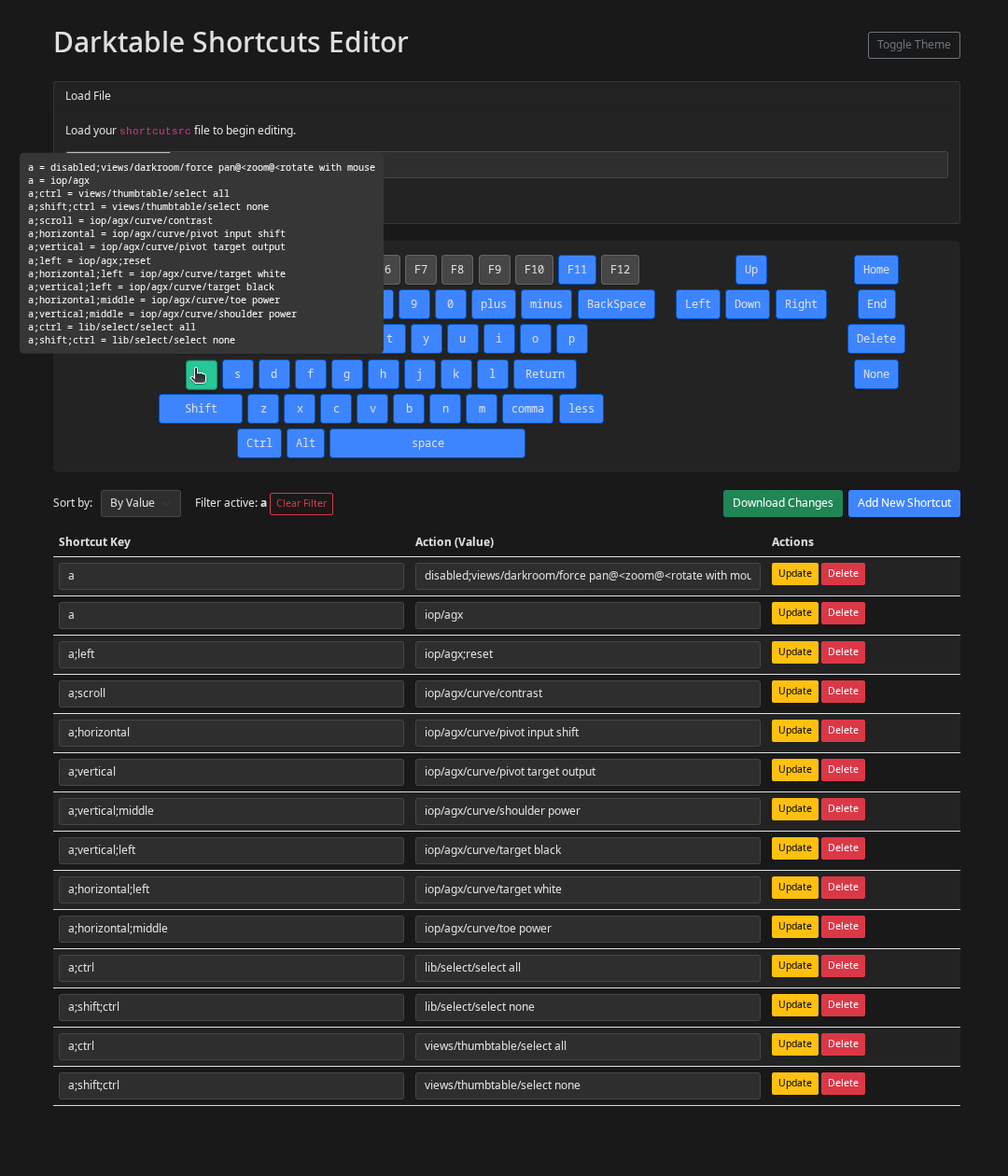
I’ve created a small viewer for darktable shortcuts. It displays all assigned keys in blue, and all unassigned keys in gray.

Hovering the mouse cursor over a key displays all associated actions.

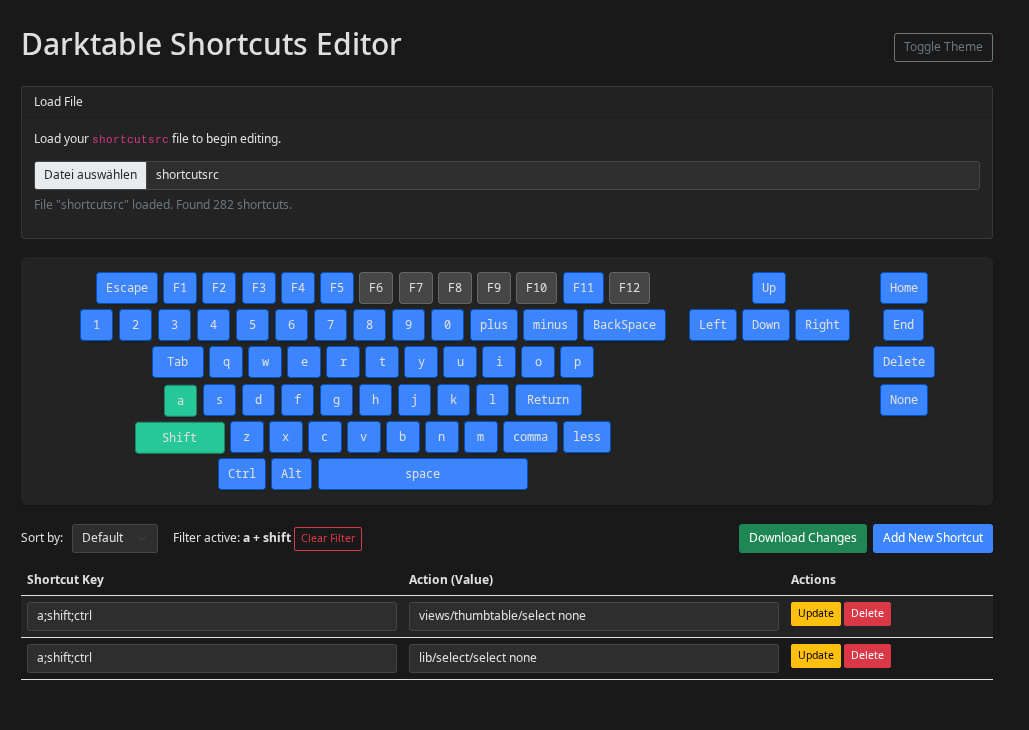
Multiple selection is possible with the “shift” key.

The keys also function as filters.

You can add or modify shortcuts, but this isn’t very intuitive yet, as you need to know all the options yourself. However, it should be sufficient for simple remapping.

It’s a simple HTML file with JavaScript.

Remember to back up your shortcuts before testing!

https://darktable.info/darktable-shortcuts-editor-v0-1/


shortcut_editor (2).zip (5,2 KB)

18 Likes

An example of a shortcut file from darktable git

1 Like

Thank you for this excellent idea.
Christian

2 Likes

Minor update to the software layout.

Please create a backup before use.

https://net-fx.de/darktable-shortcuts-editor-v0-1/
shortcut_editor-v2.zip (5,9 KB)


I previously used an Excel file to look up my keyboard shortcuts. This is much easier for me now.
I always spend ages searching for my shortcuts using shift + h, but that’s probably a personal problem laughs.

2 Likes

wow, thanks so much, I will try this out. I’m also pretty notorious for forgetting shortcuts when I’m not using them often… :grin:

1 Like

Sure, just let me know if something doesn’t work.

This is pretty cool and it would deserve its own repository, even if it’s just a one file project.

Feature request: support for other keyboard layouts :slight_smile:

2 Likes

Hello,
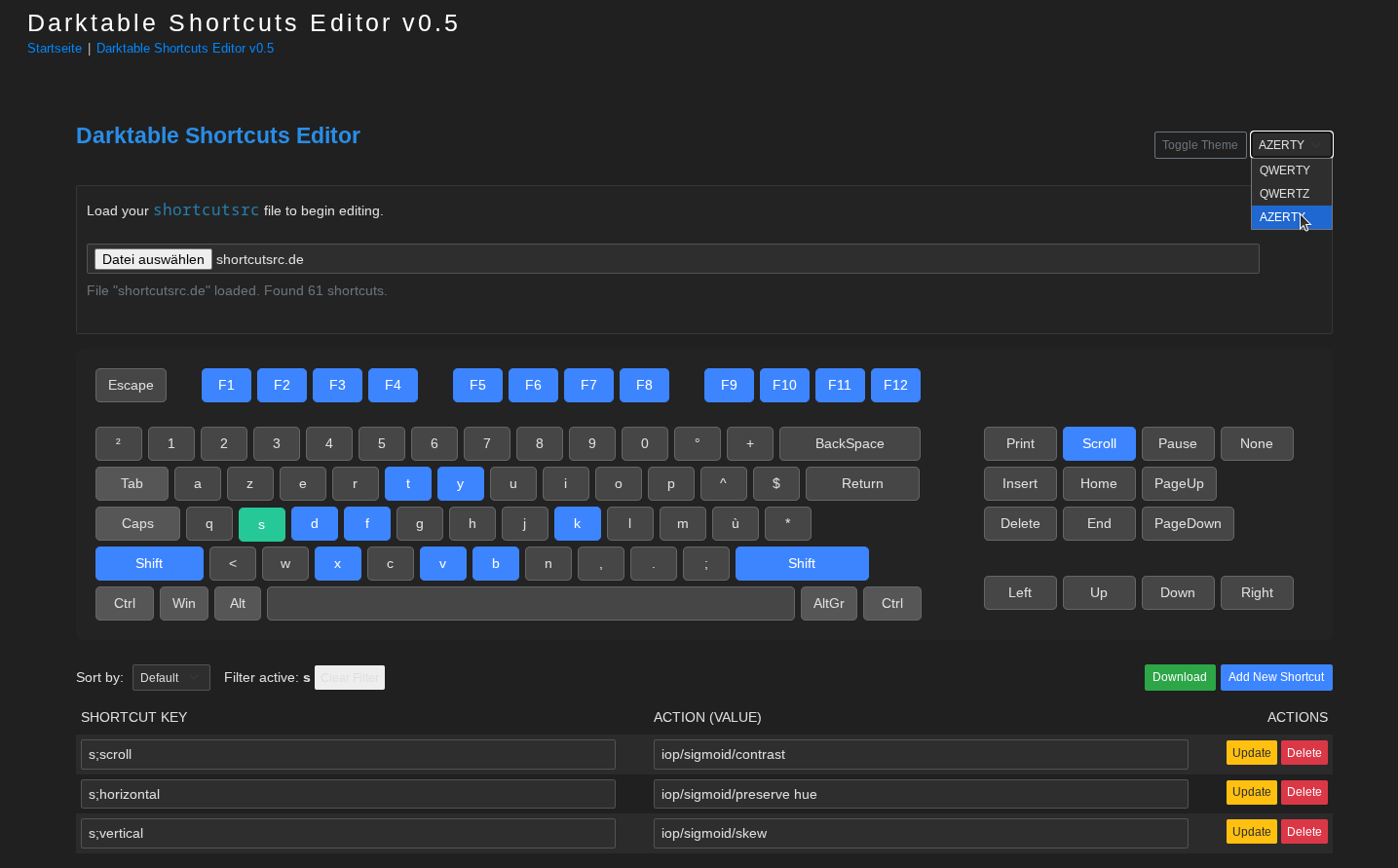
I took the liberty of adding the French AZERTY keyboard and US QWERTY keyboard.

image

shortcut_editor-v3.zip (6.2 KB)

Have a nice day,
Christian

1 Like

Thank you for your feedback!

The keyboard layout selection makes perfect sense.

If you find any bugs in the implementation, please let me know.

Attached is the HTML file for download and a link to the homepage so you can use it directly.

https://net-fx.de/darktable-shortcuts-editor-v0-1/

shortcut_editor-v5.zip (7,4 KB)

5 Likes

Hello,

This is a very nice improvement. Today I tried to add the numeric keypad, but honestly, I can’t seem to get a clean design and layout for the keyboard.

Here is my file:
shortcut_editor_-_numeric-keypad.html.zip (7.2 KB)
greetings from Brussels,
Christian

2 Likes

Thank you so much for your participation! Here’s another new version with filters for Global, Lighttable, and Darkroom.

Regarding the number pad, I can create a separate version for you later. If you’d like to customize it yourself, here’s the block. Simply extend the arrows with new lines.

shortcut_editor-v6.zip (8,2 KB)

azerty: {
fkeys: [
[
[“Escape”],
“SPACER”,
[“F1”, “F1”, “key-fkey”],
[“F2”, “F2”, “key-fkey”],
[“F3”, “F3”, “key-fkey”],
[“F4”, “F4”, “key-fkey”],
“SPACER”,
[“F5”, “F5”, “key-fkey”],
[“F6”, “F6”, “key-fkey”],
[“F7”, “F7”, “key-fkey”],
[“F8”, “F8”, “key-fkey”],
“SPACER”,
[“F9”, “F9”, “key-fkey”],
[“F10”, “F10”, “key-fkey”],
[“F11”, “F11”, “key-fkey”],
[“F12”, “F12”, “key-fkey”],
“SPACER”,
],
],
main: [
[
[“²”, “asciicircum”],
[“1”],
[“2”],
[“3”],
[“4”],
[“5”],
[“6”],
[“7”],
[“8”],
[“9”],
[“0”],
[“°”, “degree”],
[“+”, “plus”],
[“BackSpace”, “BackSpace”, “key-backspace”],
],
[
[“Tab”, “Tab”, “key-tab”, “modifier”],
[“a”],
[“z”],
[“e”],
[“r”],
[“t”],
[“y”],
[“u”],
[“i”],
[“o”],
[“p”],
[“^”, “asciicircum”],
[“$”, “dollar”],
[“Return”, “Return”, “key-return”],
],
[
[“Caps”, “Caps_Lock”, “key-caps”, “modifier”],
[“q”],
[“s”],
[“d”],
[“f”],
[“g”],
[“h”],
[“j”],
[“k”],
[“l”],
[“m”],
[“ù”, “grave”],
[“*”, “asterisk”],
],
[
[“Shift”, “shift”, “key-shift-l”, “modifier”],
[“<”, “less”],
[“w”],
[“x”],
[“c”],
[“v”],
[“b”],
[“n”],
[“,”, “comma”],
[“.”, “period”],
[“;”, “semicolon”],
[“Shift”, “shift”, “key-shift-r”, “modifier”],
],
[
[“Ctrl”, “control”, “key-ctrl”, “modifier”],
[“Win”, “super”, “”, “modifier”],
[“Alt”, “alt”, “”, “modifier”],
[" ", “space”, “key-space”],
[“AltGr”, “alt”, “”, “modifier”],
[“Ctrl”, “control”, “key-ctrl”, “modifier”],
],
],
special: [
[
[“Print”, “Print”, “key-special”],
[“Scroll”, “Scroll”, “key-special”],
[“Pause”, “Pause”, “key-special”],
[“None”, “None”, “key-special”],
],
[
[“Insert”, “Insert”, “key-special”],
[“Home”, “Home”, “key-special”],
[“PageUp”, “Page_Up”, “key-special”],
],
[
[“Delete”, “Delete”, “key-special”],
[“End”, “End”, “key-special”],
[“PageDown”, “Page_Down”, “key-special”],
],
],
arrows: [
[
[“Left”, “Left”, “key-special”],
[“Up”, “Up”, “key-special”],
[“Down”, “Down”, “key-special”],
[“Right”, “Right”, “key-special”],
],
],
},
1 Like

Hello,

Thank you, I think I’ve found it. I’ve adapted it to your new layout with a little “help.” :wink:


Here is my proposal:
shortcut_editor_-_numeric-keypad-v2.html.zip (10.0 KB)
Edit: I cleaned up my comments and translated them into English.

Greetings from Brussels,
Christian

2 Likes

looks very nice! great :slight_smile:

1 Like

Thank you.
Since I’ve expanded it to 1800 px, I’m wondering if it should be made responsive, even though in principle all modern screens that use darktable won’t have any problems.

1 Like

If anyone is interested, here’s a little LUA script that registers as a shortcut, so assigning it a keyboard shortcut like ctrl shift s will directly launch the shortcuts viewer :blush:

-- required for including this script in darktable
local dt = require "darktable"
local dbug = require "darktable.debug"
dt.configuration.check_version(...,{9,6,0})

-- check for OS, this script supports Linux only
local function checkOs()
	local osType
	local pathSeparator = package.config:sub(1,1)
	if (pathSeparator == "/") then
		osType = "linux"
	else
		osType = "Windows"
	end
	dt.print_error("found "..osType)
	return osType
end

-- check if targetFile is available
local function checkForTargetFile(targetpath)
	local handle = io.open(targetpath, "r")
	local success
	if (handle ~= nil) then
    io.close(handle)
		dt.print_error(targetpath.." was found")
		success = true
	else
		dt.print_error(targetpath.." was not found")
		success = false
	end
	return success
end

-- call targetFile
local function callTargetFile(targetPath)
	local handle = assert(dt.control.execute('open ' .. targetPath))
	return result
end

-- start of everything
local homePath = os.getenv("HOME")
local targetFilePath = homePath .. "/.config/darktable/shortcut_editor.html"

-- ensure, we are running under Linux
local osType = checkOs()
if (osType ~= "linux") then
	dt.print_error("this OS ("..osType..") is not supported")
	return
end

-- check if targetFile exists
if not checkForTargetFile(targetFilePath) then
	dt.print_error("target not found")
  return
end

dt.print_error("supported OS and target found, now registering ourselves")


-- register ourselves as a shortcut
dt.register_event(
  "Shortcut Manager",
  "shortcut",
  function(event, shortcut) callTargetFile(targetFilePath) end,
  "openShortcutManager"
)


--that's it for now
dt.print("(-: Shortcut Manager is ready to run :-)")

The script assumes, that the HTML file is located at ~/.config/darktable/shortcut_editor.html, just adopt if you like it differently.

@Qor it would be cool, if one may pass over the URL of shortcutsrc, then one may omit the need of manually selecting the file to load in Shortcut Manager.

edit: please see the later post for the “final code” ™

4 Likes

How about a version where you can simply insert the shortcuts into the HTML file?

Otherwise, I’d be happy to add the field.

        const DEFAULT_SHORTCUT_CONTENT = `
          k;scroll=iop/channelmixerrgb/temperature
          k;horizontal=iop/channelmixerrgb/hue 

shortcut_editor-v5hardcode.zip (8,5 KB)

1 Like

That’s a really cool idea with the Lua script. I’ll test it out tomorrow.

2 Likes

Personally, I like your first idea of importing the Darktable shortcut file, as it allows me to easily see which combinations are still available.

I’m also interested in being able to add my MIDI console or create a second HTML page for my X-Touch Mini.

The ability to integrate shortcuts directly into HTML could be a good solution for the user manual or the Darktable website.

I think we can invite @dterrahe to join this discussion. Unless I’m mistaken, he’s the expert on this subject.

Greetings from Brussels,
Christian

1 Like

Sorry for the confusion with the hardcode file. That was for @Macchiato17.

The idea with the X-Touch Mini sounds great; I have one of those to test.

I think we’ll find a clear design solution, and a responsive version makes sense anyway.

For example, MIDI could only be displayed if there are MIDI shortcuts. A collapsible section would also be conceivable.

There’s still some flexibility regarding the size of the keys.

By the way, I had the number pad in my first draft, but since I work a lot on my tablet, it was removed.