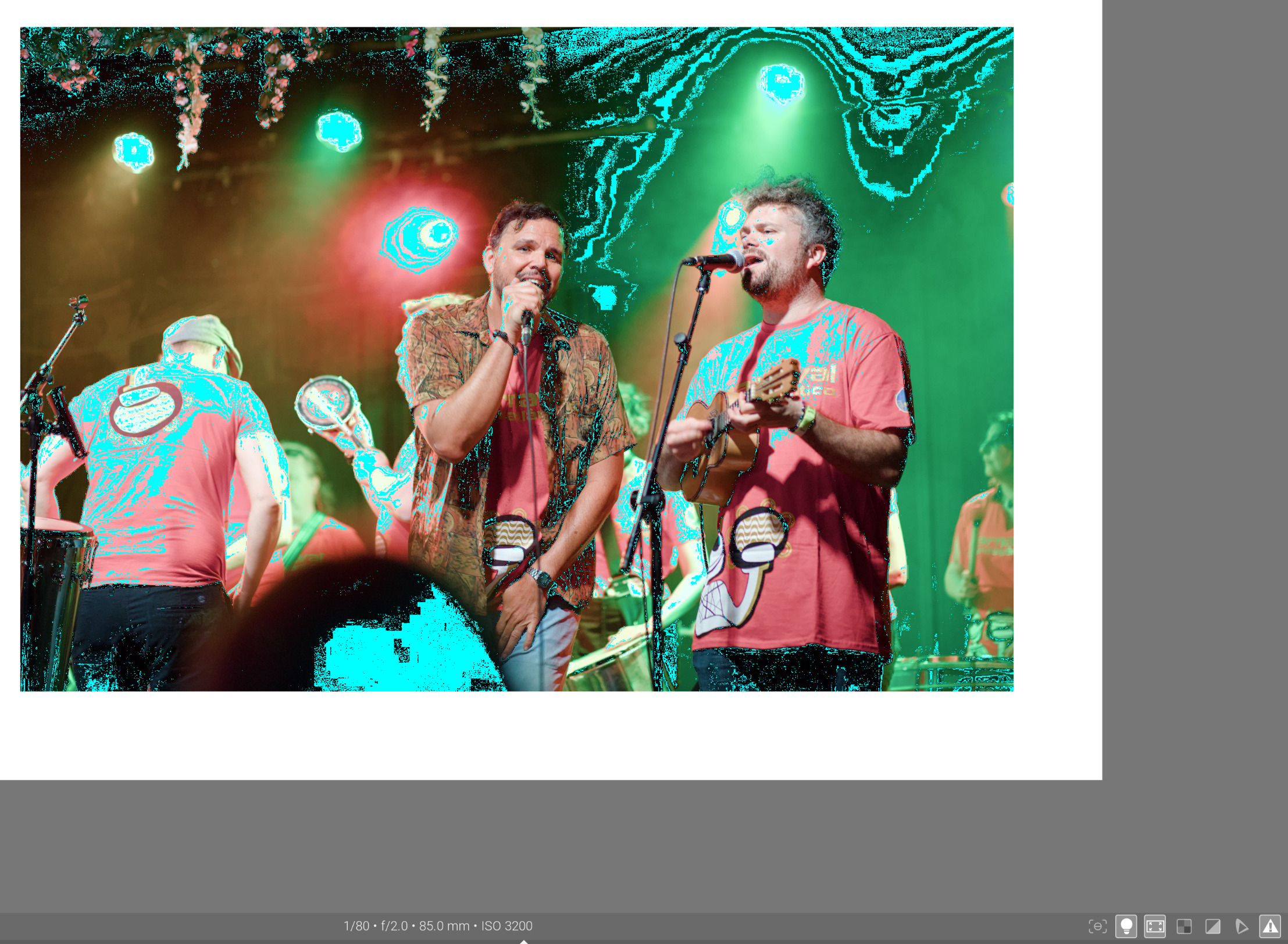
A few weeks back I was talking here about the ICC preference profile which when used with perceptual rendering and LCMS ticked in preferences, adjusts colours to prevent/reduce out of gamut colours. @kofa pointed out it was intended to be used with RGB input whereas I was using linear rec2020 as my working profile, as usual. So I’ve come back to checking this out and it does indeed seem to work better with a profile more like sRGB. Choosing sRGB as the working profile is pants, presumably it’s not linear, however Rec709 and sRGB are pretty close, and there is a linear Rec709 option, so I have used this.
Here is the raw, I license it for any use within PIXLS.US and prohibit its use anywhere else. Bet the crawlers are so scared, not. _5D_03799.CR2 (67.5 MB)
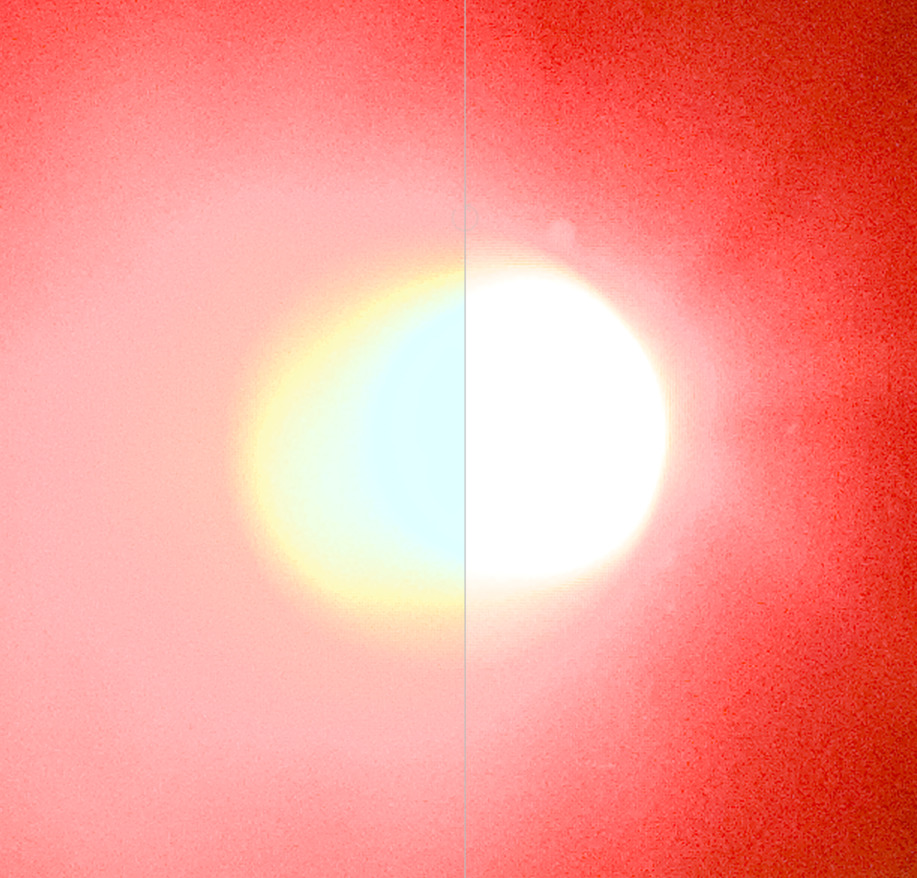
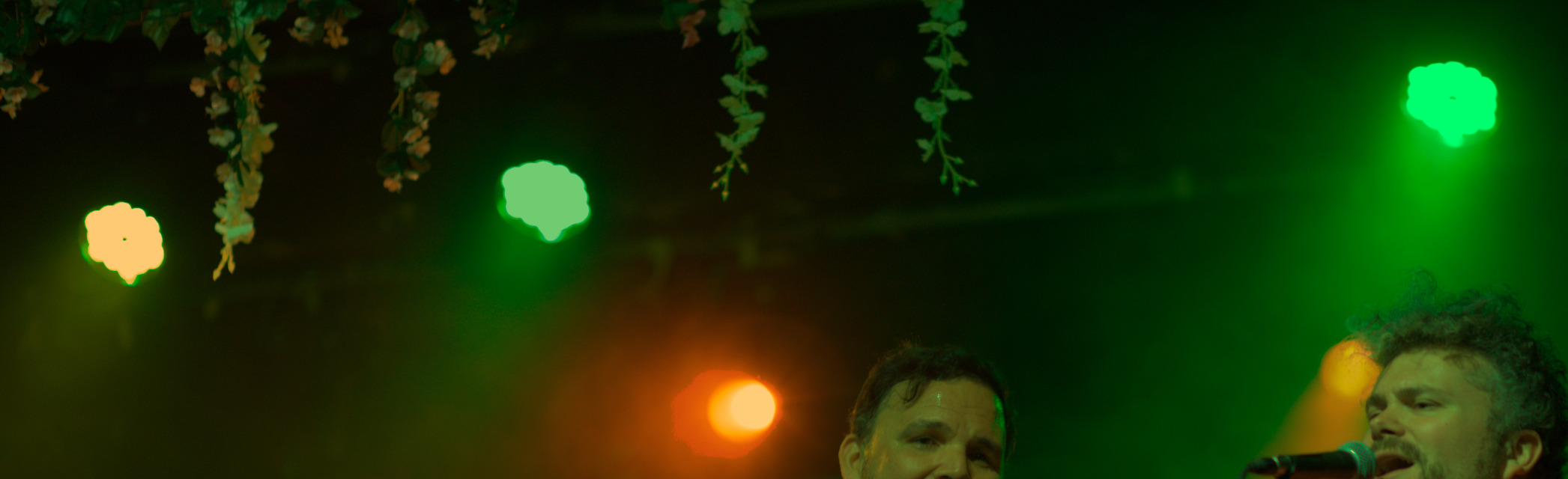
Here is my output with AgX, linear rec2020 work profile and standard sRGB websafe -
Note that the pref profile is not just changing that light, other things are changing such as the T shirts and the green shoulder strap on the person at the back.
The green flare of the light is closest to what I see in DT working in Adobe RGB with the last version.
A typical use case would be to print sRGB images captured with a digital still camera. […] a user could open the image […], assign the sRGB v4 profile […] then convert the data to printer specific values with the sRGB v4 profile as source, the v4 printer profile as destination, and selecting the perceptual rendering intent
According to that text, the profile is intended to convert sRGB input to some other space, like the colour space of a printer.
However, the PDF accompanying that page also says the profile can be used as an output profile, too:
The v4 sRGB ICC preference profile perceptual transforms are bi-directional, providing color re-rendering from sRGB to the PRM when the profile is used as a source profile, and providing color re-rendering from the PRM to sRGB when the profile is used as a destination profile
I’m not sure if darktable’s internal colour management (and the default Rec 2020 profile) is a v2 or v4 profile. The PDF goes on to say:
Generally, the v4 sRGB ICC preference profile perceptual intent should only be used with the perceptual intent transforms of other v4 profile […] the v4 sRGB ICC preference profile should generally not be used as the destination profile with v2 source profiles. An exception to this is when the source image colorimetry is for a medium similar to the PRM, such as a large gamut photo print. In this case the v2 source profile can be used to convert to a color encoding that uses the PRM (such as ROMM RGB) using the media-relative colorimetric rendering intent with BPC on. Then, the v4 perceptual rendering intent is used to color re-render from the encoded print colorimetry to sRGB
ROMM RGB is also called ProPhoto RGB. I think Rec 2020 (which is also much larger can sRGB) also counts as a large gamut space, so it should be OK to use that profile as an output space.
Hmmm interesting!
Did you import the jpeg into DT? (sounds like you did) If so, I’m wondering why so much is outside the sRGB gamut in an sRGB file.
Also are you sure you’re set up to show the gamut correctly… I can’t remember the details, @priort knows, you have to set the histogram profile and working profile correctly for the gamut button to work ok?..
You can try on your end.
And not ‘out of gamut’, but pushed right to the edge of the gamut. That can mean clipping it very hard compression.
Of course, all that matters only if the end result looks bad. The perceptual profile was hand-tuned by experts, the xy compression I used here was a naïve attempt from an amateur.
Over exposure used to assess gamut uses the histogram profile for data. The actual gamut indicator uses what you have set for your soft proofing profile… And people can set the display profile temporarily to rec2020 or whatever is necessary to match it to the current working profile just to test if your display profile is introducing any gamut clipping due to the way it is incorporated into the pipeline
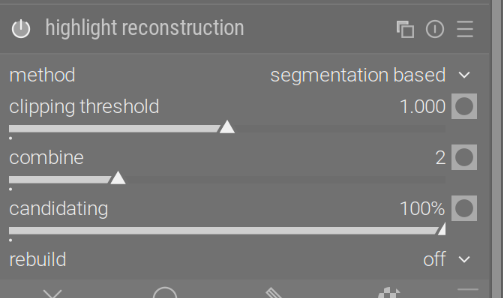
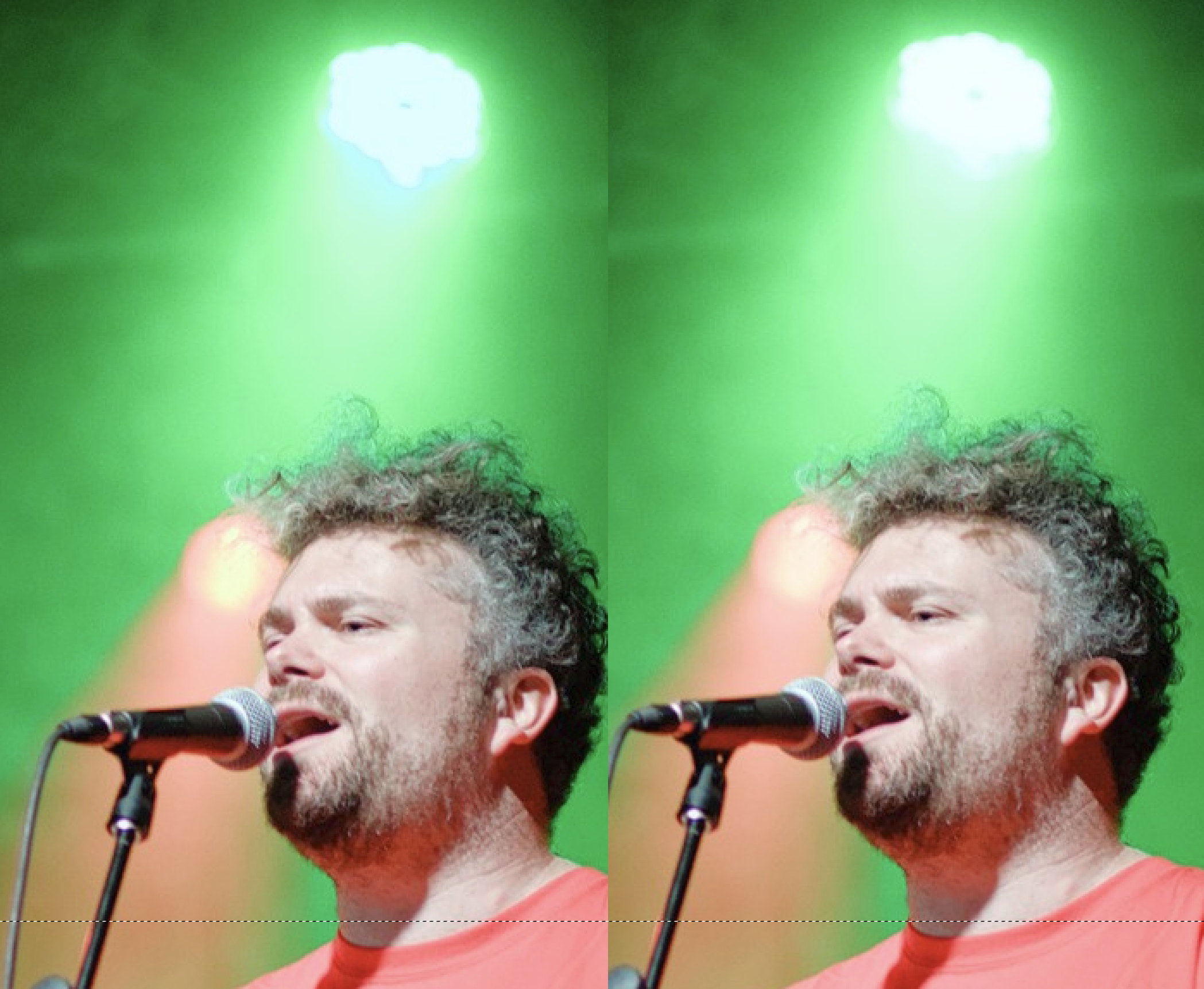
This is not about profiles and gamut compression, but I think you’ll like the change you can get by switching highlight reconstruction to segmentation based and turning on candidating to max.
You can then also turn on rebuild and increase the strength (which will brighten the lamps, which then you can compensate in AgX), but even without that, I think it’s a substantial improvement.
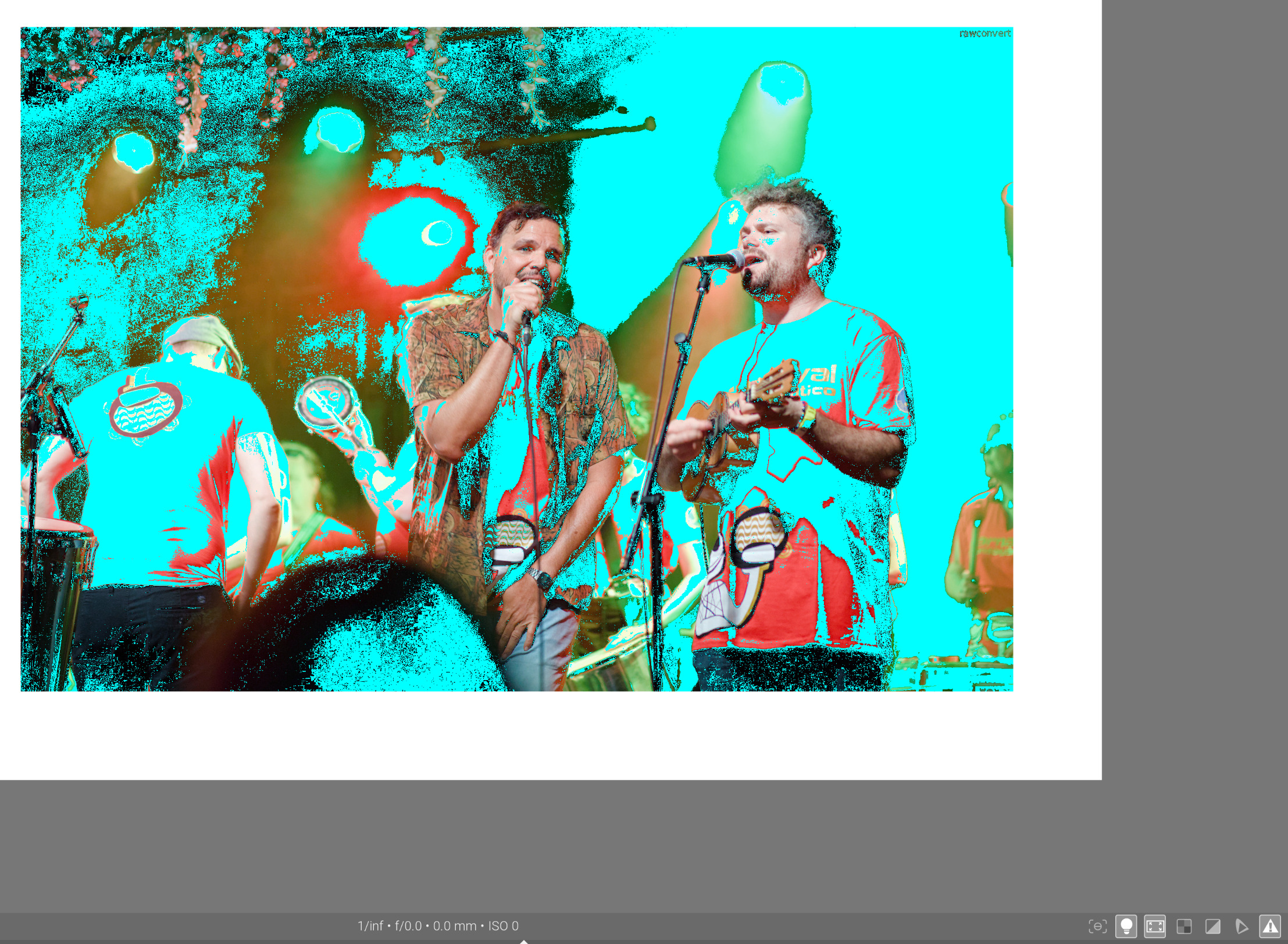
Turning off all but the most necessary modules and dropping exposure reveals that those cyan areas around the lights were not due to per-channel N6, but due to a blown pixels:
Yes indeed, that’s a great improvement. I have to admit I’ve never learnt about the segmentation feature. I need to expand my workflow options! Thanks for pointing this out.
So the DRT in OpenDRT stands for Display Rendering Transform, another tone mapper then. It’s done a good job with the green light (and the whole image) I’d say. Did you find it straightforward to get this result?
I just had a read of this. I don’t understand the maths but there are some interesting snippets. The author says “As usual, Fairchild does not prove it: in the so-called color science, you please plug the formula and shut up, it works ! Well, it’s true as long as you believe.”
The conclusion is worth a quick read I’d say.
A month or so ago I was saying pixels with negative values were bad data. The author says “Now, one could think LMS values represent light energy, so negative values should never happen because there is no negative light or negative energy.” I am quoting slightly selectively though.
From my experience openDRT has a less aggressive “path to white”, compared to agx it is slightly better sometimes and I like how it renders orange hues but I wouldn’t say it’s always an improvement.
Defintely openDRT is less straightforward, I find shadows and midtones with too much or too low saturation, here agx is the winner.