Hi, developers,
I am enjoying darktable new version, but I have a feature request. I hope easy font selecting function in preference panel in darktable, like RawTherapee. In non-western language Linux systems, darktable uses OS system fonts which are often raster fonts. And these raster fonts are often looking awful because of character complexity of non-western languages, like Japanese, Chinese, Korean.
Of course, we can change interface fonts arranging font setting of theme css files, but it’s somewhat complicated. So, I hope easy font changing function in darktable.
1 Like
I second this request.
I will explain here later how Japanese characters are displayed and what the problem is with Linux.
Here you can see the Japanese interface.
(My system is Ubuntu Studio 21.10, 2560x1440 display, darktable-elegant-grey)
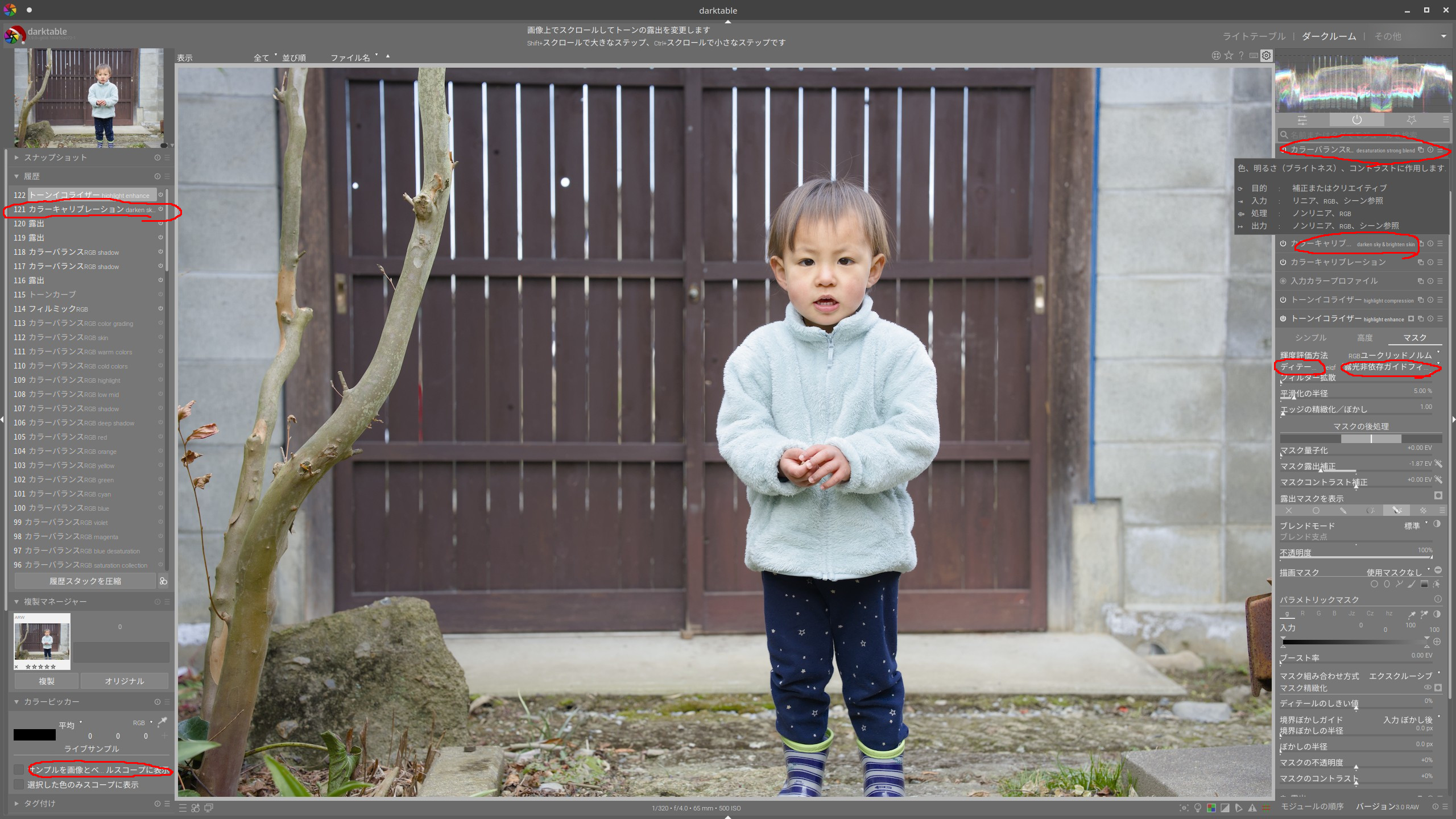
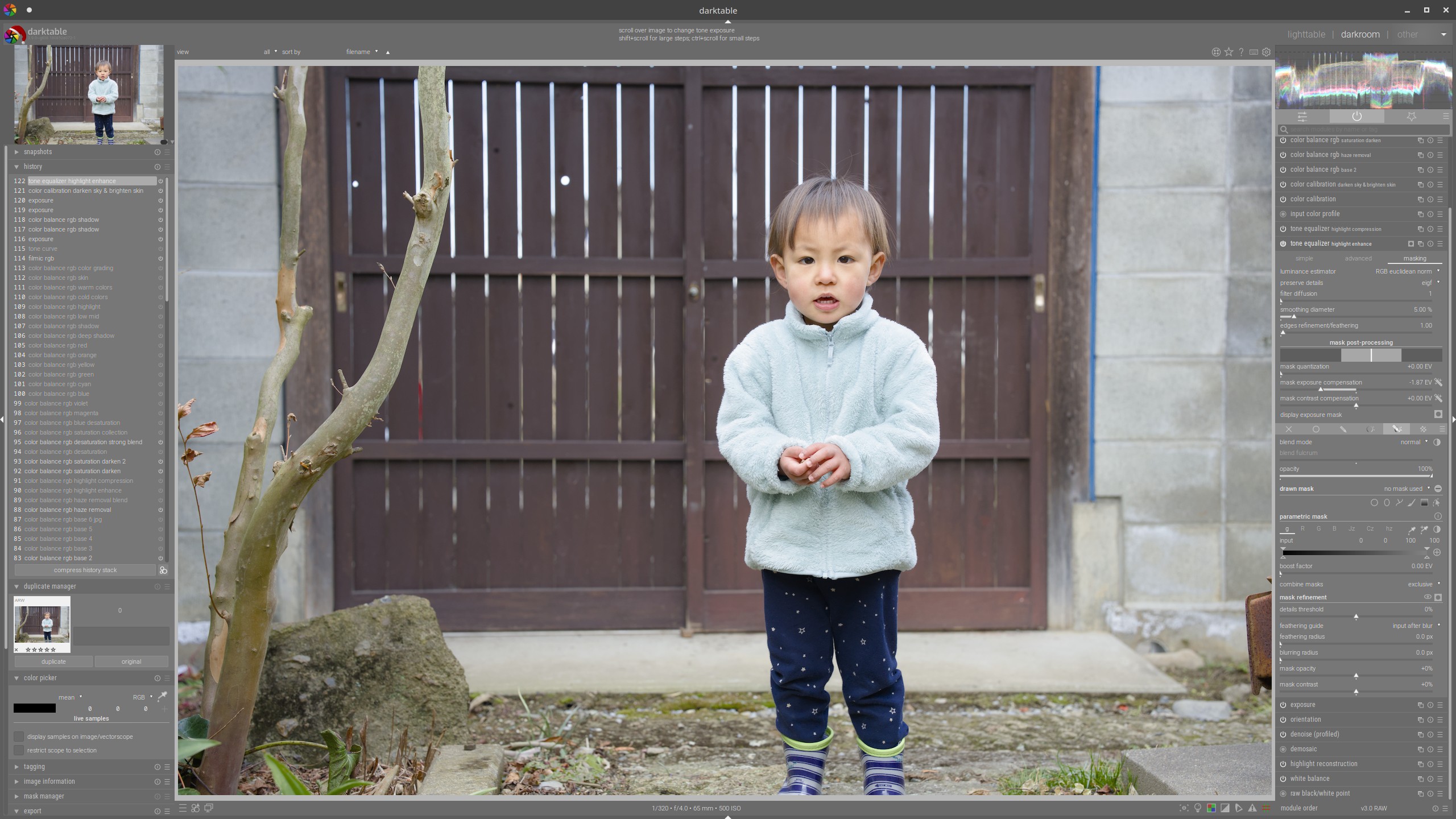
The font size is 12.2 which I initially set for the English interface. It is relatively small for Latin letters, but the Japanese letters are here so big that some lines are not fully displayed, which I marked in the picture. Furthermore, the Japanese interface shows much less information because of the big characters. For comparison, the picture below is the English interface in the same setting.
In the picture below, the font size is 5.4 which is set for Japanese letters and every line is fully displayed.
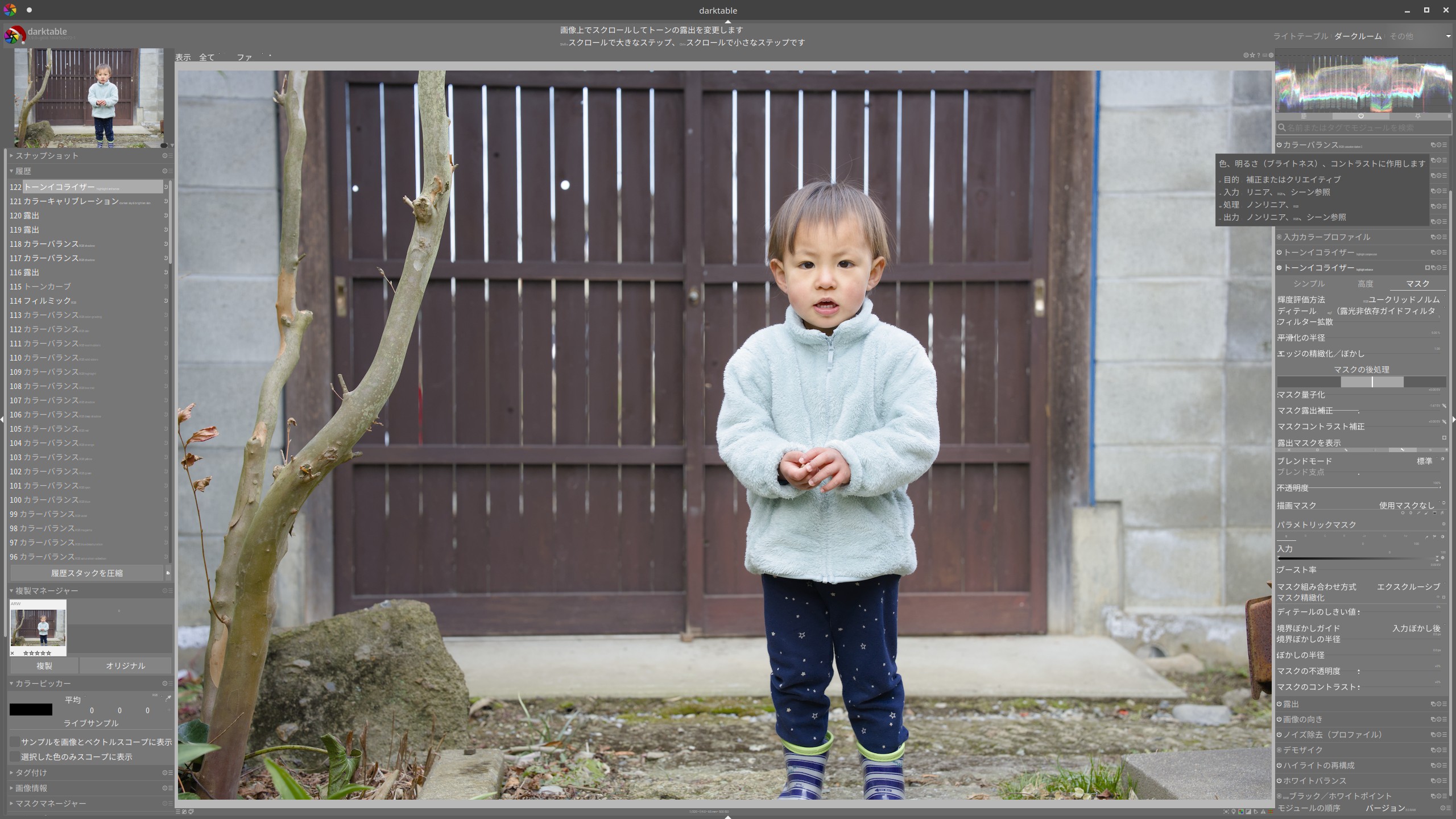
Obviously Latin letters and icons are too small, and some sliders overlap their description.
And I actually know and feel bad that darktable lost some Japanese users because of the ugly font.
I can say for sure that the requested feature is helpful for non-western users.
1 Like
Modifying the theme is not complicated. See this thread : Changing all fonts in the darktable UI
and darktable 3.8 user manual - general ( CSS Theme Modifications )
Several of the themes require the Roboto font, which has a lot of character coverage. Make sure your variant is installed!
The op knows how to change the font. He actually wrote an article about it on his blog. Still he said it is complicated, for general Japanese users. He and I hope that darktable become more popular in Japan and actually are engaging in popularization of dt through writing tutorials, translation, etc, that’s why we request the easier operation even though we can modify the theme ourselves.
Once you have such an adapted theme, it’s easy to share it with others. Or perhaps even propose it for inclusion with a future version of darktable?
Op already did it. He created and published some css files to share on his blog.
https://yasuo-ssi.hatenablog.com/entry/2021/12/30/000000
He has already made a great effort. But how many of general users would reach his website?
Can’t hurt to raise a feature request on github
You can see another problem in the video below.
The central view moves when the cursor is on the mask, which makes refinement of the drawn mask difficult and frustrating. I think it is caused by the Japanese characters which are too big in the top panel. It does not happen with the English interface in the same setting.
I did.
if these css files are contributed to the darktable project these might be integrated like the already provided css files. Thats the fastest way and at least less effort than implementing some gui fuction to enhance font selection.
an interesting question would be … can gtk3 css set font sizes per font/locale? can CSS in general do it?
In general, yes, :lang(en-us) will do it.
Your suggestion is worth considering, but we still have some problems.
-
@yasuo’s css files are originally created for Windows. He is now working on Linux but not totally successful with it atm.
-
It requires to have many options in the theme drop down box (just for Japanese). He is afraid that they would mess up the list.
From what I saw, @yasuo prepared themes for several fonts (not languages). So far, darktable provided just one font for Latin scripts. Is there any reason why Japanese would require the multiple font choices?
If it’s due to (non-)availability of the fonts on different operating systems, that’s solvable by just listing the different fonts in order of preference (as is done at the moment in the provided themes).
And, several of the fonts used are Microsoft fonts, not sure how accessible those are for Linux users. So those versions might be less suited for official inclusion.
Thanks for the comment.
@yasuo and I had somewhat misunderstood the cause of the issue.
@yasuo created a new css file which I already tested with Ubuntu and works pretty well.
He is preparing for the integration and we hope that the new Japanese font can be a part of the official version of darktable.
Following file is new proposal for new darktable-elegant-darker.css.
darktable-elegant-darker-test1.txt (2.8 KB)
Some Japanese Linux system use non-proportional fonts as system sans-serif font, and problems happen.
My proposal is adding some scripts to css file for using proportional font in Japanese Linux system.
It uses IPAPGothic as the Japanese font. So the IPA font must be installed to make it work properly.
It is quite easy to install on Linux systems. On Ubuntu,
$ sudo apt install -y fonts-ipafont
$ fc-cache -fv
An instruction about it would be required in the user manual and maybe the tooltip for the interface language selection in the preferences panel when the new darktable-elegant-darker.css would be integrated, IMO.