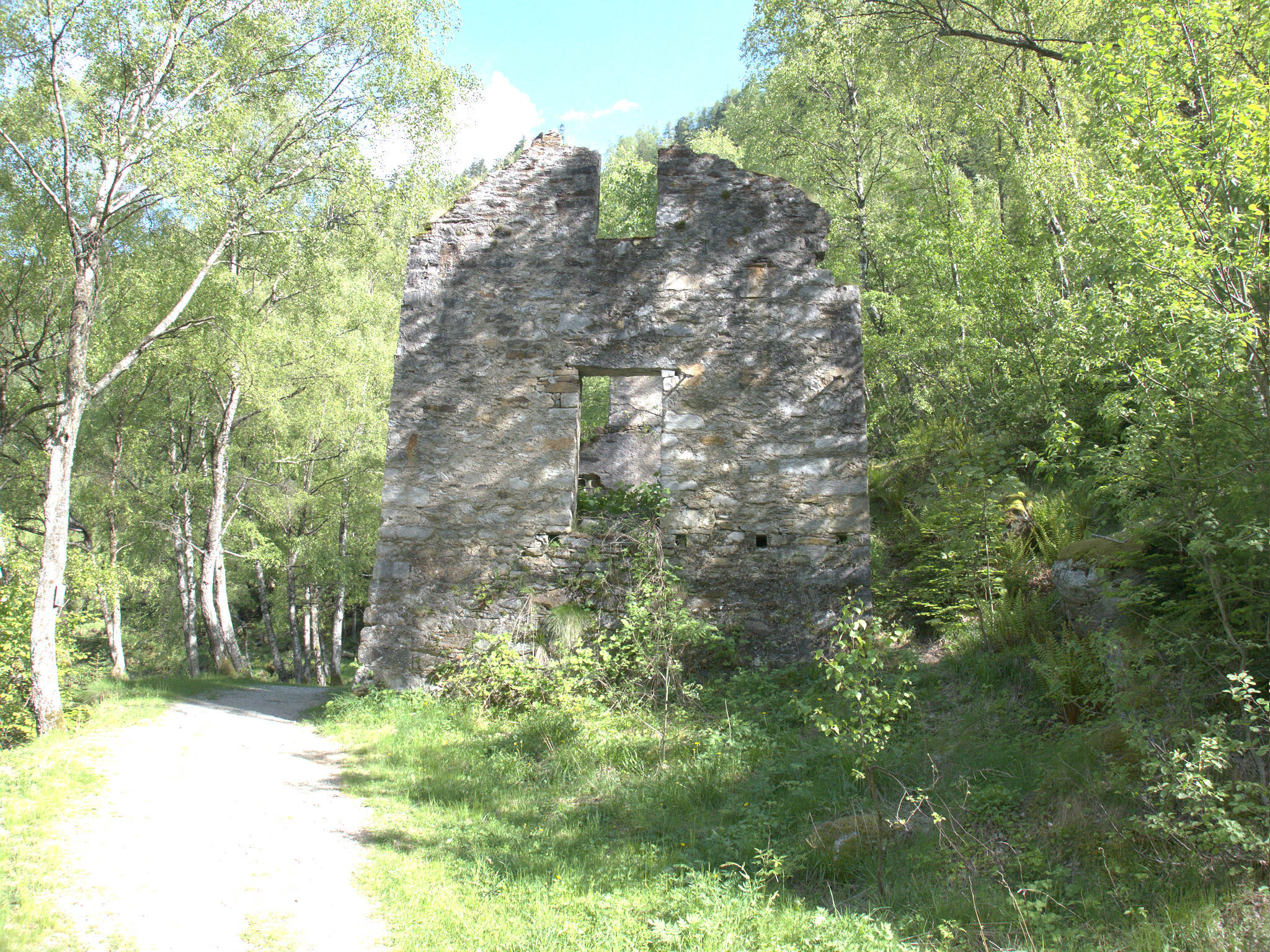
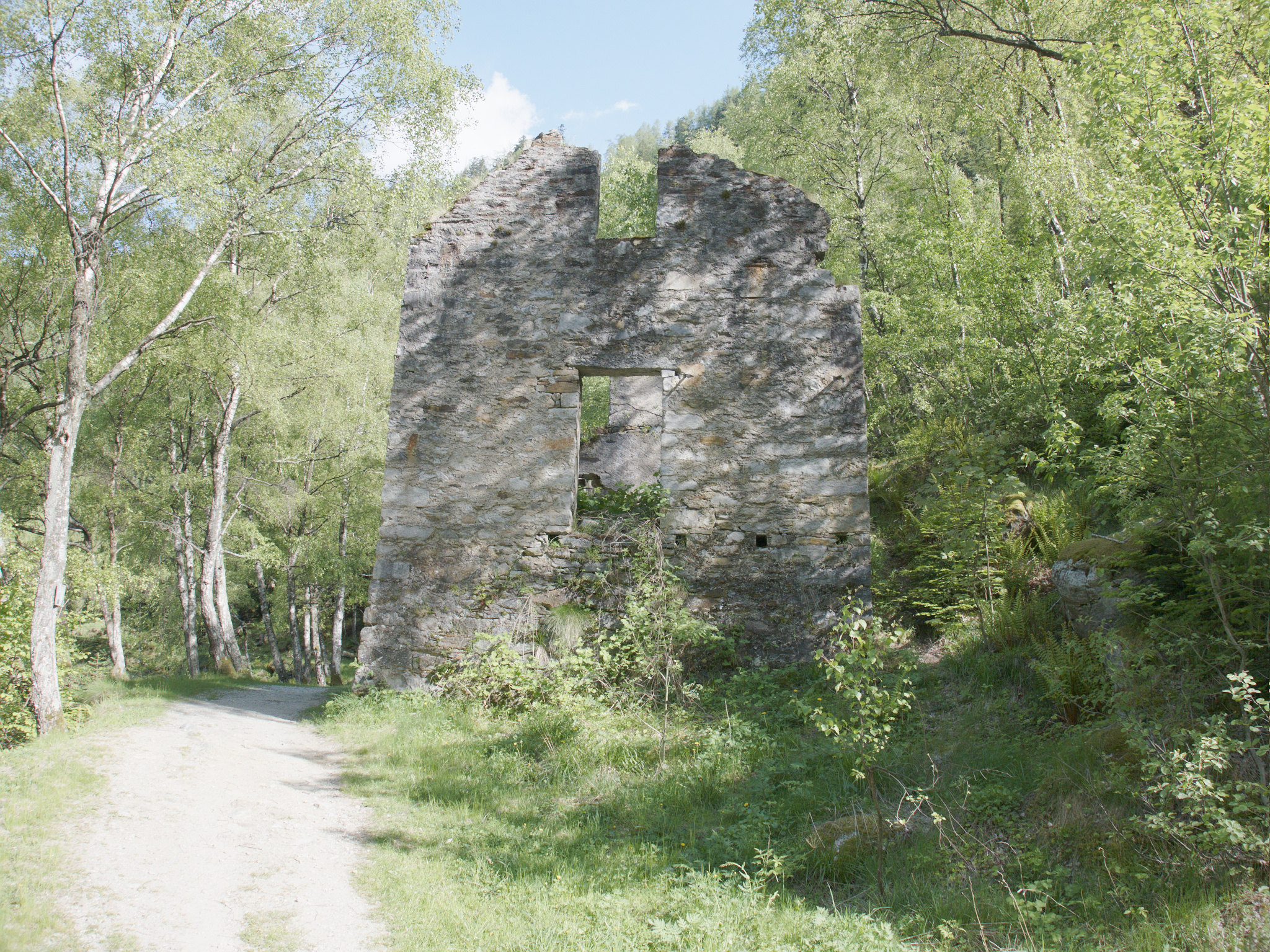
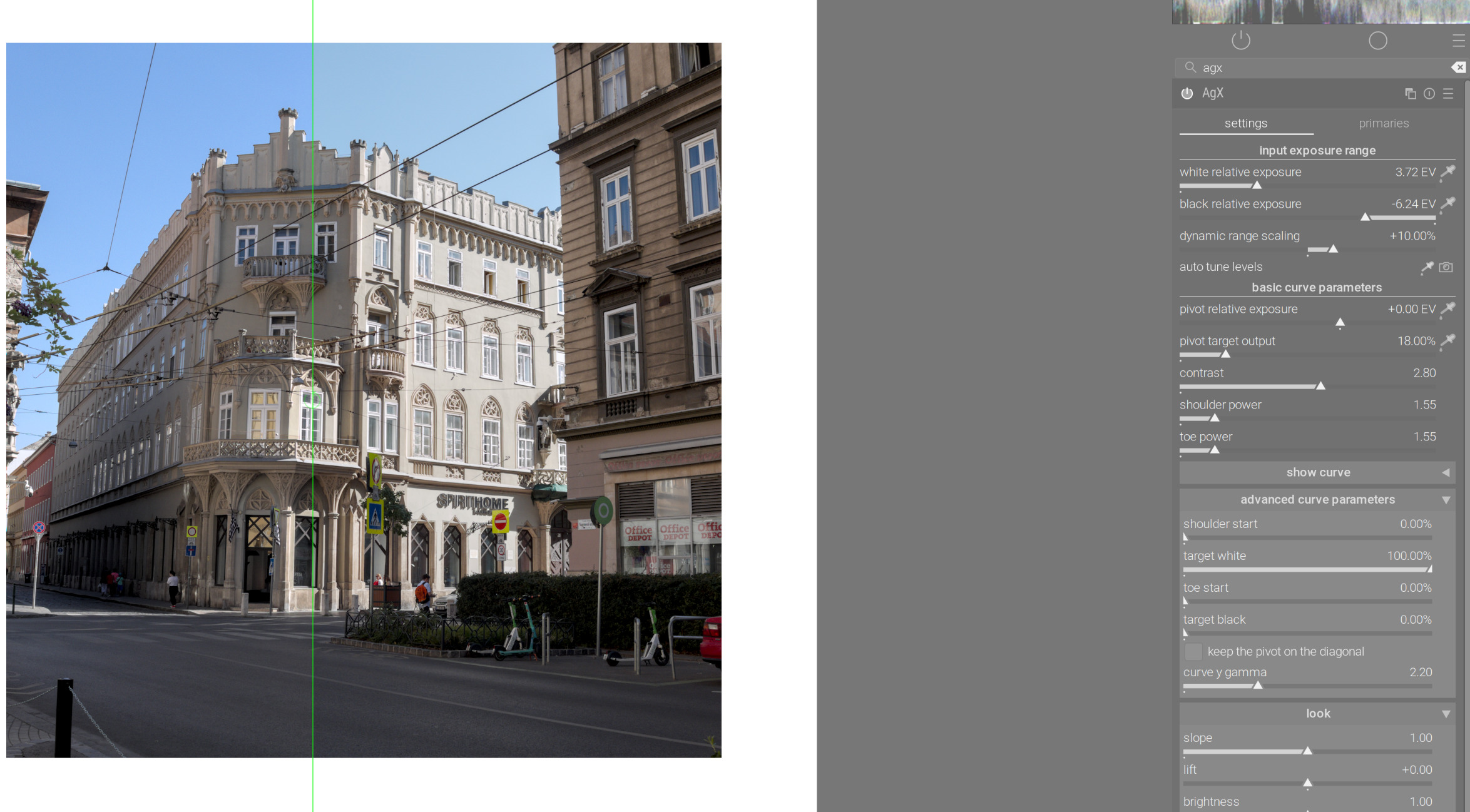
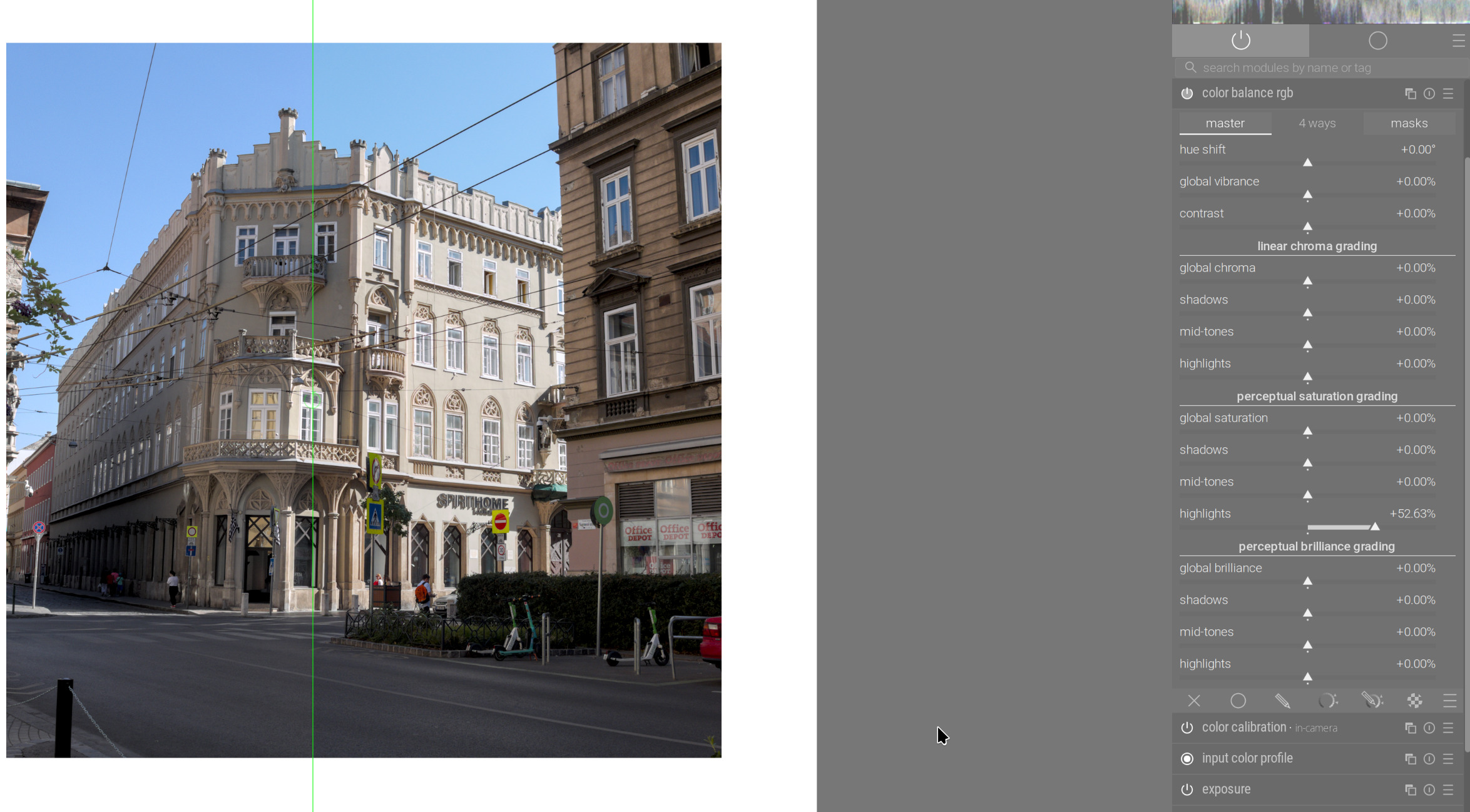
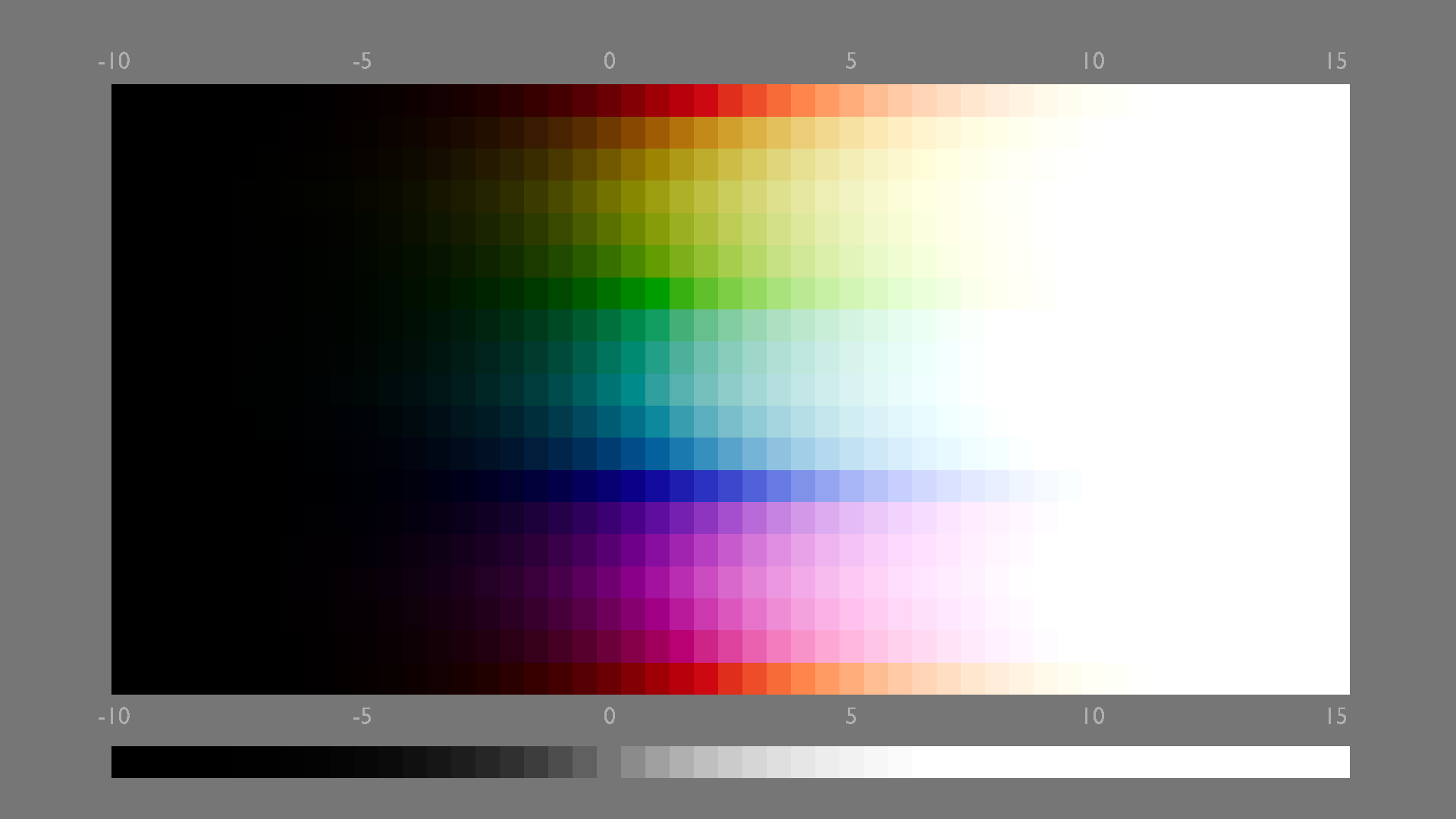
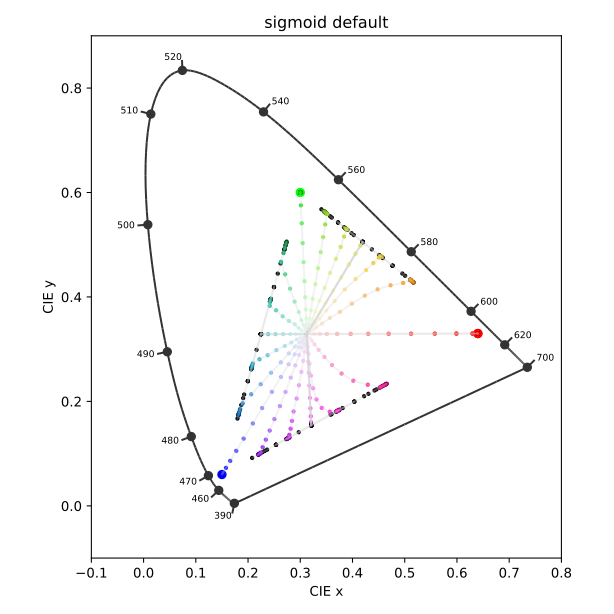
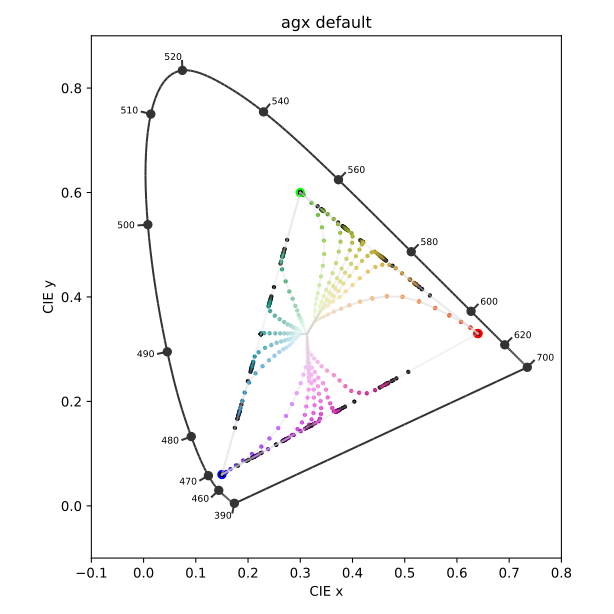
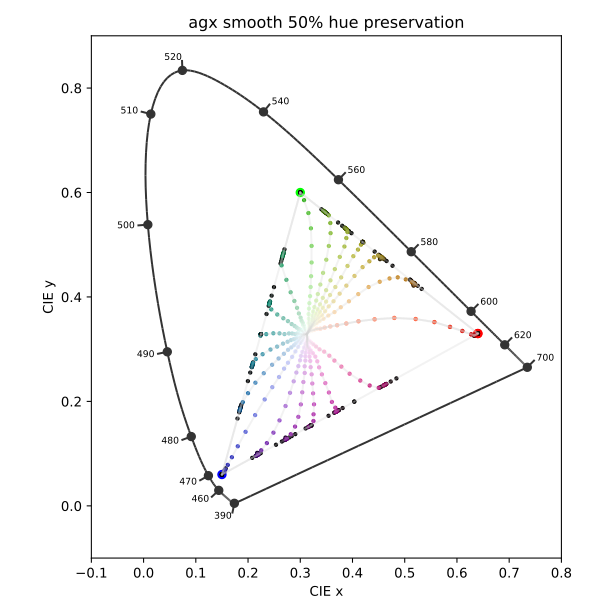
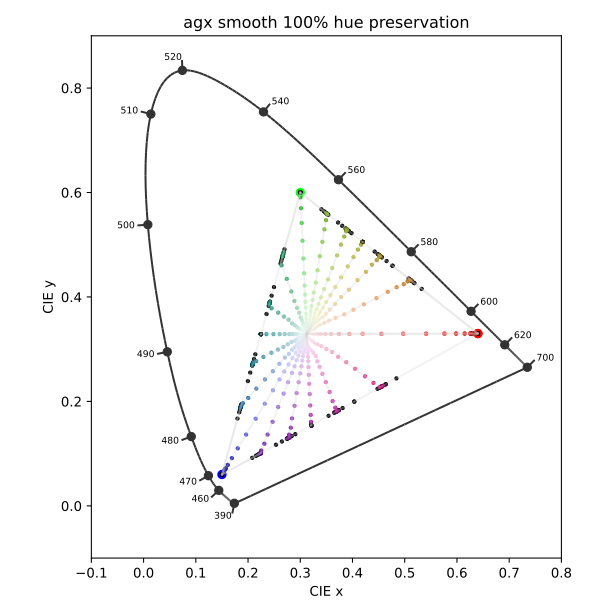
I want to share the rgb curve that “linearize” shadows and midtones after these values in agx, the result is a highlights compression tonemapper without increasing the contrast (again an approximation)
You say you have ‘lowered’ the rotational (blender) default, which baffles me.
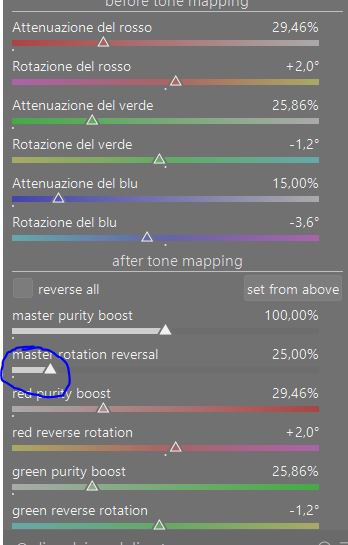
If I click AGX’s reset button, or select its scene-referred default preset, or select its blender-like/base preset, or reset the primaries to blender-like, the master rotation reversal defaults to 0%. The manual also infers that 0% is the default.
No problem - I suspected that we may have been using different versions.
I have worked out that if I double click the slider it ‘defaults’ to 100%, but this is not the blender default, and the sliders below all assume values of 0 if double clicked.
I mostly shoot landscapes and nearly always use filmic for its sky saturation and contrast.
However, it requires a lot of work in color balance rgb in order to give as pleasing results as the other tone mappers for shadows and mid tones. Saturation boost always, plus decrease shadows, increase power, for comparable contrast. Sometimes also increased local contrast. (I used to do this with tone equaliser, before I realised that module is better for decreasing contrast than increasing).
When instead I want skies to roll off to white I usually prefer agx or sigmoid.
My exact opinion. Filmic handles bright blue skies and bright white clouds better. It gives you bluer skies.
Imho, blue skies management is the weak point of Agx. But Agx is the best for midtones and shadows.
Note : with my Olympus, I need to disable primaries adjusments : always blue problem. In side by side view with direct jpg, blue got a very slight touch of yellow/green. I correct disabling primaries adjustement and a slight touch of color equalizer ( perhaps a problem with standard matrix for my dslr).
Might be a problem with the matrix, but then the issue is ‘caused’ (exacerbated) by using the ‘modern’ white balancing (white balance in camera reference or as shot to reference mode + color calibration). You either have to find the proper multipliers and use them in white balance, or simply disable color calibration and use white balance in one of the ‘non-reference’ modes.
But that would affect filmic just as well. None of the tone mappers care about the brand of camera.
AgX will desaturate bright highlights, that is its design aim (you can boost blues before AgX, though, or avoid a very flat shoulder); but of course there’s no ‘one tone mapper to rule them all’. Earlier versions of filmic also did that, and users disliked that very much, so I’m kind of surprised about the praise AgX receives.
One trick that I use if I want to bump the sky is using the Tone Eq… You simply hover on the main area of the sky that you want to bump the blue and you increase the curve. The trick is to blend the module in the blue channel then increases in the curve adds blue and decreasing it adds yellow…you can use the adding of yellow to customize a sunset as well…
You need very little adjustment and you can then use opacity to fine tune it but it is quick and easy… .for just the sky you could add a gradient too…
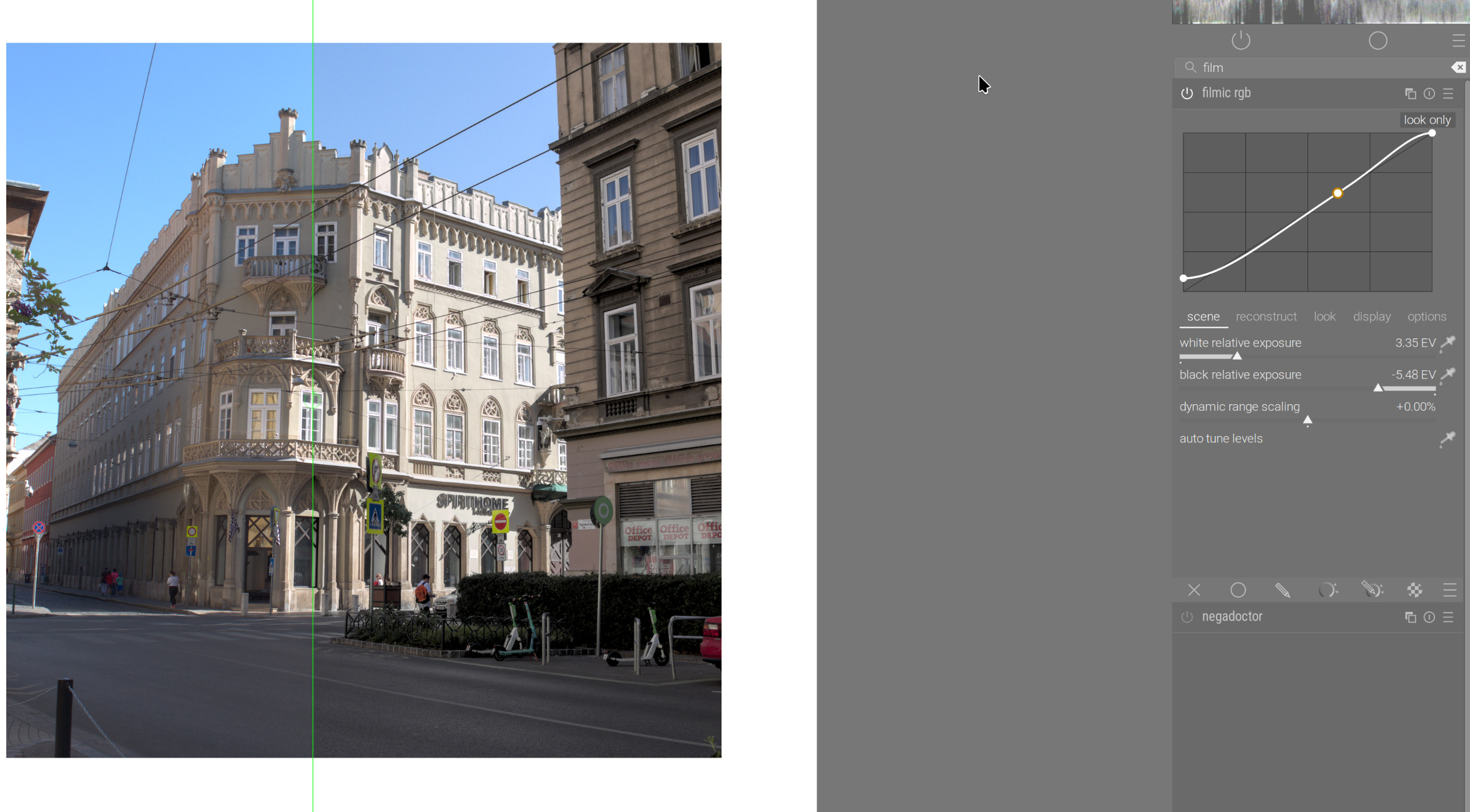
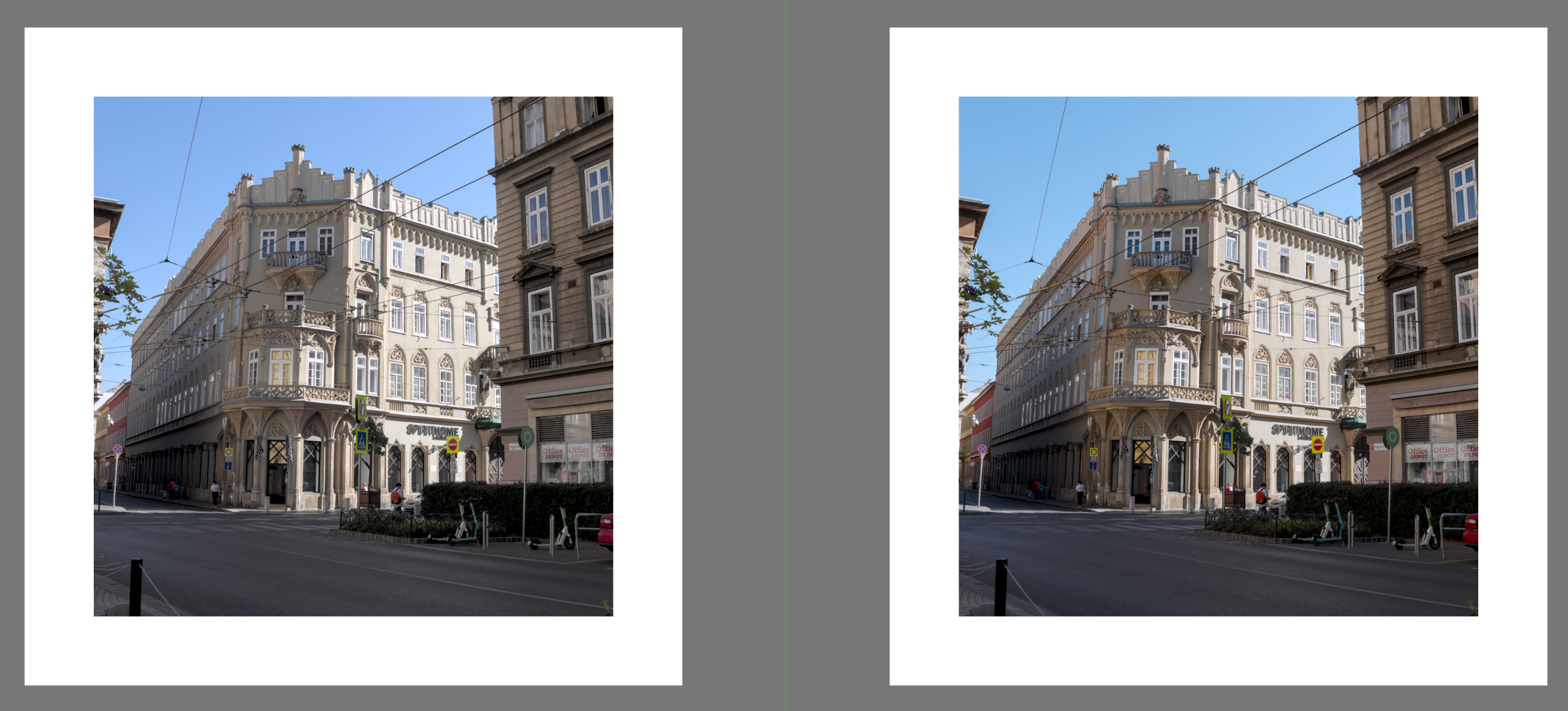
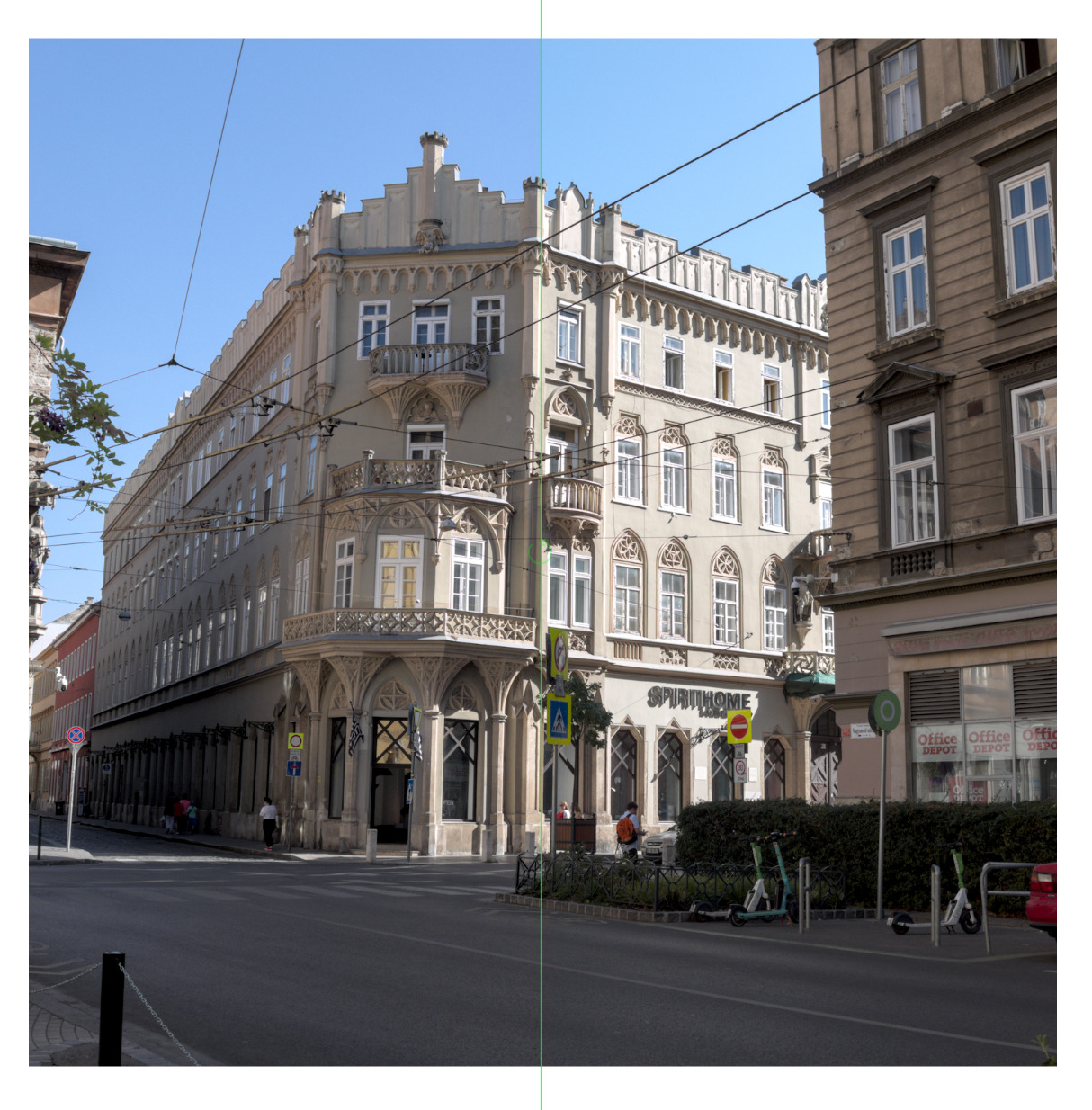
Left: image without tone mapper (gamut check shows the sky is actually out of gamut, but looks more or less OK here). Right: filmic, auto-tuned. No other changes.
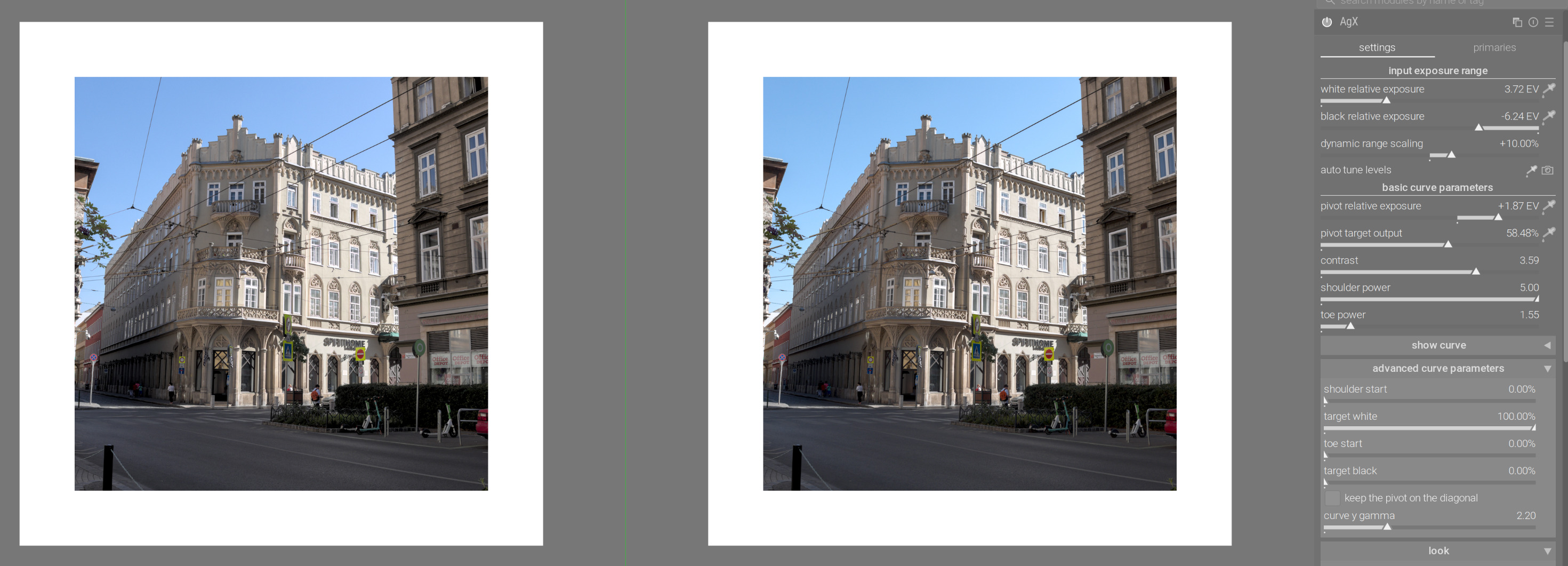
One could move the pivot higher (I sampled the sunlit face of the building), and increase contrast – and then color balance rgb is no longer needed (it’s turned off here):
Filmic has always been great at clouds because of the higher contrast in the highlights. This is why in the past I have always used Filmic for certain images, usually when I want to draw attention to the clouds or snow, for example.
But for other images, I rarely want such contrast in highlights, so my preferred tone mapper has been Sigmoid, and probably AgX going forward. Contrast in midtones and shadows is usually more what I want.
As for the colours, I don’t generally like what Filmic does to colours, so I have to tweak those colours elsewhere. Filmic blue skies have too much magenta in them and look a big fake to me.
But you can always end up with the same image regardless of which tone mapper you use. It’s just a matter of which other modules to use to make up for their various strengths/weaknesses.
I think that’s mostly true, except for stuff like very bright highlights. Sun in the sky, lamps, that sort of thing. Then, it’s practically very hard to get the same smooth roll-off of Sigmoid with Filmic.
It can still be done, it’s just how much effort you want to put into it. I use any and every module in the darktable toolbox until the image is like putty in my hands!
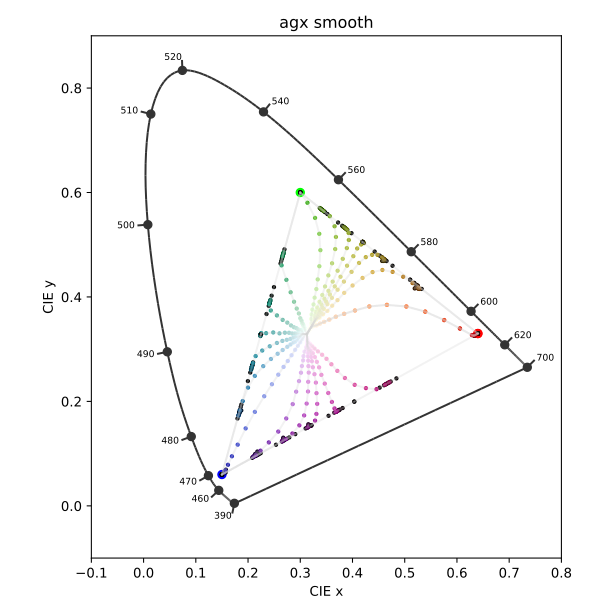
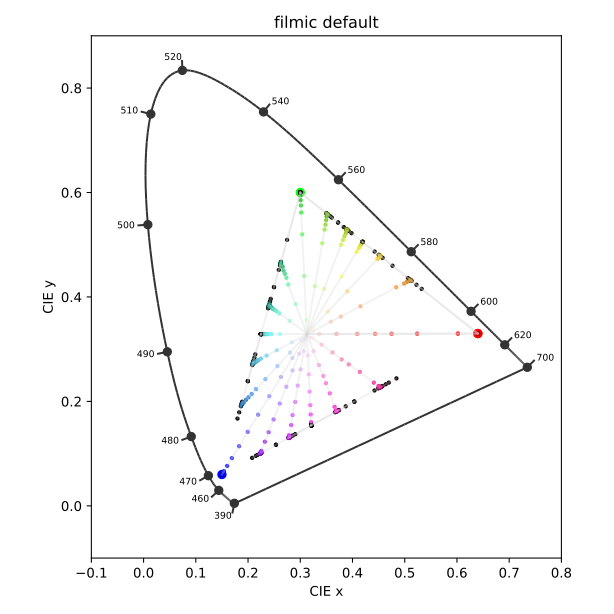
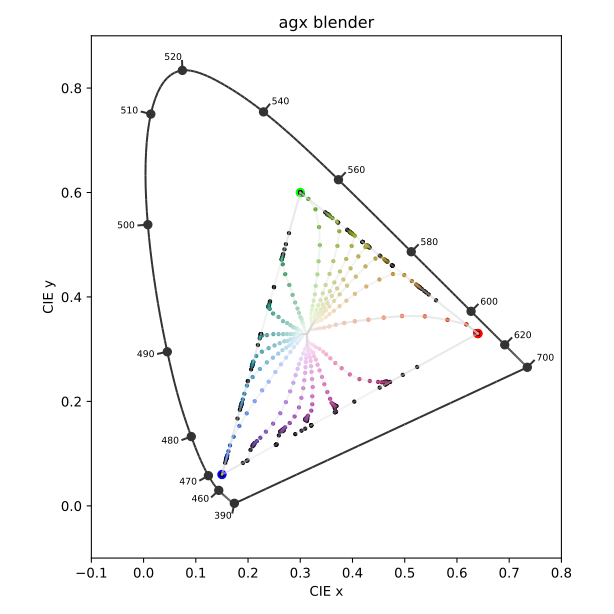
nice plots! now compare these to the Abney effect, say Figure 7 in Yoko Mizokami, John S. Werner, Michael A. Crognale, Michael A. Webster; Nonlinearities in color coding: Compensating color appearance for the eye’s spectral sensitivity. Journal of Vision 2006;6(9):12. https://doi.org/10.1167/6.9.12.
I guess you’d get similar plots for sigmoid without hue preservation (would be similar to AgX with the unmodified primaries), sigmoid with the smooth preset (would be similar to AgX with the scene-referred default or smooth preset), and sigmoid with either 100% hue preservation or rgb ratio mode (similar to AgX with 100% hue preservation and also to filmic).