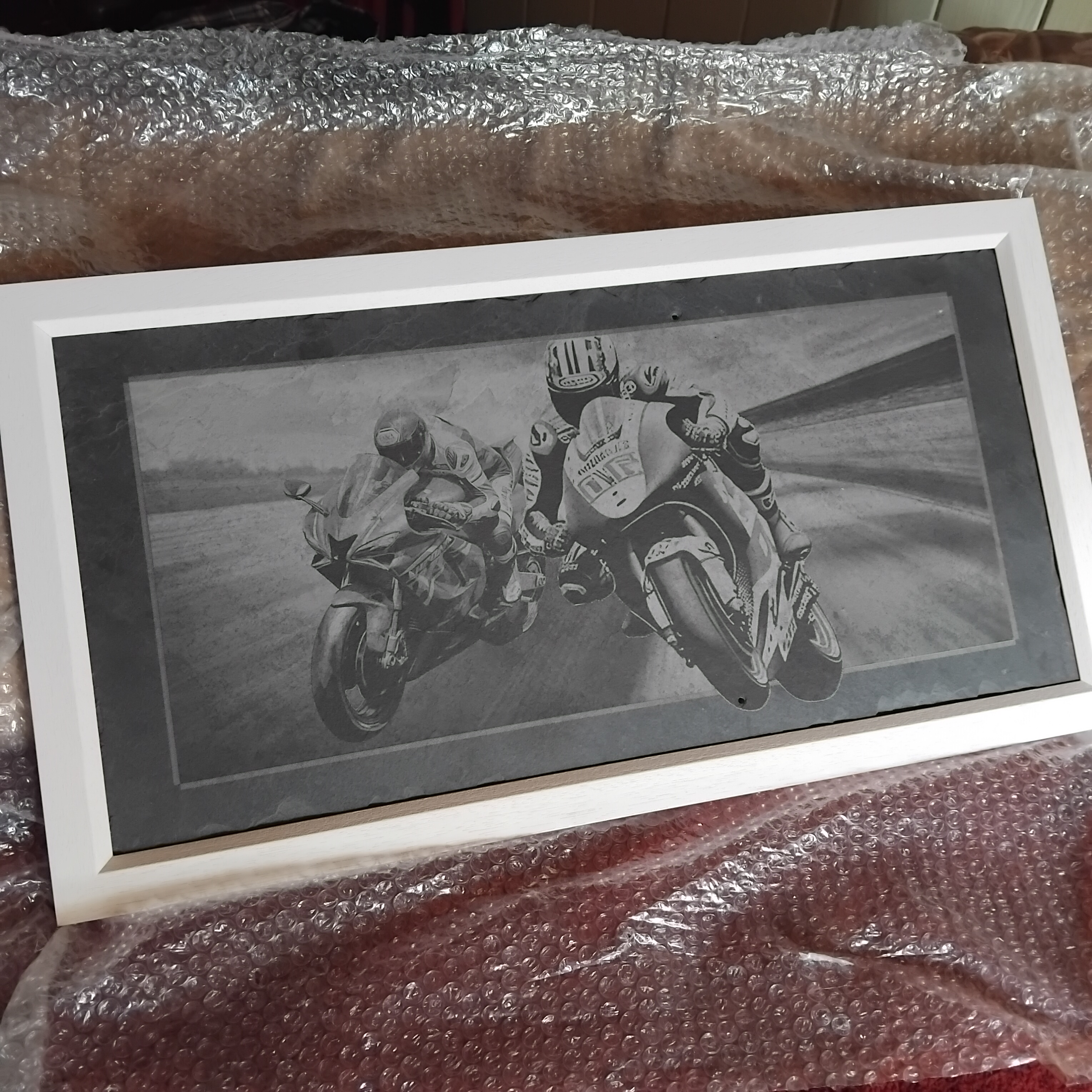
I bought a used Nikon D610 (first real camera) and a Nikkor 1.8G lense a couple of weeks ago and since then I came across Darktable on youtube. I watched some videos made by photographers using the software and was pretty impressed, so I downloaded it and thought…Get help quick!
I then found this forum and here I am (Thanks for the assistance Mica).
The backstory is, I’m into laser engraving and not that much into buying images online to lase so I decided to buy the nikon after a few weeks of research. My intention is to focus on greyscale images as lasers only do tones…and limited at that, so I gotta get good at lifting the micro-contrasts etc.
I know from learning lasers that it takes time to become familiar with UI and terminology but it sinks in eventually with perseverance and also that I learn better from other users comments and suggestions and experimentation than most written or video instruction.
I’m starting from scratch with cameras and software so expect the odd topic like “My battery is fully charged but I cant see anything through the viewfinder!”
I arrived with the intention of learning Darktable but I see we have many processing options and I hope to discover what will suit my situation best. I have got about eight months of experience with Gimp but not an expert by any means…I mostly use it for resolution and manual background removal and some area shading/brightness changes, but its tedious work a lot of the time.
Anyway, thats me saying Hello and that I would welcome any questions for clarity or suggestions on how I can best get a handle on darktable (5.6.0).
I’ll show you a piece I framed recently, it was a practice piece (three seperate images brought together with a hint of surrealism) but it looked ok except please excuse the not so good photography!!
Welcome to pixls.us, @Pete.IRL . I don’t know much about the area you’re interested in, but I’ll try to help whenever I think I can. This is a friendly place, and I’m sure you’ll get the advice you need.
@Pete.IRL Welcome and thank you for introducing yourself. My advice would be to dive right in and share the details of your use case. You need to be specific what you are interested in, give lots of examples, start using the software (dt in your case) and then discuss what you are puzzled about.
A good place to start is to visit the Play Raw category. The idea is that people share their XMP sidecars that everyone else can examine and learn from. Sometimes the XMP are embedded within the JPGs.
Welcome to the forum! There are many enthusiastic users here.
@Donatzsky has a good beginner’s guide he posted here:
Monochrome is relatively easy in darktable, except that as usual there are several ways to get to an objective. Personally I prefer to use the color calibration module, which is most commonly used to set white balance. But it has a “gray” tab that allows you to emulate different film stocks, or (my preference) to simulate the use of colored filters to emphasize or de-emphasize certain colors and textures in your image.
There is a new video on that topic from @Marien_GB:
I’ve been jonesing a laser engraver, or maybe a ‘router’, to cut thin metal for scale models. Googling around, found information on using MOPA lasers to engrave color:
Welcome to the forum and I second the idea that uploading an image to playraw will show you how people use Darktable. It is great software. he learning curve can feel steep but it is worth the effort to learn.
Thanks Tim
I’m comming from an incredible group of experts and newbies in a laser tech forum and this forum gives me the same impression. I believe in constructive criticism and good manners and that its not always technical assistance that helps the most.
Lookin forward to chatting with you.
Thanks for the link, Alan. I actually couldn’t find that online, I have been making notes from questions I asked Ai search engine and I’ll be filtering out the relevant terminologies so I can know better what tools I need to learn about…and what toolbox I’ll find them in.
I saw the Raw-Play topic and something on how to upload more manageable file sizes.
Thanks Doug
Thats a great start for me. Marion talks about the Red filter brightening the greys and thats most useful because the laser burns most on dark areas which creates patches that look flat.
In greyscale mode 0%burn to 15% can result in no contrast…as with 80 to 100% for example, so I need to get the Micro contrasts (Hense the Full frame Nikon and G lense).
Dither is more forgiving but its still better to get as much character in the shot as possible to assist the viewers brain with recognition and filling in the blanks before evaluation of quality.
Hi Glen
The colouring of metals is a popular but tricky pursuit as you probably know, once you get dialled in its no problem and that takes time as all individual situations bring varied results.
Cutting ability should be unquestioned in your case and then there’s metal type and warping to contend with. If the manipulation of the metal is at reasonable proportion to the overall project effort then thats ok, but if all you want is clean cut shapes that can be easily tarnished or painted…then maybe just the CNC is the way to go.
Ps, Glen
You can use a CNC/laser combo machine and color metal using a 1064nm IR diode module, and that might be more cost effective for experimentation with a reasonably sized machine. I have a IR 2w module at (0.03mm sq) and have not done any metalwork so far except on a couple of hammers for a friend (beware of beam reflection with shiny metals…it can burn out lenses in a flash.
Anodised aluminum is a good choice and 2w, 5w will give great detail.
My cutting use case is making valve gear parts for HO scale steam locomotives, mostly from 0.02" (~0.5mm) brass and maybe steel. Probably going to go with a laser head on a router gantry, need to keep the beam perpendicular to the material if I’m going to cut deep. I have a CNC-able mill, but I think starting with the router table gantry will be more generally useful, and I want to keep my mill manual for other things.
Heh, I’ve notionally thought through the color conversion algorithm required to map an image RGBs to laser parameters, kinda straightforward but not necessarily continuous, Kind like reverse-engineering color temperatures from RGB. Not even going to think about the color gamut right now…
Pete, welcome to pixels.us.
While I don’t think I’ll be able to help in any way, I know these fine folks here will be able to come up with any answers you need after a bit of discussion. Good luck.
Glen
I can highly recommend 'Lightburn software and Forum forum. They have a new set of tools called Millmage that has just been released.
The people there are of a very high standard, personally and technically and there isn’t a thing they cant inform on, be it diode, fibre, Co2 or milling.
There is plenty of enthusiasm for scale modeling and these guy’s and gal’s will answer most anything laser, milling or combo.
The show of work and workflow is/can be of mind bending quality…500 layer depth-map moving couple of nano meters at a time.
I too have a mental model building for RGB conversion but Im just getting to know the teritory. I was chatting with a guy who’s developed his own centre line trace App and I mentioned how the outer trace boundry was a bit off (into the grey) when I traced one of his line images in LB. I reported this to him and he had it adjusted by the next day…it seemed like such a quick fix that it must be a simple threshold value adjustment to pixel color number in greyscale.
I’m not sure that an algorithm will solve the border outline (such as hair strands) on its own, but more a user points out an example and algorithms do the bulk work.
Also chatting with a guy who wants to split the beam and create a resonant frequency in a 4nm layer of Chromium Oxide on a plate of SS to create a holographic effect as opposed to colouring the steel with the laser.
Hey @Pete.IRL welcome… From the UK… I’m mainly a Rawtherapee user, but just started leaning GIMP. I only started with RT late 2025 as a winter project to learn something… This forum has been great, really useful and very helpful folk.
Stuart
After watching the game I did an Ai search on Raw-Therapee and it seems to have many of the tools I think may be relevant to how and what I want to work on.
I’ll look into it further and see how we go.