Please try following version.
import_raw_with_ART_g210.py (3.4 KB)
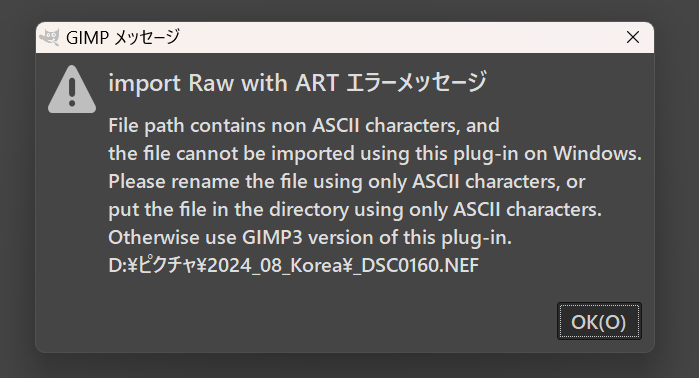
Known problem: The file path must contains only ASCII code on Windows.
Please try following version.
import_raw_with_ART_g210.py (3.4 KB)
Known problem: The file path must contains only ASCII code on Windows.
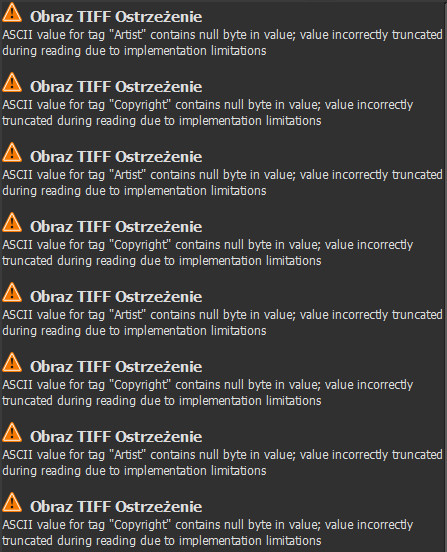
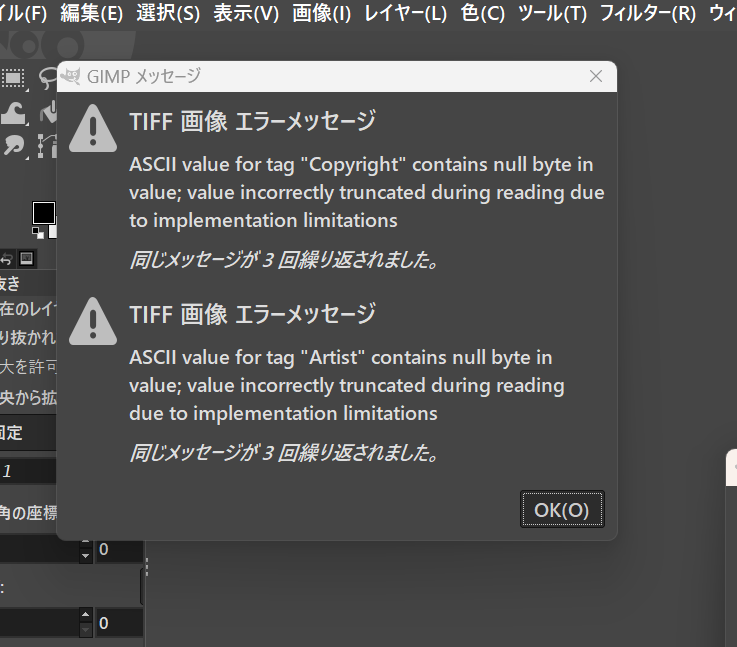
First error messages are not the bug of this plug-in. It is a Nikon NEF format specific problem and has no actual effect for importing.
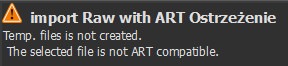
Second error message may occur because your file path contains non ASCII code characters, like Polish-specific characters with accent. I cannot find the solution yet.
I release GIMP 2.10 version of this plug-in.
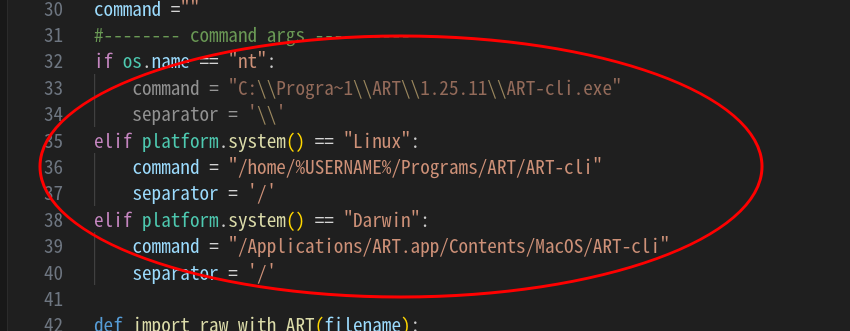
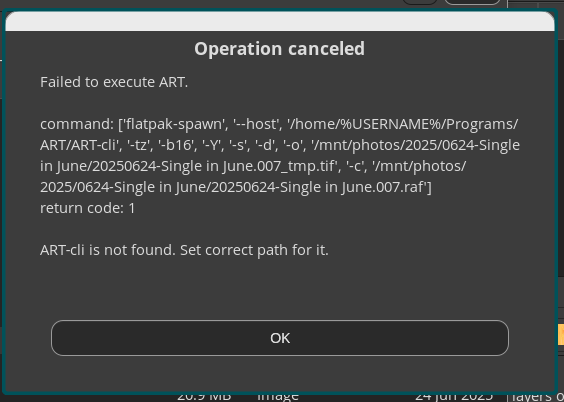
It is needed to set appropriate path for ART-cli
And, on Windows, there are some limitations.
For ART-cli path, you cannot use the path name with spaces.
For importing file path, it must not contain non ASCII characters, like characters with accent, Kanji characters, Cyrillic characters, etc. however it can contain spaces.
Its reason is mainly from the limitation of subprocess.call method on Python2.7, which cannot handle Unicode (UTF-16) characters used in Windows to process non ASCII characters file or path names.
If you want to use these characters in path names on Windows, it is strongly recommended to use GIMP3 version of this plug-in. And there are no character code problems on Linux and Mac OS.
And if you use this plug-in with GIMP2.10 Flatpak version, you must start GIMP 2.10 with --socket=session-bus option. It is same as GIMP3.
Also you can see following messages.
This is the compatibility problem of ART-cli processing result and GIMP. However it does not have any effect of importing image itself.
I added minor change to GIMP3 version.
I have updated this plug-in.
The changes in this version, users configure using config.ini file and can specify bit depth of demozaiced image file and image format of temp. file (png or tiff). It enables you to avoid error messages during importing process in some environments.
If you are satisfied with previous version, it is not needed to update it.
This is awesome.
I got the Windows version to work. Now the challenge, Linux.
Both ART and GIMP are installed as flatpaks. Where/how do I run the flatpak version of ART-cli?
Thank you
HI,
Please use following command to start GIMP.
$ flatpak --socket=session-bus run org.gimp.GIMP --verbose
It is convenient to edit GIMP desktop file using upper command.
Sorry. You also run ART flatpak version? I’ll take a look.
It seems that flatpak does not support cli interface utilities.
So you can use Flatpak version GIMP, however ART must be non-flatpak version.
Thank you
Hi,
I have updated this plug-in.
In this update, I have added the option of decoding function of Nikon High Efficiency compression NEF, like Gimp Plug-in using ART as raw editor-importer. However I have omitted decoding function of JPEG-XL encoded dng as its decoding results are unstable.
The settings for using this option is same as Gimp Plug-in using ART as raw editor-importer, so please refer the following my post.
Sorry for my ignorance…
Since you are using open source software, here is my question:
I did not know it was possible to decode this proprietary format, by Nikon.
I had an impression that this decoding was only possible with proprietary software (e.g. Lightroom)
In short, so far, you could not work with these files with darktable, RawTherapee etc
How do you achieve this decoding?
Yes, you are right.
So this plug-in uses Adobe DNG Converter as helper program to decode Nikon HE encoded NEF files. Please see the linked my post for details.
Sorry, I included wrong locale files in this version. I have updated this version.
Hi,
I have finally found the Flatpak application control method from GIMP3 plug-in. So I have updated this plug-in that allows users to use ART Flatpak version as client program.
To use ART Flatpak version as client program, you need to modify the description in config.ini file as below.
[ART directory path on Linux]
COMMAND_LINUX;flatpak run us.pixls.art.ART
Hi,
I updated this plug-in (ver. 0.5).
Revised points are…
It allows file names which contains space or parenthesis, even if users use ART flatpak version.
Improved error handling.
I have updated this plug-in (ver. 0.5a).
In this version, I have fixed bug in error processing of ARTsubprocess.py.