GIMP plug-in using ART as raw importer

I wrote a GIMP3 plug-in using ART as raw importer. This plug-in simply converts raw file to TIFF file with default setting and imports it to GIMP, and does not show UI. Actually Alberto wrote GIMP3.2 plug-in which imports raw to GIMP and is more useful. However as far it seems that it is now operationable in only Windows version in GIMP3.2 RC1, and anyway GIMP raw importing function itself is not available in Flatpak version because Flatpak version cannot detect raw converters in your system automatically.

My plug-in is operationable even in GIMP Flatpak version and I think it still makes sense to use it.

The download link is below.

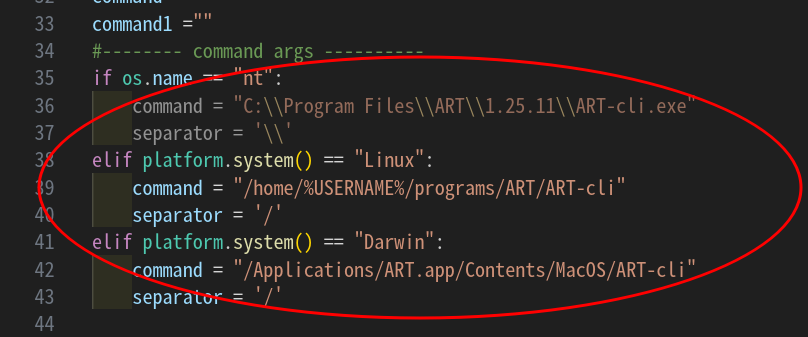
To use this plug-in, install it to GIMP plug-in directory and make it executable, and in the plug-in set the appropriate path of ART-cli in your system.

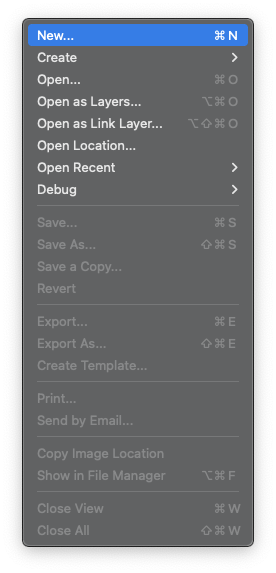
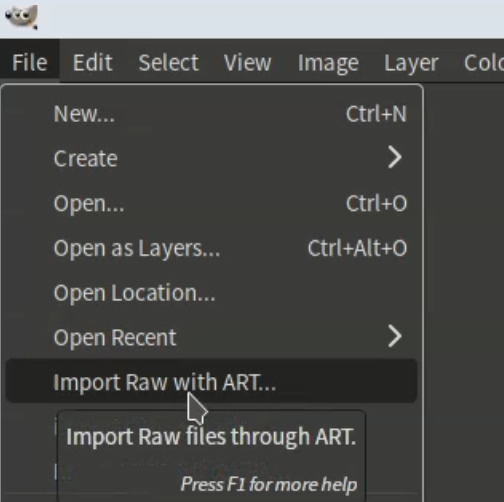
After installation, you can start my plug-in from [File] > [Impor Raw with ART] menu.

And if you use GIMP3 Flatpak version, start the GIMP with following command.

$ flatpak run --socket=session-bus org.gimp.GIMP

4 Likes

Even for Windows, using ART-cli.exe is a great idea (it’s fast and doesn’t require any ART knowledge).
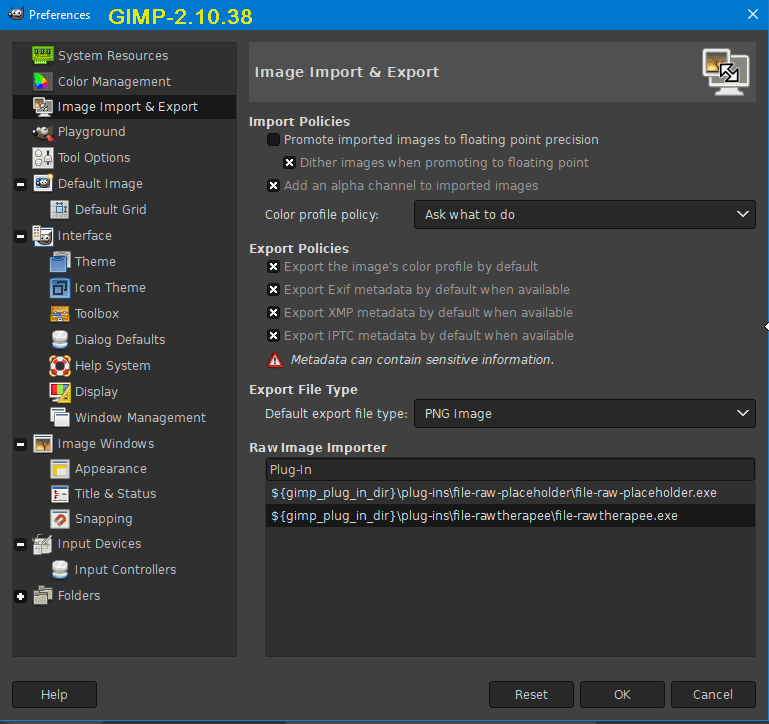
Such a plugin would also be very useful for GIMP 2.10.38 (due to the lack of an ART option).

1 Like

Using Gimp3.2.0 on MacOS, your plugin doesn’t work for me. I installed the files in the Gimp plugin directory (I tried the 2 different locations that are set in the Gimp Settings) but the “Import” file menu doesn’t appear.

Thank you for your report. I will take a look later.

1 Like

Hi,
I tried it on GIMP 3.2 RC1 in Mac OS 15.6 (ARM64) + ART Official build. However it operates normally. Would you run it in GIMP verbose mode and post the log here?

And please copy all files of the plug-in to the installation directory.

Here is GIMP 2.10 version of this plug-in.

import_raw_with_ART_g210.py (2.6 KB)

My attempt at ART in GIMP 2.10.38
I installed the plug-in, the latest version of ART
AND EFFECT:
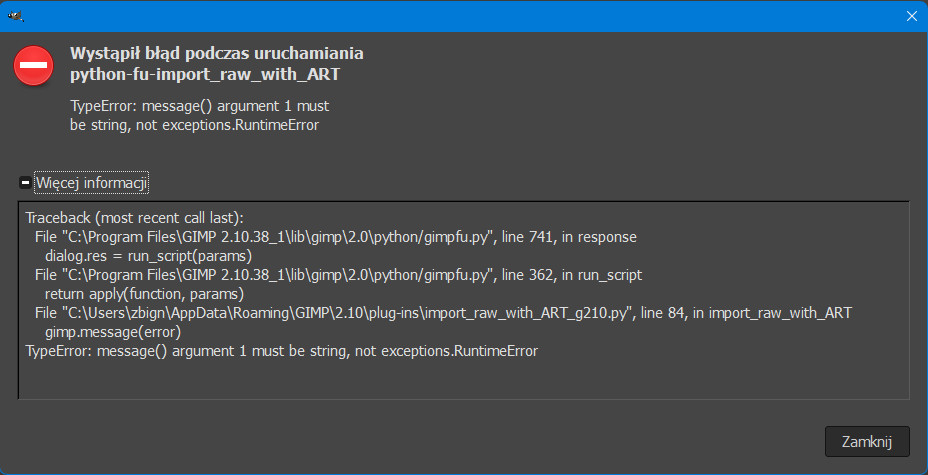
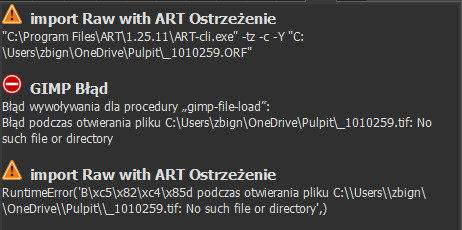
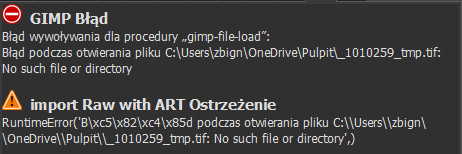
GIMP Error
Call error for procedure “gimp-file-load”:
Error while opening the file C:\Users\zbign\OneDrive\Pulpit\FH9A0873.tif: No such file or directory

And I have C:\Users\zbign\OneDrive\Pulpit\FH9A0873.CR2

So, I copied your files into /Applications/GIMP.app/Contents/Resources/lib/gimp/3.0/plug-ins/import_raw_through_ART (two .py files and the locale folder), started Gimp in verbose mode and got this:

...
INIT: gimp_real_restore
Parsing '/Users/sguyader/Library/Application Support/GIMP/3.2/pluginrc'
Querying plug-in: '/Applications/GIMP.app/Contents/Resources/lib/gimp/3.0/plug-ins/file-another-rawtherapee/file-another-rawtherapee'
Querying plug-in: '/Applications/GIMP.app/Contents/Resources/lib/gimp/3.0/plug-ins/file-darktable/file-darktable'
Initializing plug-in: '/Applications/GIMP.app/Contents/Resources/lib/gimp/3.0/plug-ins/file-another-rawtherapee/file-another-rawtherapee'
Initializing plug-in: '/Applications/GIMP.app/Contents/Resources/lib/gimp/3.0/plug-ins/mail/mail'
Initializing plug-in: '/Applications/GIMP.app/Contents/Resources/lib/gimp/3.0/plug-ins/file-heif/file-heif'
Initializing plug-in: '/Applications/GIMP.app/Contents/Resources/lib/gimp/3.0/plug-ins/file-darktable/file-darktable'
Writing '/Users/sguyader/Library/Application Support/GIMP/3.2/pluginrc'
Starting extension: 'extension-script-fu'
INIT: gui_restore_after_callback
Parsing '/Users/sguyader/Library/Application Support/GIMP/3.2/shortcutsrc'
Parsing '/Users/sguyader/Library/Application Support/GIMP/3.2/action-history'
Parsing '/Users/sguyader/Library/Application Support/GIMP/3.2/devicerc'
Parsing '/Users/sguyader/Library/Application Support/GIMP/3.2/controllerrc'
Loading menu '/Applications/GIMP.app/Contents/Resources/share/gimp/3.0/menus/image-menu.ui' for /image-menubar
Writing '/Users/sguyader/Library/Application Support/GIMP/3.2/gimprc'

Still no “Import” menu:

Mac mini M1 running Sequoia 5.7.1

Thank you.

I found the reason. :blush:
Your script directory name is “import_raw_through_ART”, however my script name is “import_raw_through_ART_g3.py”, so you can solve the problem renaming script name to “import_raw_through_ART.py” or directory name to “import_raw_through_ART_g3”.

1 Like

Thank you for your report.

Try this version.
import_raw_with_ART_g210.py (3.0 KB)

I installed a new version of the plug-in

  • effect

How about this?

import_raw_with_ART_g210.py (3.0 KB)

Would you please input following command from command line?
“C:\Program Files\ART\1.25.11\ART-cli.exe” -tz -c -Y “C:\Users\zbign\OneDrive\Pulpit_1010259.ORF”

And check if “_01010259.tif” is created in the same directory.

I have updated this plug-in (for GIMP3, ver. 0.2).

In this version

If a file has already been imported, when importing a new file, it will be saved with a different name to avoid overwriting.

If the input raw file already has a sidecar file, the sidecar file will be referenced and the raw file will be imported.

1 Like

And I confirmed that if ART is already set to import Nikon HE compressed Raw files, using this plug-in, you can directly import Nikon HE compressed Raw files to GIMP3.
PS C:\Users\zbign> „C:\Program Files\ART\1.25.11\ART-cli.exe” -tz -c -Y „C:\Users\zbign\OneDrive\Pulpit_1010259.ORF”
At line:1 char:44

  • „C:\Program Files\ART\1.25.11\ART-cli.exe” -tz -c -Y „C:\Users\zbign\ 

  •                                        ~~~
    

Unexpected token ‘-tz’ in expression or statement.
At line:1 char:48

  • „C:\Program Files\ART\1.25.11\ART-cli.exe” -tz -c -Y „C:\Users\zbign\ 

  •                                            ~~
    

Unexpected token ‘-c’ in expression or statement.
+ CategoryInfo : ParserError: (:slight_smile: , ParentContainsErrorRecordException
+ FullyQualifiedErrorId : UnexpectedToken

Please try this version.
import_raw_with_ART_g210.py (3.3 KB)


I have fixed the errors on Windows of this plug-in (GIMP3 version).