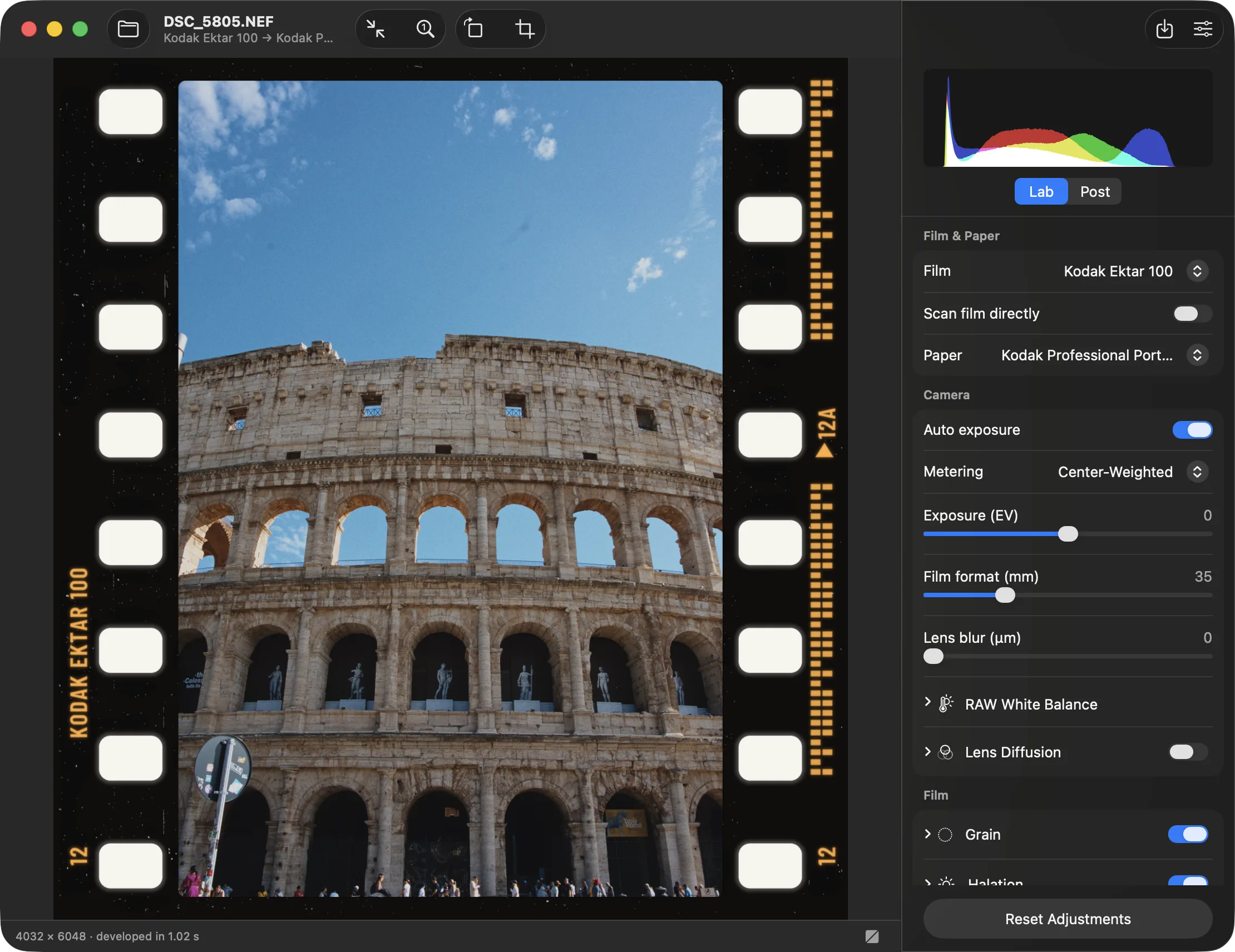
I love Spektrafilm and have been using it a lot this year. I worked with the Python UI for a long time. Then I tried out spektrafilm-rs for the improved performance and worked with that for a while. I kept adding features I was missing and little improvements.
I decided to polish the current state and publish it so other people on MacOS can benefit. Here’s a non exhaustive list of features and improvements:
GPU pipeline that’s close enough to the CPU reference pipeline to use for exports => almost instant exports
Reduced memory usage. Editing 60MP files on a 8GB RAM M1 Mac is possible
A beautiful native MacOS GUI
Easy Installation on MacOS
A lot more features: Toggle before and after, add borders, crop, tilt, a histogram…
Oh wow, this looks really good. I will take a closer look.
Yeah, it’s not negative. Everyone is using their claude and I’m happy if someone else is investing their tokens! The only things I found online were Spektrafilm (python), Spektrafilm-rs, ART Spektrafilm LUTs and Darktable Spektrafilm.
Darktable was the most interesting to me. Thank you for pointing me to this one!
For anyone stumbling across this thread I had the AI compare the two projects:
Negs
Download it and install, with automatic updates; macOS 14 or later (not notarized, so you allow it once)
About 20 colour films plus experimental black and white, and Ilford paper
Renders the full look, grain included, on every change, so the preview is the final image; about half SpektraMac’s speed
Matches Spektrafilm very closely, with an optional 64-bit reference export
Six classic metering modes
RAW white balance control, and tested with Nikon HE★ and 60 MP files
Undo, crop, straighten, rotate, and film borders with each stock’s edge print
Many fine-tuning controls, plus simple brightness, contrast and saturation sliders
Mac only today, with Windows and Linux planned
SpektraMac
Build it yourself in Xcode 27; macOS 26.5 or later, and still in beta
About 20 colour films, no black and white
Fast: renders in about half the time, and shows an instant preview while you drag a slider
Takes small shortcuts that differ slightly from Spektrafilm, which its author says isn’t visible side by side
Meters exposure on the faces, people or objects it finds in the photo
Tone graph, sky “burn” and highlight boost
Presets, your own defaults for each film, and a preview of each film as you point at it in the menu
Saves in a wider colour range (Display P3), and can export a LUT for other apps
No crop, borders, undo or RAW white balance
Summary: choose SpektraMac for the fastest editing and smart face metering, if you’re happy to build it yourself. Choose Negs for an app you can download today, with black and white film, RAW white balance, cropping and borders, and output closest to the original Spektrafilm.
I suspect this summary will be outdated fast. I’m happy many people are working on this, there’s so much free stuff now.
I’m going to say something controversial: when I buy a laptop, I plan* for an average usable lifespan of at most 7 years. It sounds a bit elitist, but back in the 90s or early 2000s, 7 years were a long time. Sure you can keep using them for a longer time but, provided that they survive 10 years, you can’t reasonably expect to be fully supported or be able to run recent software with decent performances.
*concretely it means that after 5 years I know that I must start saving for a new one.
my intel imac is only 6 years old , my previous imac was 11 years old and was still getting major OS updates before it broke and i had to get a new one, what you’re saying doesn’t really follow my reality
MacOS 27 cuts support for almost all intel macs right? It might not follow your reality now but more and more developers are just gonna leave the platform unsupported…
You can use hardware for 10, 20, 30 years if you want, but not to expect to run the newest software for that long, that’s always been the case. I couldn’t run AAA games on my 8-year-old Dell.
And since buying a new laptop is a significant expense for most of us, the suggestion of planning in advance is pure common sense.
In this instance, it’s not even a problem, because the original implementation of Spektadilm is in Python and a few ports of it (in Rust, in darktable, in vkdt, etc), don’t require Metal. What you are missing here is something that probably your gpu can’t provide anyway.