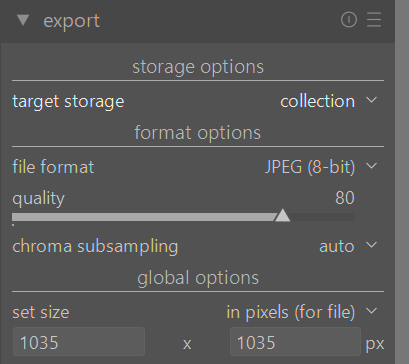
What would be the correct settings to export my photos using DT for the purpose of posting them on Instagram?
Thank you all.
What would be the correct settings to export my photos using DT for the purpose of posting them on Instagram?
Thank you all.
Did you check with instagram around what they want? With that information, you should be able to make dt match those settings. I think they like the 5:4 ratio now.
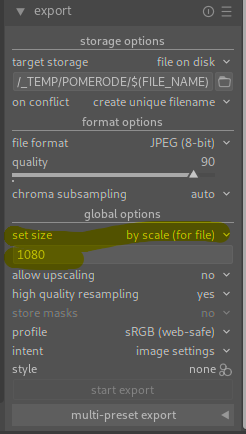
click on the yellow marked drop down for the option to set width
First you need to apply the crop in the crop module. Then you set the export to the pixel size you want like Martin described.
I know the crop is 4x5, but I’d like to set the longest side of the image to 1035px and have DT automatically adjust the shorter side of the photo.
I’d like to know where in the export tool I can set this.
Please read the manual. If you still have questions afterwards, ask them.
BTW, on Instagram’s image sizes (you may be surprised): A Definitive(ish) Guide to How Instagram Handles Images
I’ve been using the page that @kofa posted as a reference. My IG posts appear to be working well.