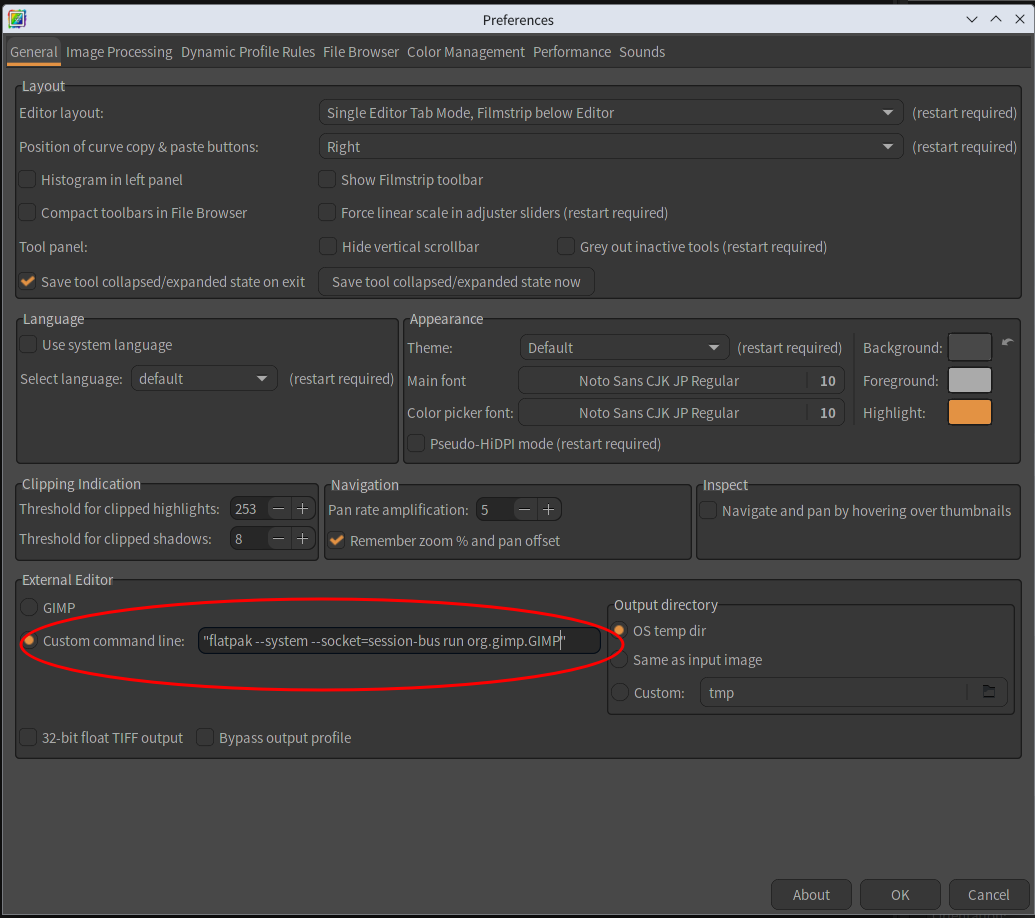
To specify GIMP flatpak version as External Editor, you input your GIMP starting command like following image. The starting command must be enclosed in " ".
2 Likes
Ok.
Went to try this, as I’ve never done it before. I’m on Pop_!OS Cosmic (Ubuntu 24.04 variant).
This command in a CLI opens GIMP: flatpak run org.gimp.GIMP
This is the Settings page:
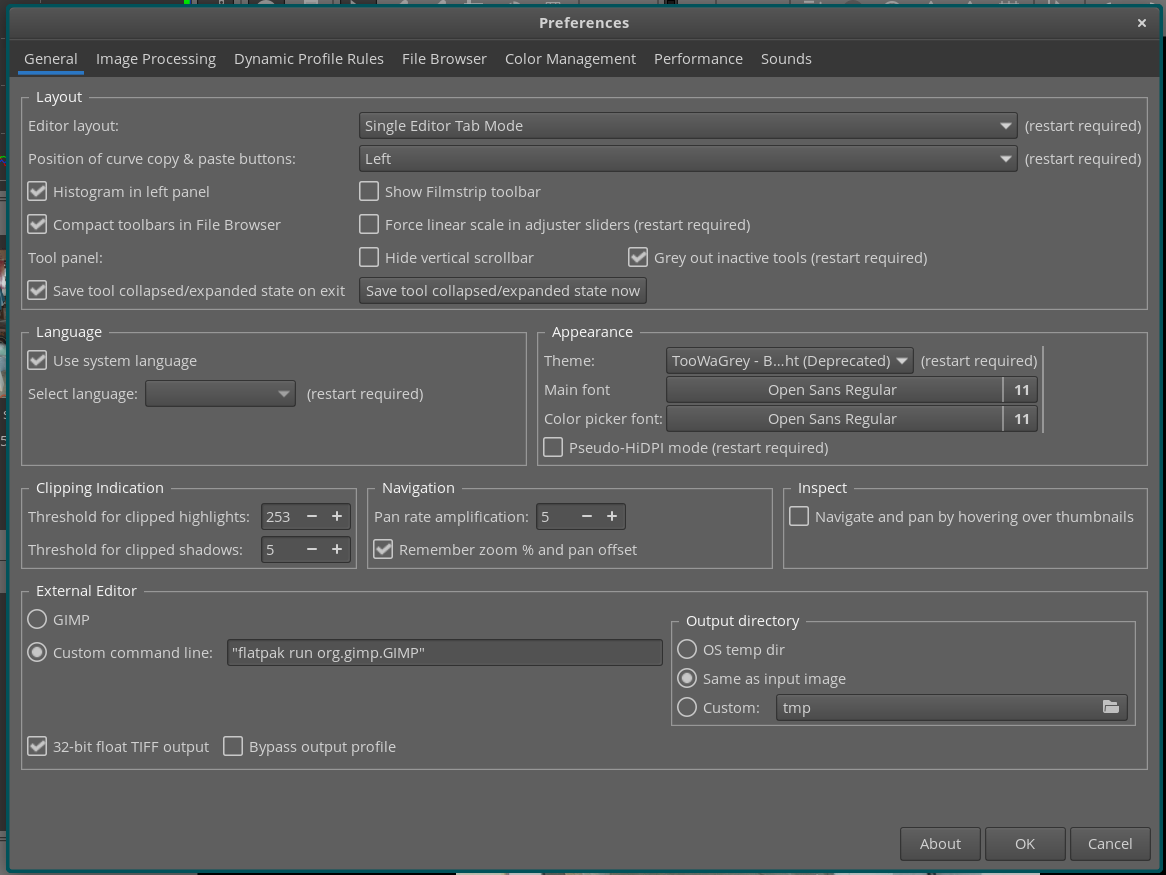
In ART, I get this:
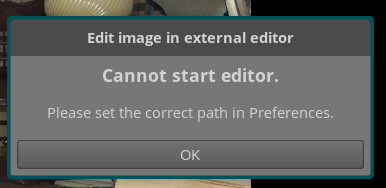
Any idea what am I doing that is wrong?
thanks
HI,
In my environment, GIMP: flatpak version and ART: official binary.
Did you install your ART through flatpak?
Yes.
I tried using following starting option with ART flatpak version to communicate with GIMP, however they are all failed.
--socket=system-bus
--socket=session-bus
It seems that it is impossible to start GIMP from ART flatpak version.
Thank you
The following works for me, I’m using Fedora Silverblue 48, both ART and GIMP are flatpaks, in terminal do:
flatpak override --user --talk-name=org.freedesktop.Flatpak us.pixls.art.ART
Then for external editor input:
"flatpak-spawn --host flatpak run org.gimp.GIMP"
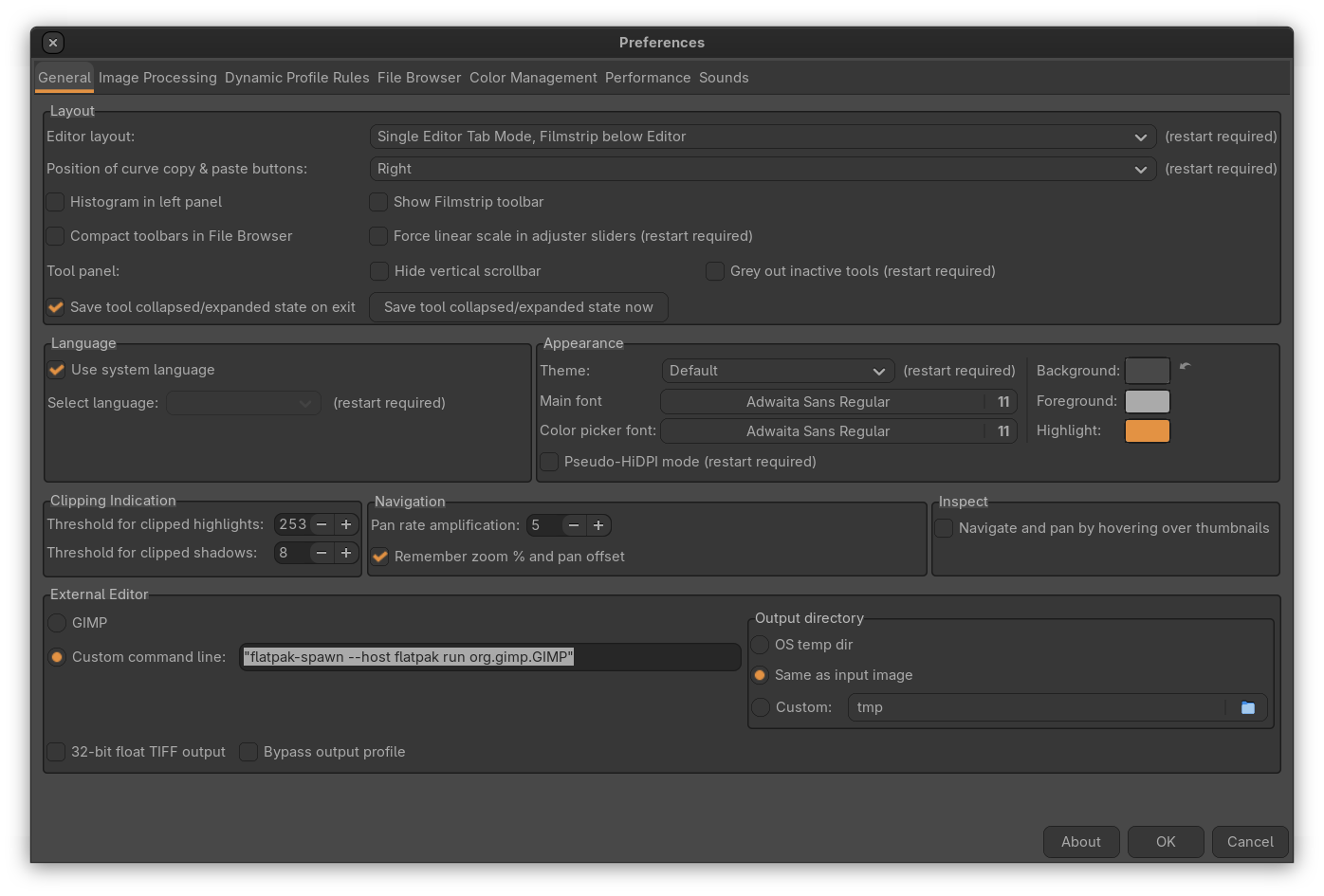
Thank you very much for your useful information.
In my environment (Kubuntu 24.04), I can start GIMP from ART flatpak version!
1 Like
Can something similar be done in GIMP to use ART to open raw files?
Thanks
Here is a prototype version of import_raw_through_ART_UI_g3.py.
It doesn’t use ART-cli and only use ART itself, so it may operate with ART flatpak version. However I didn’t test it with ART flatpak version, and you will need to adjust config.ini or other settings yourself.
1 Like