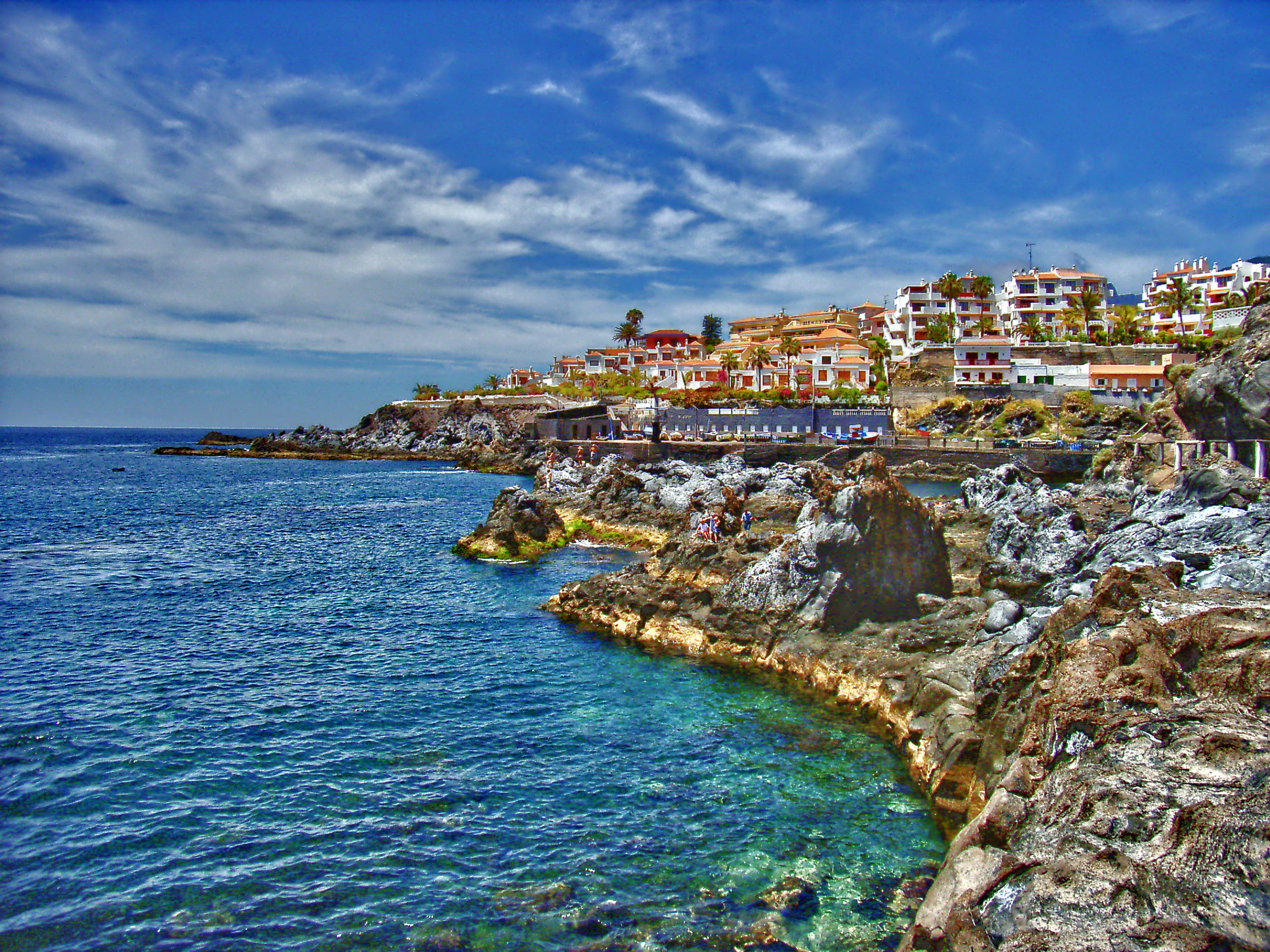
Improved memories of 4MP photos with upscaling

Yes, IM has many possibilities for resizing, such as “-resize” or “+distort resize”, or doing the operation in linear RGB colorspace. For tenerife1.jpg, the differences between these are quite small (eg less than 1% RMSE), and (in my opinion) are mostly dwarfed by the problems inherent in the input.

However, your eyesight may be more critical than mine, and your aesthetic taste may be different. I encourage you to try different resizing methods.

1 Like

For my understanding, why are you downloading stuff from outside of your distro’s repositories and without using the package manager? I would avoid that as much as possible. Any relatively up-to-date distro should have GMIC and the various GMIC plugins in its repos these days.

3 Likes

This is very helpful, thank you! So I can concentrate on an upsize strategy and not the “module” which I use. I think I am coding a simple script which creates different upscales and then I choose the best.

Maybe AI is still interesting. I upscaled 4x with IM and with gmic “patch”. With 4x I think gmic was a little better, with 2x there was no big difference.

I am aware, the source is garbage. So I am happy to improve it a little bit. If the source has artifacts already, whcih I cannot change, I think it is useless to discuss minor artifacts after upscaling.

With gmic the problem is, that 2x upscaling is a little bit too less and 4x a lot too much. I want to make the horizon even, a.s.o. with dt.

So any hints for gmic are welcome.

SInce this didn’t work.

and

The command now works and I have read, that it could be important to use the newest gmic with newest AI code. So i tried the devel version and not the stable version.

No it doesn’t unfortunately. At least a gmic which works with this plugin. I think gmic 3 is minimum.

I think this is not scriptable. I played with GIMP and AI and could take 1 minute to upscale.

My priority for the moment is to create a gmic-script with diferrent options and choose the best then manually.

1 Like

I have never used any of the *buntu’s, Mint or Debian itself (I’ve been a Manjaro/Arch user for years) so I cannot tell whether this is accurate or not.

Ya I don’t know about the scriptable…you can drag photo’s for batch processing but I really have not done much with it and there are a variety of models and I have no idea if some are good or garbage… at the moment I haven’t looked into it enough to know…good luck

I fully agree not to install other packages than from the distro normally. It starts with darktable already to use the newest stable dt. Original Ubuntu stable (24.04) dt packages are a lot too old. I think it is something like dt 4.

You link to the plugin, while Ubuntu 24.04 doesn’t offer gimp 3, but gimp 2. The “devel Ubuntu” 25.10 offers gimp3, but an old plugin.

The best option is normally to use flatpak then. It offers gimp3 and a gmic-plugin with a version greater than 3. This is what I did, using flatpak. It is easy to update flatpak too.

So there is still the problem where to get a gmic 3, since it is not available via flatpak. I posted the link, where I got it.

I need the gimp-plugin to see the command, but then I need gmic itself for the script.

Now I am thinking about the gmix-script. It should save the “camera processed source”, which should not be overwritten. So maybe a tgz-file based on the album and if this tgz-file exists, dont’t create it a 2nd time.

The Caplio files have broken metadata, which I repaired already. I fear I cannot select images with a resolution lower than x and upscale them automatically. There are so many exceptions with these old camera files, which I don’t remember.

I think I have to do special options with the unsharp lagos files. I have to do Richardson Lucy sharpening and upscale together.

So I am thinking on a workflow until I can start dt.

Me too, but I think @garagecoder is doing a very professional job. I found some threads with him, like:

It looks like Upscale [Patch2x] is @garagecoder latest plugin for upscaling. Gimp shows it under testing. So I assume all his experiences of earlier plugins are included here.

As already said:

So I think it doesn’t matter much which plugin I use.

But any ideas are welcome.

Gimp has batch plugin, so I’d imagine batch plugin + gmic plugin should work.

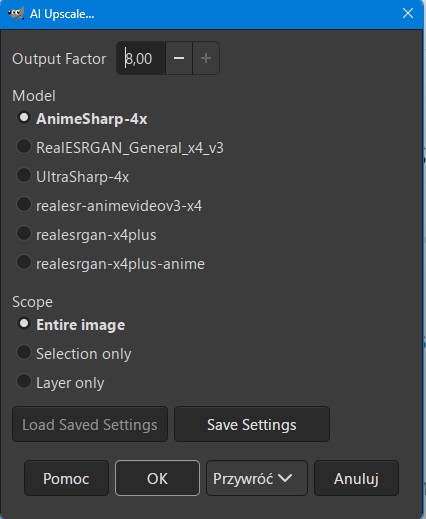
GIMP Upscale Plugin – AI Image Upscaler (RealESRGAN) for GIMP 2.10 & 3.0

Releases · Nenotriple/gimp_upscale · GitHub 09-08-2025r

Max Output Factor 8 !

AI Upscaling mit GIMP – Quergedacht! v4.0 Tuto

And in more detail in Japanese language gogl translate.

1 Like

" You don’t take a picture, you make a picture." Ansel Adams

Lots of blends using more than a few G’MIC tricks and a few GIMP plugins. Didn’t uprez, though, but could have used UpScayl I suppose. :slight_smile:

1 Like

Sorry for long delay as I went away for the weekend. In the diffuse or sharpen module there is a preset for lens deblur (Hard, medium, soft) which I find helpful when I have a slightly unsharp jpg image. Of course it also works with RAW files but in the case of RAW files I apply some initial sharpening which I wouldn’t apply to JPGs.

The old school sharpen module may also be useful with JPGs that need extra sharpening. That is how programs like Photoshop did it for years. But keep in mind JPGs out of cameras are already sharpened and should not be indiscrimately sharpened again unless there is an issue in the individual image.

Good luck with your editing.

Can this be used with gmic? I think to upscale a lot photos it must be scripted, otherwise it would take too much time.

I have created a bash-script with gmic 3.7.0 using Ubuntu 24.94

Please use it only if you are experienced with the bash and if you check my commands before. I know some parts could be better coded, but it works for me for testing.

It works for me with my pc without problems, but this doesn’t mean it works with your pc.

IMHO the only dangerous command could be

rm -r "$albumdir/upscale-$albumdirshort"

It was coded a little bit strange since upscaledir exists

upscaledir="$albumdir/upscale-$albumdirshort"

The advantage is, if a variable gets empty then there is something to delete, which doesn’t exist probably.

If you are angry, make the line with “rm” as a comment and put # before it. Then you have to delete the upscaledir manually.

I called it upscale-script.sh

In a terminal run:

Example:
upscale-script.sh /path-to-pictures/lagos/

Avoid spaces in the path, not sure it all is quoted correctly.

What the script does:

creates a tgz-backupfile of the dir, if the backupfile doesn’t exist

Upscaling options with gmic must be defined for every image-dir. So you can/must define for every image-dir different upscaling options

For now there are 6 different options pre-defined and can be changed easily. Simply make “optionX” a comment with # before and it will not be computed

The name of the upscaled file has a part of the options included.

The original metadata are (more or less) restored with exiftool

The result files look something like this:

upscale-lagos$ ls -1
lagos1.jpg
lagos1_patch2x_0-0+richardsonlucy_1.3-4-1-1.jpg
lagos1_patch2x_0-0+richardsonlucy_1.4-8-1-1.jpg
lagos2.jpg
lagos2_patch2x_0-0+richardsonlucy_1.3-4-1-1.jpg
lagos2_patch2x_0-0+richardsonlucy_1.4-8-1-1.jpg

So the original file was copied to the upscale-dir, so it is easier to compare.

The idea is to get files with different upscales automatically and you delete the files which you don’t like. To upscale hundred of files with gimp manually would take days. With the new filename you have an idea how you should change the options maybe.

# #!/bin/bash

if [ -z "$1" ]; then
	echo
	echo "enter image dir as argument"
	echo "start script with image dir again"
	echo "used with gmic v.3.7.0"
	echo
	exit
fi

if [ -d "$1" ]; then
	cd "$1"
	albumdir=$(pwd)
	albumdirshort=$(basename "$albumdir" | sed -e 's/.*/\L&/' -e 's/ /_/g')
	backupfile="$albumdir/$albumdirshort.tgz"
	upscaledir="$albumdir/upscale-$albumdirshort"
	echo
	It
	# removing existing upscale-files
	if [ -d "$upscaledir" ] ; then
		# danger of using an empty variable with rm, therefore
		rm -r "$albumdir/upscale-$albumdirshort"
		echo "deleted existing <$upscaledir>"
	fi
	mkdir -p "$upscaledir"
	echo "created empty <$upscaledir>"
	echo
else
	echo "image dir not found"
	echo "enter a valid image dir"
	echo "start script with image dir again"
	echo
	exit
fi

if [ ! -f "$backupfile" ] ; then
	time tar -cvzf "$backupfile" "$albumdir"
else
	echo
	echo "$backupfile exists"
	echo "maybe this is an old and not uptodate backup!"
	echo
fi

# preferred albumnames in lowercase without spaces
# no tests have been made with files using spaces

option1=
option2=
option3=
option4=
option5=
option6=

# looks like gmic-tile is broken with 3.7.0

# edit with your album-names
# define options which you want to use

if [ "$albumdirshort" = "tenerife" ] ; then

	# garagecoder

	option1="fx_gcd_upscale_patch2x 0,0"
	option_filename1=$(echo "$option1" | cut -f4 -d"_" | sed -e 's/ /_/g' -e 's/,/-/g')
	
	#option2="fx_gcd_upscale_patch2x 0,1"
	option_filename2=$(echo "$option2" | cut -f4 -d"_" | sed -e 's/ /_/g' -e 's/,/-/g')
	
	option3="fx_gcd_upscale_patch2x 2,0"
	option_filename3=$(echo "$option3" | cut -f4 -d"_" | sed -e 's/ /_/g' -e 's/,/-/g')
	
	#option4="fx_gcd_upscale_patch2x 2,1"
	option_filename4=$(echo "$option4" | cut -f4 -d"_" | sed -e 's/ /_/g' -e 's/,/-/g')
	
	# garagecoder + richardsonlucy
	
	option5="fx_gcd_upscale_patch2x 2,0 fx_unsharp_richardsonlucy 1.2,2,1,1"
	option_filename5=$(echo "$option5" | cut -f4 -d"_" | sed -e 's/ fx//')+$(echo "$option5" | cut -f6 -d"_")
	option_filename5=$(echo "$option_filename5" | sed -e 's/ /_/g' -e 's/,/-/g')

	option6="fx_gcd_upscale_patch2x 2,0 fx_unsharp_richardsonlucy 1.3,3,1,1"
	option_filename6=$(echo "$option6" | cut -f4 -d"_" | sed -e 's/ fx//')+$(echo "$option6" | cut -f6 -d"_")
	option_filename6=$(echo "$option_filename6" | sed -e 's/ /_/g' -e 's/,/-/g')


elif [ "$albumdirshort" = "lagos" ] ; then

	# garagecoder

	#option1="fx_gcd_upscale_patch2x 0,0"
	option_filename1=$(echo "$option1" | cut -f4 -d"_" | sed -e 's/ /_/g' -e 's/,/-/g')
	
	#option2="fx_gcd_upscale_patch2x 0,1"
	option_filename2=$(echo "$option2" | cut -f4 -d"_" | sed -e 's/ /_/g' -e 's/,/-/g')
	
	#option3="fx_gcd_upscale_patch2x 2,0"
	option_filename3=$(echo "$option3" | cut -f4 -d"_" | sed -e 's/ /_/g' -e 's/,/-/g')
	
	#option4="fx_gcd_upscale_patch2x 2,1"
	option_filename4=$(echo "$option4" | cut -f4 -d"_" | sed -e 's/ /_/g' -e 's/,/-/g')

	# garagecoder + richardsonlucy
	
	option5="fx_gcd_upscale_patch2x 0,0 fx_unsharp_richardsonlucy 1.3,4,1,1"
	option_filename5=$(echo "$option5" | cut -f4 -d"_" | sed -e 's/ fx//')+$(echo "$option5" | cut -f6 -d"_")
	option_filename5=$(echo "$option_filename5" | sed -e 's/ /_/g' -e 's/,/-/g')

	option6="fx_gcd_upscale_patch2x 0,0 fx_unsharp_richardsonlucy 1.4,8,1,1"
	option_filename6=$(echo "$option6" | cut -f4 -d"_" | sed -e 's/ fx//')+$(echo "$option6" | cut -f6 -d"_")
	option_filename6=$(echo "$option_filename6" | sed -e 's/ /_/g' -e 's/,/-/g')
	
else

	echo
	echo "no gmic-options defined for <$albumdirshort>"
	echo "edit script and define options"
	echo
	exit
fi

# assuming no files in subdirs
# keeping original size in Makernotes

find "$albumdir" -maxdepth 1 -type f -regex ".*\(jpg$\|jpeg$\)" -print0 | sort | while read -d $'\0' image_file_source
do

	# doing a lot for filenames
	
	image_file_source_short=$(basename "$image_file_source")
	image_file_without_extension=$(echo "$image_file_source_short" | sed -e 's/\.[^.]*$//')
	echo
	echo "============================================"
	echo
	echo "upscaling $image_file_source_short"
	
	# for comparison
	cp "$image_file_source" "$upscaledir"
	
	image_file_upscaled1="$upscaledir""/$image_file_without_extension""_$option_filename1".jpg
	image_file_upscaled2="$upscaledir""/$image_file_without_extension""_$option_filename2".jpg
	image_file_upscaled3="$upscaledir""/$image_file_without_extension""_$option_filename3".jpg
	image_file_upscaled4="$upscaledir""/$image_file_without_extension""_$option_filename4".jpg
	image_file_upscaled5="$upscaledir""/$image_file_without_extension""_$option_filename5".jpg
	image_file_upscaled6="$upscaledir""/$image_file_without_extension""_$option_filename6".jpg


	if [ -n "$option1" ] ; then
		echo
		echo "----------------------"
		echo "$option1"
		echo
		time gmic -i "$image_file_source" -$option1 -o "$image_file_upscaled1"
		exiftool -q -q -m -overwrite_original -tagsfromfile "$image_file_source" -all:all -tagsfromfile "$image_file_upscaled1" -all:all "$image_file_upscaled1"
		new_image_width=$(exiftool -q -q -s -s -s -FILE:ImageWidth "$image_file_upscaled1")
		new_image_height=$(exiftool -q -q -s -s -s -FILE:ImageHeight "$image_file_upscaled1")
		exiftool -overwrite_original -EXIF:ExifImageWidth="$new_image_width" -EXIF:ExifImageHeight="$new_image_height" "$image_file_upscaled1"
	fi

	if [ -n "$option2" ] ; then
		echo
		echo "----------------------"
		echo "$option2"
		echo
		time gmic -i "$image_file_source" -$option2 -o "$image_file_upscaled2"
		exiftool -q -q -m -overwrite_original -tagsfromfile "$image_file_source" -all:all -tagsfromfile "$image_file_upscaled2" -all:all "$image_file_upscaled2"
		new_image_width=$(exiftool -q -q -s -s -s -FILE:ImageWidth "$image_file_upscaled2")
		new_image_height=$(exiftool -q -q -s -s -s -FILE:ImageHeight "$image_file_upscaled2")
		exiftool -overwrite_original -EXIF:ExifImageWidth="$new_image_width" -EXIF:ExifImageHeight="$new_image_height" "$image_file_upscaled2"
	fi
	
	if [ -n "$option3" ] ; then
		echo
		echo "----------------------"
		echo "$option3"
		echo
		time gmic -i "$image_file_source" -$option3 -o "$image_file_upscaled3"
		exiftool -q -q -m -overwrite_original -tagsfromfile "$image_file_source" -all:all -tagsfromfile "$image_file_upscaled3" -all:all "$image_file_upscaled3"
		new_image_width=$(exiftool -q -q -s -s -s -FILE:ImageWidth "$image_file_upscaled3")
		new_image_height=$(exiftool -q -q -s -s -s -FILE:ImageHeight "$image_file_upscaled3")
		exiftool -overwrite_original -EXIF:ExifImageWidth="$new_image_width" -EXIF:ExifImageHeight="$new_image_height" "$image_file_upscaled3"
	fi
	
	if [ -n "$option4" ] ; then
		echo
		echo "----------------------"
		echo "$option4"
		echo
		time gmic -i "$image_file_source" -$option4 -o "$image_file_upscaled4"
		exiftool -q -q -m -overwrite_original -tagsfromfile "$image_file_source" -all:all -tagsfromfile "$image_file_upscaled4" -all:all "$image_file_upscaled4"
		new_image_width=$(exiftool -q -q -s -s -s -FILE:ImageWidth "$image_file_upscaled4")
		new_image_height=$(exiftool -q -q -s -s -s -FILE:ImageHeight "$image_file_upscaled4")
		exiftool -overwrite_original -EXIF:ExifImageWidth="$new_image_width" -EXIF:ExifImageHeight="$new_image_height" "$image_file_upscaled4"
	fi
	
	if [ -n "$option5" ] ; then
		echo
		echo "----------------------"
		echo "$option5"
		echo
		time gmic -i "$image_file_source" -$option5 -o "$image_file_upscaled5"
		exiftool -q -q -m -overwrite_original -tagsfromfile "$image_file_source" -all:all -tagsfromfile "$image_file_upscaled5" -all:all "$image_file_upscaled5"
		new_image_width=$(exiftool -q -q -s -s -s -FILE:ImageWidth "$image_file_upscaled5")
		new_image_height=$(exiftool -q -q -s -s -s -FILE:ImageHeight "$image_file_upscaled5")
		exiftool -overwrite_original -EXIF:ExifImageWidth="$new_image_width" -EXIF:ExifImageHeight="$new_image_height" "$ioption6mage_file_upscaled5"
	fi
	
		if [ -n "$option6" ] ; then
		echo
		echo "----------------------"
		echo "$option6"
		echo
		time gmic -i "$image_file_source" -$option6 -o "$image_file_upscaled6"
		exiftool -q -q -m -overwrite_original -tagsfromfile "$image_file_source" -all:all -tagsfromfile "$image_file_upscaled6" -all:all "$image_file_upscaled6"
		new_image_width=$(exiftool -q -q -s -s -s -FILE:ImageWidth "$image_file_upscaled6")
		new_image_height=$(exiftool -q -q -s -s -s -FILE:ImageHeight "$image_file_upscaled6")
		exiftool -overwrite_original -EXIF:ExifImageWidth="$new_image_width" -EXIF:ExifImageHeight="$new_image_height" "$image_file_upscaled6"
	fi	

done
24.04, sorry for the typo.

This has to be removed. I hope that there are no other things which don’t matter. Probably an error with copy and paste.

Corrected script:

# #!/bin/bash

if [ -z "$1" ]; then
	echo
	echo "enter image dir as argument"
	echo "start script with image dir again"
	echo "tested with gmic v.3.7.0"
	echo
	exit
fi

if [ -d "$1" ]; then
	cd "$1"
	albumdir=$(pwd)
	albumdirshort=$(basename "$albumdir" | sed -e 's/.*/\L&/' -e 's/ /_/g')
	backupfile="$albumdir/$albumdirshort.tgz"
	upscaledir="$albumdir/upscale-$albumdirshort"
	echo

	# removing existing upscale-files
	if [ -d "$upscaledir" ] ; then
		# danger of using an empty variable with rm, therefore
		rm -r "$albumdir/upscale-$albumdirshort"
		echo "deleted existing <$upscaledir>"
	fi
	mkdir -p "$upscaledir"
	echo "created empty <$upscaledir>"
	echo
else
	echo "image dir not found"
	echo "enter a valid image dir"
	echo "start script with image dir again"
	echo
	exit
fi

if [ ! -f "$backupfile" ] ; then
	time tar -cvzf "$backupfile" "$albumdir"
else
	echo
	echo "$backupfile exists"
	echo "maybe this is an old and not uptodate backup!"
	echo
fi

# preferred albumnames in lowercase without spaces
# no tests have been made with files using spaces

option1=
option2=
option3=
option4=
option5=
option6=

# looks like gmic-tile is broken with 3.7.0

# edit with your album-names
# define options which you want to use

if [ "$albumdirshort" = "tenerife" ] ; then

	# garagecoder

	option1="fx_gcd_upscale_patch2x 0,0"
	option_filename1=$(echo "$option1" | cut -f4 -d"_" | sed -e 's/ /_/g' -e 's/,/-/g')
	
	#option2="fx_gcd_upscale_patch2x 0,1"
	option_filename2=$(echo "$option2" | cut -f4 -d"_" | sed -e 's/ /_/g' -e 's/,/-/g')
	
	option3="fx_gcd_upscale_patch2x 2,0"
	option_filename3=$(echo "$option3" | cut -f4 -d"_" | sed -e 's/ /_/g' -e 's/,/-/g')
	
	#option4="fx_gcd_upscale_patch2x 2,1"
	option_filename4=$(echo "$option4" | cut -f4 -d"_" | sed -e 's/ /_/g' -e 's/,/-/g')
	
	# garagecoder + richardsonlucy
	
	option5="fx_gcd_upscale_patch2x 2,0 fx_unsharp_richardsonlucy 1.2,2,1,1"
	option_filename5=$(echo "$option5" | cut -f4 -d"_" | sed -e 's/ fx//')+$(echo "$option5" | cut -f6 -d"_")
	option_filename5=$(echo "$option_filename5" | sed -e 's/ /_/g' -e 's/,/-/g')

	option6="fx_gcd_upscale_patch2x 2,0 fx_unsharp_richardsonlucy 1.3,3,1,1"
	option_filename6=$(echo "$option6" | cut -f4 -d"_" | sed -e 's/ fx//')+$(echo "$option6" | cut -f6 -d"_")
	option_filename6=$(echo "$option_filename6" | sed -e 's/ /_/g' -e 's/,/-/g')


elif [ "$albumdirshort" = "lagos" ] ; then

	# garagecoder

	#option1="fx_gcd_upscale_patch2x 0,0"
	option_filename1=$(echo "$option1" | cut -f4 -d"_" | sed -e 's/ /_/g' -e 's/,/-/g')
	
	#option2="fx_gcd_upscale_patch2x 0,1"
	option_filename2=$(echo "$option2" | cut -f4 -d"_" | sed -e 's/ /_/g' -e 's/,/-/g')
	
	#option3="fx_gcd_upscale_patch2x 2,0"
	option_filename3=$(echo "$option3" | cut -f4 -d"_" | sed -e 's/ /_/g' -e 's/,/-/g')
	
	#option4="fx_gcd_upscale_patch2x 2,1"
	option_filename4=$(echo "$option4" | cut -f4 -d"_" | sed -e 's/ /_/g' -e 's/,/-/g')

	# garagecoder + richardsonlucy
	
	option5="fx_gcd_upscale_patch2x 0,0 fx_unsharp_richardsonlucy 1.3,4,1,1"
	option_filename5=$(echo "$option5" | cut -f4 -d"_" | sed -e 's/ fx//')+$(echo "$option5" | cut -f6 -d"_")
	option_filename5=$(echo "$option_filename5" | sed -e 's/ /_/g' -e 's/,/-/g')

	option6="fx_gcd_upscale_patch2x 0,0 fx_unsharp_richardsonlucy 1.4,8,1,1"
	option_filename6=$(echo "$option6" | cut -f4 -d"_" | sed -e 's/ fx//')+$(echo "$option6" | cut -f6 -d"_")
	option_filename6=$(echo "$option_filename6" | sed -e 's/ /_/g' -e 's/,/-/g')
	
else

	echo
	echo "no gmic-options defined for <$albumdirshort>"
	echo "edit script and define options"
	echo
	exit
fi

# assuming no files in subdirs
# keeping original size in Makernotes

find "$albumdir" -maxdepth 1 -type f -regex ".*\(jpg$\|jpeg$\)" -print0 | sort | while read -d $'\0' image_file_source
do

	# doing a lot for filenames
	
	image_file_source_short=$(basename "$image_file_source")
	image_file_without_extension=$(echo "$image_file_source_short" | sed -e 's/\.[^.]*$//')
	echo
	echo "============================================"
	echo
	echo "upscaling $image_file_source_short"
	
	# for comparison
	cp "$image_file_source" "$upscaledir"
	
	image_file_upscaled1="$upscaledir""/$image_file_without_extension""_$option_filename1".jpg
	image_file_upscaled2="$upscaledir""/$image_file_without_extension""_$option_filename2".jpg
	image_file_upscaled3="$upscaledir""/$image_file_without_extension""_$option_filename3".jpg
	image_file_upscaled4="$upscaledir""/$image_file_without_extension""_$option_filename4".jpg
	image_file_upscaled5="$upscaledir""/$image_file_without_extension""_$option_filename5".jpg
	image_file_upscaled6="$upscaledir""/$image_file_without_extension""_$option_filename6".jpg


	if [ -n "$option1" ] ; then
		echo
		echo "----------------------"
		echo "$option1"
		echo
		time gmic -i "$image_file_source" -$option1 -o "$image_file_upscaled1"
		exiftool -q -q -m -overwrite_original -tagsfromfile "$image_file_source" -all:all -tagsfromfile "$image_file_upscaled1" -all:all "$image_file_upscaled1"
		new_image_width=$(exiftool -q -q -s -s -s -FILE:ImageWidth "$image_file_upscaled1")
		new_image_height=$(exiftool -q -q -s -s -s -FILE:ImageHeight "$image_file_upscaled1")
		exiftool -overwrite_original -EXIF:ExifImageWidth="$new_image_width" -EXIF:ExifImageHeight="$new_image_height" "$image_file_upscaled1"
	fi

	if [ -n "$option2" ] ; then
		echo
		echo "----------------------"
		echo "$option2"
		echo
		time gmic -i "$image_file_source" -$option2 -o "$image_file_upscaled2"
		exiftool -q -q -m -overwrite_original -tagsfromfile "$image_file_source" -all:all -tagsfromfile "$image_file_upscaled2" -all:all "$image_file_upscaled2"
		new_image_width=$(exiftool -q -q -s -s -s -FILE:ImageWidth "$image_file_upscaled2")
		new_image_height=$(exiftool -q -q -s -s -s -FILE:ImageHeight "$image_file_upscaled2")
		exiftool -overwrite_original -EXIF:ExifImageWidth="$new_image_width" -EXIF:ExifImageHeight="$new_image_height" "$image_file_upscaled2"
	fi
	
	if [ -n "$option3" ] ; then
		echo
		echo "----------------------"
		echo "$option3"
		echo
		time gmic -i "$image_file_source" -$option3 -o "$image_file_upscaled3"
		exiftool -q -q -m -overwrite_original -tagsfromfile "$image_file_source" -all:all -tagsfromfile "$image_file_upscaled3" -all:all "$image_file_upscaled3"
		new_image_width=$(exiftool -q -q -s -s -s -FILE:ImageWidth "$image_file_upscaled3")
		new_image_height=$(exiftool -q -q -s -s -s -FILE:ImageHeight "$image_file_upscaled3")
		exiftool -overwrite_original -EXIF:ExifImageWidth="$new_image_width" -EXIF:ExifImageHeight="$new_image_height" "$image_file_upscaled3"
	fi
	
	if [ -n "$option4" ] ; then
		echo
		echo "----------------------"
		echo "$option4"
		echo
		time gmic -i "$image_file_source" -$option4 -o "$image_file_upscaled4"
		exiftool -q -q -m -overwrite_original -tagsfromfile "$image_file_source" -all:all -tagsfromfile "$image_file_upscaled4" -all:all "$image_file_upscaled4"
		new_image_width=$(exiftool -q -q -s -s -s -FILE:ImageWidth "$image_file_upscaled4")
		new_image_height=$(exiftool -q -q -s -s -s -FILE:ImageHeight "$image_file_upscaled4")
		exiftool -overwrite_original -EXIF:ExifImageWidth="$new_image_width" -EXIF:ExifImageHeight="$new_image_height" "$image_file_upscaled4"
	fi
	
	if [ -n "$option5" ] ; then
		echo
		echo "----------------------"
		echo "$option5"
		echo
		time gmic -i "$image_file_source" -$option5 -o "$image_file_upscaled5"
		exiftool -q -q -m -overwrite_original -tagsfromfile "$image_file_source" -all:all -tagsfromfile "$image_file_upscaled5" -all:all "$image_file_upscaled5"
		new_image_width=$(exiftool -q -q -s -s -s -FILE:ImageWidth "$image_file_upscaled5")
		new_image_height=$(exiftool -q -q -s -s -s -FILE:ImageHeight "$image_file_upscaled5")
		exiftool -overwrite_original -EXIF:ExifImageWidth="$new_image_width" -EXIF:ExifImageHeight="$new_image_height" "$ioption6mage_file_upscaled5"
	fi
	
		if [ -n "$option6" ] ; then
		echo
		echo "----------------------"
		echo "$option6"
		echo
		time gmic -i "$image_file_source" -$option6 -o "$image_file_upscaled6"
		exiftool -q -q -m -overwrite_original -tagsfromfile "$image_file_source" -all:all -tagsfromfile "$image_file_upscaled6" -all:all "$image_file_upscaled6"
		new_image_width=$(exiftool -q -q -s -s -s -FILE:ImageWidth "$image_file_upscaled6")
		new_image_height=$(exiftool -q -q -s -s -s -FILE:ImageHeight "$image_file_upscaled6")
		exiftool -overwrite_original -EXIF:ExifImageWidth="$new_image_width" -EXIF:ExifImageHeight="$new_image_height" "$image_file_upscaled6"
	fi	

done
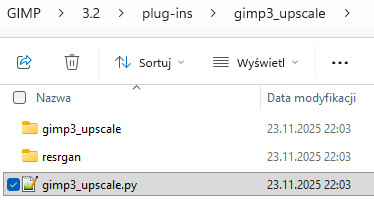
It seems there is no need to do it via gmic nor write your own scripts. Real-ESRGAN’s github repo is here:
GitHub - xinntao/Real-ESRGAN: Real-ESRGAN aims at developing Practical Algorithms for General Image/Video Restoration., and it can do batch upscaling on its own.
The repo is 4 years old so there are some version issues if you follow the README, I managed to get it working and will try to identify them below.
The end result is like this:

sean@legion:/mnt/d/real-esrgan/Real-ESRGAN$

mediainfo tenerife-upscale/*

General
Complete name : tenerife-upscale/tenerife1_out.jpg
Format : JPEG
File size : 11.6 MiB

Image
Format : JPEG
Width : 9 216 pixels
Height : 6 912 pixels
Color space : YUV
Chroma subsampling : 4:2:0
Bit depth : 8 bits
Compression mode : Lossy
Stream size : 11.6 MiB (100%)

General
Complete name : tenerife-upscale/tenerife2_out.jpg
Format : JPEG
File size : 11.7 MiB

Image
Format : JPEG
Width : 9 216 pixels
Height : 6 912 pixels
Color space : YUV
Chroma subsampling : 4:2:0
Bit depth : 8 bits
Compression mode : Lossy
Stream size : 11.7 MiB (100%)

Notes:

  1. I am using Ubuntu 22.04.5 LTS on wsl with built in python 3.10.12, I had difficulty getting python 3.12 to work. But you may get it to work according to ModuleNotFoundError: No module named ‘torchvision.transforms.functional_tensor’ · Issue #944 · xinntao/Real-ESRGAN
  2. If you follow readme from the repo, it’ll install latest version of pytorch, torchvision and numpy, which I needed to uninstall and downgrade. I have an nVidia GPU so installed cuda versions, you can install cpu version if you don’t have one per Previous PyTorch Versions. Here are the versions I adjusted to:
    pip install torch==1.13.1+cu117 torchvision==0.14.1+cu117 torchaudio==0.13.1 --extra-index-url https://download.pytorch.org/whl/cu117
    pip install “numpy<2”
  3. I needed to use tiles in order to not run out of memory. I used tile size 128 but it could be higher. But you’ll need to watch RAM/VRAM usage.

So following is an incomplete raw log (I tried a few times so some steps were missing, such as cloning the repo) edited for brevity. I left some run with errors so you know what to expect.

sean@legion:~$ cd /mnt/d/real-esrgan/Real-ESRGAN/
sean@legion:/mnt/d/real-esrgan/Real-ESRGAN$ wget https://github.com/xinntao/Real-ESRGAN/releases/download/v0.2.2.4/RealESRGAN_x4plus_anime_6B.pth -P weights
...

sean@legion:/mnt/d/real-esrgan/Real-ESRGAN$ python3 inference_realesrgan.py -n RealESRGAN_x4plus -i tenerife -o tenerife
-upscale/
Traceback (most recent call last):
  File "/mnt/d/real-esrgan/Real-ESRGAN/inference_realesrgan.py", line 5, in <module>
    from basicsr.archs.rrdbnet_arch import RRDBNet
  File "/home/sean/.local/lib/python3.10/site-packages/basicsr/__init__.py", line 4, in <module>
    from .data import *
  File "/home/sean/.local/lib/python3.10/site-packages/basicsr/data/__init__.py", line 22, in <module>
    _dataset_modules = [importlib.import_module(f'basicsr.data.{file_name}') for file_name in dataset_filenames]
  File "/home/sean/.local/lib/python3.10/site-packages/basicsr/data/__init__.py", line 22, in <listcomp>
    _dataset_modules = [importlib.import_module(f'basicsr.data.{file_name}') for file_name in dataset_filenames]
  File "/usr/lib/python3.10/importlib/__init__.py", line 126, in import_module
    return _bootstrap._gcd_import(name[level:], package, level)
  File "/home/sean/.local/lib/python3.10/site-packages/basicsr/data/realesrgan_dataset.py", line 11, in <module>
    from basicsr.data.degradations import circular_lowpass_kernel, random_mixed_kernels
  File "/home/sean/.local/lib/python3.10/site-packages/basicsr/data/degradations.py", line 8, in <module>
    from torchvision.transforms.functional_tensor import rgb_to_grayscale
ModuleNotFoundError: No module named 'torchvision.transforms.functional_tensor'
sean@legion:/mnt/d/real-esrgan/Real-ESRGAN$ pip list |grep torch
torch                    2.10.0
torchvision              0.25.0


sean@legion:/mnt/d/real-esrgan/Real-ESRGAN$ pip uninstall torch torchvision
...
  Successfully uninstalled torchvision-0.25.0
  
  
sean@legion:/mnt/d/real-esrgan/Real-ESRGAN$ pip install torch==1.13.1+cu117 torchvision==0.14.1+cu117 torchaudio==0.13.1 --extra-index-url https://download.pytorch.org/whl/cu117
...
Successfully installed torch-1.13.1+cu117 torchaudio-0.13.1+cu117 torchvision-0.14.1+cu117


sean@legion:/mnt/d/real-esrgan/Real-ESRGAN$ python3 inference_realesrgan.py -n RealESRGAN_x4plus -i tenerife -o tenerife-upscale/

A module that was compiled using NumPy 1.x cannot be run in
NumPy 2.2.6 as it may crash. To support both 1.x and 2.x
versions of NumPy, modules must be compiled with NumPy 2.0.
Some module may need to rebuild instead e.g. with 'pybind11>=2.12'.

If you are a user of the module, the easiest solution will be to
downgrade to 'numpy<2' or try to upgrade the affected module.
We expect that some modules will need time to support NumPy 2.
...
RuntimeError: Numpy is not available


sean@legion:/mnt/d/real-esrgan/Real-ESRGAN$ pip uninstall numpy
Found existing installation: numpy 2.2.6
Uninstalling numpy-2.2.6:
  Would remove:
    /home/sean/.local/bin/f2py
    /home/sean/.local/bin/numpy-config
    /home/sean/.local/lib/python3.10/site-packages/numpy-2.2.6.dist-info/*
    /home/sean/.local/lib/python3.10/site-packages/numpy.libs/libgfortran-040039e1-0352e75f.so.5.0.0
    /home/sean/.local/lib/python3.10/site-packages/numpy.libs/libquadmath-96973f99-934c22de.so.0.0.0
    /home/sean/.local/lib/python3.10/site-packages/numpy.libs/libscipy_openblas64_-56d6093b.so
    /home/sean/.local/lib/python3.10/site-packages/numpy/*
Proceed (Y/n)? y
  Successfully uninstalled numpy-2.2.6

sean@legion:/mnt/d/real-esrgan/Real-ESRGAN$ pip install "numpy<2"
Defaulting to user installation because normal site-packages is not writeable
Looking in indexes: https://pypi.org/simple, https://pypi.ngc.nvidia.com
Collecting numpy<2
  Downloading numpy-1.26.4-cp310-cp310-manylinux_2_17_x86_64.manylinux2014_x86_64.whl (18.2 MB)
     ━━━━━━━━━━━━━━━━━━━━━━━━━━━━━━━━━━━━━━━━ 18.2/18.2 MB 40.8 MB/s eta 0:00:00
Installing collected packages: numpy
ERROR: pip's dependency resolver does not currently take into account all the packages that are installed. This behaviour is the source of the following dependency conflicts.
opencv-python 4.13.0.90 requires numpy>=2; python_version >= "3.9", but you have numpy 1.26.4 which is incompatible.
Successfully installed numpy-1.26.4
sean@legion:/mnt/d/real-esrgan/Real-ESRGAN$ pip list |grep numpy
numpy                    1.26.4


sean@legion:/mnt/d/real-esrgan/Real-ESRGAN$ python3 inference_realesrgan.py -n RealESRGAN_x4plus -i tenerife -o tenerife-upscale/
Downloading: "https://github.com/xinntao/Real-ESRGAN/releases/download/v0.1.0/RealESRGAN_x4plus.pth" to /mnt/d/real-esrgan/Real-ESRGAN/weights/RealESRGAN_x4plus.pth

100%|██████████████████████████████████████████████████████████████████████████████| 63.9M/63.9M [00:01<00:00, 41.7MB/s]
Testing 0 tenerife1
Error CUDA out of memory. Tried to allocate 68.34 GiB (GPU 0; 12.00 GiB total capacity; 17.61 GiB already allocated; 0 bytes free; 17.89 GiB reserved in total by PyTorch) If reserved memory is >> allocated memory try setting max_split_size_mb to avoid fragmentation.  See documentation for Memory Management and PYTORCH_CUDA_ALLOC_CONF
If you encounter CUDA out of memory, try to set --tile with a smaller number.
...
KeyboardInterrupt

sean@legion:/mnt/d/real-esrgan/Real-ESRGAN$ python3 inference_realesrgan.py -n RealESRGAN_x4plus -t 128 -i tenerife -o tenerife-upscale/
Testing 0 tenerife1
        Tile 1/252
...
        Tile 252/252
Testing 1 tenerife2
        Tile 1/252

        Tile 252/252

I will check this, but I think it makes sense to do it with an own sctipt because of organizational reasons. To do it automatically in a loop and rename it with used options has an advantage. Especially if the file has to be calculated a 2nd time. Only loading hundreds of files takes very long and then every upscale needs time. My script now allows 9 (or less) different upscalings for 1 photo, from which you can choose then.

Whenever I see any advantage, I will concentrate on the new method and i will try your suggestion, if I can get it work. Until now I can do what I want and there is no big difference., so I will stay with my working script using gmic at the moment. I only see a change using an UHD monitor if I use it combined with richardsonlucy

Mabye the reason is the bad source, why all look the same.

I have added “Convolutional neural network” to my updated script, With my AMD Ryzen 9 7900 1 of my test photos lasts over 5min and at the end I don’t see a difference

Below is the new script, upscaling with CNN was added (3 variations) and some minor cosmetical changes for more info. Hopefully there was copy&paste devil again.

# #!/bin/bash

echo
gmic_avail=$(which gmic)
if [ -n "$gmic_avail" ]; then
	echo "This machine uses gmic:"
	gmic version | grep -i Version | sed -e 's/^ *//' -e 's/ *$//'
else
	echo
	echo "gmic not found"
	echo "install from gmic-website, from distro probably too old"
	echo "a version >3 ist needed"
	echo "tested with gmic v.3.7.0"
	echo
	exit
fi

exiftool_avail=$(which exiftool)
if [ -n "$exiftool_avail" ]; then
	echo "exiftool $(exiftool -ver)"
else
	echo
	echo "exiftool not found"
	echo "install from distro or newer"
	echo "exiftool is needed for restoring the metadata with gmic 3.7"
	echo
	exit
fi

if [ -z "$1" ]; then

	inxi_avail=$(which inxi)
	if [ -n "$inxi_avail" ]; then
		inxi -G | grep -E "Vulkan|Device-" | sed -e 's/^ *//' -e 's/ *$//'
		inxi -C | grep "Info" | sed -e 's/^ *//' -e 's/ *$//'
	else
		vulkaninfo_avail=$(which vulkaninfo)
		if [ -n "$vulkaninfo_avail" ]; then
			vulkaninfo | grep "Vulkan Instance Version"
		else
			echo
			echo "cannot check for Vulkan API"
			echo "gmic needs Vulkan API"
		fi
	fi
	
	echo
	echo
	echo "enter image dir as argument"
	echo "start script with image dir again"
	echo "tested with gmic v.3.7.0"
	echo

	exit
fi

if [ -d "$1" ]; then
	cd "$1"
	albumdir=$(pwd)
	albumdirshort=$(basename "$albumdir" | sed -e 's/.*/\L&/' -e 's/ /_/g')
	backupfile="$albumdir/$albumdirshort.tgz"
	upscaledir="$albumdir/upscale-$albumdirshort"
	echo

	# removing existing upscale-files
	if [ -d "$upscaledir" ] ; then
		# danger of using an empty variable with rm, therefore
		rm -r "$albumdir/upscale-$albumdirshort"
		echo "deleted existing <$upscaledir>"
	fi
	mkdir -p "$upscaledir"
	echo "created empty <$upscaledir>"
	echo
else
	echo "image dir not found"
	echo "enter a valid image dir"
	echo "start script with image dir again"
	echo
	exit
fi

if [ ! -f "$backupfile" ] ; then
	time tar -cvzf "$backupfile" "$albumdir"
else
	echo
	echo "$backupfile exists"
	echo "maybe this is an old and not uptodate backup!"
	echo
fi

# preferred albumnames in lowercase without spaces
# no tests have been made with files using spaces

option1=
option2=
option3=
option4=
option5=
option6=
option7=
option8=
option9=

# looks like gmic-tile is broken with 3.7.0

# edit with your album-names
# define options which you want to use

if [ "$albumdirshort" = "tenerife" ] ; then

	# garagecoder

	option1="fx_gcd_upscale_patch2x 0,0"
	option_filename1=$(echo "$option1" | cut -f4 -d"_" | sed -e 's/ /_/g' -e 's/,/-/g')
	
	#option2="fx_gcd_upscale_patch2x 0,1"
	option_filename2=$(echo "$option2" | cut -f4 -d"_" | sed -e 's/ /_/g' -e 's/,/-/g')
	
	option3="fx_gcd_upscale_patch2x 2,0"
	option_filename3=$(echo "$option3" | cut -f4 -d"_" | sed -e 's/ /_/g' -e 's/,/-/g')
	
	#option4="fx_gcd_upscale_patch2x 2,1"
	option_filename4=$(echo "$option4" | cut -f4 -d"_" | sed -e 's/ /_/g' -e 's/,/-/g')
	
	# garagecoder + richardsonlucy
	
	option5="fx_gcd_upscale_patch2x 2,0 fx_unsharp_richardsonlucy 1.2,2,1,1"
	option_filename5=$(echo "$option5" | cut -f4 -d"_" | sed -e 's/ fx//')+$(echo "$option5" | cut -f6 -d"_")
	option_filename5=$(echo "$option_filename5" | sed -e 's/ /_/g' -e 's/,/-/g')

	option6="fx_gcd_upscale_patch2x 2,0 fx_unsharp_richardsonlucy 1.3,3,1,1"
	option_filename6=$(echo "$option6" | cut -f4 -d"_" | sed -e 's/ fx//')+$(echo "$option6" | cut -f6 -d"_")
	option_filename6=$(echo "$option_filename6" | sed -e 's/ /_/g' -e 's/,/-/g')

	# CNN

	option7="fx_scale2x_cnn 1.25,0"
	option_filename7=$(echo "$option7" | cut -f3 -d"_" | sed -e 's/ /_/g' -e 's/,/-/g')
	
	option8="fx_scale2x_cnn 1.7,0"
	option_filename8=$(echo "$option8" | cut -f3 -d"_" | sed -e 's/ /_/g' -e 's/,/-/g')
	
	# CNN + richardsonlucy

	option9="fx_scale2x_cnn 1.7,0 fx_unsharp_richardsonlucy 1.2,2,1,1"
	option_filename9=$(echo "$option9" | cut -f3 -d"_" | sed -e 's/ fx//')+$(echo "$option9" | cut -f5 -d"_")
	option_filename9=$(echo "$option_filename9" | sed -e 's/ /_/g' -e 's/,/-/g')


elif [ "$albumdirshort" = "lagos" ] ; then

	# garagecoder

	#option1="fx_gcd_upscale_patch2x 0,0"
	option_filename1=$(echo "$option1" | cut -f4 -d"_" | sed -e 's/ /_/g' -e 's/,/-/g')
	
	#option2="fx_gcd_upscale_patch2x 0,1"
	option_filename2=$(echo "$option2" | cut -f4 -d"_" | sed -e 's/ /_/g' -e 's/,/-/g')
	
	#option3="fx_gcd_upscale_patch2x 2,0"
	option_filename3=$(echo "$option3" | cut -f4 -d"_" | sed -e 's/ /_/g' -e 's/,/-/g')
	
	#option4="fx_gcd_upscale_patch2x 2,1"
	option_filename4=$(echo "$option4" | cut -f4 -d"_" | sed -e 's/ /_/g' -e 's/,/-/g')

	# garagecoder + richardsonlucy
	
	option5="fx_gcd_upscale_patch2x 0,0 fx_unsharp_richardsonlucy 1.3,4,1,1"
	option_filename5=$(echo "$option5" | cut -f4 -d"_" | sed -e 's/ fx//')+$(echo "$option5" | cut -f6 -d"_")
	option_filename5=$(echo "$option_filename5" | sed -e 's/ /_/g' -e 's/,/-/g')

	option6="fx_gcd_upscale_patch2x 0,0 fx_unsharp_richardsonlucy 1.4,8,1,1"
	option_filename6=$(echo "$option6" | cut -f4 -d"_" | sed -e 's/ fx//')+$(echo "$option6" | cut -f6 -d"_")
	option_filename6=$(echo "$option_filename6" | sed -e 's/ /_/g' -e 's/,/-/g')

	# CNN

	option7="fx_scale2x_cnn 1.7,0"
	option_filename7=$(echo "$option7" | cut -f3 -d"_" | sed -e 's/ /_/g' -e 's/,/-/g')
	
	option8="fx_scale2x_cnn 2.1,0"
	option_filename8=$(echo "$option8" | cut -f3 -d"_" | sed -e 's/ /_/g' -e 's/,/-/g')

	# CNN + richardsonlucy

	option9="fx_scale2x_cnn 1.7,0 fx_unsharp_richardsonlucy 1.5,9,1,1"
	option_filename9=$(echo "$option9" | cut -f3 -d"_" | sed -e 's/ fx//')+$(echo "$option9" | cut -f5 -d"_")
	option_filename9=$(echo "$option_filename9" | sed -e 's/ /_/g' -e 's/,/-/g')

else

	echo
	echo "no gmic-options defined for <$albumdirshort>"
	echo "edit script and define options"
	echo
	exit
fi

# assuming no files in subdirs
# keeping original size in Makernotes

find "$albumdir" -maxdepth 1 -type f -regex ".*\(jpg$\|jpeg$\)" -print0 | sort | while read -d $'\0' image_file_source
do

	# doing a lot for filenames
	
	image_file_source_short=$(basename "$image_file_source")
	image_file_without_extension=$(echo "$image_file_source_short" | sed -e 's/\.[^.]*$//')
	echo
	echo "============================================"
	echo
	echo "upscaling $image_file_source_short"
	
	# for comparison
	cp "$image_file_source" "$upscaledir"
	
	image_file_upscaled1="$upscaledir""/$image_file_without_extension""_$option_filename1".jpg
	image_file_upscaled2="$upscaledir""/$image_file_without_extension""_$option_filename2".jpg
	image_file_upscaled3="$upscaledir""/$image_file_without_extension""_$option_filename3".jpg
	image_file_upscaled4="$upscaledir""/$image_file_without_extension""_$option_filename4".jpg
	image_file_upscaled5="$upscaledir""/$image_file_without_extension""_$option_filename5".jpg
	image_file_upscaled6="$upscaledir""/$image_file_without_extension""_$option_filename6".jpg
	image_file_upscaled7="$upscaledir""/$image_file_without_extension""_$option_filename7".jpg
	image_file_upscaled8="$upscaledir""/$image_file_without_extension""_$option_filename8".jpg
	image_file_upscaled9="$upscaledir""/$image_file_without_extension""_$option_filename9".jpg

	if [ -n "$option1" ] ; then
		echo
		echo "----------------------"
		echo "1: $option1"
		date +%H:%M:%S
		echo
		time gmic -i "$image_file_source" -$option1 -o "$image_file_upscaled1"
		echo
		echo "restoring metadata"
		exiftool -q -q -m -overwrite_original -tagsfromfile "$image_file_source" -all:all -tagsfromfile "$image_file_upscaled1" -all:all "$image_file_upscaled1"
		new_image_width=$(exiftool -q -q -s -s -s -FILE:ImageWidth "$image_file_upscaled1")
		new_image_height=$(exiftool -q -q -s -s -s -FILE:ImageHeight "$image_file_upscaled1")
		echo "writing upscaled size"
		exiftool -overwrite_original -q -q -EXIF:ExifImageWidth="$new_image_width" -EXIF:ExifImageHeight="$new_image_height" "$image_file_upscaled1"
	fi

	if [ -n "$option2" ] ; then
		echo
		echo "----------------------"
		echo "2: $option2"
		date +%H:%M:%S
		echo
		time gmic -i "$image_file_source" -$option2 -o "$image_file_upscaled2"
		echo
		echo "restoring metadata"
		exiftool -q -q -m -overwrite_original -tagsfromfile "$image_file_source" -all:all -tagsfromfile "$image_file_upscaled2" -all:all "$image_file_upscaled2"
		new_image_width=$(exiftool -q -q -s -s -s -FILE:ImageWidth "$image_file_upscaled2")
		new_image_height=$(exiftool -q -q -s -s -s -FILE:ImageHeight "$image_file_upscaled2")
		echo "writing upscaled size"
		exiftool -overwrite_original -q -q -EXIF:ExifImageWidth="$new_image_width" -EXIF:ExifImageHeight="$new_image_height" "$image_file_upscaled2"
	fi
	
	if [ -n "$option3" ] ; then
		echo
		echo "----------------------"
		echo "3: $option3"
		date +%H:%M:%S
		echo
		time gmic -i "$image_file_source" -$option3 -o "$image_file_upscaled3"
		echo
		echo "restoring metadata"
		exiftool -q -q -m -overwrite_original -tagsfromfile "$image_file_source" -all:all -tagsfromfile "$image_file_upscaled3" -all:all "$image_file_upscaled3"
		new_image_width=$(exiftool -q -q -s -s -s -FILE:ImageWidth "$image_file_upscaled3")
		new_image_height=$(exiftool -q -q -s -s -s -FILE:ImageHeight "$image_file_upscaled3")
		echo "writing upscaled size"
		exiftool -overwrite_original -q -q -EXIF:ExifImageWidth="$new_image_width" -EXIF:ExifImageHeight="$new_image_height" "$image_file_upscaled3"
	fi
	
	if [ -n "$option4" ] ; then
		echo
		echo "----------------------"
		echo "4: $option4"
		date +%H:%M:%S
		echo
		time gmic -i "$image_file_source" -$option4 -o "$image_file_upscaled4"
		echo
		echo "restoring metadata"
		exiftool -q -q -m -overwrite_original -tagsfromfile "$image_file_source" -all:all -tagsfromfile "$image_file_upscaled4" -all:all "$image_file_upscaled4"
		new_image_width=$(exiftool -q -q -s -s -s -FILE:ImageWidth "$image_file_upscaled4")
		new_image_height=$(exiftool -q -q -s -s -s -FILE:ImageHeight "$image_file_upscaled4")
		echo "writing upscaled size"
		exiftool -overwrite_original -q -q -EXIF:ExifImageWidth="$new_image_width" -EXIF:ExifImageHeight="$new_image_height" "$image_file_upscaled4"
	fi
	
	if [ -n "$option5" ] ; then
		echo
		echo "----------------------"
		echo "5: $option5"
		date +%H:%M:%S
		echo
		time gmic -i "$image_file_source" -$option5 -o "$image_file_upscaled5"
		echo
		echo "restoring metadata"
		exiftool -q -q -m -overwrite_original -tagsfromfile "$image_file_source" -all:all -tagsfromfile "$image_file_upscaled5" -all:all "$image_file_upscaled5"
		new_image_width=$(exiftool -q -q -s -s -s -FILE:ImageWidth "$image_file_upscaled5")
		new_image_height=$(exiftool -q -q -s -s -s -FILE:ImageHeight "$image_file_upscaled5")
		echo "writing upscaled size"
		exiftool -overwrite_original -q -q -EXIF:ExifImageWidth="$new_image_width" -EXIF:ExifImageHeight="$new_image_height" "$image_file_upscaled5"
	fi

	if [ -n "$option6" ] ; then
		echo
		echo "----------------------"
		echo "6: $option6"
		date +%H:%M:%S
		echo
		time gmic -i "$image_file_source" -$option6 -o "$image_file_upscaled6"
		echo
		echo "restoring metadata"
		exiftool -q -q -m -overwrite_original -tagsfromfile "$image_file_source" -all:all -tagsfromfile "$image_file_upscaled6" -all:all "$image_file_upscaled6"
		new_image_width=$(exiftool -q -q -s -s -s -FILE:ImageWidth "$image_file_upscaled6")
		new_image_height=$(exiftool -q -q -s -s -s -FILE:ImageHeight "$image_file_upscaled6")
		echo "writing upscaled size"
		exiftool -overwrite_original -q -q -EXIF:ExifImageWidth="$new_image_width" -EXIF:ExifImageHeight="$new_image_height" "$image_file_upscaled6"
	fi
	
	if [ -n "$option7" ] ; then
		echo
		echo "----------------------"
		echo "7: $option7"
		date +%H:%M:%S
		echo
		time gmic -i "$image_file_source" -$option7 -o "$image_file_upscaled7"
		echo
		echo "restoring metadata"
		exiftool -q -q -m -overwrite_original -tagsfromfile "$image_file_source" -all:all -tagsfromfile "$image_file_upscaled7" -all:all "$image_file_upscaled7"
		new_image_width=$(exiftool -q -q -s -s -s -FILE:ImageWidth "$image_file_upscaled7")
		new_image_height=$(exiftool -q -q -s -s -s -FILE:ImageHeight "$image_file_upscaled7")
		echo "writing upscaled size"
		exiftool -overwrite_original -q -q -EXIF:ExifImageWidth="$new_image_width" -EXIF:ExifImageHeight="$new_image_height" "$image_file_upscaled7"
	fi
	
	if [ -n "$option8" ] ; then
		echo
		echo "----------------------"
		echo "8: $option8"
		date +%H:%M:%S
		echo
		time gmic -i "$image_file_source" -$option8 -o "$image_file_upscaled8"
		echo
		echo "restoring metadata"
		exiftool -q -q -m -overwrite_original -tagsfromfile "$image_file_source" -all:all -tagsfromfile "$image_file_upscaled8" -all:all "$image_file_upscaled8"
		new_image_width=$(exiftool -q -q -s -s -s -FILE:ImageWidth "$image_file_upscaled8")
		new_image_height=$(exiftool -q -q -s -s -s -FILE:ImageHeight "$image_file_upscaled8")
		echo "writing upscaled size"
		exiftool -overwrite_original -q -q -EXIF:ExifImageWidth="$new_image_width" -EXIF:ExifImageHeight="$new_image_height" "$image_file_upscaled8"
	fi
	
	if [ -n "$option9" ] ; then
		echo
		echo "----------------------"
		echo "9: $option9"
		date +%H:%M:%S
		echo
		time gmic -i "$image_file_source" -$option9 -o "$image_file_upscaled9"
		echo
		echo "restoring metadata"
		exiftool -q -q -m -overwrite_original -tagsfromfile "$image_file_source" -all:all -tagsfromfile "$image_file_upscaled9" -all:all "$image_file_upscaled9"
		new_image_width=$(exiftool -q -q -s -s -s -FILE:ImageWidth "$image_file_upscaled9")
		new_image_height=$(exiftool -q -q -s -s -s -FILE:ImageHeight "$image_file_upscaled9")
		echo "writing upscaled size"
		exiftool -overwrite_original -q -q -EXIF:ExifImageWidth="$new_image_width" -EXIF:ExifImageHeight="$new_image_height" "$image_file_upscaled9"
	fi

done

1 Like

Maybe I am doing something wrong. In comibination with upscaling it looks like for sharpening I have to be more agressive with gmic but how. I am talking of the lagos-files, which you edited.

Probably you noticed, that I have made a script for gmic.

There I use for testing:

option9="fx_scale2x_cnn 1.7,0 fx_unsharp_richardsonlucy 1.5,9,1,1"

This is already a lot more which you used, but I do upscaling too. Sharpness has to be stronger with upscaling I think.

Do you think I have to upscale 1st with gmic and then use richardsonlucy? Or the other way round?

For the moment the only difference I see, that CNN takes a lot longer.