I have used Aurora before… and spoken to the Aurora developers, aswell as Bluefin, and Bazzite, and just about every Universal Blue project there is, it’s an amazing Linux distro, however the Fedora kernel is just far too heavy on my 10th gen Intel laptop, no matter what flavour of Fedora I use it’s always overheating my laptop and giving me slowdowns while browsing
I use KDE Linux - which is my favourite Linux distribution, it uses Homebrew, Flatpak, and Distrobox as “package managers”, although it seems like Homebrew is going to be dropped in favour of Nix(?) for its instability
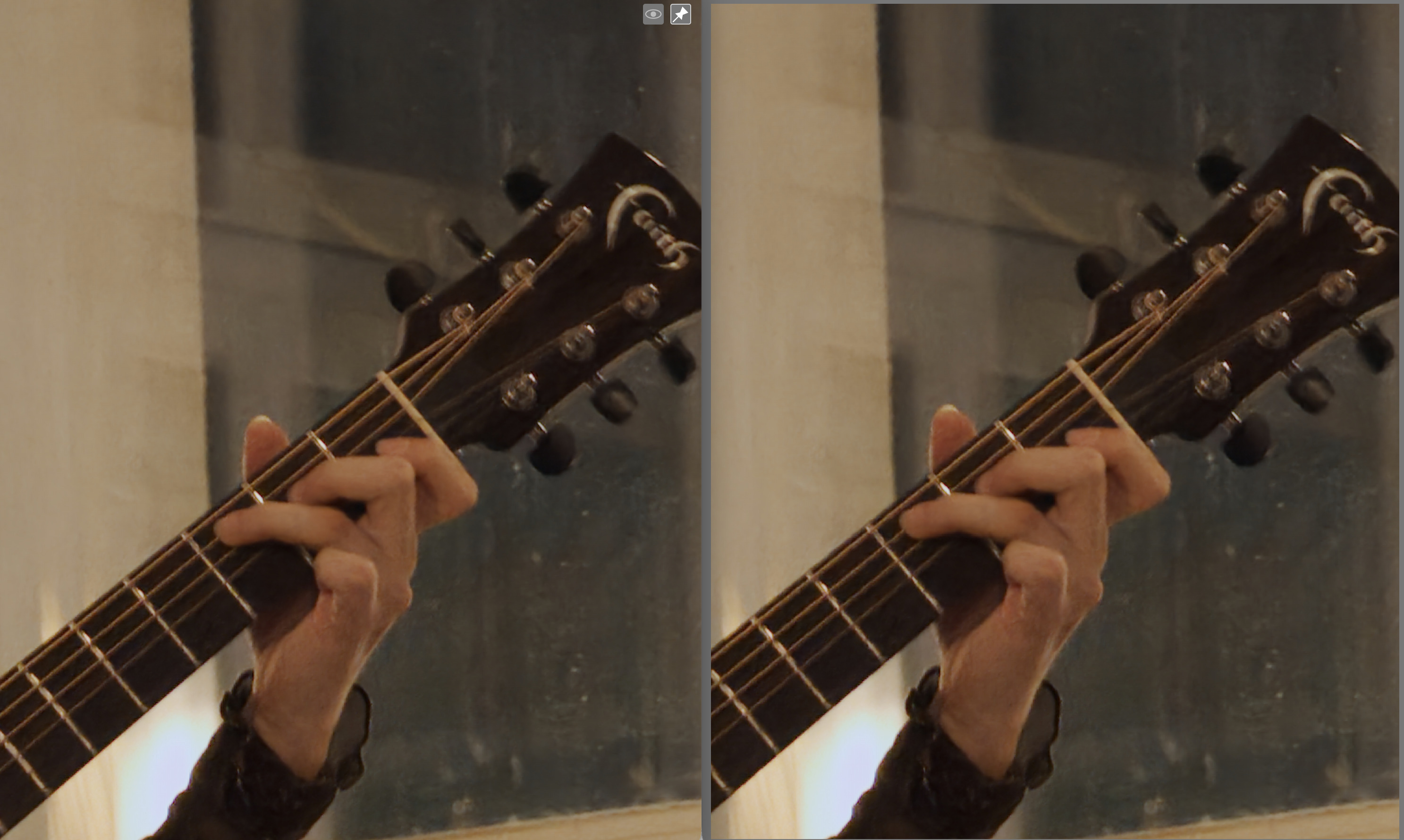
Ok, finally I got the whole thing working (thanks @RawRefinery and @MStraeten). Here is a comparison (200% zoom) between Topaz Photo AI with the default raw denoise model (Left) and RawForge with the TreeNetDenoiseSuperLight model (Right):
To my non pixel-peeper, aging, presbyopic eye, the two images are virtually identical in terms of noise reduction quality. The RawForge appears to have more reds, but other than that I would call it a tie.
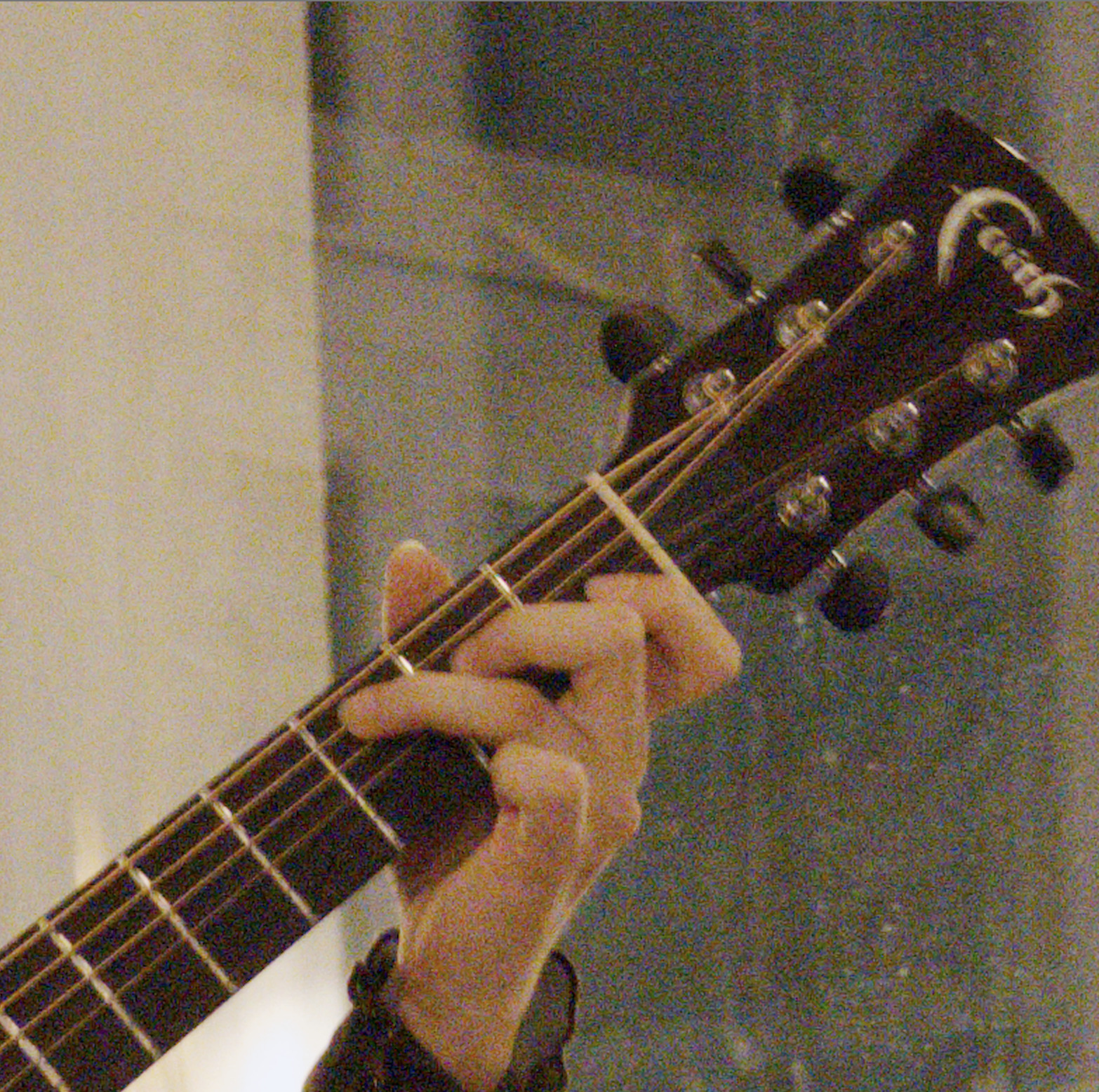
For reference, this is the original (ISO 12800, Canon R6 mkII):
Almost identical like that! I’m a fan of adding back some of the original luma noise (likely ~20% for this image) which is easy with RawRefinery which in my opinion likely could put it on top
I appreciate the comparison, and I’m glad to see the results hold up with Topaz as they have a good product. I’m hoping we can do even better in future versions!
I have a bunch of ideas to test once I start training again, but I want to get some of the exif/torch/etc issues sorted so the app is more useable
I just cleaned up all the python stuff I had for DT masks etc and I am starting clean with Rawforge…
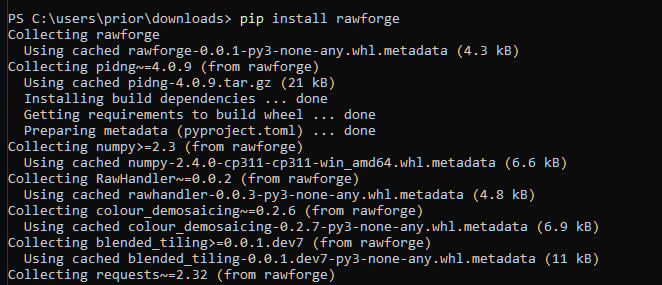
Usin pip it still looks like its trying to install PiDNG and its failing…but from your repo it looks like you removed that dependency and merged the fix that I tested above… I don’t know how pip works to decide what it pulls…does that need updated?? I really have no idea…
I think the version on pypi may be older?
You can try to install it directly from the git: pip install git+https://github.com/rymuelle/RawForge.git but I haven’t tested that on windows
@RawRefinery For me everything runs smoothly in the script, thanks for the work. The deblur option, as I understand it, is for motion-blurred images, and do you perhaps know any reasonable solutions for out-of-focus blur like in Topaz? I’ve already tried several, but none delivered the expected results.
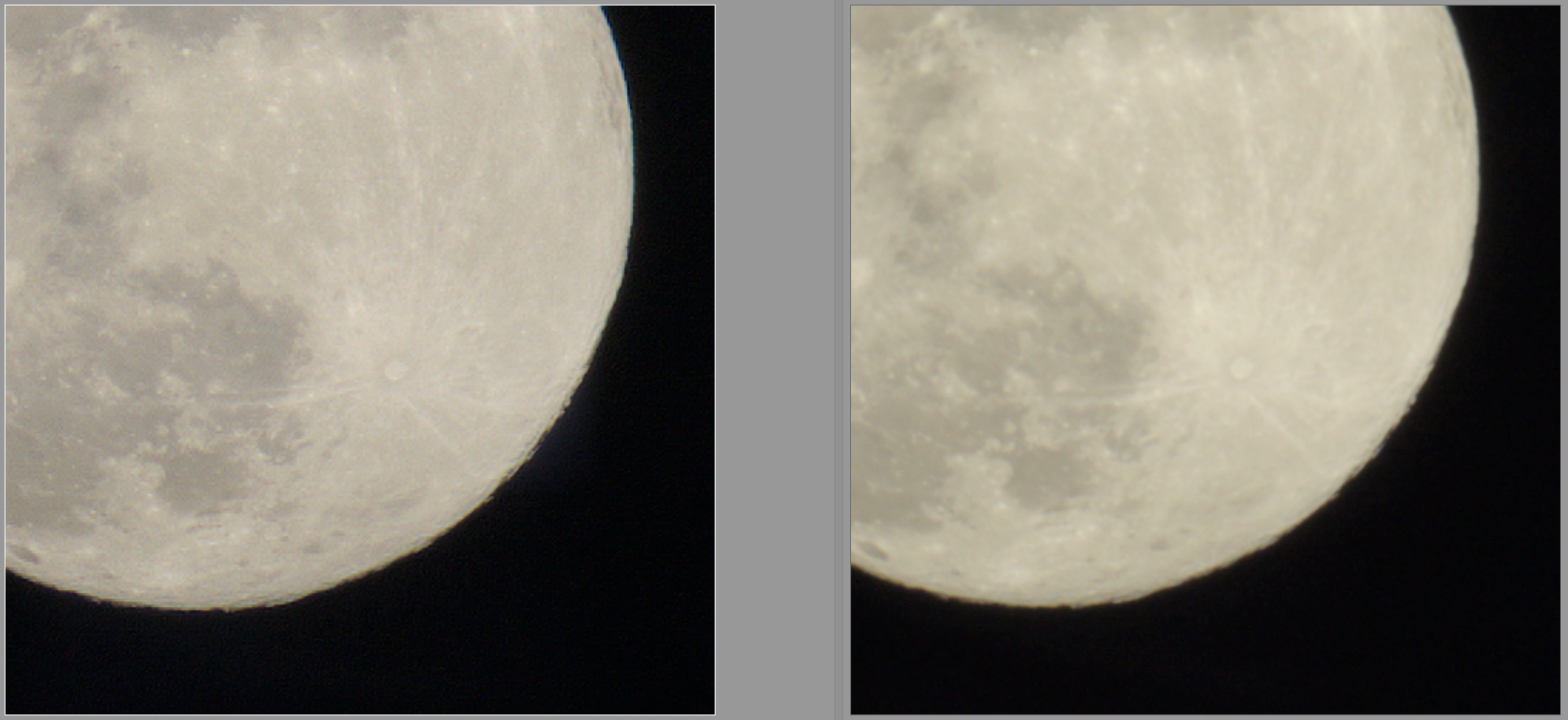
I was working on that prior to releasing the alpha. The deep sharpen works for some images. I’ve attached an example of its output (sharpened on the left).
I see there are some changes in RawHandler regarding exiv2, but apparently it does not work yet together with rawforge. Thus, I created this sketchy wrapper script to copy the exif data. I found that exiftool seems to change some things, because my Lens information would not show correctly and the focus distance was also off… exiv2 seems to be way more reliant!
#!/bin/bash
LOGFILE=/home/reox/stash/rawforge.log
echo "STARTING $(date) - $@" | tee -a "$LOGFILE"
rawforge $@ | tee -a "$LOGFILE"

args=()
while [ $# -ne 0 ]; do
    case "$1" in
        "--conditioning")
            shift 2 ;;
        "--dims")
            shift 5 ;;
        "--cfa")
            shift ;;
        "--device")
            shift 2 ;;
        "--disable_tqdm")
            shift ;;
        "--tile_size")
            shift ;;
        *)
            args+=("$1")
            shift ;;
    esac
done

if [ ${#args[@]} -ne 3 ]; then
    echo "Error! Wasn't able to determine arguments of rawforge." | tee -a "$LOGFILE"
else
    exiv2 -ee- "${args[1]}" | exiv2 -ie- "${args[2]}"
fi

echo "FINISHED $(date)" | tee -a "$LOGFILE"
It’s a bit sketchy because I need to re-parse the arguments …
So I finally got the LUA-script to work.
On Linux Mint 22.2 (ubuntu noble).
Installed Rawrefinery with pipx.
It worked standalone (without LUA-script).
Installed rawforge vith pipx.
Downloaded and copied the script to “~/.config/darktable/lua/contributed/”
I had to make the directory “contributed” as the default installation only had the directory “contrib”, which didn’t work.
In the LUA-script dialogue I specified “/home/user/.local/bin/rawforge” as the path to rawforge. No “Python” in front.
It worked!
The results are just stunning and it is really nice to be able to specify the files to be processed from within darktable.
Thanks to @RawRefinery and @MStraeten for their great work
Oh no, I’m sorry, did I break something? I didn’t mean to push those changes to pip if I did.
I am working on changes to raw handler however! Exiv2 is more relible, and I’m currently testing changes for a bunch of different models of cameras. Support is spotty.
I wanted to update everyone on the progress since I’ve been silent for a while.
My primary goal at the moment is to have as much compatibility across OS and cameras as possible. To that end, there are a couple changes in the pipeline:
I’m reworking the underlying library I use to manipulate raw images to use exiv2 and tifffile for exif handling and dng saving, and I’m using it to save dngs as well. I have a long list of example raws from tons of manufacturers, and I’m working on making as many work as possible.
Related to that, I’m also working on x-trans support. This has take a lot of work behind the scenes testing out how to represent x-trans images for training, since the current pipeline I made was insufficient in a few ways. I think I have a version that might work, but I will need to retrain the denoising models.
I’m also working on a better version of conditioning the models that might result in slightly better manual control over the results and reduce the “wormy” artifacts that some of the models show.
With that said, managing exif information is a bit annoying! Every manufacture does things differently, and it’s not 100% ready. I’m hoping to have some updates shortly (~1 week) however.
Hopefully this will result in an approach that works for more people (windows and fuji users especially)
I think the issue is that rawpy still uses libraw 0.21.4 and the R5m2 is only supported in 0.22. It seems it ships it’s own version of libraw since arch already ships 0.22
Oh dang, I have looked into other raw reading libraries, but rawpy so far has been by far the simplest to use. I submitted an issue on rawpy, and if I hear nothing back, I could probably even fork rawpy.