I’ve been working hard producing RawRefinery, a raw image quality enhancement program. Currently, it supports image denoising and some deblurring, and I have plans to support highlight reconstruction and more.
The application works best using CUDA or MPS, but can be run on CPU, and it saves its results as a DNG that can be edited in your favorite raw image editing program.
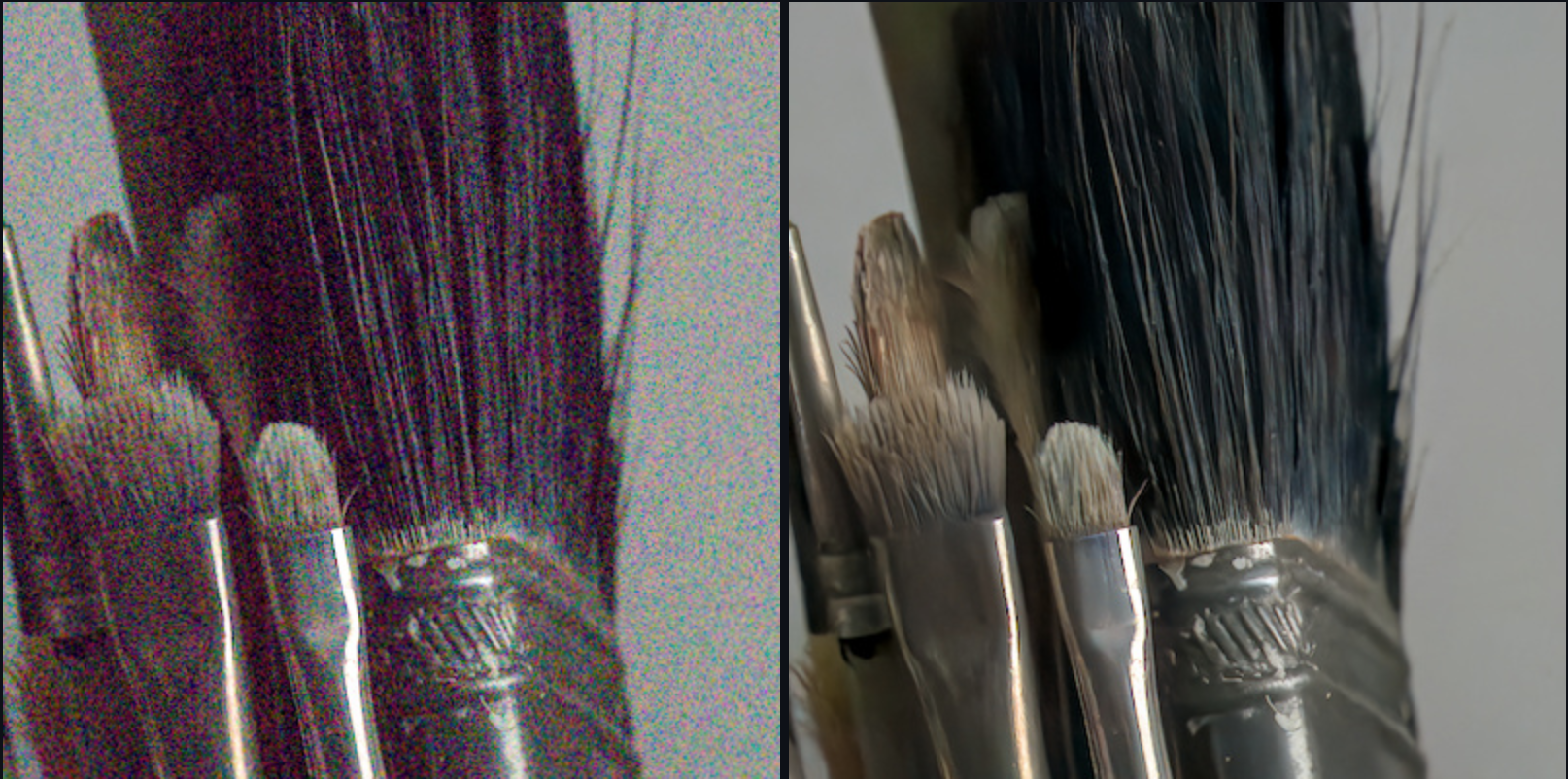
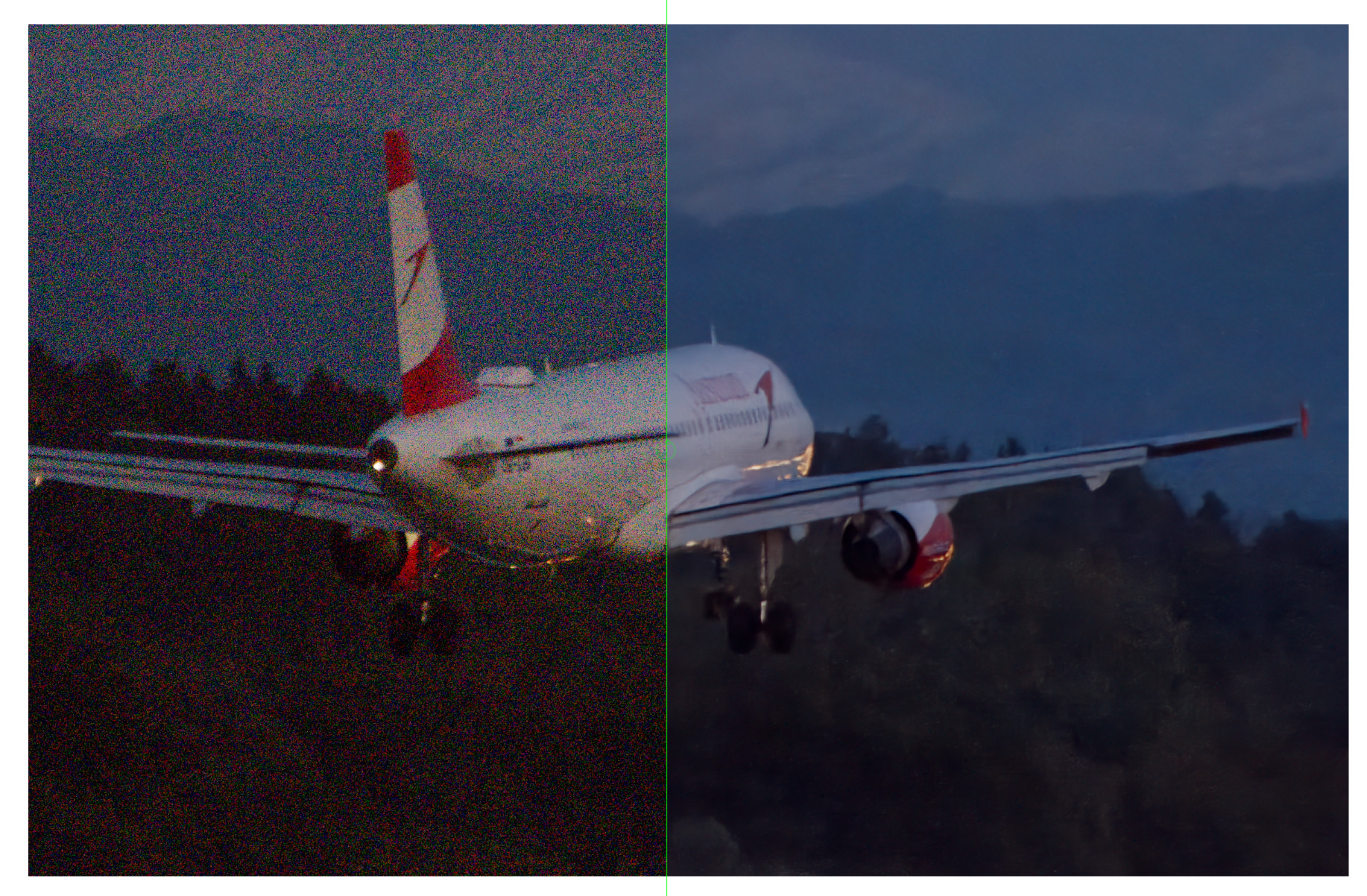
Here is an example of its denoising performance on an ISO 102400 photo!
Currently, the program is in an alpha state, and while I have tested it on Mac OS and an Ubuntu VM, I am seeking people to test the app on their systems and with their raw files and report any issues they find. You can report issues either here or on the GitHub.
Currently, the easiest way to try it out is via PyPI: rawrefinery · PyPI
A .dmg to install on MacOS is also provided. I will be adding instructions to install from source on Mac and Windows shortly, but I’ll focus my efforts on whichever OSes are most requested here first.
I will also be providing more detailed usage instructions after I establish that people can install and run the app, although I hope the app is reasonably intuitive to use.
I really appreciate anyone who tries out the application! I love FOSS software, and want to give something cool back to the community.
I sign and verify all the model weights I distribute as I see that as a potential security vulnerability as the program downloads model weights and executes them.
Here is the code that uses the cryptography library:
The model weights themselves are not encrypted, they are just signed.
If you find anything concerning, let me know, I want to provide trustworthy code.
$ CUDA_LAUNCH_BLOCKING=1 .venv/bin/rawrefinery
/home/kofa/src/RawRefinery/.venv/lib/python3.13/site-packages/colour/utilities/verbose.py:340: ColourUsageWarning: "Matplotlib" related API features are not available: "No module named 'matplotlib'".
See the installation guide for more information: https://www.colour-science.org/installation-guide/
  warn(*args, **kwargs)
Using Device cuda from cuda
Loading model: /home/kofa/.local/share/RawRefinery/ShadowWeightedL1.pt
Model /home/kofa/.local/share/RawRefinery/ShadowWeightedL1.pt verified!
/home/kofa/src/RawRefinery/.venv/lib/python3.13/site-packages/torch/cuda/__init__.py:283: UserWarning:
    Found GPU0 NVIDIA GeForce GTX 1060 6GB which is of cuda capability 6.1.
    Minimum and Maximum cuda capability supported by this version of PyTorch is
    (7.0) - (12.0)

  warnings.warn(
/home/kofa/src/RawRefinery/.venv/lib/python3.13/site-packages/torch/cuda/__init__.py:304: UserWarning:
    Please install PyTorch with a following CUDA
    configurations:  12.6 following instructions at
    https://pytorch.org/get-started/locally/

  warnings.warn(matched_cuda_warn.format(matched_arches))
/home/kofa/src/RawRefinery/.venv/lib/python3.13/site-packages/torch/cuda/__init__.py:326: UserWarning:
NVIDIA GeForce GTX 1060 6GB with CUDA capability sm_61 is not compatible with the current PyTorch installation.
The current PyTorch install supports CUDA capabilities sm_70 sm_75 sm_80 sm_86 sm_90 sm_100 sm_120.
If you want to use the NVIDIA GeForce GTX 1060 6GB GPU with PyTorch, please check the instructions at https://pytorch.org/get-started/locally/

  warnings.warn(
I haven’t checked that URL yet.
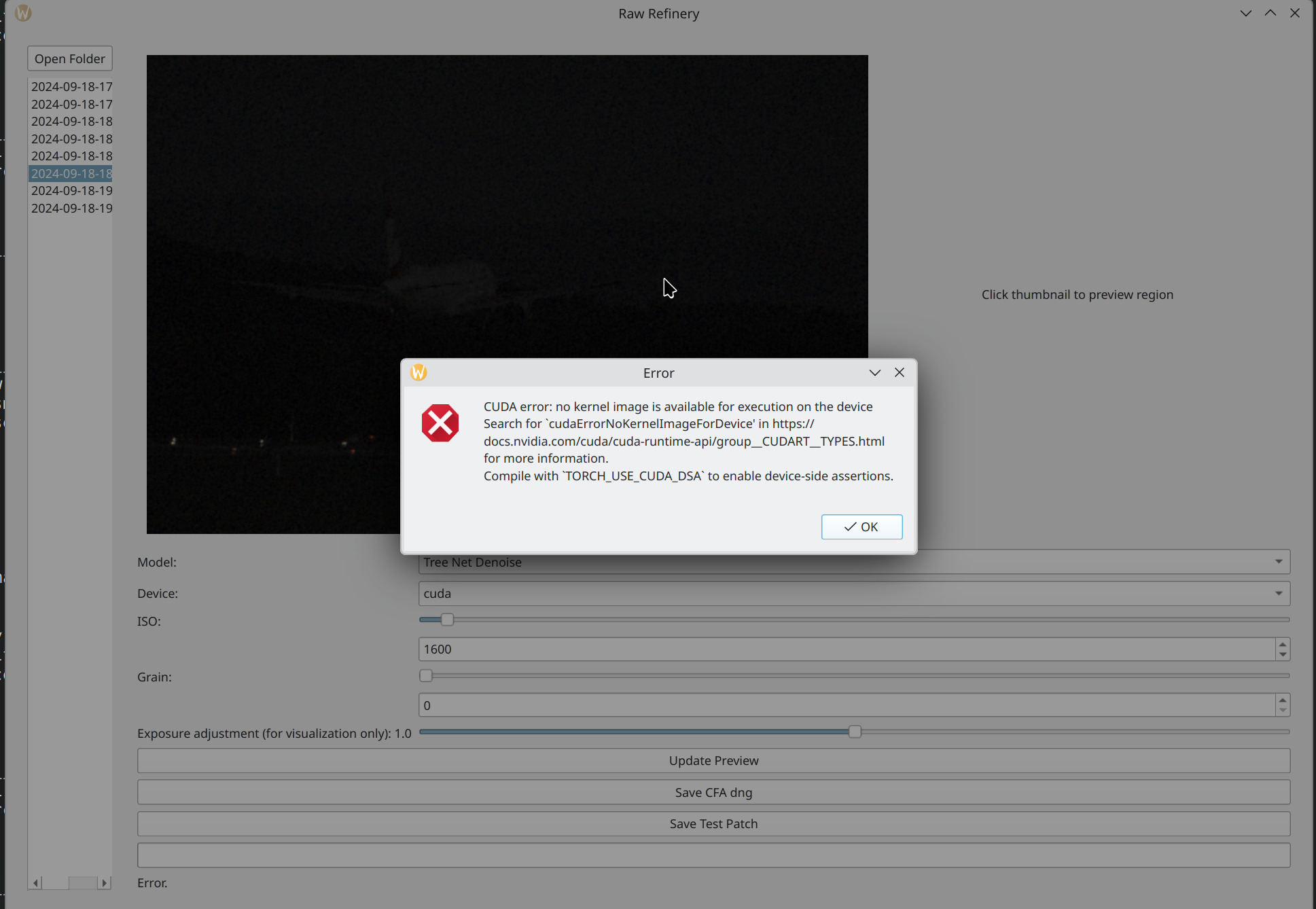
Clicking the thumbnail again dumps core.
If I switch to CPU after the initial CUDA error, it dumps core, too. If I start with the CPU, I’m able to generate the preview. I’m still waiting for generating the DNG.
Thank you! It looks like the version of PyTorch I’m asking for is incompatible with your CUDA version. I wonder if I can relax the versioning to increase compatibility.
If I switch to CPU after the initial CUDA error, it dumps core, too. If I start with the CPU, I’m able to generate the preview. I’m still waiting for generating the DNG.
Ah, I’m probably cleaning up well after the CUDA error.
p.s. the “super light” model will run much, much faster on CPU than the default one. It should be the third option in the model drop down menu. Thanks so much for the feedback.
I’ve put up a new version, 1.3.3, on git and PyPI that allows for user specified torch versioning. I am not sure which version of torch you need for your GPU, as I am not able to test it myself. If you find a working version, let me know, and I will document it.
In addition, I put in a function to check the cuda arch vs the torch version to avoid the crash you found earlier.
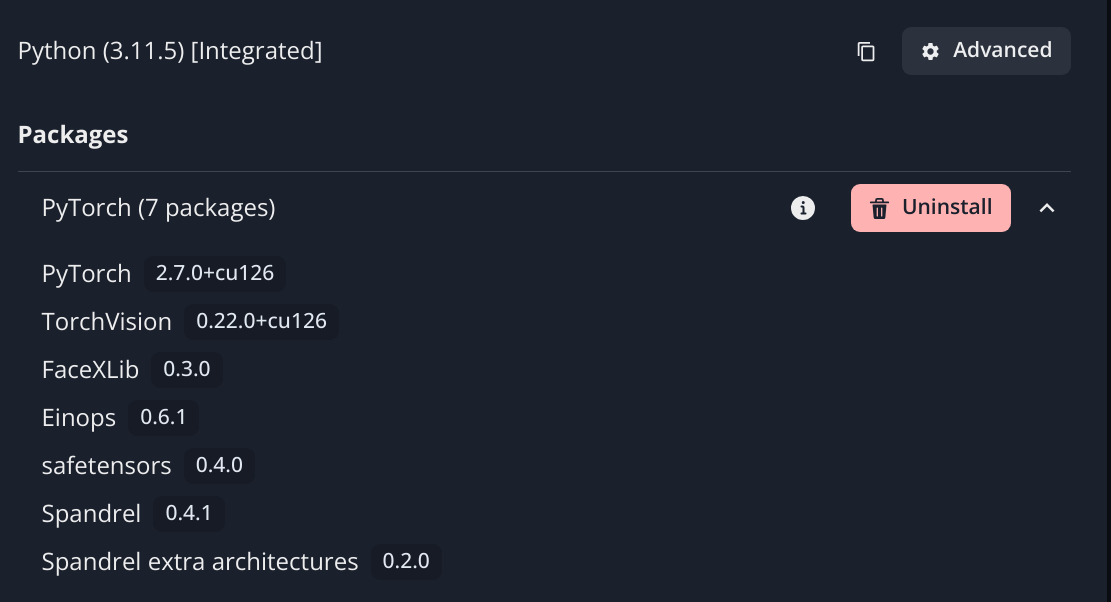
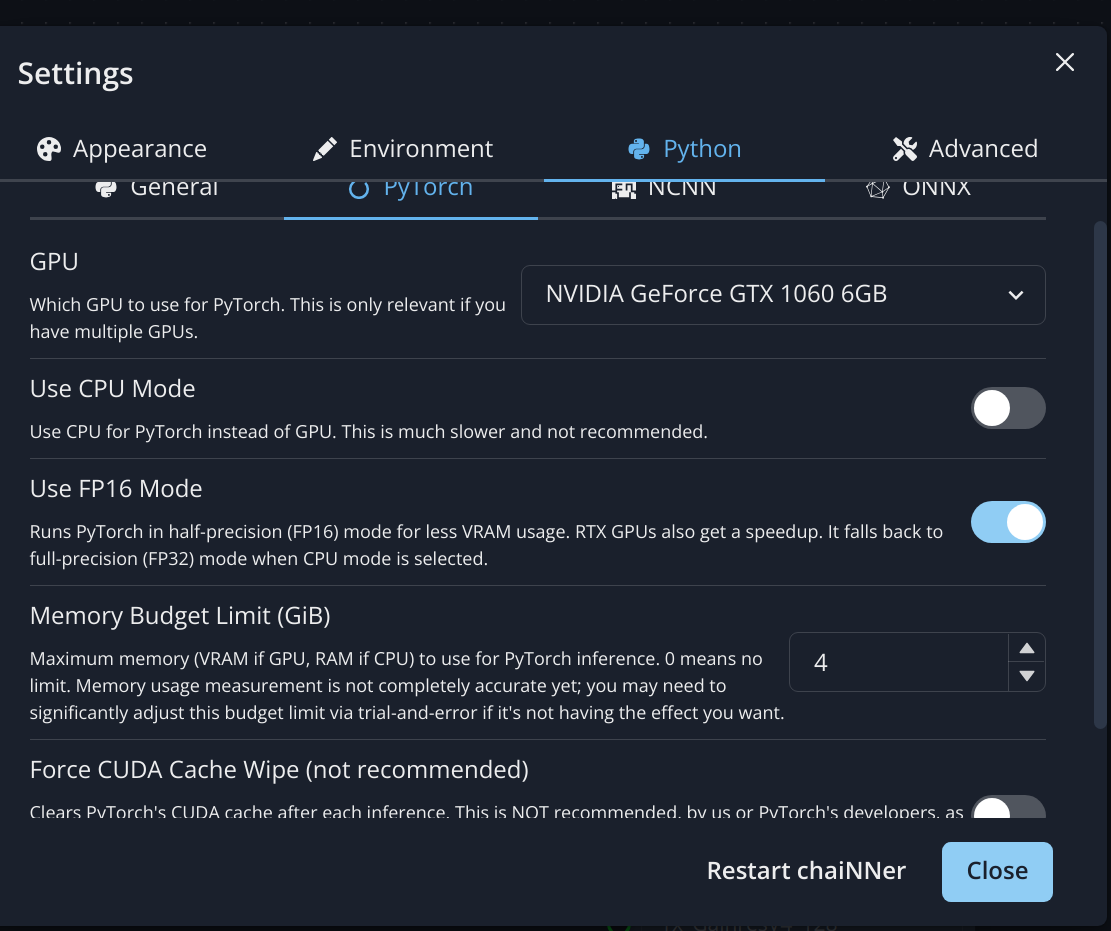
Based on what you provided from chaiNNer and a quick google, torch2.6 should be compatible with your GPU architecture, and it is easily installable with pip.
Seriously though, thanks for the detailed error reporting
I’m more of a machine learning person than a front end person, although this project has been good for learning some front end basics.
The architecture is based on NAFNet, modified to fit the required features and performance requirements of the application. Primarily, I changed the block structure and modified the channel attention module to accept conditioning signals.
There is a link to the repo with the model and training code in the README, but as I look at it I realize it’s a bit out of date haha. I’ll update it because I want the recipe to be very easy to follow so that I can produce more and more models (e.g. highlight reconstruction, banding removal, etc…)
The models are (mostly) trained on the RAWNIND dataset:
All the models are trained on rented google GPUs or on Kaggle (maybe I’ll get a GPU sometime haha).
I just realized that while I have an acknowledgement of RAWNIND on the bottom of the README, I only acknowledge NAFNet on the Restorer repo. They are both acknowledged now. I appreciate both of their work greatly! Open source research is awesome.
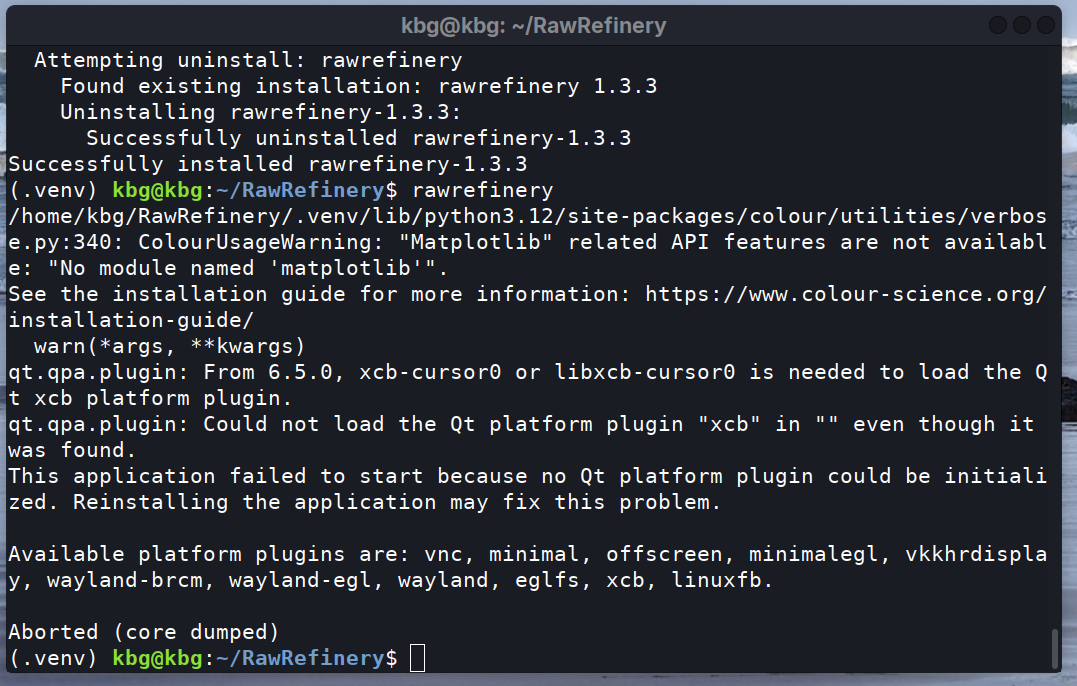
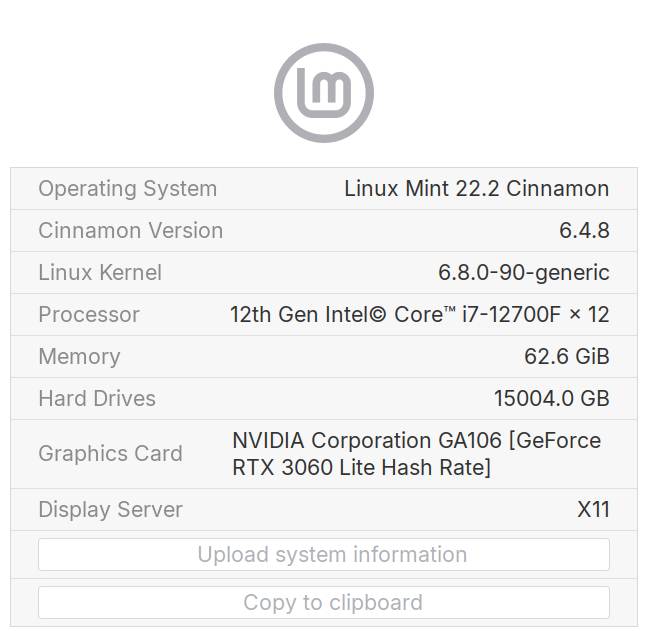
It looks like there might be some dependencies missing that the Qt (what runs the GUI) needs. That might be expected depending on what linux mint includes by default.
Something like this MIGHT work, however, I have not tested it in mint.
I had to do something like that to get CUDA to work with @agriggio python code to utilize SAM2. I could change the config file but I could only use cpu until I got the pytorch with cuda correctly installed. That was all on windows though…