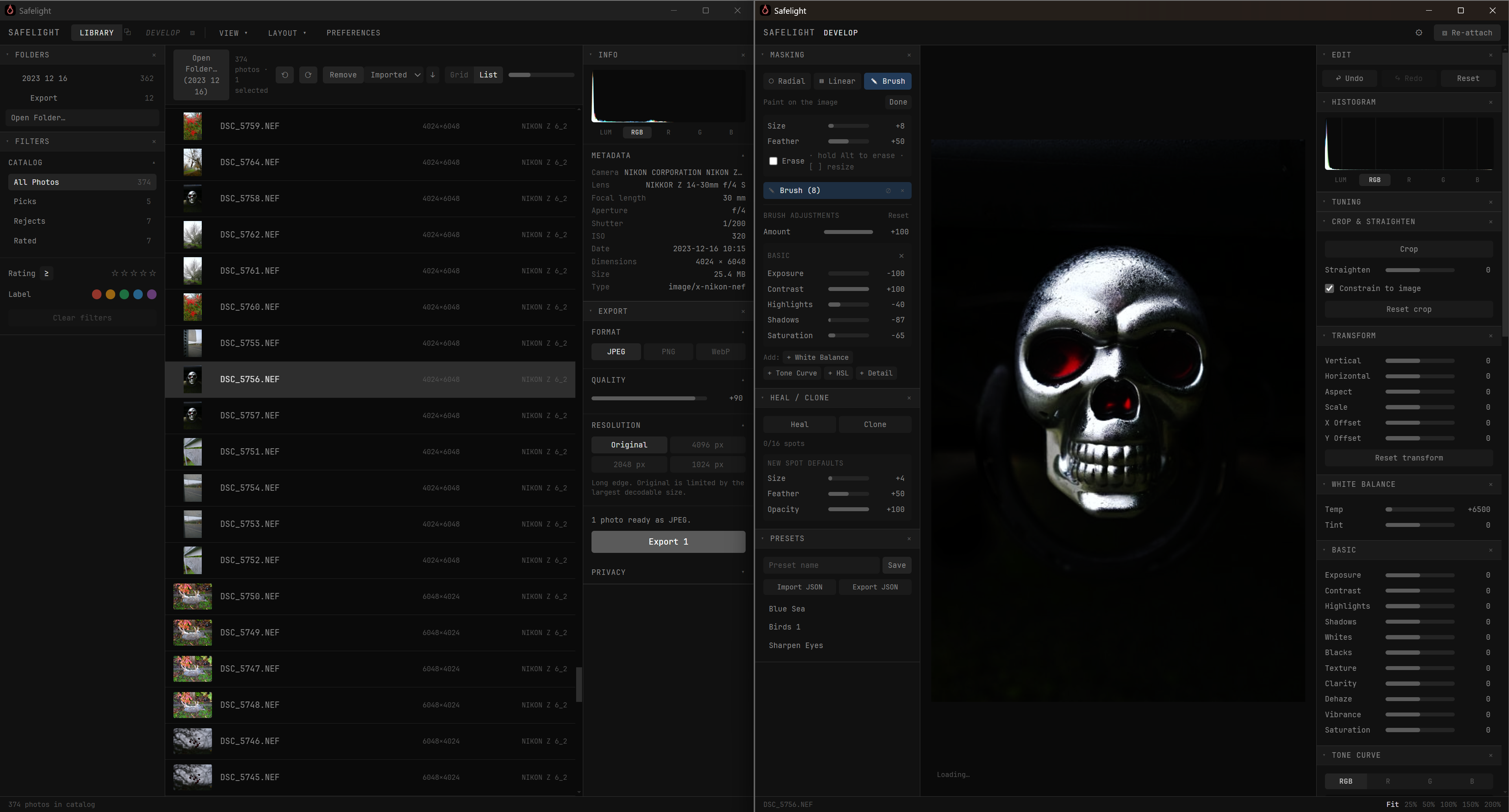
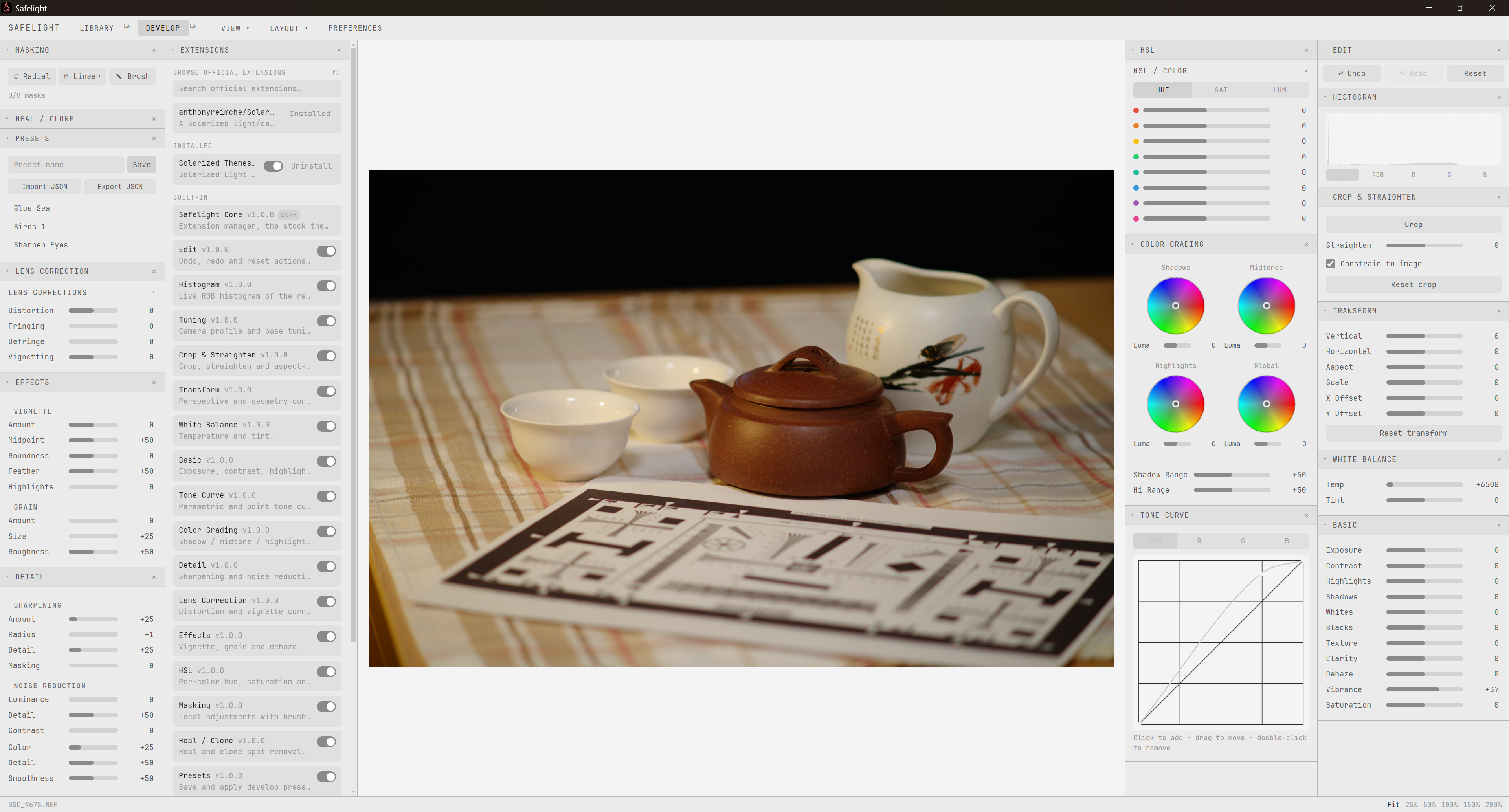
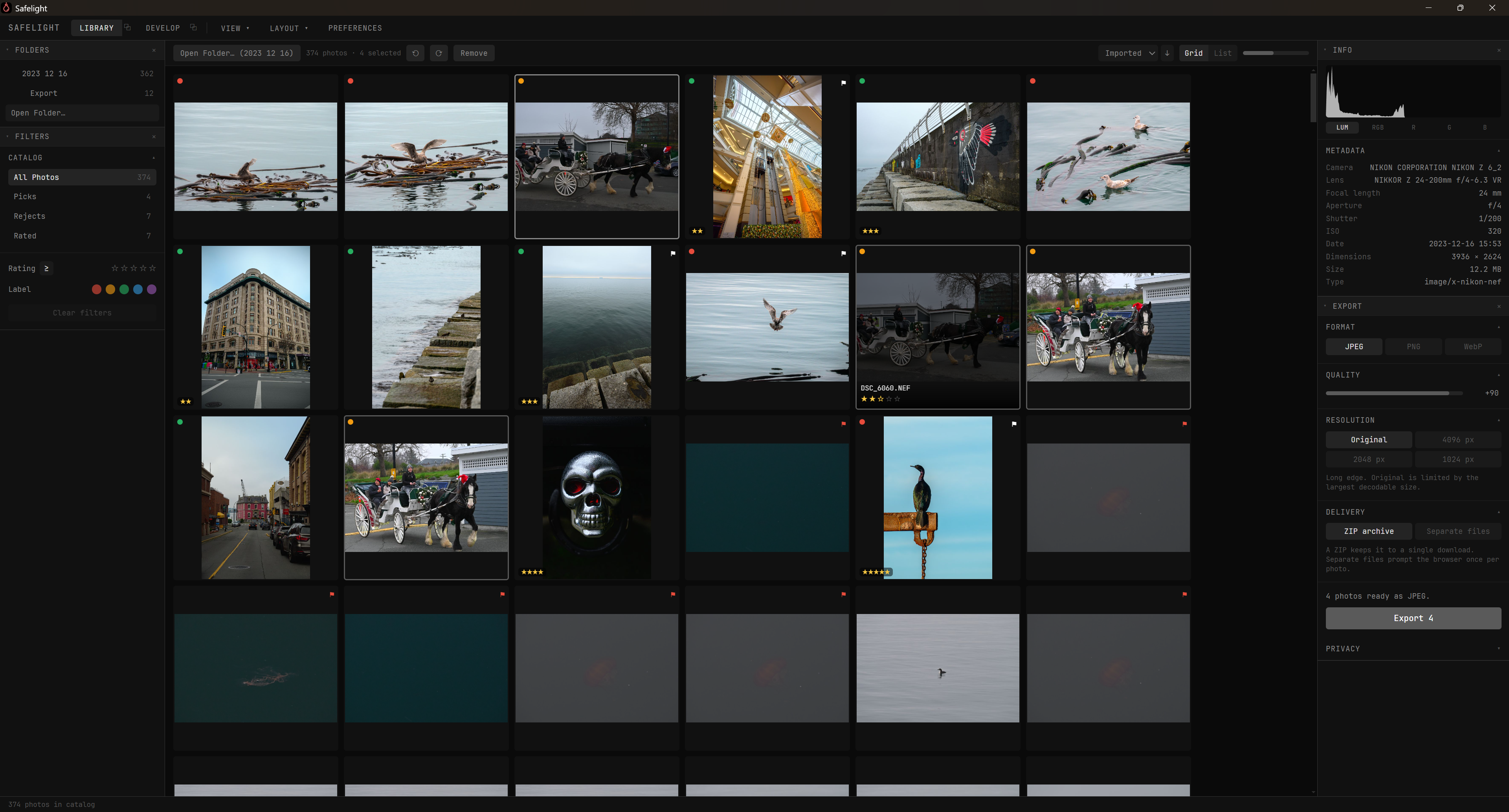
Introducing Safelight: A Free, Open-Source RAW Editor Built Like an IDE

Hi all,

After 10+ years of photography I kept jumping between Lightroom, Capture One, Darktable, digiKam, paid and open source alike. The common thread: I was always planning around the software instead of focusing on the image.

As a programmer, I never have that problem. IDEs are so customizable that the tool disappears and the work takes over. So I asked: why can’t photo editing feel that way?

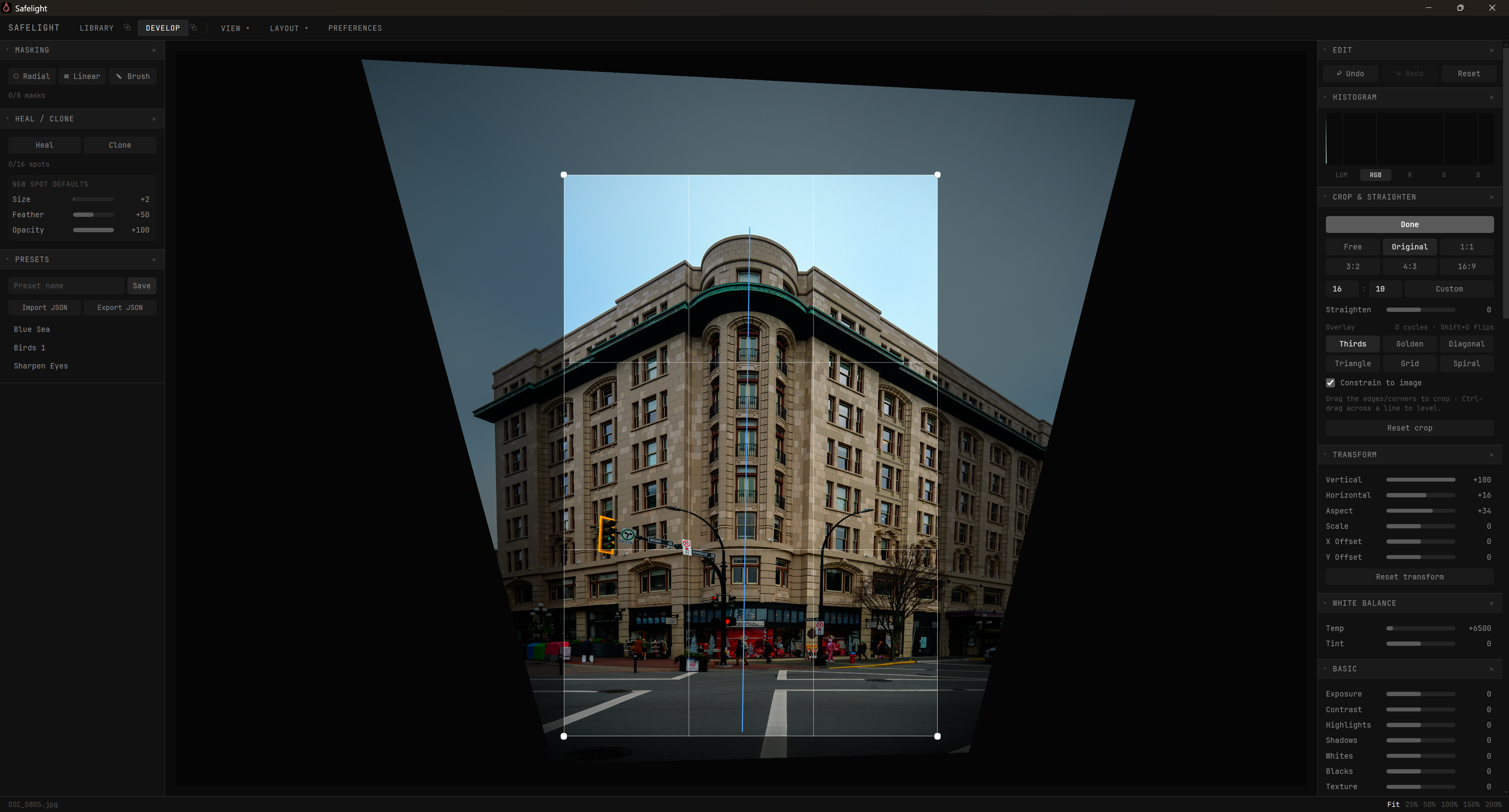
Safelight is my answer: a fast, free, open-source RAW editor that pairs GPU-accelerated imaging tools with the extensibility of a modern IDE. Every panel is an extension: install, remove, or rearrange them in one click from the built-in extensions panel. Disable or uninstall anything you don’t need to keep the app lean and fast. Need tethered shooting in a Lightroom-style layout? Find an extension, place it where you want, done. No config files, no restarts.

It’s now on GitHub under the MIT license with installers for:

  • Windows
  • .deb (Debian / Ubuntu)
  • .rpm (Fedora / openSUSE)
  • .pacman (Arch / Manjaro)
  • Flatpak & portable AppImage

A lightweight version can also be self-hosted and run in any Chromium-based browser (though the extensions panel requires OS file access, so the desktop build is recommended).

Mac users: the installer can only be signed on a Mac, so I’ve written my best-guess instructions for building it yourself; no guarantees, but it’s a start.

Landing page and downloads: anthonyreimche.github.io/SafeLight/site

I’ve only tested the Linux builds on my own WSL machine running Windows, so I’d love to hear whether they work on yours. Ideas, bug reports, and contributions are all welcome, I want to make the software live up to the dream.
14 Likes

It is going to be hard to convert this Darktable diehard to another program, but I have downloaded and installed Safelight and will try it on some images. Some nice ideas obviously in the GUI.

1 Like

That looks cool.
What type of pipeline does it run? Scene referred like darktable, or something else?
Also intrigued where you got the code from - I assume you didn’t build completely from scratch? As in, what is based on Darktable/RawTherapee?ART?

2 Likes

Once I get the Linux installers free of bugs, I’ll work on making custom extensions so you can have all your favorite Darktable tools at your disposal. :slight_smile:

3 Likes

Scene reffered, but I’m working on an extension that lets you use Agx, ACES, PBR, etc.

I’m using LibRAW for raw file deoding and electron as a wrapper for easier platform management, but I built the rest mostly from scratch. If anything, the UI is based off of VSCode.

4 Likes

Wow. Thanks for replying! Some of this is going over my head but I will definitely give a try.

Forgive me if I came across as a little suspicious - I’ve had one or two negative experiences recently where interesting new software or code has shown up, but then proves to been written (almost solely via an LLM) only to prove a point, with no further interest in sorting bugs or engagement with users.
Maybe I’m becoming old and grumpy :sweat_smile:

Looking forward to giving this a try!

1 Like

Haha, I know how it is! To be honest, I have been writing this software for my own use until I realized other people might want to share it too.

4 Likes

First impression ( v1.0.1, Windows):

pros:

  • install in user directory, no need for admin rights.

cons:

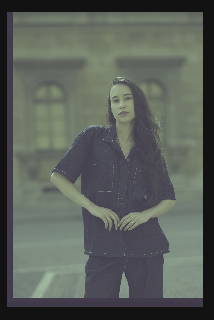
  • tried to edit a CR3 file, it should be supported as it says on the Features web page. In Develop panel I see an image with very strong magenta tint and a strange frame on the left and bottom side. I assume the CR3 format is not supported.
  • Info panel displays “Type image/x-nikon-nef” which is not true
  • unable to set white balance with a picker and not even manually (magenta tint cannot be removed in any way)
  • when I open Preferences menu and I click Shortcuts tab, the windows screen becomes black and I need to restart the application

At this moment I stopped testing, because the app is not usable for me (I use only Canon formats). Please improve it, fix basic issues and update the Features web page with correct info. I would be glad to check it again in the future.

1 Like

I’m sorry to hear that, this is very strange. I have just tested with CRW, CR2 and CR3 files against Lightroom’s base sRGB profile on Windows and they were fine.

Are all your CR3 files tinted like so? What camera model is this from?

Perhaps if you have a RAW file from your camera you could share under a CC licence it would help @Anthony_Reimche debug :slight_smile:

1 Like

My CR3 files are ok, I’m using other editors (payed/free) without any issue, including Darktable. No magenta tint.

_44A0638.CR3 (47.0 MB)

For other examples just search the play_raw section and you will find lots of raw files. :wink:

This file is licensed Creative Commons, By-Attribution, Share-Alike.

2 Likes

Apparently, my raw decode library was out of date and had trouble identifying newer raw formats. This should be fixed now, try installing v1.0.2.

The specs on the website come from the libraries I use and are correct to the best of my knowledge. I am trying my best and really want to make this work.

I don’t have a team with me, I’m keying this software out by hand on my free time by myself. Automatic WB/EV/Masking is on the roadmap but unless this becomes my full-time job, I apologize if it isn’t up to snuff yet.

I appreciate the helpful critical feedback, but not the sharp criticism of my accountability as a person. I am NOT vibe-coding for a day to prove a point, I’m trying to create a useful tool I personally plan to use.

4 Likes

I appreciate both parts of this - I’m sorry for my initial bluntness. I’ve already installed on my Win11 laptop and had a play :). Overall it’s working well with my Sony files.
I’m impressed. I do have a few questions/feedback items which I would like to take a bit more time to evaluate before I post, but apart from a couple of niggles I could see myself using this. (and I don’t say that very lightly!)
For full disclosure, I am a long established darktable user and am also autistic (relevant as meaning I don’t like change :wink: ) so I probably won’t be your target audience.
However! I do seriously applaud your work here. Overall it’s very clean, smooth and usable which is no mean feat to my mind.

When I have time I will make a more detailed post of my experience in case any of my observations are useful.

I also look forward very much to a way to incorparate AgX or similar as I find that very useful in darktable.

1 Like

Ok, so why do you make it available for us, if you plan to use it personally? You just want us to test and report bugs? Sorry, I don’t get it.

Please remember that we also spend time to test it and report bugs, and sometimes we wish some small feature, or a fix in exchange to our effort. :wink:

1 Like

To be blunt, you don’t need to get it. Neither do you need to use or test it. Many of us get great pleasure from testing and trying out new tools. If you don’t that is fine, but please don’t attack @Anthony_Reimche for your misunderstanding.

As far as I am aware is has acted in good faith by making his work public, and I for one appreciate that.

I have nothing against you or your beliefs, but cannot let this pass unchallenged.

edit: inviting @paperdigits to weigh in - if it is felt I have overstepped a line in what I say I will accept that.

7 Likes

Congrats on the release @Anthony_Reimche! If you’re interested in moonshot ideas, I think it would be awesome to see Spektrafilm in an ease to use editor. Considering the terrific name, implementing Spektrafilm seems like and even better idea. :blush:

Sorry, but that seems like a logical fallacy on your end. Are you saying that because @Anthony_Reimche wants to create software he likes to use himself, he shouldn’t share it? That’s how most open source projects begin and often how they continue to be maintained. A passionate programmer creates something useful for themselves and shares it because it might be beneficial to others.

This is release day and I’m not sure you should expect your particular problem with the software to be solved or prioritized.

6 Likes

To me, that sounds rather hostile.

OP already said: “I have been writing this software for my own use until I realized other people might want to share it too”.

Also, I’m not a native speaker, but “I’m trying to create a useful tool I personally plan to use.” simply means to me “I’m not just doing this to show off, only to drop it once I get no more ‘likes’: this is actually a tool I want to be useful, so I can use it (and so can others)”.

8 Likes

This was important to clarify because I felt this had to be a language issue from the response and I hope so as it was going a bit sideways…

3 Likes

Welcome to pixls @Anthony_Reimche !

I am looking forward to seeing how you wrangle tethering. Based upon the variation in performance across different programs (C1, LR, entangle, etc), I assume it is no easy task.

Thank you for sharing your project with others!

1 Like

Please use the flag button if you think some post has cross the line.

3 Likes