Introducing Safelight: A Free, Open-Source RAW Editor Built Like an IDE

Welcome to the community. It’s nice to see more people here to share ideas and influence each other’s projects.

I do have a quick question from poking around your website. Is there a reason you prefer to keep edit history and related things in a new hidden folder for every folder of photos (as opposed to one database)? Is there any way to export that history (like a sidecar file) if a photo needs to be moved to a new location when reorganizing? I really am just asking for the conversation, I’m not making feature requests. :slight_smile:

Thanks for sharing your work with the community.

3 Likes

Ah, I see what you mean. Safelight is just my personal project and I am slowly improving and working the bugs out of it. I made it available to everyone because a group of redditers thought it was a cool idea and wanted to try it out too.

I’m sorry if it comes across as free testing and I understand if you are not impressed with the current state of the software. If you are looking for a raw editor to use professionally right now, Safelight may not be the best option yet. But if you think the concept is a good idea and want to play around with it and support the project, I am grateful for any bug reports or suggestions for tools and features.

The landing page explains my dream, the end goal of this project. Once I get the editor stable enough, I’ll start working on custom extensions and work my way up to tethering and AI masking.

3 Likes

This is interesting, I’ll have to add it to the list. I already have an extension for custom render pipelines where this would fit well.

1 Like

Thank you! Tethering is one of the scarier features I hope to solve and is on my list of features to make. I’m still cracking that one, but smaller features like automatic white balance, exposure, and tone-mapping will likely be finished soon.

1 Like

Thanks! I’m using a folder-based project structure instead of a catalog structure because I do my edits in new catalogs every time and figured this way would be a quicker solution. This way also allows me to sort photos into sub folders and see everything.

I’m currently working on drag-drop for moving photos around within a project folder, but exporting selected photo edits would be a good idea.

What I have noticed is that safelight seems to reimport the folder each time I have restarted the program. The test folder I am using has over 400 images and takes a bit of time to reimport before I can start editing. I might have thought a DB would be quicker. This is not a feature request, but just an observation.

Good luck with your software and thanks for sharing your efforts. Also, welcome to the community.

2 Likes

Thanks! I’m still optimizing the import stage, as old cache stays in the .safelight folder and shouldn’t have to reload once I’m done with it.

I have it installed on two Manjaro machines (laptop and desktop) and will be following along as I have already said to Anthony on Reddit. Anthony was very quick to respond when the 1.0.0 appimage wouldn’t run.

Good to see you brought this to this forum Anthony. Thank you for that.

4 Likes

Awesome!
It seems that it can handle JXL encoded dng files and Nikon HE compressed Raw files. Does this program actually decode Nikon HE compressed files, or is it simply able to load JPEG preview images within RAW files?

1 Like

Hello @Anthony_Reimche and welcome here!
First off, thank you very much for offering Safelight to a wider public, well appreciated!

I downloaded the AppImage and the .deb, both tested on Xubuntu 26.04 on a rather old pc in an X session (no Wayland). When opening the .deb with gdebi, nothing happened, I had to install the .deb via a terminal. After that it showed up in the menu under Graphics and I could start the app. The AppImage opens fine.

One thing I noticed with the .deb version is that the sliders, eg. for Exposure, lag a bit. I mean, I drag the slider a bit to the right and have to wait a second or so before it moves to “somewhere to the right”, not very precise. Shift+mouseclick works better.

Using the AppImage the sliders react better, faster.

I ran into several issues, the most common is that a raw (nef) doesn’t load at all, the preview screen stays empty. Same happens sometimes with jpgs as well. Anoter photo loaded resulted in a black screen, only the title bar - Safelight - was visible.

Another time the app froze my pc, had to restart.

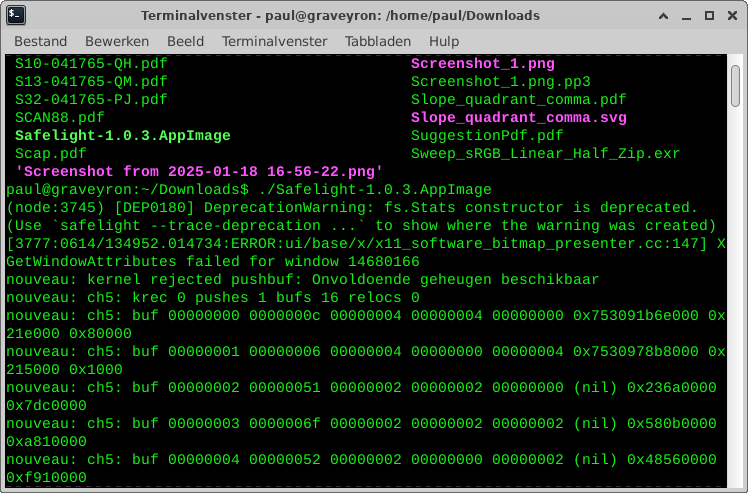
Starting the app from the commandline showed some info about a crash.


(insufficient memory, although there was 6,5GB free (on a 8GB system).

The first folder I opened had some 8 pics in it, nef+raw. After processing a photo I saw that the hidden directory .safelight had a size of 163MB, while the photos were only 130MB in size. The second folder I opened contained 550 photos, but after processing some shots, I saw no hidden folder .safelight.

Last thing I noticed. Opening a 16MB nef and saving that as jpg, resulted in a black photo with a filesize of 37,6KB and image dimensions of 3072x2036px. Other exports work well and as expected.

I am well aware that these problems may be the result of my old pc with ditto graphics (I’m waiting for RAM prices to drop to upgrade my pc to a modern machine! :japanese_goblin: ).

I also downloaded two of your skin extensions, they worked well.

So in short, Safelight isn’t in a very usable state for me, but I certainly like your concept of extensions, sounds rather interesting!

I’ll keep an eye on your software and one more time, thanks for sharing this with the community.

Kind regards,
Paul.

2 Likes

I tried it out , good concept but the sluggish response from the app made it unusable on my windows laptop.

1 Like

Just tested 1.0.3. All my reported bugs are fixed. Nice job!

When I first open a raw image, it seems that some sort of initial/default processing is applied, is this true? I’m asking this, because I see already some contrast in the image and some sort of color saturation.
If this is already in the docs, please point to it, sorry, I cannot find it. :wink:

1 Like

Something more: do you think that only two zoom levels are enough? (fit to window and full size). I think you may need more in the future.

1 Like

Doesn’t it have to be applied? A raw is linear data with only one value per pixel, no curve, no nothing. “There’s no such thing as a ground truth for displaying a raw” was one of the first things I learned on this forum.

Some defaults may look more neutral than others to our eyes, but every time someone posts an image on reddit and calls it “unprocessed” I die a little inside.

1 Like

I’m using libRaw to do the raw decoding, so the image loading preview is the preview jpg, then once done it switches to the decoded 32-bit float raw.

Sure, some sort, but I mean something different. Compared to DT I see too much initial processing in Safelight, which I don’t like. In DT I see less saturation and the image is very flat, with much less contrast.

Generally I need from an image editor more control over my image and transparency about what is being already done with my picture…

1 Like

Yes, a basline curve is added. This is the same as Lightroom’s “color profile” it adds during import. If you go to View → Extensions, I have started on a new extension called “Advanced Rendering” that adds other color profiles to the Render settings in preferences (Ctrl+,). There is an option there for linear (no tone map).

I’m slow on the docs and will update everything for v1.0.4 :slight_smile:

2 Likes

Zoom is on the very bottom right of the develop tab. Right now I have fit, 25%, 50%, 100%, 150%, and 200% but can add more upon request.

1 Like

Good to know, I’ll try and optimize it further for v1.0.4.

Ok, sorry, I missed it. Visually the contrast is very low and it is placed far away from the image. Generally, it would be nice, to be easier accessible…

1 Like