@leonidas111 has contacted me and we discussed in private messages that he did not mean the comment as hostile, and my interpretation was based on a misunderstanding; therefore, I apologise for that statement.
7 Likes
The idea is that the software should be lightweight enough to run as-is for slower computers, but someone more professional like you could use extensions to add advanced tools and settings.
I’m still working on making the base program faster, but will add more custom features as we go. You’re right about the extensions being hard to find, I will move it somewhere easier to access.
1 Like
Thanks for sharing! I’m not running Linux so fixes will require a little back and forth. I’ve created what I hope is a fix for these issues and hopefully v1.0.4 fixes it.
FWIW, I think it is a great design choice. A database just introduces a host of problems (keeping it in sync, backing it up, etc) that are simply sidestepped with a file-based metadata system. The latter can be fast too with modern discs.
I downloaded the AppImage and found it very impressive when I tinkered around a bit. One thing I noticed is that dehaze gives a color cast when pushed to the right, and makes it monochrome in the other direction, is that intended?
3 Likes
Exactly. My image viewer(using exiftool) can scan around 5000 XMP files in 3-4 seconds on my btrfs RAID5 array. Databases are good to query, but ideally they are always querying data which was synced from disk.
1 Like
After trialing it a bit more, I still really like the clean layout, good set of basic tools and overall responsiveness.
On v. 1.0.4
Few points I’ve noticed, starting with one item which for me at present is a ‘dealbreaker’ in terms of actually using it for my editing. This could be a reflection on my style though.
(I think if you can apply AgX or even Spektrafilm at some point in the future it would resolve some of these for me anyhow)
None of this is intended as criticism, only intended as honest feedback 
I’m including raws in case they are useful for testing - licenced Deed - Attribution-ShareAlike 4.0 International - Creative Commons
- Highlight handling.
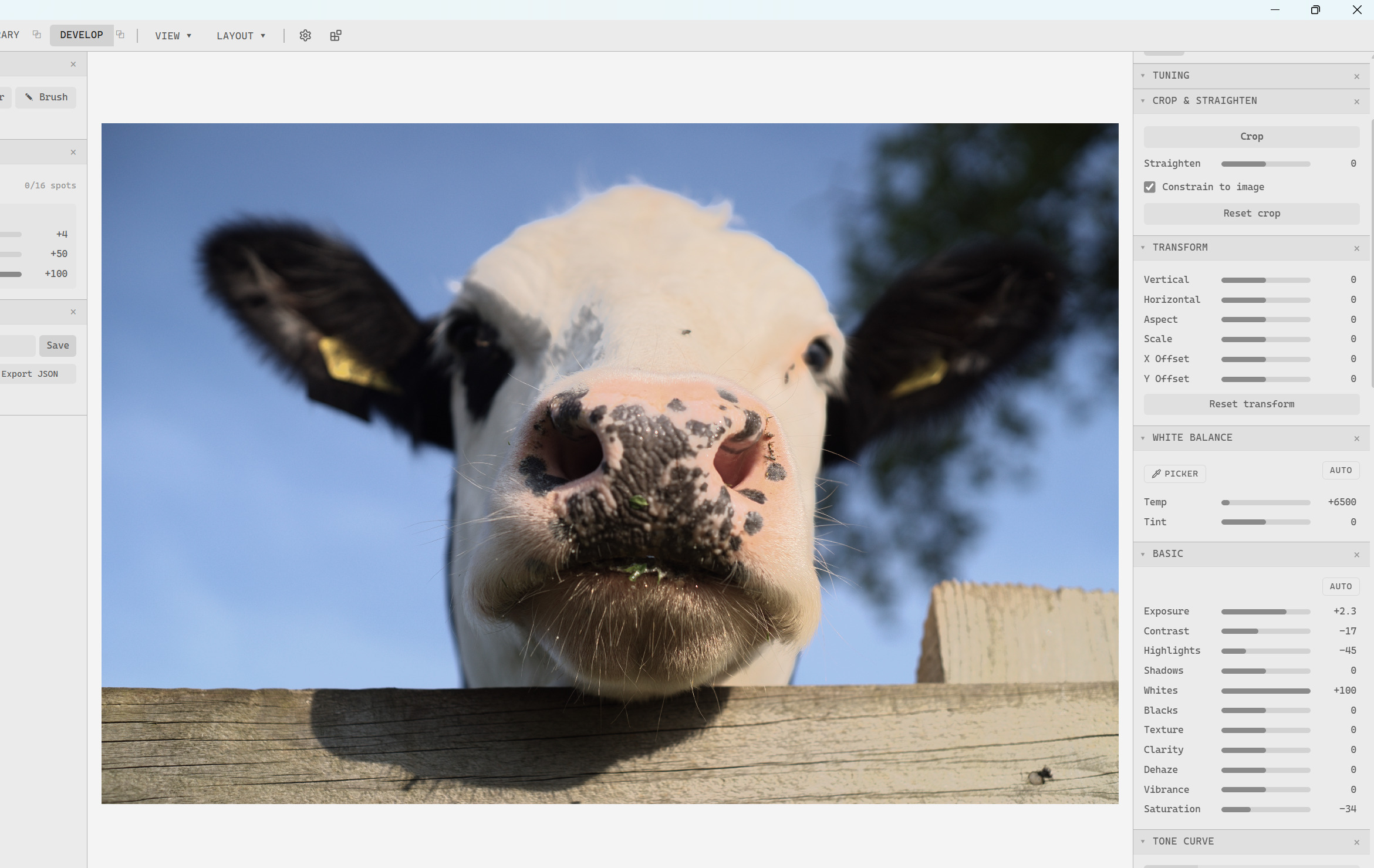
Notice above the loss of detail and tonality after my attempts to tame the highlights. Compare below with a nearly default (only raised exposure and AgX contrast) rendering in darktable using AgX as tone mapper.
I’m very aware that tastes vary widely, and perhaps what looks natural to me is not universal, but I am realising that my photography very much relies on this ablility to lean into the highlights without clipping/rendering issues.
The highlight and shadow sliders while effective, also do not appear to do much detail preservation, leading to a loss of local contrast when pushed, for example on the cows forehead.
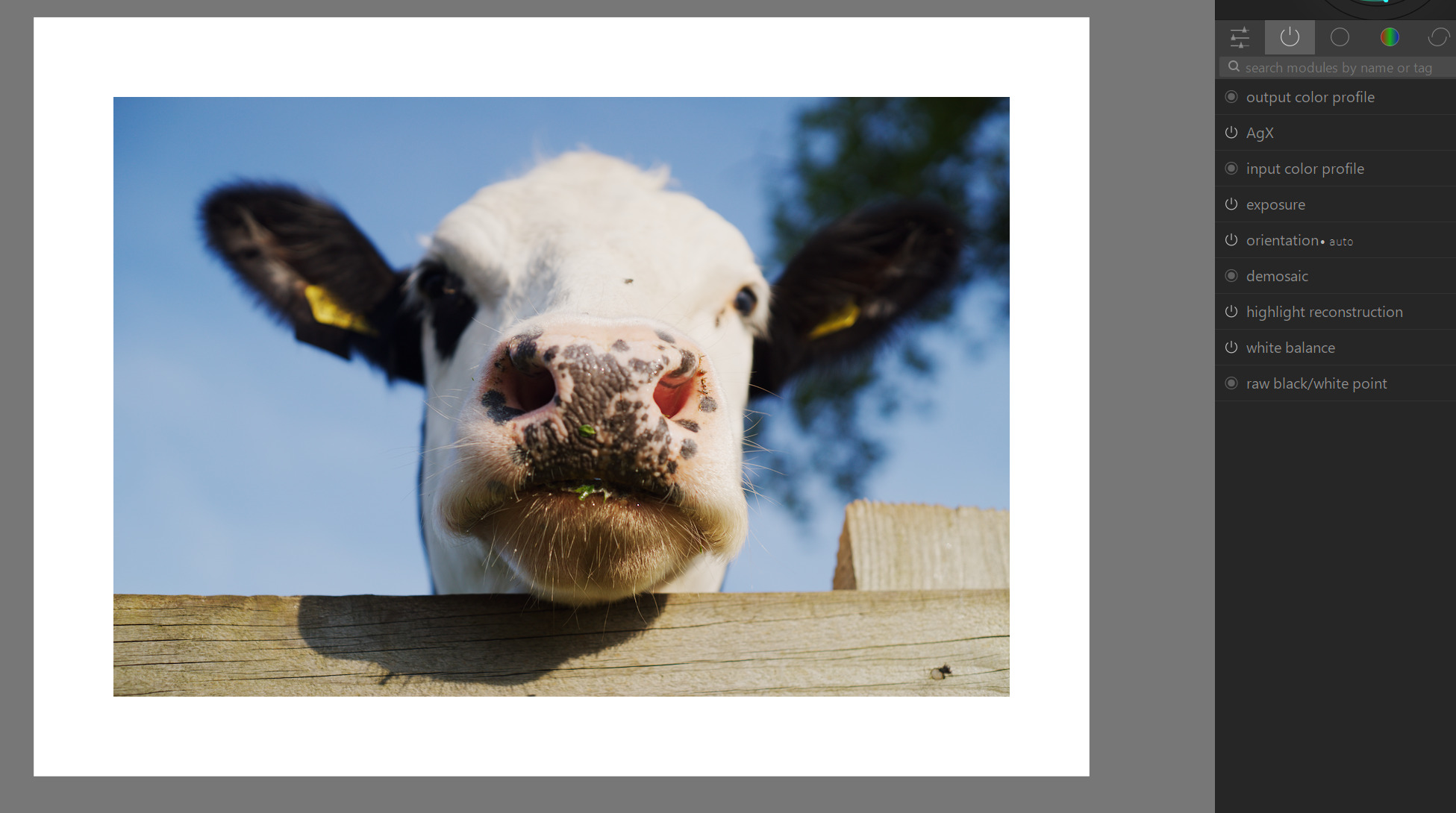
Edit: Going to leave the initial comments above here, but after @Ayoul showed me the extension for alternative renders, I tried this image again with AgX, and it’s way way better… 
DSC05027.ARW (12.1 MB)
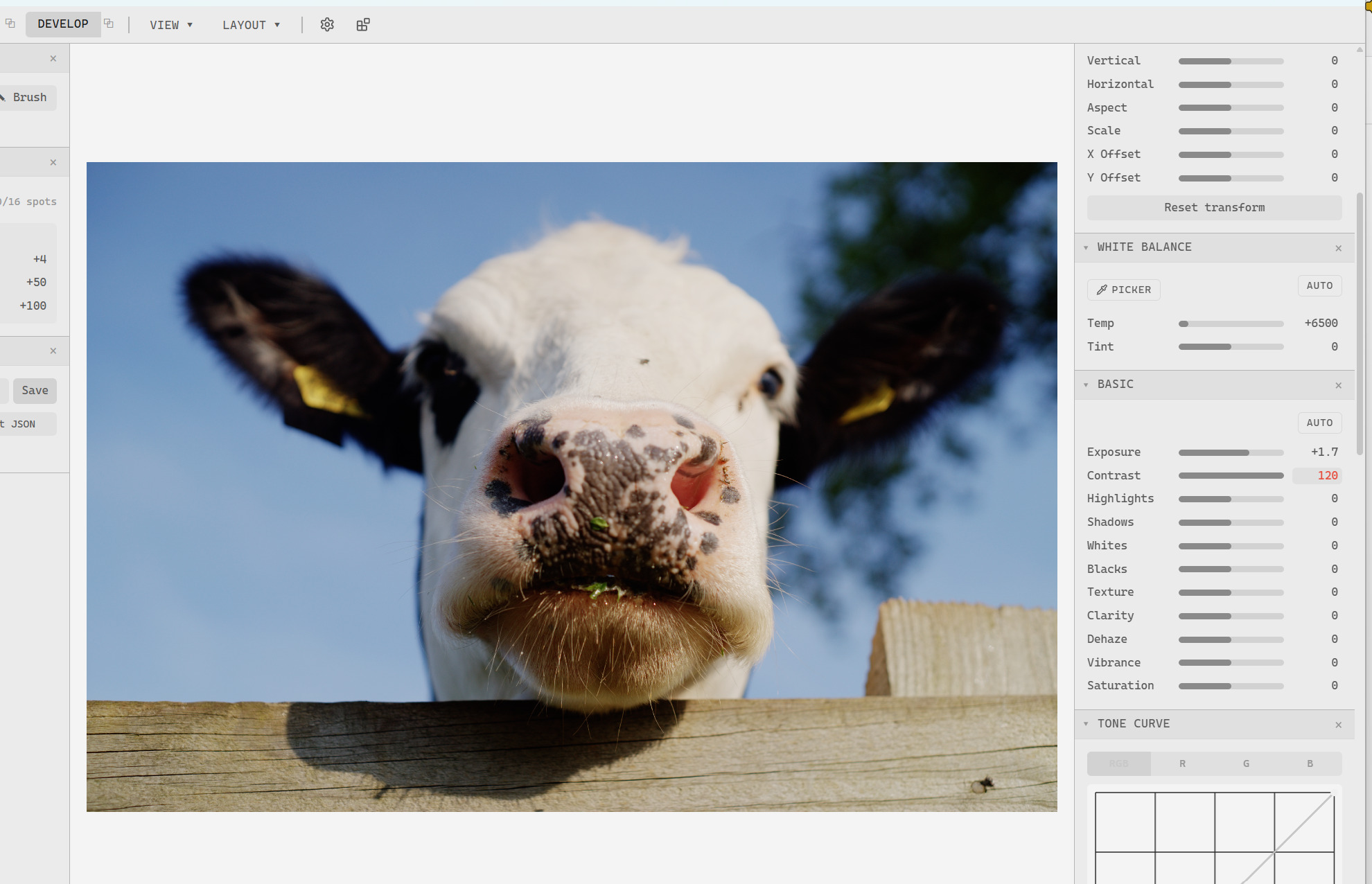
- Perhaps partly related to above, and much less of an issue, (very) extreme settings of contrast give very exciting colours I’m guessing some kind of gamut or negative values issue…?
DSC05168.ARW (12.1 MB)
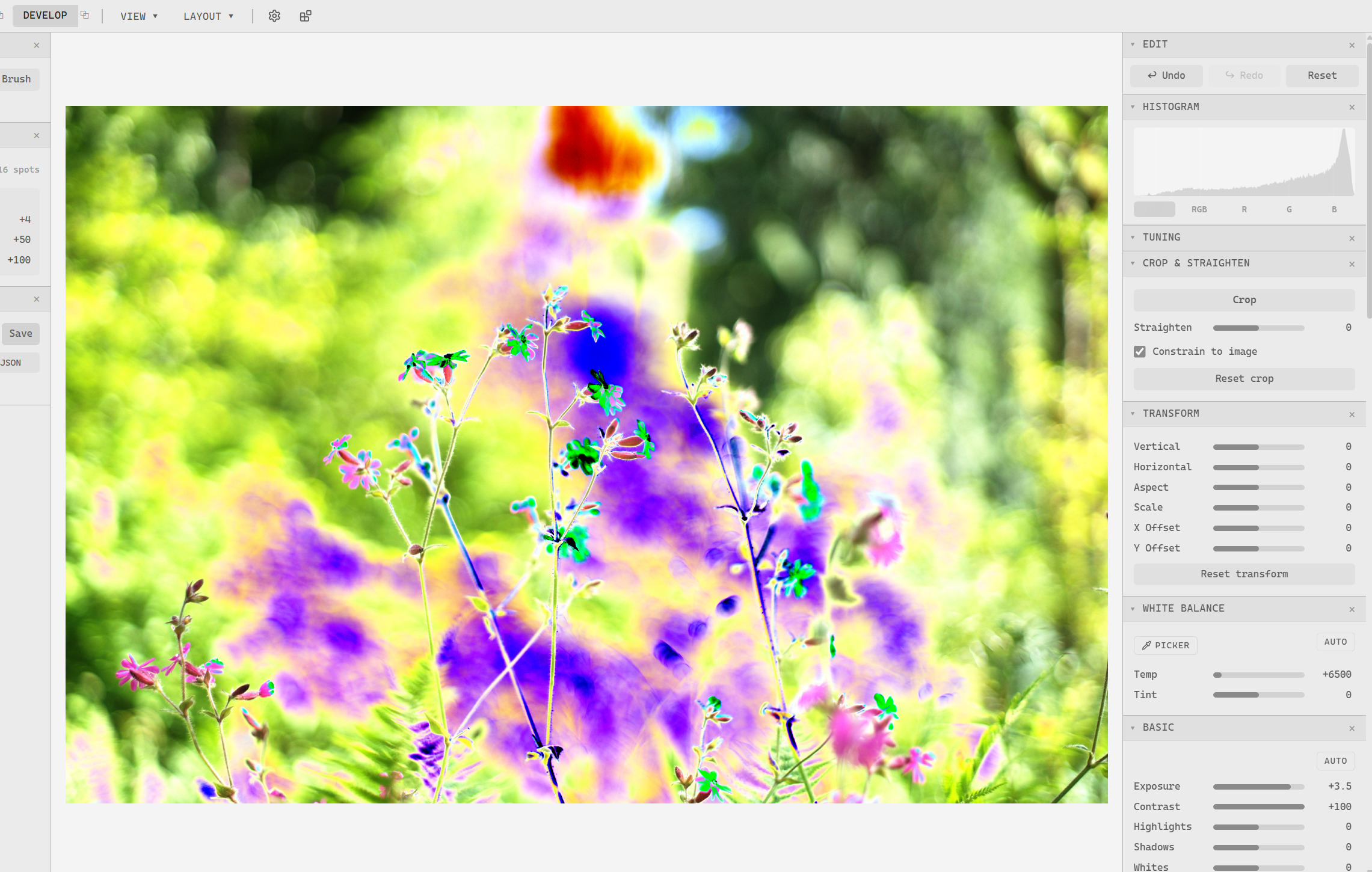
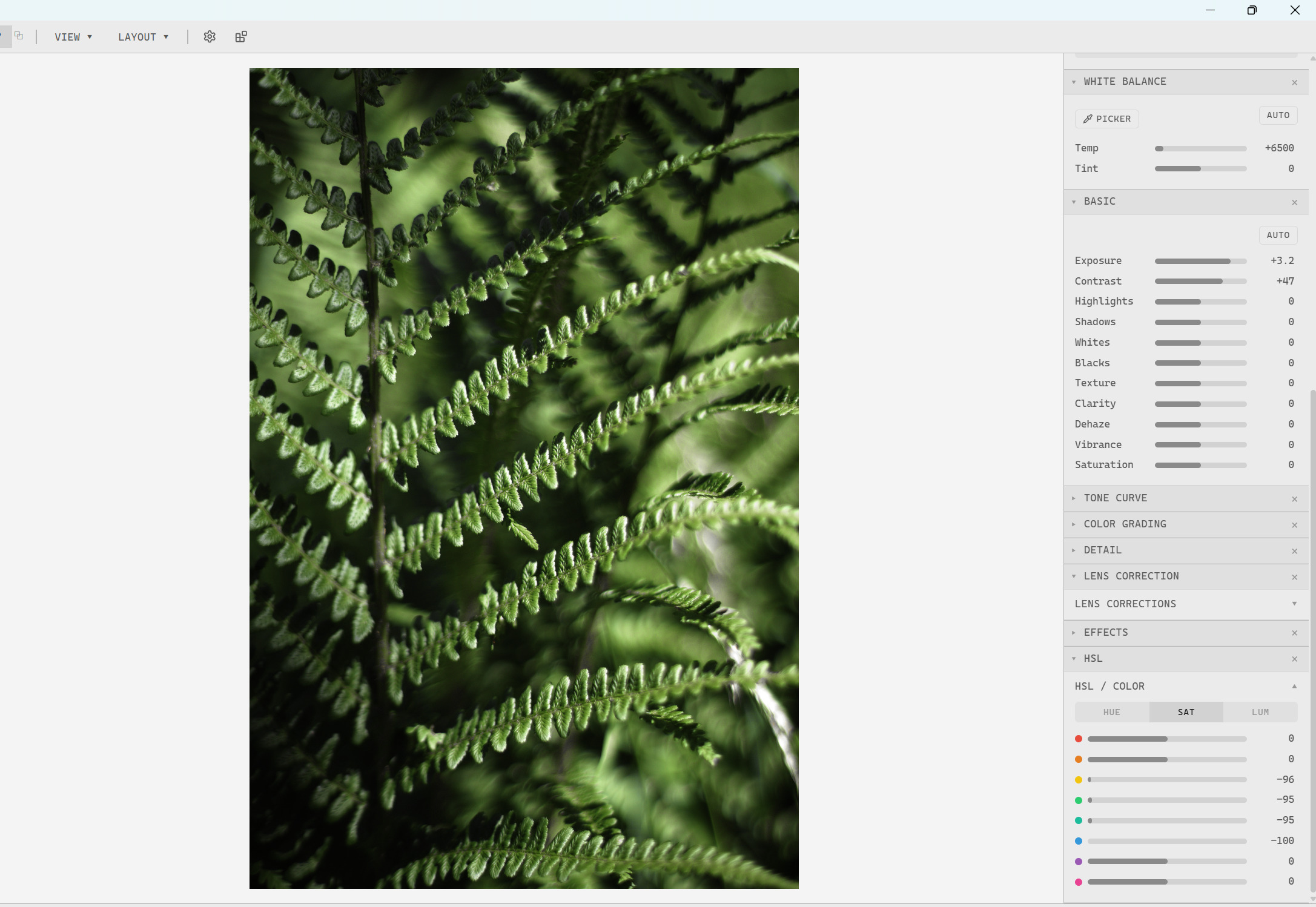
- The HSL sliders don’t appear to be able to affect all hues - in the image below, I wanted to slightly shift the greens towards blue, but rather unexpectedly I found the predominant hue seems to be ‘in between’ sliders. In the screenshot I’m using the saturation sliders to more easily demonstrate the issue. even though all relevant sliders are at or close to 0, the image is still very saturated in some hues.
DSC05167.ARW (12.1 MB)
Edit: one more thing. I’m running on my Windows laptop
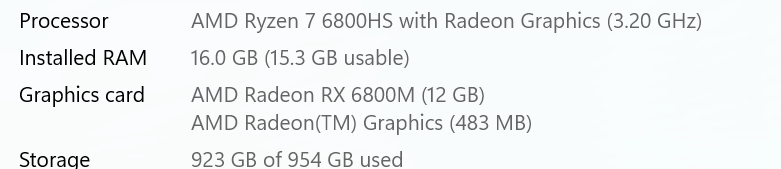
which is fairly chunky, if slightly temperamental. Mostly the sliders in Safelight update the image render in almost real time, but there are random freezes where everything stops for a second or two, then works smoothly again. Just as FYI.
I think that covers the things I stumbled on so far - hopefully some of this might be helpful.
3 Likes
Interesting piece of software, thanks for sharing. I use the windows version
A few things that I noticed : when using the Agx rendering, I see a huge threshold effect anytime I apply some negative value (even -1) on the highlights slider, with a strange effect comparable to what Steven just showed you.
EDIT : in fact, I see this effect with a lot of tone mappers, it behaves the same with Aces, Hejl Dawson filmic, etc.
My white balance (sony .arw files from the original Sony A9) seems visually correct but is always at 6500K, even when it obviously shouldn’t be.
Anyway, I welcome any new software that uses Agx as a tonemapper.
2 Likes
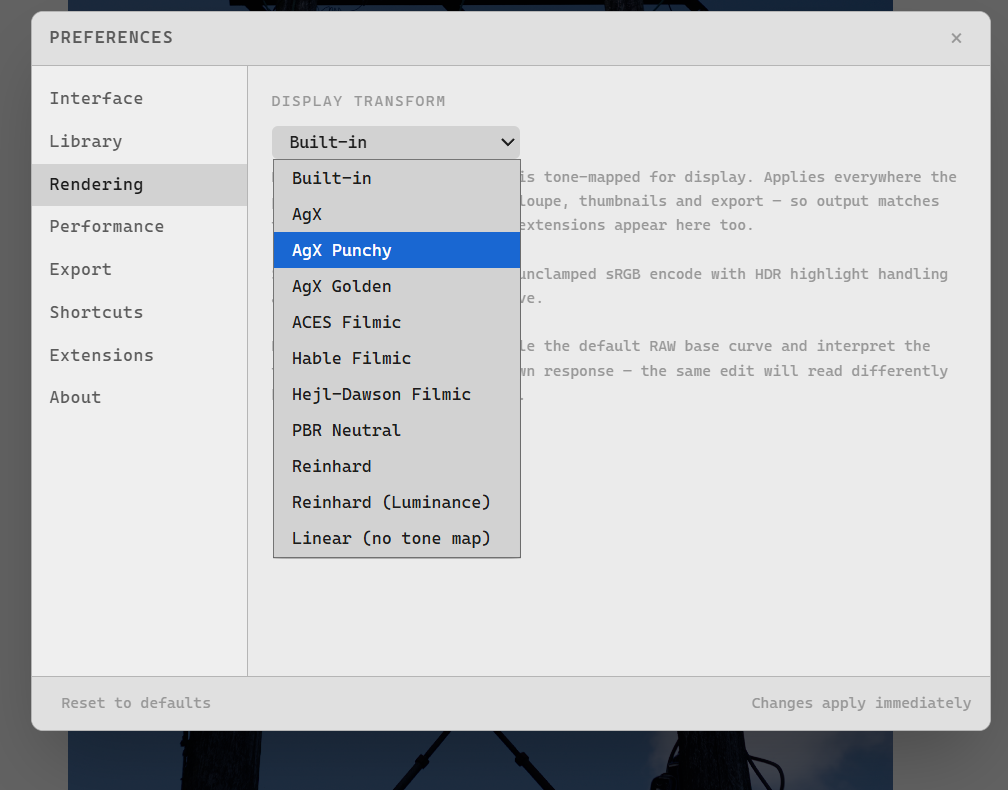
I expect I might be missing the obvious, but where do you find the option for AgX?
In v 1.0.4 the settings option under rendering only has default with no other options, on my system.
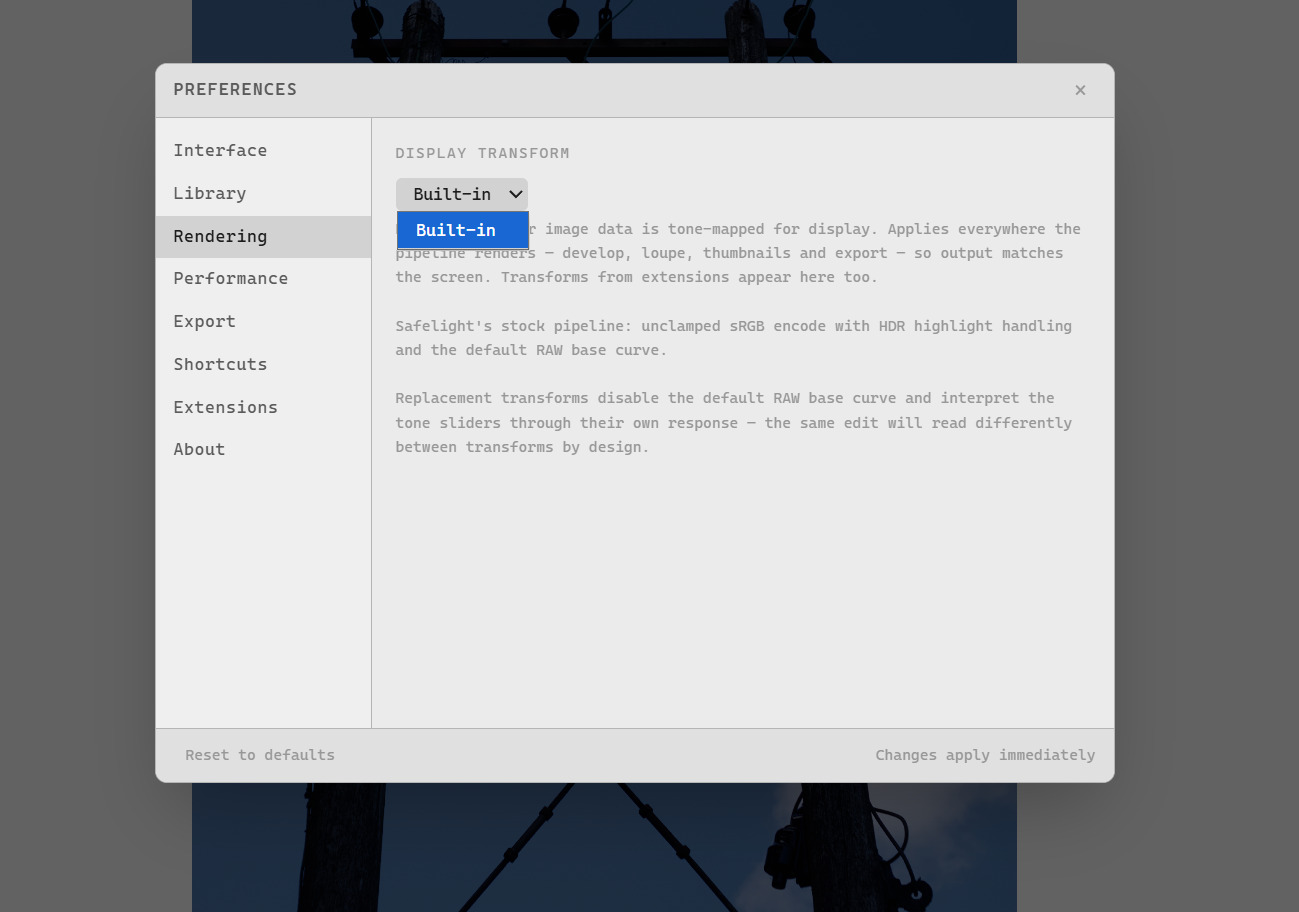
EDIT: I got it! I forgot it was in an extension. Will try out!
2 Likes
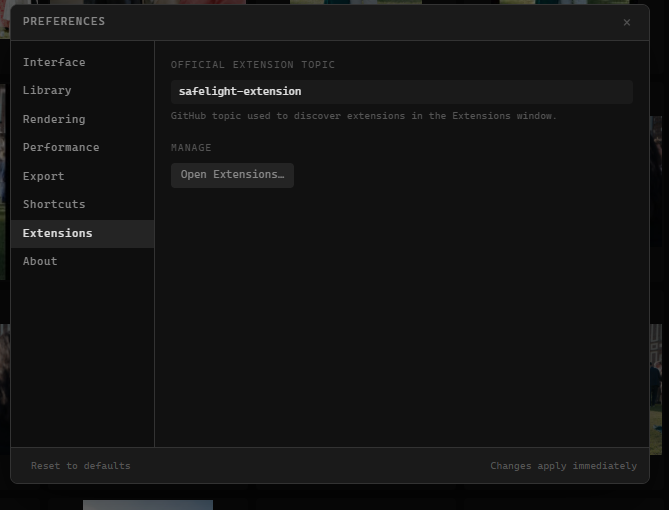
Just wanted to say I think the UI typography and visual design is very nice. If/when I get back to photography I expect I’ll give this a go, and maybe look into packaging it for NixOS if it hasn’t already been done by then.
1 Like
Here is a short video showing the threshold effect when touching the highlight slider :
In this short clip, I never reached any negative value lower than -4.
1 Like
Thanks for the detailed analysis! I have noticed the HSL issue early on but had worse bugs at the time, I’ll work on that and the highlights slider (the bane of my existence).
I have spent way too many hours trying to get the basic panel functioning as smoothly as that of Lightroom, but I’ll get there eventually!
3 Likes
What can I say, thanks!
The UI is fantastic – one of the best I’ve seen so far.
I’m currently so hooked on darktable that I’m finding it hard to break the habit, but I’ll keep an eye on it and use it to give feedback and figure out how to use it in my workflow.
3 Likes
I wonder if you could get any inspiration from darktable’s Tone Equaliser?
I am not a dev so have no idea if it could be adapted to a single slider, but the GF (guided filter) compress range presets (followed by resetting the curve) are my go to for this kind of image operation.
1 Like
Adding to that the tone eq in ART might be a better fit for a slider based tool and it works very well with the simple tonal sliders, false color map, pivot setpoint and regularization slider for local contrast preservation, I have found it to work very well actually and its simple and straightforward
3 Likes
Thanks! I have been struggling with the basic panel’s functionality and will get it sorted in v1.0.6
1 Like
Thank you so much! once I get the bugs sorted, I will move on to extensions to add/replace existing tools. If there’s any panels or custom functionality from darktable you need, just post an issue in my github repository and I’ll get to making it work!
That may be a better solution. Right now, I’m doing the basic panel the way Lightroom does theirs, but it requires so much tuning to get it to look half decent.
1 Like
Sounds good, I’ll have to look into it!
1 Like
I played around some more and I have a few suggestions. I have would add a little circle or square on the end of the bar to make it easier to adjust like Lightroom and Darktable have.
The Lens Correction tool should be a toggle that automatically applies a preset from the lensfun database in addition to the sliders.
The transform tool should allow you to draw lines to straighten the photo like recent versions of Lightroom and Darktable have. Like what you see in this video.
1 Like