Super!
AgX is now fully implemented in the shader. Working on the frontend now.
See: AgX tone mapping · CyberTimon/RapidRAW@59d8ccc

4 Likes
Sounds like this old RawTherapee issue?  The processing order needs to be shuffled around so that local adjustments come before global ones?

1 Like
This is amazing. When I tried RapidRAW a few weeks ago, it showed immense potential, but I was a bit disappointed by some of the algorithms to be honest. And I thought, if only he could copy some of Darktable’s tools, this could be killer! It is open source software after all, so there’s no technical reason why he couldn’t.
And that’s happening right now! Just in time for my birthday, I suppose! Thank you!
4 Likes
Wow, I’m only just starting to realize how impressive AgX really is. Just look at the difference - especially in the car lights, for example:
No AgX (basic tone mapper):
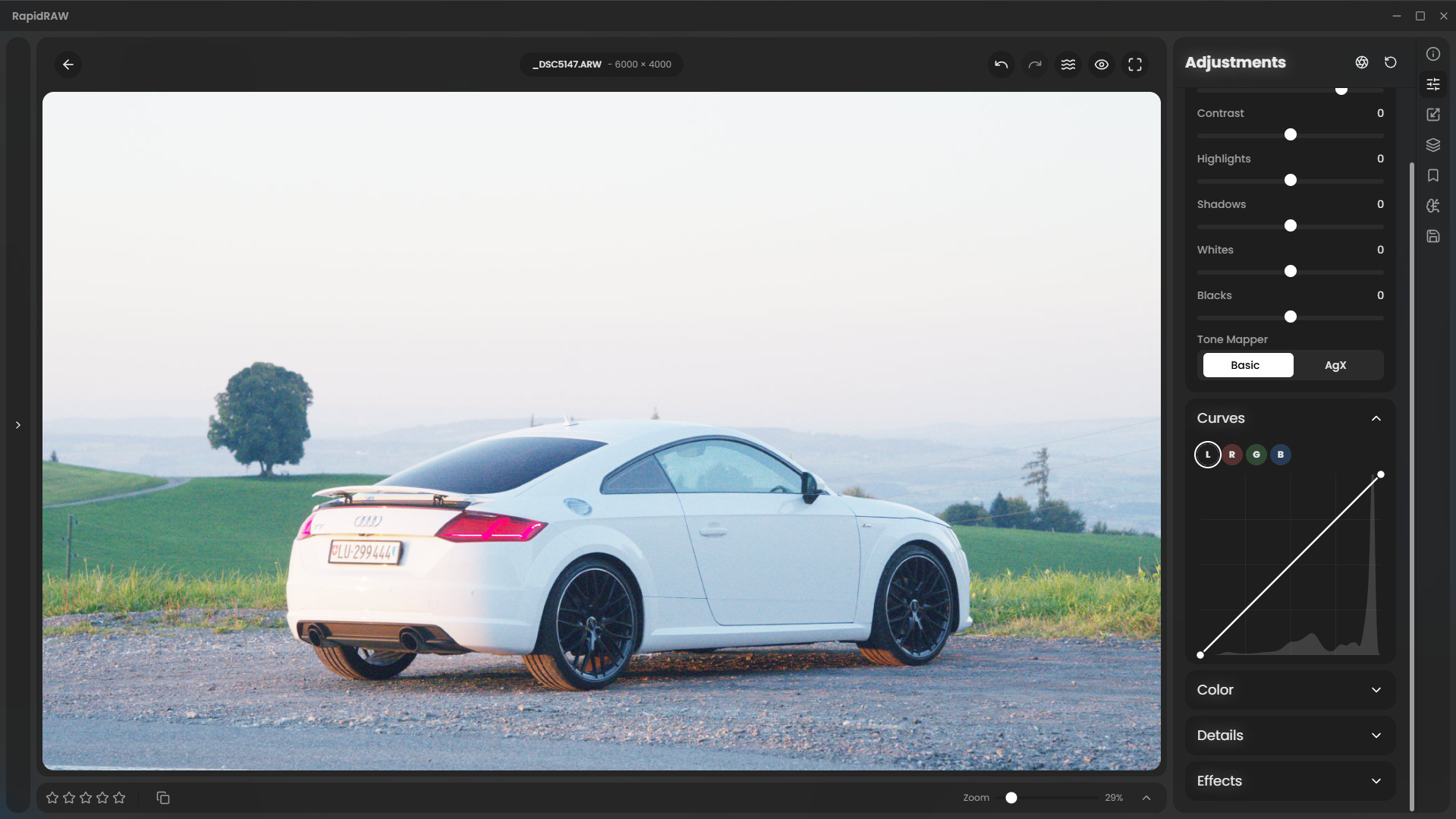
With AgX:
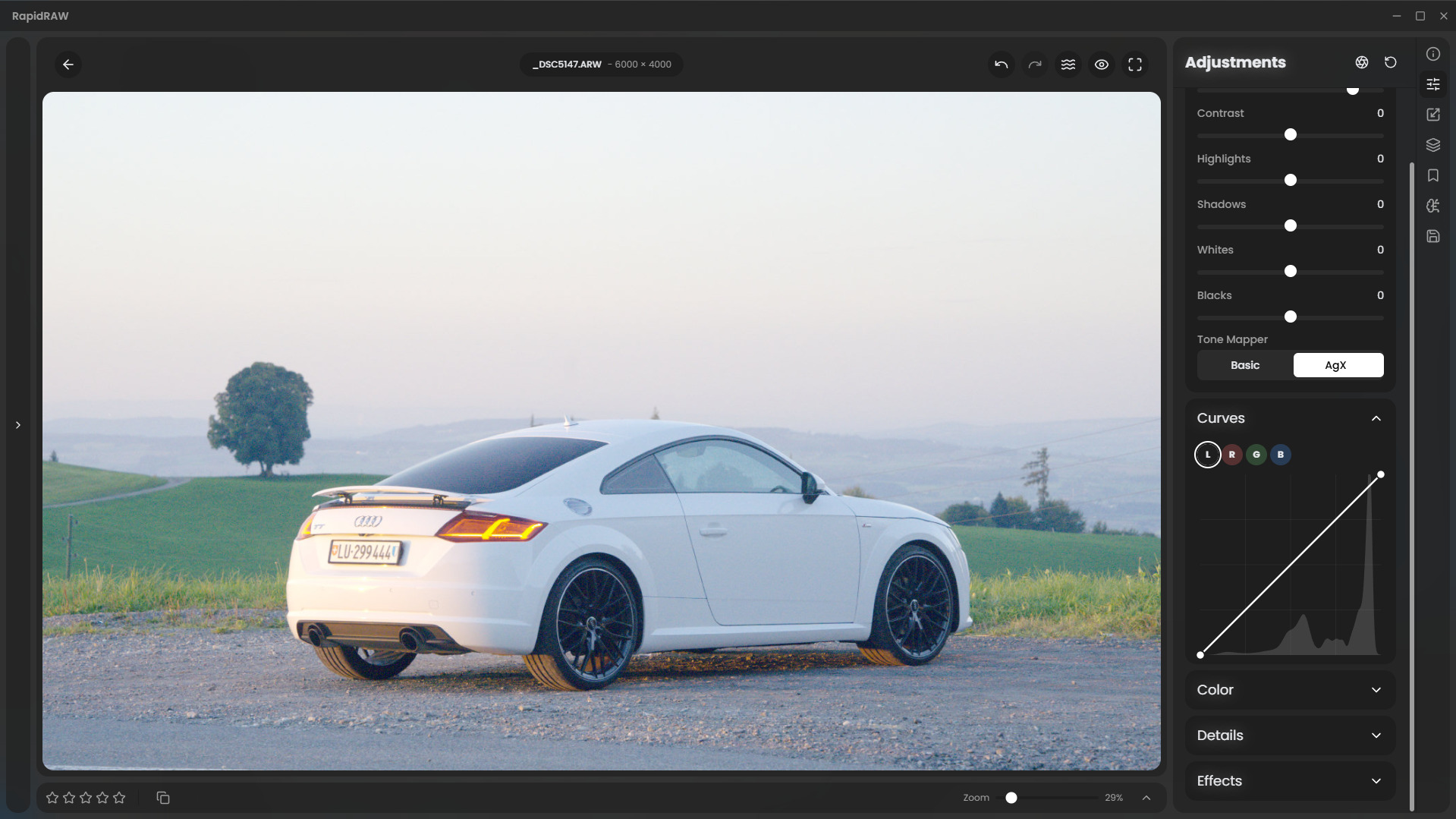
2 Likes
And we’re now also able to get the full detail back in the masks:
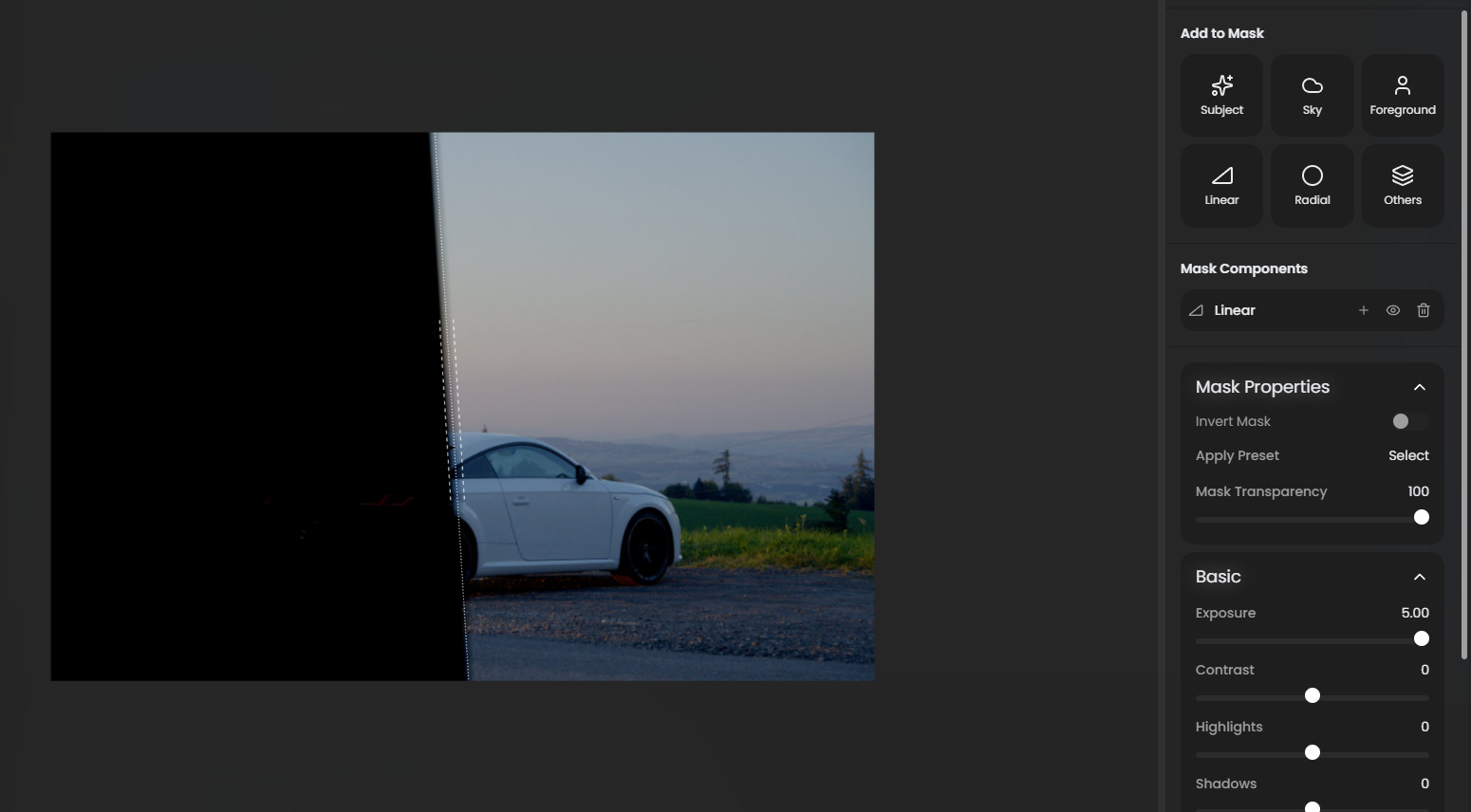
(I initially severely underexposed the image.)
It still needs some cooking but I can hopefully release it in the coming days 
3 Likes
Okay, I’m calling it a day for today, and I’m pretty happy with the progress! 
Could someone try out the new tone mapper settings and share some feedback?
You can download the latest intermediate release here:
The GitHub Actions build is still running, but once it’s done, the built executables will be listed at the bottom of the page.
Keep in mind, this is just an experiment from yesterday and today, so don’t expect everything to be perfect.
1 Like
Is there a list of supported raw file-types?
Will do later today! Looking really promising
1 Like
Not sure if I look in the correct place, but could not find the Mac intel version to try AgX.
“The project uses the rawler crate for its base decoding”, so whatever is supported by rawler (dnglab).
Ok, I’ve spent a good hour or so playing now 
Again, great work. I’m impressed with the improvements to the masked adjustments so that things like the effects of the main panel exposure slider are reversible in masks. (Both with and without the new AgX tonemapping).
And the AgX is working beautifully, although I have a few thoughts here.
I must confess that I don’t have a great deal of knowledge on all this so please forgive me if I don’t make sense. I will refer to @kofa’s very configurable implementation of AgX in darktable for comparison (currently running 5.3.0+272~g1ea31b2f0a).
In no particular order…
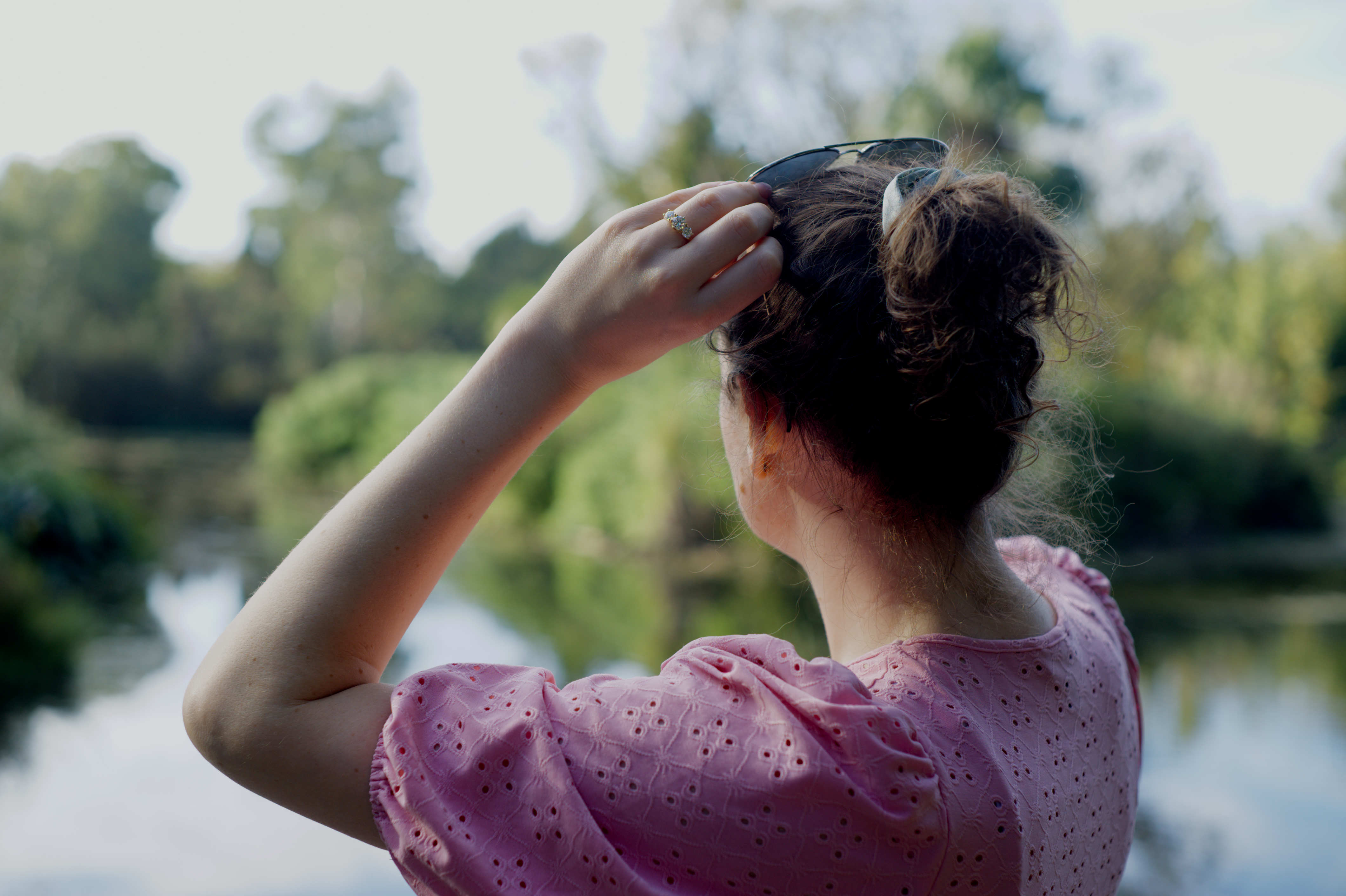
On some images, with the AgX option chosen, the image ends up with rather ‘burnt yet flat’ highlights. That is, detail is lost, yet the output pixels are lower than white.
Below, the first image is with darktable, AgX on default settings, the only other adjustments being exposure, and contrast in the legacy color balance module (I used this as it seems closer to the RapidRaw contrast slider).
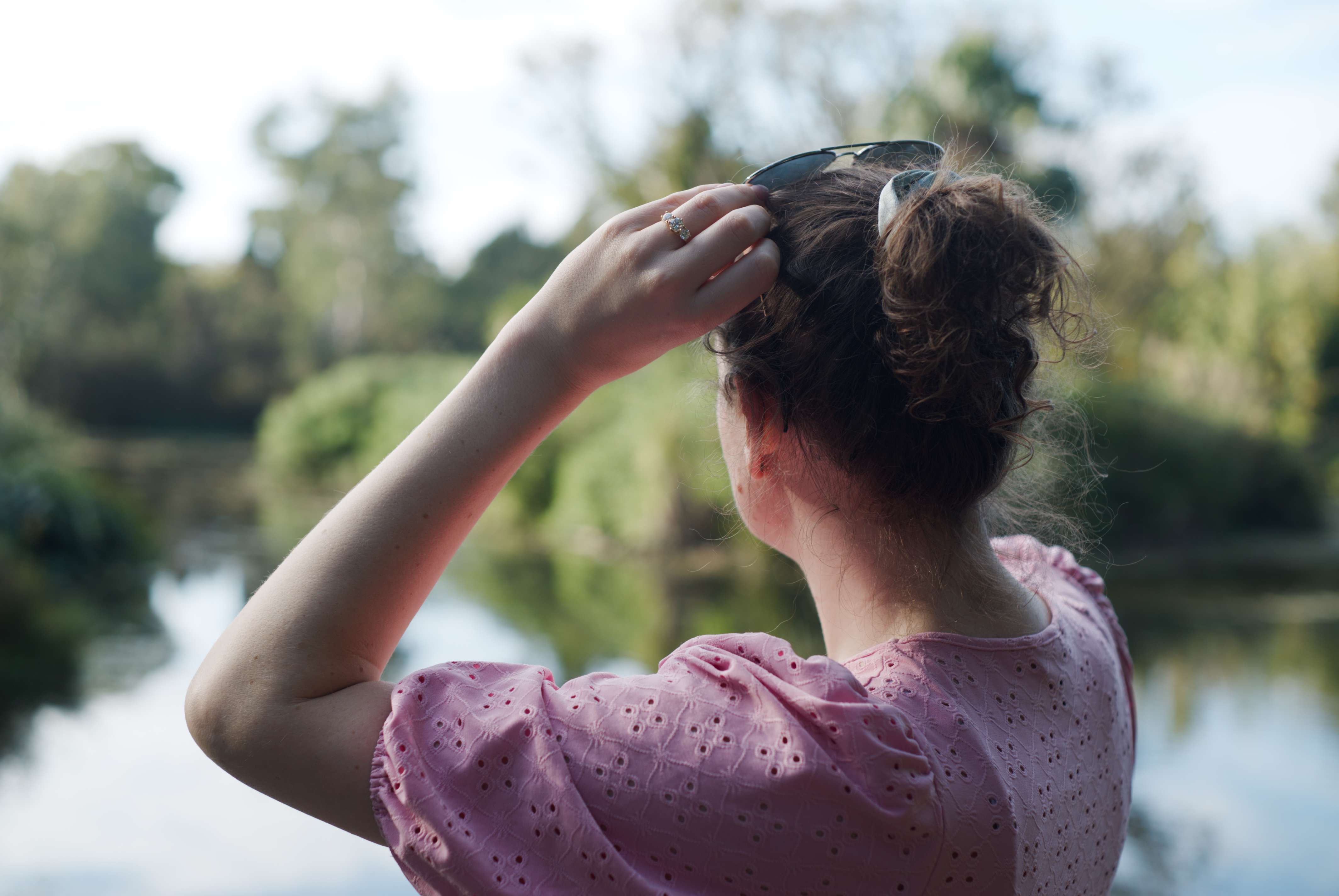
The second is RapidRaw, same adjustments plus a slight tweak to white balance to match darktable. Note the different highlight rendering.
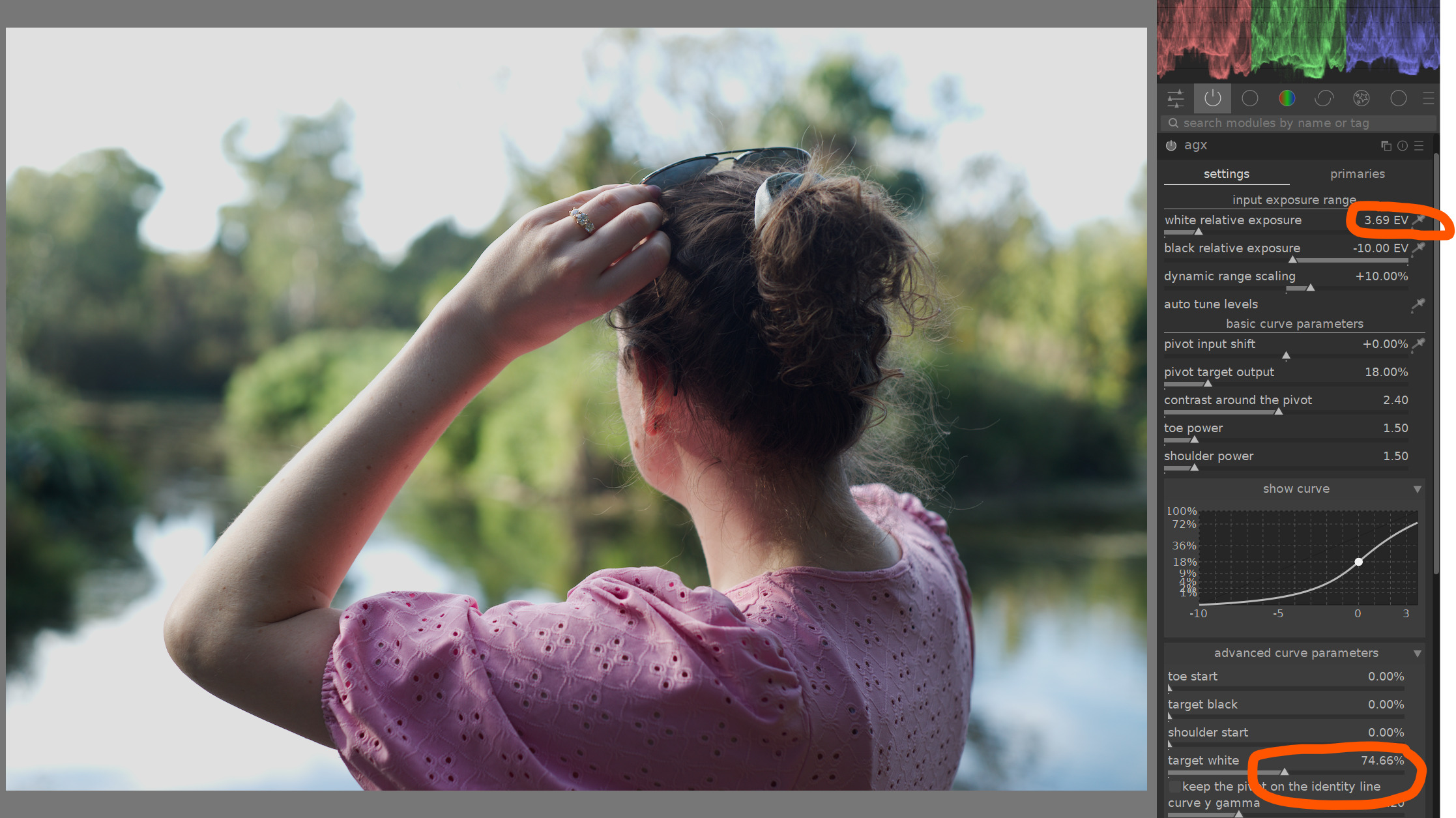
I can create a similar ‘issue’ in darktable by lowering the white relative exposure and target white sliders - below
The main other issue I noticed is regarding tonality in the midtones. The darktable version of AgX allows this to be adjusted, or targeted using these sliders:
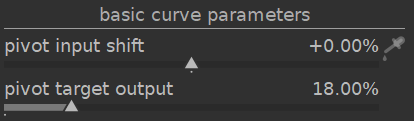
I am usually happy with the default in dt, but on some images, your implementation seemed to be focusing contrast (or curve steepness) nearer the shadows. You can actually see this in the person’s hair in the comparison above.
In most cases was able to use RR’s curves to tweak this if needed, but I still thought it worth mentioning.
Final thought for now - RapidRaw’s AgX seems to have the same overall contrast as the default in darktable - 2.4
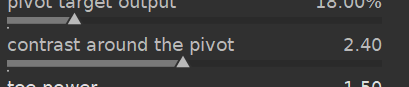
which tends to be a little flat. I wonder if you could tweak yours to be a little higher to give a result similar to your ‘Simple’ tonemapping options? Or… even map your contrast slider to AgX’s contrast parameter?
OK! I think that is everything I wanted to express. Again, this is not meant as criticism - never quite sure how I come across online 
Final final thought - have you looked at the @flannelhead’s sigmoid module in dt at all? Just occured to me as it gives consistently good results, similar to AgX but has a lot less configurable parameters.
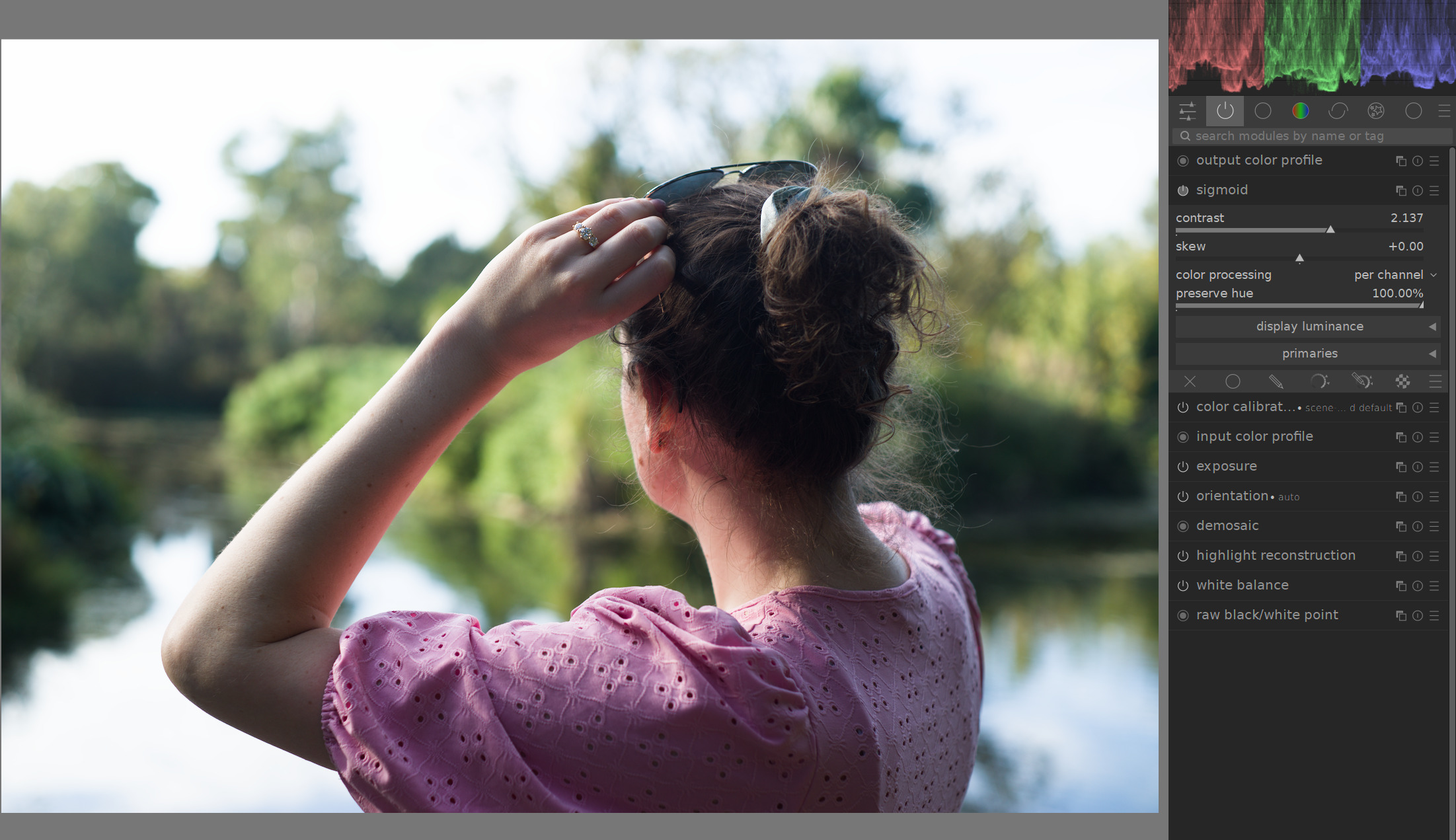
2 Likes
Please scroll down on the page - you will find this:

Yes that’s what I’m going to implement when I’m back home from work. I already have this planned
Regarding your other points, especially the highlights, I’ll take a closer look this evening.
Thank you so much for your detailed feedback; it’s very helpful.
I have an important question: Have you noticed increased colorized image noise when using the new build with Basic/AgX compared to RapidRAW v1.4.3 (the current stable release)? I observed this yesterday after pushing my changes and would like to know if you’ve seen the same.
2 Likes
TIL: the download link appears only if you are logged into GitHub 
@CyberTimon this is some truly wonderful piece of software. Kudos.
2 Likes
Ohh, that was fast! 

1 Like
Yes, I found it after some time…

No - but have not made direct comparison. Will try to check when I can.
Thanks for the link. Sadly for me, no Sigma.
Which Sigma? If it outputs DNG, there’s no need to be listed, should just work. If it’s Foveon type (X3F), I don’t think any open source software supports it (well).