X3F. Can be opened in RawTherapee, sometimes well enough.
My computer is a laptop with AMD Radeon™ Graphics integrated graphics Number of graphics cores 7 1800 MHz graphics frequency
Question
Will RapidRaw work with GPU VRAM only 512MB DDR4 ?
Unfortunately, in any materials published on the web, this topic is not addressed, as if everyone has an idea of what the requirements are for a GPU for a computer with a view to use for computation in Artificial Intelligence programs.
GitHub - CyberTimon/RapidRAW: A beautiful, non-destructive, and GPU-accelerated RAW image editor built with performance in mind. also doesn’t address this topic
Attempts to run in Windows 11 25H2 obviously fail
Wow, big congratulations to you @CyberTimon. This is seriously impressive.
I have literally spent 3 minutes with it, but I can already see how impressive it is.
Why am I providing any feedback after just 3 minutes? Because I think initial impressions and how quickly you can start using it is a very important gauge of user-friendliness. For many people, they will very quickly turn away from RawTherapee and Darktable because it takes them “too long” to learn or produce satisfying results.
So far, I’d say RapidRAW is the definition of intuitive. I know some people don’t like that word because intuitive to some people is not intuitive to others, but most people these days are familiar with how computers work, so there is already a baseline for basic human intuition of software.
I launched the editor, opened an image, did basic adjustments and created a mask within 3 minutes, and it was super easy and intuitive to do. I think the name RapidRAW is appropriate and as the Brits like to say, “it does exactly what it says on the tin”.
Looking forward to following this software’s development.
7 Likes
Thank you all for the great feedback and for testing! I believe that quality tonemappers, like AgX, can really take RapidRAW to the next level. Exciting updates are coming soon!
I haven’t tested the program on every possible hardware setup. It’s open source, free and only a 30 MB download, so giving it a try costs almost nothing - just maybe 5-10 minutes of your time.
3 Likes
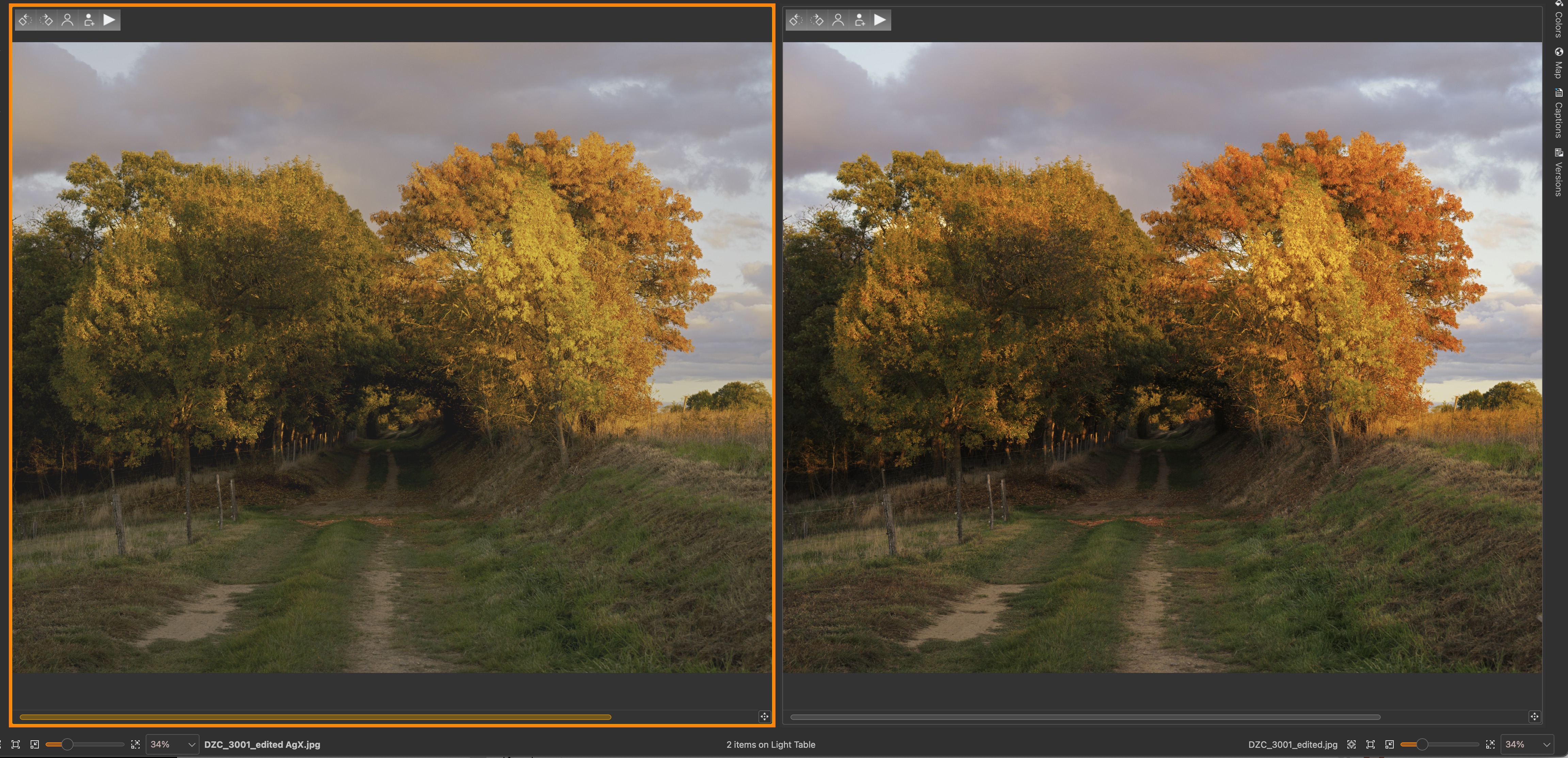
Impressive the progress made on this program! I am a long time user of rawtherapee and darktable. I just play a little with the AgX and basic options. For Nikon .NEF files I could get easy and quickly, a picture that looks like the JPG out of the camera with the basic option. With AgX I could not. Here are the results. Obviously my inexperience with this soft contributes to these results.
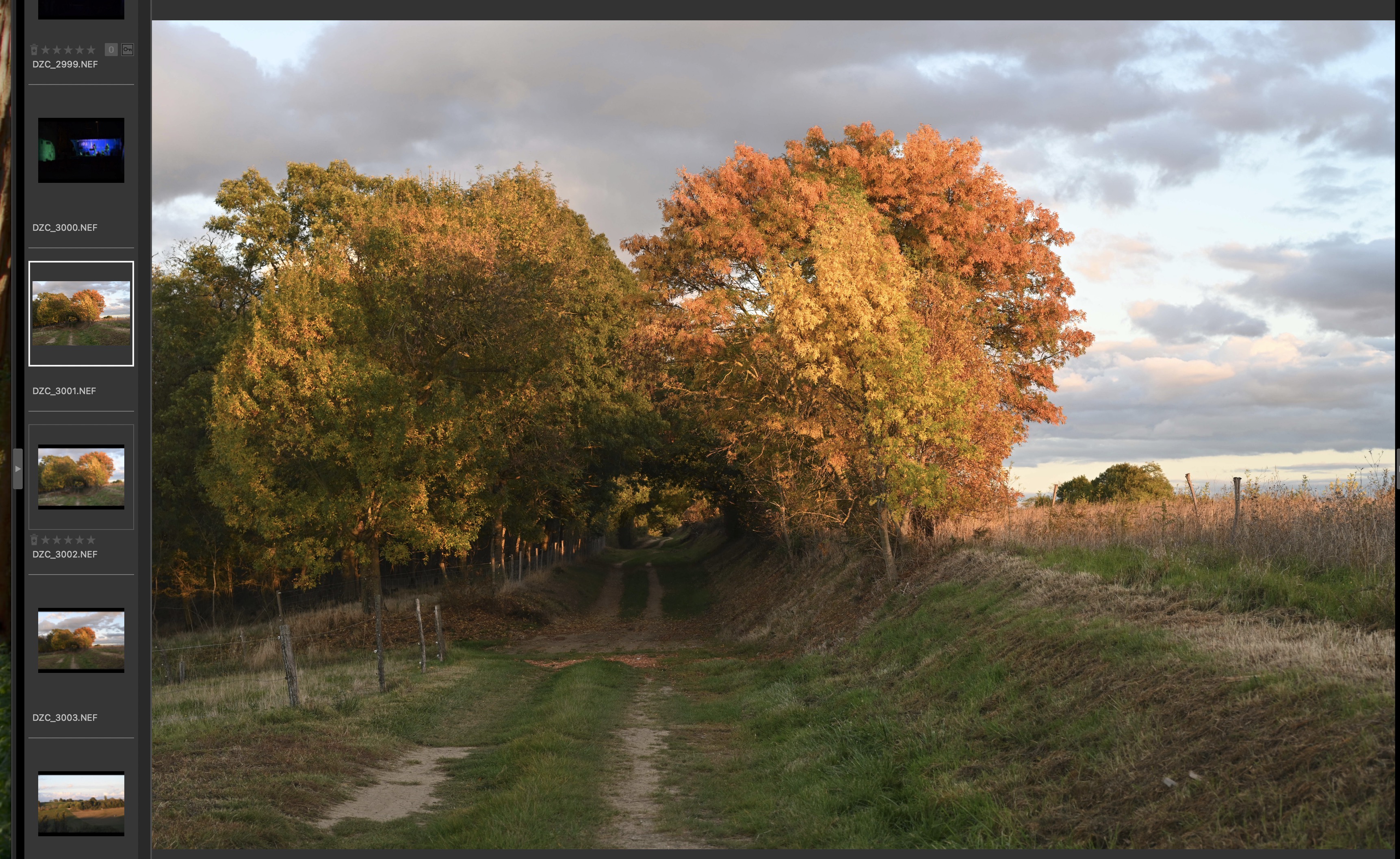
Left Basic, right AgX
First impressions, fast, easy to use, and good results. Will follow further developments.
Thanks for sharing your work
@CyberTimon Do I need to do something special to enable automatic tagging?
I enabled it in the settings, where it says that an additional model would be downloaded, but I didn’t get any further prompt and after opening a directory I do not see any option related to automatic tagging. Thanks!
As I wrote I installed, and attempts to run it in Windows 11 25H2 fail
I click Continue Session opens Library and after a second the program closes.
Hence my question so that others when they encounter this problem will know what the cause is.
It seems that stating the minimum GPU requirements should take place.
Not everyone is a programmer, most are ordinary bread eaters who want to use the program
For processing your own RAW files.
"Using the GPU to speed up processes guarantees smooth operation even on modest hardware.
GPU acceleration is crucial in this aspect, as it reduces the load on the processor and uses the graphics card for parallel tasks, allowing higher performance with fewer resources."
And here is the layman’s question again:
What must be the minimum required GPU VRAM for this program?
Available GPU RAM: 3964 MB
Required available GPU RAM: 1500 MB
I searched to find info:
Graphics card as a key component in AI systems
The graphics card is not just a component responsible for displaying graphics - in the age of artificial intelligence, it is becoming a key player in the computational performance of systems. It is thanks to powerful GPUs that it is possible to quickly process huge data sets and perform complex parallel computations, which is essential in fields such as machine learning and deep learning.
So what should be the minimum graphics card for this software.
For what it’s worth, it ran OK on the embedded GPU of this laptop:
Intel Corei5-10210U with Intel UHD Graphics, driver 31.0.101.2135
16.0 GB RAM
Windows 11, 24H2
For info also, I am on iMac intel 8 core i7, 64 GB memory, and a AMD Radeon Pro 5700 XT 16GB. RapidRAW, RT, dt, digikam, all programs run fine.
If you have it enabled, you can click the search icon in the top right corner and type your keywords:

Keep in mind the tagger’s functionality is still a bit limited for now, but it might still be useful depending on what you’re looking for.
1 Like
I have not been able to run RapidRAW v1.4.3 on Aurora (a Fedora derivative, kind of). It opens, but the Window of the app is just transparent and shows what app/window is under it. In screenshots it just goes black.
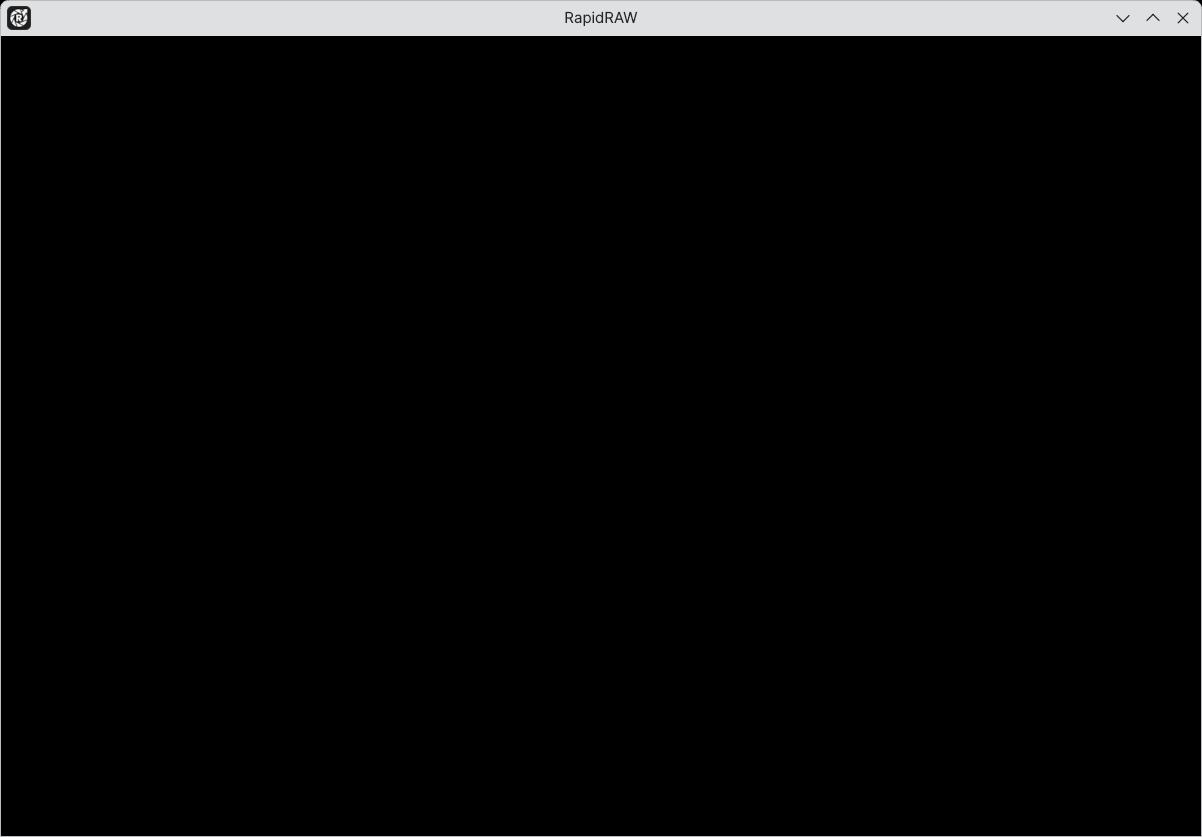
I tried both 03_RapidRAW_v1.4.3_ubuntu-22.04-arm_aarch64.AppImage and 03_RapidRAW_v1.4.3_ubuntu-24.04-arm_aarch64.AppImage . I start .AppImages with --appimage-portable-home the first time so that it creates a home directory in the directory where the .AppImage resides.
Already mentioned, see post #8 in this thread. The workaround mentioned in post #10 doesn’t work well for me, on Xubuntu. The app freezes and/or freezes my pc and when it does not freeze, it’s unusable slow. So I follow the development of RapidRAW on my iMac…
Thanks. Starting via terminal gives:
Set ORT_DYLIB_PATH to: /tmp/.mount_RapidRjHkDhg/usr/lib/RapidRAW/resources/libonnxruntime.so
Could not create default EGL display: EGL_BAD_PARAMETER. Aborting...
Why not check GitHub, where the official issue tracker lives, and search for this error?
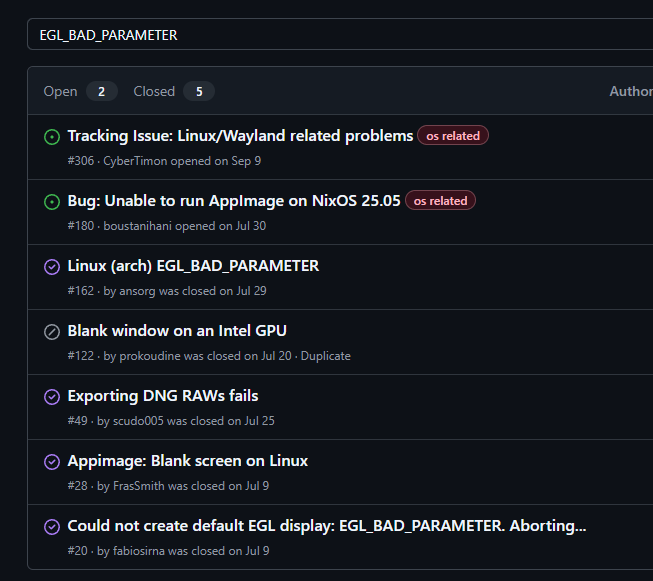
I don’t want to sound rude, but I’ve already mentioned 2-3 times in this thread that bug reports should go on GitHub - posting them here just creates noise. See this post for reference.
Also, running it from the terminal alone isn’t enough, you need to set an environment variable.
Not rude! Sorry for taking your time by not searching. Will try to do better next time. 
1 Like
Not related to issues mentioned above. But for those having issue with appimage runnning in firejail. Seems appimagetool is creating appimages with wrong permissions causing:
/run/firejail/appimage/AppRun: line 12: /run/firejail/appimage/AppRun.wrapped: Permission denied
Workaround is to repackage the appimage like this:
ELFSIZE=$(readelf -h RapidRAW.AppImage)
START_OF_SECTION=$(echo $ELFSIZE | grep -oP "(?<=Start of section headers: )[0-9]+")
APPIMG_OFFSET=$(( $START_OF_SECTION + $SECTION_SIZE * $SECTION_NO ))
mkdir ttt
unsquashfs -o $APPIMG_OFFSET -d $PWD/ttt RapidRAW.AppImage
mksquashfs ttt/ squashball
cat runtime-x86_64 squashball >RapidRAW.fixed.AppImage
chmod a+x RapidRAW.fixed.AppImage
firejail --appimage --private=...  RapidRAW.fixed.AppImage
Since I did not receive a satisfactory answer to the question asked, why RapidRAW in me does not work.
I searched the web and found many answers:
E.g.:
You can ask a question."
Is your computer ready for the AI era? Hardware checklist
Sample answer:
To effectively use local AI models in 2025, the following hardware configuration is recommended:
- Graphics card (GPU): NVIDIA GeForce RTX 4070 Ti with 12 GB VRAM or RTX 4090 with 24 GB VRAM. These models provide the high performance needed to process complex AI calculations and support advanced graphics and video applications.
- Processor (CPU): AMD Ryzen 9 8950X with built-in NPU (Neural Processing Unit) or Intel Ultra 9. The presence of the NPU in the processor relieves the burden on the CPU and GPU when performing AI-related tasks, resulting in better system performance and energy efficiency.
- Operating Memory (RAM): 32-64 GB DDR5. More high-speed RAM is crucial for smooth operation of AI applications and enables efficient processing of large data sets.
- Hard drive: 1-2 TB NVMe SSD with PCIe 5.0 interface. High-speed SSDs provide lightning-fast data access, which is important when working with large AI models and when running storage-intensive applications.
Sample answer:
Here is a short table illustrating VRAM requirements depending on the types of AI applications:
Application type Recommended VRAM (GB)
basic models ML 4-6
Complex models ML 8-12
Deep learning 16+
I also asked a question on ChatGPT
Answer:
For example. Stable Diffusion or Real-ESRGAN language models only need a graphics card with 8 GB of VRAM, but the more complex the model, the higher the requirement for GPU processing power and VRAM capacity.
In AI applications, it is not only the VRAM that matters, but also the overall computing power of the graphics card (number and performance of cores, memory bandwidth), including the power and number of units for AI calculations (such as. Tensor in NVIDIA chips).
Pay attention to the generation, too - as a higher number does not always necessarily translate into better performance.
The graphics card is not the only component that must meet certain requirements set by AI tools and applications.
We also need a fair amount of disk space (depending heavily on the language model chosen).
The amount of operating memory (RAM) is also not insignificant (at least 16 GB is recommended)
For AI, the amount of VRAM on the graphics card is crucial as models are loaded into the VRAM. For more advanced models or tasks with higher resolution, it is worth targeting cards with 8 GB VRAM or more.
Again, please post the relevant information about these hardware requirements on the website: GitHub - CyberTimon/RapidRAW: A beautiful, non-destructive, and GPU-accelerated RAW image editor built with performance in mind.
Please don’t post your chatgpt answers here, we don’t want them @Zbyma72age
4 Likes
For the non-AI features (general image calculations), a simple graphics card can add a huge boost.
“Machine learning tasks” could mean training the model. That is much more resource intensive than using the model. I was able to test RapidRaw’s AI subject selection mask on a laptop without any AI chip and a very weak GPU (for all I know, the model could have been running on the CPU).
Didn’t 25H2 break a bunch of things even several OS functions…maybe it could even be related to your experience with this project… I am waiting to update as that update doesn’t sound like a good one…