I’m currently thinking whether it’s worth upgrading my laptop’s 16GB DDR4 memory by adding another 16 gig stick, as I regularly run out of memory when doing just about anything that’s RAM intensive.
There’s a problem though – the exact component by part number that’s currently installed in my laptop is either:
a) out of stock
b) not shipping to Slovakia (typically US-based shops)
c) a shady or overpriced offer (yes, even for today’s “standards” of RAM pricing)
So… what now?
A properly spec’d desktop is currently out of budget and impractical as I travel a lot, so there’s a question… How bad is mismatching brands if the specs of the RAM sticks match? I heard there can be major problems with that, but I’d like to avoid spending so much for a 2x16 gig kit.
In the past, I never experienced problems. I think mixing brands shouldn’t be of any issue, as long as you stick to the RAM specification. I googled and found this here:
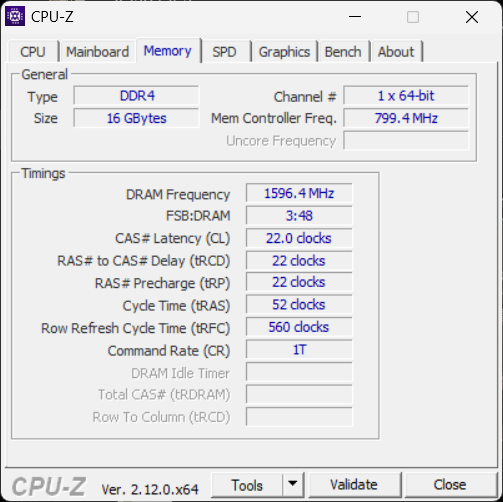
If you just want the extra 16 gigs of memory space then pretty much anything will work. However, if you want to have perfect dual channel memory for the doubled memory bandwidth, you need to have another 16g ram that has the same frequency and the first 4 small specs (CL, tRCD, tRP, tRAS) listed in CPU-Z’s Memory tab.
I believe if you have a worse small spec memory, then you still gets dual channel but the bandwidth is adapted to the worse memory’s spec (so your better memory becomes a bit of an overkill).
I may consider sell my current memory and buy another 2 sticks, but just buying another 16g would likely be fine, especially considering laptop memory generally don’t have high speed (I might have outdated knowledge since my laptop have been using 2400mhz memory for years), so you aren’t losing much speed even with a slower dual channel.
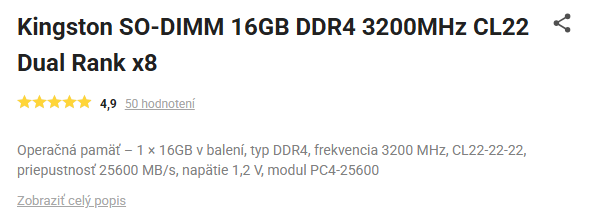
Well, this is what I got, a SO-DIMM 16GB DDR4 3200MHz CL-22.
The rest of the numbers match as well (based on my other searches of my current RAM stick), so this should be good to go.
Yeah, I think it’ll be OK. I was also thinking that if you are just a bit short of memory in doing your stuff, then setting a larger page file (caching memory to hard drive) may be an option. Also you don’t need another 16g to have dual channel, for example, a 4g stick and a 16g stick can have dual channel in the first 4g.
Those are what my budget-strained mind came up with, so they might not fit your situation at all. Hope you can sort things out!
I don’t understand your question, could you word it differently?
For clarification, a 16g+8g memory combination will give you 24g of total memory size. 8g of this 24g will run at 3200mhz dual channel (so that’s 6400mhz), the rest of 16g will run at single channel 3200mhz. Not sure if this is what you’re asking though.
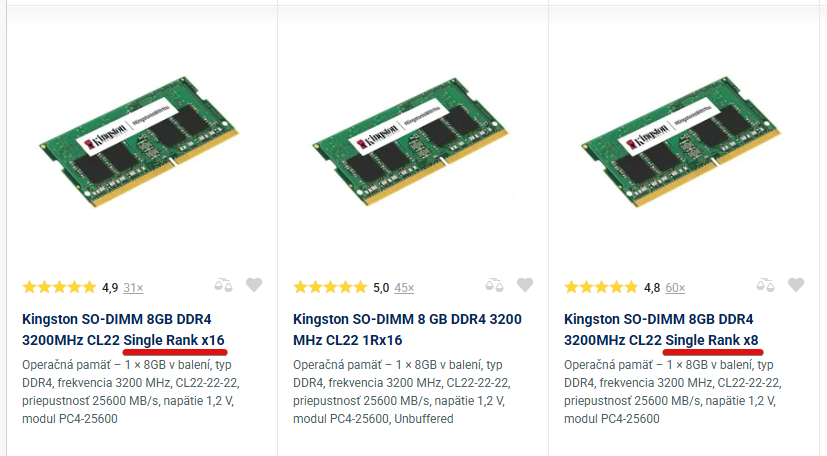
Alright I understand now, it was because my English sucks. It looks lie 2 ranks memories are better, but the whole rank thing is quite a myth for me, so I’ll have to leave it to someone else for a better answer.
I also did some light reading to refresh my memory (pun intended).
Kits are the ideal because they have been tested to match. Adding a single module, even from the same vendor, does not guarantee a perfect match. Any mismatch causes more negotiation between the modules, causing them to run sub-optimally.
Next best configuration is to match the new module to the existing one as closely as possible, which I see is part of your consideration.
If you do not know which rank and bit the existing one has and/or you are using a budget motherboard and CPU that will not take advantage of high rank and bit modules, choose the simpler 1x8 (which uses less power and produces less heat if that matters for the laptop). Otherwise, research the specifications that work best with the laptop’s hardware.
Well, it’s a laptop with an Intel i7-11370H (at least that’s what’s reported by Windows, I’ve seen (under Linux I think? I don’t remember anymore) that it might actually be 1185g7)
Also, I read that my current RAM should be 2R×8. And in the end I might get the 16GB stick to be on the safe side, which is also 2R×8.
Hmm, it’s actually reported as single. Well, will dual-rank memory cause any trouble?
Also, is going by CL-22 enough, or should I target more specific CL-22-22-22-52 reported by CPU-Z? As the more specific memory doesn’t mention ranks on the other hand…
The closer to the existing module the better. If one is single rank and the other dual, I believe the motherboard will only use single rank for both for consistency.
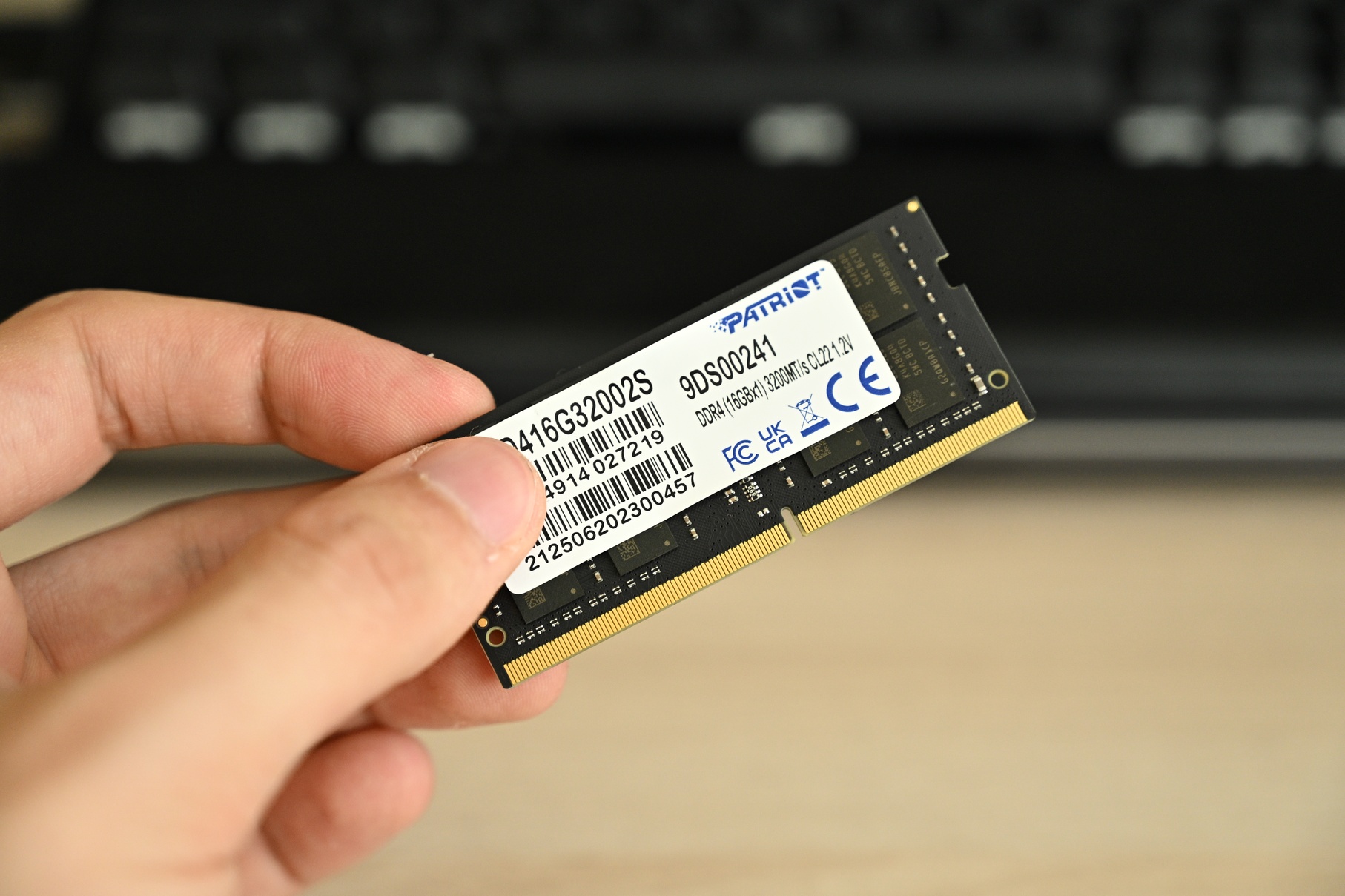
I think this is not needed since the previous versions of the post are preserved anyway, so the big image remains in the system. Better to just accept the mistake and move on Mods please correct me if I’m wrong



 Mods please correct me if I’m wrong
