I recently installed version 5.60 on my Windows 10 laptop. The “Scripts” module does not appear in the lighttable view. I verified that the “lua-scripts” directory exists in “Program Files\darktable\share\darktable” and compared it with the one on GitHub; it appears to be correct. I deleted the “darktablerc” file so that Darktable would generate a new one. I also checked that the “disable lua scripts” option is unchecked in “lua options” preferences.
Despite all this, the “Scripts” module still does not appear.
What do you recommend?
Thanks in advance.
Run darktable from the command line in a command prompt "C:\program files\darktable\bin\darktable.exe" -d lua. This will write to a log file in %USERPROFILE\Documents\Darktable\darktable.log. The log file should show what is happening.
1 Like
Same issue on a win11 machine I just launched 5.6 on. Also in the preferences there are some settings I didn’t see in the linux version yet?
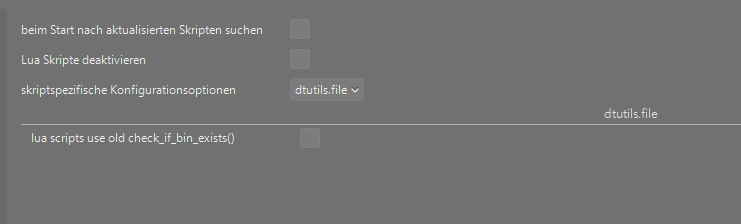
I installed using winget install darktable.
After restarting darktable and having the cmd-window lightshow go through “Skripte” appeared.
@wpferguson by what method are the lua scripts installed upon first launch? Are they pulled from the repository? Or are they included in the install and just need to be set up?
Thank you @wpferguson for your help 
The log file ends with following :
9.9316 LUA INFO: callback: finished processing scripts
‘sort’ n’est pas reconnu en tant que commande interne
ou externe, un programme exécutable ou un fichier de commandes.
10.2659 LUA lua dir is D:_Michel_Data_logiciels_divers\darktable\share\darktable\lua-scripts
10.4469 LUA ERROR : Invalid index for combo box : 1
For reference: Darktable isn’t installed in Program Files but in a standard folder, because I read that Windows might prevent writing to Program Files. However, that didn’t fix my issue with the Scripts module.
I’ve seen LUA ERROR : Invalid index for combo box : 1 but after restarting it doesn’t appear anymore. The error happens sometimes on a fresh install or fresh darktablerc file.
Can you attach all the lines with lua in them from the darktablerc file?
The scripts are included in the release package, and require no setup. If you already have the lua scripts installed and upgrade, then the installed lua scripts are used.
The new preferences are part of darktable 5.6, so now you get just the preferences for a library or script instead of one long list for all the scripts.
You really don’t want to write to the darktable installation files. darktable is designed for those files to not be touched once they are installed.
Hm, they dont appear with the 5.6 appimage on linux with an empty config dir?

I am referring to the “script specific” part, dtutils.file etc. in the screenshot above from a windows install.
You’re right. I’ll raise an issue
lua/dtutils.file/use_old_check_if_bin_exists=FALSE
lua/executable_paths/git=
lua/luarc/darktable_first_run_complete=TRUE
lua/script_manager/check_update=FALSE
lua/script_manager/disable_scripts=FALSE
lua/script_manager/update_script_choices=1
I don’t want to write to the darktable installation files ! I installed Darktable in this standard folder, because I read that could fi my scripts module issue. But it did not.
There should be lines like
lua/script_manager/contrib/AutoGrouper=TRUE
lua/script_manager/contrib/CollectHelper=FALSE
lua/script_manager/contrib/HDRMerge=FALSE
lua/script_manager/contrib/LabelsToTags=FALSE
lua/script_manager/contrib/OpenInExplorer=FALSE
lua/script_manager/contrib/RL_out_sharp=FALSE
lua/script_manager/contrib/auto_snapshot=FALSE
Did you use the installer to put darktable where it is, or did you copy it there? I also wonder if the lua dir that is detected should start with D:\ and not just D:.
- can you show us the contents of your dt configuration folder? By default it is
%LOCALAPPDATA%\darktable. - If you have “nothing to lose” you could try deleting the contents of that folder; upon starting dt it will be re-populated.
I copied the 7 lines you mentioned in te darktablerc file, but that did not fix the issue.
I used the installer (https://github.com/darktable-org/darktable/releases/download/release-5.6.0/darktable-5.6.0-win64.exe) to put darktable where it is.
With Windows, directories on drive D: always start with D:
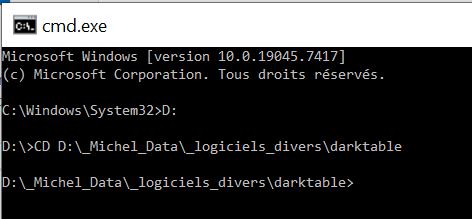
Thank you @mimo
- Content of my configuration folder :
- I deleted the configuration folder and darktable re-populated a new one. Unfortunately tha did not fix the issue?
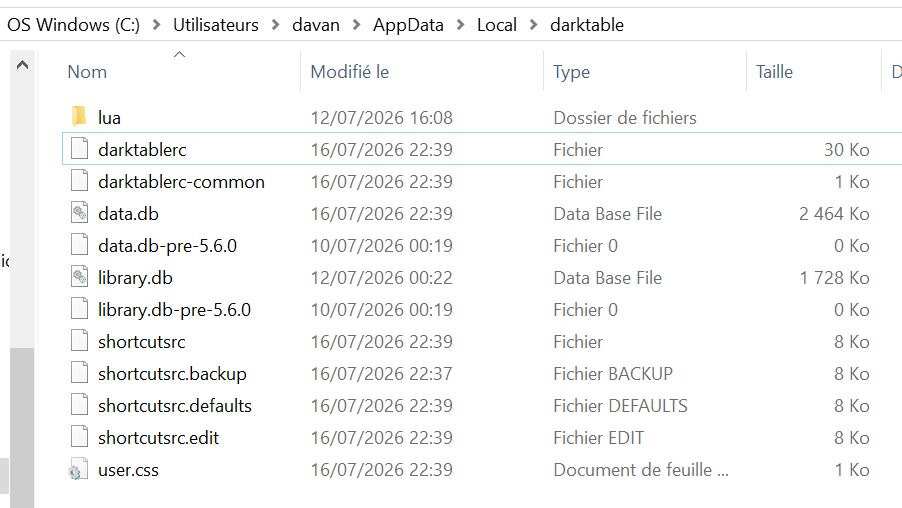
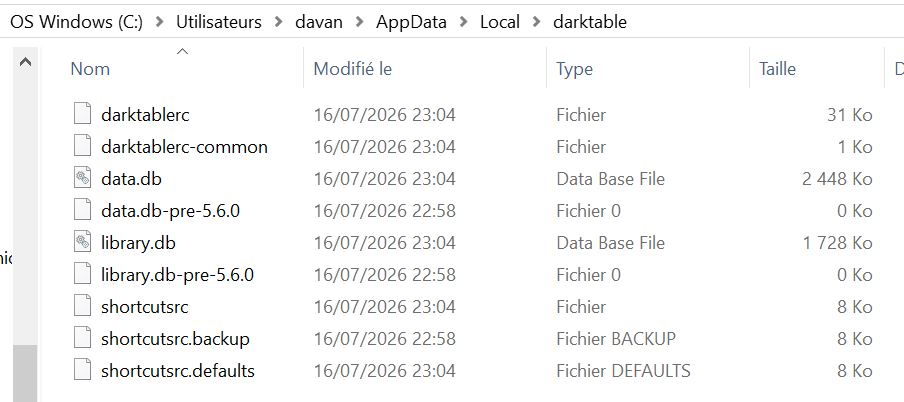
I’ll have to try and create a setup similar to yours and see if I can recreate the issue
That is odd.
Maybe not a fix per se - but what happens if you clone the contents of the Lua scripts repository into your darktable configuration folder (into a subfolder called lua)?
@wpferguson I think I may have found the culprit: The lua path is missing a backslash after “D:” - wherever that may stem from?
testing on a windows machine I am getting
14,7595 LUA lua dir is C:\Users\user\AppData\Local\Programs\darktable\share\darktable\lua-scripts
including a backslash
@jonas0_13 if you want you could try installing under C:\ and see if that solves the problem.
It looks like \_ is being interpreted as an escape sequence and transformed to _
1 Like