My thoughts on AI in FOSS RAW editing (and how I'm building it into RapidRAW)

Hey everyone,

I’ve been reading a lot of discussions here about AI in RAW editors (ranging from privacy concerns and subscription bloat to general skepticism about where the tech is heading). As the developer of RapidRAW, I wanted to share my perspective on how I’m handling AI without compromising open-source principles.

My core rule is that utility tools should always be local-first, private, and optional.

For everyday editing (like subject/sky masking, depth maps for bokeh, or dust removal) RapidRAW runs embedded models (like SAM, Depth Anything, and LaMa) completely on your local hardware via ONNX. There are no accounts, no internet required, and zero data leaves your machine.
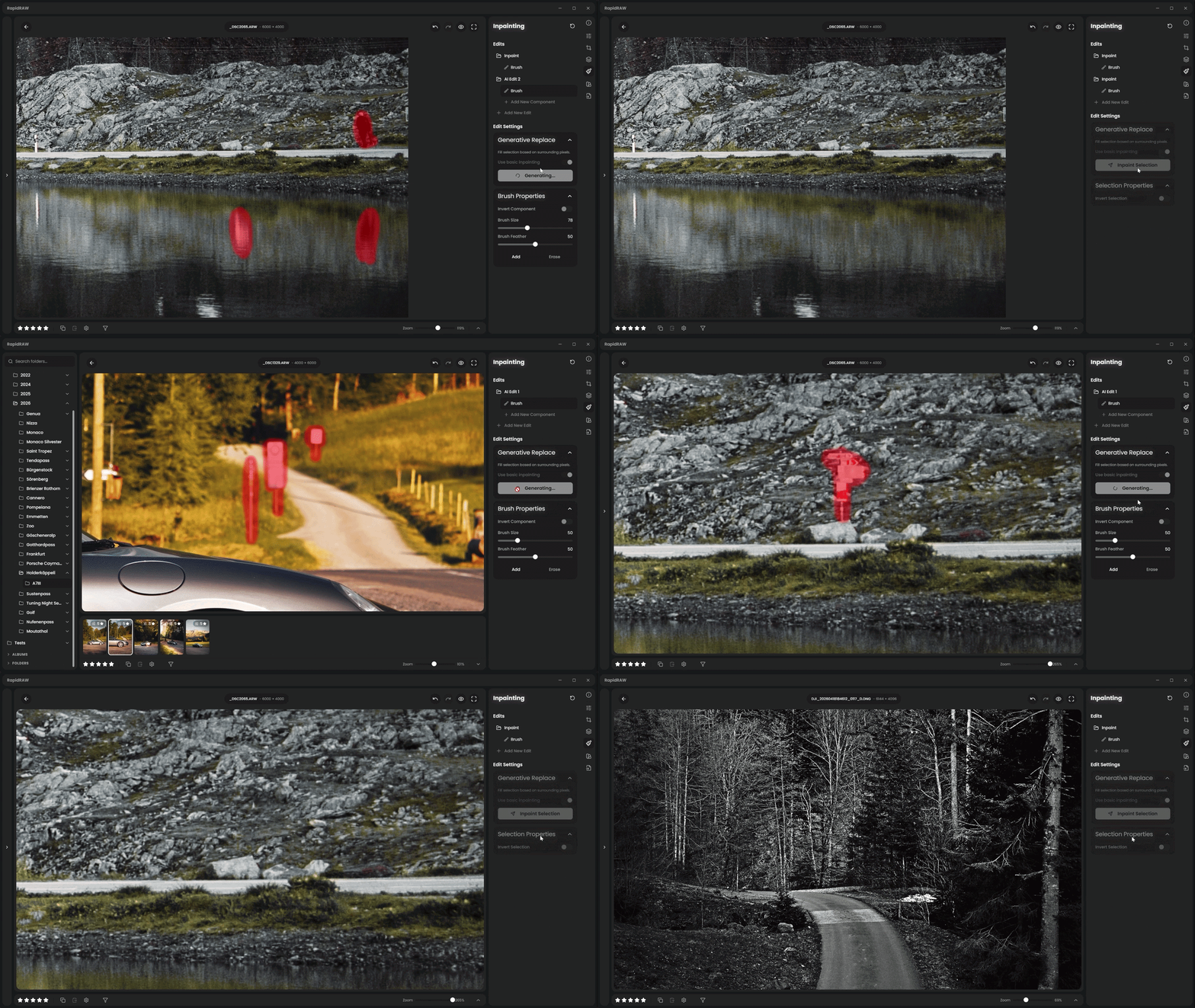
RapidRAW AI Inpainting
(On this GIF, everything happens using the local LaMa, without even ComfyUI)

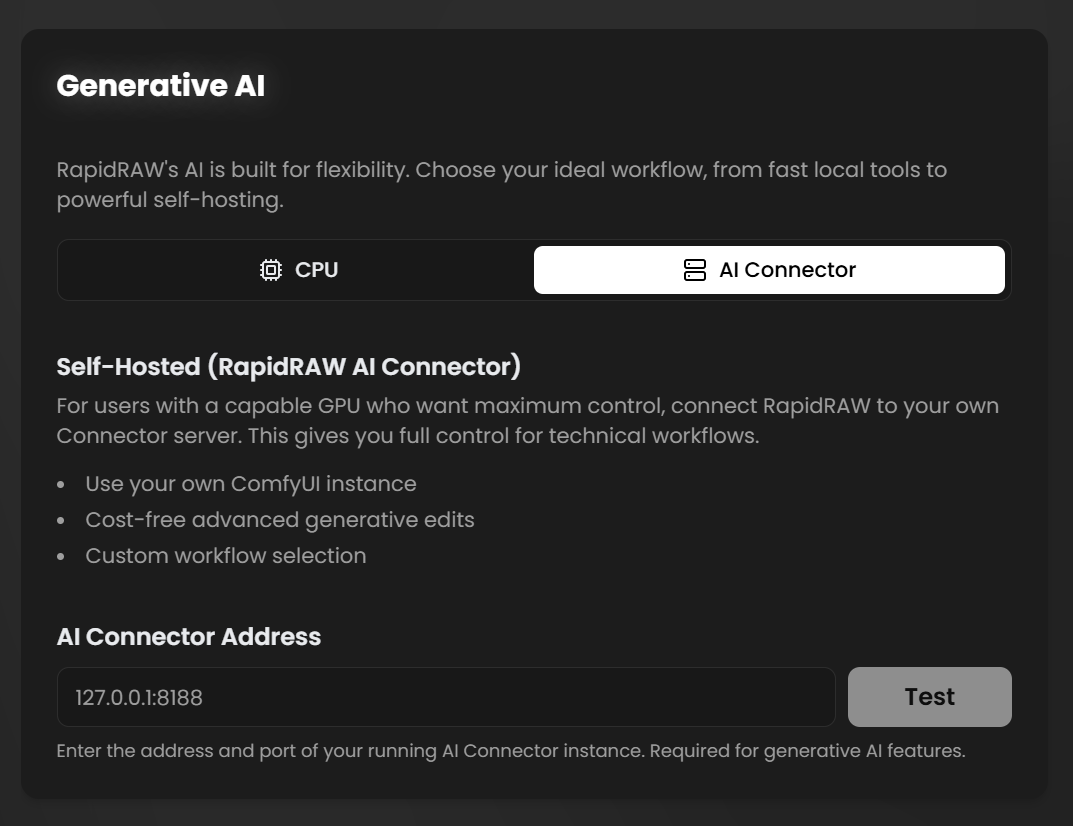
For complex generative fill, I wanted to avoid proprietary cloud lock-in entirely. Instead, RapidRAW supports integration with ComfyUI (a popular open-source, node-based engine that lets you run generative AI models like Stable Diffusion or FLUX locally on your own GPU).

To make this feel seamless inside a RAW editor, I built a lightweight Python middleware client (RapidRAW-AI-Connector). Sending heavy RAW files back and forth to an AI pipeline is usually slow, so the connector handles intelligent caching: it registers your high-res image once, and for any subsequent prompt tweaks, it only transfers the small masked patch and text. This gives power users total control over their local hardware and custom workflows while keeping the UI fast.
A major reason many photographers are skeptical of generative AI is that many foundational models were trained on web-scraped datasets without creator consent or opt-outs.

This is precisely why AI in RapidRAW is strictly optional and modular. Photographers shouldn’t be forced into an AI ecosystem they don’t trust. You retain full control over whether you want to use local micro-models, plug in your own custom (generative) ComfyUI workflows, or keep your editor completely AI-free.

I’m also working on an optional cloud backend for users editing on lightweight laptops who don’t have the GPU power for local ComfyUI. To be transparent: all features will always remain 100% unlocked for local use. The cloud service is purely a convenience option, and it’s also a way to help fund the ongoing development of RapidRAW as an independent AGPL-3.0 project without putting features behind a paywall.

I’d love to hear your thoughts. Where do you stand on local, privacy-respecting AI tools in FOSS software?

Have a nice weekend,
Timon

10 Likes

I am certainly not against AI making its way into FOSS. There will be those people who don’t believe AI has a role in image editing but they are free not to use it and should let those who want to use it do so in peace.

I recently thought of when photography moved from film and darkroom processes to digital cameras and computers. To me the move to AI editing is similar. Both give the opportunity to do away with photography skills and just create images artificially or it gives the opportunity to realise the best photographic edit possible without compromising the true photographic art form. Its up to the user to decide what they are happy with and enjoy.

AI has found its way into DT. I have used AI denoising for less than a handful of pictures and then at very low values and selectively applied and merged with a non-AI version of the image. I have found AI masking can be very helpful at selecting subjects that would be difficult to mask manually. But in all of my uses of AI I still feel that I have retained creative control over my images.

I do however share concerns about the ethics of some of the companies behind AI. I recently tried AI from Proton called Lumo. The claims are that it is more ethical than its US counterparts. I am not sure beyond what I read and anyone else can read if they search for information.

BTW, I liked the examples given in your GIFF. I know some people won’t because the original scene is being altered.

1 Like

I’m fine with AI in foss apps so long as the developer is honest about it and doesn’t try to hide it or give vague answers about the type of model used.

1 Like

I’m OK with AI in foss apps, subject to:

  • It must be possible to disable AI usage, either for specific edits or in general.
  • It must be possible to keep AI usage local to the user’s machine.

An example scenario for the first point: someone wants to use RapidRAW to edit their images that are being submitted to a competition that disallows the use of AI.

For the second point, you don’t want your editor to be broken if you happen to be somewhere with no Internet access.

So IMHO the bottom line is include AI if you want but make sure that it doesn’t cripple the package if it is not used.

1 Like

Hello Timon, thanks for confirming this intention. But it also means that, ideally, every AI-based operation should have a non-AI equivalent available where it exists. For example, in addition to AI masks, we should have multi-click fuzzy selection as in GIMP, and, in addition to AI-based object removal, we should have a simple lightness-aware clone/heal tool that GIMP also has.

The inability to use any pre-historic but working alternative if the AI messes up object removal even has a test case on this forum:

Try to remove the bright cyan spot in the vegetation (sun reflection).

4 Likes