Hello there,
These last days, I’ve been working on the implementation of a new command (named arrange) in the G’MIC stdlib, which is intended to be a replacement of the (quite old) command montage.
Context
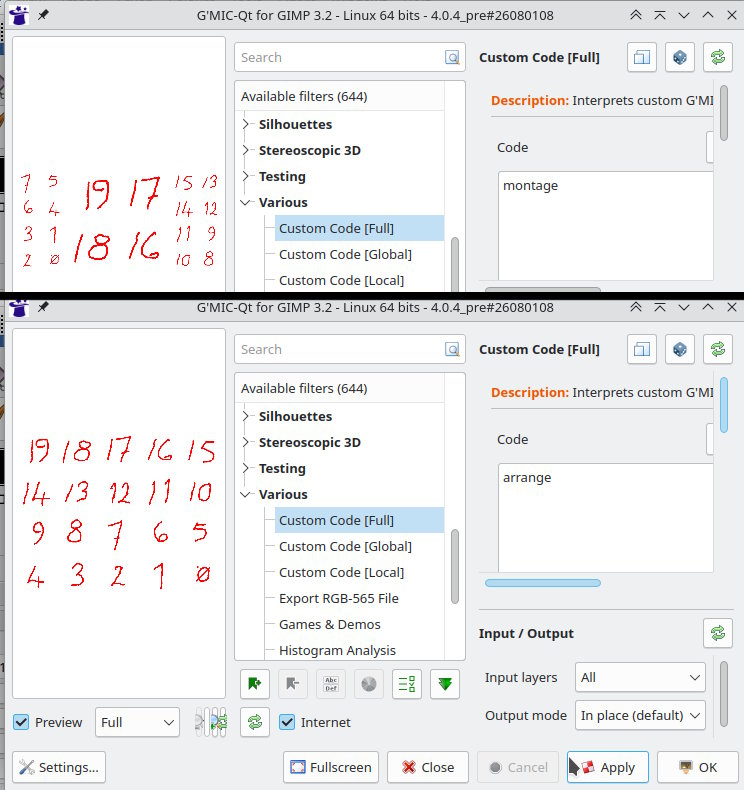
At the time (2014), the command montage was a request from @patdavid to be able to easily arrange multiple images into a single one, while choosing a possible detailed layout for the arrangement. That was actually a pretty cool idea. This has led in particular to the G’MIC-Qt filter Arrays & Tiles / Montage, which is known to be still used by some people (@Miguel_Pineau did a video on this filter not so long ago).
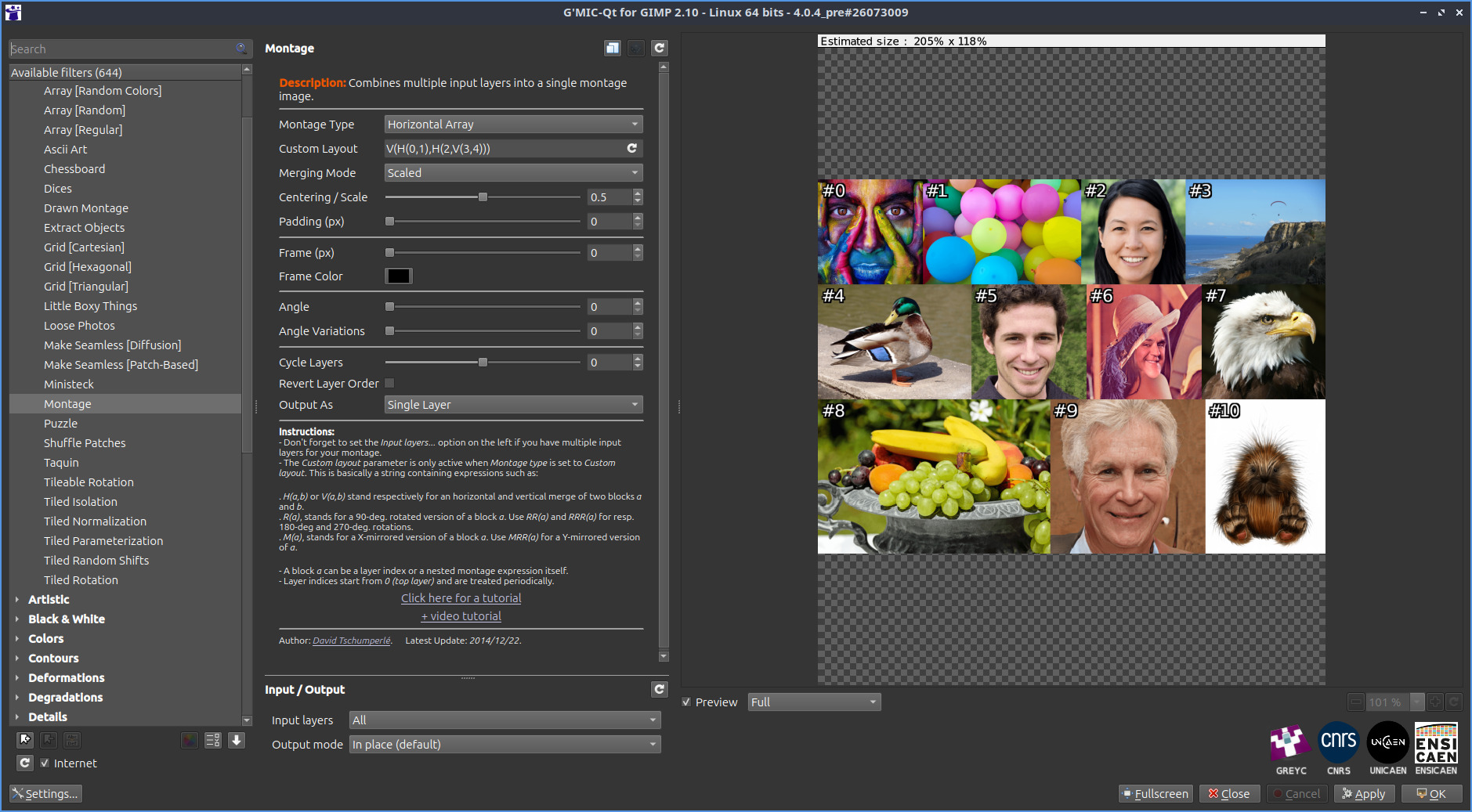
Problem is: Command montage was actually limited to a few number of images only, because it was implemented in a recursive way, which means stack overlow was occuring when the number of images was too high (technically it’s more correct to say that it was occuring when the transformation tree become too deep but let’s move on!  ).
).
So I decided to re-implement the idea behind montage from scratch and today I got a first draft that seems to work as expected. So I want to share it here, eventually to get some feedback on it. If you have G’MIC 4.0+, then $ gmic update will let you download the latest stdlib with the command arrange included.
How it works?
Here is the official documentation for this command:
$ gmic h arrange

  arrange:
      "layout",_scaling_factor,_output_layers={ 0:Single | 1:Multiple },"_processing_command"

    Arrange selected images according to a specified layout, described as a string.

    'layout' describes how images are combined together, using the following symbols (case-insensitive):
     * A number: Refers to one of the selected images, by its index.
     * 'H' : Puts what follows side by side, horizontally (left / right).
     * 'V' : Puts what follows one above the other, vertically (top / bottom).
     * 'B' : Same as 'H' or 'V', but automatically picks whichever gives the most balanced (square-looking) result.
     * 'X' : Mirrors what follows horizontally (left-right flip).
     * 'Y' : Mirrors what follows vertically (top-bottom flip).
     * 'R' : Rotates what follows by 90 degrees clockwise.
     * 'L' : Rotates what follows by 90 degrees counter-clockwise.
    Any other character (e.g. ';' or ':') can be used as a separator between two numbers to avoid ambiguity (e.g. to distinguish images '0' and '1' from a single image
    '01').

    Images get combined together two by two as the layout is read. For instance:
     * '"H0:1"' puts images 0 and 1 side by side.
     * '"V0:1"' stacks images 0 and 1 on top of each other.
     * '"VH0:1H2:3"' first forms two horizontal pairs (0,1) and (2,3), then stacks
      those two pairs vertically, resulting in a 2x2 grid.
     * '"H0R1"' puts image 0 next to image 1 rotated 90 degrees clockwise.

    Four predefined shortcuts are also available for 'layout', to quickly arrange all selected images at once without having to spell out a full layout string:
     * '"H"' : Concatenates all selected images horizontally, in order.
     * '"V"' : Concatenates all selected images vertically, in order.
     * '"AH"' : Automatically arranges all images into a grid, with more columns than rows.
     * '"AV"' : Does the same as 'AH', but more rows than columns.

    'scaling_factor' controls how images of different sizes get resized when combined together:
    '0' shrinks to the smallest size involved, '1' grows to the largest, and intermediate values interpolate between both. Values outside range '[0,1]' are also valid.

    'output_layers' sets whether the result is a single, flattened image ('Single'), or a set of individual images, each one already resized and positioned exactly as it
    would be in the final composition ('Multiple').

    'processing_command' is an optional G'MIC command (or pipeline of commands) applied to each image individually, just after it has been resized and right before it
    gets placed into the composition (e.g. to add a colored border, apply a filter, etc.).


    Default values: 'scaling_factor=0.5', 'output_layers=0' and 'processing_command=""'.

    Example:
      [#1] sample colorful,eagle,cat,dog +arrange "VH0:1H2:3"
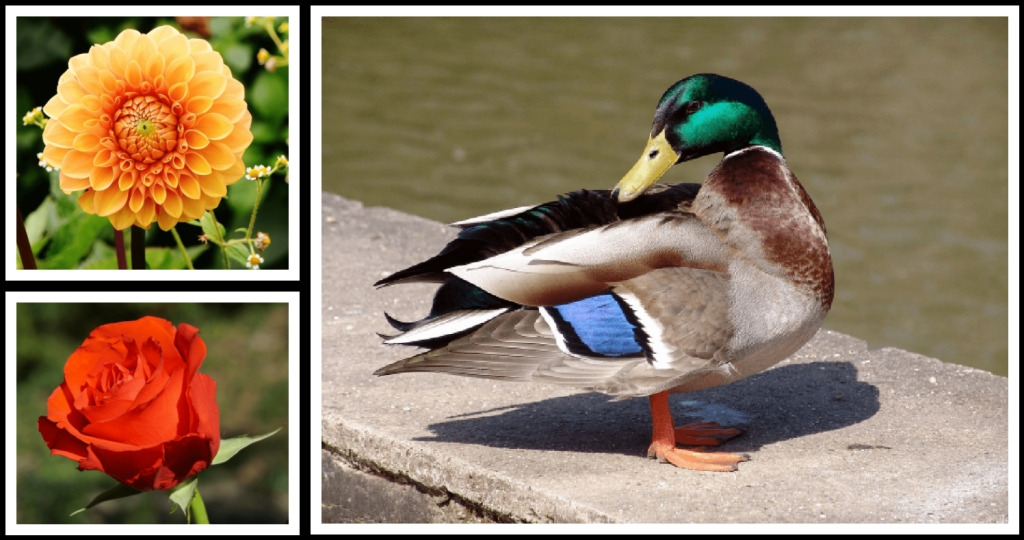
      [#2] sample colorful,eagle,cat,dog,flower,rose arrange AH
      [#3] sample colorful,eagle,duck +arrange VH0R1:2,,,"sepia shrink xy,20 frame xy,8,255 frame xy,12,0"
So, just like montage, the idea is to let you specify the montage layout as a simple string that combines image indices and operators. Some examples are worth thousand words, so:
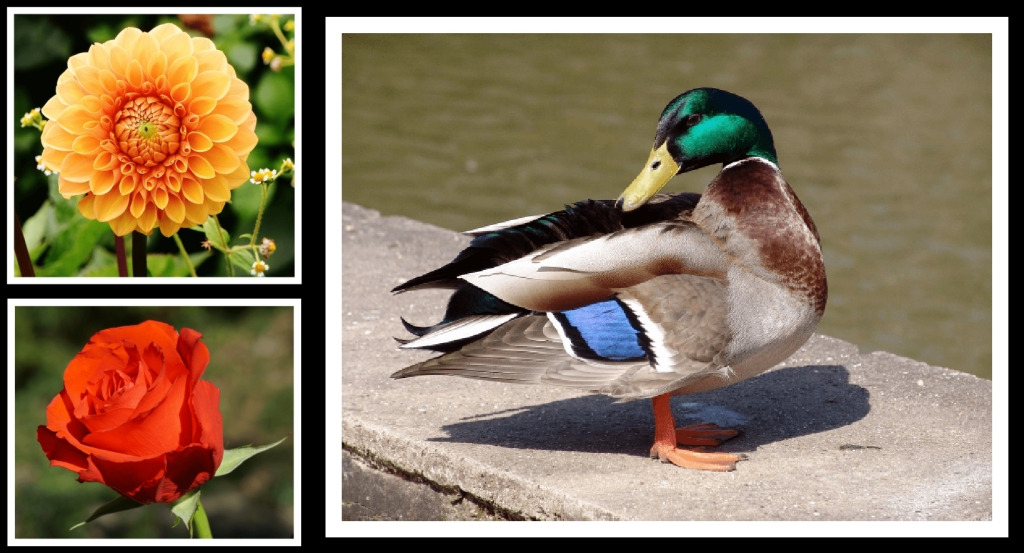
$ gmic sample rose,duck,flower arrange H0:2assembles images 0 and 2 horizontally (Vcould be also used for vertical stacking)
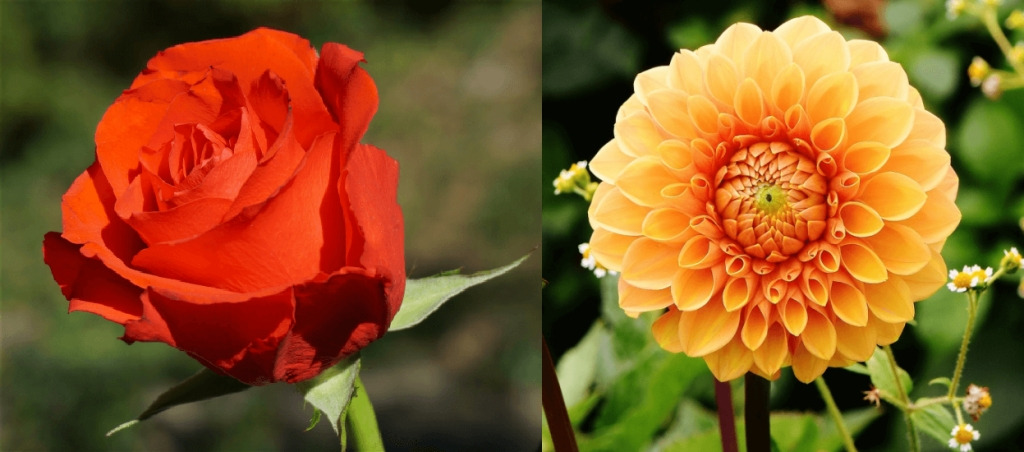
As you noticed, the duck image has not been used in the montage: you can ignore some of the input images if you want, they just are removed as the used ones once the montage is done. The super useful thing: images are automatically resized to be arranged the best they can (in the example above, images are automatically resized so their heights fit.
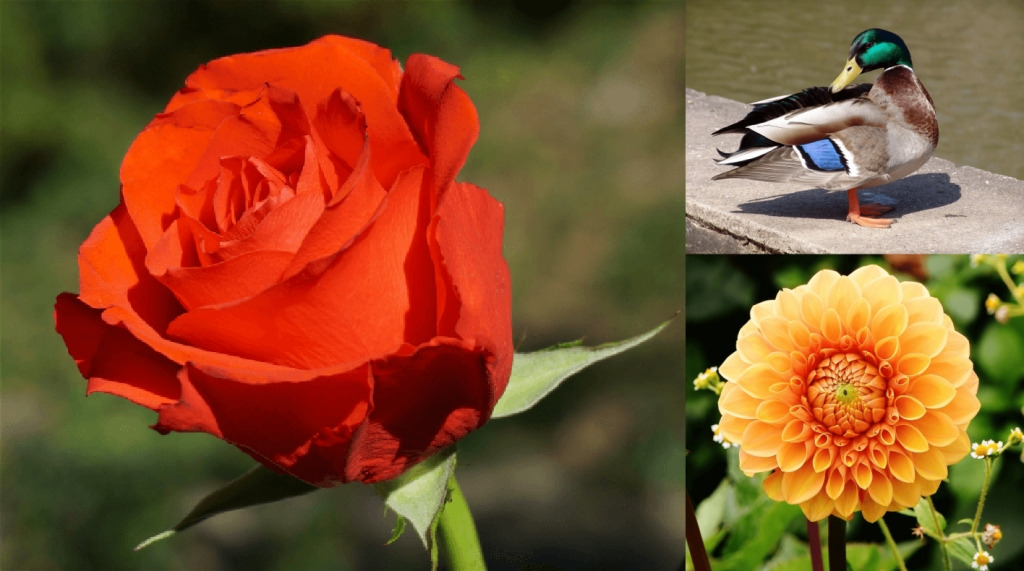
gmic sample rose,duck,flower arrange H0:V1:2combines horizontal and vertical arrangement. Here the layout code should be read as"H(0,V(1,2))"(you can use this one as well and get the same result, but be sure you quote it for your shell!).
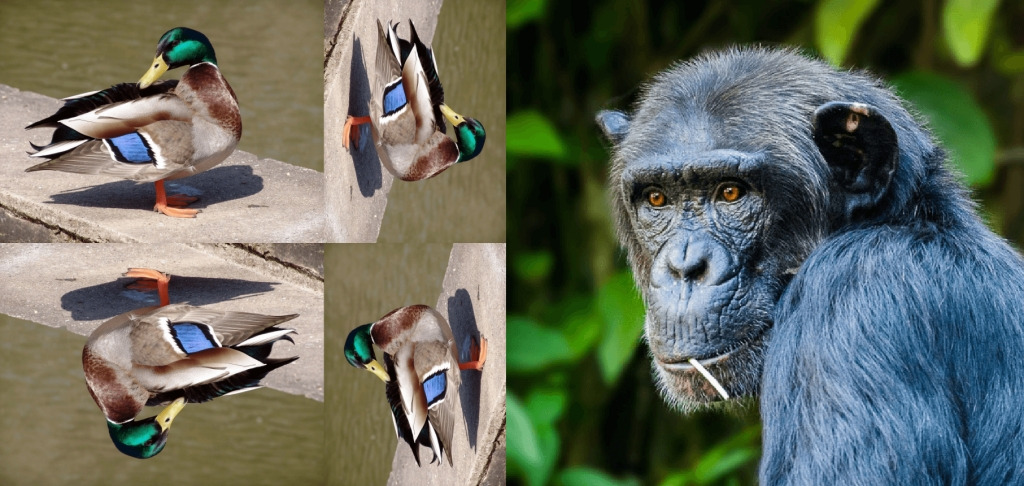
HandVarranges two images together, but there are a few operators that act only on a single image :RandL(rotation of angle +/- 90°), as well asXandY(image mirroring along axes X and Y). So,
$ gmic sample duck,monkey arrange HVH0:R0:HXY0:L0:1
- There are also a few predefined “meta”-layout codes, for stacking images horizontally (
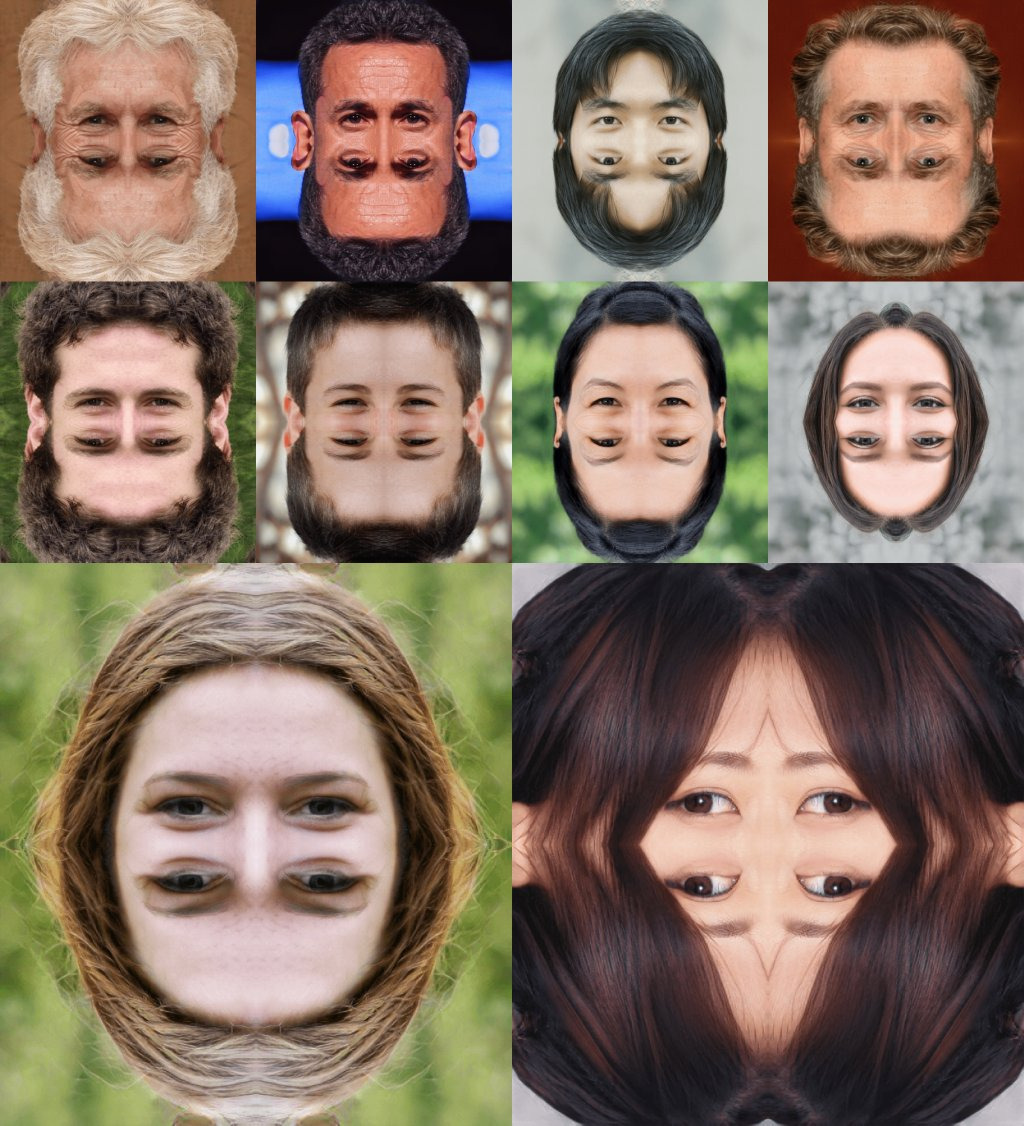
H), vertically (V) or as (possibly non-regular) grids (AHandAV).
$ gmic sample rose,flower,tulips,cat,dog,duck,portrait1,portrait5,portrait8 arrange AH

Differences with command montage:
This new command arrange has a clever implementation that uses more “modern” G’MIC features, particularly the ones from the math evaluator. So it explicitely constructs a tree where each node represents a geometric operator or an image, without requiring any recursive call. A direct consequence is: it works with thousands of images if you want, and it is still reasonnably fast 
$ gmic repeat 1024 sample ?,"{v(64,256)}" done to_rgb tic arrange , toc
(...)
[gmic]./ Initialize timer.
[gmic]./ Arrange images [0,1,2,(...),1021,1022,1023] accordingly to layout 'AH', with scaling factor 0.5.
[gmic]./ Elapsed time: 0.608 s.
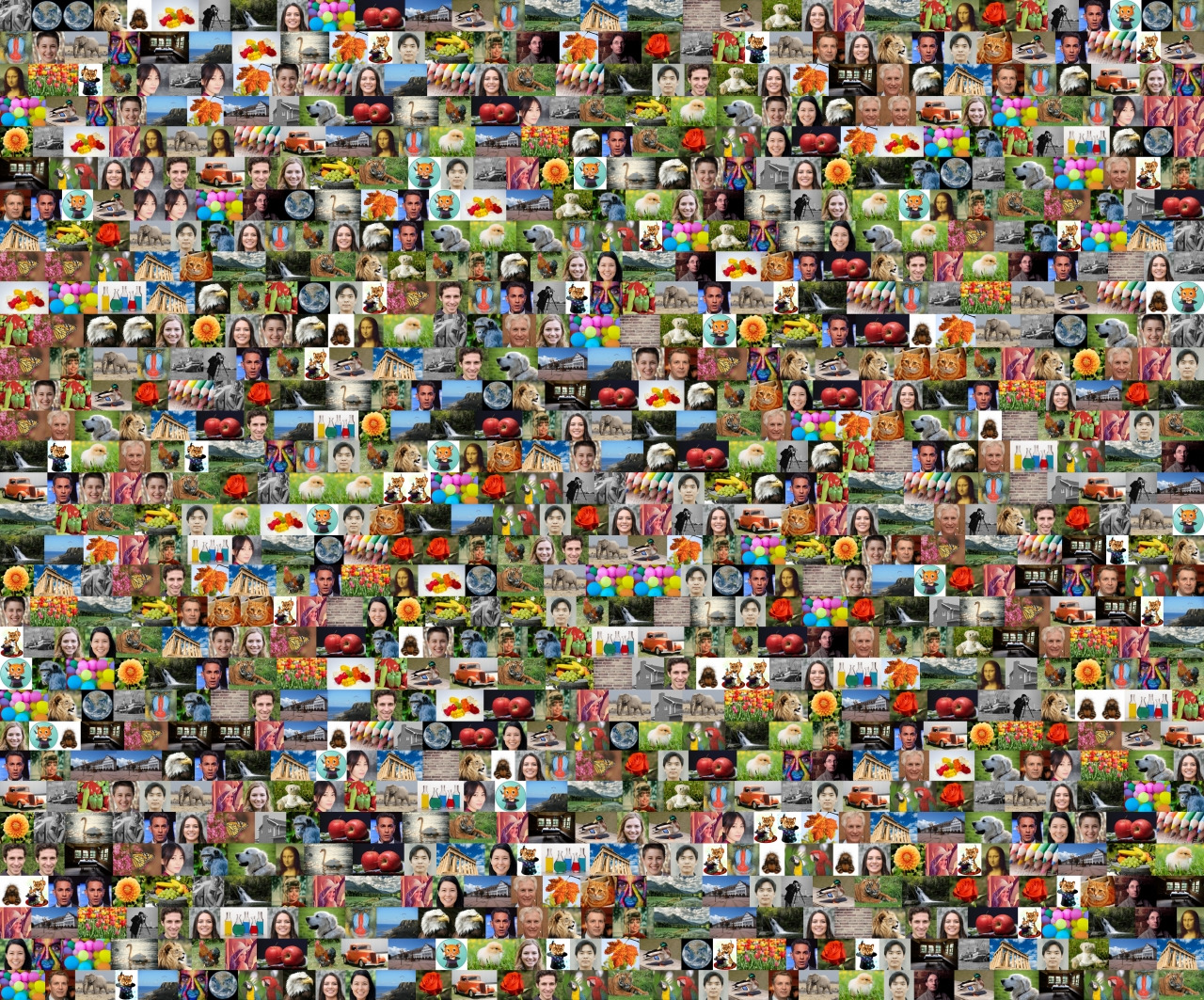
Apart from that, the syntax of the command and the layout string is pretty close to what montage already proposed, so we don’t lose features (except that we lost the possibility of having the centering mode for the arrangement, but I believe this was not that much used).
Still WIP!
I’ve tested the command a bit and already got a few problems : Sometimes, when the specified layout code is invalid, the part that constructs the transformation tree just hangs forever. That’s something I must fix in the future.
As I said, I’m also interested by your feedback and eventually feature requests related to this command. Thanks by advance for your help !
 :
:
 ).
).