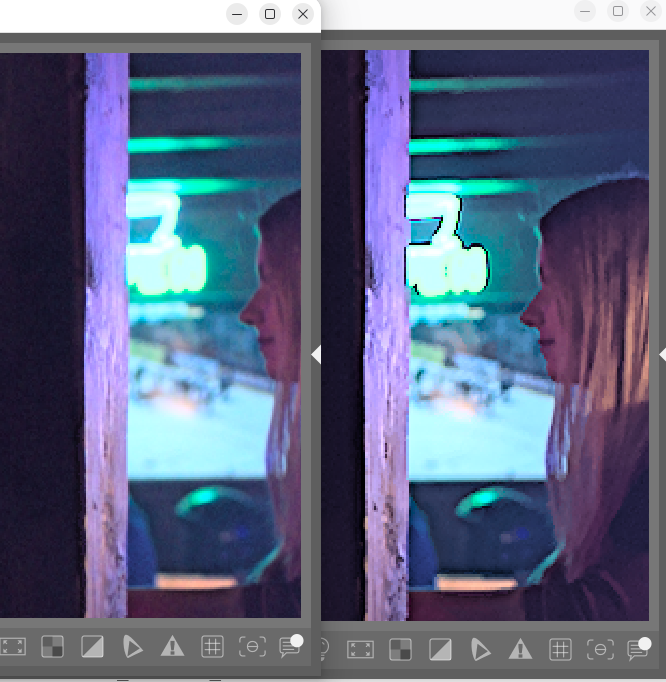
you are absolutely right. Some “impossible” colors were falling outside the CIE spectral locus and producing artifacts (hue shifts, aberrant saturated pixels).
To solve this I implemented st_spectral_gamut, which automatically detects these colors and smoothly rolls them back toward D50 white using a soft shoulder (same formula as the user knee), while preserving luminance Y:
Principle:
A 360-bin angular table encodes the CIE 1931 spectral locus distance from D50 white
The purple line is interpolated in XYZ
For each pixel:
Compute angle in CIE xz plane
Look up boundary distance (with angular interpolation)
If exceeded > smooth asymptotic compression toward white
Here is the result using the module’s default settings; on the left is the result with spectral compression
I think when I did my gamut-compression experiments, preserving Y did not work at all, as the initial Y value was sometimes negative. I may be wrong, the code could have been buggy… I’ve found the original post - but you don’t seem to have an issue with those spots at the light sources, so well done!
I tried to describe this risk as follows:
If y_new = 1 - cie_x - cie_z becomes negative after compression, Y cannot be preserved. I simply skip the spectral compression for that pixel:
When y_new ≤ 0, the pixel keeps its original chromaticity and falls through to the regular user knee below, which has the same soft-shoulder formula. This silent fallback produces no artifacts, it just means that particular pixel bypasses the spectral compression stage.
Thank you very much,
I remember that post; I’ll read it again tomorrow.
All the best,
Christian
Hi Christian … oh you’re very busy with this recently , a lot of changes have been made . I lift my hat you’re investing a lot of time and effort , thx for that
I enjoy it for the most part … but find a change problematic , the addition of the detail extraction in combo with being a base addition .
From my POV … it produces artifacts which I personally do not like to see in my images , can be avoided by creating a preset .
The overall module became quite complex … and is good to use .
As a normal user I can only provide … very basic info from the practical POV.
I actually prefer to work ( right now ) with the spectral tone module …
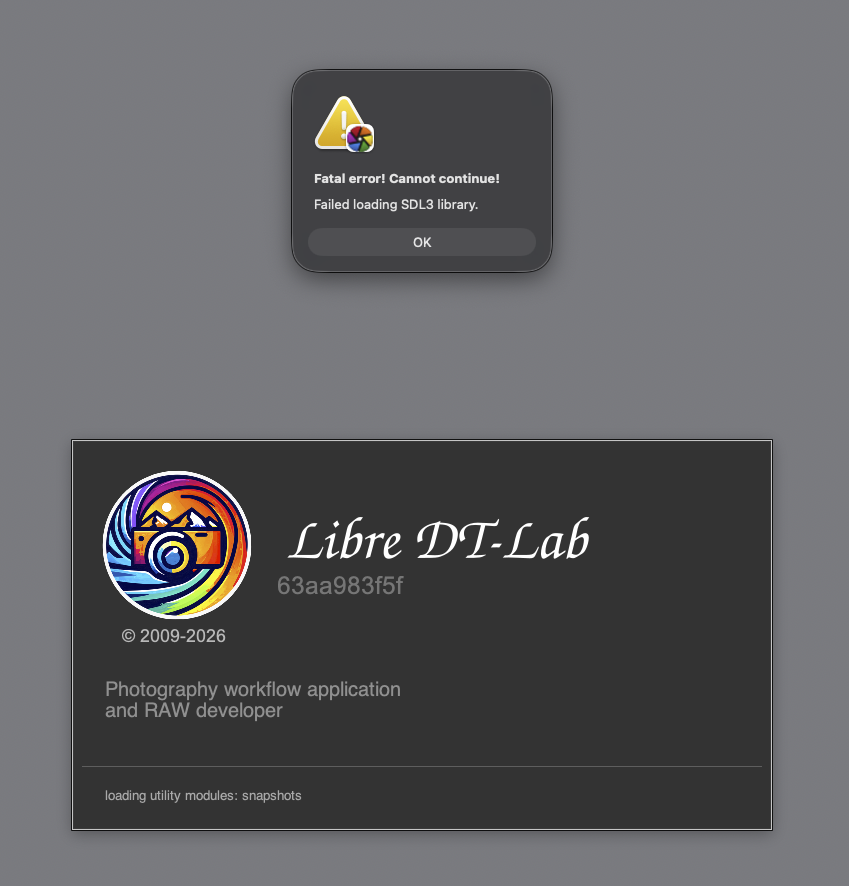
Sadly the latest build is crashing at start up … like the latest 5.7 nightly
Happening on M1 Mac .
I agree with you, especially when using the “perceptual brilliance” slider. I made a fix in the latest version: it measures the unsmoothed luminance after applying the “ACES curve” to restore local contrast.
Interesting. I’ll compare the default values.
Thanks for the info. I suspect there’s a problem with the GitHub build, because this week I’m no longer getting upstream updates from Darktable’s master branch.
Thanks a lot, and yes, my nights have been short lately.
I’ve uploaded a new version. Since I don’t know anything about macOS, I relied heavily on the AI (opencode) for help.
Please let me know if this resolves the issue, so we can share this experience with the darktable team.
Christian … it is not the " perceptual brilliance " slider that bothers me … it is the " detail Recovery " slider in the module that is causing unwanted artifacts ( at least for me ) .
As long as this detail recovery is creating haloing effect … for me not really usable , as I would use it only locally and not globally . As far as I get it right … a tone mapper is used globally once and not multiple times on a single image .
Hello,
You’re right, the early versions had a halo issue. I fixed it in the latest version.
The “detail recovery” slider works by extracting local contrast from the original luminance using a guided filter that smooths the image while preserving edges. This local contrast is then re-injected into the luminance after tone mapping, with an adaptive gain that compensates for the compression introduced by the tone mapper.
Before the fix, the original luminance was measured at the module’s input, which resulted in a potentially huge discrepancy and an adaptive gain that would skyrocket. Now, it’s measured after the “perceptual brilliance” slider.
I understand your hesitation. The goal is solely to recover the details lost in the highlights. I think I can reduce the default value to 15%, especially for portraits.
Hi Christian …
at first glance the latest version looks a lot better , in terms of local contrast creating haloing along the edges !!!
So you seem …to be on the right path
Good luck with the module work
@Christian-B you have been doing some interesting work on darktable. Now DT5.6 has been released are you intending to put in a PR request for some of these modules to be included in the 5.8 release? I hope so.
Hi Christian …
nice to see , you have added small changes with the latest version of 2026/06/26.
I wiped out the old config before i installed the latest version … just to have a fresh start . Reconfigured DT to my needs .
Not sure why , but your latest build does not contain LUA ?!
I just copied it from 5.6 … so no big deal . But would be nice if you could add LUA straight into your builds .
There are now two presets in the module , but i can´t see any visiual difference between the two … maybe i`m missing something ?
Other than that … the nice feature of in image color selection and editing via mouse wheel in the color equalizer has disappeared for a while now ?
At least it does not work on my M1 machine ?!
We’re in the middle of a heat wave here in France, so I’ve taken refuge in my office to enjoy the air conditioning. This has allowed me to fix most of the bugs you mentioned.
For the 3DCF module, I’ve added a slider to boost highlights and give them more contrast. I’ve also adjusted the default values for highlight desaturation. I’ll try to find the time to provide a more comprehensive update on the latest features.
Hi Christian,
I have the same issue with color equalizer on Windows 11. It worked several versions ago but in the last 2 or 3 versions it didn’t. Currently I’m running d319f2ebae.
@Christian_Pfister , @helgeschneider
Thank you for your feedback. I ran several more tests to reproduce the bug, and I was able to reproduce it by setting OpenCL to “Very fast GPU” and “fast mode.” I must have introduced this bug while preparing the PR. I think I’ve fixed it.
Could you please test it with today’s latest version?
Thank you for your help,
Have a wonderful, sunny day,
Christian
Hello,
I’m working on AI. Personally, I use SegNext for masks, and I made a modification to make it easier to use.
I’ll get back to you as soon as I have a solution.
Greetings from the Luberon,
Christian