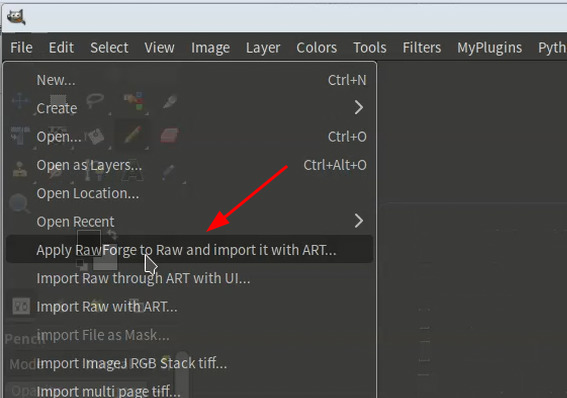
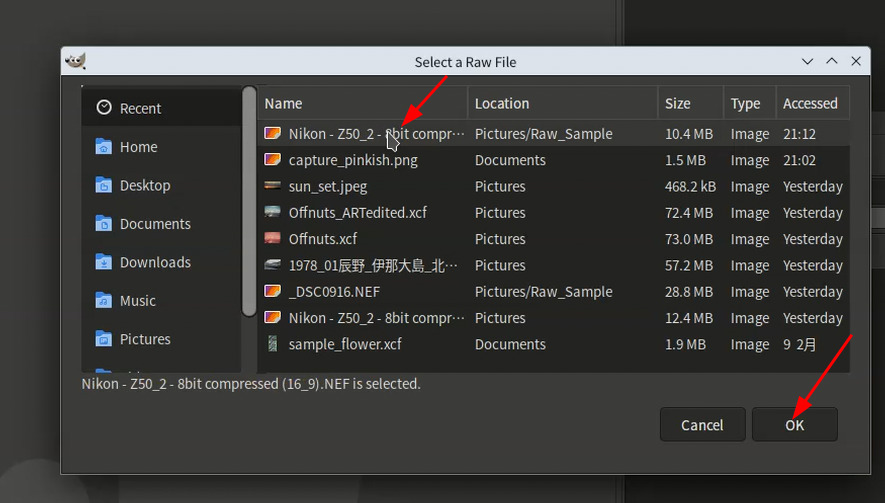
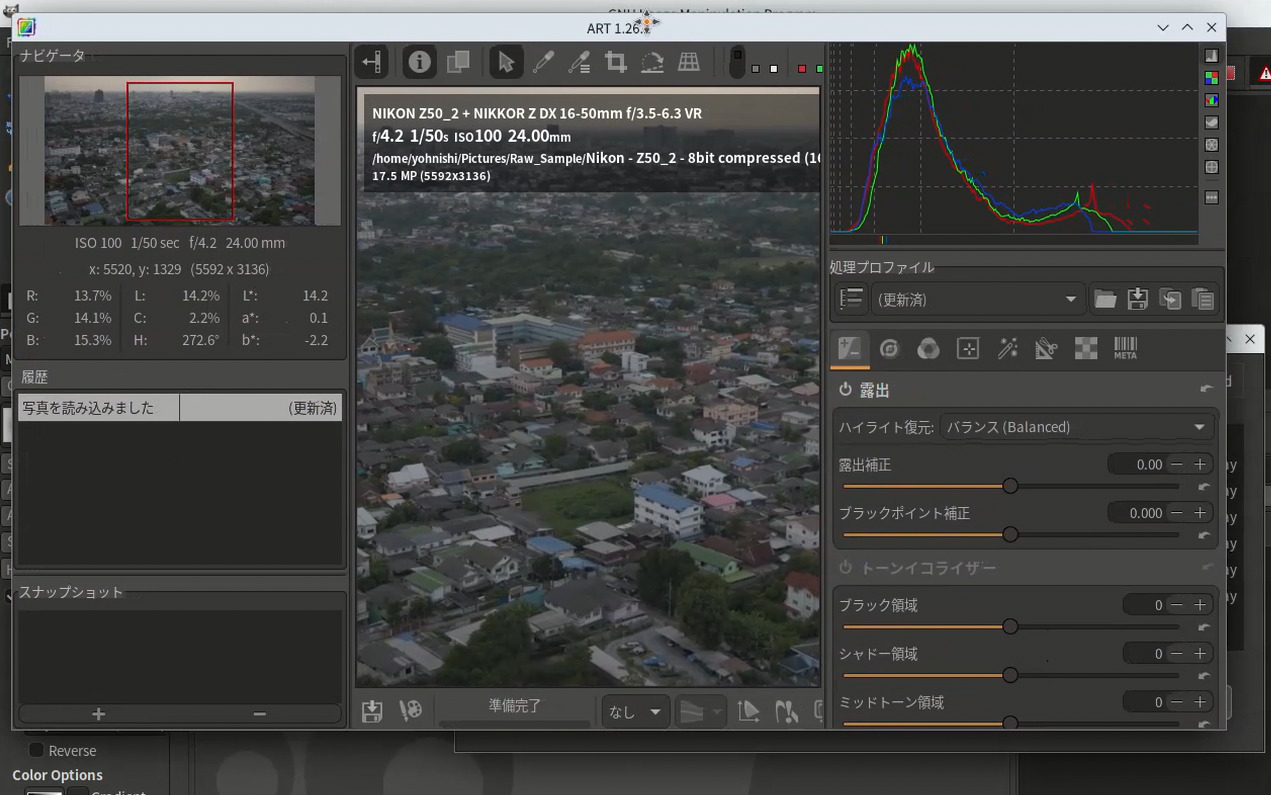
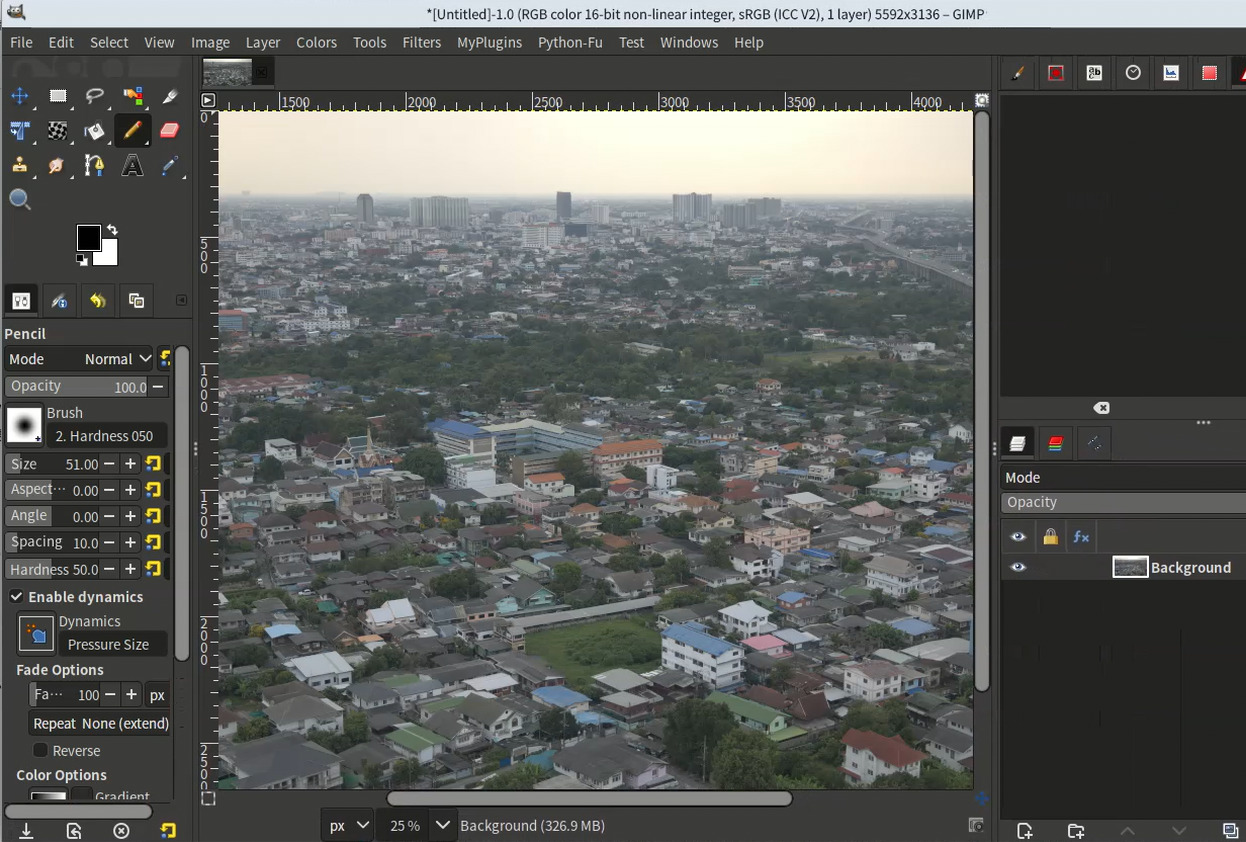
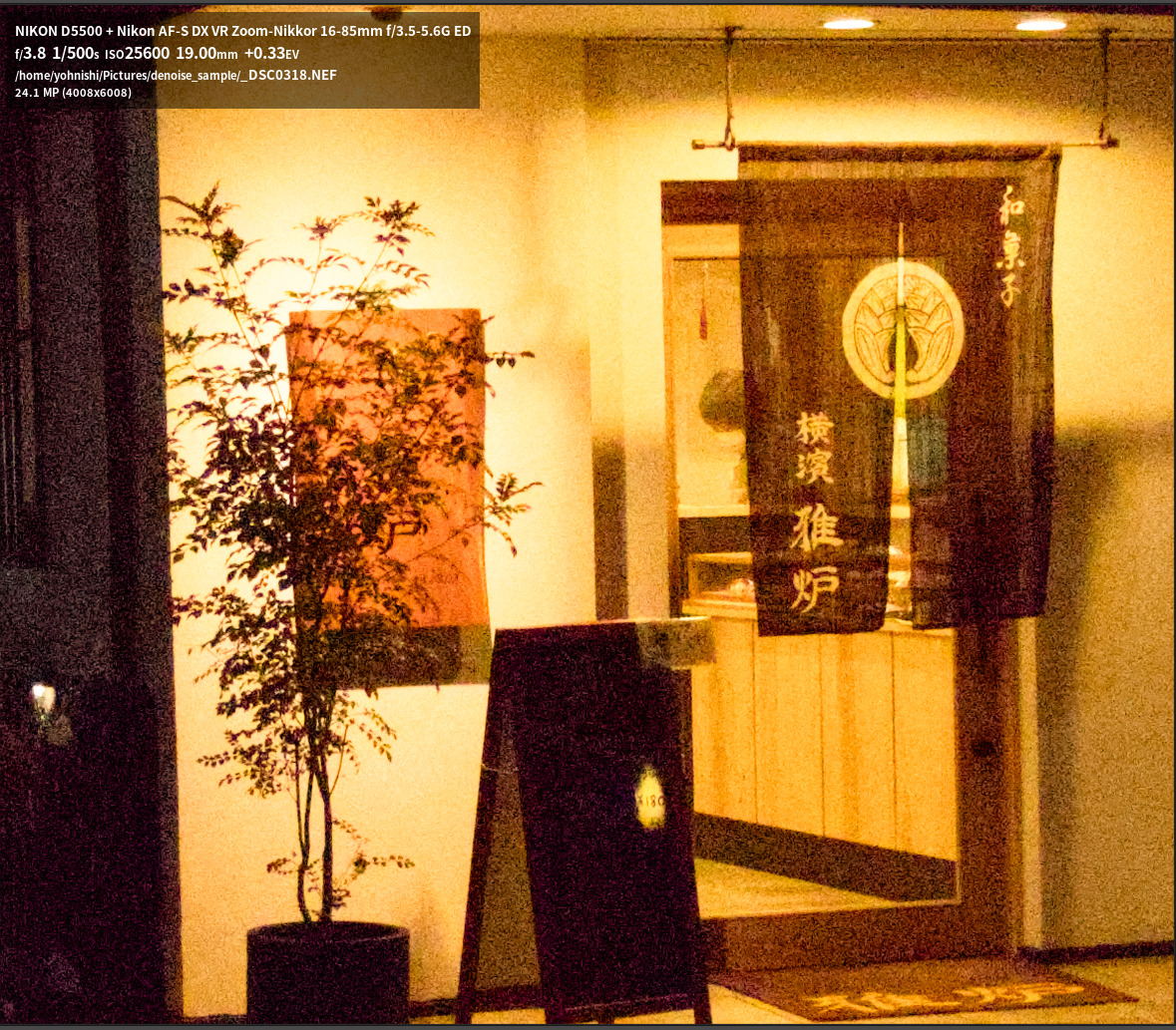
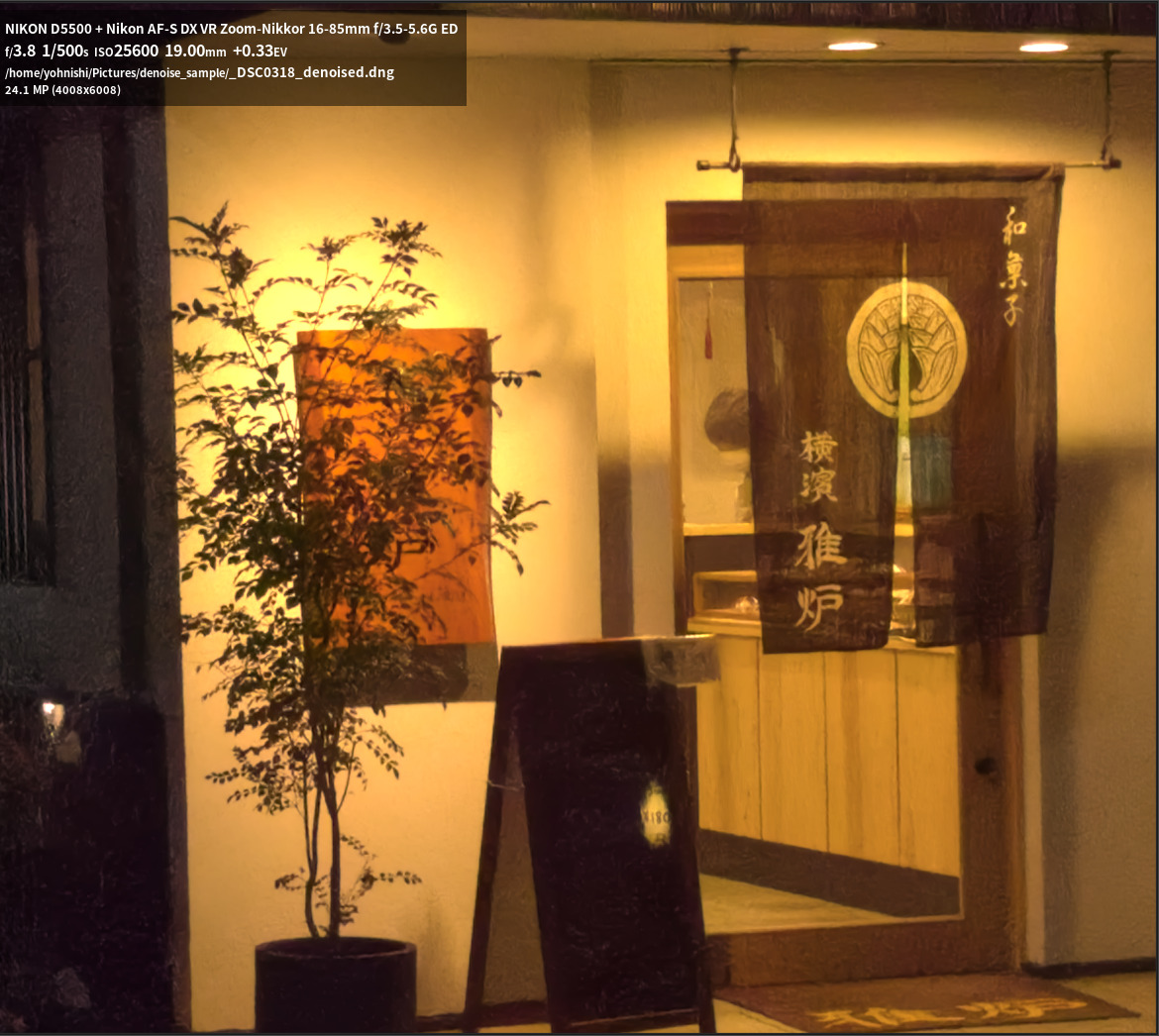
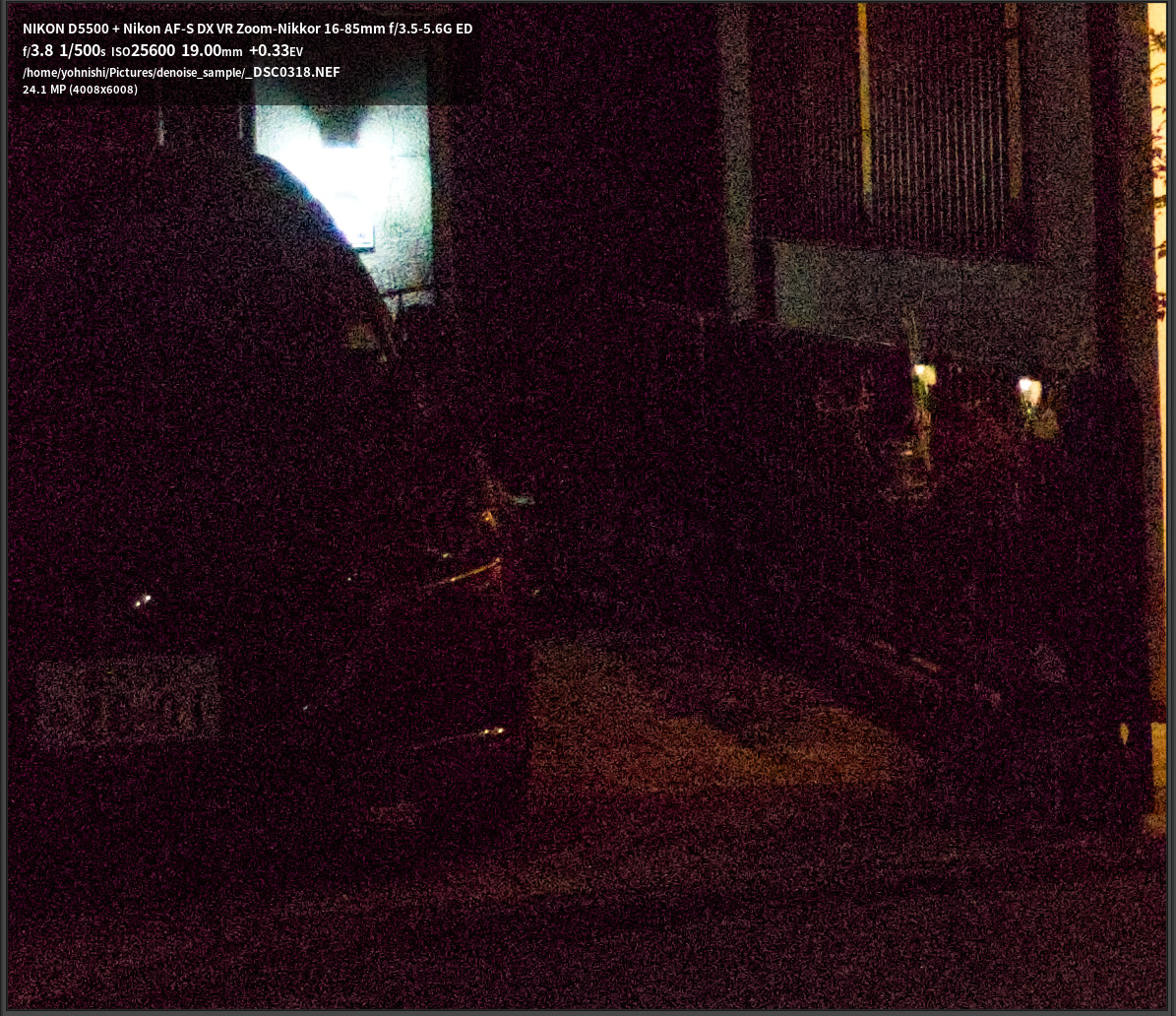
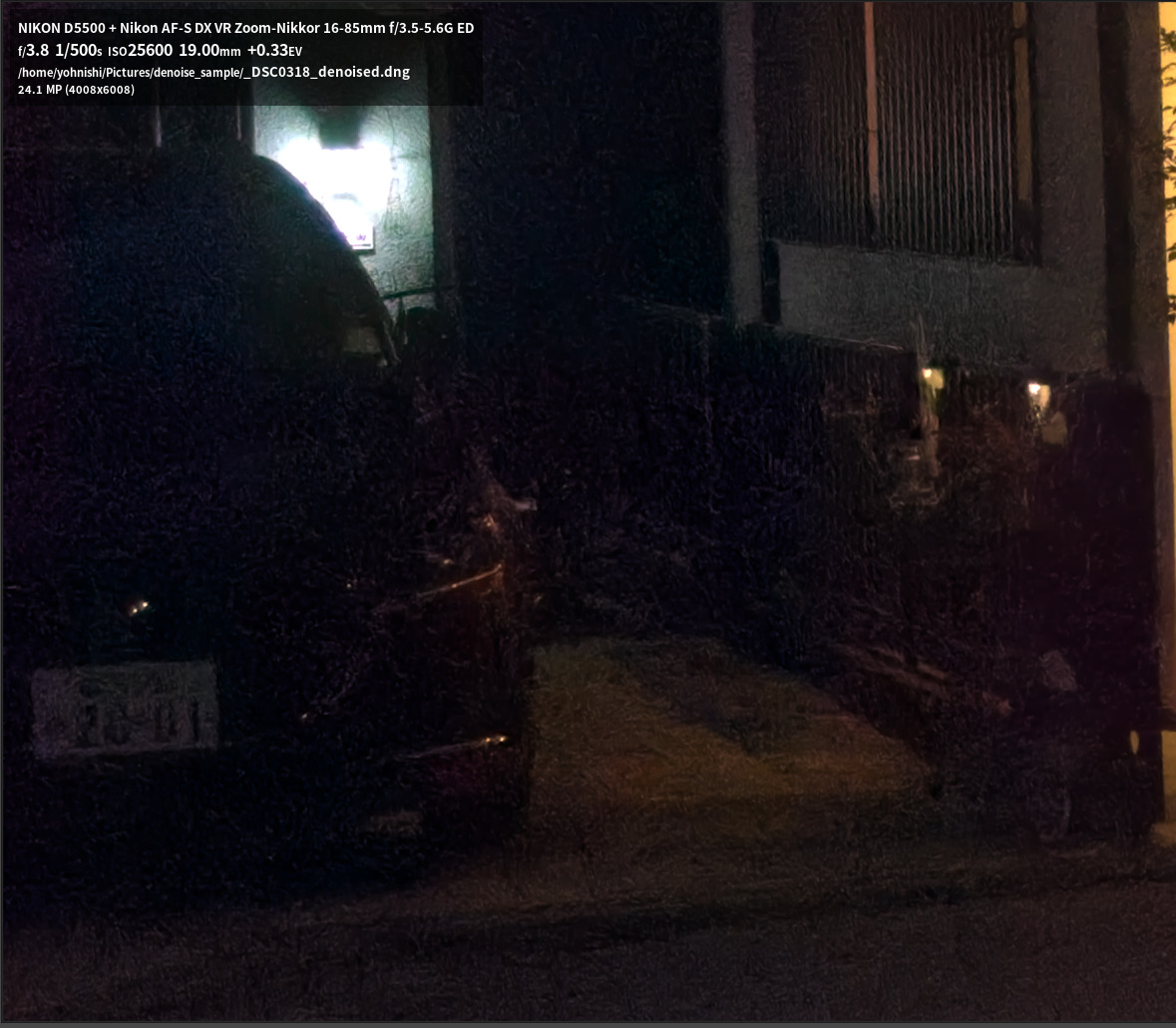
I’d really like to try this but I keep getting errors. Here’s an example output after starting GIMP from terminal.
I’ve confirmed that the flatpak command to open ART works from a terminal.
/home/chuck/Documents/GIMP scripts and plugins/v3/exec_rawforge_g3/exec_rawforge_g3.py:646: PyGTKDeprecationWarning: The "flags" argument for dialog construction is deprecated. Please use initializer keywords: modal=True and/or destroy_with_parent=True. See: https://wiki.gnome.org/PyGObject/InitializerDeprecations
  warning_dialog = Gtk.MessageDialog(
GLib-GIO-Message: 19:38:59.708: Mapped file '/tmp/.mount_GIMP-3MinndO/usr/share/org/gtk/libgtk/ui/gtkmessagedialog.ui' as a resource overlay

(exec-raw-forge-g3.py:61035): LibGimp-WARNING **: 19:41:38.736: _gimp_procedure_run_array: no return values, shouldn't happen
/home/chuck/Documents/GIMP scripts and plugins/v3/exec_rawforge_g3/exec_rawforge_g3.py:744: Warning: g_error_new: assertion 'domain != 0' failed
  Gimp.main(exec_raw_forge.__gtype__, sys.argv)
start
COMMAND_NT
C:\\Program Files\\ART\\1.26.1
COMMAND_LINUX
flatpak run us.pixls.art.ART
COMMAND_DARWIN
/Applications/ART.app/Contents/MacOS
PYTHON
/home/chuck/rawforge-venv/bin/python
MODEL
TreeNetDenoise
DEVICE
cuda
LUMI
0.0
CHROMA
0.0
TMP_FILE_FORMAT
png
TMP_FILE_BITDEPTH
16
EXTENSIONS
.dng .DNG .cr .CR .nef .NEF .nrf .NRF .arw .ARW .sr .SR .raf .RAF .orf .ORF .rw2 .RW2 .rwl .RWL .pef .PEF .x3f .X3F .tif .TIF
NIKON_HE
False
EXIF_DARWIN
/opt/homebrew/bin/exiftool
DNG_NT
C:\\Program Files\\Adobe\\Adobe DNG Converter\\Adobe DNG Converter.exe
DNG_LINUX
/home/yohnishi/.wine/drive_c/Program Files/Adobe/Adobe DNG Converter/Adobe DNG Converter.exe
DNG_DARWIN
/Applications/Adobe DNG Converter.app/Contents/MacOS/Adobe DNG Converter
DELETE_DNG
True
write config list 0
extlist
2char ext .cr
2char ext .CR
2char ext .sr
2char ext .SR
i18n name:  py-plug-in-exec-raw-forge
ready: Import Raw
revised dirname:  /home/chuck/Documents/GIMP scripts and plugins/v3/exec_rawforge_g3
fail to open the file. False
write mTrans list
MNU_ITM Apply RawForge to Raw and import it with ART...
MNU_EXP Apply RawForge to Raw and import it using ART.
i18n name:  py-plug-in-exec-raw-forge
ready: Import Raw
revised dirname:  /home/chuck/Documents/GIMP scripts and plugins/v3/exec_rawforge_g3
fail to open the file. False
write mTrans list
MNU_ITM Apply RawForge to Raw and import it with ART...
MNU_EXP Apply RawForge to Raw and import it using ART.
pass sub 1
GLib-GIO-Message: 19:41:43.346: Adding GResources overlay '/org/gtk/libgtk=/tmp/.mount_GIMP-3MinndO/usr/share/org/gtk/libgtk'
GLib-GIO-Message: 19:41:43.346: Adding GResources overlay '/org/gnome/gjs=/tmp/.mount_GIMP-3MinndO/usr/share/org/gnome/gjs'
GLib-GIO-Message: 19:41:43.346: Mapped file '/tmp/.mount_GIMP-3MinndO/usr/share/org/gtk/libgtk/ui/gtkdialog.ui' as a resource overlay
GLib-GIO-Message: 19:41:43.520: Mapped file '/tmp/.mount_GIMP-3MinndO/usr/share/org/gtk/libgtk/ui/gtkfilechooserwidget.ui' as a resource overlay
GLib-GIO-Message: 19:41:43.538: Mapped file '/tmp/.mount_GIMP-3MinndO/usr/share/org/gtk/libgtk/ui/gtksidebarrow.ui' as a resource overlay
GLib-GIO-Message: 19:41:43.546: Enumerating directory '/tmp/.mount_GIMP-3MinndO/usr/share/org/gtk/libgtk/icons/' as resource overlay
GLib-GIO-Message: 19:41:43.578: Mapped file '/tmp/.mount_GIMP-3MinndO/usr/share/org/gtk/libgtk/ui/gtkpathbar.ui' as a resource overlay
GLib-GIO-Message: 19:41:43.580: Mapped file '/tmp/.mount_GIMP-3MinndO/usr/share/org/gtk/libgtk/ui/gtkactionbar.ui' as a resource overlay
GLib-GIO-Message: 19:41:43.580: Mapped file '/tmp/.mount_GIMP-3MinndO/usr/share/org/gtk/libgtk/ui/gtkplacesview.ui' as a resource overlay
GLib-GIO-Message: 19:41:43.585: Mapped file '/tmp/.mount_GIMP-3MinndO/usr/share/org/gtk/libgtk/ui/gtkplacesviewrow.ui' as a resource overlay
GLib-GIO-Message: 19:41:43.586: Mapped file '/tmp/.mount_GIMP-3MinndO/usr/share/org/gtk/libgtk/ui/gtkcombobox.ui' as a resource overlay
GLib-GIO-Message: 19:41:43.814: Mapped file '/tmp/.mount_GIMP-3MinndO/usr/share/org/gtk/libgtk/ui/gtktooltipwindow.ui' as a resource overlay
/home/chuck/Documents/GIMP scripts and plugins/v3/exec_rawforge_g3/exec_rawforge_g3.py:646: PyGTKDeprecationWarning: The "flags" argument for dialog construction is deprecated. Please use initializer keywords: modal=True and/or destroy_with_parent=True. See: https://wiki.gnome.org/PyGObject/InitializerDeprecations
  warning_dialog = Gtk.MessageDialog(
GLib-GIO-Message: 19:43:09.846: Mapped file '/tmp/.mount_GIMP-3MinndO/usr/share/org/gtk/libgtk/ui/gtkmessagedialog.ui' as a resource overlay
Traceback (most recent call last):
  File "/home/chuck/Documents/GIMP scripts and plugins/v3/exec_rawforge_g3/exec_rawforge_g3.py", line 266, in run
    dirname, filename = os.path.split(selected_file)
                        ~~~~~~~~~~~~~^^^^^^^^^^^^^^^
  File "<frozen posixpath>", line 103, in split
TypeError: expected str, bytes or os.PathLike object, not ValueArray

(exec-raw-forge-g3.py:61169): LibGimp-WARNING **: 19:43:10.922: _gimp_procedure_run_array: no return values, shouldn't happen
/home/chuck/Documents/GIMP scripts and plugins/v3/exec_rawforge_g3/exec_rawforge_g3.py:745: Warning: g_error_new: assertion 'domain != 0' failed
  Gimp.main(exec_raw_forge.__gtype__, sys.argv)
start
COMMAND_NT
C:\\Program Files\\ART\\1.26.1
COMMAND_LINUX
flatpak run us.pixls.art.ART
COMMAND_DARWIN
/Applications/ART.app/Contents/MacOS
PYTHON
/home/chuck/rawforge-venv/bin/python
MODEL
TreeNetDenoise
DEVICE
cuda
LUMI
0.0
CHROMA
0.0
TMP_FILE_FORMAT
png
TMP_FILE_BITDEPTH
16
EXTENSIONS
.dng .DNG .cr .CR .nef .NEF .nrf .NRF .arw .ARW .sr .SR .raf .RAF .orf .ORF .rw2 .RW2 .rwl .RWL .pef .PEF .x3f .X3F .tif .TIF
NIKON_HE
False
EXIF_DARWIN
/opt/homebrew/bin/exiftool
DNG_NT
C:\\Program Files\\Adobe\\Adobe DNG Converter\\Adobe DNG Converter.exe
DNG_LINUX
/home/yohnishi/.wine/drive_c/Program Files/Adobe/Adobe DNG Converter/Adobe DNG Converter.exe
DNG_DARWIN
/Applications/Adobe DNG Converter.app/Contents/MacOS/Adobe DNG Converter
DELETE_DNG
True
write config list 0
extlist
2char ext .cr
2char ext .CR
2char ext .sr
2char ext .SR
i18n name:  py-plug-in-exec-raw-forge
ready: Import Raw
revised dirname:  /home/chuck/Documents/GIMP scripts and plugins/v3/exec_rawforge_g3
fail to open the file. False
write mTrans list
MNU_ITM Apply RawForge to Raw and import it with ART...
MNU_EXP Apply RawForge to Raw and import it using ART.
i18n name:  py-plug-in-exec-raw-forge
ready: Import Raw
revised dirname:  /home/chuck/Documents/GIMP scripts and plugins/v3/exec_rawforge_g3
fail to open the file. False
write mTrans list
MNU_ITM Apply RawForge to Raw and import it with ART...
MNU_EXP Apply RawForge to Raw and import it using ART.
pass 2
GLib-GIO-Message: 19:43:16.431: Adding GResources overlay '/org/gtk/libgtk=/tmp/.mount_GIMP-3MinndO/usr/share/org/gtk/libgtk'
GLib-GIO-Message: 19:43:16.431: Adding GResources overlay '/org/gnome/gjs=/tmp/.mount_GIMP-3MinndO/usr/share/org/gnome/gjs'
GLib-GIO-Message: 19:43:16.431: Mapped file '/tmp/.mount_GIMP-3MinndO/usr/share/org/gtk/libgtk/ui/gtkdialog.ui' as a resource overlay
GLib-GIO-Message: 19:43:16.602: Mapped file '/tmp/.mount_GIMP-3MinndO/usr/share/org/gtk/libgtk/ui/gtkfilechooserwidget.ui' as a resource overlay
GLib-GIO-Message: 19:43:16.619: Mapped file '/tmp/.mount_GIMP-3MinndO/usr/share/org/gtk/libgtk/ui/gtksidebarrow.ui' as a resource overlay
GLib-GIO-Message: 19:43:16.626: Enumerating directory '/tmp/.mount_GIMP-3MinndO/usr/share/org/gtk/libgtk/icons/' as resource overlay
GLib-GIO-Message: 19:43:16.658: Mapped file '/tmp/.mount_GIMP-3MinndO/usr/share/org/gtk/libgtk/ui/gtkpathbar.ui' as a resource overlay
GLib-GIO-Message: 19:43:16.661: Mapped file '/tmp/.mount_GIMP-3MinndO/usr/share/org/gtk/libgtk/ui/gtkactionbar.ui' as a resource overlay
GLib-GIO-Message: 19:43:16.661: Mapped file '/tmp/.mount_GIMP-3MinndO/usr/share/org/gtk/libgtk/ui/gtkplacesview.ui' as a resource overlay
GLib-GIO-Message: 19:43:16.665: Mapped file '/tmp/.mount_GIMP-3MinndO/usr/share/org/gtk/libgtk/ui/gtkplacesviewrow.ui' as a resource overlay
GLib-GIO-Message: 19:43:16.667: Mapped file '/tmp/.mount_GIMP-3MinndO/usr/share/org/gtk/libgtk/ui/gtkcombobox.ui' as a resource overlay
GLib-GIO-Message: 19:43:17.286: Mapped file '/tmp/.mount_GIMP-3MinndO/usr/share/org/gtk/libgtk/ui/gtktooltipwindow.ui' as a resource overlay
/home/chuck/Documents/GIMP scripts and plugins/v3/exec_rawforge_g3/exec_rawforge_g3.py:646: PyGTKDeprecationWarning: The "flags" argument for dialog construction is deprecated. Please use initializer keywords: modal=True and/or destroy_with_parent=True. See: https://wiki.gnome.org/PyGObject/InitializerDeprecations
  warning_dialog = Gtk.MessageDialog(
GLib-GIO-Message: 19:43:36.278: Mapped file '/tmp/.mount_GIMP-3MinndO/usr/share/org/gtk/libgtk/ui/gtkmessagedialog.ui' as a resource overlay

(exec-raw-forge-g3.py:61250): LibGimp-WARNING **: 19:43:46.242: _gimp_procedure_run_array: no return values, shouldn't happen
/home/chuck/Documents/GIMP scripts and plugins/v3/exec_rawforge_g3/exec_rawforge_g3.py:745: Warning: g_error_new: assertion 'domain != 0' failed
  Gimp.main(exec_raw_forge.__gtype__, sys.argv)
start
COMMAND_NT
C:\\Program Files\\ART\\1.26.1
COMMAND_LINUX
flatpak run us.pixls.art.ART
COMMAND_DARWIN
/Applications/ART.app/Contents/MacOS
PYTHON
/home/chuck/rawforge-venv/bin/python
MODEL
TreeNetDenoise
DEVICE
cuda
LUMI
0.0
CHROMA
0.0
TMP_FILE_FORMAT
png
TMP_FILE_BITDEPTH
16
EXTENSIONS
.dng .DNG .cr .CR .nef .NEF .nrf .NRF .arw .ARW .sr .SR .raf .RAF .orf .ORF .rw2 .RW2 .rwl .RWL .pef .PEF .x3f .X3F .tif .TIF
NIKON_HE
False
EXIF_DARWIN
/opt/homebrew/bin/exiftool
DNG_NT
C:\\Program Files\\Adobe\\Adobe DNG Converter\\Adobe DNG Converter.exe
DNG_LINUX
/home/yohnishi/.wine/drive_c/Program Files/Adobe/Adobe DNG Converter/Adobe DNG Converter.exe
DNG_DARWIN
/Applications/Adobe DNG Converter.app/Contents/MacOS/Adobe DNG Converter
DELETE_DNG
True
write config list 0
extlist
2char ext .cr
2char ext .CR
2char ext .sr
2char ext .SR
i18n name:  py-plug-in-exec-raw-forge
ready: Import Raw
revised dirname:  /home/chuck/Documents/GIMP scripts and plugins/v3/exec_rawforge_g3
fail to open the file. False
write mTrans list
MNU_ITM Apply RawForge to Raw and import it with ART...
MNU_EXP Apply RawForge to Raw and import it using ART.
i18n name:  py-plug-in-exec-raw-forge
ready: Import Raw
revised dirname:  /home/chuck/Documents/GIMP scripts and plugins/v3/exec_rawforge_g3
fail to open the file. False
write mTrans list
MNU_ITM Apply RawForge to Raw and import it with ART...
MNU_EXP Apply RawForge to Raw and import it using ART.
### filename:  /media/chuck/DATA01/$RECYCLE.BIN
DEBUG extension repr: '.BIN'
DEBUG extlist repr: '.dng .DNG .cr .CR .nef .NEF .nrf .NRF .arw .ARW .sr .SR .raf .RAF .orf .ORF .rw2 .RW2 .rwl .RWL .pef .PEF .x3f .X3F .tif .TIF'
DEBUG split list: ['.dng', '.DNG', '.cr', '.CR', '.nef', '.NEF', '.nrf', '.NRF', '.arw', '.ARW', '.sr', '.SR', '.raf', '.RAF', '.orf', '.ORF', '.rw2', '.RW2', '.rwl', '.RWL', '.pef', '.PEF', '.x3f', '.X3F', '.tif', '.TIF']
DEBUG match: False
### extension .BIN
### filename:  /media/chuck/DATA01/frida kahlo.txt
DEBUG extension repr: '.txt'
DEBUG extlist repr: '.dng .DNG .cr .CR .nef .NEF .nrf .NRF .arw .ARW .sr .SR .raf .RAF .orf .ORF .rw2 .RW2 .rwl .RWL .pef .PEF .x3f .X3F .tif .TIF'
DEBUG split list: ['.dng', '.DNG', '.cr', '.CR', '.nef', '.NEF', '.nrf', '.NRF', '.arw', '.ARW', '.sr', '.SR', '.raf', '.RAF', '.orf', '.ORF', '.rw2', '.RW2', '.rwl', '.RWL', '.pef', '.PEF', '.x3f', '.X3F', '.tif', '.TIF']
DEBUG match: False
### extension .txt
### filename:  /media/chuck/DATA01/from phone
DEBUG extension repr: ''
DEBUG extlist repr: '.dng .DNG .cr .CR .nef .NEF .nrf .NRF .arw .ARW .sr .SR .raf .RAF .orf .ORF .rw2 .RW2 .rwl .RWL .pef .PEF .x3f .X3F .tif .TIF'
DEBUG split list: ['.dng', '.DNG', '.cr', '.CR', '.nef', '.NEF', '.nrf', '.NRF', '.arw', '.ARW', '.sr', '.SR', '.raf', '.RAF', '.orf', '.ORF', '.rw2', '.RW2', '.rwl', '.RWL', '.pef', '.PEF', '.x3f', '.X3F', '.tif', '.TIF']
DEBUG match: False
### extension
### filename:  /media/chuck/DATA01/from phone/20250405_132531.dng
DEBUG extension repr: '.dng'
DEBUG extlist repr: '.dng .DNG .cr .CR .nef .NEF .nrf .NRF .arw .ARW .sr .SR .raf .RAF .orf .ORF .rw2 .RW2 .rwl .RWL .pef .PEF .x3f .X3F .tif .TIF'
DEBUG split list: ['.dng', '.DNG', '.cr', '.CR', '.nef', '.NEF', '.nrf', '.NRF', '.arw', '.ARW', '.sr', '.SR', '.raf', '.RAF', '.orf', '.ORF', '.rw2', '.RW2', '.rwl', '.RWL', '.pef', '.PEF', '.x3f', '.X3F', '.tif', '.TIF']
DEBUG match: True
### extension .dng
selectedFile:  /media/chuck/DATA01/from phone/20250405_132531.dng
### filename:  /media/chuck/DATA01/from phone/20250405_132531.dng
DEBUG extension repr: '.dng'
DEBUG extlist repr: '.dng .DNG .cr .CR .nef .NEF .nrf .NRF .arw .ARW .sr .SR .raf .RAF .orf .ORF .rw2 .RW2 .rwl .RWL .pef .PEF .x3f .X3F .tif .TIF'
DEBUG split list: ['.dng', '.DNG', '.cr', '.CR', '.nef', '.NEF', '.nrf', '.NRF', '.arw', '.ARW', '.sr', '.SR', '.raf', '.RAF', '.orf', '.ORF', '.rw2', '.RW2', '.rwl', '.RWL', '.pef', '.PEF', '.x3f', '.X3F', '.tif', '.TIF']
DEBUG match: True
### extension .dng
selectedFile:  /media/chuck/DATA01/from phone/20250405_132531.dng
pass sub 1
pass 2
pass 3
nikonHE:  False
pass 4 selected_file:  /media/chuck/DATA01/from phone/20250405_132531.dng
### command_args for RawForge ###
['/home/chuck/rawforge-venv/bin/python', '/home/chuck/Documents/GIMP scripts and plugins/v3/exec_rawforge_g3/rawforge2ART.py', '--model', 'TreeNetDenoise', '--device', 'cuda', '--exiftool', 'flatpak run --command=exiftool us.pixls.art.ART', '--iso', 'auto', '--lumi', '0.0', '--chroma', '0.0', '/media/chuck/DATA01/from phone/20250405_132531.dng', '/media/chuck/DATA01/from phone/20250405_132531_denoised.dng']
b'/home/chuck/rawforge-venv/lib/python3.13/site-packages/colour/utilities/verbose.py:340: ColourUsageWarning: "Matplotlib" related API features are not available: "No module named \'matplotlib\'".\n'
b'See the installation guide for more information: https://www.colour-science.org/installation-guide/\n'
b'  warn(*args, **kwargs)\n'
b'Using Device cuda from cuda\n'
b'Using Device cuda from cuda\n'
b'Downloading TreeNetDenoise...\n'
b'test verification\n'
b'Model /home/chuck/.local/share/RawForge/ShadowWeightedL1.pt verified!\n'
b'Loading model: /home/chuck/.local/share/RawForge/ShadowWeightedL1.pt\n'
b'Model /home/chuck/.local/share/RawForge/ShadowWeightedL1.pt verified!\n'
b'1\n'
b'/media/chuck/DATA01/from phone/20250405_132531.dng: data corrupted at 6906039\n'
b'Traceback (most recent call last):\n'
b'  File "/home/chuck/Documents/GIMP scripts and plugins/v3/exec_rawforge_g3/rawforge2ART.py", line 145, in <module>\n'
b'    main()\n'
b'    ~~~~^^\n'
b'  File "/home/chuck/Documents/GIMP scripts and plugins/v3/exec_rawforge_g3/rawforge2ART.py", line 46, in main\n'
b'    iso = handler.load_rh(opts.input)\n'
b'  File "/home/chuck/rawforge-venv/lib/python3.13/site-packages/RawForge/application/ModelHandler.py", line 62, in load_rh\n'
b'    self.rh = RawHandler(path, colorspace=self.colorspace)\n'
b'              ~~~~~~~~~~^^^^^^^^^^^^^^^^^^^^^^^^^^^^^^^^^^\n'
b'  File "/home/chuck/rawforge-venv/lib/python3.13/site-packages/RawHandler/RawHandler.py", line 230, in __new__\n'
b'    raw_image = rawpy_object.raw_image_visible\n'
b'                ^^^^^^^^^^^^^^^^^^^^^^^^^^^^^^\n'
b'  File "rawpy/_rawpy.pyx", line 573, in rawpy._rawpy.RawPy.raw_image_visible.__get__\n'
b'  File "rawpy/_rawpy.pyx", line 488, in rawpy._rawpy.RawPy.ensure_unpack\n'
b'  File "rawpy/_rawpy.pyx", line 482, in rawpy._rawpy.RawPy.unpack\n'
b'  File "rawpy/_rawpy.pyx", line 1041, in rawpy._rawpy.RawPy.handle_error\n'
b'rawpy._rawpy.LibRawDataError: Data error or unsupported file format\n'
result of ARTsmplMode <Popen: returncode: None args: ['/home/chuck/rawforge-venv/bin/python', '/ho...>
denoised_file /media/chuck/DATA01/from phone/20250405_132531_denoised.dng
GLib-GIO-Message: 19:45:53.744: Adding GResources overlay '/org/gtk/libgtk=/tmp/.mount_GIMP-3MinndO/usr/share/org/gtk/libgtk'
GLib-GIO-Message: 19:45:53.744: Adding GResources overlay '/org/gnome/gjs=/tmp/.mount_GIMP-3MinndO/usr/share/org/gnome/gjs'
GLib-GIO-Message: 19:45:53.744: Mapped file '/tmp/.mount_GIMP-3MinndO/usr/share/org/gtk/libgtk/ui/gtkdialog.ui' as a resource overlay
GLib-GIO-Message: 19:45:53.920: Mapped file '/tmp/.mount_GIMP-3MinndO/usr/share/org/gtk/libgtk/ui/gtkfilechooserwidget.ui' as a resource overlay
GLib-GIO-Message: 19:45:53.939: Mapped file '/tmp/.mount_GIMP-3MinndO/usr/share/org/gtk/libgtk/ui/gtksidebarrow.ui' as a resource overlay
GLib-GIO-Message: 19:45:53.946: Enumerating directory '/tmp/.mount_GIMP-3MinndO/usr/share/org/gtk/libgtk/icons/' as resource overlay
GLib-GIO-Message: 19:45:53.980: Mapped file '/tmp/.mount_GIMP-3MinndO/usr/share/org/gtk/libgtk/ui/gtkpathbar.ui' as a resource overlay
GLib-GIO-Message: 19:45:53.982: Mapped file '/tmp/.mount_GIMP-3MinndO/usr/share/org/gtk/libgtk/ui/gtkactionbar.ui' as a resource overlay
GLib-GIO-Message: 19:45:53.982: Mapped file '/tmp/.mount_GIMP-3MinndO/usr/share/org/gtk/libgtk/ui/gtkplacesview.ui' as a resource overlay
GLib-GIO-Message: 19:45:53.986: Mapped file '/tmp/.mount_GIMP-3MinndO/usr/share/org/gtk/libgtk/ui/gtkplacesviewrow.ui' as a resource overlay
GLib-GIO-Message: 19:45:53.988: Mapped file '/tmp/.mount_GIMP-3MinndO/usr/share/org/gtk/libgtk/ui/gtkcombobox.ui' as a resource overlay
GLib-GIO-Message: 19:45:54.962: Mapped file '/tmp/.mount_GIMP-3MinndO/usr/share/org/gtk/libgtk/ui/gtktooltipwindow.ui' as a resource overlay
start
COMMAND_NT
C:\\Program Files\\ART\\1.26.1
COMMAND_LINUX
flatpak run us.pixls.art.ART
COMMAND_DARWIN
/Applications/ART.app/Contents/MacOS
PYTHON
/home/chuck/rawforge-venv/bin/python
MODEL
TreeNetDenoise
DEVICE
cuda
LUMI
0.0
CHROMA
0.0
TMP_FILE_FORMAT
png
TMP_FILE_BITDEPTH
16
EXTENSIONS
.dng .DNG .cr .CR .nef .NEF .nrf .NRF .arw .ARW .sr .SR .raf .RAF .orf .ORF .rw2 .RW2 .rwl .RWL .pef .PEF .x3f .X3F .tif .TIF
NIKON_HE
False
EXIF_DARWIN
/opt/homebrew/bin/exiftool
DNG_NT
C:\\Program Files\\Adobe\\Adobe DNG Converter\\Adobe DNG Converter.exe
DNG_LINUX
/home/yohnishi/.wine/drive_c/Program Files/Adobe/Adobe DNG Converter/Adobe DNG Converter.exe
DNG_DARWIN
/Applications/Adobe DNG Converter.app/Contents/MacOS/Adobe DNG Converter
DELETE_DNG
True
write config list 0
extlist
2char ext .cr
2char ext .CR
2char ext .sr
2char ext .SR
i18n name:  py-plug-in-exec-raw-forge
ready: Import Raw
revised dirname:  /home/chuck/Documents/GIMP scripts and plugins/v3/exec_rawforge_g3
fail to open the file. False
write mTrans list
MNU_ITM Apply RawForge to Raw and import it with ART...
MNU_EXP Apply RawForge to Raw and import it using ART.
i18n name:  py-plug-in-exec-raw-forge
ready: Import Raw
revised dirname:  /home/chuck/Documents/GIMP scripts and plugins/v3/exec_rawforge_g3
fail to open the file. False
write mTrans list
MNU_ITM Apply RawForge to Raw and import it with ART...
MNU_EXP Apply RawForge to Raw and import it using ART.
### filename:  /media/chuck/DATA01/$RECYCLE.BIN
DEBUG extension repr: '.BIN'
DEBUG extlist repr: '.dng .DNG .cr .CR .nef .NEF .nrf .NRF .arw .ARW .sr .SR .raf .RAF .orf .ORF .rw2 .RW2 .rwl .RWL .pef .PEF .x3f .X3F .tif .TIF'
DEBUG split list: ['.dng', '.DNG', '.cr', '.CR', '.nef', '.NEF', '.nrf', '.NRF', '.arw', '.ARW', '.sr', '.SR', '.raf', '.RAF', '.orf', '.ORF', '.rw2', '.RW2', '.rwl', '.RWL', '.pef', '.PEF', '.x3f', '.X3F', '.tif', '.TIF']
DEBUG match: False
### extension .BIN
### filename:  /media/chuck/DATA01/frida kahlo.txt
DEBUG extension repr: '.txt'
DEBUG extlist repr: '.dng .DNG .cr .CR .nef .NEF .nrf .NRF .arw .ARW .sr .SR .raf .RAF .orf .ORF .rw2 .RW2 .rwl .RWL .pef .PEF .x3f .X3F .tif .TIF'
DEBUG split list: ['.dng', '.DNG', '.cr', '.CR', '.nef', '.NEF', '.nrf', '.NRF', '.arw', '.ARW', '.sr', '.SR', '.raf', '.RAF', '.orf', '.ORF', '.rw2', '.RW2', '.rwl', '.RWL', '.pef', '.PEF', '.x3f', '.X3F', '.tif', '.TIF']
DEBUG match: False
### extension .txt
### filename:  /media/chuck/DATA01/Photography
DEBUG extension repr: ''
DEBUG extlist repr: '.dng .DNG .cr .CR .nef .NEF .nrf .NRF .arw .ARW .sr .SR .raf .RAF .orf .ORF .rw2 .RW2 .rwl .RWL .pef .PEF .x3f .X3F .tif .TIF'
DEBUG split list: ['.dng', '.DNG', '.cr', '.CR', '.nef', '.NEF', '.nrf', '.NRF', '.arw', '.ARW', '.sr', '.SR', '.raf', '.RAF', '.orf', '.ORF', '.rw2', '.RW2', '.rwl', '.RWL', '.pef', '.PEF', '.x3f', '.X3F', '.tif', '.TIF']
DEBUG match: False
### extension
### filename:  /media/chuck/DATA01/Photography/_abstract red window 20170115 142718
DEBUG extension repr: ''
DEBUG extlist repr: '.dng .DNG .cr .CR .nef .NEF .nrf .NRF .arw .ARW .sr .SR .raf .RAF .orf .ORF .rw2 .RW2 .rwl .RWL .pef .PEF .x3f .X3F .tif .TIF'
DEBUG split list: ['.dng', '.DNG', '.cr', '.CR', '.nef', '.NEF', '.nrf', '.NRF', '.arw', '.ARW', '.sr', '.SR', '.raf', '.RAF', '.orf', '.ORF', '.rw2', '.RW2', '.rwl', '.RWL', '.pef', '.PEF', '.x3f', '.X3F', '.tif', '.TIF']
DEBUG match: False
### extension
### filename:  /media/chuck/DATA01/Photography/Photography2017
DEBUG extension repr: ''
DEBUG extlist repr: '.dng .DNG .cr .CR .nef .NEF .nrf .NRF .arw .ARW .sr .SR .raf .RAF .orf .ORF .rw2 .RW2 .rwl .RWL .pef .PEF .x3f .X3F .tif .TIF'
DEBUG split list: ['.dng', '.DNG', '.cr', '.CR', '.nef', '.NEF', '.nrf', '.NRF', '.arw', '.ARW', '.sr', '.SR', '.raf', '.RAF', '.orf', '.ORF', '.rw2', '.RW2', '.rwl', '.RWL', '.pef', '.PEF', '.x3f', '.X3F', '.tif', '.TIF']
DEBUG match: False
### extension
### filename:  /media/chuck/DATA01/Photography/Photography2017/20170507_134329_DxO copy.tif
DEBUG extension repr: '.tif'
DEBUG extlist repr: '.dng .DNG .cr .CR .nef .NEF .nrf .NRF .arw .ARW .sr .SR .raf .RAF .orf .ORF .rw2 .RW2 .rwl .RWL .pef .PEF .x3f .X3F .tif .TIF'
DEBUG split list: ['.dng', '.DNG', '.cr', '.CR', '.nef', '.NEF', '.nrf', '.NRF', '.arw', '.ARW', '.sr', '.SR', '.raf', '.RAF', '.orf', '.ORF', '.rw2', '.RW2', '.rwl', '.RWL', '.pef', '.PEF', '.x3f', '.X3F', '.tif', '.TIF']
DEBUG match: True
### extension .tif
selectedFile:  /media/chuck/DATA01/Photography/Photography2017/20170507_134329_DxO copy.tif
### filename:  /media/chuck/DATA01/Photography/Photography2017/Budapest_2017-01-29
DEBUG extension repr: ''
DEBUG extlist repr: '.dng .DNG .cr .CR .nef .NEF .nrf .NRF .arw .ARW .sr .SR .raf .RAF .orf .ORF .rw2 .RW2 .rwl .RWL .pef .PEF .x3f .X3F .tif .TIF'
DEBUG split list: ['.dng', '.DNG', '.cr', '.CR', '.nef', '.NEF', '.nrf', '.NRF', '.arw', '.ARW', '.sr', '.SR', '.raf', '.RAF', '.orf', '.ORF', '.rw2', '.RW2', '.rwl', '.RWL', '.pef', '.PEF', '.x3f', '.X3F', '.tif', '.TIF']
DEBUG match: False
### extension
### filename:  /media/chuck/DATA01/Photography/Photography2017/Budapest_2017-01-29/Budapest_2017-01-29_170035_DSC1488.NEF
DEBUG extension repr: '.NEF'
DEBUG extlist repr: '.dng .DNG .cr .CR .nef .NEF .nrf .NRF .arw .ARW .sr .SR .raf .RAF .orf .ORF .rw2 .RW2 .rwl .RWL .pef .PEF .x3f .X3F .tif .TIF'
DEBUG split list: ['.dng', '.DNG', '.cr', '.CR', '.nef', '.NEF', '.nrf', '.NRF', '.arw', '.ARW', '.sr', '.SR', '.raf', '.RAF', '.orf', '.ORF', '.rw2', '.RW2', '.rwl', '.RWL', '.pef', '.PEF', '.x3f', '.X3F', '.tif', '.TIF']
DEBUG match: True
### extension .NEF
selectedFile:  /media/chuck/DATA01/Photography/Photography2017/Budapest_2017-01-29/Budapest_2017-01-29_170035_DSC1488.NEF
pass sub 1
pass 2
pass 3
nikonHE:  False
pass 4 selected_file:  /media/chuck/DATA01/Photography/Photography2017/Budapest_2017-01-29/Budapest_2017-01-29_170035_DSC1488.NEF
### command_args for RawForge ###
['/home/chuck/rawforge-venv/bin/python', '/home/chuck/Documents/GIMP scripts and plugins/v3/exec_rawforge_g3/rawforge2ART.py', '--model', 'TreeNetDenoise', '--device', 'cuda', '--exiftool', 'flatpak run --command=exiftool us.pixls.art.ART', '--iso', 'auto', '--lumi', '0.0', '--chroma', '0.0', '/media/chuck/DATA01/Photography/Photography2017/Budapest_2017-01-29/Budapest_2017-01-29_170035_DSC1488.NEF', '/media/chuck/DATA01/Photography/Photography2017/Budapest_2017-01-29/Budapest_2017-01-29_170035_DSC1488_denoised.dng']
b'/home/chuck/rawforge-venv/lib/python3.13/site-packages/colour/utilities/verbose.py:340: ColourUsageWarning: "Matplotlib" related API features are not available: "No module named \'matplotlib\'".\n'
b'See the installation guide for more information: https://www.colour-science.org/installation-guide/\n'
b'  warn(*args, **kwargs)\n'
b'Using Device cuda from cuda\n'
b'Using Device cuda from cuda\n'
b'Loading model: /home/chuck/.local/share/RawForge/ShadowWeightedL1.pt\n'
b'Model /home/chuck/.local/share/RawForge/ShadowWeightedL1.pt verified!\n'
b'1\n'
b'2\n'
b'Traceback (most recent call last):\n'
b'  File "/home/chuck/Documents/GIMP scripts and plugins/v3/exec_rawforge_g3/rawforge2ART.py", line 145, in <module>\n'
b'    main()\n'
b'    ~~~~^^\n'
b'  File "/home/chuck/Documents/GIMP scripts and plugins/v3/exec_rawforge_g3/rawforge2ART.py", line 52, in main\n'
b"    res = subprocess.run([opts.exiftool, '-json', opts.input],\n"
b'                         stdout=subprocess.PIPE, check=True,\n'
b'                         text=True)\n'
b'  File "/usr/lib/python3.13/subprocess.py", line 554, in run\n'
b'    with Popen(*popenargs, **kwargs) as process:\n'
b'         ~~~~~^^^^^^^^^^^^^^^^^^^^^^\n'
b'  File "/usr/lib/python3.13/subprocess.py", line 1039, in __init__\n'
b'    self._execute_child(args, executable, preexec_fn, close_fds,\n'
b'    ~~~~~~~~~~~~~~~~~~~^^^^^^^^^^^^^^^^^^^^^^^^^^^^^^^^^^^^^^^^^\n'
b'                        pass_fds, cwd, env,\n'
b'                        ^^^^^^^^^^^^^^^^^^^\n'
b'    ...<5 lines>...\n'
b'                        gid, gids, uid, umask,\n'
b'                        ^^^^^^^^^^^^^^^^^^^^^^\n'
b'                        start_new_session, process_group)\n'
b'                        ^^^^^^^^^^^^^^^^^^^^^^^^^^^^^^^^^\n'/home/chuck/Documents/GIMP scripts and plugins/v3/exec_rawforge_g3/exec_rawforge_g3.py:646: PyGTKDeprecationWarning: The "flags" argument for dialog construction is deprecated. Please use initializer keywords: modal=True and/or destroy_with_parent=True. See: https://wiki.gnome.org/PyGObject/InitializerDeprecations
  warning_dialog = Gtk.MessageDialog(
GLib-GIO-Message: 19:46:15.670: Mapped file '/tmp/.mount_GIMP-3MinndO/usr/share/org/gtk/libgtk/ui/gtkmessagedialog.ui' as a resource overlay

(exec-raw-forge-g3.py:61413): LibGimp-WARNING **: 19:46:19.727: _gimp_procedure_run_array: no return values, shouldn't happen
/home/chuck/Documents/GIMP scripts and plugins/v3/exec_rawforge_g3/exec_rawforge_g3.py:745: Warning: g_error_new: assertion 'domain != 0' failed
  Gimp.main(exec_raw_forge.__gtype__, sys.argv)

b'  File "/usr/lib/python3.13/subprocess.py", line 1972, in _execute_child\n'
b'    raise child_exception_type(errno_num, err_msg, err_filename)\n'
b"FileNotFoundError: [Errno 2] No such file or directory: 'flatpak run --command=exiftool us.pixls.art.ART'\n"
result of ARTsmplMode <Popen: returncode: None args: ['/home/chuck/rawforge-venv/bin/python', '/ho...>
denoised_file /media/chuck/DATA01/Photography/Photography2017/Budapest_2017-01-29/Budapest_2017-01-29_170035_DSC1488_denoised.dng