Thanks, just amazing! And it uses DateTimeOriginal?
yes
1 Like
Suddenly getting contrib/rename_by_date_time failed to load when trying to turn this version of the script on.
It’s been working before on 5.4.0. I now tried updating to 5.4.1 to see if the script works in this version of darktable. It does not, same error. Ideas?
Run it in a terminal with the -d lua flag and see if it gives a clue in the output.
    17.4375 LUA ERROR: dtutils.lua: prequire: 223: Error loading contrib/rename_by_date_time
    17.4377 LUA ERROR: dtutils.lua: prequire: 224: Error returned is key 'rename images in collection' already registered for event shortcut
    17.4379 LUA ERROR: script_manager.lua: activate: 541: error loading contrib/rename_by_date_time
    17.4380 LUA ERROR: script_manager.lua: activate: 542: error message: key 'rename images in collection' already registered for event shortcut
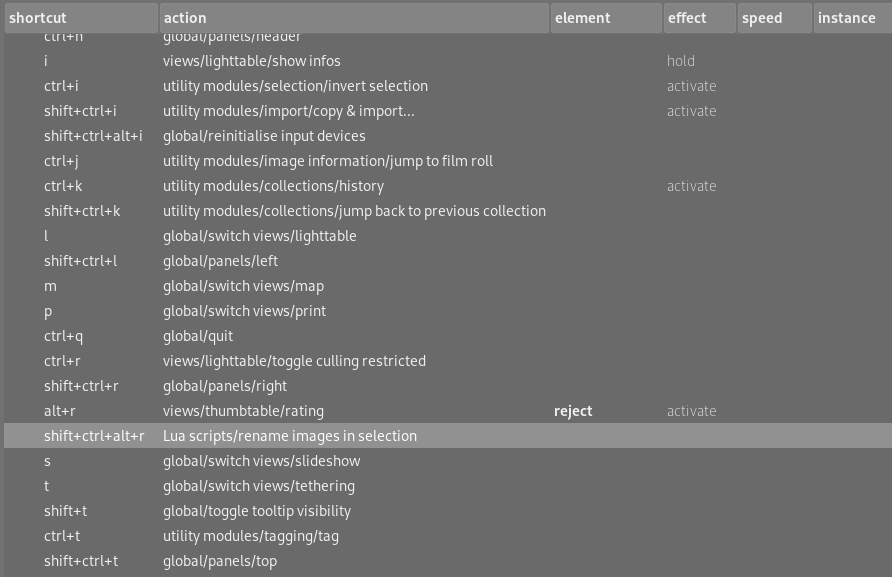
Seems to be a shortcut issue even though I haven’t edited any shortcuts. I have ctrl + alt + shift + r set for this script.
Here’s a fixed one…
rename_by_date_time.zip (2.7 KB)
Usually I use (MODULE, "shortcut") for the shortcut internal name and that works fine as long as there is one shortcut, but in this module there are 2 and I didn’t make them different.
2 Likes
Thank you Bill! 
1 Like