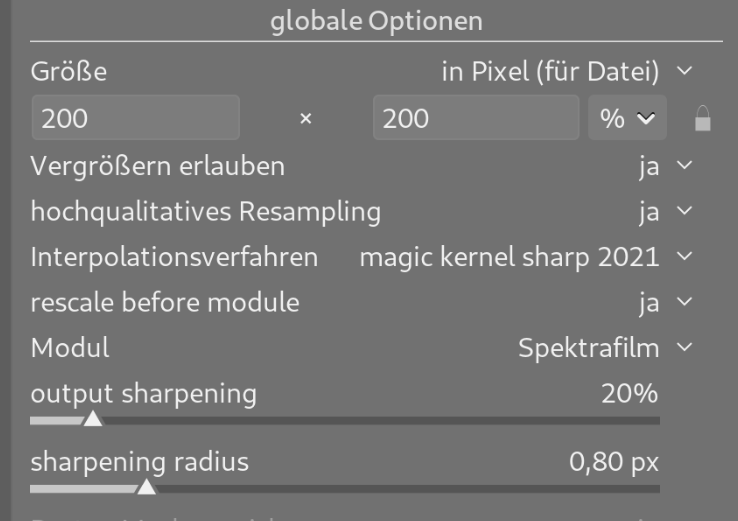
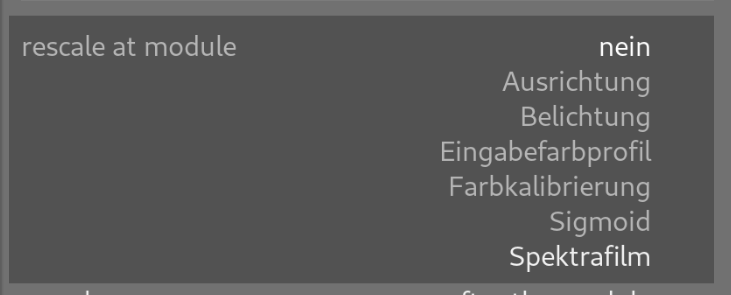
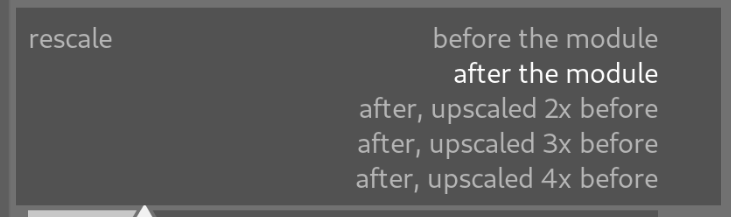
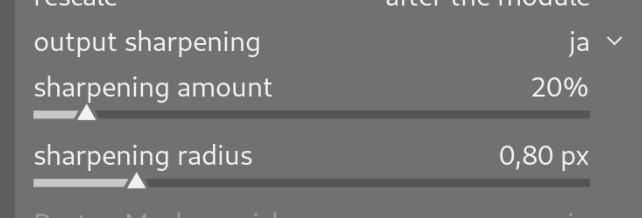
By default “rescale before module” is set to “no” so it behaves exactly as before. If set to yes it shows the modules the selection has in common. Maybe we should also remove some from the list there as well still, but I wanted to sketch this up before the final implementation.
How would this solve the spektrafilm grain part? You would need upscaling to happen pre spektrafilm, and then for web renders downscaling after it, but before framing/sharpening, for example… I think a scaling module that can do both upscaling (in multiples, for example) and downscaling (with targets in pixels) is still an easier solution - Output sharpening/resize module? - #11 by mikae1
Also, knowing how picky darktable is about module orders, especially when running multiple instances of modules, I am 100% sure the solution you posted, to have this inside the export module, is gonna break, at least break the export presets
So one idea could be - add a 2/3/4x upscale inside spektrafilm, no extra module needed (its also in the reference so were not breaking anything), and then just have a downscale module? (@piratenpanda - did some updates to this post, sorry )
When does the output sharpening happen? Is it tied to the selected ‘when to rescale’ point or is it the last step after every module? If the latter - it still wouldnt be ideal because you dont want the final framing to be also sharpened.
But honestly, including upscaling that can happen anywhere in the pipeline in the export module is just wrong, the export module shouldnt do these things.
I think that most people do not need to upscale for exports, but with spektrafilm it can do wonders - the reference has an upscale option, perhaps that could be added to the spektrafilm module as a button that enables a dropdown menu? Probably not a slider, that would be laggy, but a place for you to choose an upscale integer, method could be tied to the darktable setting
And for output sharpening/downscaling, a single scaling module still sounds simpler than having to fuss around with it in the export module, which should probably only govern the final output - I do not think that it doing things somewhere in the pipeline without a respective module is right for the workflow - also, a module inside the pipeline would give you the option to place it before a for example sharpening + framing module combo and you could actually see what the output would look like, I imagine that the export module settings wouldnt show up as live edits.
Spektrafilm is not the only module that would benefit from this treatment. The grain module, diffuse or sharpen and the new ctontrast and texture are other examples. Diffusion can too mask upscaling artifacts.
I’d say most photographers who make prints will need it.
As soon as you use the scaling features of the export module, you need to compensate for interpolation using sharpening. I think (the now defunct) dpbestflow has a good summary of the sharpening stages. Capture sharpening → creative/process sharpening → output sharpening. In darktable we can now do the first two, but the last one is missing so far.
What is has to say about output sharpening:
All image files, regardless of reproduction method, require output sharpening. This targeted output sharpening occurs when the image is at the final size for the specific display or printing device and substrate. Sometimes, the exact reproduction size is the only piece of missing information preventing delivery of a completely finished image file. While it is possible to sharpen delivery files “generically”, any resizing done after this will resample the pixels and result in some loss of sharpness.
That is also my fear. What if there a bunch of the same modules at different stages in the pipeline? How do we pick the right one?
The export module instinctively seems like the right place to do scaling, if i there’s a way to get UI right. If resize was a regular module in the darktable view and I had 20 photos that I wanted to upscale and and sharpen for print I would have to apply a style to resize them all the same way. Styles are really iffy when it comes to inserting modules at the right place in the processing order. But perhaps that’s just me never quite getting the grasp of styles…
Lovely to see output sharpening in the export module, @piratenpanda!
I agree that this becomes a little cryptic (from a UX standpoint) if scaling is done at any stage in the module order. The right way to do it, as I see it:
If “rescale before module” is set to “no” (default) then sharpening comes after any resizing in the export module.
If “rescale before module” is set to a module, then sharpening comes after the last module in the darktable. Say we chose to upscale before spektrafilm and there’s just a levels module after/above spektrafilm, then the sharpening is done after/above levels.