Hello Luca,
Thanks a lot indeed for this new version
It is really appreciated 
Here are my specs for testing:
Operating System: Windows 11 Home 64-bit
CPU Processor: 12th Gen Intel(R) Core™ i7-12700H (20 CPUs), ~2.7GHz
RAM Memory: 32768MB
GPU Card name: NVIDIA GeForce RTX 3070 Ti Laptop GPU
Samsung SSD
I have tested more stacks (both from jpeg and tiff images) and with the bunch-stack option enabled they usually work great as final results.
Just a few notes though:
Testing the stack of the fly (see my dropbok link above to download the ZIP) this new version runs out of memory.
I am still “forced” to enable the bunch-stack method to complete the process.
Therefore, just out of curiosity: why you do not set “as default” this option to alwasy apply the bunch-stack?
Now you are supposed to enable it (by ticking on its box)
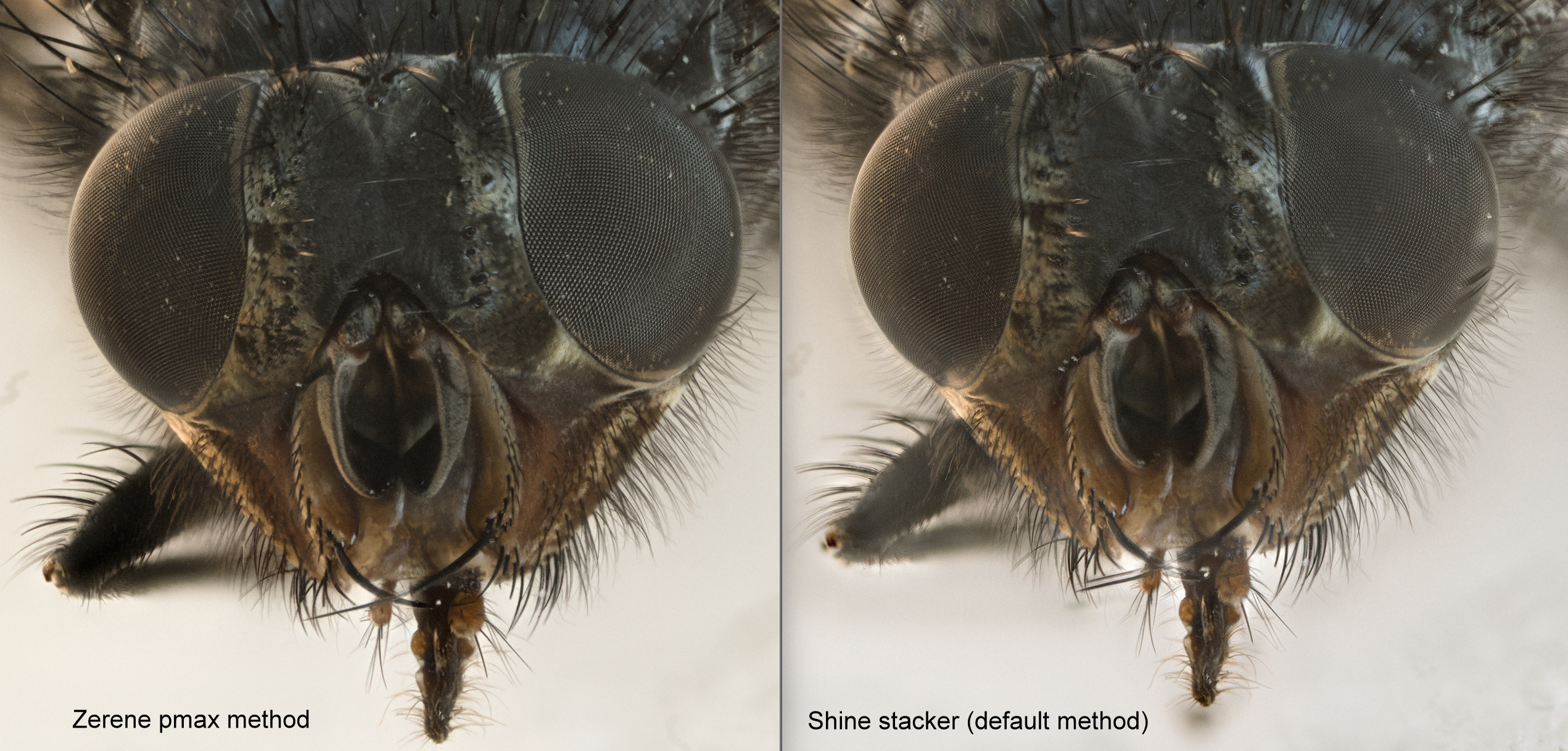
With the bunch-stack there are still more artifacts compared to Zerene.
Unfortunately, I don’t get how to modify the “expert options” (combined-actions) you suggested previously and I am “forced” to use the default methods
Here is the comparison:
I don’t understand how to work with the brush on the retouch module.
I looks like it acts as some kind of “smudging”. For instance, like the brush option with GIMP?
In addition, I have noted that if you white balance the image (with the filter) and you use the brush, later on, after the white-balance you get the colour of the images (layers) not white-balanced (in short at this point you “paint” on the image)
Very minor glitch: In the retouch module you always see some
artifacts (gray lines) when the brush move outside the window with the image. It was present also in the previous version
All in all, great improvements indeed.
The application now runs much faster and it works great on most stacks I have tried
Sorry for the long post.
I have thought to write this message on your github web-page but maybe, on this forum instead, It might be helpful to other users as well.