Thanks @Topoldo, that’s helpful info. Do you have any guidance on what changes I need to make to the .json files? There’s a bit of back and forth in this thread and I got lost!
The only change to do is to replace the python command with the full path to the python command from the virtual environment, for example:
"command" : "python3 spectral_film_mklut.py --server",
becomes
"command" : "/home/<user>/venvs/spectral_film_lut/bin/python3 spectral_film_mklut.py --server",
or similar (adapt to your own venv paths)
Thanks, but I’m not using a virtual environment. Does that change anything?
I also do not use any virtual environments on Fedora. For me the original command works:
"command" : "python3 spectral_film_mklut.py --server",It also works for an atomic distrib like fedora silverblue, with python 3.11 in a toolbox container ; the virtual environment was created in the .config/ART directory for a better portability.
“command” : “toolbox run /var/home/user/.config/ART/python-envs/spectral_film_lut/bin/python3.11 spectral_film_mklut.py --server”,
Thanks to Alberto, this module (just like for AgX) could become indispensable to our workflow.
Just one small thing : the strength slider is by default set to 100 (often unrealistic). Would it be possible to reduce it to 50 or more realistic 25-30 ?
Hi everyone, could you please help me figure out why the AgX Film Simulation interface appears in ART but isn’t actually working? I’m using a Mac, and while the Napari GUI is working fine, this part doesn’t seem to respond. Does anyone know why?
Hello everyone! Spectral film simulation give this error when i move the sliders: Color/Tone Correction Invalid LUT parameters for C:\ART-Spectral\ART_spectral_film.json. Does anyone know how can I fix this? Any help is appreciated. Thank you.
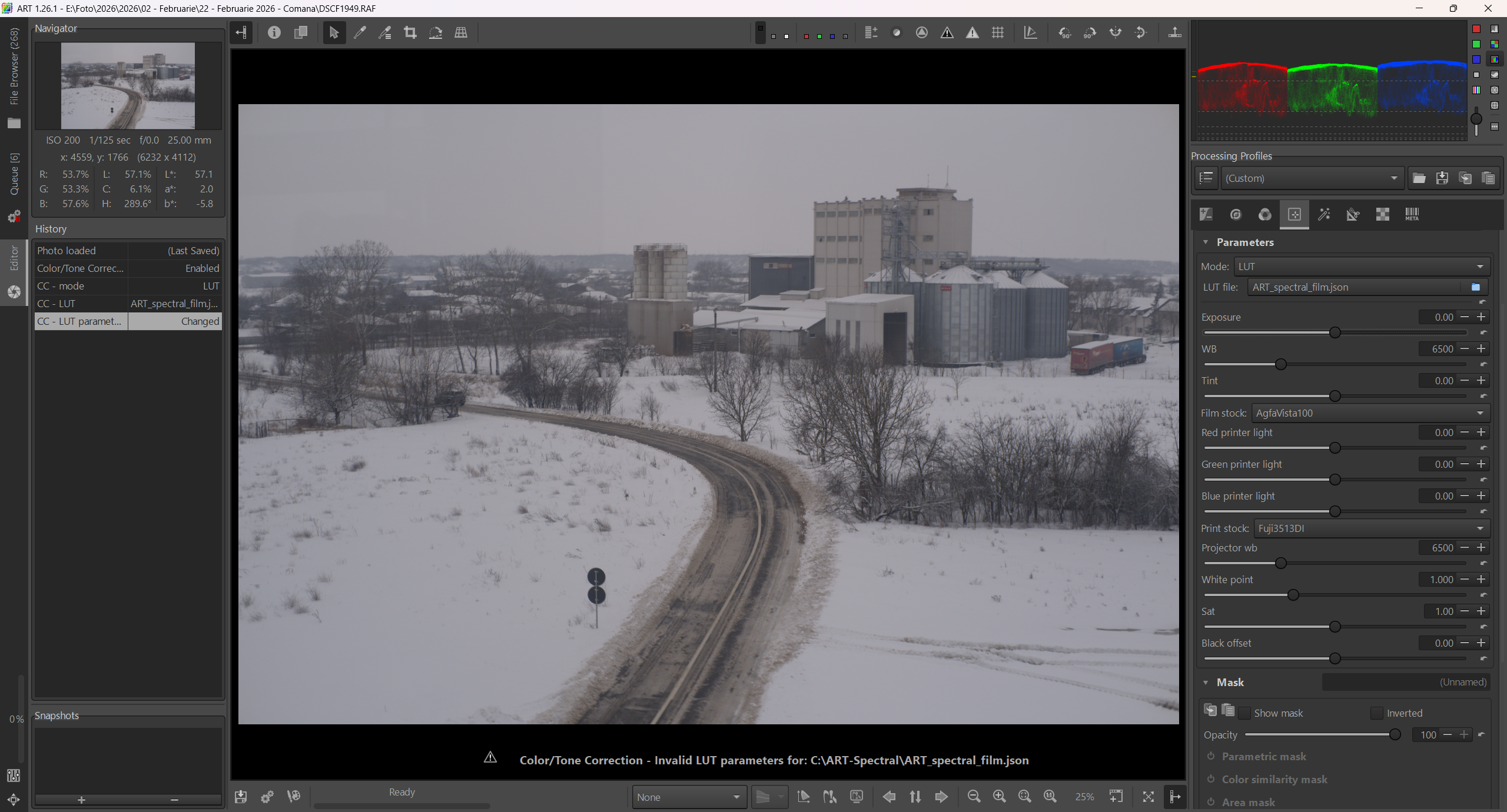
You need to turn on the Color/Tone Correction tool.
I used to have it working, but these days after some software updates it doesn’t work anymore for me on Linux, I get the same error message in ART. I’ve tried several types of virtual environments for Python, it works again for AgX-emulsion but not anymore for spectral film simulation. It works in standalone but in ART integration.
1 Like
Thanks for the answer. So I’m not the only one with this problem. Maybe it will work again after some future updates.
I checked my installation of self-built ART on Fedora 43. Both AgX and Spectral Film Simulation work using conda method.
A few days ago I installed Agx-emulsion on arch/garuda Linux. It wasnt exactly easy though. The default python version was too new and i had to install a different one for the virtual environment. Dont know exactly what i did though. I needed approximately one day to solve the issue.
Thank you, it’s working now! I spent several days trying to figure it out; it turns out I just needed to enable the Color/Tone Correction tool.
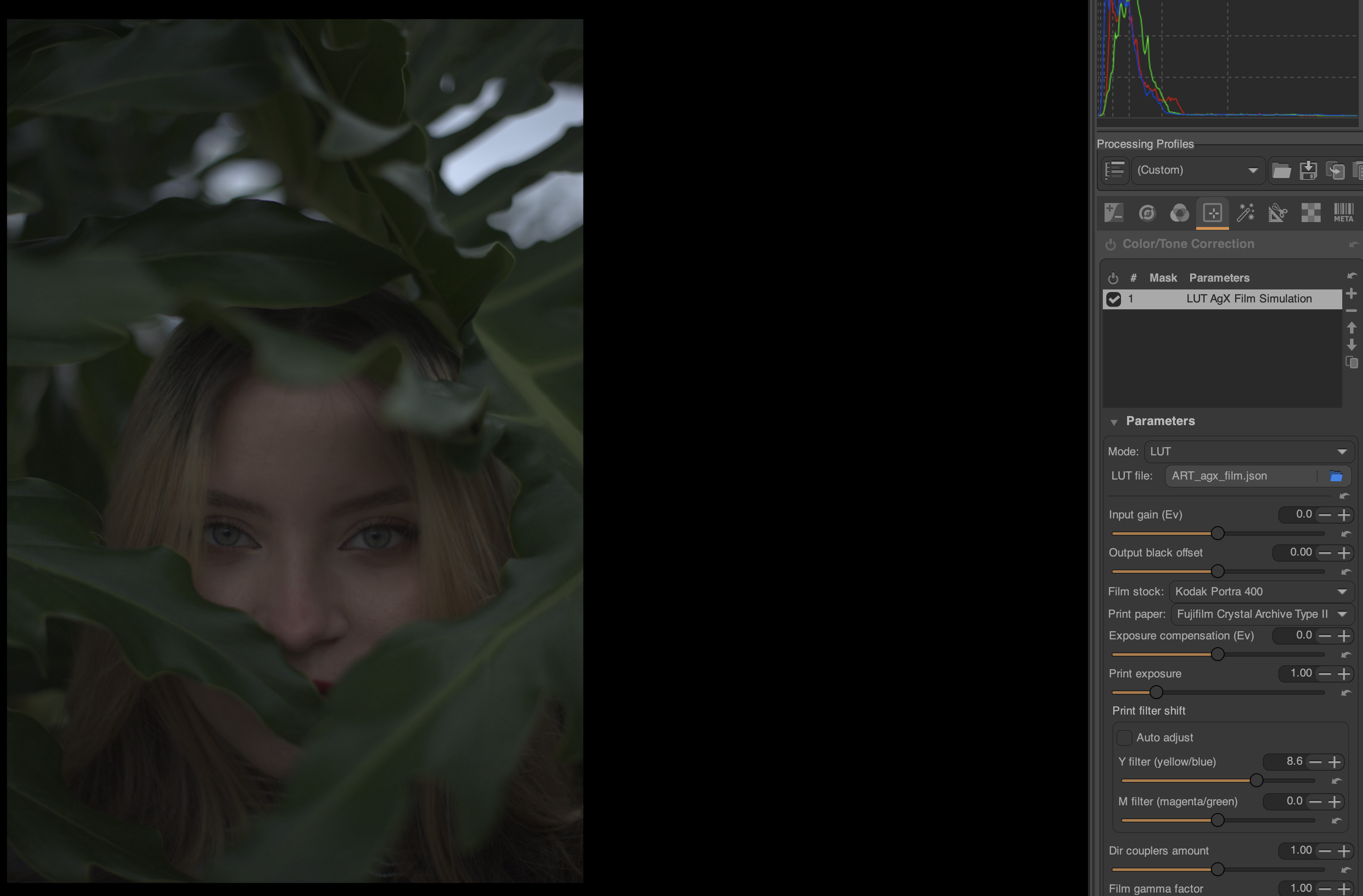
I’ve read the tutorials here which mention that before enabling Color/Tone Correction, the Tone Curves tool must be turned off. However, the image usually ends up being very dark after applying the AgX Film Simulation. The first thing I have to do is adjust the Print exposure and Film/Print gamma factor to get the right brightness. This doesn’t happen when I work in napari. I’m wondering if any of you have encountered the same issue?
Also, the AgX version in napari has more options like Scan lens blur, grain, preflash, print channel swap… Does anyone know how to achieve similar results in ART?
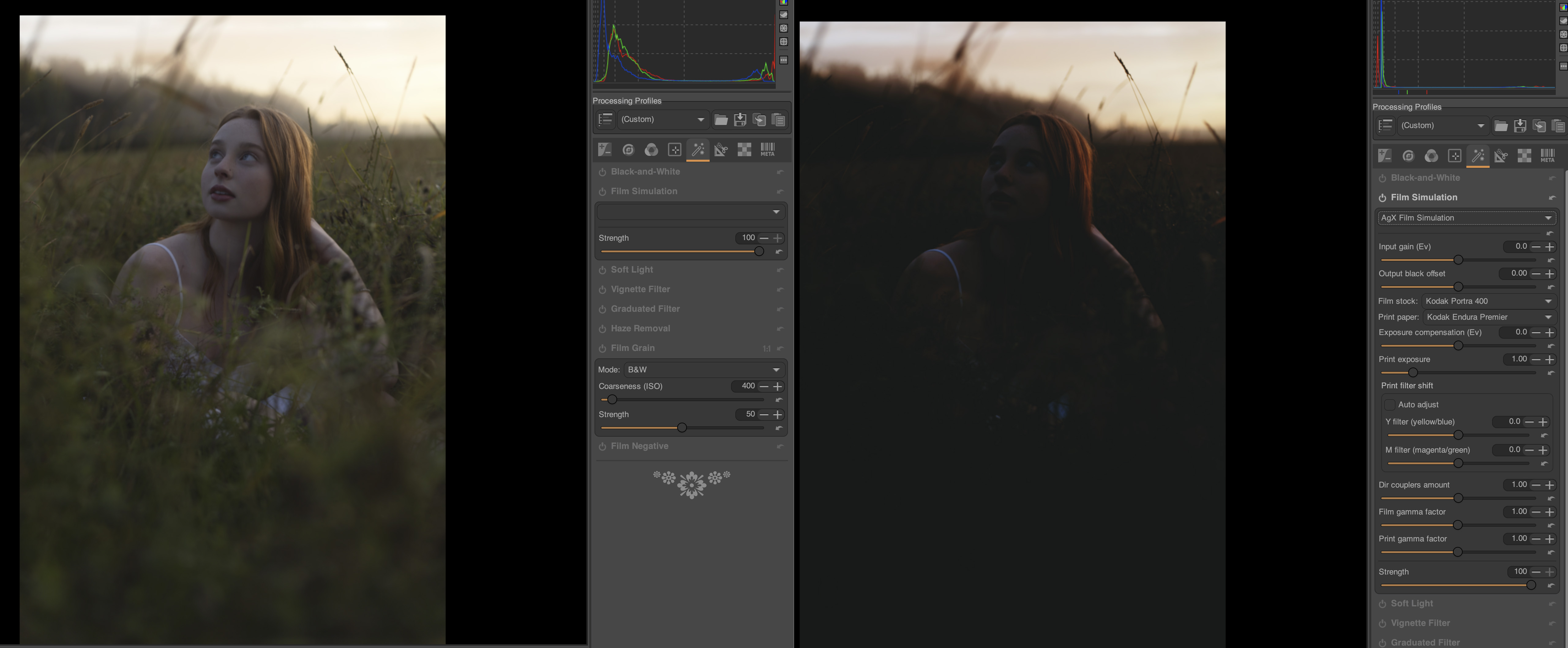
You can increase Input Gain to your liking. For me it is usually +1EV.
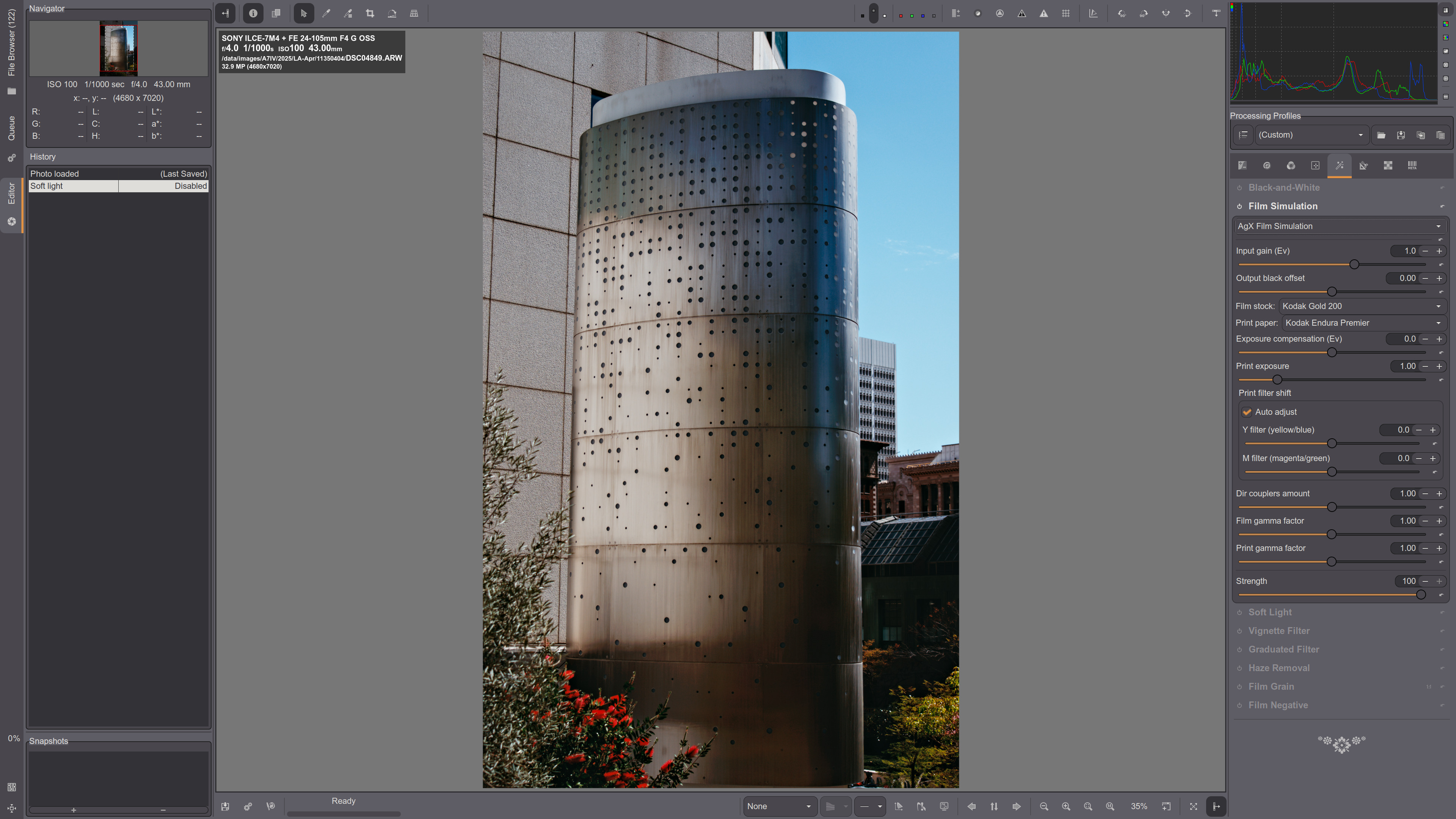
Also I get quite increased red color for Kodak film/paper. Need to tone it down in Channel Mixer, Primaries correction, Red Saturation:
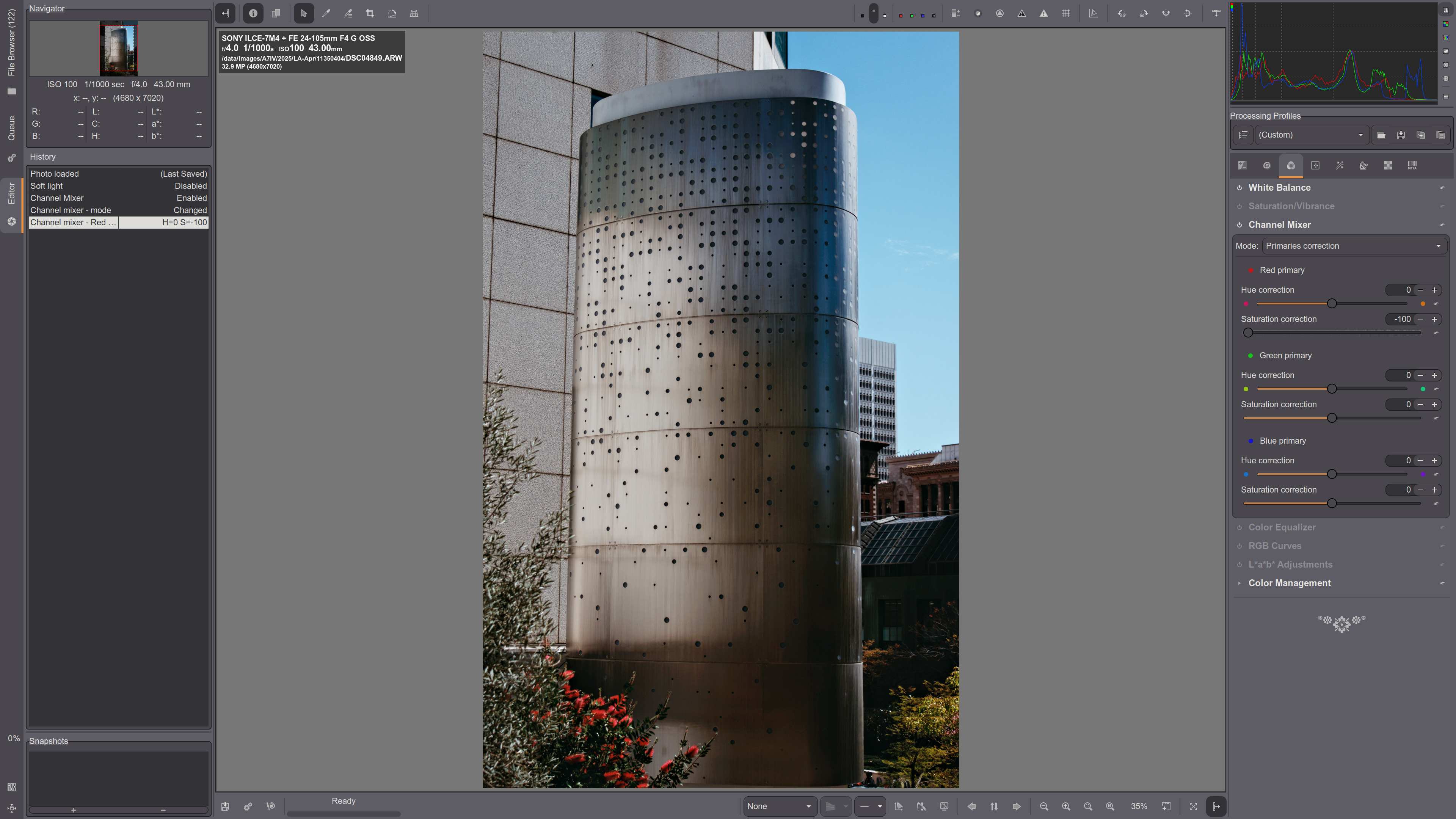
Thank you! Your images look great.
How can I achieve that same softness and grain in the final image as when exporting from Napari while working in ART? Currently, my exports from ART look a bit too sharp and ‘digital.’
Also, is there a way to make the preview in ART match the sharpness of the final export? When I’m working, the image appears quite blurry, but the exported file is very sharp. This is a bit confusing for me.
Apologies if these are basic questions—I’ve only just started using ART a few days ago and am still working my way through the manual.
You can add grain in ART. Go to Special effects module and turn on grain. You can add gain based on ISO make it B&W or color (color is only available in ART and not in Darktable). I don’t know how to add softness yet, because just like you, I only just started using ART a few days ago and I’m enjoying it very much.
You can evaluate effect of sharpness (and some other tools) in ART only at 100% zoom level. Such tools have a little icon 1:1 at the right side of their names.
Not sure about smoothness and grain, usually I try to reduce both 
You can try Smoothing and Local Contrast (negative values) for softness and Film Grain tools.
BTW there is a book with concise description of all ART tools, may be useful for beginners:
Yes, I see it now. The color grain effect looks really nice and natural.
Thank you! I’ll try to go through the manual to understand ART better.
I want to soften the image a bit to reduce the ‘digital look.’ I find AGX-emulsion interesting because it offers paper simulation, giving it a feel close to an actual physical print, similar to jamie.hawkesworth’s photos below.
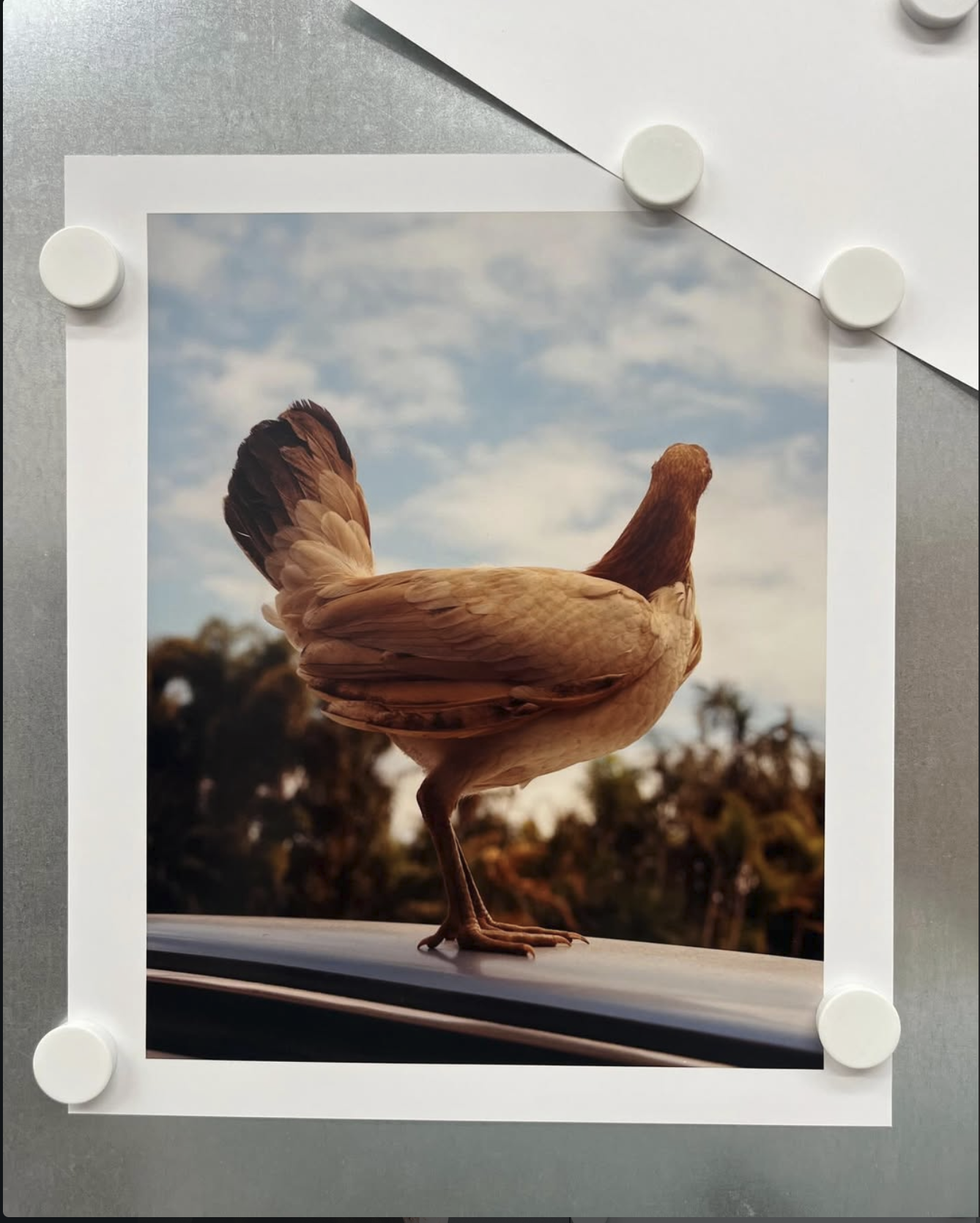
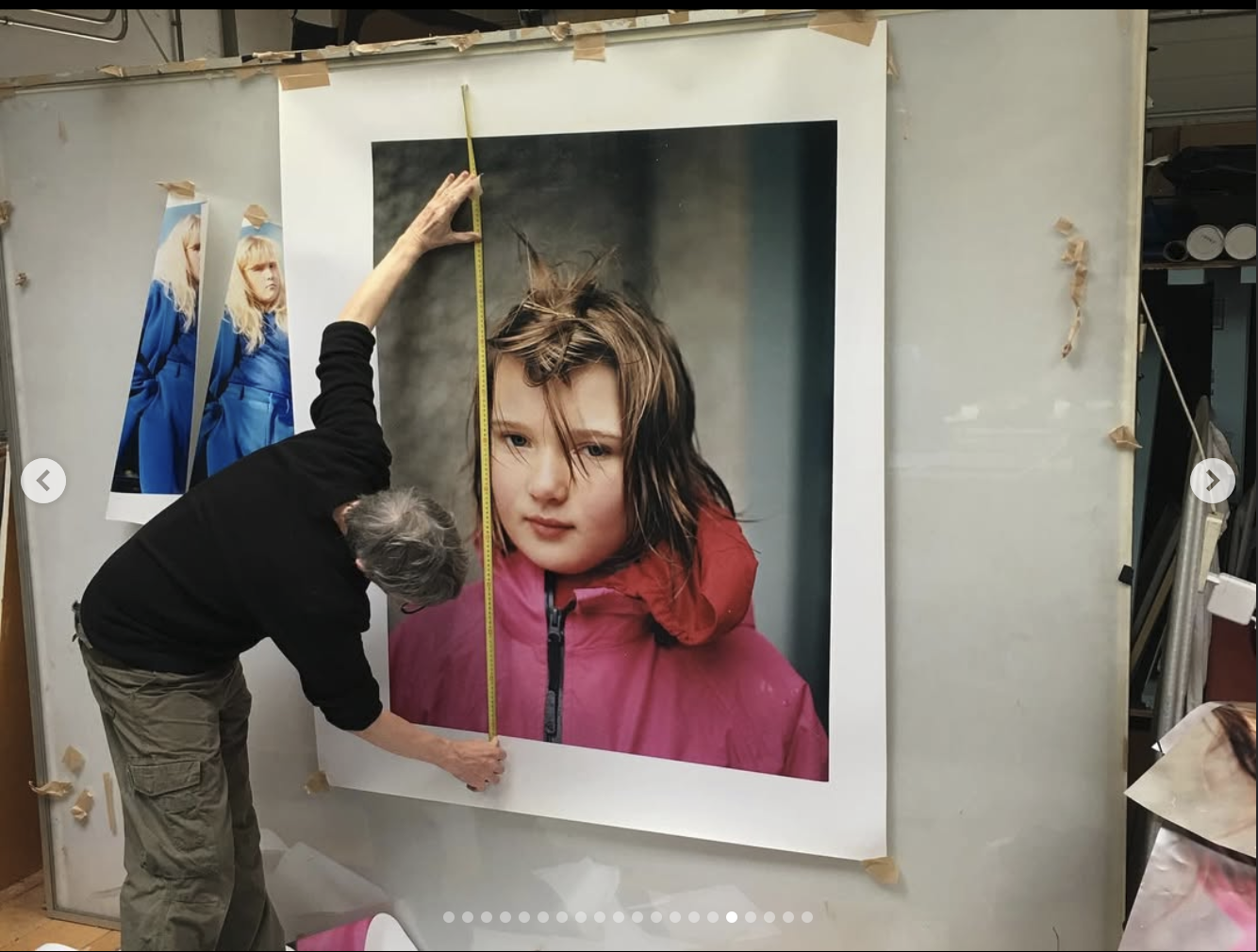
1 Like