So that means that when sharing the XMP to others, like you do in playraw or you reimport, you get different grain results, don’t you?
will be fixed by the upcoming PR:
1 Like
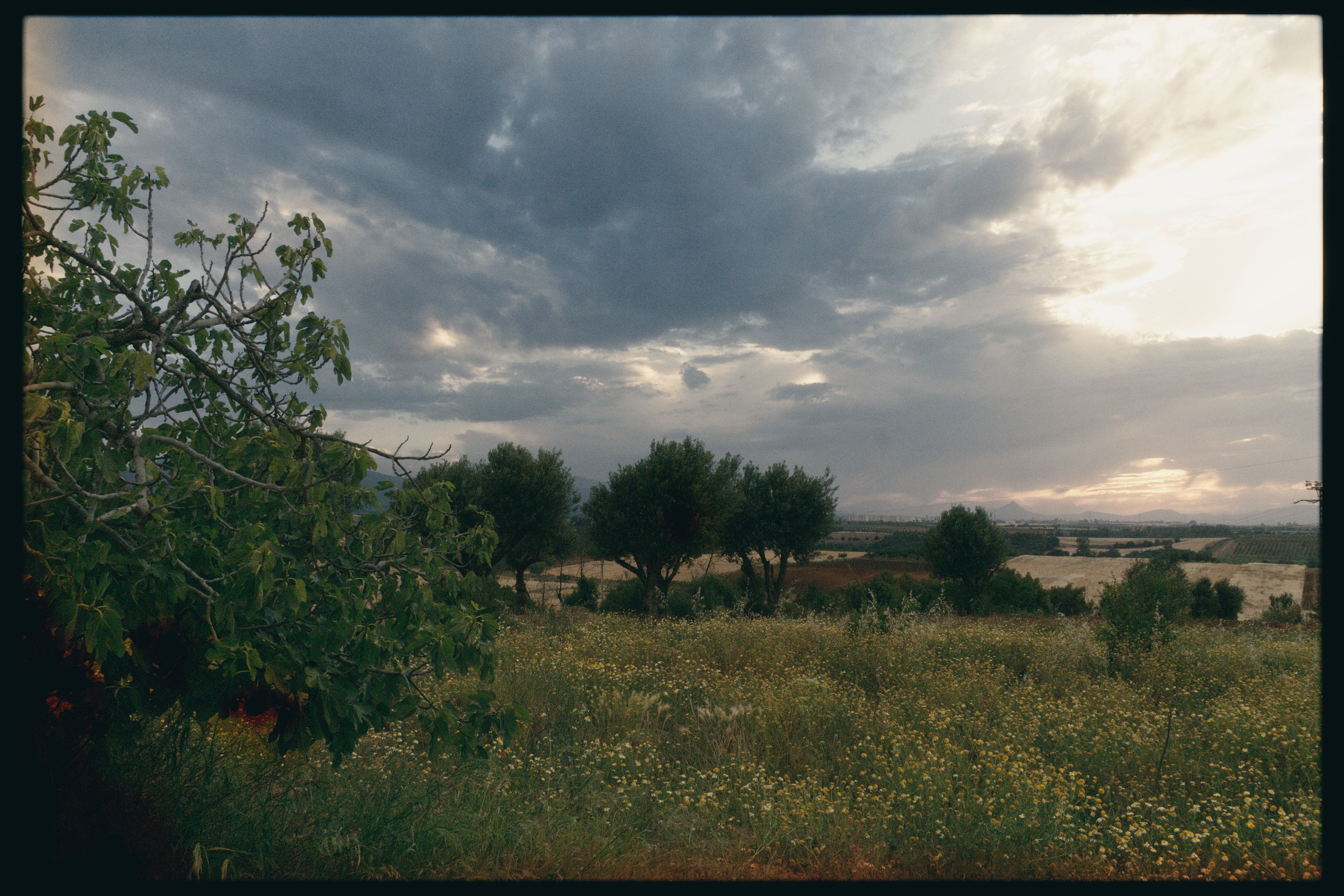
I couldn’t figure out where did these “black holes” shapes came from or what caused them !
_2015870.DNG.xmp (29.5 KB)
Notice the lower left portion of the frame and the tree in the middle.
1 Like
These look like the result of negative pixels getting into the spektrafilm module - check if the color calibration module before spektrafilm has the clip negative RGB from gamut box checked.
1 Like
Hmm, I know that log cuts negative values harshly but what if I don’t want them clipped pre-tone mapping !
3×3 camera matrices are so evil 
Here’s the same one with a bit of offset to lift the negatives away from the floor :
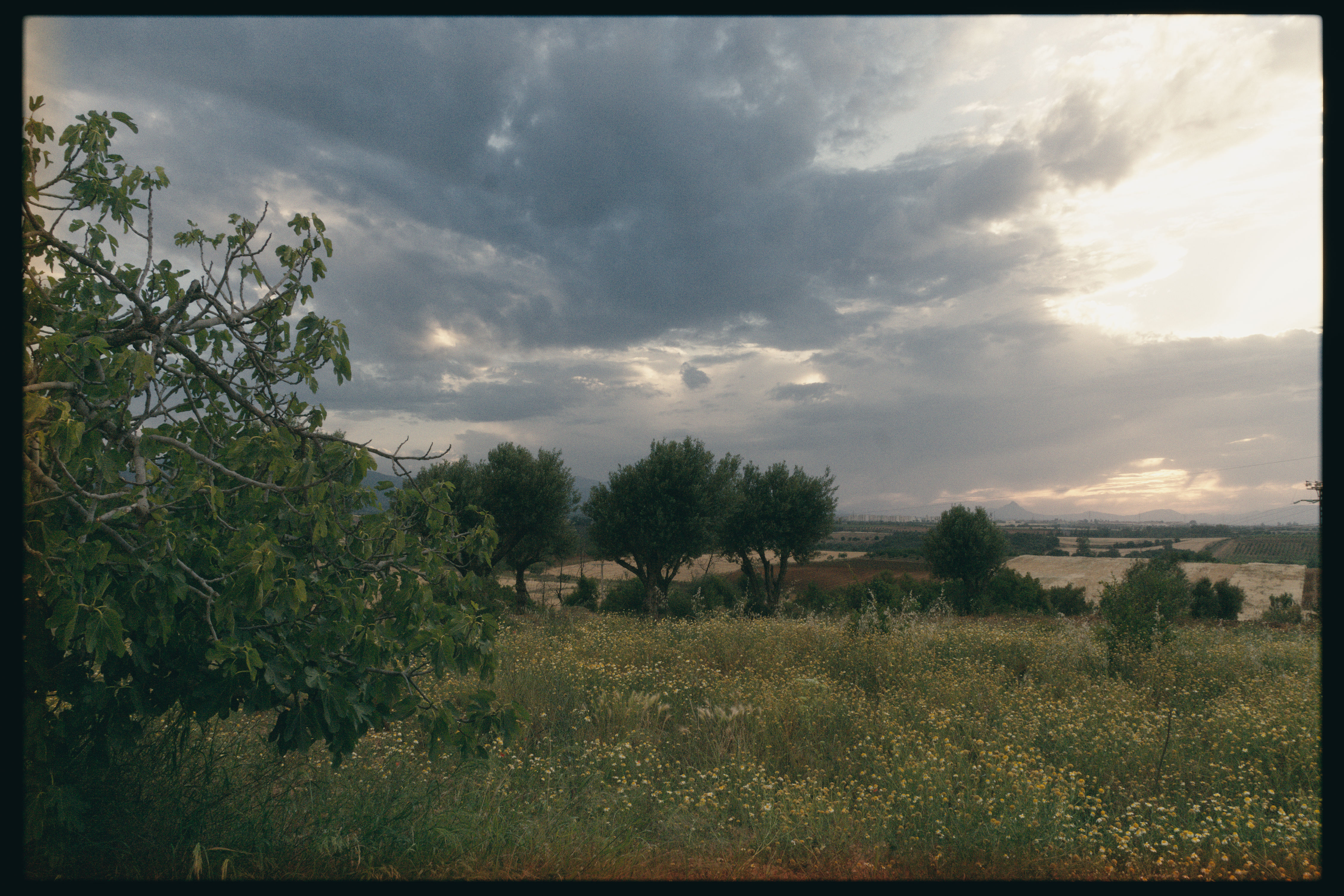
Every thing seems fine, thanks for reminding me.
1 Like
where did you do it, in exposure module?
I remember a very similar issue with color balance rgb upsetting filmic rgb with very similar results, years ago. Conclusion IIRC was similar - just contain extreme values before the upset module*.
- edit for clarity - no I don’t mean a mysterious new module named
upset just whichever module is generating those “disco” flares.
2 Likes
Yeah, via the black level correction.
1 Like
I’ve been using spektrafilm a lot lately. The new black- and whitepoint have made post-compression scale and pre-compression boost basically obsolete for me.
One thought crosses my mind again and again: What about a “sync exposure and push/pull”-checkbox? I fiddle around between those two sliders a lot and keeping them in sync would make that part of the experience easier.
1 Like
Will keep that in mind when we add more features. Doing an introspection update just for this little change doesn’t seem reasonable to me at this moment.
1 Like
spektrafilm: clamp negative film exposure before the pre-film blurs by piratenpanda · Pull Request #22803 · darktable-org/darktable · GitHub I hope this is a better fix
1 Like
next nightly should have the fix
I just found out that the blur module is actually scene-referred, I urge you to try it out with spektrafilm. It plays really nice with the grain and especially the halation. Looks quite good even with the default blur settings at “half-frame” size.
Thanks for the efforts, I’m gonna test it as soon as it releases.
1 Like
Thanks for uncovering it
The grain → density floor tooltip mentions something about the values being between 0.03 and 0.06, but the default control is at 1.00. Feels like it was reworked and the tooltip refers to a previous version of the control?
It is correct but easy to misunderstand. The 0.03 to 0.06 come from the stock while the slider scales the value of the stock. I took this nudge to rework all tooltips that are either wrong or old code. Thanks!
2 Likes
Ive got a theoretical question about the grain generation - Ive spent some time zoomed in on some shots playing around with the sliders and to me it feels like some of the sliders do the same thing - one example:
Default settings, C200 film, 65mm film format, granularity + grain strenght + sublayer particle size all set to 1.0 - snapshot that - set the grain to granularity 4.0, strenght 0.25-0.27, sublayer particle size 0.4 - the grain is 100% identical, even though “in theory” it should probably look differently? I am not looking at this from the point of grain “randomness”, youve got that done, but more like - that the settings look like they only affect the blend amount and blur, but nothing else changes - I am not sure if this is the limit of the model, but I feel like the spektrafilm reference settings did more, feel more natural.
Also, the format settings - I understand how they scale the effects (halation, bloom…), but how do they really touch the grain settings? Feels like they only change the grain strenght - for example custom film format 35mm, grain strenght 1, is identical to the one of 70mm, grain strenght 2 - they should also change the size of the grain particles, etc…
(loads of feelings here, all mojo, thats why its a theoretical  )
One actualy “bug” I found while testing, when the film format is set to custom, and you scroll with a mouse wheel, if you hit a value that is equivalent to one of the presets, the format switches from custom to the respective preset, which makes using a mouse wheel unusable, because it constantly kicks you out.
(my mouse wheel often jumps by two, thanks KDE, but I think it is clear enough)
2 Likes
Rest is the same as in spectrafilm dev/experimental and works exactly the same there and here. The math gives combinations where the outcome from a certain parameter set is the same
1 Like
Thanks! So its the mojo, as usual
1 Like