spektrafilm LUTs

this week i’ve been working at the LUT export feature in spektrafilm.

it has been a quite a trip into new color spaces and fixing a series of small issues. the huge log spaces in modern film making require some care: in particular out-of-gamut-color compression and dynamic range management (placing midgray of the right spot of the HDR range). i am super grateful to colour-science that implemented most of the transforms needed; i’ll make a nice donation to them. it’s really fantastic.

i faced also some legal questions that required some thinking, and after a small discussion with @chaert-s also, the ideas converged in a custom license for the LUTs of spektrafilm. here me out, and tell me if this is sound.

my desire:

  1. let everyone use and share freely spektrafilm LUTs, and create any kind of cool content and art with them, personal or commercial, with no limits (acknowledgment welcome)
  2. not let people to just export all the LUTs and sell/make an app/plugin with them (at least not a closed source one)

as far i understand GPL licensing, LUTs can be a gray area for GPL coverage. they are the output of a program that is itself GPL, and people might think that the output of the program is not GPL anymore. nevertheless, in my interpretation, i do think LUTs as direct derivatives of the JSON profiles in the repo, that are GPL and should infect the LUTs too.

to make things easier and send a clearer message, i wrote the following license. if anyone has any opinion on the topic it would be of great help.
SPEKTRAFILM_LICENSE.txt (3.1 KB)
any loophole? or is it too pedantic?

essentially, i am assuming that LUTs are direct derivatives of the JSON profiles, and by changing the license of the JSON profiles, i am applying the same license to the LUTs. in this interpretation, the GPL spektrafilm runtime just reprocess the data in the JSON profiles and distill them into LUT form. the license is extra permissive and literally just say “free use, free share, no resale”. and i believe accomplish my desires: to let anyone enjoy the work we are doing here without taking advantage of the project.

moreover this remove the gray area aspect of the LUT as GPL, that might infect also the video pipelines of people using them commercially, putting friction in the commercial use. the custom license would let them use the LUTs without issues.
11 Likes

but enough of the boring legal stuff. here some eyecandy that i slowly developed this week to characterize the LUT quality.

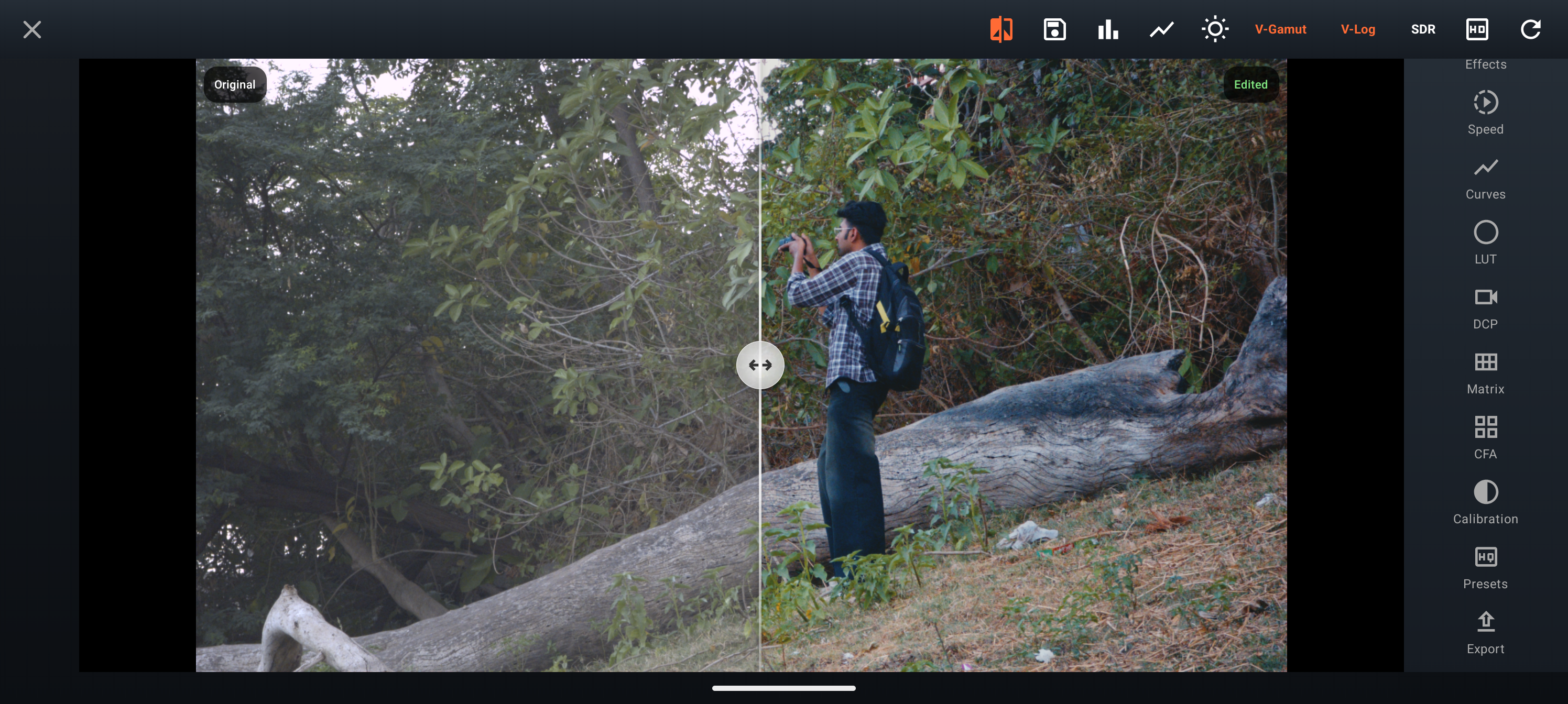
if you have a lumix camera here is an alpha lut for testing that will work as realtime V-Log for shooting stills:
spektrafilm_v032_gold200_supraendura_1lut_vlog_srgb.zip (6.4 MB)
the same LUT is used below for the characterization.


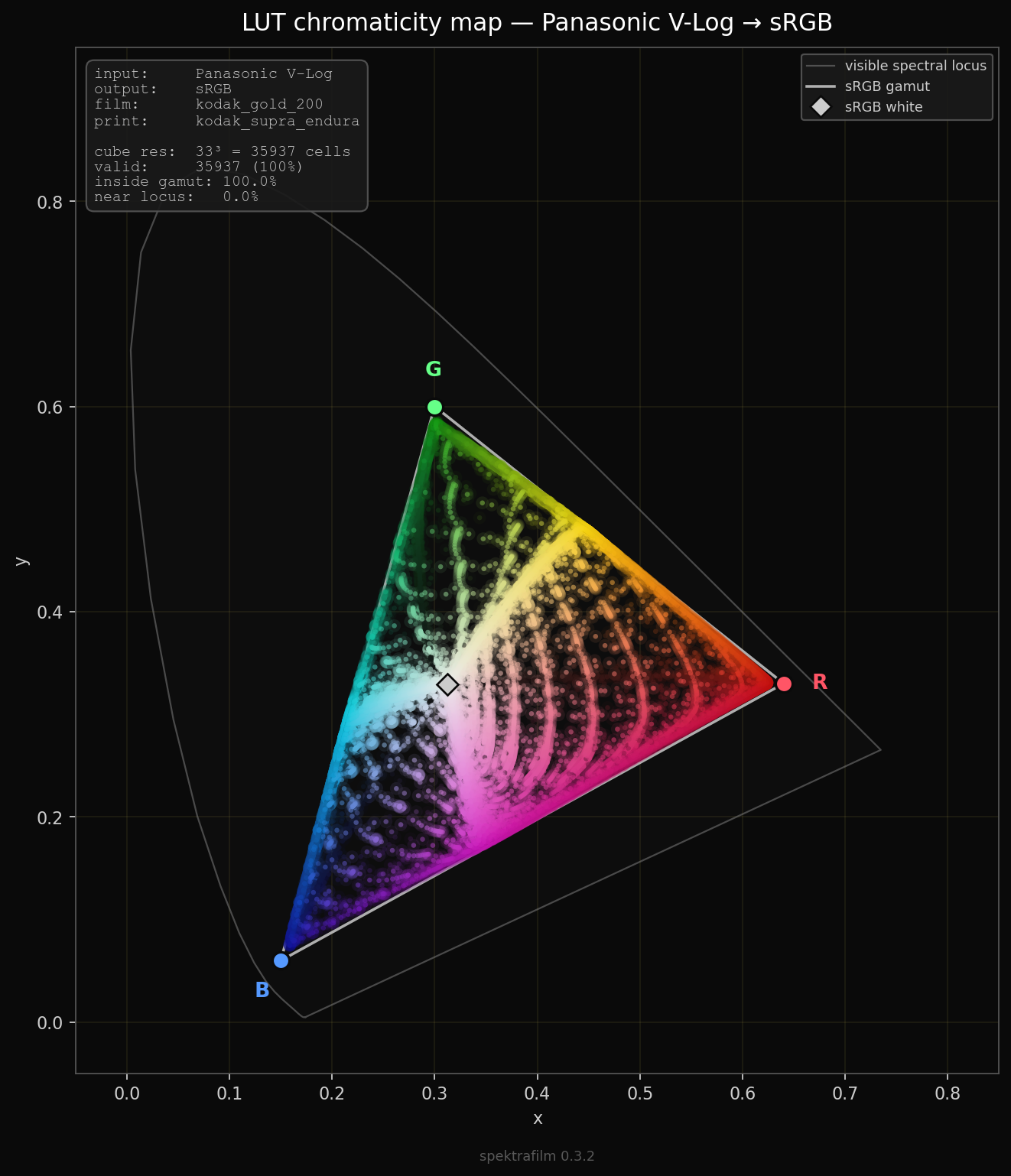
input gamut compression

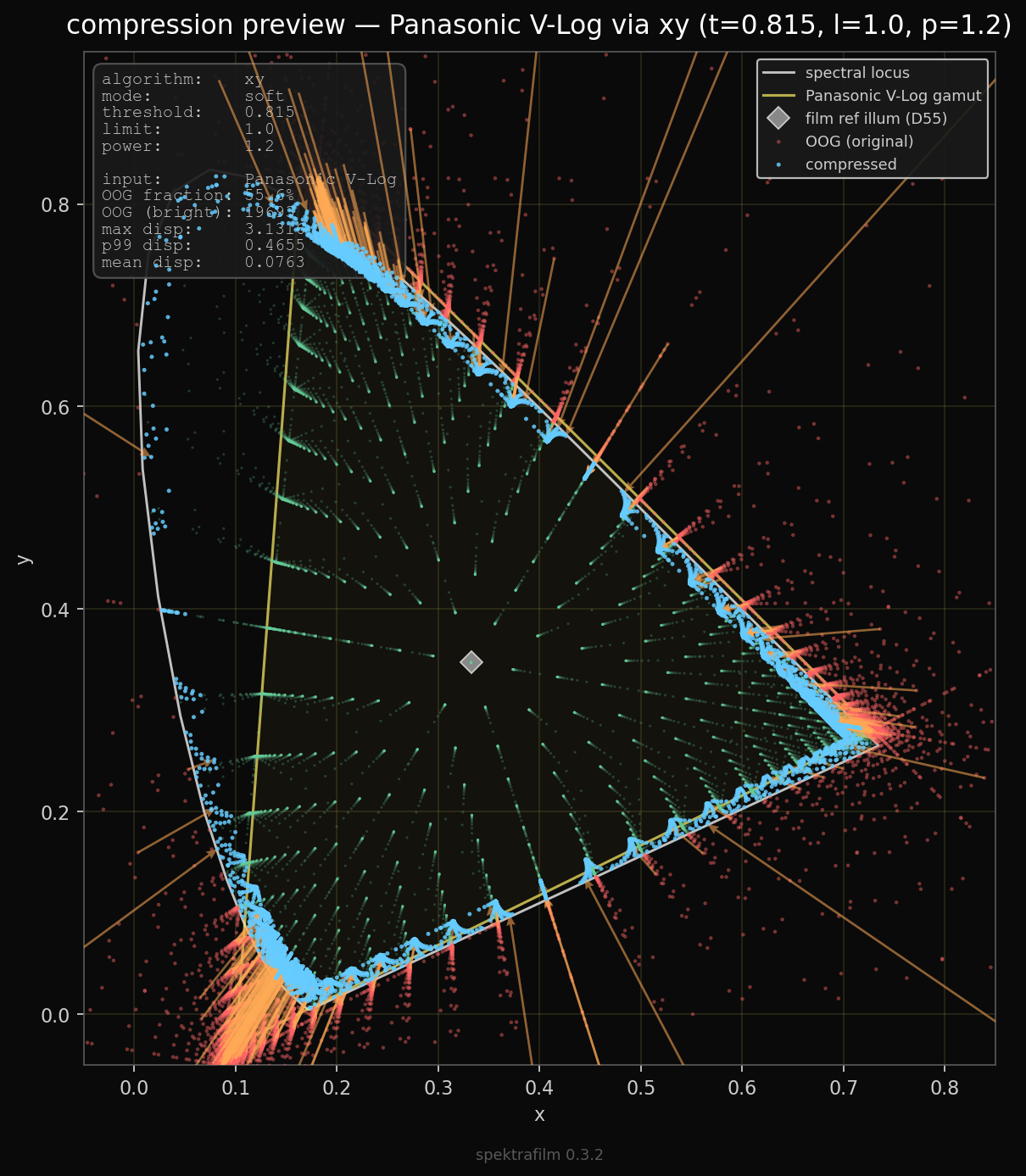
the large input V-Log color space is compressed using a radial Reinhard knee in CIE xy, that pushes chromaticity coordinates outside the spectral locus inward toward the reference illuminant of the film stock. parameters are similar to the ACES RGC v1.3 cyan gamut compression (t=0.815, l=1.0, p=1.2). the knee converges exactly on the locus (ACES RGC v1.3 cyan has l=1.147).

the xy area close to the edge of the locus becomes very dense. and also more than 50% of the datapoints of the LUT are outside the visible locus. all very strange to me, but must be a compromise to fit a large gamut in the color space.


dynamic range and curves

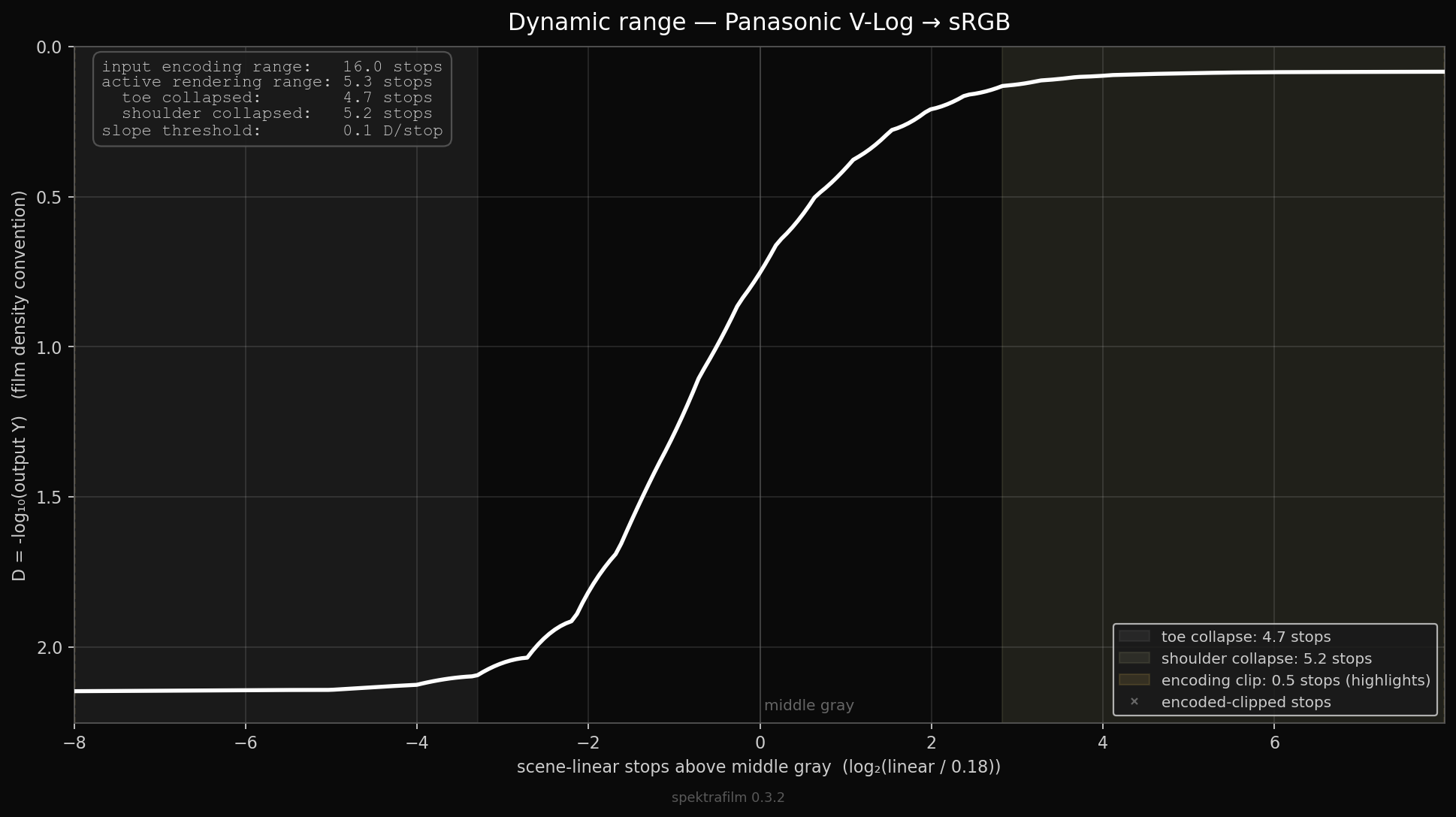
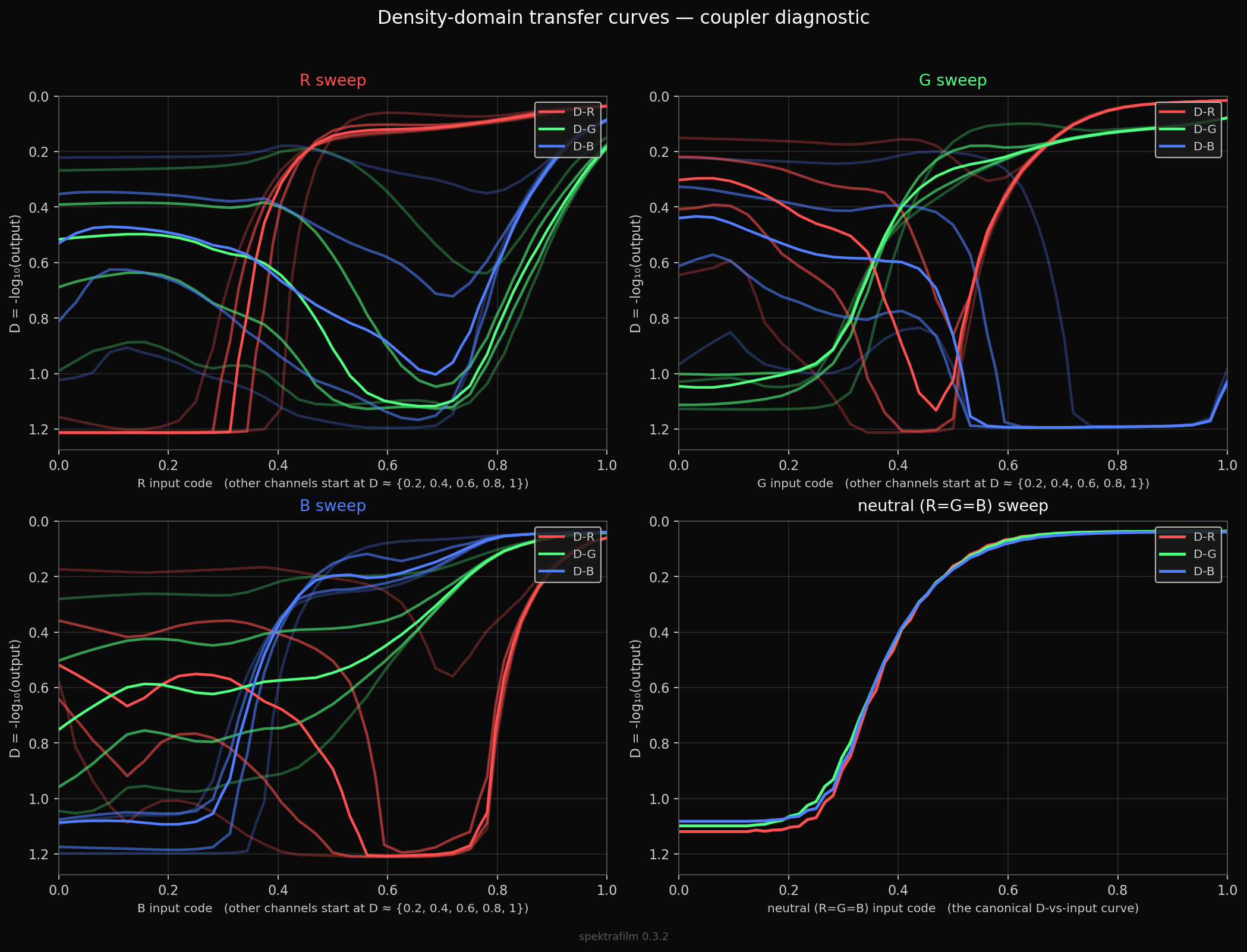
here you can see how much of the HDR input range of V-Log is used, and below the effects of dir couplers in the output RGB space. it looks rather complex behavior, still i have not figure out if anything look problematic.


output gamut compression

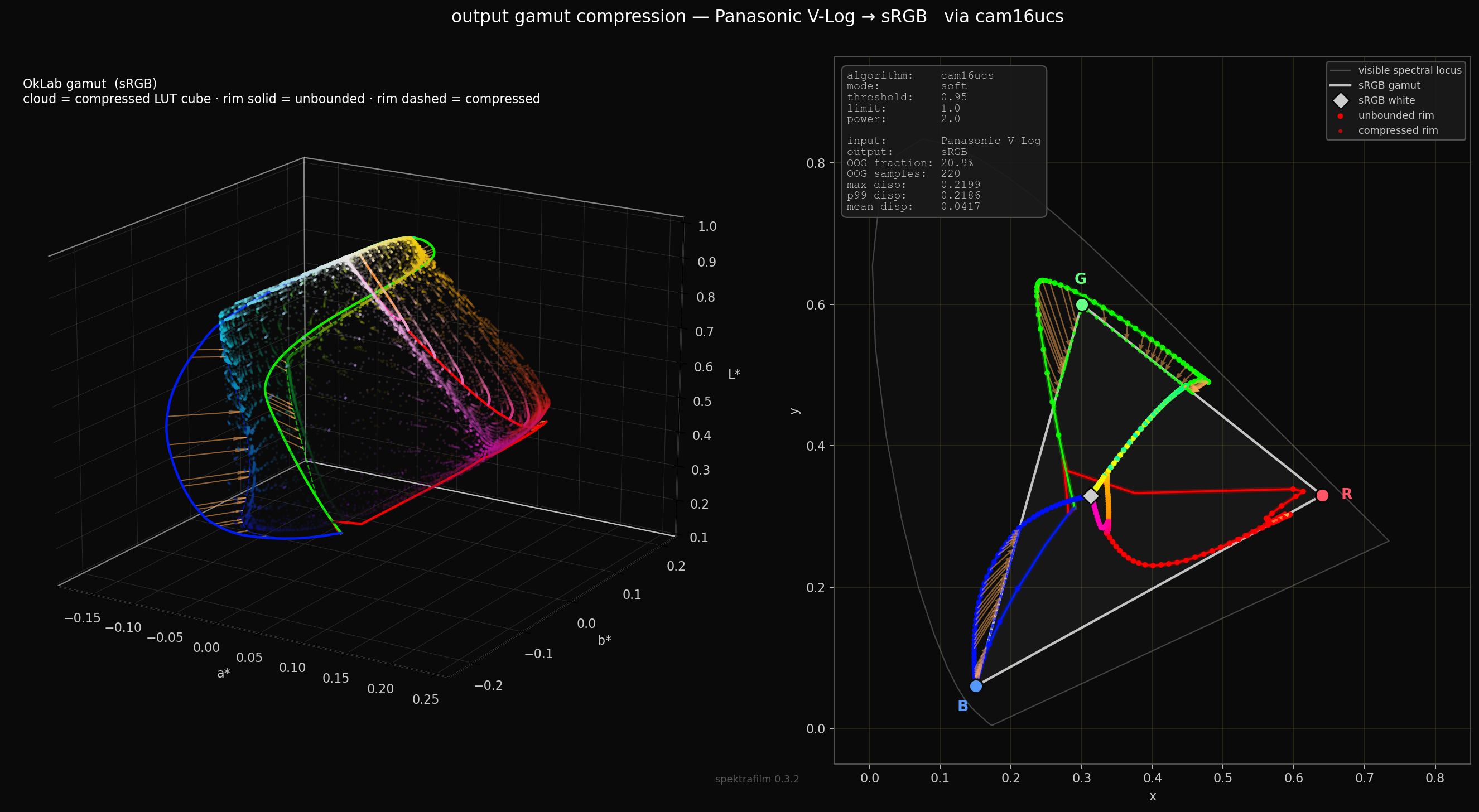
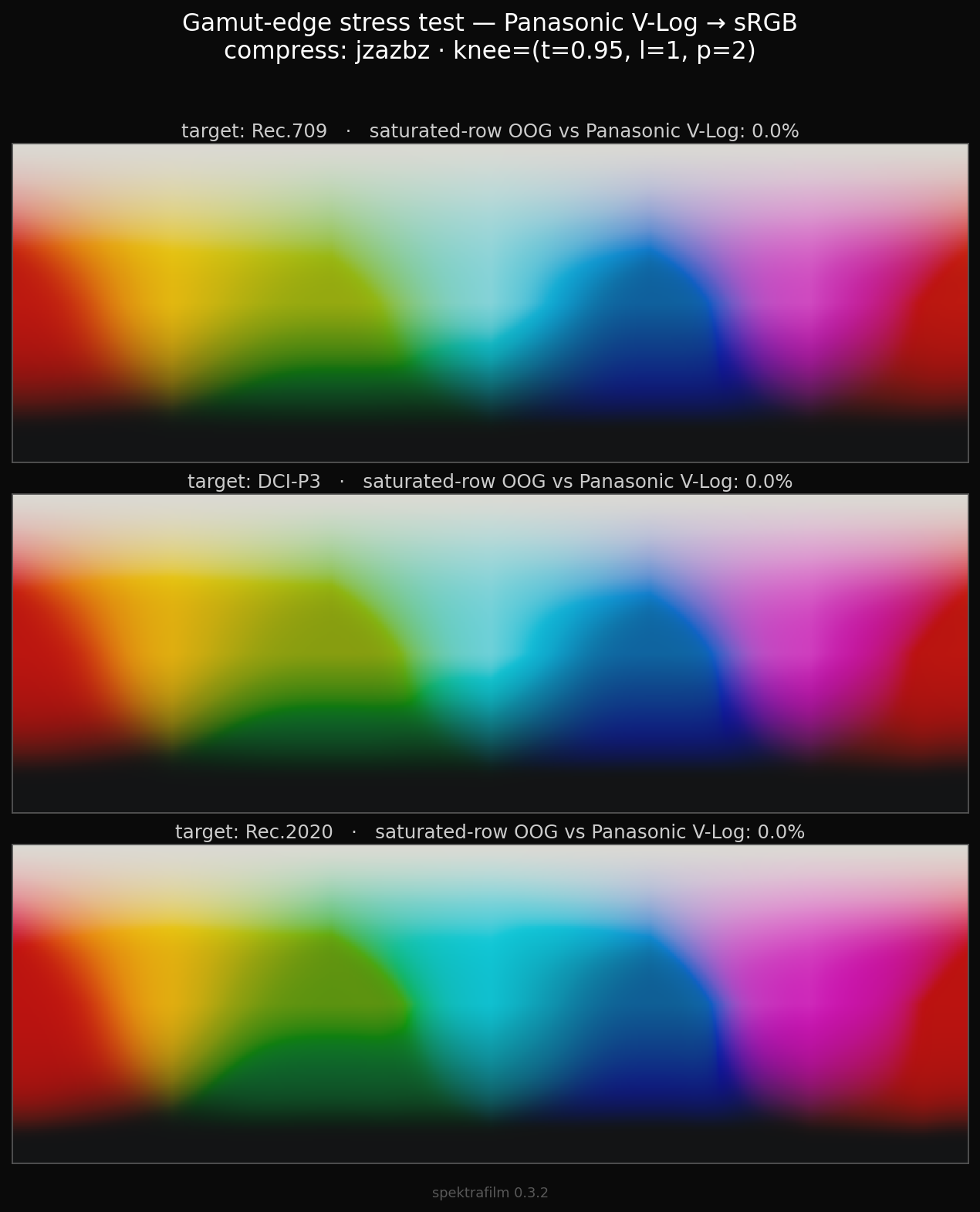
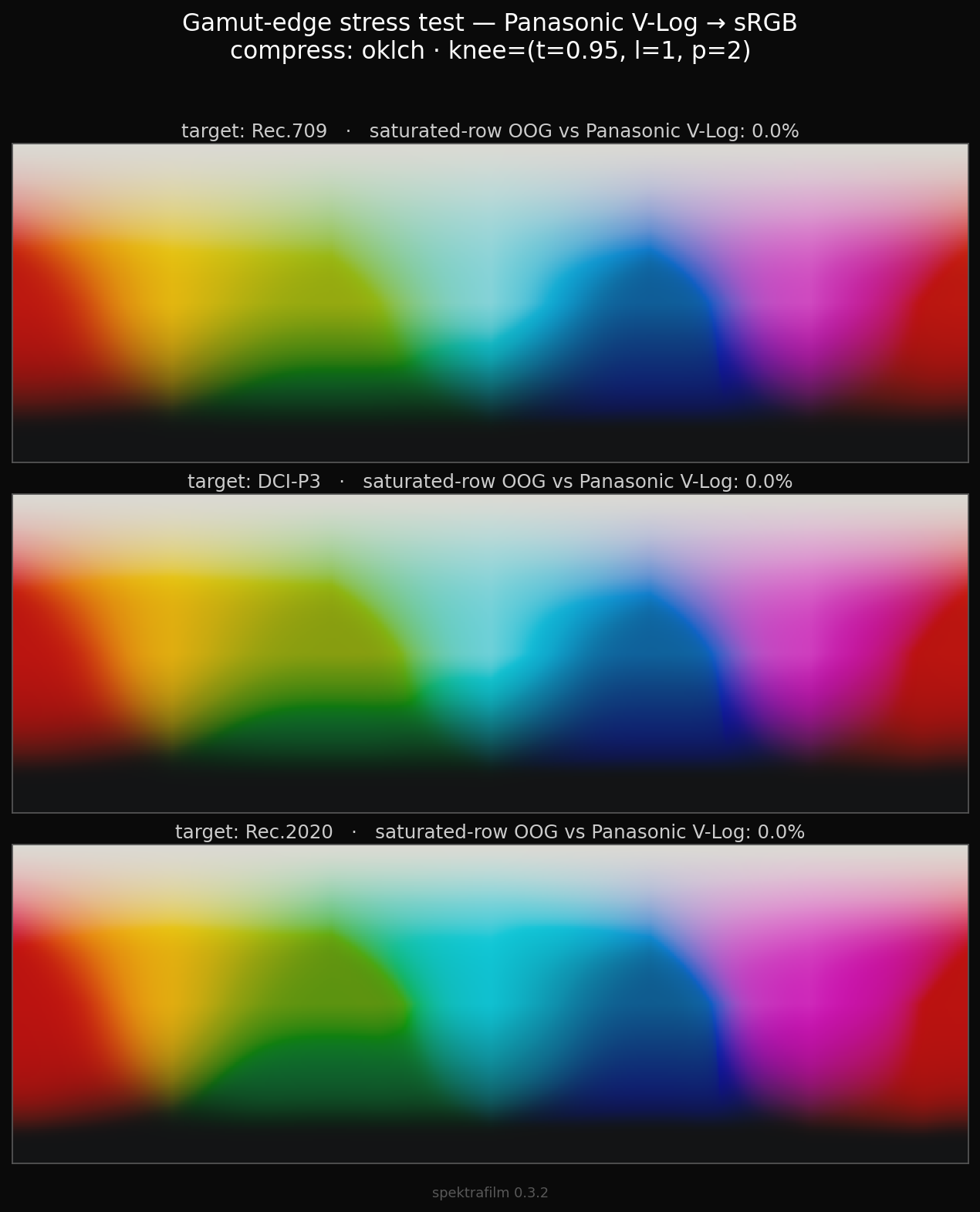
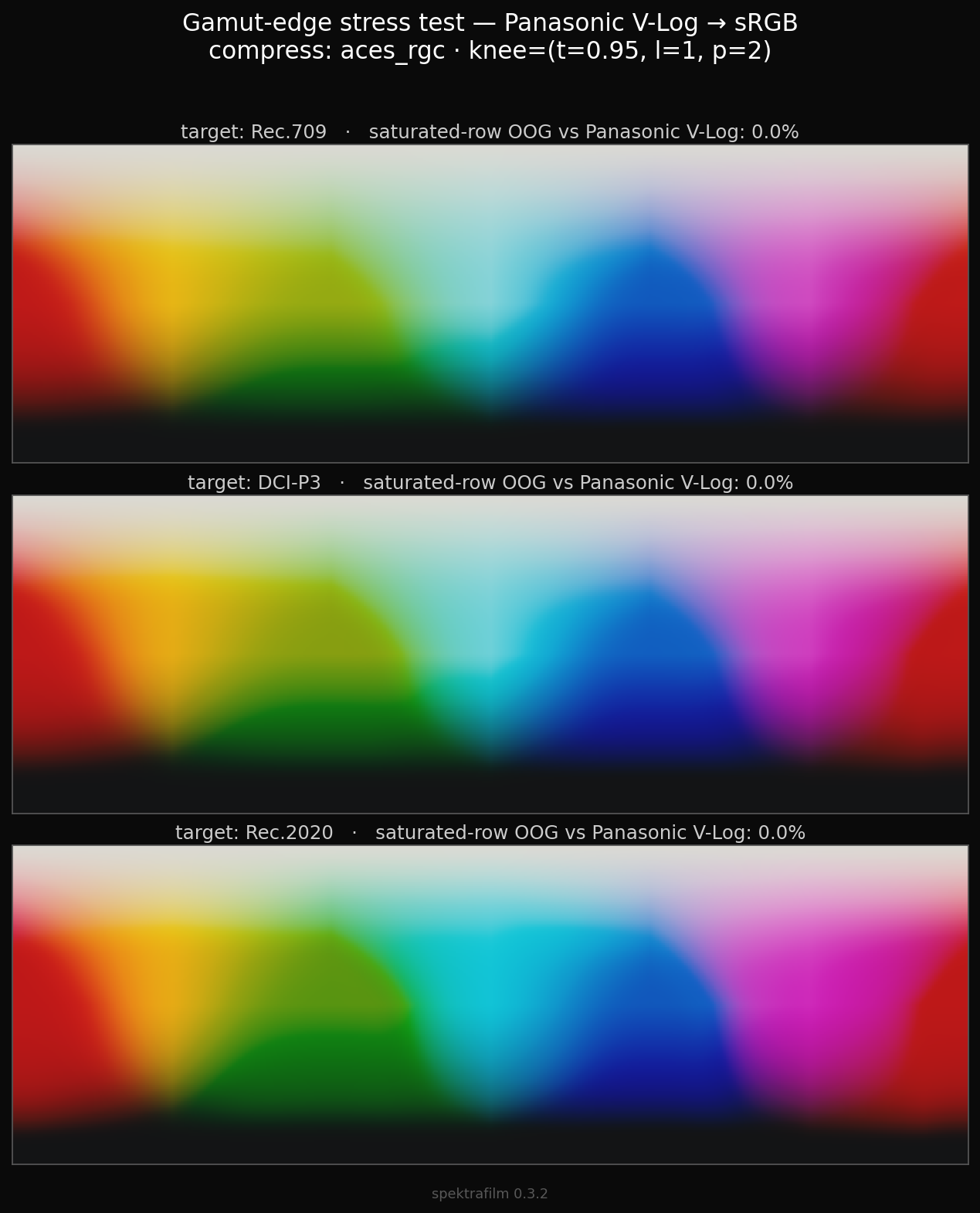
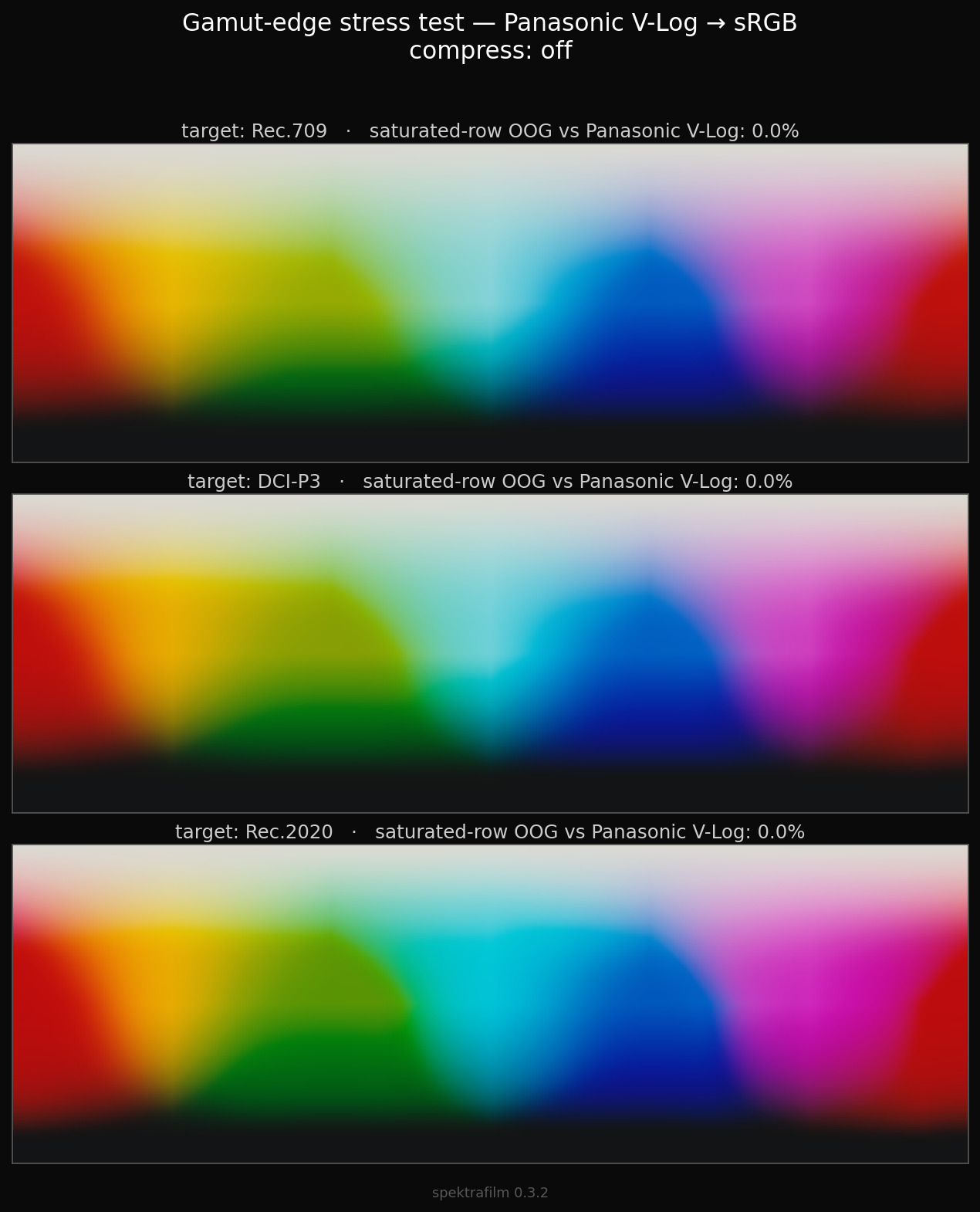
this is quite an important issue that until now was just brutally hard-clipped in spektrafilm, and it affects greatly blues and reds.

if we export in sRGB, the color space does not contain the full output of the simulation, thus we need to clip in order to deliver in the output color space.

here i used compression in CAM16UCS, that is costly but behave the best among the ones i tried.

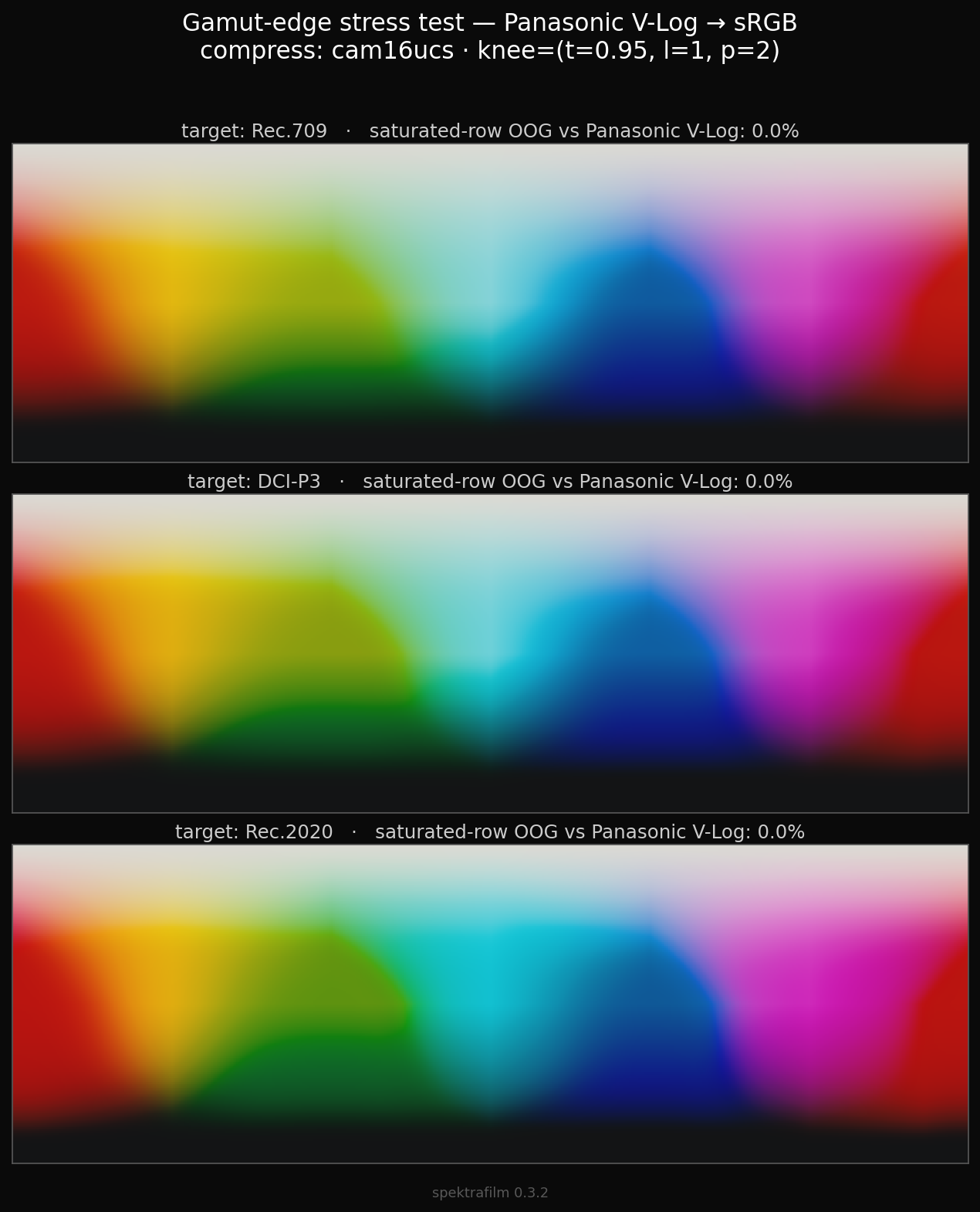
here is the same compression but in other spaces(or other algs). in order of computational cost we have:

  • compression in CAM16UCS - about 70 ms
  • compression in Jzazbz - about 40 ms
  • compression in Oklch - about 30 ms
  • ACES RGC v1.3 style compression - about 4ms
  • off (hard clipping) - 0ms per LUT

in my opinion Oklch is the best compromise if speed is required.

“hard-clipping” shipped until now in spektrafilm, and it is clearly too harsh. thus soft clipping is arriving soon to the main runtime.

here is the final envelop for a lut 33x33 soft clipped in CAM16UCS.


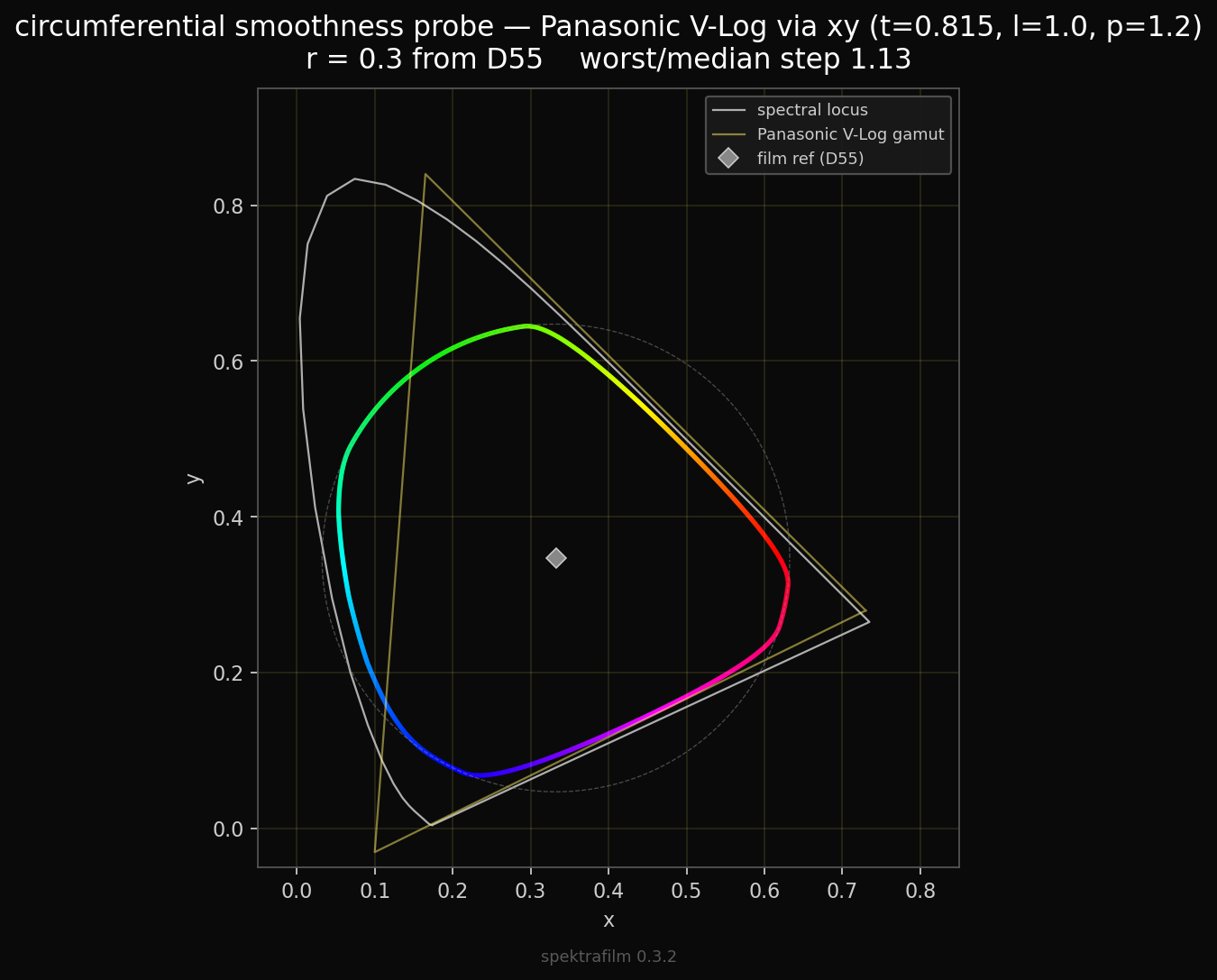
additional eye-candy characterizations follows.

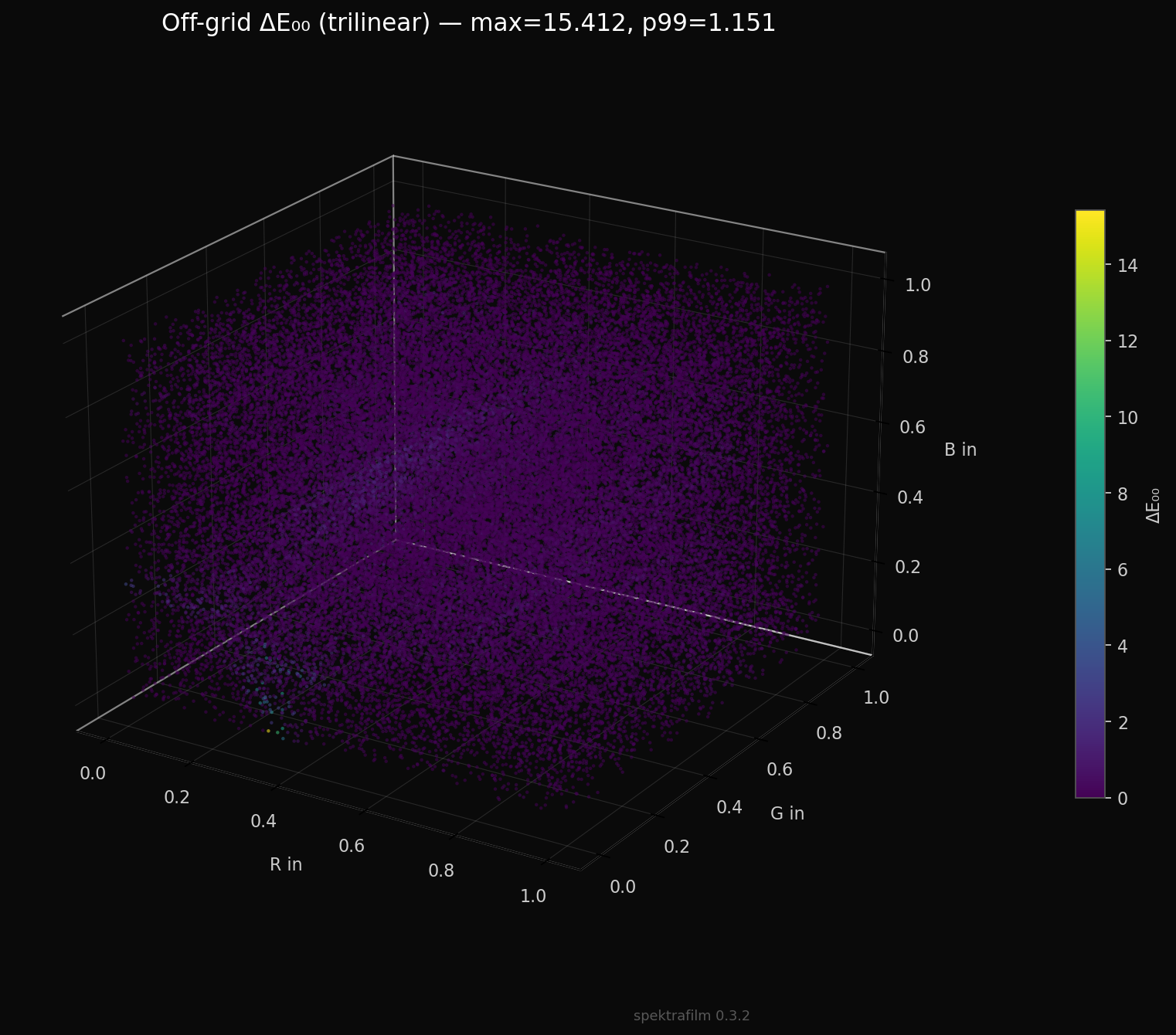
this is the error in interpolating the LUT vs computing the same point with the full pipeline. it is almost fully purple, which means that 33x33 is enough resolution for our model.

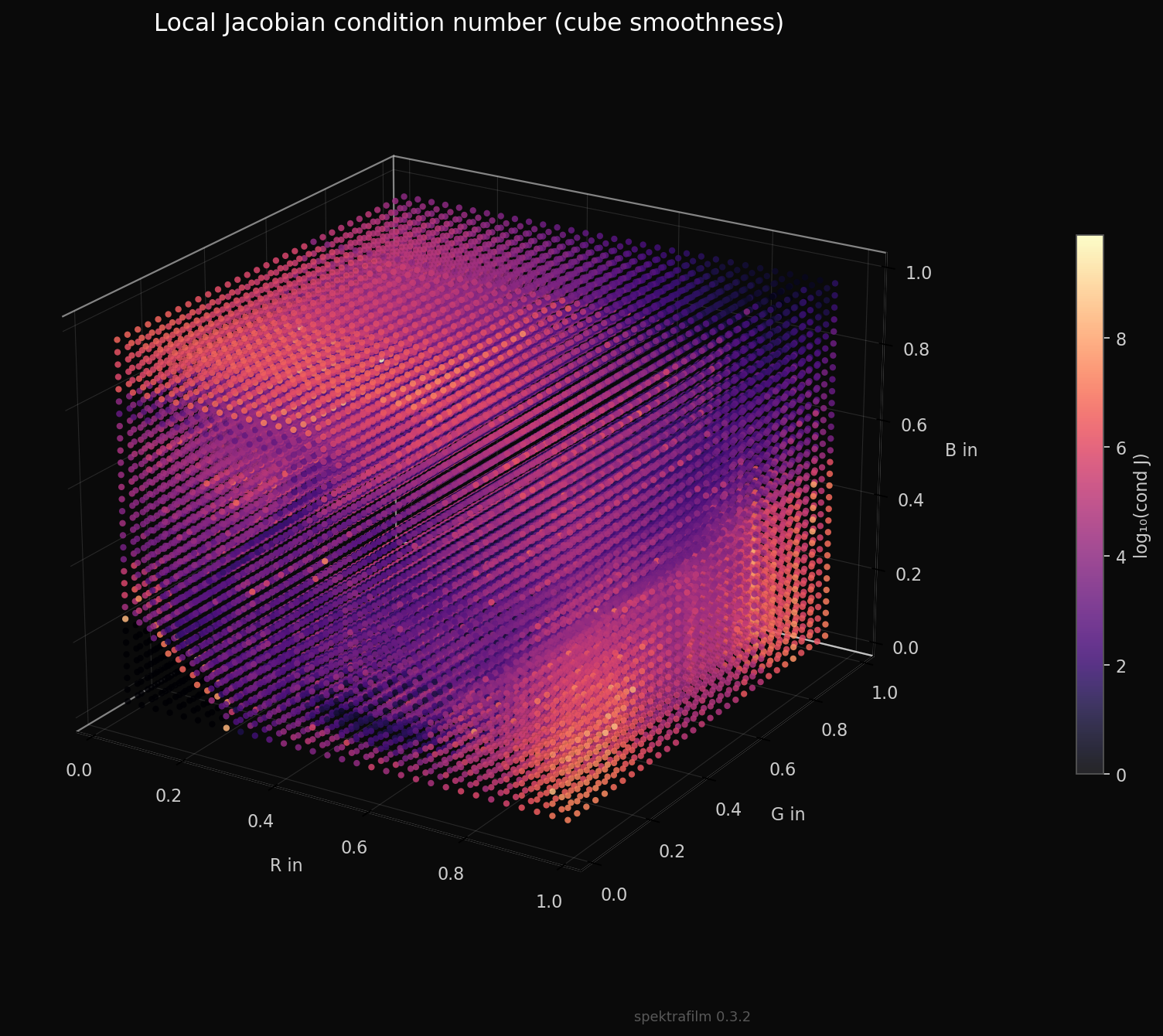
this is a metric on the jacobian at each cube coordinate. at the edges gradient is much bigger (but mostly unused part of the cube). inside changes are more smooth.

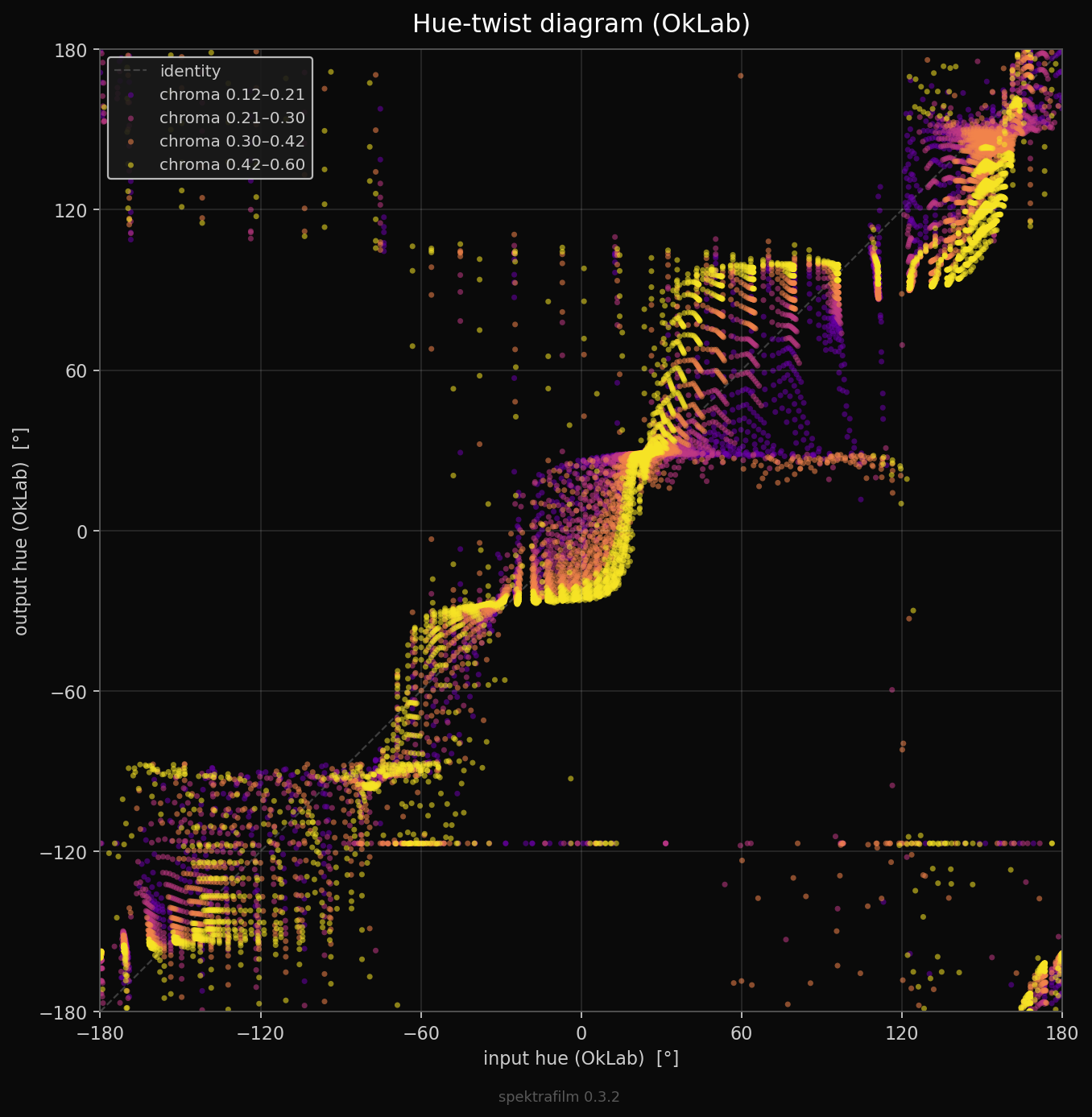
here a hue twist diagram that shows the chroma twist from input>output. these are the kind of twists that make the film look (to go deeper in them in the future).

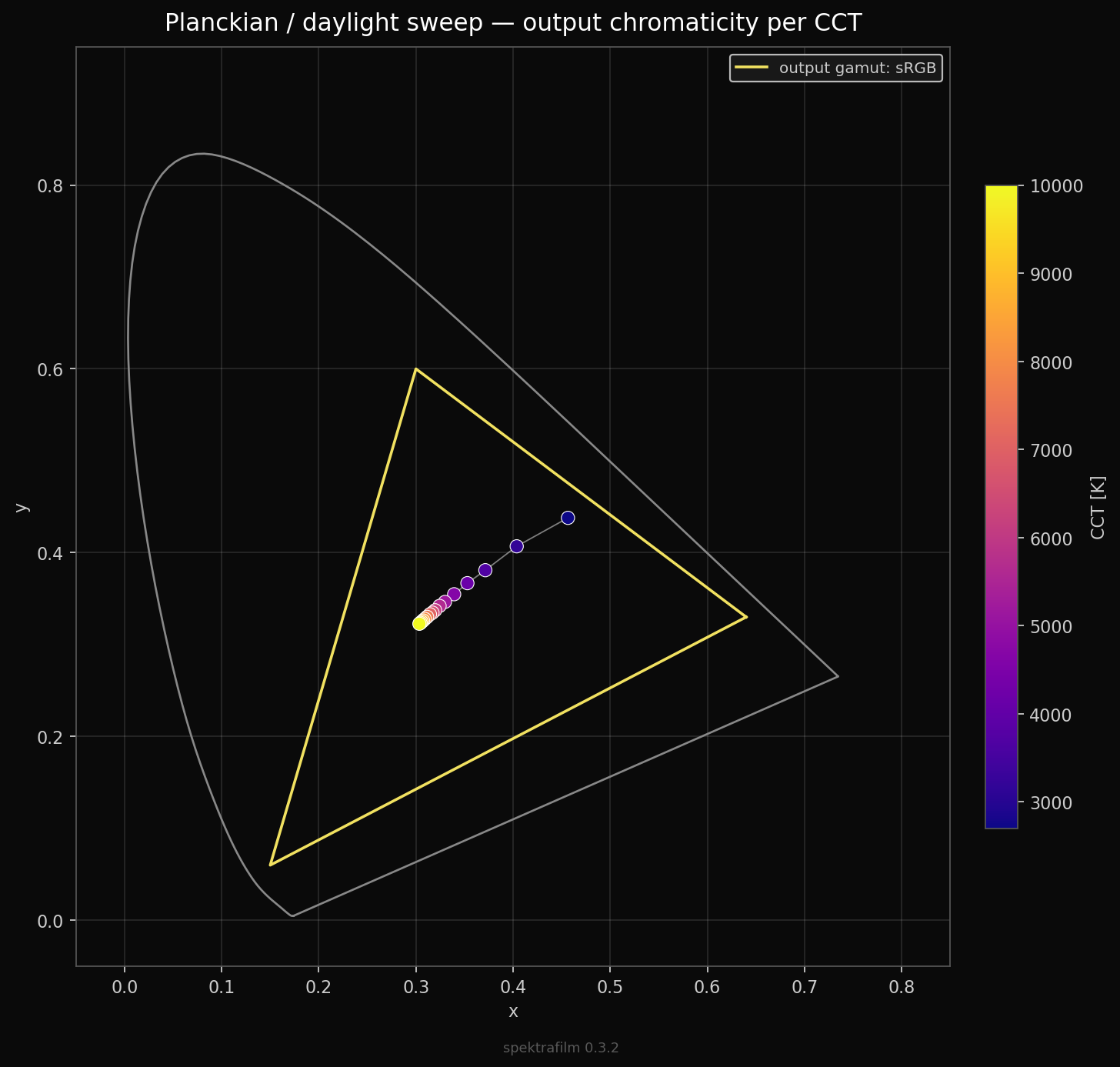
finally is a sweep of black body illuminants, that should be mapped in a smooth line.


showing all this plotting of the LUT really feels like being naked on a stage. if you spot any glaring problem with the LUTs please feel free to raise it! we want to use this exploration as a tool to fix issues.

and soft clipping is coming soon and must be added to the main pipeline.

after the licensing discussion i will finalize and upload the alpha version of the LUT export tool. :blush: almost done i would say, i miss a nice cli interface, integration in the GUI will come later.

10 Likes

Hi Andrea,

You have a huge fan here. I admire the great work you have been doing in film emulation.

I would humbly suggest that you run your proposed license by an experienced and sympathetic attorney. These issues are complex. I have no legal training, but I have worked with attorneys on a number of business contracts. Here are some non-expert comments.

  1. This is a well-intended but bespoke license. One should be careful with custom licenses. I am not saying not to do this, it may be your best option, just be careful.
  2. This is not an open-source license as best I can tell. Licenses from the open-source initiative do not prohibit resale if I understand correctly. This may cause challenges for any open-source project that wishes to bundle LUTs from the spectrafilm project. You may wish to consider if this is a priority. I think the text could be tweaked to provide a pathway for open-source projects to bundle e.g. “non-GPL code,” but here you probably need an expert to weigh in.
  3. As you may imagine, it may be difficult to detect and enforce the creation and sale of derivative LUTs. Personally I think it may be almost impossible to prevent such occurrence from individuals, or from countries with “unfriendly” regulatory environments. But it may be possible to discourage corporations in the EU and US from doing so. Again, having an expert to weigh in may be helpful.

Best wishes for you and the project.

2 Likes

Very very nice work!

Regarding your license. GPL-*, MIT, license are more for code. But there are also licenses that are more content / data focused, take a look at the Creative Commons License , I think that CC BY-NC-SA might work very good for your LUTs.

2 Likes

thanks! for the nice words :slight_smile:
and thank you for the comments.

my idea was to deter bad actors from just selling LUT bundles without attribution, or using the JSON profiles or derivatives to just sell a plugin/app without attribution.

i have similar feelings if someone would sell LUTs/JSON profile derivatives even with attribution, unless they are not giving back to the project in some way (code development, testing, etc…).

and i do not care in principle to have a perfect license, because i mainly would like it to send a clear message (i don’t see myself going to court anytime soon :joy:)

but you are probably right that a custom license is difficult to get right.

my ideas was that people could redistribute JSON/LUTs/derivatives in open-source programs, by citing the custom license. but indeed we enter in a gray and complex area probably.

i had a look to the CC licenses, and i would not like to restrict commercial use (or any type of use), actually the opposite. the main reason to change the license to the JSON profiles would be to enable LUT and derivatives to be freely used everywhere without GPL infection.

CC BY-SA 4.0 might be a decent fit. it is solid and well known. resale is possible but with attribution and keeping the same icense.

i guess it might be an ok compromise.

the share-alike feature is designed to deter resale indirectly, i.e. “if you sell, your buyers can immediately give it away” (given that you are forced to sell as CC BY-SA 4.0).

maybe we should just use this one. How does it sound to you guys?

1 Like

Whatever license you choose, most of the “enforcement” will be finding the bad uses and leaving a comment like “you can get this for free from the source over here.” :expressionless: And maybe clicking some kind of report button if it is really bad.

I think this is going to be really popular though.

6 Likes

I think this makes good sense, especially considering your intentions and the usual limited resources.

I look forward to your continued progress. :grinning:

1 Like

I think this is fitting given what you write about commercial usage, but also be cause of

  1. ShareAlike — If you remix, transform, or build upon the material, you must distribute your contributions under the same license as the original.
  2. No additional restrictions — You may not apply legal terms or technological measures that legally restrict others from doing anything the license permits.

Very nice work!

2 Likes

Hi Andrea,

I just tried your viewing LUT on some Vlog-L test footage in Resolve. It looks great!

As a viewing LUT, I needed to adjust my usual node tree, but that was expected.

Thank you!

thank you for testing it! happy that it works! for now i just tested it inside my Lumix camera.

is not having a view-LUT a problem? to do so, the main issue would be “how to get back the linear data” that spektrafilm needs. the view-LUT necessarily depend on how data are tone-mapped earlier in the node tree.
if we are referring at standard intermediate spaces than view-LUTs could be easier to bake (e.g. davinci wide gamut intermediate).

Viewing LUTs are great and not a problem. For my older Lumix G9 (original version), I do not think I can apply a LUT to footage for export.

From your question I might guess that Resolve may be not so familiar to you. In that case, here is my take as a beginner with Resolve. Sorry for a long-winded reply.

In Resolve, I would prefer importing clips in camera log format anyway. One can edit on the color page directly in camera log, but since there are so many camera logs (with different curves and 18% grey points), it seems to be most common to first transform to a standard wide color space such as ACES or DaVinci Wide Gamut / DaVinci Intermediate. I use the latter. Clips from different cameras can be placed in different groups, each with its own input display transform.

So step 1 in the color note tree is either a technical LUT or a “color space transform.” (There are other ways, but I digress.)

If you like video instruction this one is helpful:
Video: How to Apply Film LUTs in Resolve

The last step in the node tree is usually to go from the working color space to the display color space. Usually that’s Rec709. Cinema renders may use a wider color space but I don’t know the details. I just make videos.

Now, with film LUTs, by convention Resolve seems to assume Cineon log for the input. There must be some history behind this choice. So it is necessary to first transform from the Rec709 to Cineon, then apply the LUT in the next node.

If you want to make only one LUT per film for Resolve, Cineon log may be the best choice.

Personally, I would prefer a LUT that starts with DaVinci Wide Gamut / DaVinci Intermediate and outputs to R709. But someone else would want ACES. Some may want wider output gamut for Cinema. Etc.

And of course everyone wants a viewing LUT for capturing video.

I disagree with that.
There are plenty of LUTs either from manufacturers which target ‘their’ log format AND plenty of people design LUTs for DaVinciWideGamut/DaVinci Intermediate or an ACES flavour.
With CSTs you can go from one to the other with the typical caveats, so for resolve-users I see no reason to prebake any of this.
Just label what the LUT expects as an input format and what it spits out.

Viewing LUTs are then again targeting manufacturer specific log-formats. Which is happening here for all I can see. And any Resolve user can deal with (or be expected to deal with) that in order to incorporate that LUT for their workflow.

1 Like

Hi Bob. Good to see your reply. I’ve learned a number of things from your posts elsewhere in the forum.

You are correct that experienced Resolve users can adapt to different input and output formats. But the pre-packaged film LUTs in Resolve use input Cineon log.

I have a LUT pack from Colorist and YouTuber Cullen Kelly. There are 9 camera LUTs and one for DWG/DI. The latter is one I use often. So yes, it is possible to skip Cineon.

For my case, adapting the spectrafilm Vlog LUT to my baseline node tree, with its adjustments in DWG/DI, required replacing the R709 output transform with a) CST DWG/DI to Panasonic V gamut /V log, and b) the LUT. This would work regardless of the camera used to capture footage.

But it is a bit unconventional.

Hi Doug!

I assume you mean the FPE (film print emulations) for kodak 2383 and fuji 3513?
Personally I would consider those a bit more special things because they expect a (inverted) negative scan in the format that was used for analog scans in the film industry and try to give a good impression of what happens when you print that negative scan to existing print film.
Through CSTs one can use those to impart a print emulation for almost anything digitally shot.
BUT in my very humble opinion, I think what we have here is simulating both negative and paper-positive, not just the transparency-positive.
Maybe that’s an arbitrary distinction…but I guess for potential print-films that Andrea also has in his dataset…maybe for them it would make sense to bake them expecting Cineon-log?

Exactly what I do.

2 Likes

I just want to say that smartphones can use luts as well (for both photo and video ) and I have already tried out some from the script shared earlier and if the sun didn’t run away so quickly I would’ve already been enjoying a nice long walk with this lut :slightly_smiling_face:

Smartphones have benefitted immensely from this project in my experience because this is exactly where it should’ve went instead of going towards supposed technical superiority which is everything in the middle and nothing clipping.

As always, nobody has ever given me such a deep dive over a lut and it is fascinating and exciting at the same time even if I don’t understand everything as well as others with the technical know how will.

2 Likes

The best way to go about this in my opinion is to give users the option to create LUTs that convert from one colorspace/gamma to another one, but also LUTs that stay in the specified colorspace.

Some people might want wide colorspace/gamut of the camera → Rec.709 (The test LUT that @arctic provided so far)

But there are instances where LUT that expects V-Log/Gamut and STAYS in V-Log/Gamut would be of use.

CSTs in Resolve are wonderful but they are not perfect. In V-Log/Gamut for example, reds get WAY TOO saturated using CST to convert to Rec709.

This is why I started using Gerald Undone’s Technical LUTs. They fixed all of my problems with skin tones and foliad ge and they work great with Spektrafilm LUTs that I created have created with HaldCLut images so far.

How to make these technical LUTs work with future Spektrafilm LUTs? I don’t know yet :sweat_smile:

But this is why I am writing about the ability for the users to create their own types of LUTs from Spektrafilm. Everyone has different needs and workflows.

Oh and ability to separate film and print LUTs will complicate things even further, but in my opinion Cineon Film Log would be the best choice for just Film LUTs.

Also, Thank you so much again @arctic and @hanatos for your work! Donated some money through buymeacoffee :slight_smile:

I am eagerly waiting for future updates!

3 Likes

Could SA require any photo or video created using the LUT to be SA? That’s the case for SA music used in as video I believe. The resulting video then need to be SA.

Perhaps applying a LUT to footage does not create an adapted version of the LUT itself in the same way syncing music to video creates an adaptation of the music.

Agree with this. I think the important thing is that the LUT export should let the user choose both the input gamma/colour space and the output gamma/colour space. Does Spektrafilm currently bake the display-referred output transform?

Well, that is an interesting question. I am not very well versed in copyright law, but I would argue that footage on which such a LUT is applied is not work derived from the LUT itself. The footage did exist by itself, the only thing the LUT did is change colours of the footage. And you can disable the LUT and it still the same footage.

An analogy would be to use an image with the same license as cover for a book, clearly the book itself is not derived from the image. Meaning that proper attribution is enough.

While if someone took the LUT adapted it to created a new LUT, that is a very different case. Then that resulting LUT could not have existed without the original and therefore is derived from it.

It surely looks amazing!
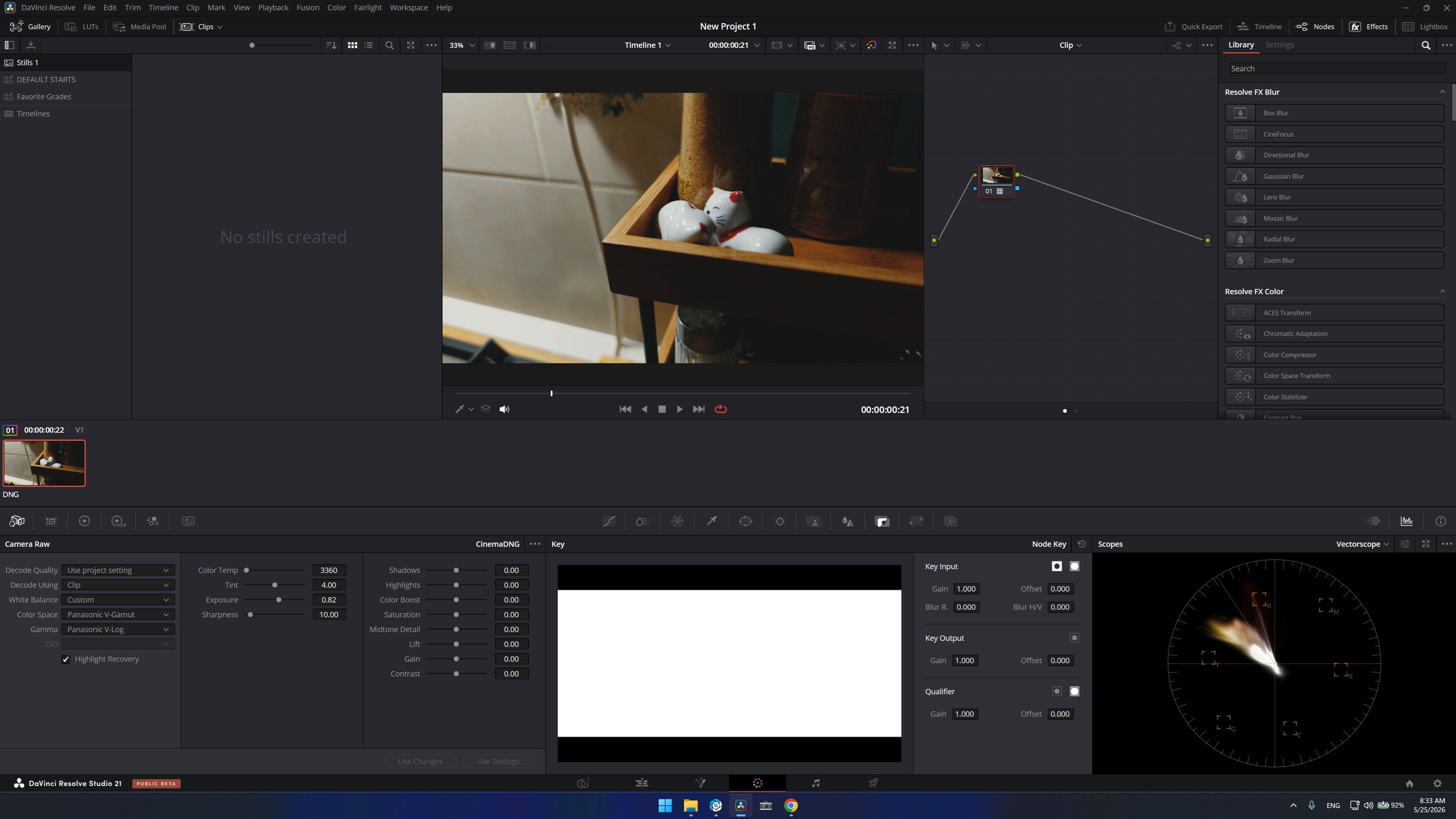
I will introduce you a bit to my workflow. I have a smartphhone(don’t back up just yet) and I have installed Motioncam Pro(you will hear more often about this as it will soon become extremely famous), with which I get pure 14bit DNG raw sequences specifically from my phone(i know it is hard to believe, but it is true, it can do 12bit by default and 14 bit with DCG(dual conversion gain) activated. Happy to explain more to the disbelievers :smile:

Resolve interprets these sequences as v-log in camera raw, and i simply had to throw in the LUT test you gave and voila. Looks amazing!

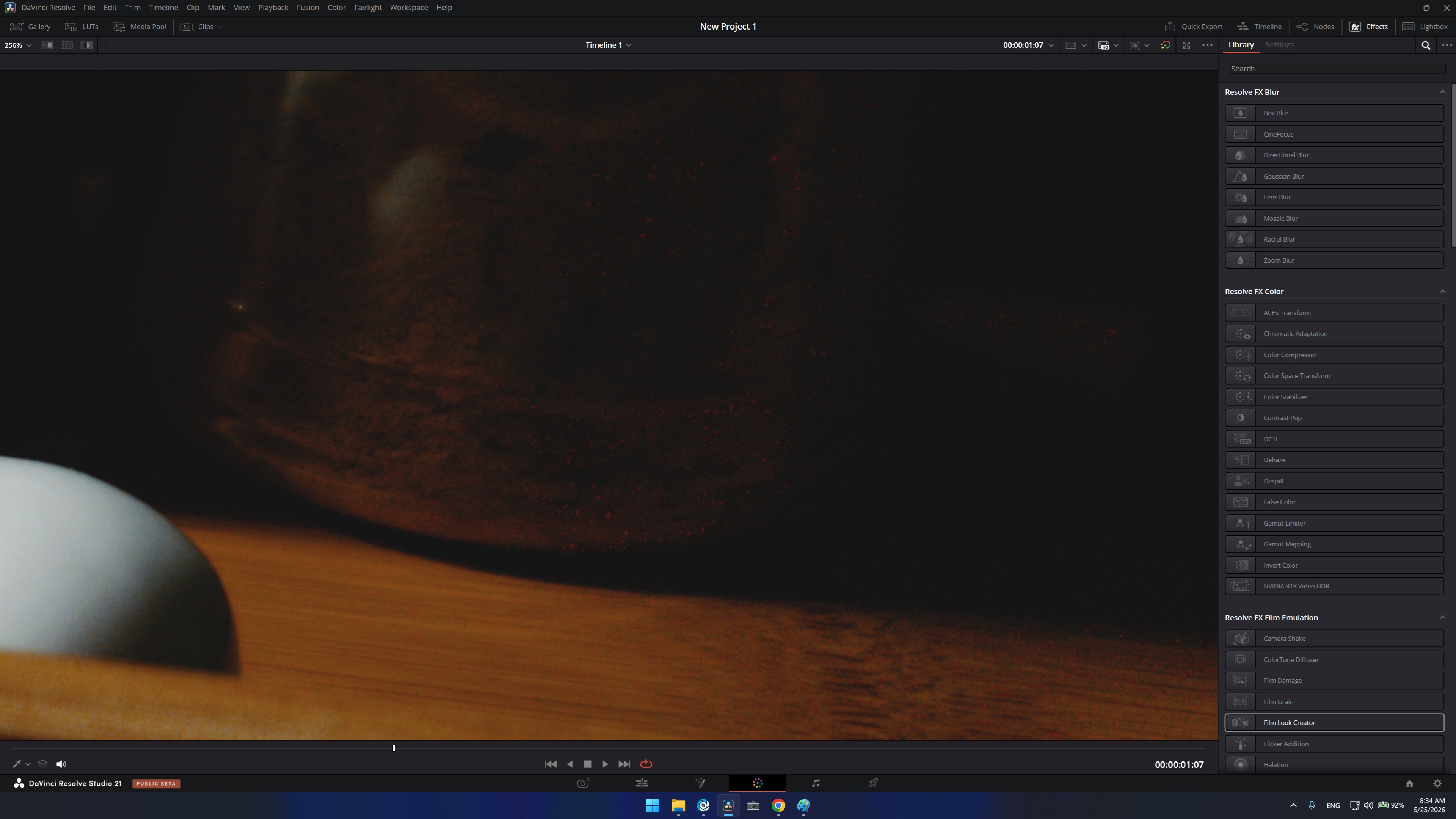
THere is one thing, which i don’t know if it is from my side or if the LUT is still in testing or something. This kind of red artefacts!