I can confirm. It works fine for me on Win11…


There was an issue where libpiwigo.dll was blocked by windows Smart App Control.
It appears this .dll file is missing. Can I download it from some where? Or can someone share it with me please.
osx_86 still does not have AI.
I will try it again after tonight Nightly.
Update: Finally Nightly for osx_86 has AI.
Your script runs build twice - first with build.sh and then with cmake/make. And second time AI is not enabled (-DUSE_AI=1).
@anry Please don’t get me wrong as I do appreciate your efforts to bring Ai masking into darktable.
However, having played with the SegNext Ai model I see that the masks are vector and not pixel based. The hard edges don’t emulate the subjects edges nearly as well as a raster mask.
Thanks for a feedback. I changed the original post. Now it should work without hassle.
1 Like
Yes, current implementation results in vector paths. There is a “smoothing” slider that controls how detailed your path will be. And you can always edit path after you created it.
But you are right, at the end it is not pixel based (raster) with it’s own pros and cons.
1 Like
The new changes bring a very significant improvement in speed.
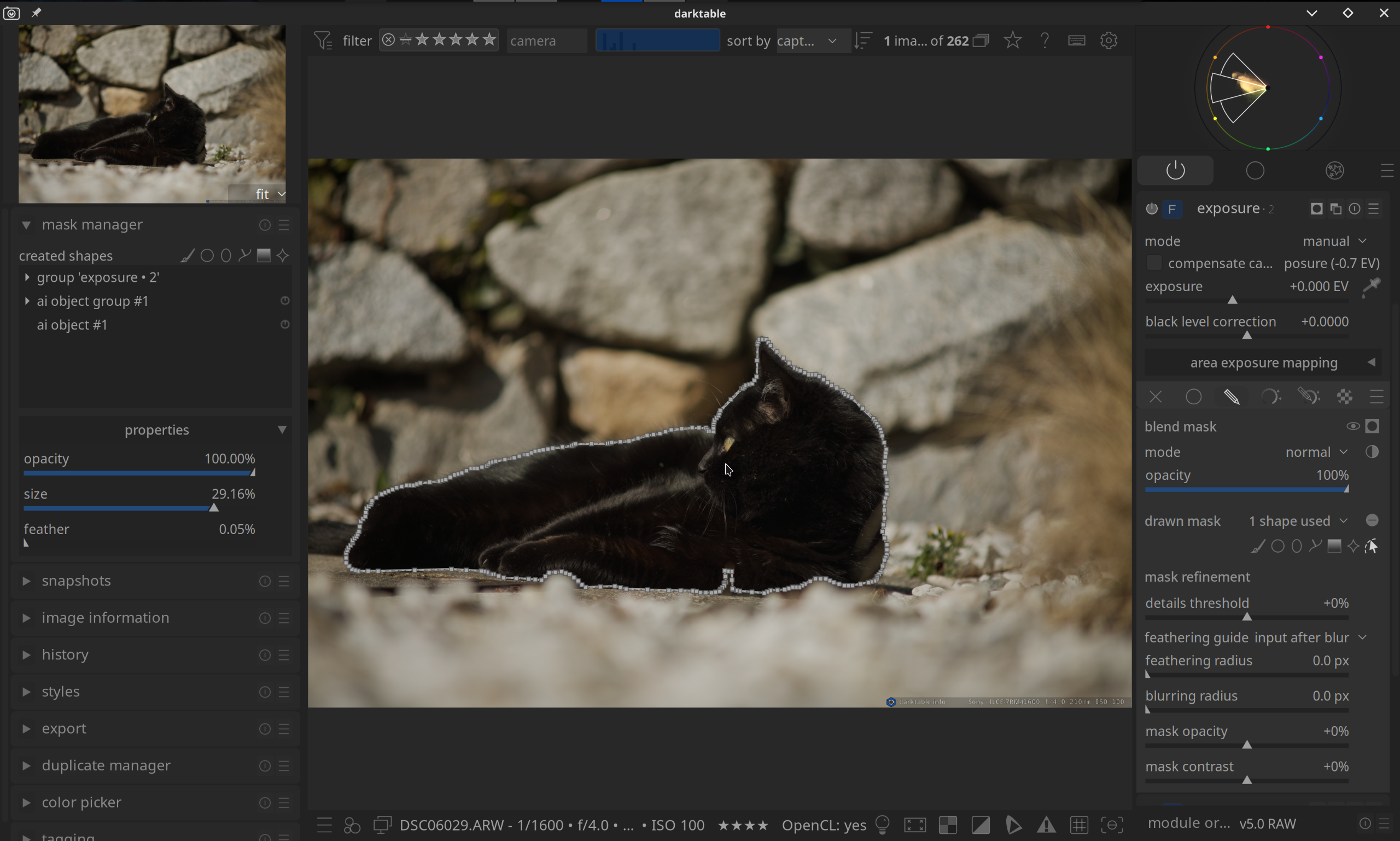
Is it possible to increase the Feather start value slightly? When using the mouse with the Shift key, it takes a very long time for the visible Feather area to change. My suggestion would be 1% instead of 0.05%.
If you’re wondering why I’m not using the slider on the left, it’s because I’ve hidden the bar by default to save space.
Thank you for your time and for implementing this valuable feature.
2 Likes
We are creating mask with a minimal feather by default. I will think what we can do better here. Thank you for your feedback.
1 Like
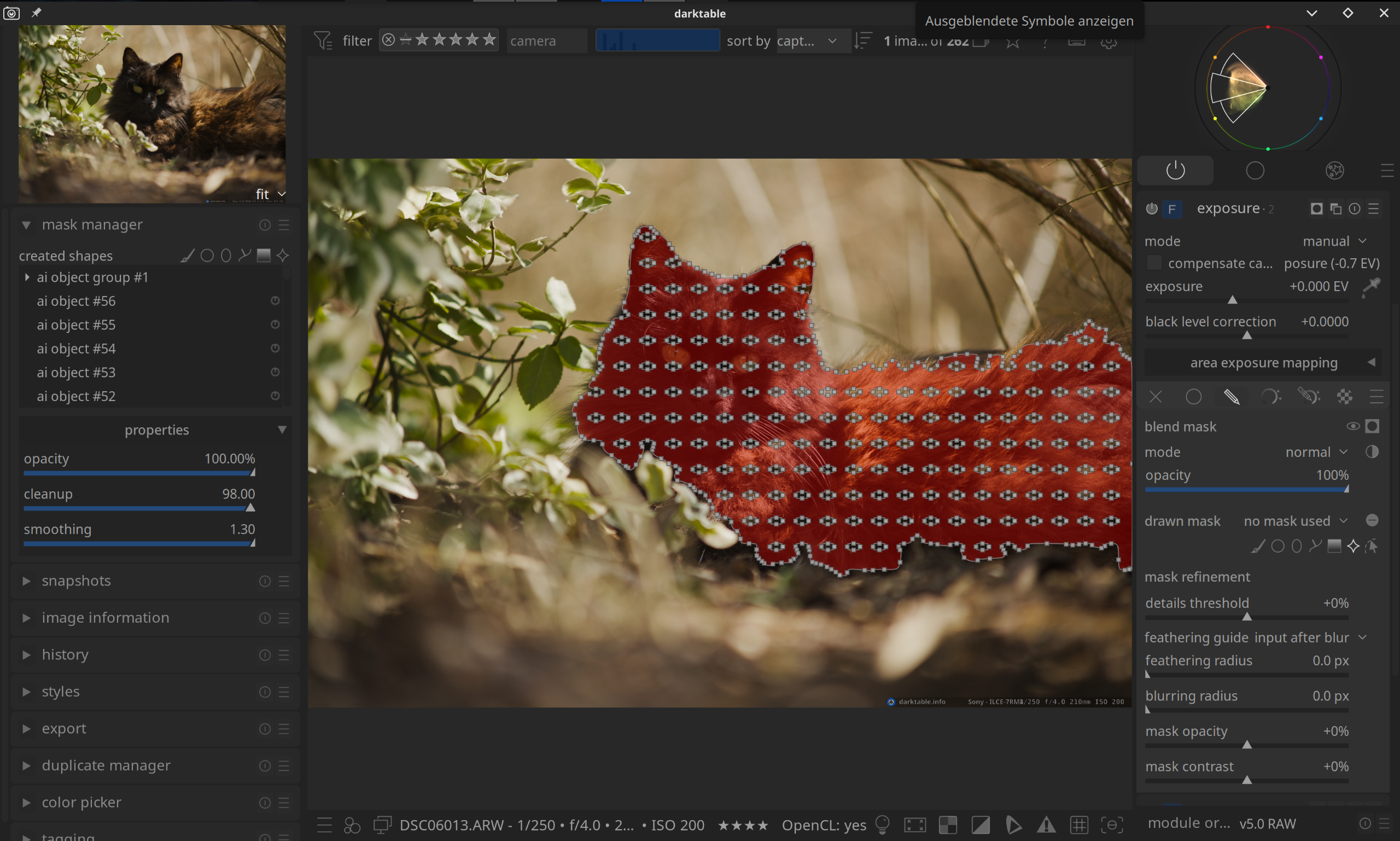
Fix is already on the way
2 Likes
Not working at all for me, nightly appimage on Linux Mint 22.
I have the setup options, and the tool icon in drawn masks. After clicking icon:
object mask: analysing image
object mask: preparation failed
Terminal output:
$ ./darktable.ai --configdir ~/.config/darktable.ai -d ai
darktable 5.5.0+695~ge1b91fb03f
Copyright (C) 2012-2026 Johannes Hanika and other contributors.

Compile options:
  Bit depth              -> 64 bit
  Exiv2                  -> 0.28.8
  Lensfun                -> 0.3.2
  Debug                  -> DISABLED
  SSE2 optimizations     -> ENABLED
  OpenMP                 -> ENABLED
  OpenCL                 -> ENABLED
  Lua                    -> ENABLED  - API version 9.6.0
  Colord                 -> ENABLED
  gPhoto2                -> ENABLED  - Camera tethering is available
  OSMGpsMap              -> ENABLED  - Map view is available
  GMIC                   -> ENABLED  - Compressed LUTs are supported
  GraphicsMagick         -> ENABLED
  ImageMagick            -> DISABLED
  libavif                -> ENABLED
  libheif                -> ENABLED
  libjxl                 -> ENABLED
  LibRaw                 -> ENABLED  - Version 0.22.0-Release
  OpenJPEG               -> ENABLED
  OpenEXR                -> ENABLED
  WebP                   -> ENABLED

See https://www.darktable.org/resources/ for detailed documentation.
See https://github.com/darktable-org/darktable/issues/new/choose to report bugs.

[dt starting] as : /tmp/.mount_darktaKaOdGh/usr/bin/darktable --configdir /home/nick/.config/darktable.ai -d ai
Gtk-Message: 15:01:52.835: Failed to load module "xapp-gtk3-module"
/usr/lib/x86_64-linux-gnu/libproxy/libpxbackend-1.0.so: undefined symbol: g_once_init_leave_pointer
Failed to load module: /tmp/.mount_darktaKaOdGh/usr/lib/gio/modules/libgiolibproxy.so
/usr/lib/x86_64-linux-gnu/gvfs/libgvfscommon.so: undefined symbol: g_task_set_static_name
Failed to load module: /usr/lib/x86_64-linux-gnu/gio/modules/libgvfsdbus.so
     0.1441 [ai_models] initialized: models_dir=/home/nick/.local/share/darktable/models, cache_dir=/home/nick/.cache/darktable/ai_downloads
     0.1448 [ai_models] using repository: darktable-org/darktable-ai
     0.1448 [ai_models] registered model: mask sam2.1 hiera small (mask-object-sam21-small)
     0.1448 [ai_models] registered model: mask segnext vitb-sax2 hq (mask-object-segnext-b2hq)
     0.1449 [ai_models] registry loaded: 2 models from /tmp/.mount_darktaKaOdGh/usr/share/darktable/ai_models.json

** (org.darktable.darktable:7878): WARNING **: 15:02:17.938: atk-bridge: get_device_events_reply: unknown signature
    38.5620 [darktable_ai] dt_ai_env_init start.
    38.5622 [darktable_ai] discovered: mask sam2.1 hiera small (mask-object-sam21-small, backend=onnx)
    38.5623 [darktable_ai] discovered: mask segnext vitb-sax2 hq (mask-object-segnext-b2hq, backend=onnx)
    38.5626 [darktable_ai] failed to load ORT library '/home/runner/work/darktable/darktable/src/build/_deps/onnxruntime/lib/libonnxruntime.so': /home/runner/work/darktable/darktable/src/build/_deps/onnxruntime/lib/libonnxruntime.so: cannot open shared object file: No such file or directory
    38.5626 [segmentation] failed to load encoder for mask-object-sam21-small
I don’t see any cons for creating pixel based masks when editing photos. Am I missing something?
Raster masks for large images are generally many megabytes each. You do not want to store them in the database or in the XMP.
Conversely, both vector and parametric masks are super lightweights (just a bunch of point coordinates for the first, and parameter values for the latter).
In case it’s not been raised before, how about a per-user choice to store an external raster mask as a jpeg within the XMP/databse. More precise but large-ish (but small compared to the raw you’re almost certainly going to store anyway).
Storage is cheap. In the end I want to achieve the most out of my photos as possible. That’s not going to happen with vector based masks.
That’s just my opinion and I am sure that many will disagree. It’s all cool!
You can already use raster masks, there is also a module to import them. Only, they are not stored in the database or XMP. Only the path to the mask will be stored, which is a bit brittle.
(I think? I didn’t check but I remember like that)
1 Like
True. I would be great if the mask could be stored in the original file location or in XMP.
Although raster masks have the disadvantage of taking up a lot of memory, they have the massive advantage of being significantly faster when processing DT.
The ability to draw a raster mask using a stylus – taking into account pressure and tilt – would be an incredible improvement.
Edit: Sorry 4 OT
Storage is cheap-ish, but it would impact database performance if included there, so would need refactoring. It would break the idea of including edit data in JPEG outputs too.
That’s just addressing the direct point, not if raster masks are valuable.