I’m excited to see these masks, but I wonder from all I’m reading if the tech is quite there yet. I think we could do with higher resolution detection and masks that can better deal with complex shapes like those birds earlier. It looks like the infrastructure is good enough to scale with better models which is great.
Sorry other way round … but bet you see what I am talking about
I dont have access to DT right now…I wonder about only 2 things that I can think of …maybe because of the large number of nodes its behaves a little differently …normally a simple path seems to just shrink in towards the center… are you viewing in the HQP mode…not sure if there is impact there with the data being used to redraw following the mask reduction… not sure… clearly there is the shift in your test…
Actually, you have much more control with vector mask (path) than with a raster mask. In terms of the edge accuracy, if you set smoothing = 0, path will be exactly the same as raster. So, no difference on this.
Yes of course, you are correct. It was wrong of me not to clarify. I was not referring to Ai masking when I said to just mask inside the subject and then feather. I was referring to the way in which I use the path tool. No haloing at all once the feather is adjusted.
However, If the Ai mask could be created inside the subject then I believe that all of this haloing could be eliminated. Any thoughts ?
I just want to clarify what you mean by smoothing=0 as I don’t see a control named smoothing. Thanks.
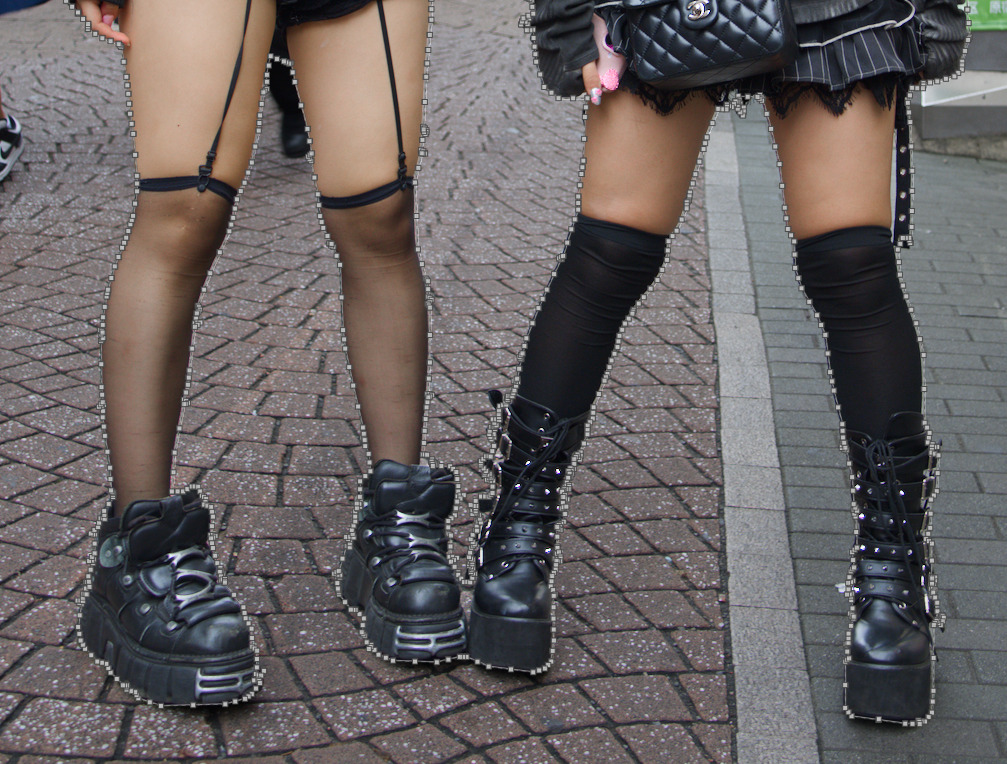
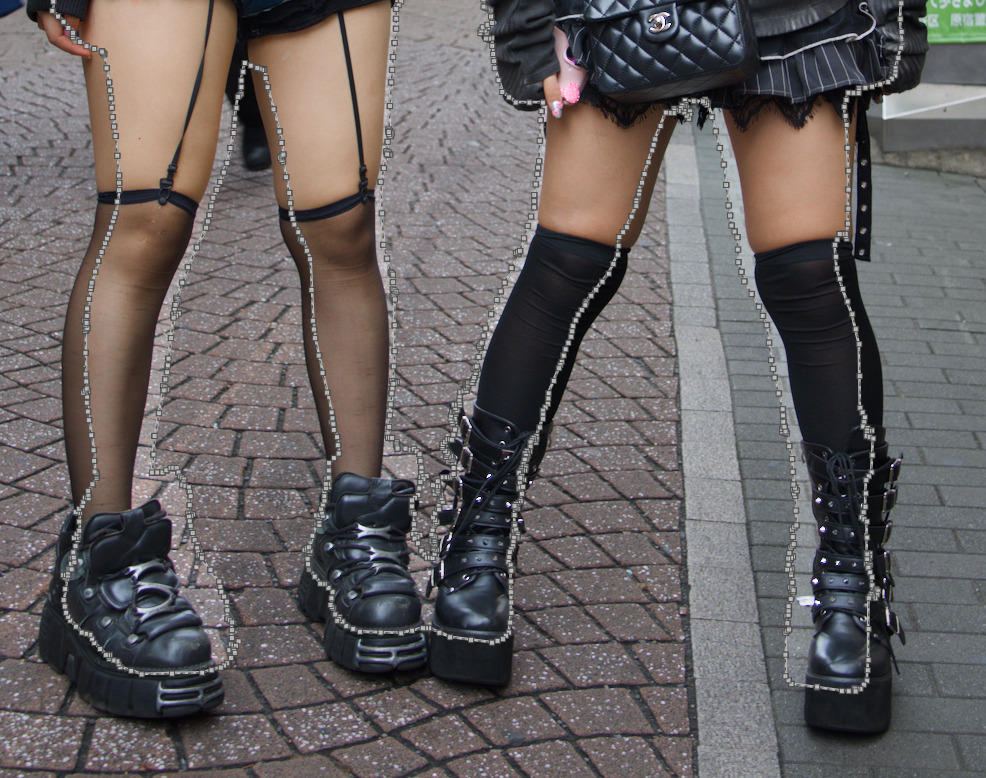
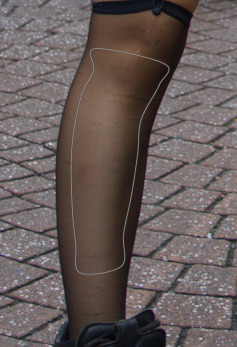
Also, scrolling the mouse wheel to shrink towards the centre is clearly not working on this image (see above). But this problem is unique to the AI generated mask. I used the path tool to draw and mask and then the scroll wheel to shrink the selection and it worked as expected. (see below)
One of the reasons you see haloing in this image is because I deliberately used exposure module as it is most likely to cause halos and I wanted to test out the AI masking feature. The image didn’t need an exposure correction on the girls so I was using it as a worst case scenario. I feel the halo effect is very minor and I am impressed with the ability of the AI mask for this subject. I could reduce haloing by using multiple instances of various modules to lighten the girls and their clothing. I probably wouldn’t use exposure module. Tone equalizer, color balance rgb, shadow and highlights are three modules that could have helped brighten the girls and minimise halos.
There’s no unique AI generated path mask. No changes were made to path mask at all. We just use it as outcome of AI object mask.
What I see from your screenshots is, actually, confirms that size slider shrinks to the center of the path. Each path form has one center. For simple paths like your second example, this center is exactly on the leg, so shrinking is perceived naturally. On the first example, though, you have quite complex path which combines two persons. The center of that path is, probably, somewhere in the middle between girls. When you change the size, it shrinks into this center, which looks unnatural, but mathematically correct.
What I would advise in this situation, is just make two separate masks, one per each person. And group them after.
Smoothing slider and a couple of other appear in mask properties in the mask manager when you already have some object selection, but did not yet confirmed it with right-click. These controls help to refine resulting object mask.
2 Likes
The elongated shape of the girl means the centre is never going to be such that scrolling the mouse wheel reduces the mask evenly.
Shift+scroll works for feathering outside of the solid line. What would be amazing would be if there was a way of using a similar action to get the dotted line to feather inside the solid line. I believe this is something people having been trying to achieve by reducing the size of the mask and then feathering. But that won’t work here.
Not suggesting this as a feature but it would be an improvement on DT’s masks in my view.
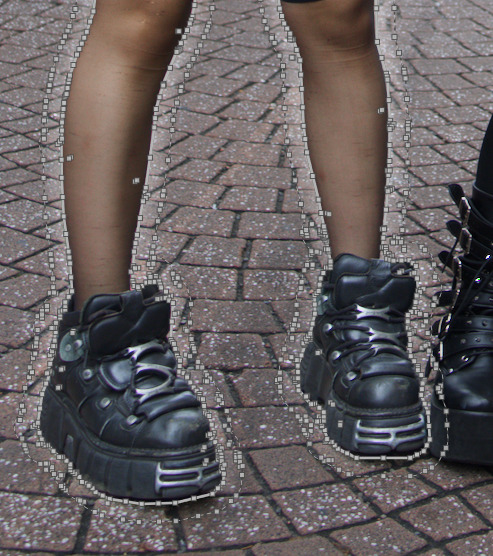
@anry … not sure about your explanation regarding the mask behavior when shrinking it via mouse or the use of the slider in the mask manager .
AS my demo of the Dipper … shows clearly the issue is present with one subject only .
From my POV it should behave the same … regardless what created the path , right !
Maybe it is indeed a question of the endless nodes that is causing an issue .
But this issue is not new for me … i never talked about it .
Coming from PS … just use -2% on the radius and the mask will be smaller by 2 pixels . No deforming of the mask . That´s how it should operate … at least from my POV .
Mmmmh … i am a bit puzzled about your thoughts , that the issue of haloing would appear less with other modules .
Using the wording halo might also mislead my thoughts here … i might use the word " bleeding " for a better understanding .
As the issue of bleeding into an area outside the selection , is clearly coming from the feathering or blurring of the mask . If the selection would be pixel precise there would be no such " bleeding effect " at all .
This " bleeding effect " takes place with every module … for sure the effect will be more visible , the more drastic the edit is .
And for me , my first comment was about the missing precision of the AI generated mask and not about the halo appearance or bleeding effect .
With your use of the exposure module you just made the weakness of the mask better visible .
Just my 2 cents .
It does not matter how many object, geometry is important.
What does it mean … geometry is important ?
What are the consequences of different shapes and forms of selections ?
I just guess regular straight shapes with regular outlines will work well , but irregular shapes like human bodys or even worse animals / birds will not work ?
I didn’t look at the code, but I believe that the center (or centroid, more properly) of the shape is computed as the arithmetic mean of the shape’s points coordinates.
What Andrii is saying (I believe) is that when the shape is very irregular, as in the case of a person’s outline, the position of this centroid can be a bit counterintuitive, and resizing around it may lead to effects that you may have not expected.
1 Like
That does make sense … so the function of resizing the mask ( in or out ) is pretty much useless in this context !!!
Well, in this specific case I don’t know, I didn’t try. In general, though, I use it all the time and it works quite well. Sometimes, after resizing you may have to adjust the position a bit, or move a couple of nodes, but that is expected since the drawn mask is “dumb” and the resizing is purely geometrical. I.e., the mask is not aware of shape or subject boundaries, regardless of whether it was drawn with AI assistance or not.
The AI masks have the added complication that, unlike the masks that I draw by hand, they may have hundreds if not thousands of nodes. This makes adjustments more cumbersome.
darktable already lets you move individual nodes and segments, which is very handy, but when there are thousands these manual adjustments are not really possible. A nice addition would be a way to area-select a group of points so that one can move an arbitrarily large set of adjacent segments at once.
2 Likes
Let´s be honest … who wants to fiddle around and spend lots of time for a perfect mask ( if necessary ) by moving nodes around ???
At least me not … as i am used to quick and effective masking within PS , when it comes to subject masking .
As long as DT sticks to vector path instead of pixel based masking … i rather import a raster mask and work with that .
But we can still dream about this for the future …
The use of the word bleeding is very appropriate. Bleeding can not be avoid in my experience. I feel the trick is to make the transition as invisible as possible.
The reason different modules for me makes the transitions smoother than a single instance of the exposure module is that each has its own mask to determine highlights, shadows or midtones. So by doing multiple small adjusts in different modules the bleeding effect becomes less obvious because it varies between modules.
When using shadow and highlights module for instance, multiple instances of low values minimises halo artefacts compared to a single heavy handed instance.
I personally am obviously tolerant of some bleeding possibly because of my background of hand dodging and burning in the darkroom with film. The concept of a pixel is a very new digital concept.
I too I agree that this would be a desirable improvement to DT masks if it could be implemented.
THX for coming back and specify your thinking .
I do think completely different , i guess because DT is just my raw converter … preparing the image for fine tuning in Photoshop .
As PS does offer the better tools for me … once the base file is set , as this is where DT does shine in comparison to all other raw processors . Well at least for me .
I would never touch certain modules … for various reasons .
Shadow /Highlight … is way too agressive imho .
And thing with the haloing or bleeding is present in any other image editor … just better to control in PS , just because of pixel based selections .
But the more i can do in DT … the better for me and my workflow , staying as long as possible in the raw stage . But there are limitations … for me personally within DT .
But this is just purely down to my personal preference .
I personally find the AI masking in darktable accurate and useful. I don’t use any adobe products but can compare the AI masking in darktable to Luminar NEO and RapidRaw. The scene discovery time in DT is about the same as Luminar NEO, but RapidRaw is considerably faster. On my M2 Max it is nearly instantaneous. DT has better mask accuracy than both of those options and it’s easier to add regions and make small adjustments. RapidRaw adds a host of useful ways to us AI masking - Subject recognition, foreground and background, depth, color, and luminosity, and you can combine it with gradients, circles, etc. I see recently that the RapidRaw developer is adding parametric masks, copying great ideas from Darktable. We should return the compliment.