Sorry for the brevity – have a look at rtgui/exiffiltersettings.[h|cc], rtgui/filterpanel.[h|cc], rtgui/filecatalog.cc (FileCatalog::previewReady), rtgui/filebrowser.cc (FileBrowser::checkFilter).
1 Like
What would be very useful to me is support for tags (adding, modifying and search), ideally compatible with darktable’s.
The Orientation filter seems to work on the images I tested (Fuji raw files), I sent a pull request. I also had (I think) to modify rtgui/exiffiltersettings.[h|cc], and I updated the the default and Francais language files.
3 Likes
- a grid overlay, with a simple toggle on/off or hotkey. I currently have to go to Crop and run it and select for grid Guide type. Or if there was one incorporated into Rotate. (If there’s already a grid option I can’t find it apart from using Crop)
- having the main shooting info (f/, shutter, iso, lens, ev, etc) permanantly displayed in the Editor page rather than overlaid on the top corner of image. There’s a blank space above the image window, or below where it currently says “Ready”, or vertically down left of window. (Or move the Ready info into the lefthand side vertical space)
1 Like
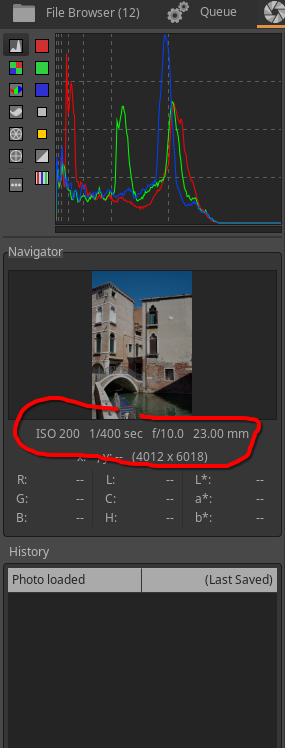
Ah yes. I have that left-side panel closed 99% of the time to enable a bigger picture window.
1 Like
Hi Alberto, thanks a lot for the quick change! Got new sources today, rebuilt ART - and viola, horizontal lines are quite visible now.
2 Likes
I was keying on the thread title, which is “Things you want to improve in ART.” The behaviors I referenced appear to be intentional, which would probably make them “features” instead of “bugs.” But whatever they are, I find the sliders are needlessly difficult to use.
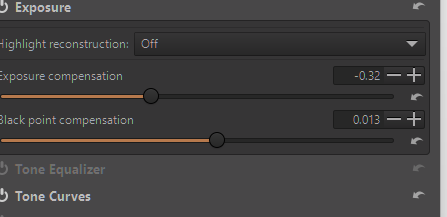
I am just throwing it out there but I think for awhile I had the default theme…it was orange slider bars and dark in the boxes around them and the slider handle/button whatever you call it was hard to see…so you could accidently click a little on either side of it totally by mistake and this would throw a new value in there… I switched to an alternate theme and now the slider button is easy to see and I don’t miss it and click by accident…
THis may be of no help but just incase this might be some of what you see…
Mine look like this …
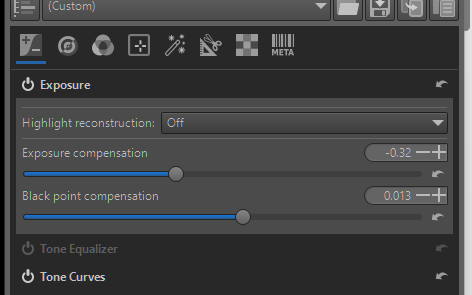
but before I had this and found them hard to see
I’m sorry about that, but I’m still not sure what exactly you would like to see changed. Is it that some sliders operate in log scale rather than linear? In that case, you can configure the behaviour via the preferences dialog:
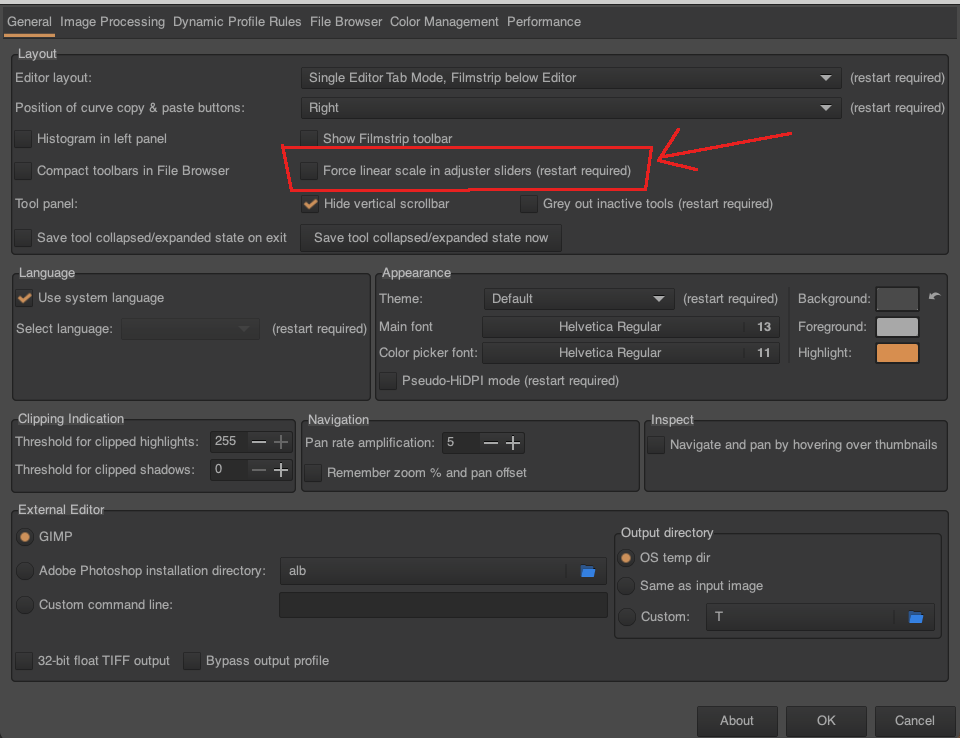
If it’s something else, I’m afraid I need more help, sorry…
These are the features I would love to see in ART, please, should they be possible:
-
When you select a slider handle/button or click in its number box, this then enables you to adjust the slider value using the scrollwheel on the mouse.
-
Allow the Dynamic Range Compression amount to have negative values, please, in order to increase the dynamic range of the image.
@hassenpfeffer, for point 2) on the Queue tab there is a setting “Save processing parameters with image”.
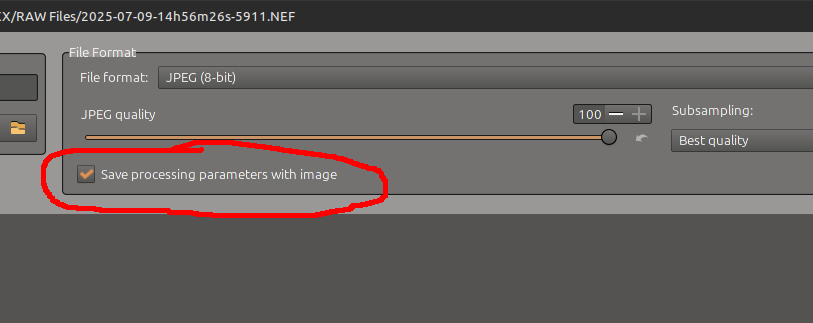
If you select this, then a .out.arp file is created alongside every output image, the .out.arp file is a text file listing all the parameters applied to create that image. So you can see exactly what settings were used for each output image.
I agree with you on point 1) though, I too would like the ability to create virtual copies of images.
What I’m looking for in Item 2 is for the original processing history to open when an image is reopened.
Unless I do a screen grab of the history before I close an image I have no idea where I am on the next edit. And then any edits on top are just adding insult to injury.
Having a “permanent” history would be exceedingly helpful to this addled brain.
As an addition, if the user could drag a bar up the process history, that would be astounding.
cheers
2 Likes
Hi,
if you focus the “number box” of a slider, you can use “shift + scroll wheel” to adjust its value.
HTH
I understand the desire for this, but a proper implementation requires a bit of thinking. Also, I don’t really have a strong need for it. So, I wouldn’t hold my breath…
I would love to see the following upgrade(s) but am totally realistic that some of the stuff might be too complicated to implement.
- detachable scopes. Moving the scopes to another screen, fullscreen and in high resolution.
- more scope types. Think ScopeBox’es or Nobe OmniScope’s palette of scope-types. (In particular a cie1931 xy chromaticity scope with delivery gamut overlays, blackbody curve. I’d also take a u’v’-variant. And a 3D cube-scope would be terrific to see where colors touch the delivery-gamut boundary)
- multiple scopes in parallel. kind of requires them to be detachable and high-res.
I know that this is a wild request that may be heavily limited (if possible at all) by GTK+. But apart from that, I am very happy with ART.
Cheers,
Bob.
Hi all,
some updates:
- added a filter for portrait/landscape orientation (thanks @sguyader for the contribution!)
- added a simple grid overlay to the editor
- added shortcuts
Ctrl+,andCtrl+.to navigate through snapshots - added shortcut
Ctrl+xto toggle the activation of the current region in local editing tools (for this to work the keyboard focus must be on the local editing tool panel, similarly toCtrl+mfor toggling “show mask”) - improved the visibility of the 0.5 line in flat curves
Things to do:
- figure out a good way to allow the user to define custom raw file decoders via external programs, similarly to what is already possible for non-raw images. This could allow to handle the gopro issue reported above. I have no good design for this yet though, so it might take a while to implement.
Things not planned (sorry!):
- more scopes
- remembering history
- virtual copies
- tagging support
9 Likes
From my POV: do not be sorry AT ALL!
You’re doing an absolutely fantastic job. 
1 Like
Hello Alberto,
Not sure if the orientation filter works as aspected. I tried several folders and once I saw Landscape and Unknown, other times just Unknown.
On Linux, latest source from Github.
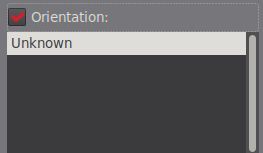
Hi, you need to clear your cache for this to work properly – sorry I forgot to mention that 
1 Like