Will these changes be included in the next regular stable version, something sooner, or are they source-only for the moment? Asking only because I’m on Windows and not setup to build (actually never looked into what’s required, unlike when I was on Linux).
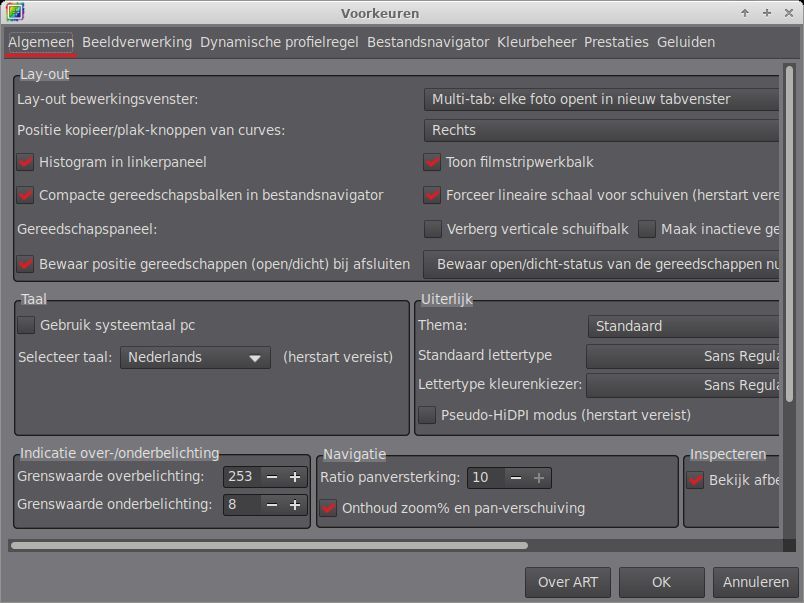
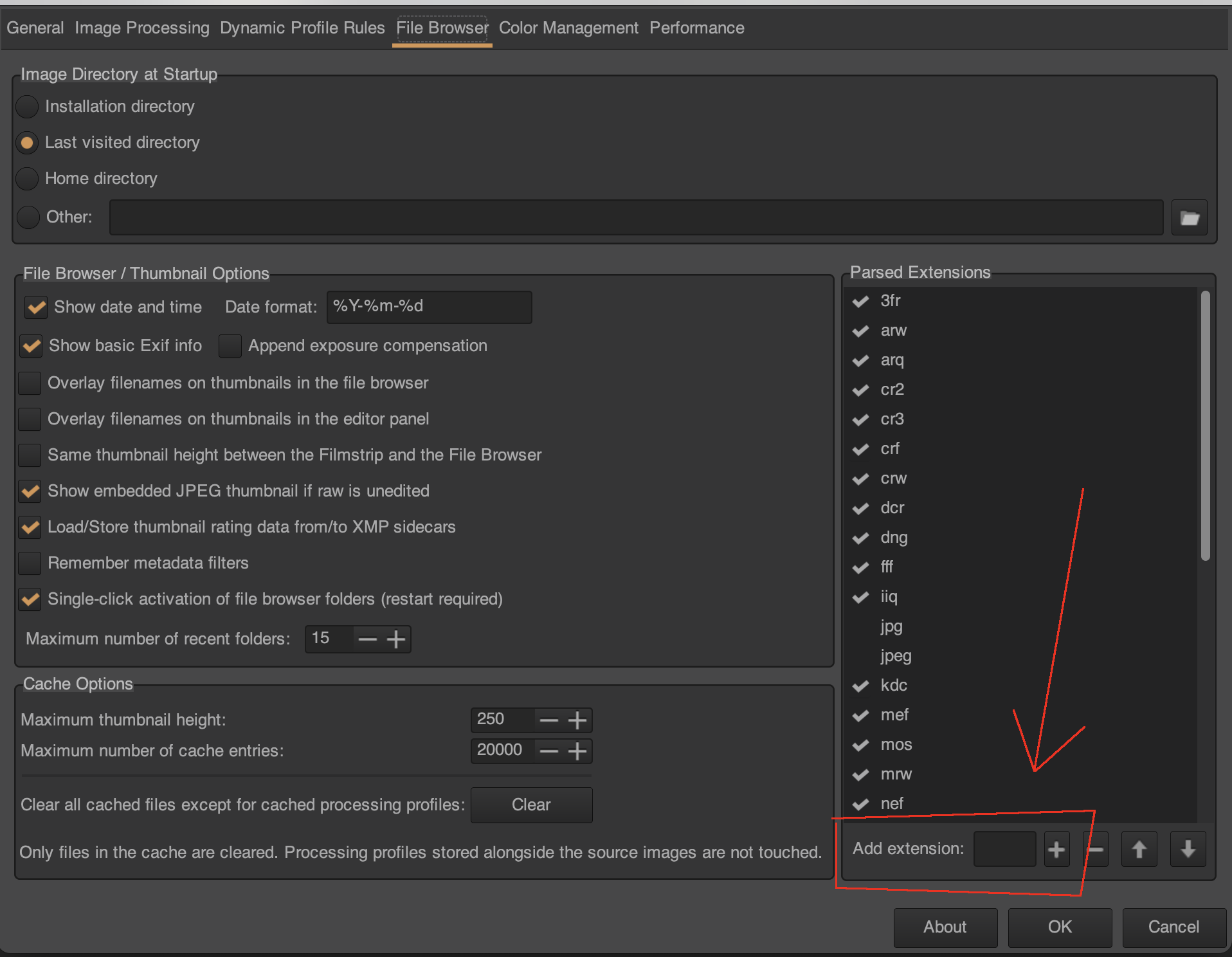
So, I tried to find a solution for this, and it is now available in the nightly builds. @NanoDot, maybe you can give it a try and see if it works for you? You should explicitly add the “gpr” extension in Preferences → File Browser (see screenshot below), but after that it should work. (If not, it would be good to know!)
Alberto, you are my heroe It works! I can load Gopro-RAWs in ART!!! I’ll check it out father now but it is great to have this. Now i can free the harddisk space again from more than 2.7 Gb with the DNG-Converter
Thank you Alberto!
Edit: I tried it with „Simple Filme Curve“ as start point, that brings a realy great picture, than littlebit dynamic compression, contrast and a few little other corrections and i think the final picture is better than with the way with dng! I’m very impressed what details this small sensor of the Gopro can deliver.
The JPG out of the cam are painted rubbish and can only used as small preview.
Hello, what I would like to see is that the files that are stored in Session are not deleted on exit. In other words, I send ten files to Session, quit ART, restart ART and the session still shows (10).
I know (because you told me Alberto) that I can open a session with ART -S, but most of the time the session file is empty.
I simply would like to have a place to store some photos I’m working on.
Hi @paulmatth, by default ART should remember the last session, so if you start with -S without any argument, it should restore it. If this is not happening for you, it might be a bug. In that case, maybe you can add more info and open an issue on github?
That works indeed. But when I quit ART and start it the normal way (not via the terminal) Session shows (0). I don’t consider this a bug, but how this works.
But I found a work-around. I add photos to a session, then quit ART. In .config/ART I copy the file session to my_session. Before starting ART the normal way, I say in that folder cp my_session session. Then when restarting ART, the session is populated. So problem solved!
Hello, the -S flag works indeed, on the condition that one starts ART always this way. But when I start ART the normal way (not via the terminal), the session gets emptied.
I found an even beter solution to my very little problem. I select a series of photos that were made in Paris and add them to session. Quit ART and rename the session file to paris. Same thing for a series of photos made in Marseille, add to session, quit and rename session to marseille.
Now I can start ART the normal way without session or via the terminal with ART -S paris or ART -S marseille. Works like a charm!
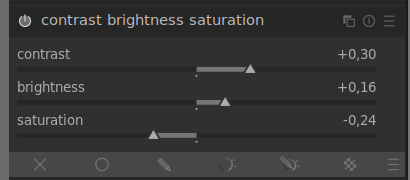
I’ll try again : I would like the sliders to work like in darktable: the color bar extends from zero, not from the left; if zero is in the center, the minus extends to the left, the plus extends to the right.
The current mode is confusing: the color bar always grows from the left, even if zero is in the center.
Anyway, thank you Alberto for all your hard work. I will have no other Raw processor but ART!
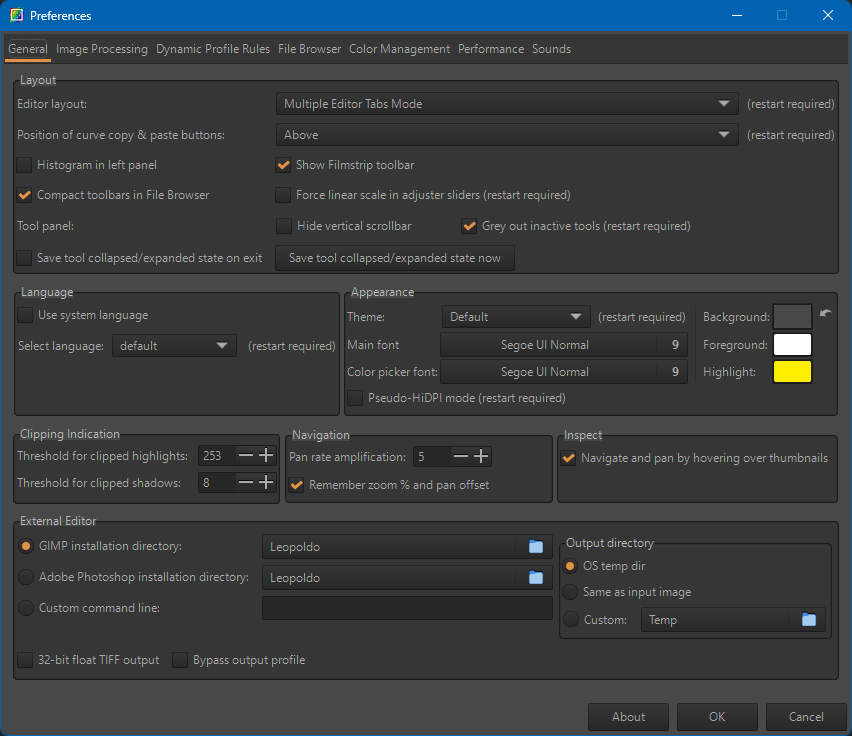
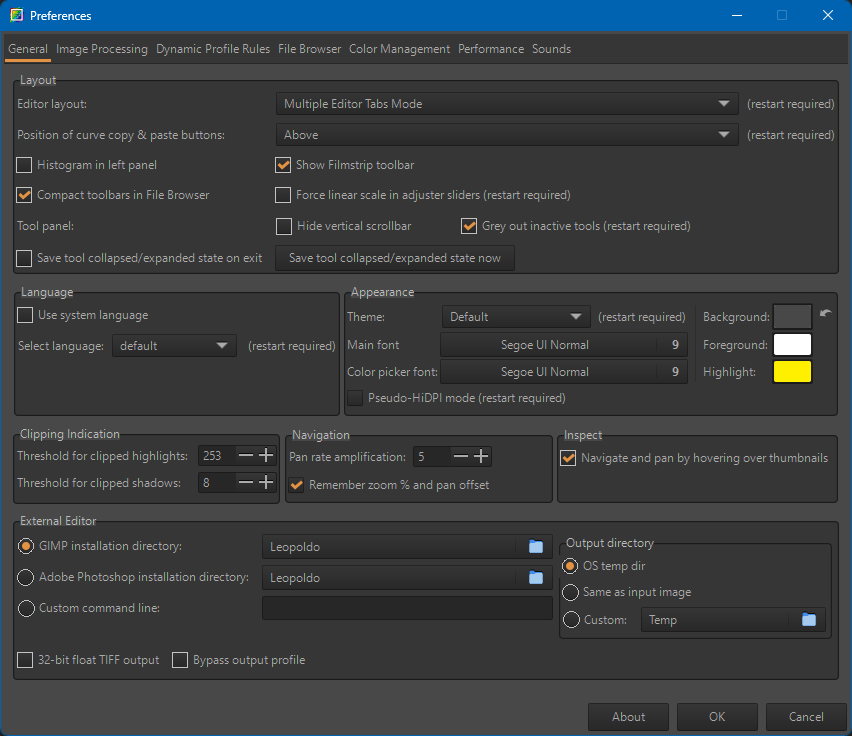
The unselected checkboxes/radio buttons have a color which is very similar to the background one. So if they are in that state, it happened to me not to see their presence.
What I suggest is to use instead a color quite different from the background one, to set the margins of square and circle with.
For example to simplify the stuff, it could be used the same color used as foreground one.
In the image below you can show what I mean. I used the foreground color to draw margins of squares and circles. @agriggio : do you think it could be quite simple and possible?
ART is already so good that it is difficult to come up with suggestions, million thanks @agriggio for your work and of course also everyone else behind RawTherapee.
Here’s one minor suggestion: In the exposure compensation settings an option to compensate camera exposure compensation setting (similar to darktable).
I’ve found it useful when processing exposure brackets when I’m bracketing in order to expose to the right (but I don’t trust the camera histogram). And maybe I need to compromise on how right the histogram is with any motion blur, for example. Currently I’m using dynamic profiles to get this effect, but a toggle in the UI would be more convenient.
I agree it would be nice in terms of visualization, but this would require to implement a new slider essentially from scratch. Maybe some code could be “borrowed” from darktable, but somebody would have to do it…
Certainly possible, but I find it not very pleasant to be honest, so unlikely to be (a) done by me, and (b) become the default, sorry. But did you check some of the other themes (e.g. the “TooWa*”)? Maybe they are more to your liking.
I don’t see the gain for this to be enough to justify the effort, sorry.
I’ve already done this, but I was hoping to convince Alberto to change his default theme…
In any case I want to thank Alberto because IMO his program is the best one among the freeware for processing raw images.
Often (especially with phones) is absolutly necessary to fix both vignetting and color cast. But and even if in the raw there are no blown out highlights, using flat field correction often leads to blown out highlights, as the tools seems to lighten up the image and clipping lights, instead of for example leaving borders as they are in terms of lightness and darkening the center. I can provide some samples if useful. Thank you!
 It works! I can load Gopro-RAWs in ART!!! I’ll check it out father now but it is great to have this. Now i can free the harddisk space again from more than 2.7 Gb with the DNG-Converter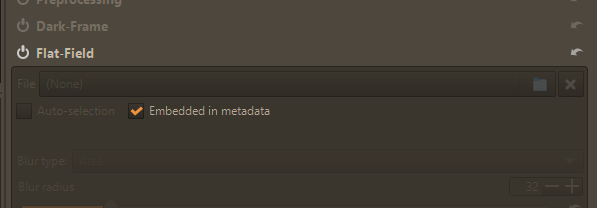

 : I would like the sliders to work like in darktable: the color bar extends from zero, not from the left; if zero is in the center, the minus extends to the left, the plus extends to the right.