It would also be good to have an option to group patches. For example, if one is not enough to select an area, you could add more and then change the brightness for the whole group. (This doesn’t make sense for changing the color, as they can also be different colors).
Please do. Your opinion probably carries more weight than mine anyway
The technique I use to narrow down the selection is by choosing similar hues and creating new patches from them. So, for example, if I pick green but only want the darker greens to be adjusted, then I would pick a lighter green and shift+click to create a new patch. I can then go back to the dark green patch and just adjust that one.
But as far as I know, there’s no option to expand the selection. So, I guess your idea would help with this too?
This is not meant in anyway as criticism to your workflow!
But reading it, sounds very funny: First you check the advanced tab, to see if everything is correct en then you use the simple tab.
If I would encounter this in the software projects I’m involved in (professionally). This would immediately trigger questioning if the design of this functionality is correct.
Nonetheless, I caught myself doing the same. So my question is, are their much more users doing this. Does the simple tab deliver the result you want, without ever checking the advanced tab?
If you don’t check the advanced tab you can’t be sure of the placement of the calculated histogram. Many users never use the simple tab and there was discussion of removing it. I could just grab the nodes in the advance tab and achieve the same result. It is just a personal choice or quirk that I often use the simple tab combined with what my eyes are seeing.
This is new for 5.4: the masking sliders used to all be on the masking tab pre-5.4, but they were moved to the advanced tab and most people who’ve used it say this is better. It reads funny, but works well in practice.
Yes, I am aware of that and change and it makes much sense to me. It is very helpful that the sliders are now on the advance tab!
Wondering if it would makes sense of removing, or changing the order of tab… that you have first the advanced tab and then the simple tab. Yes, this also sounds a bit odd… but if the majority of the users is only using the advanced and mask tab, than having the advanced tab as the default makes sense…
I regard them as just names. I wish the the tabs could have been called sliders and graphic. Which is simpler depends on the user, or even the individual usage.
the last used tab is saved - so if you used advanced tab in the last session then it is displayed when using tone equalizer the next time.
No need to remove or reorder (that just will cause resistance of those who have a different workflow/opinion)
Not sure if anyone said this already, but an alternative option would be a second exposure module with a parametric mask grabbing the shadows.
I spent a lot of time trying to get the tone equalizer create results I like but I am yet to succeed.
Interestingly the DR compression presets work great, despite the fact that the masking they use have nothing to do with what the official documentation or youtube videos suggest is correct. Which is just that more puzzling.
But you gave me some inspiration to play with it again, lately it completely fell out of my worflow, I get around with a combination of a tone mapper, multiple exposure modules and maybe color balance RGB, whose masking work for me better.
what you are saying makes sense, yet I find the vanilla results pleasing enough to question it. Well maybe next time I will try and figure it’s even better.
I am more pleased with the results I get from TE now that I use the AgX tone mapper. This is because AgX identifies the black and white point after TE and puts back the contrast.
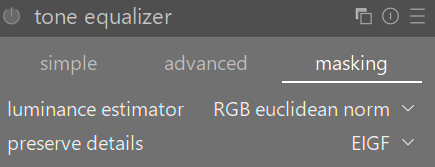
I also often improve results if I play with luminance estimator and preserve details in the masking tab.